Citra est le premier émulateur (et debugger) de Nintendo 3DS, écrit en C++ par Bunnei et proposé en open-source. Il exécute quelques jeux commerciaux (assez expérimental). Cette version est dédiée aux systèmes 64bits. (Code source et builds edge).

 
citra3ds


Plus d’infos sur le forum officiel.
 
Si vous voulez des builds alternatifs, c’est ici qu’il faudra aller.
 

Télécharger Citra build 112 (12,5 Mo)

Site Officiel

En savoir plus…

AmiArcadia est le port amélioré de Tunix2001 ex ‘Win Arcadia 2001’ (par Gavin Turner) pour Amiga. Ecrit par James Jacobs et Gavin Turner, cette version est en fait le port Windows du port Amiga ! (un backport)


Il émule les consoles basé sur la famille des Arcadia2001 : Bandai, Emerson, Grandstand, Hanimex, Intervision, Leisure-Vision, Leonardo, MPT-03, Ormatu, Palladium, Poppy, Robdajet, Rowtron, Tele-Fever, Tempest, Tryom, Tunix, etc.
 
Il supporte aussi l’Interton VC 4000 et l’Elektor TV Games Computer. Il nécessite Windows 9x/ME/NT/2000/XP et tourne aussi sous Vista/8/10.
 

Télécharger Win Arcadia (Ami Arcadia) v36.8 (9.9 Mo)

Site Officiel

pfeMame (écrit par Gareth Finch) est un frontend pour MAME, écrit en Python. Il est multiplateforme (testé sur Linux – Ubuntu et Windows). Il comprend également une interface graphique destinée aux MameCab qui permet le contrôle à l’aide de joystick / manette.


pfemame_main


• Redesigned the handling of system files. Initial implementation was a hack that merged the system file in with the rom file name. This was fine except that very long system names made it impossible to see what the file name was. It was also just a major hack to the code and quite ugly. System file names now have their own column. This has made the window a bit wider but its a better implementation method. When you first upgrade to this new version the code will force a database refresh as the cache file format is not compatible.
• Added notification to messages window when game ratings are updated
• Tile View now supports system program file images rather than just displaying the image for the top level system name
• Tile View number of runs is now fixed
• Corrected the way the games in the favourites list are deleted – it didn’t work with systems files
• Updated the manual to provide a caution regarding manual editing of any of the DAT files
• Updated some of the screenshots in the manual
• Miscellaneous minor changes and bug fixes
• Added F5 to refresh the games database
• The systems support preferences option has been changed. The program will now always look for and process systems into the game list, but if system support preference is disabled they will just not be displayed – the systems column will be hidden and the window size will shrink.
• Added a lookup list for game categories that are ‘systems’ – currently this is the only way that I can determine that a rom is for a system without implementing yet another dat file which would slow the game list build substantially. At the moment the lookup list is hard coded but I may later put it as an external file to make it easier to upkeep.
• Some code optimisations to populatelist – I’m doing this to try to speed up the search-as-you-type feature which is now quite slow given all of the fields it is searching through. Each keypress calls the populatelist code so I need to make some improvements
• Added some error trap to the stdout out & err processing. This was necessary due to testing with a pre-release of mame version 0.181 – it was outputting non ascii mapped characters that were throwing a unicode error.
• Fixed a bug in the gametypes.py code. When you selected OK it would hide the window before switching back to the parent. This would cause the parent to hide also meaning you had to select it from the taskbar to bring it back into view.


Télécharger pfeMame (32 bits) v3.9.2 (119 Mo)

Télécharger pfeMame (64 bits) v1.008 (12.5 Mo)

Site Officiel

En savoir plus…

Nouvelle version de la suite de folders Catlist pour MAME/MAMEUI et Frontends conforme à la dernière version de MAME en date et valable aussi bien pour MAME, les frontends ou les clones de l’émulateur.
 
Le projet officiel ayant repris, vous pouvez oublier les versions d’Antopisa sur son site, elles sont donc pour le moment obsolètes.
 
Descriptions originales (à présent, il me semble que tout fonctionne dans le véritable MAME, n’hésitez pas à me le préciser pour chaque fichier en commentaire, ca m’aiderai pour les descriptions):
 
Catlist: Collections de folders très utiles pour MameUI (FX/Plus!), contenant un tri par genre très complet, et aussi version, bios, aspect, orientation, résolution…Ne fonctionne qu’avec MameUI et autres clones.


Catver: Ce fichier ini se met dans le répertoire de votre Front End favoris (pour ceux qui le supporte bien sûr, EmuLoader en fait parti) et vous permet de classer vos jeux par version, résolution, fréquence, année, éditeur, etc… Attention: Ce fichier ne sert à rien pour MameUI et n’est destiné qu’avec les frontends de Mame.


Deluxe: Collections de folders très utiles pour MameUI (FX/Plus!), contenant un tri par genre très complet et détaillé…Ne fonctionne qu’avec MameUI et autres clones.


GenreV: Ce fichier ini se met dans le répertoire de votre Front-End favori (pour ceux qui le supportent bien sûr, EmuLoader en fait parti) et vous permet de classer vos jeux par genre et version. Attention : Ce fichier ne sert à rien pour MameUI et n’est destiné qu’aux frontends de Mame.


Versions française disponibles ici.


Télécharger Catlist (MAMEUI) v0.289 (275 Ko)

Télécharger Catver (Frontend) v0.289 (307 Ko)

Télécharger Deluxe (MAMEUI) v0.181 (110 Ko)

Télécharger GenreV (Frontend) v0.181 (250 Ko)

Site Officiel

En savoir plus…

Un émulateur de NES codé par Jabo.


– bugfix: mouse is no longer required
– bugfix: konami vrc2 games
– bugfix: puzznic, bases loaded 2
– bugfix: large IPS files
– better support for mmc5 graphics
– improved emulation accuracy
– cheat search workspace auto-saves in case of crash
– upgraded to Direct3D 9.0 and DirectInput 8.0
– added konami mappers 75 (vrc1), 85 (vrc7)
– replaced audio channel menu with volume mixer
– updated app icon


Télécharger JNes (x86) v1.2.1 (502 Ko)

Télécharger JNes (x64) v1.2.1 (523 Ko)

Site Officiel

En savoir plus…

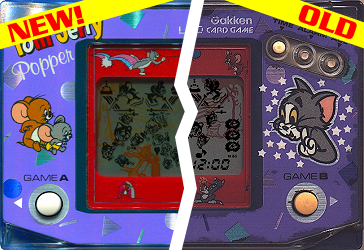
Madrigal CD Collection regroupe spécifiquement la totalité des simulateurs de Madrigal. Ce set est en complément au « Handheld Remakes (Simulators) » afin de respecter le nom d’origine des simulateurs de Madrigal.

 
madrigalfull


– Tom & Jerry Popper (Gakken, LCD Card Game) S4/1.04 (Standard 4, complete rewrite)
– MADrigal CD Collection ver. 59.26
– ClrMamePro DATfile ver. 20161226 [59.26]


Télécharger MADrigal CD Collection v59.26 (100,2 Mo)

Site Officiel

En savoir plus…

Il s’agit d’un programme (gratuit) qui permet de mapper les touches d’un clavier/souris sur une manette à l’instar des autres programmes incontournables tels que Xpadder, Joytokey ou vJoy.
 
Primarily a bug fix release. Some large, some small. This release does resolve issues with SDL 2.0.5, as well as some corner cases with the portable version. Check out the Changelog for the complete list.


Télécharger AntiMicro (x86) v2.23 (22.4 Mo)

Télécharger AntiMicro (x64) v2.24 (31.2 Mo)

Télécharger AntiMicro (no SSE) v2.23 (22.0 Mo)

Site Officiel

En savoir plus…

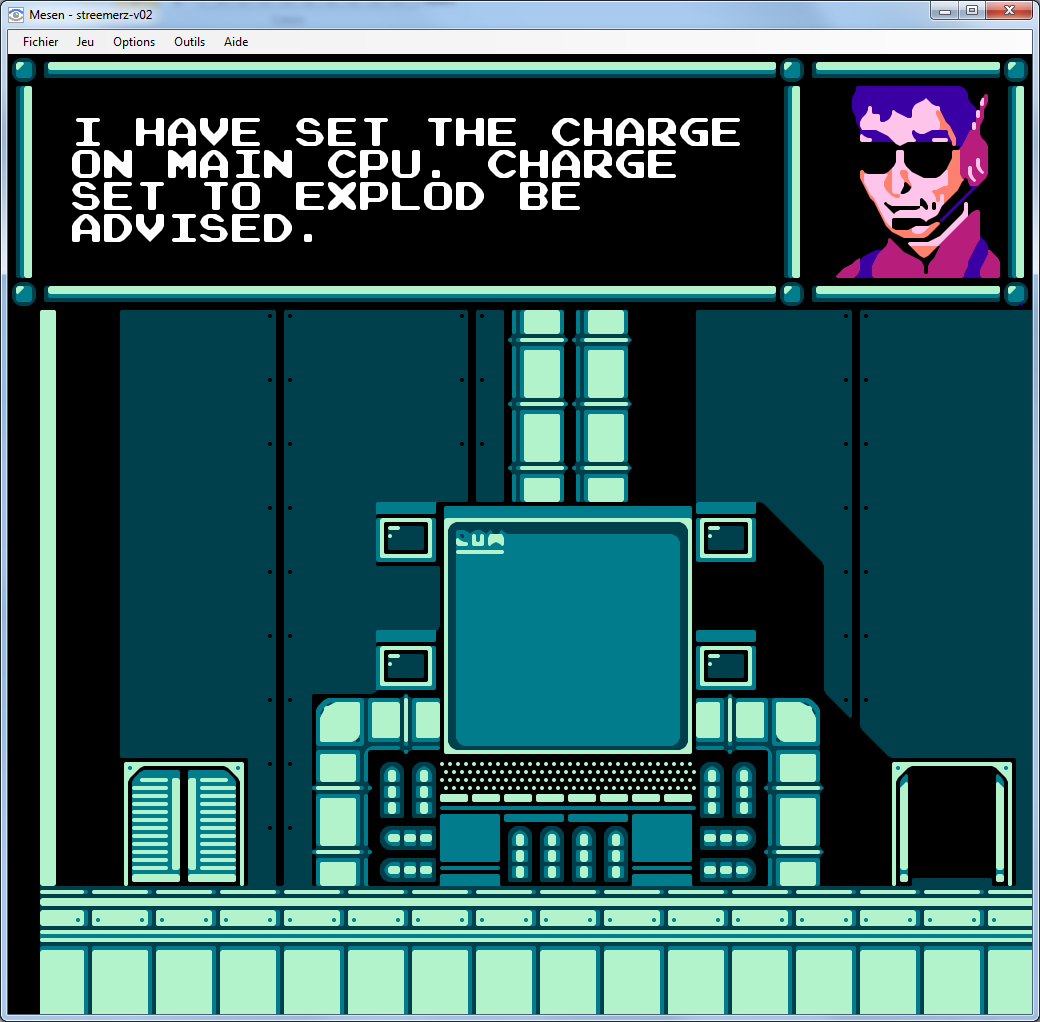
Il s’agit d’un émulateur de Nintendo NES (et aussi FDS, NSF, NSFe, VS System) écrit en C++ (interface en c#) gérant le multi threading et est capable de s’exécuter en mode 32 ou 64 bits automatiquement. Il s’attarde sur la précision, gère un ensemble de mappers et filtres graphiques (mais aussi les packs HD au format HDNes) ainsi que les extensions zip/7z, permet l’enregistrement vidéo, le jeu en ligne ou encore d’utiliser des codes de triches. De plus, il se mettra à jour automatiquement. En outre il dispose également d’un débogueur.


Il vous faudra disposer de Windows Vista, 7, 8, 8.1 ou 10 ainsi que DirectX 11 avec .NET Framework 4.5+ d’installé.

 
Mesen
 

New Features

– Linux: Mesen can now run under Linux (requires Mono and SDL2). This is still a work in progress and may contain bugs and crashes.
– UI: Mesen is now available in Portuguese (translation by ThallesAps)
 
Bug Fixes

– Audio: Improved square channel accuracy and fixed a sound mixing bug introduced in 0.6.0.
– Misc: Fixed issues with DirectInput controllers and the debugger.
– Overclocking: Fixed issues when using overclocking in games that use the DMC channel.


Télécharger Mesen v2.1.1 (33.5 Mo)

Site Officiel

Gonetz, celui-là même qui développait le plugin Glide64 (dernière version en 2012, ici) considéré comme un excellent plugin par beaucoup (bien que limité par l’architecture qu’il sert) s’est évertué à créer un nouveau plugin avec davantage de possibilités que Glide64 mais en utilisant cette fois-ci l’OpenGL (d’où le nom) qui est beaucoup plus puissant et qui permet de faire bien d’autres choses sans véritables limitations. Ce plugin utilise comme base glN64 de Orkin et, comme ceux basés sur RiceVideo, supporte les packs de textures hautes résolutions (voir ici où là). A noter qu’une version pour Android et Linux sont également disponibles.


Il s’agit très probablement du meilleur plugin vidéo pour émulateur de Nintendo64 !


GLideN64_THE_LEGEND_OF_ZELDA_WS2 GLideN64_THE_LEGEND_OF_ZELDA_WS1


Il y a plusieurs fichiers dans l’archive:


    • Pour Mupen64Plus: Placer le fichier dll dans le dossier de l’émulateur et configurer l’émulateur pour utiliser le plugin GLideN64. Lancer n’importe quelle rom(s). La première exécution créera un fichier de configuration que vous pourrez alors éditer avec un éditeur de texte ou via un frontend.


    • Pour les émulateurs utilisant les spécifications de Zilmar: 1964, Mupen64, Project64 et autres. Copier les fichiers ‘dll’ et ‘ini’ dans le répertoire ‘plugin’ de l’émulateur correspondant et lancer la configuration vidéo de l’émulateur pour utiliser GLideN64 comme plugin graphique. Configurer les options de configurations vidéos selon votre goût et lire les info-bulles pour obtenir d’avantages d’explications.


    • Pour Linux Ubuntu64 avec l’émulateur Mupen64Plus: Créer des binaires efficaces distribuables pour Linux n’est pas évident, il n’y a donc aucune garantie que cela marche. La distribution du plugin au public sera donc open-source, vous pourrez donc y jeter un œil, le modifier et le compiler au besoin. A télécharger sur le projet officiel directement par les sources ou utiliser celles déjà présentes dans l’archive.

 
Voici les quelques explications sur cette nouvelle version:
 
Time is come to set new Release tag to master branch. 20 months passed since the first major public release. List of improvements made since that time is huge. Thus this new release gets new major version. Some statistics: since previous public release
 
* 690 commits to master
* closed over 450 various issues
 
Fixes in combiner, blender, texture loading, frame buffer emulation eliminated graphics issues, which plagued N64 emulation since the beginning and until recently required use of software rendering for correct emulation. Of course, hundreds of GLideN64 own bugs was squashed on the way. Detailed information about new features of this release can be found in my New Public Release articles.
 
Public release 1.0 took 8 month of my hard full-time work. It became possible as result of successful crowd-funding campaign on Indiegogo.
 
Now I ‘m working on the project as on my hobby, in my spare time. New major release took 20 months. It could take much more, but now I am not working alone. The project currently has 28 contributors.
My special thanks to:

  • purplemarshmallow: frame buffer emulation improvments, general fixes
  • Francisco Zurita aka fzurita: support of Android port, GLES fixes, general fixes
  • Logan McNaughton aka loganmc10: support of Raspberry Pi port, general fixes
  • Ryan Rosser aka Aquatakat: GUI design
  • matthewharvey: code cleanup and optimization
  • Gilles Siberlin aka Gillou68310: ucode decoding, general fixes
  • AmbientMalice: ini cleanup
Very special thanks to Sergey Povalihin aka angrylion for explanations of various aspects of RDP work. His advices helped me to fix many tricky issues.


Also, my thanks to all users of https://github.com/gonetz/GLideN64. Your bug reports and feedback greatly help us to improve quality of the program.
Speaking of quality: we still have over 200 open issues. Not all of them are bug reports. Feature requests and suggestions are in that list too. Nevertheless, list of known issues is still large. There are games, which are not supported at all. The work will continue.

Internalization: at this moment only two translations are up to date:

  • Spanish, thanks to Víctor « IlDucci »
  • French, thanks to baptiste0602


Other translation files built from translations for previous release, so lots of text left untranslated.


Télécharger GLideN64 PR 4.0 fix (4.3.29 DEV) (10.9 Mo)

Site Officiel

En savoir plus…

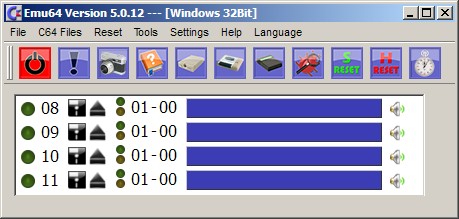
Il s’agit d’un émulateur de Commodore C64 en allemand et aussi en anglais.

 
emu64
 

– Stereo SID is now also integrated in 5.xxx and can be configured
– Stereo SID – 6 channel mode (new) (both SID’s on both channels)
– If the second SID is also set to IO $ d400, this is delayed by 1000 cycles (pseudo-stereo)
– Position and size are now also stored in the TapeWindow
– You can now create your own ROM sets (Kernal / Basic / Char / 1541-Dos).
– Restore NMI (RESTORE BUTTON) is default to DELETE
– Each C64 key can now be intuitively assigned a physical key
– Now you can create an empty EasyFlash image again
– BUGFIX # 90 : Emu64 should start again faster (long waiting time at « C64 class is initialized »)
– BUGFIX # 73 : Emu64 can now also under Windows by closing C64 screens quit
– BUGFIX # 53 : AltGr + Return is now also under Windows (Fullscreen) = ok
– BUGFIX # 81 : Easy Flash LED works again = ok


Télécharger Emu64 (x86) v5.2.0 (21.9 Mo)

Télécharger Emu64 (x64) v5.2.0 (23.9 Mo)

Site Officiel

En savoir plus…

SSE pour « Steven Seagal Edition » est un émulateur d’Atari ST basé sur le STeem original v3.2 de 2004. Il emprunte également des améliorations en provenance de Hatari.


Les améliorations sont les suivantes :
 

– Remove HD/TOS warning (a ‘bad idea’ fix).
– No warning for STF/T206, they’re compatible.
– Reorganisation of option names in steem.ini (example, there were « Options » and « Option » sections). Because of that, first startup may be confusing, but it had to be done one day.
– If, unlikely as it is, Steem crashes, it will report the exception number and position in a message box, and then close cleanly if possible.
– Auto select TOS on load snapshot: try to match country.
– Clicks on some DMA sounds (Talk Talk 2).
– Reading Joypads when the program doesn’t respect conventions (Substation).
– WD1772: delay on SEEK when DR=TR (Suretrip II STW).
– ACIA transmission on accelerated ST (option C1 for 6301 and MIDI).
– MC68000: some timing corrections (using Yacht table).
– Drive speed in « accurate » mode (Necrosys, Oh No More Froggies).
– Joystick port 0 with option C1 (TNT).
– Screenshot with normal (small) size (D3D build).
– Win64 build: fix some GUI crashes.
– File handle leak when using ArchiveAccess.dll.
– CAPS some drive sounds missing.
– Some crashes on load snapshot (option C2).
– Crash on change R/W when STW/HFE disk inserted.
– Save as Neo: save correct resolution.
– Resetting in medium resolution could cause shifted planes, low resolution display.
– Fullscreen crisp rendering: trash when switching resolutions
– DefaultSnapshot in ini file interfering with dropping disk image file on Steem


Télécharger Steem SSE (D3D) [32 bits] v4.2.1 R3 (6.8 Mo)

Télécharger Steem SSE (D3D) [64 Bits] v4.2.1 R3 (7.6 Mo)

Site Officiel

En savoir plus…

Il s’agit d’une branche de l’émulateur de Microsoft X-Box CXBX, apportant certains modifications et améliorations diverses.


cxbx_reloaded
 
Branche Darkrush3760
Branche LukeUsher


Télécharger CXBX Reloaded (2016/12/24) (908,7 Ko)

Site Officiel

En savoir plus…


https://getourbonus.com/fr/accueil

https://www.romspedia.com/