GameEx est une interface graphique pour vos émulateurs. Elle sert également de lecteur vidéo, DVD et CD.


Certaines fonctionnalités de GameEx :
– lit aussi les fichiers audio.
– supporte les affichages LCD/VFD, ArcadeVGA.
– peut adapter son affichage pour les écrans larges, elle peut aussi tourner l’affichage de 90° (vertical).
– peut être contrôlée à distance, ou par une manette ou par la souris uniquement.
– supporte les contrôleurs arcade : HotRod, X-Arcade, SlikStik et IPAC.
– est compatible avec les interfaces entre PC et cartes arcade : U360, I-PAC, J-PAC.
– intègre un Jukebox qui supporte les fichiers ogg, mp3, wma, m4a, et flac.
– Les musiques peuvent être lues et changées pendant que vous êtes en train de jouer.


Ce frontend est disponible en version gratuite & payante (17 $) incluant de nombreuses autres fonctions.


Télécharger GameEx v14.70 (41,1 Mo)

Site Officiel

En savoir plus…

Un émulateur multi-système écrit en Java et qui émule les machines suivantes: AC1, BCS3, C-80, HC900, Hübler/Evert-MC, Hübler-Grafik-MC, KC85/1, KC85/2, KC85/3, KC85/4, KC85/5, KC87, Kramer-MC, LC-80, LLC1, LLC2, PC/M, Poly-Computer 880, Schachcomputer SC2, SLC1, VCS80, Z9001, Z1013.


Télécharger JKCemu v0.9.6 (3,9 Mo)

Site Officiel

En savoir plus…

MAME Content Manager Plus est un programme simple qui permet de trier et selectionner les roms que vous voulez garder sur votre PC. Il permet de facilement renommer ou effacer les roms MAME en utilisant les catégories : Adult, Quiz, Mahjong, Puzzle, etc.


Les changements sont visibles ici.


Télécharger MAME Content Manager Plus v1.1.1 (946,2 Ko)

Site Officiel

En savoir plus…

Une nouvelle version de développement est disponible sur le site git officiel, en voici les changements depuis la version stable v4.7.3:


– CompuMate PAL ROM now displays in correct mode
– RESPM is fixed for 8 pixel players -> Frostbite displays correctly
– Fix spurios dispatch after RESPx for wide players -> Fixes glitch in Missile Command
– Frame rate stabilization
– Side effects of NUSIZ during decode are modelled -> Meltdown seems correct now
– Emulate final reset of more movement required counter -> Fixes glitch in Masters of the Universe
– Delay ENABL by one cycle -> fixes Super Challenge Football
– Fix INPT5
– Fix positioning regressions introduced between pre1 and pre2
– « Mega Bitmap Demo » now displays correctly; this is the first time that this ROM has ever worked in any emulator
– RESMP matches real hardware fo 16 and 32 pixel players
– Starfield includes an effective description of modulation effects seen on real hardware (players not included for now)
– Frame and TV mode detection are improved, fixes multiple glitched ROMs
– Exception in Yar’s revenge is fixed
– Keyboard controllers et. al. now work
– Delay for REFP[01] — fixes Strawberry Shortcake
– Sprite positioning during extenden hblank has been adjusted. This fixes glitches in numerous games.
– Several Stella features like PAL color loss are currently not implemented in the 6502.ts core
– State saving is broken; don’t try it, otherwise the emulation will lock up
– The debugger is functional for both cores, except for the TIA stuff
– The keyboard controller is currently broken with the 6502.ts core, as are other ROMS that use registers related to paddles (CompuMate, etc)
– The 6502.ts core currently exhibits minor horizontal positioning glitches in some ROMs

 
A télécharger sur le site officiel.
 

Site Officiel

Conçu pour gérer les roms MAME, ClearMAMEPro supporte également tous les dats au format CM, mais aussi XML, permettant de gérer efficacement vos collections de roms & isos. Le manager le plus complet.
 
clrmamepro


Changement :

– fixed: falsely create sampleOnly sets from empty sets (MAME >.180 genpin issue)
 
clrmamepro
 

Télécharger ClrMAME Pro (x86) v4.050 (3.9 Mo)

Télécharger ClrMAME Pro (x64) v4.050 (4.5 Mo)

Site Officiel

En savoir plus…

Un excellent frontend multi-systèmes axé sur la simplicité d’utilisation.


Les nouveautés sont les suivantes:

– New “Presenter” theme added.
– mGalaxy_Runway : Database > Hidden items can be restored to ‘Visible’.
– mGalaxy_Runway: Database > Show/hide Hidden items (displayed in a different text format)
– mGalaxy_Runway: Database > Show/hide Missing items (displayed in a different text format)
– mGalaxy_Runway: Database > New database server added.
– mGalaxy_Runway: Database > Media download extended to movies, clear logos, fan arts.
– Game description cleaned up from parenthesis and brackets (and their content) [Option]
– Game list animation when scrolling [Option]
– Game list with logo images [Option]
– mGalaxy_Runway: Mame database creation further simplified.
– “Catver.ini” & “nplayers.ini” automatically downloaded when missing.


Télécharger mGalaxy v6.2 (7.3 Mo)

Site Officiel

En savoir plus…

Créé par Avery Lee (l’auteur de VirtualDub), il s’agit d’un émulateur d’Atari 8 bits (800/800XL/130XE) disponible en 32 et 64 bits. Il dispose de beaucoup d’options ainsi que d’une bonne compatibilité. Il prend en charge les jeux protégés conformément à l’émulation. Il s’agit d’une version de développement au stade de béta.


– Adds the ability for the compatibility engine to supply cartridge types and adds a bunch of 5200 cartridges to the internal list. This is to address the annoying issue of trying to decide whether a headerless 5200 cart image is 16K one chip or 16K two chip, for which autodetection isn’t good enough and the user can only guess. This also allows the emulator to auto-switch to the 5200 profile without having to confirm that the cartridge is a 5200 cart first. This can be expanded to computer carts as well — this is a test flight. If there is an issue, the internal compatibility list can be turned off in Options.

– The compatibility editor has also gotten some usability improvements. It is now modeless, there are keyboard shortcuts for save/compile, compiling automatically saves, and the external compatibility DB is auto-reloaded. The procedure is still a bit clumsy, but the process is: add title, add alias (select cart/disk checksum), then add tag for compatibility action. Build > Compile to save the source file and build the engine file. Afterward, the file can be set up as the external DB in Options, and the editor will reload it on subsequent compiles. I think I’m going to stick with the current FNV checksum after all; if there does turn out to be a problem that requires switching to another algorithm, I’ll add a scan command that can automatically convert the checksums as long as you still have the matching images.

– The disk explorer will now allow write access to a disk that has only minor VTOC/bitmap errors, i.e. free blocks marked as allocated. This is fairly common and was getting in the way of some testing. As some point I should add a fix VTOC option. It will still block write access to a filesystem that has more serious errors like cross-linked files or allocated blocks marked as free.

– Added a delay to the modem emulation between ATA and reporting CONNECT to try to fix an issue with Carina II missing the latter when it tries to quickly close and reopen R:.

 
Topic des versions Beta.

Télécharger Altirra (Beta) v2.90 Test 21 (3,9 Mo)

Site Officiel

En savoir plus…

Créé par Purplemarshmallow, il s’agit d’un plugin LLE RDP pour émulateur N64 respectant les spécifications de Zilmar et basé sur Z64 de Ziggy.


z64gl


Télécharger Z64gl (2016/12/25) (371,0 Ko)

Site Officiel

En savoir plus…

Il s’agit de WinUAE, la référence de l’émulation Commodore Amiga, traduit en français.


Télécharger WinUAE (Français | 32 bits) v6.0.3 (8.6 Mo)

Télécharger WinUAE (Français | 64 bits) v6.0.3 (11.0 Mo)

Site Officiel

En savoir plus…

emuControlCenter est un excellent gestionnaire multi-émulateurs de jeu, qui supporte plus de 190 plates-formes. ECC supporte les images et aperçus dans le «Resultview» ou en plein écran.


EmuControlCenter 1
En outre il gère la prise en charge de ZIP, RAR, 7z ainsi que les Import & Export des images directement à partir de No-Intro / EmuMovies ; il permet de jouer des fichiers vidéo MP4/FLV avec VLC media player et supporte Daemon Tools Lite (en utilisation avec un script). Il est également possible d’importer les dats de CMPRO et RomCenter. Enfin plusieurs thèmes sont sélectionnables pour l’aspect visuel.


Les améliorations, toujours très nombreuses, sont les suivantes:
– ECC Core
– ECC License now GPLv3
– Fixed some missing icons in the Platform and Rom sub menu system.
– Fixed an « freeze » issue with datfile importing if the path did not exist.
– Fixed issue where you could not import v1.1 or older ECC DAT files properly.
– Fixed an issue where calling the ABOUT screen made ECC close.
– Fixed startup of some GUI’s to CENTER screen.
– Fixed some language lines in ‘i18n_meta.php’ files to be translated.
– Fixed some issues & link in the offline helpfiles.
– Updated PHP-GTK Glade3 GUI from v3.4.3 to v3.6.1.
– Reworked all GLADE GUI’s due to update, some icons have been changed/added.
– Rearranged TOP menu icons.
– Added new theme icons to the TOP menu, no more stock PHP-GTK icons.
– Added proper deactivation on menu items when ALL PLATFORMS has beem selected.
– Cleaned up code in GUI and php code for ROMdb.
– Removed Xpadder and Xpadder options, the freeware v5.3 crashes on Windows 8/10.
– New Option to select a external Joystick emulator yourself now.
– Shipping WorldOfJoysticks v1.57 standard edition (worldofjoysticks.com) with ECC.
– Updated ES language to ECC v1.21 [Jarlaxe]
– Removed unique CID structure in ECC, now implemented UID in autoit variables.
– Updated ECC EMU INI files in « ecc-system\system » these are now exported by EDC.
 
– EMUDOWNLOADCENTER
– Introducing the new EDC module for ECC, with this you can download, install and
configure emulators with a few clicks!
– Project page is on GitHub: https://github.com/PhoenixInteractiveNL/emuDownloadCenter/wiki
– This project had been started in OCT-2016, and with help of ‘Shando’ we have a lift-off!
– You can help collecting and adding more platforms and emulators, it’s all open source!
– You can request specific EDC data export to a file, but you have to work for it 😉
 
– ECC Documentation
– Now using GitHub wiki markdown documentation, this way it’s maintained better!
– Made a Github wiki markdown to HMTL converter to generate offline documentation!
 
– ECC Update
– v1.2.0.3
– Removed redundant CID checks.
– v1.2.0.2 (2016.09.15)
– Fixed a bug where eccUpdate! could not find the last update from the server correctly.
 
– eccThirdPartyConfig
– v1.0.0.3 (2016.09.25)
– Removed Xpadder config.
 
– eccScriptSystem
– v1.3.0.1 (2016.09.25)
– Removed Xpadder variable, added JoyEmulator variable.
 
– eccToolVariables
– v1.0.2.0
– Added EDC variables.
– v1.0.1.0
– Added UID string.
– v1.0.0.9 (2016.09.25)
– Removed Xpadder variable, added JoyEmulator variable.
 
– DatFileUpdater
 
– v1.3.0.1
– Removed DATE function and string, not used in newer MAME dats anymore
– Fixed NeoGeo driver from ‘neodrvr.cpp’ to ‘neodriv.hxx’
 
– MobyGamesImporter
– Updated the emuMoviesDownloaderlist from 2012-10-10 to 2016-11-05.
 
– emuMoviesdownloader
– v1.2.1.3
– Removed redundant CID checks.
 
– iccImageInject
– v1.1.0.9
– Adjusted CID checks to UID.
 
– eccDiagnostics
– v1.0.0.4
– Adjusted CID checks to UID.
 
– Thirdparty updates
– 7-zip v16.02 to v16.04
– Notepad++ v6.9.2 to v7.2.2
 
– Updated DAT files for:
– CPS-1 : v0.178 to v0.180 (mame)
– CPS-2 : v0.178 to v0.180 (mame)
– CPS-3 : v0.178 to v0.180 (mame)
– MAME : v0.178 to v0.180 (mame)
– MODEL1 : v0.178 to v0.180 (mame)
– MODEL2 : v0.178 to v0.180 (mame)
– NAOMI : v0.178 to v0.180 (mame)
– NEOGEO : v0.178 to v0.180 (mame)
– PGM : v0.178 to v0.180 (mame)
– S11 : v0.178 to v0.180 (mame)
– S16 : v0.178 to v0.180 (mame)
– S18 : v0.178 to v0.180 (mame)
– S22 : v0.178 to v0.180 (mame)
– ZINC : v0.178 to v0.180 (mame)


A noter que emuDownloadCenter (EDC) est lancé!
Grâce au module EDC, ECC est capable de télécharger et d’installer les émulateurs automatiquement sans rien faire de plus !

 
Le site du projet ce trouve ici.



Télécharger emuControlCenter v1.22 (101,1 Mo)

Site Officiel

En savoir plus…

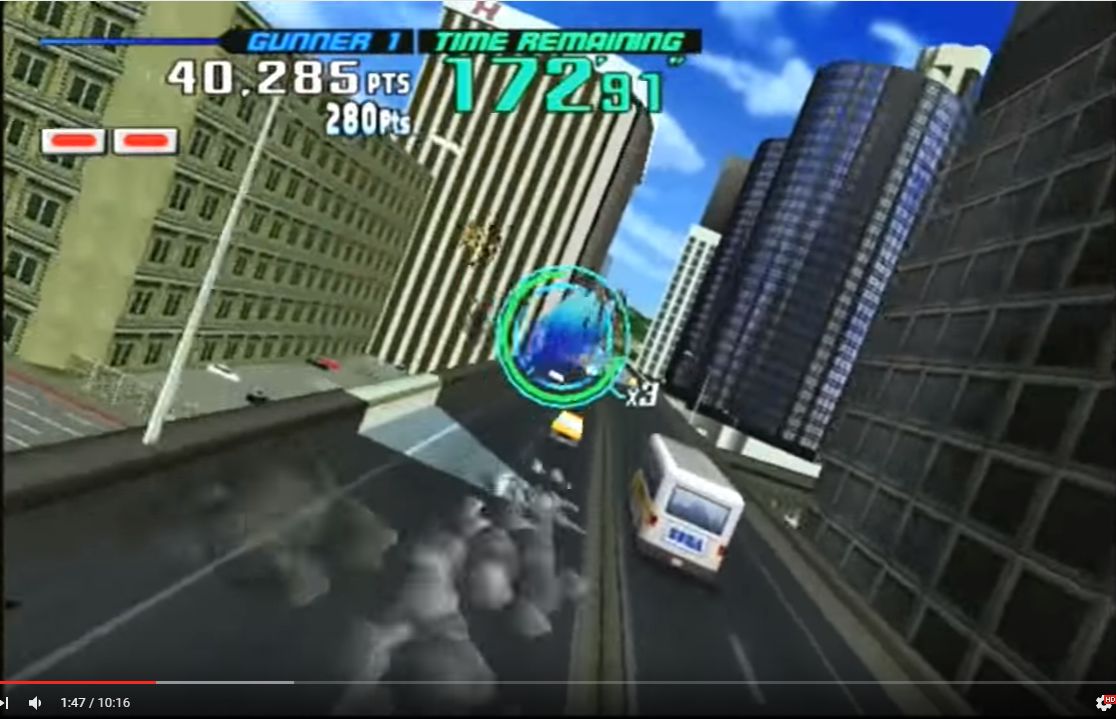
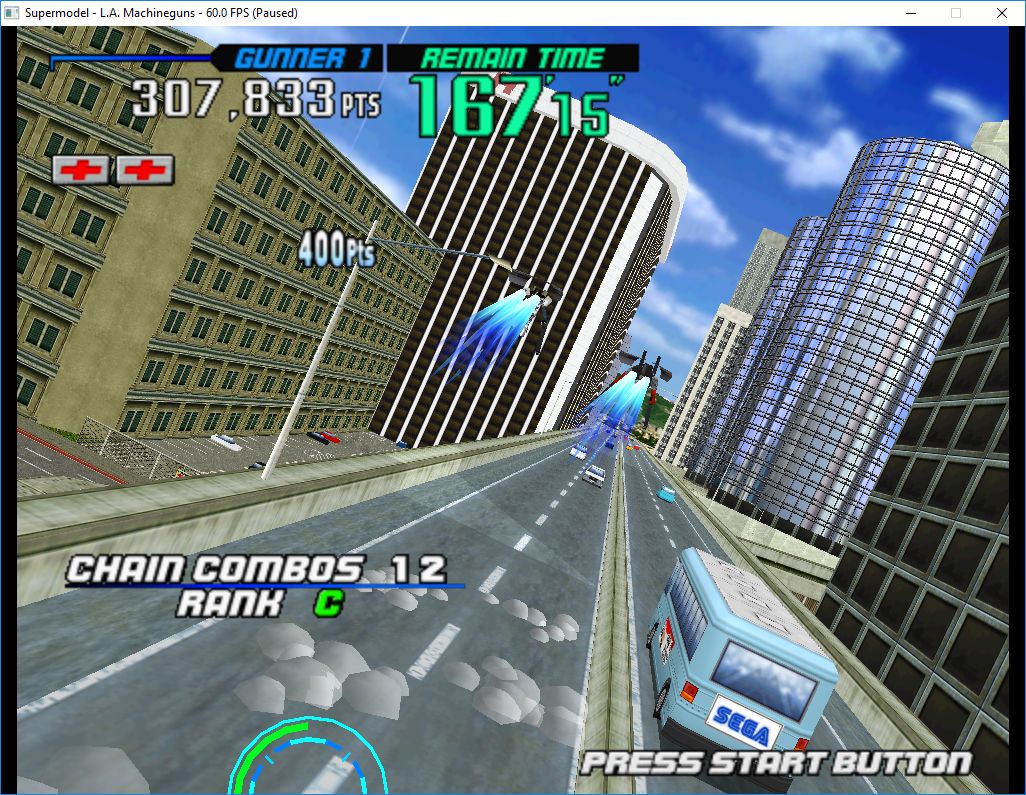
Le premier émulateur de Sega Model 3 créé par Bart Trzynadlowski, Ville Linde et Stefano Teso dans sa version de développement (voir ici) [source].

 
supermodel_actual

Wii version


supermodel_incorrectSupermodel (incorrect)


supermodel_vertexSupermodel with fixed shading

 
Les changements:
– cosmetics
– only need to cull against 4 clipping planes
 
———————–
 
test et test32 (svn516)
– correction des musiques dans sega rally 2

 
Les fichiers sont compilés par spindizzi, merci à lui.


Télécharger SuperModel WIP (x86/x64) v0.3a r516 (1,6 Mo)

Site Officiel

En savoir plus…

Il s’agit d’un émulateur multi-systèmes dont l’interface est en Japonais et en anglais. Il est également accompagné d’un très bon débogueur.


Télécharger vdmgr v0.1.0 (1,4 Mo)

Site Officiel

En savoir plus…


https://getourbonus.com/fr/accueil

https://www.romspedia.com/