Reicast est à l’origine un portage pour Android de nullDC et qui est à présent disponible sous Windows, entre autre.
Il vous faudra les bonnes bibliothèques VC++ pour pouvoir le tester.
Télécharger Reicast (x86) (2020/05/31) (1.3 Mo)
Reicast est à l’origine un portage pour Android de nullDC et qui est à présent disponible sous Windows, entre autre.
Il vous faudra les bonnes bibliothèques VC++ pour pouvoir le tester.
Télécharger Reicast (x86) (2020/05/31) (1.3 Mo)
RetroArch est un émulateur multi-systèmes pour Linux, Windows, Mac OS X et BSD. Il est anciennement connue sous le nom SSNES.
RetroArch est un système modulaire émulateur multi-système qui est conçu pour être rapide, léger et portable.
Ce n’est pas un Frontend à proprement parler, ni véritablement un multi-emulateur.
Il utilise en fait des libraires (core) d’émulateurs déjà existants sous la forme de fichier « libretro XXX.dll ». Ce n’est pas non plus un simple front end, car il offre l’émulation complète de plusieurs plateformes console et même final burn alpha.

Actuellement, il existe des implémentations libretro pour les systèmes tels que SNES, NES, GBA, GB / GBC, la Genèse, et même des jeux d’arcade Final Burn Alpha et bien d’autres encore. Voir ici pour obtenir les cores nécessaires.
Libretro n’est pas seulement utilisable pour les émulateurs. Un port préliminaire d’une ré-implémentation open source de Cave Story a été porté aussi à libretro.
RetroArch croit en la modularité. L’application elle-même est une application en ligne de commande adapté pour HTPC et / ou l’utilisation sans tête. Il existe également une interface graphique pour RetroArch, en soutenant toutes les options de configuration unique.
RetroArch établit la norme sur la portabilité multi-plateforme pour le moment:
Linux (x86 et x86_64)
Windows (32bit/64bit)
Mac OSX (PPC / Intel)
Playstation 3 (PS3 SDK/PSL1GHT (WIP))
PS Vita
Xbox 1 (XDK)
Xbox 360 (XeXDK / Libxenon)
Gamecube
Wii
3DS
Raspberry Pi
OpenPandora
Androïd

Les nouveautés:
Fixed
– Added a validation check to prevent « Create Games List » from executing again while it’s still running (main menu)
– Tag « compat » was not being read from softlist games files (« eldir\softwarelist\ » folder)
– Software list counter label in splash screen was off by 1 (cosmetic)
– Frontend crash when using « Create Software List Games » main menu (weird Delphi 7 compiler bug!)
– Ultra slow game name searching in « systemname.elstatus » files when scanning for games; quick scan was the most affected
– Setting « # inipath » was not being correctly detected on old MAME builds, making impossible to set custom game settings
– Could not set media player file in preferences screen (video preview tab)
– Old bug… I guess people don’t use ZiNc anymore! Setting « Texture Cache » was not being parsed correctly from « renderer.cfg » (ZiNc settings screen)
Changed
– MAME/HBMAME emulators full title are no more; they are now simply « MAME » and « HBMAME: HomeBrew MAME »
– MAME build is detected before creating MAME games list; the « -listxml » output will only be used for MAME v0.70 and newer; this is to avoid EL trying to use « -listinfo » output on new MAME builds if the build number detection function fails
– Changed LUA scripts delay timer default’s value from 2 secs to 0 secs; for MAME v0.172 (MAME settings, « Input » tab)
– Images manager updates and changes (main menu « Images »)
*window mode is now « modal » instead of « stay on top »; you can’t access the main games list anymore
*new feature: Search available images on missing games; easier to delete images of games you don’t have
.use button « Scan Not Used Images » for this new fuction
.a new image preview floating panel will show the image of the selected game (its last position is saved/restored)
.create a list of missing MAME games where images are found, so you can remove unwanted image files from your collection
.software list games support
.unzipped images only
*new popup menu option: « Scan Arcade Games/Machines », to scan for arcade games/machines
*the button « Scan Missing Images » updated to scan all games for missing image files
*the button « Scan Invalid Images » updated to scan all image files and compare with MAME game names for unknown filenames
NOTE: make sure to check the popup menu for some settings before scanning (mouse right-click)
*minor tweaks and code optimizations
– AntoPISA’s « category.ini » and « version.ini » have priority over « catver.ini »
– From now on, you need AntoPISA’s « mess.ini » file to filter MAME non-arcade machines (found in « renameSet pack » or « version.ini pack »); if you still want to use « category_home.ini », rename the file to « mess.ini »
– UI tweaks in MAME settings screen to fit new settings
– UI tweaks in « SEGA Model 2″ settings screen to fit on 640×480 resolution
– UI tweaks to remove the large and unnecessary 16 pixels borders in the following screens:
* »MAME settings (Basic Mode) »
* »Supermodel 3″ settings
* »Daphne » settings
* »SEGA Model 2″ settings
* »ZiNc » settings
– Changes to ZiNc settings screen
*grouped related settings next to each other
*added new « Enable Keys » setting (renderer)
*replaced « Manual Framerate » by a TEdit control and support values from 0 to 1000
*UI tweaks to minimize the mess
Removed
– Removed support for AntoPISA’s « catver_full.ini »; rename the file to « catver.ini » if you still want to use it
– Removed support for AntoPISA’s « category_home.ini »
Added
– New HLSL settings: « Shadow Mask Tile Mode » and « Bloom Blend Mode » (MAME Settings screen, « Video 2 » tab); for MAME v0.169 and up
– New « Sound Output Mode » option: « XAudio2 » (MAME Settings screen, « Audio » tab); for MAME v0.170
WARNING: Windows 8 or newer required!
– Support for MAME v0.171 new settings (MAME settings screen)
*Plugins directory selector (« Folders » tab)
*Languages directory selector (« Folders » tab)
*Language selection for text localization in the emulator (« Miscellaneous » tab)
* »Record an Input Timecode File » (« Input » tab)
* »Exit Emulator After Input Playback » (« Input » tab)
* »Type of User Interface » (« Miscellaneous » tab)
– Added a way to cancel changes in « Category / Layout Settings » (images main menu; images popup menu); you must click the « Apply » button to save and apply changes to categories and layouts
Télécharger RetroArch (32 Bits) v1.3.2 (74,6 Mo)
Il s’agit d’un émulateur de consoles Nintendo 8/16-bit. Le site étant entièrement en japonais, il est difficile d’en connaitre les réelles améliorations.
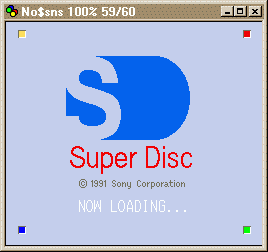
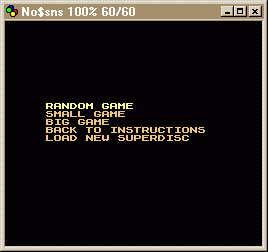
Une info pour vous informer que la prochaine version de cet émulateur de Super NES devrait pouvoir gérer le Sony Super Disc SFX-100 CDROM c’est à dire le prototype du SNES-CD. Un petit jeu maison (servant plus de POC qu’autre chose) est d’ores et déjà disponible sur cette page.
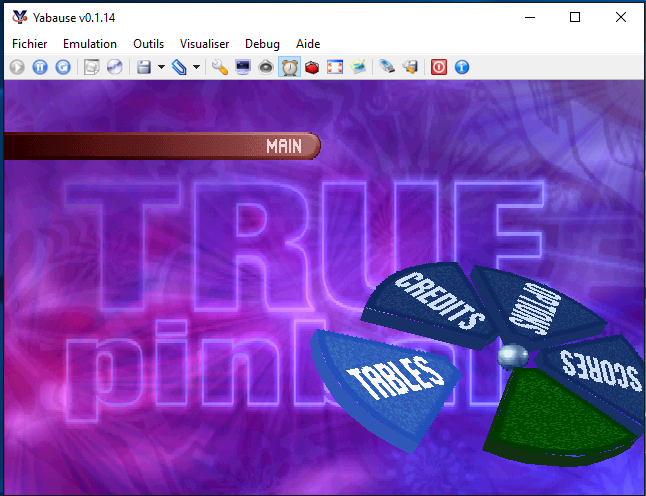
Voici une version de Yabause (émulateur Saturn) maintenue par Devmiyax (développeur japonais). Devmiyax avait proposé plusieurs patchs pour la branche officielle puis plus rien pendant de longs mois jusqu’à l’arrivée de UoYabause sur la scène de l’émulation Saturn pour le système Android et sur laquelle cette version Windows est basée. Depuis quelques mois Benjamin Siskoo de chez Tradu-france soumet des rapports de bugs sur le site de Devmiyax et propose à partir de maintenant la version Windows en multi-langues. La partie OpenGL a été grandement améliorée (Devmiyax ne travaille presque que sur l’OpenGL) ainsi que certains jeux en mode Software. L’émulateur fait presque jeu égal avec SSF (d’ailleurs certains passent mieux sur Yabause) rendant les deux émulateurs complémentaires.

Il ne s’agit pas d’un émulateur multi-systèmes mais d’une archive regroupant tous les émulateurs de Takeda.
Elle inclut:
– Emu5: Emulateur de SORD m5
– EmuLTI8: Emulateur de MITSUBISHI Elec. MULTI8
– EmuPIA: Emulateur de TOSHIBA PASOPIA
– EmuPIA7: Emulateur de TOSHIBA PASOPIA7 et LCD
– EmuZ-80A: Emulateur de MZ-80A par Mr Suga
– EmuZ-80B: Emulateur de SHARP MZ-80B
– EmuZ-80K: Emulateur de SHARP MZ-80K
– EmuZ-700: Emulateur de SHARP MZ-700
– EmuZ-800: Emulateur de SHARP MZ-800
– EmuZ-1200: Emulateur de SHARP MZ-1200
– EmuZ-1500: Emulateur de SHARP MZ-1500
– EmuZ-2200: Emulateur de SHARP MZ-2200
– EmuZ-2500: Emulateur de SHARP MZ-2500
– EmuZ-2800: Emulateur de SHARP MZ-2800
– EmuZ-3500: Emulateur de SHARP MZ-3500
– EmuZ-5500: Emulateur de SHARP MZ-5500
– EmuZ-6500: Emulateur de SHARP MZ-6500/6550
– eBabbage-2nd: Emulateur de Gijutsu-Hyoron-Sha Babbage-2nd
– eFamilyBASIC: Emulateur de Nintendo Family BASIC
– eFM-16pi: Emulateur de FUJITSU FM-16pi
– eFMR-30: Emulateur de FUJITSU FMR-30
– eFMR-50: Emulateur de FUJITSU FMR-50
– eFMR-60: Emulateur de FUJITSU FMR-60
– eFP-200: Emulateur de CASIO FP-200
– eFP-1100: Emulateur de CASIO FP-1100
– eHC-20: Emulateur de EPSON HC-20/HX-20
– eHC-40: Emulateur de EPSON HC-40/PX-4
– eHC-80: Emulateur de EPSON HC-80/PX-8/Geneva
– eHANDY98: Emulateur de NEC PC-98HA (HANDY98)
– eJ-3100GT: Emulateur de TOSHIBA J-3100GT
– eJ-3100SL: Emulateur de TOSHIBA J-3100SL
– eJX: Emulateur de IBM Japan Ltd PC/JX
– eMAP-1010: Emulateur de SEIKO MAP-1010
– eMYCOMZ-80A: Emulateur de Japan Electronics College MYCOMZ-80A
– eN5200: Emulateur de NEC N5200
– ePC-8001mkIISR: Emulateur de NEC PC-8001mkIISR
– ePC-8201: Emulateur de NEC PC-8201/PC-8201A
– ePC-8801MA: Emulateur de NEC PC-8801MA
– ePC-9801: Emulateur de NEC PC-9801
– ePC-9801E: Emulateur de NEC PC-9801E/F/M
– ePC-9801VM: Emulateur de NEC PC-9801VM
– ePC-98LT: Emulateur de NEC PC-98LT
– ePC-98DO: Emulateur de NEC PC-9801DO
– ePC-100: Emulateur de NEC PC-100
– ePC-3200: Emulateur de SHARP PC-3200
– ePC-ENGINE: Emulateur de NEC PC-ENGINE / SuperGrafx
– ePHC-20: Emulateur de SANYO PHC-20 emulator
– ePHC-25: Emulateur de SANYO PHC-25 emulator
– ePV-1000: Emulateur de CASIO PV-1000
– EmuGaki: Emulateur de CASIO PV-2000
– ePyuTa: Emulateur de TOMY PyuTa / PyuTa Jr
– ePX-7: Emulateur de Pioneer PX-7 (MSX1 + LaserDisc)
– eQC-10: Emulateur de EPSON QC-10/QX-10
– eRX-78: Emulateur de BANDAI RX-78
– eSC-3000: Emulateur de SEGA SC-3000
– eSCV: Emulateur de EPOCH Super Cassette Vision
– eTK-80BS: Emulateur de NEC TK-80BS (COMPO BS/80)
– eX-07: Emulateur de CANON X-07
– eX1: Emulateur de SHARP X1
– eX1twin: Emulateur de SHARP X1twin
– eX1turbo: Emulateur de SHARP X1turbo
– eX1turboZ: Emulateur de SHARP X1turboZ
– eYS-6464A: Emulateur de Shinko Sangyo YS-6464A
A cela s’ajoutent les émulateurs suivants :
– yaGAMEGEAR: Emulateur de SEGA GAME GEAR (par Mr Tanam)
– yaMASTERSYSTEM: Emulateur de SEGA MASTER SYSTEM (par Mr Tanam)
– yaPC-6001: Emulateur de NEC PC-6001 (par Mr Tanam)
– yaPC-6201: Emulateur de NEC PC-6001 mkII (par Mr Tanam)
– yaPC-6401: Emulateur de NEC PC-6001 mkII SR (par Mr Tanam)
– yaPC-6601: Emulateur de NEC PC-6601 (par Mr Tanam)
– yaPC-6801: Emulateur de NEC PC-6601 SR (par Mr Tanam)
– yaMSX1: Emulateur de ASCII MSX1 (par Mr Tanam et Mr Umaiboux)
– yaMSX2: Emulateur de ASCII MSX2 (par Mr Tanam et Mr Umaiboux)
Il s’agit du seul émulateur Basic Master disponible (très bon, au demeurant !), connu également sous le nom de Bml3mk5. Cliquez sur « En savoir plus » pour la description résumée de ce système.
Télécharger Hitachi Basic Master Level3 MARK5 (x86) v1.3.7 (193.0 Ko)
Télécharger Hitachi Basic Master Level3 MARK5 (SDL) v2.1.4 (2.3 Mo)
Télécharger Hitachi Basic Master Level3 MARK5 (x64) v2.1.4 (520 Ko)
Une news majeure pour le monde de l’émulation Arcade.
La nouvelle version de ce fantastique bios pour Neogeo/MVS est enfin disponible,
Ce bios, bien qu’à priori destiné au véritable hardware d’arcade, fonctionne également très bien dans les émulateurs, et comporte des fonctionnalités qui vont plus loin que les « classiques » cheats, tels que le mode debug, activation du sang… et simple d’utilisation.
Les nouveautés et changements sont les suivants :
Additions / Changes
– Added ability to display the crosshatch and color bar screens on AES hardware. Hold BCD
during the unibios splash screen and choose option 1. To cycle between the crosshatch
and color bar screen press 1up start.
– The ingame menu patch screen now shows you the value at the patch address before and after
it’s patched.
– The Universe bios can now detect a 16Mhz overclock. When an overclock is active it will
be reported on the main unibios menu screen.
– The ability to use buttons ‘A’ and ‘B’ as multislot ‘game select’ buttons during attract
mode or on the games title page. The Universe Bios option ‘Enable Cabinet Fixes’ must
be enabled to use this new feature. Big thanks to kuze for the help testing this.
– PC2NEO (USB version only) updated to work with version 3.4 of PC2NEO firmware or later,
only standard transfer mode is supported. 08bit upload and download also now supported
to allow easy for memory card loading and saving.
Changes
– The Universe Bios splash screen no longer draws with the older NG:DEV games on AES hardware.
– The default in game menu color has changed (you can still change it back to the old colors).
– Changed some of the internal ingame color pallettes.
– Made the crosshatch screen border red to match red used in other tests.
– Added small delay before reading unibios settings from the memory card (AES only).
– Renamed the ‘Enable 1Up Coin Move’ setting to ‘Enable Cabinet Fixes’. This feature works
still works in the same way but has expanded functionality as explained above.
Improvements
– The Ironclad incorrect color brightness bug/protection will not happen when in Euro region.
– The calender hardware test can no longer get stuck in an infinate loop. This was an infamous
situation that happens on the original neo geo bios.
If Hiscore saving (to memory card) gets disabled on multislot hardware due to cheats or
debugDIPs, it will now re-enable on game change.
– Small Improvements in the memory card manager (text layouts).
– Less chance of pixel glitching on ingame menu exit back to game.
– Formatting a memory card on AES no longer clears any stored color settings (for ingame menu).
– The boot time memory card check no longer clears any stored color settings used by the
ingame menu. This test is only done if the memory card is not formatted.
– The BackupRAM memory test now checks the first 0x10 bytes.
– The boot time memory card check now tests the first 0x04 bytes.
Fixes
– Fixed long standing bug in games KOF98, BREAKREV, NEOCUP98 and RBFF2 where inserting a
coin on the « Winners Don’t Use Drugs » screen caused the 8×8 layer to corrupt or resets
on multislot hardware. This happened with the original USA bios also. Big thanks to
kuze for the help testing this fix.
– Fixed DIP hilighting (shows if an active cheat is patching the DebugDIPs location),
this was kind of broke in v3.2.
– Fixed rare instance where going in and out of the DebugDIPs screen could currupt a games
high score table if the game did not support DebugDIPs.
– Fixed missing title screen in ‘The Super Spy’.
– Fixed minor color glitch on active cheat ‘X’ when entering cheat menu.
– Fixed pixel glitches on startup just before the splash screen draws.
– Fixed pixel glitches entering the ingame color changer page.
– Fixed pixel glitches on the ingame color changer page.
– Fixed rare glitching on in game menu memory viewer page.
– Fixed rare glitching on in game menu video viewer page.
– Lessened glitching in various places through test mode.
– Metal Slug 2 Turbo (hack) support added for cheats and highscore saving.
Cheats / CRC Database
– Added cheats for Crossed Swords 2.
– Added new cheats added for Neo Bomberman (plus fixed existing).
– Added cheats for hidden characters in Zintrick.
– Added new cheats for Iron Clad.
– Added Infinite Magic cheats to Kabuki Klash.
– Added better cheats for Stakes Winner.
– Added better cheats for Stakes Winner 2.
– Added ‘Show SP commands OSD’ cheat for Samurai Shodown 4
– Fixed Rage of the Dragons ‘Infinate Time’ cheat to work with home cart
– Fixed Ninja Combat ‘Max Power’ cheat typo.
– Fixed 3 Count Bout ‘Infinite Energy’ cheats to no longer be buggy.
– Fixed Fatal Fury 3 ‘PL2 Infin Credits’ cheat.
– Added Crossed Swords 2 to the crc database.
– Added Rage of the Dragons (home cart) to the crc database.
– Added New Fight Fever version to the crc database.
– Added Metal Slug 2 turbo (hack) to the crc database.
La 3.3 étant disponible moyennant finance, la 3.2 devient téléchargeable gratuitement.
La version 3.2 est dès à présent ajoutée dans MAME ainsi que le BIOS neodebug.
Créé par DH & Hykem (et rejoint par un ensemble de développeurs), RPCS3 est un émulateur de Playstation 3 multi-plateformes qui a pour objectif de devenir le plus complet possible. Il fait principalement office de désassembleur mais pousse la performance jusqu’à exécuter un certains nombres de jeux commerciaux devenant ainsi le premier émulateur de PS3 émulant un jeu du commerce, toutefois il nécessite un PC extrêmement performant.
En effet il vous faudra rien de moins qu’un CPU type core i7 @ 4Ghz, une carte graphique récente type nVidia GTX, de la mémoire haute performance type DDR4 ou encore un système d’exploitation comme Windows 10 x64 (pour l’utilisation des optimisations via DirectX 12) ou encore un Linux à jour (pour une utilisation avec la branche Vulkan, qui est également disponible pour Windows) pour espérer lancer des jeux dans un mode relativement fluide (mais attention cela dépend énormément des builds et des jeux).
Ces versions sont optimisées pour les processeurs 64 bits. Il s’agit de différentes branches.
Télécharger RPCS3 (WIP) v0.0.43 Alpha (2026/11/20) (35.6 Mo)
Il s’agit d’un émulateur préliminaire de Playstation 3 entièrement écrit dans un but d’apprentissage et d’amusement personnel. Cette version de développement est basée sur les sources GIT et peut donc comporter plusieurs problèmes. Processeurs x64 uniquement.
Citra est le premier émulateur (et debugger) de Nintendo 3DS, écrit en C++ par Bunnei et proposé en open-source. Il exécute quelques jeux commerciaux (assez expérimental). Cette version est dédiée aux systèmes 64bits. (Code source).

Plus d’infos sur le forum officiel.
Un joli frontend pour Mame (ou autres), très configurable. Emu Loader est une interface graphique qui se greffe principalement sur les émulateurs Arcade comme MAME, SEGA Model 2, SuperModel ou Daphne. Emuloader permet de gérer votre collection de roms, de vérifier vos jeux et de lancer vos émulateurs.