Citra est un émulateur et debugger expérimental et open-source de Nintendo 3DS écrit en C++.


– fixed include of common in bit_field.h
– logger fix for linux
– removed unnecessary log message
– removed HLE mem « hack » and replaced with kernel mem region
– added a helper function for getting command buffer for services
– fixed bug where GSP DMA was incorrectly being done in DataSynchronizationBarrier (instead of gsp_TriggerCmdReqQueue)
– added kernel memory to mem_map
– added GSP to loggers
– added BitField to common
– added debug logging to syscall.cpp
– added stubbed HLE syscall functions for svc_GetResourceLimit and svc_GetResourceLimitCurrentValues
– added mem_map read for config_mem
– added config_mem module for HLE of firmware configuration memory settings
– disable strict alignment on LDRD/STRD
– handle RD in STREX/STREXB
– added better SVC logging
– added stubs for GetResourceLimit and GetResourceLimitCurrentValues SVCs
– commented out useless debug logs that just spammed console


Télécharger Citra (2014/05/09) (3,8 Mo)

Site Officiel

En savoir plus…

Il s’agit d’un émulateur multi-consoles (Gameboy, Famicom, Super Famicom) écrit en c++ et ASM en développement. Il s’agit d’une version très préliminaire (64 bits uniquement).


Télécharger Dash-Emu (2014/05/08) (155,2 Ko)

Site Officiel

En savoir plus…

De nouveaux dumps sont disponibles sur le site de SMSPower.


Miroir Officiel

Site Officiel

MAMEUIFX est basé sur le code source de MAME/MAMEUI, emprunte des améliorations à de nombreux builds non officiels (en vrac : StretchMAME, JMAME, RND, AdvanceMAME, CANAME, WHACK…).


Changements :

– Added a new own shiny MAMEUIFX icon
– Fixed MAME Testers bug ID 5562 [sasuke]
– Fixed some core options not correctly saved in INI file
– Fixed position of selected game in the list after played it (As suggested by RicFX)

 
Il s’agit d’une version de test susceptible d’avoir des bugs, à tester.
 

Télécharger MAMEUIFX32 v0.153 r30276 (16,6 Mo)

Télécharger MAMEUIFX64 v0.175.1 (18.4 Mo)

Site Officiel

En savoir plus…

Voici la dernière version de WinUAE traduite en français!


Télécharger WinUAE (Français | 32 bits) v2.8.0 (3.6 Mo)

Télécharger WinUAE (Français | 64 bits) v6.0.3 (11.0 Mo)

Site Officiel

En savoir plus…

Il s’agit de l’intégralité des traductions Gameboy du site TRAF. Une nouvelle traduction y a été ajoutée, cela concerne ‘un RPG fort sympathique, dont plusieurs éléments ont été repris dans Zelda Link’s Awakening comme le moteur de jeu, d’où ce côté « familier ».


On y incarne le Prince de Sablé, parti sauver la Princesse Tiramisu des griffes de l’armée Croakian.


Ce jeu mixe des phases d’aventures à la Link’s Awakening (ou l’inverse), des phases de plateforme, et des combats, gérés de manière automatique.


Il s’agit du jeu Pour la grenouille, sonne le glas réalisé par blyn, un membre du forum d’Ultimate-Console.


Télécharger Nintendo Gameboy (20140430) (1,4 Mo)

Site Officiel

En savoir plus…

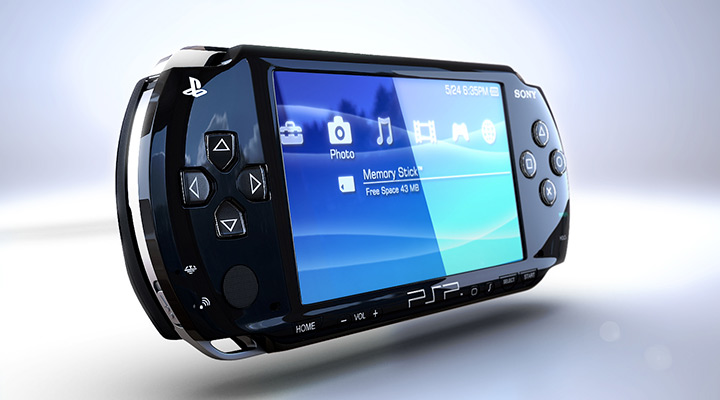
Un émulateur de PSP écrit en Java. Codé par mad et shadow (PCSX2) et rejoint par wrayal, fiveofhearts, hlide et dreampeppers99. Il émule quelques jeux commerciaux (tel que Puzzle Bobble Pocket ou Breath Of Fire III…) mais pas à pleine vitesse. Cet émulateur s’améliore progressivement.

psp

Liste de jeux compatibles
Site de développement du projet.
Builds SVN automatiques.

Télécharger JPcsp (x86) v0.7 rev 3516 (17,0 Mo)

Télécharger JPcsp (x64) v0.7 rev 00ac4d6 (29.1 Mo)

Site Officiel

En savoir plus…

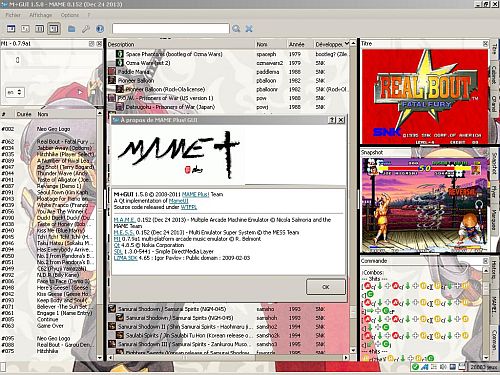
M+GUI (Mame Plus! Gui) est un frontend pour Mame Plus! mais également pour Mame/Mess/SDLMame/SDLMess/UME avec pas mal de fonctionnalités en « Plus! » (comme la possibilité de lire les fichiers sons via M1), un frontend très agréable que l’on peu donc utiliser avec Mame original sans avoir les tonnes de hacks/extras roms que propose Mame Plus!


m+gui


La nouveauté :

– Fixed buffer overflow (temporary fix)


Télécharger M+GUI v1.5.9 (3,3 Mo)

Site Officiel

En savoir plus…

UME (Universal Machine Emulator) est le projet qui relie MAME et MESS (32 + 64 bits) dans un seul émulateur multi-usages. Couplé au frontend QMC2, vous pouvez alors utiliser tous les fichiers Mame extras & Mess Extras.


UME_logo_alt6_small

Les nouvelles pour cette version :

The main addition of note here is support for Wyvern F-0, already extensively covered by Luca. It’s not really quite as rare of valuable as it’s hyped up to be, but it’s an interesting addition as it further shows the influence Namco’s Xevious had on the arcades, employing a similar air / ground bombing system (Taito had tried this previously with Fire Battle) As Luca mentions there are still a few issues with sprite colours, as you can see.


For UME / MESS users I’ve added the parsing of some additional ini files based on how the drivers are defined in the source. Drivers are defined with either a GAME( macro, a CONS( macro, COMP( or SYST( depending on what type of system they are. This information was previously unused, but the emulator will now attempt to parse ‘arcade.ini’ for anything defined as GAME. and ‘console.ini’, ‘computer.ini’ or ‘othersys.ini’ for each of the others. While this relies on things being properly defined in the source it will allow UME users who might want specific .ini options to be applied only to drivers that originated in MAME to create an ‘arcade.ini’ with those specific options in. Even if you’re not using UME the option will benefit MESS users who can use the computer/console.ini files for the same purpose.
system11 dumped a couple of clones, the most interesting being a Korean version of Kaneko’s ‘The Berlin Wall’ This version carries an ‘Inter’ license like the Korean version of Gals Panic and appears to be a fully legitimate version of the game licensed by Kaneko for the Korean market.


The set is also interesting because it uses the same character graphics as the ‘berlwallt’ clone set, but preserves the normal stage order. Interestingly it suffers from the same ‘COPY BOARD’ issue when you die / continue on world 4 and above that resulted in the ‘berlwallt’ set being marked as a possible bootleg. I’ve asked for system11 to check if this actually occurs on real hardware, because the board the set comes from is definitely original so we need to establish if it’s an emulation glitch (meaning we’re missing some way the game detects a bootleg board, or some way of hiding those sprites) or an oversight by Kaneko with these versions of the game. Luca also fixed a few bugs in the driver.


While on the subject of Berlin Wall, I find it a shame that ‘Wani Wani World’ never made it to the arcades, it’s a much more refined, much better looking, much more fun version of the game that was released on the Sega Mega Drive in Japan. (you can always give it a spin in UME, “UME megadrij waniwani”) I think the ‘RESET’ button on the MD emulation broke at some point tho, a shame because you need to reset the game 19 times to activate the cheat mode (and F3 resets too much of the system for that)


Kale has also been busy with improving the Model 2 emulation, although it’s still a long way from being correct or any kind of rival to ElSemi’s emulator.

Other than that a lot of the work done has been refactoring as usual, although a number of the small improvements are important, the Sega Master System timing tweaks that went in fixed a number of bugs I was seeing where screens were flicking that did not occur on real hardware (menu screens in Micro Machines for example – although there does seem to be a flickering line again on Fantastic Dizzy now) We’ve also seen work started on a long overdue cleanup of the MSX drivers.


A significant number of devices have had uninitialized variables cleaned up which should make things more reliable as uninitialized values can result in unpredictable buggy behaviour (like the Namco flipscreen issue we saw in 0.153)


A fair amount of work has also been done on more obscure systems in MESS, but you’d be better off checking the changelogs yourself for those if you want more details. A driver for the Xerox Alto 2 from Juergen is one such addition, but work was also done on the Goldstar FC-100, the Dick Smith Super-80, the NeXT systems and a number of others, each change inching them a bit closer to a working state. The MESS side of the code has been a hive of activity when it comes to these lesser known systems and it’s always good to see some devs of old getting a feel for things again with them!


Beyond that we’ve also seen attempts to repair the collateral damage caused by some of the other recent refactoring / device conversions / core rewrites such as the 0.153 regressions seen with the Cybiko.


Télécharger UME v0.153ex2 (39,7 Mo)

Site Officiel

En savoir plus…

GameEx est une interface graphique pour vos émulateurs. Elle sert également de lecteur vidéo, DVD et CD. Elle lit aussi les fichiers audio. – GameEx supporte les affichages LCD/VFD, ArcadeVGA. – Elle peut adapter son affichage pour les écrans larges, elle peut aussi tourner l’affichage de 90° (vertical). – Elle peut être contrôlée à distance, ou par une manette ou par la souris uniquement. – Elle supporte les contrôleurs arcade : HotRod, X-Arcade, SlikStik et IPAC. – Elle est compatible avec les interfaces entre PC et cartes arcade : U360, I-PAC, J-PAC. – Elle intègre un Jukebox qui supporte les fichiers ogg, mp3, wma, m4a, et flac. Les musiques peuvent être lues et changées pendant que vous êtes en train de jouer Ce frontend est disponible en version gratuite & payante (17 $) incluant de nombreuses autres fonctions.


 Les nouveautés pour cette version :

6th May, 2014 – GameEx 13.26

Fixes Steam support for latest client
Updated plugins by Ben Baker
Updated MAME mapping utility by Tempest
Updated Plugins by Adultery
Fixes GameEx In Game/Pause settings wrong in Seup Wizard.
Finally some news on the big picture and GameEx Evolution.
You may be aware that one of the new features of GameEx Evolution is GameEx Online. GameEx online provides access to your games library online through any web browser and also allows remote access to your front end.
Online and social features are a core part of GameEx Evolution. GameEx online is already in use for PinballX and work has been taking place on the GameEx version of this.
I am pleased to say we have a special treat for all GameEx VIPS and Elites and with this release and going forward you get to use the new GameEx Online for GameEx in Beta up until the Evolution release.

Please feel free to provide any feedback on the forums.
Enjoy!


Télécharger GameEx v13.26 (52,6 Mo)

Site Officiel

En savoir plus…

L’ultime collection des simulateurs disponibles à ce jour (comprend bien évidemment tous les jeux électroniques du site). Cette collection est gérée par Connie, illustre membre/collectionneur/auteurs de DATs sur la scène de l’émulation.


mr-game-and-watch


Télécharger Handheld Remakes (Simulators) (20140506) (474,3 Mo)

Site Officiel

En savoir plus…

LE meilleur émulateur d’Amiga. Un must à télécharger.


Les changements par rapport à la beta 19:

– Lowered floppy drive step limit again a bit more, fixes Elektrica / Cascade.
– Sound timing calculation used hardware maxvpos, not possibly currently active « fake 60hz »
  method maxvpos. (2.7.0b13)


Les principaux changements depuis la dernière release stable:

 
Standard A500 compatibility is now practically as good as it can get
without knowledge of blitter’s undocumented internal logic design.
(Mainly problem with some demos that accidentally modify blitter
registers while blitter is already active)

 
New features:

– Full A4000T and A4091 NCR53C710 SCSI emulation.
– A590/A2091 and A4091 boot ROM GUI selection.
– Separate graphics filter settings for native and RTG modes.
– 256k ROM image inserted in floppy drive emulates A1000 KICK disk.
– Super Card Pro image file support (.scp).
– SLIRP network inbound port support (default: 21, 22, 23 and 80, others
can be added by editing configuration file)
– Input panel previously toggle-only events can be optionally set to on
and off state, audio/video recording input event added.
– Joystick/joypad can be used to control light pen cursor.

 
Updates:

– Remaining 68000 cycle-exact mode timing fixes.
– 68000 reading from write-only or non-existing custom register
compatibility improved.
– Big chipset edge case compatibility update, for example demos with
vertical « copper » bars work perfectly, real hardware glitches in
horizontal scaling are now accurately emulated and much more.
– 68040/68060 without emulating unimplemented FPU instructions is now
fully compatible with Motorola FPU emulation library, FSAVE special
FPU exception stack frames implemented.
– Programmed modes (Super72 etc) now automatically select best fit horizontal
resolution and is more compatible with different filter modes, also display
positioning is improved.
– Recently dumped Arcadia arcade system ROM images supported.
– Debugger full FPU and 68020+ bitfield, and other previously missing
68020+ only instructions supported in disassembler.
– Magic mouse + mousehack mode now always stops keyboard input when mouse
is outside of emulation window, even if window still has focus.

 
2.7.0 bug fixes:

– Unformatted partition hardfiles didn’t mount and had incorrect geometry.
– Resolution autoswitch was not compatible with new interlace scanline modes.
– 68020 CE mode FPU exceptions fixed, broke for example KS 1.3 FPU detection.
– Sound glitches in games that use OCS compatible « fake 60Hz » screenmodes.

 
Bug fixes:

– Keyboard led indicator state syncronization problems fixed.
– Fixed very rare JIT FPU bug introduced in 1.2.
– Vertical centering works again, improved horizontal centering.
– Full tablet emulation boot guru fixed.
– Graphics glitches in some borderblank and border sprite modes.
– Master floppy write protection setting was not loaded from config file.
– Some narrow AGA modes clipped some pixels from right edge of display.
– A590/A2091 didn’t work in all supported CPU modes.
– CPU polled disk reading was unreliable in some situations.


La version x64 nécessite  Visual C++ Redistributable for Visual Studio 2013.


Télécharger WinUAE (x64) v2.8.0 (4,2 Mo)

Télécharger WinUAE (x86) v6.0.3 (8.4 Mo)

Télécharger WinUAE Shaders + Filters Pack (29/10/2017) (33 Ko)

Site Officiel

En savoir plus…


https://getourbonus.com/fr/accueil

https://www.romspedia.com/