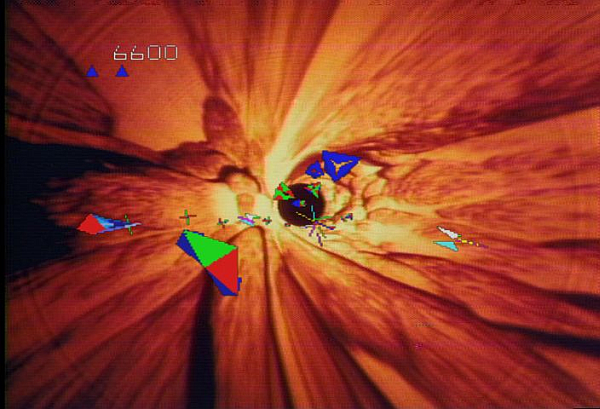
Créé par Ector et F|res, voici la dernière version de Dolphin, un émulateur GameCube/Wii et prochainement Tri-Force (système d’arcade élaboré par Nintendo-Sega-Namco dont le hardware est basé sur celui de la GameCube).


With about 2500 changes since Dolphin 3.5, Dolphin 4.0 is a big release with the addition of several new major features:


Beta support for the Wii official online multiplayer (Documentation)
This is a feature that has been coming for a long time. More than two years ago, Matthew Parlane and Shawn Hoffman started working on emulating the Wii Wi-Fi networking API in order to run Wii online multiplayer games inside Dolphin. While it was not an easy change in itself, it also required a lot of modifications to core components of the emulator to be implemented properly (for example asynchronous IPC HLE) and a lot of debugging. It is now working well enough that we are releasing it to the public as a beta: don’t expect everything to work, but popular games like Mario Kart Wii or Super Smash Bros Brawl can be played online right now.


Alpha support for ARM/Android
About two years ago, Ryan Houdek began the implementation of an ARM port of Dolphin, designed to run on powerful mobile phones and other ARM devices in the future. After a long time spent making Dolphin work well on both ARM and x86, Dolphin can now emulate GameCube and Wii games on recent Android phones. This support is still in early alpha stages: crashes happen, it’s slow on Qualcomm hardware because of graphics drivers issues, and it is still missing a ton of features. Nowadays, Dolphin on Android is a two man project: Mathew Maidment is helping Ryan with the UI and making the Android version actually usable.

Global User directory on Windows (Documentation)
This is not exactly a major feature, but it is a big change in how Dolphin works on Windows, and requires user interaction to move from the old configuration system to the new one. Before 4.0, Dolphin configuration was stored next to Dolphin.exe, often causing issues when upgrading to a new version of Dolphin. New versions of Dolphin use a centralized location to store the configuration for all builds, usually My Documents\Dolphin Emulator. The documentation article linked above explains the details of this move, as well as what you need to do to migrate your old configuration to the new system (if you were using Dolphin before).


New AX DSP HLE emulation code
DSP HLE is the main audio emulation technique used in Dolphin. Before 4.0, it was extremely inaccurate and full of bugs, mostly due to how it was implemented. Dolphin 4.0 introduces a full rewrite of the audio emulation used in 99% of games, fixing hundreds of audio related bugs in Dolphin. On the flip side, it is now required to run a game at full speed to get full speed audio out of it, which is a direct consequence of fixing these bugs.


A lot of more minor changes were also integrated in that new Dolphin release:


New look
A new look has been designed by MaJoR for Dolphin (new icon, new icon theme) and implemented on a new version of the Dolphin website by Pierre Bourdon.


Wii Balance Board and GC Steering Wheel support
Support for these two devices was added respectively by Matthew Parlane and skidau. The Wii Balance Board is not emulated and requires the real device to be used.


Wii Remote support improvements
Wii Remote background scanning was implemented to more closely match how a real Wii detects remotes, and support for -TR (Wii Motion Plus Inside) remotes was implemented for Mac OS X. A new documentation guide about Wii Remotes on Dolphin was also written by MaJoR to help Windows users with Wiimote issues.

Fastmem support for Linux and OSX
Fastmem is an optimization for Dolphin’s CPU emulation, which was previously only implemented on Windows. Adding Fastmem support on Linux and OSX boosted the performance by 15 to 20% on these platforms.


New OpenAL audio backend
This audio backend, written by skidau, supports three important features that are not implemented in other backends yet: configurable audio latency, surround sound using the information contained in the Dolby Pro Logic II encoding used by most GameCube and Wii games, and support for sound stretching to make audio slow down when a game does not run at full speed.


OpenGL video backend rewrite
The Dolphin OpenGL video backend was rewritten by Markus Wick in order to use newer features of OpenGL and be GLES3 compatible. As a result, the OpenGL backend is now the fastest Dolphin video backend on NVIDIA cards.


NetPlay stability and usability improvements
Before Dolphin 4.0, GameCube NetPlay was at best a curiosity. 4.0 added a lot of NetPlay related changes which makes it actually usable for most games, but sometimes with performance issues. Super Smash Bros Melee players are now using Dolphin for regular online NetPlay tournaments, and it just works. Read the official NetPlay guide for more information.


Mac OS X support enhancements
This release also adds a few small OS X improvements: the Dolphin DMG bundles are now signed by a valid developer ID and do not require you to disable Gatekeeper to be used. The emulator is also Retina Display aware and handles the logical scaling better on these screens.


Icon themes support
In addition to shipping with a new default icon theme, Dolphin now allows you to make your own themes and share them with other people.


A noter que tout le système de configuration se retrouve à présent  séparé du répertoire d’installation de Dolphin mais dans MesDocuments ou  C:\Users\[your username]\My Documents\Dolphin Emulator,  selon la version.
Dommage… Bien sur pour les utilisateurs qui s’en tape ca ne change rien, pour ceux qui aiment gérer leurs fichiers comme bon leur semble ca gave, plus que jamais vive les versions portables sans installeur comme dans l’ancien temps (ca m’a fait du bien de le dire^^). Donc c’est pourquoi ce document est à lire pour ceux que ca intéresse (en résumé créer un fichier portable.txt dans votre répertoire et hop plus de soucis) 😉


Article à lire sur la comparaison des performances avec OpenGL (source).


Site officiel du projet Open Source

Télécharger Dolphin (x86) v4.0 (4.9 Mo)
Télécharger Dolphin v2609b (19.1 Mo)

Site Officiel

En savoir plus…

Il s’agit de Mame ne supportant que les jeux CPS et Neo Geo (releasé par Creamymami)


Télécharger Caname v0.62.150 (2.0 Mo)

Site Officiel

En savoir plus…

Créé par Fxxking Rabbit et amélioré par le célèbre Creamymami, il s’agit de Mame (v0.67 avec drivers en conformités avec la dernière release de mame) avec le module Kaillera pour jouer en réseau. Cette version ajoute et améliore également beaucoup de chose au niveau du code ou des drivers.


Télécharger Mame32K v0.67.150 (4.3 Mo)

Site Officiel

En savoir plus…

FTX3 est un logiciel qui permet de transformer un pc en ensemble multimédia, Jeux, films (divx,xvid,mkv), mp3 (mp3,wma,flac), photo, il gère plus de 40 consoles et arcade: MAME, Atari 2600, 7800, 5200, amiga cd32, nintendo snes, nes, gamecube, wii, atari jaguar, pcengine, virtual boy, gba, lynx, wonderswan, neogeo, neogeopocket, sega sms, genesis, gameboy, pcengine cd, neogeo cd, cdi, playstation 1, N64, dreamcast, gamegear, saturn, intelevision, flipper, coleco vision, vectrex, gx4000, naomi, model2…


Télécharger FTX3 v1.61p (615.7 Mo)

Site Officiel

En savoir plus…

Un émulateur de Sinclair ZX Spectrum 48k/128k écrit en C++ par Richard Chandler. Il nécessite DirectX 9.0 ou supérieur.


Télécharger Spud v0.226 (2.1 Mo)

Site Officiel

En savoir plus…

JoyToKey est un émulateur de clavier pour les joysticks. Il convertit les contrôles clavier (et souris). Utilisez-le lorsque vous désirez contrôler une application qui ne supporte pas les contrôles joystick. Vous pouvez même contrôler Word, Excel, etc. !

Il s’agit de la dernière version en anglais, la version japonaise en 5.3.2 est dispo sur le site officiel.


Télécharger JoyToKey v5.3.1 (anglais) (761.9 Ko)

En savoir plus…

Ce programme permet d’émuler un PC sous plusieurs OS. Il tourne sous Windows, Linux ou Mac. Il permet de faire tourner des machines virtuelles sous différents OS (Windows de tout type, Linux, FreeBSD OS/2 etc.), il est également open source et gratuit (pour les particuliers). Les solutions de virtualisation existante étant soit très cher pour le particulier soit incomplète au niveau du support des systèmes, VirtualBox propose donc une alternative intéressante à Vmware et VirtualPC.


Nouveautés :

VMM: implemented thread-context hooks for Linux and Solaris hosts
VMM: several fixes
GUI: added NAT networks to the global settings page
GUI: made NAT network a separate network attachment type
3D Support: fixed Google Chrome and IE rendering under Window 8.1
3D Support: fixed DXDiag crashes mentioned here
NAT service: several fixes
Main: eliminate the use of SysV semaphores on all host OSes other than Windows, namely Linux, Solaris and Mac OS X, with the consequence that no system reconfiguration is needed to run more than approximately 100 VMs
Windows hosts: fixed crashes on Windows 8.1
Linux hosts: fix hanging GUI on EL4 and EL5 distributions with old libX11 versions
Linux Additions: Linux 3.11 shared folders fix
Linux Additions: Linux 3.12 fixes


Télécharger VirtualBox (32/64 Bits) v4.3b3 (95.1 Mo)

Télécharger VirtualBox - Oracle VM VirtualBox Extension Pack v7.2.22 (19.1 Mo)

Site Officiel

En savoir plus…

Un complément pour le cheat.7z (XML) de Pugsy, à utiliser en plus du fichier original. Décompresser l’archive de façon à obtenir un fichier cheat_wayder.7z (qui n’est pas à décompresser par contre) que vous placerez dans le répertoire courant de Mame.
Ensuite il suffit simplement d’ajouter une référence dans le fichier de configuration de mame:

Remplacer la ligne:
cheatpath cheat
par
cheatpath cheat;cheat_wayder;cheat_wayder_omake


Télécharger Wayder Cheat v0.150 (146.3 Ko)

Site Officiel

En savoir plus…

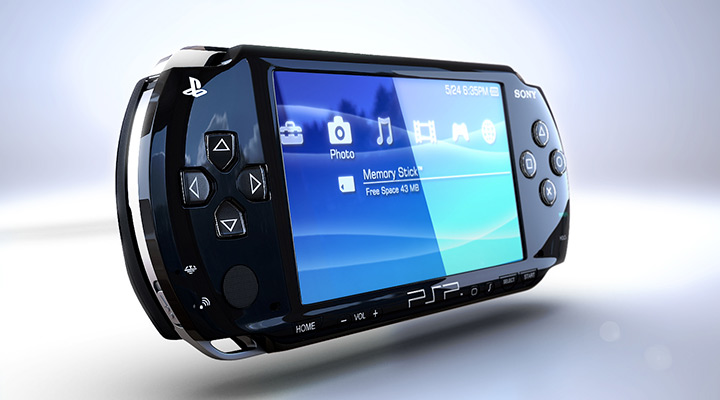
Un émulateur de PSP écrit en Java. Codé par mad et shadow (PCSX2) et rejoint par wrayal, fiveofhearts, hlide et dreampeppers99. Il émule quelques jeux commerciaux (tel que Puzzle Bobble Pocket ou Breath Of Fire III…) mais pas à pleine vitesse. Cet émulateur s’améliore progressivement.

psp

Liste de jeux compatibles
Site de développement du projet.
Builds SVN automatiques.

Télécharger JPcsp (x86) v0.7 rev 3390 (16.7 Mo)

Télécharger JPcsp (x64) v0.7 rev 00ac4d6 (29.1 Mo)

Site Officiel

En savoir plus…

Collections de folders très utiles contenant un tri par genre très complet, et aussi version, bios, aspect, orientation, résolution…

Version française disponible ici.


Télécharger Catlist (MameUI) v0.150 (272.8 Ko)

Télécharger Catver (Frontend) v0.150 (235.9 Ko)

Site Officiel

En savoir plus…


Scuore's Mame Snap Collection est comme son nom l’indique une collection de screenshots pour Mame. Elle est gérée par Scuore du site Emulab.it.


cubeqst


Télécharger Scuore’s Mame Snap Collection v0.150 (130.5 Mo)

Site Officiel

En savoir plus…

Ootake est un émulateur PC-Engine en provenance du Japon et basé sur PC2E, tournant sous Windows 98/2000, XP, Vista, 7 et 8. Il nécessite Direct X v9.0c au minimum.


2013/09/22 2.71 released
– With Windows8, when the dialog was displayed, the bug that the error had
occasionally gone out by some PC environment was fixed.
– When using it in an old PC environment (model to which a graphic chip did
not support shader 3.0), the bug of which the initialization error of
Direct3D had gone out was fixed.
– With a little power PC environment, at the reload of a game, the bug that
the first sound did not occasionally play a little was fixed.
+ The execution file for « Windows 98/Me » was opened to the public. The
operation test is not done. Please see « Readme98.txt » in the ZIP file
about details and notes, etc.
http://www.ouma.jp/file/Ootake271-for98.zip
This v2.71 is the last file for Windows98/Me.
+ I began Twitter. (Japanese language)

* The happiness of the game is the world human race commonness. It longs for
peace.
* I think that it cannot do improvement & correction of the above-mentioned
if there are many neither operation report nor defect report. Thank you
really for you who reported.


Télécharger Ootake (2K/XP/Vista/7/8) v2.71 (1.2 Mo)

Télécharger Ootake (98/SE/Me) v2.71 (368 Ko)

Site Officiel

En savoir plus…


https://getourbonus.com/fr/accueil

https://www.romspedia.com/