
Ootake est un émulateur PC-Engine en provenance du Japon et basé sur PC2E, tournant sous Windows 2000, XP, Vista, 7, 8 et 10. Il nécessite Direct X v9.0c au minimum.
 
ootake
 
– When playing a game in Full-Screen on Windows10/8.1/8/7/Vista, fixed a bug
that the dialog to open the ROM image file ([O] key or « File-> Open » menu)
was not displayed. *This is the only change, so if you are using Windows
XP, you can leave v2.99 as it is.
– The screen display processing has been sped up. The number of models that
can operate comfortably even on low-power PCs has increased.
* By the way, one note about the video card settings of the PC. If you set
the G-SYNC function and FreeSync(Adaptive-Sync) function to « Enable in
even Window mode » on a PC equipped with NVIDIA or AMD video chip, the
operation of Ootake etc. may be slow down depending on the PC environment.
(The default settings are fine)
* If G-SYNC and FreeSync are set to « Enable even in Window mode », many games
(such as games with fixed 60fps) will not work comfortably. Therefore, set
« G-SYNC / FreeSync is disabled in Window mode (default is disabled) ». I
strongly recommend it.
– The volume balance of the CD sound source (CD-DA), ADPCM sound source, and
wave memory sound source has been finely adjusted to bring it closer to
the feeling of an actual machine.
– Fixed a bug that noise might appear on the CD sound source depending on
the setting environment of « Audio->Adjust CD-DA(for Sync) ».
– The default audio settings has been changed from « DirectSound (a
vocalization method that has existed since the Windows 95 era) » to
« XAudio2 (currently the mainstream vocalization method) ». Depending on
your PC environment and taste, « DirectSound » may be better, so please
choose the one you like. In addition, XAudio2 can play the sound at a
timing closer to the actual machine. (In « Audio » menu)
– The operation speed and timing have been brought closer to the operation
of the actual machine. The problem that the screen was shaking when going
up the stairs when clearing the stage of « Prince of Persia » (occurred in
recent versions) has been solved.
– Fixed the sprite display processing part. Solved the problem that
unnecessary sprites were sometimes displayed at the bottom of the screen
when the 1st page boss of « Tiki Tiki Boys » appeared. Also, when your
character overlaps the water areas on the 1st and 4-1 stages, the problem
that your character did not hide has been resolved.
– When playing « Tiki Tiki Boys », the bottom two lines of the screen are
automatically masked with a black belt. (As with the actual machine, the
reason is that noise may be displayed.) * If you play in the mode to
display the overscan area, this process will not be performed and the
display will be the same as the actual machine (the bottom edge may be
disturbed).
– In « Turrican », the problem that it is canceled in a few seconds when you
pause during the game has been solved.
– When starting « The Addams Family », the screen display is shifted to the
right by half a character. By doing this, the disturbance of the screen
display on the right end (which also occurs on the actual machine) has
been reduced. * Also, if you press the [F11] key and play in the display
range of the old TV, the disturbance will disappear at all. * If you turn
on the « Perform SpriteLimit » setting or play in the mode that displays the
overscan area, this correction will not be performed and the display will
be the same as the actual machine (with distortion at the right end).
– Due to certain settings (combination of « Audio Buffer Size » and « CD-DA
Delay Frame », which will change the timing of access to the CD-ROM
slightly), the « Snatcher » may freeze at the start. The problem that was
there has been solved.
– Fixed a bug that the « CPU-> Swap STRIKE & BALL (for Baseball Games) » menu
(baseball game count display replacement function) did not work in v2.98.
– In « Tokimeki Memorial », if you turn on the sprite missing display setting
(CPU-> Perform SpriteLimit) or display the overscan area ([F12] key), dust
that is sometimes displayed on the left and right edges of the screen on
the actual machine (probably used as a data area) is displayed.
– When used on Windows 10/8/7/Vista, it is displayed in a new type file
dialog (when opening a ROM image, etc.). This solves the problem that when
the audio setting was set to « XAudio2 », noise (remaining sound from the
previous game play) might be heard when reopening the ROM image file.
– When moving the Ootake window, if the lower part of the game screen hangs
on the taskbar area, the position is automatically corrected so that the
lower part is just right and there is no gap.
– Since the official homepage site has been changed to SSL (HTTPS), the URL
of each document has been changed from « http » to « https ».
– When using XAudio2(Audio menu) on Windows XP, the problem (occurring from
v2.82) that the operation when opening a file may become unusually heavy
depending on the environment has been fixed.
– Other minor details have been fixed and improved.

 

Télécharger Ootake (2K/XP/Vista/7/8/10/11) v3.06 (1.4 Mo)

Site Officiel

En savoir plus…

BletchMAME est un frontend pour MAME. Contrairement aux autres existants (et qui fonctionnent comme des lanceurs tout en conservant l’interface utilisateur interne de MAME), BletchMAME remplace l’interface utilisateur interne de MAME par une interface graphique plus conventionnelle pour offrir une expérience plus conviviale dans un certain nombre de domaines (tels que les profils, la configuration des entrées et un certain nombre d’autres éléments). Bien que BletchMAME soit conçu pour prendre en charge toutes les machines que gère MAME, il convient particulièrement à la partie émulation d’ordinateur.


– Updated various parts of the worker_ui plugin in response to breaking LUA changes in MAME 0.227
– Changed the Images Dialog to a Configurable Devices dialog, combining image and slot selection
– Resurrected the « Quick Load/Save State » feature, which has been broken since 2.0
– Fixed profile renaming, which also has been broken since 2.0
– Fixed a bug in the profiles view that could cause a crash if one right clicks empty space


Télécharger BletchMAME v3.0 (9.3 Mo)

Site Officiel

En savoir plus…

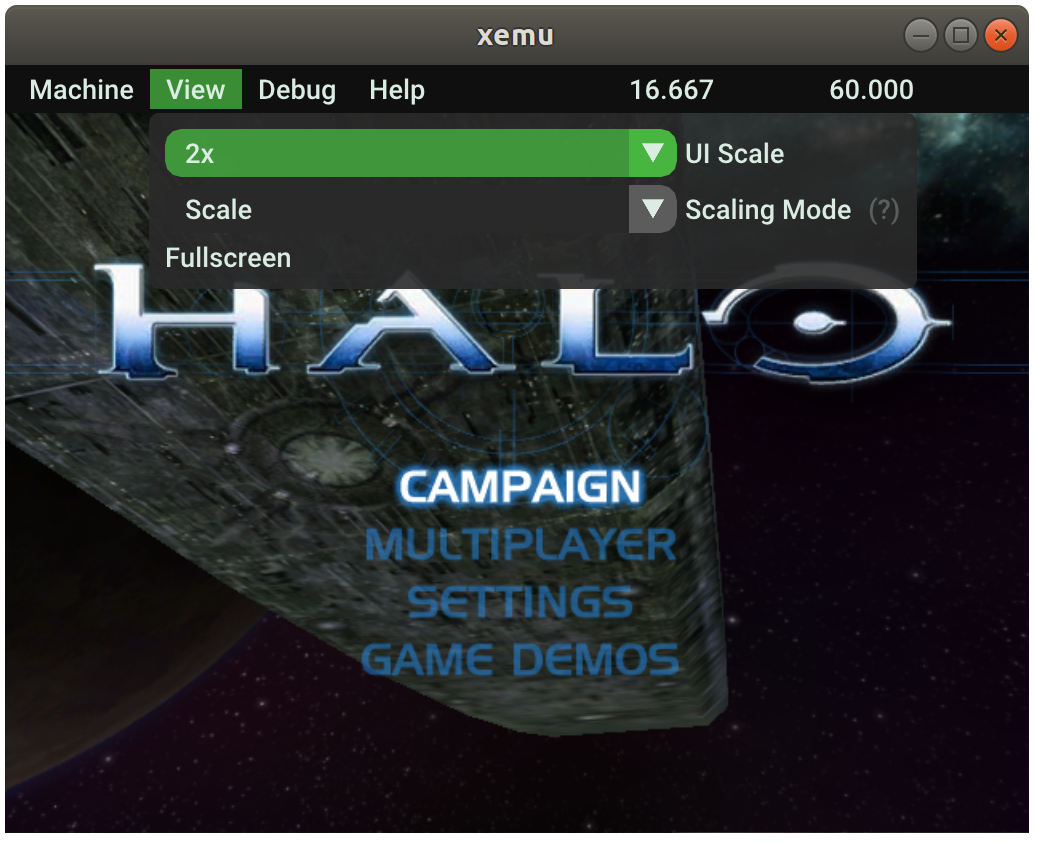
Xemu est une application multiplateforme et open source qui émule le matériel de la console de jeu Xbox d’origine, permettant aux utilisateurs de jouer à leurs jeux Xbox sur les systèmes Windows, macOS et Linux.


Ce projet est une branche active du projet XQEMU, qui est lui même basé sur le projet QEMU qui est populaire et très activement maintenu.


A noter que la version 32 bits n’est pas officielle (réalisée par Lo v2).
 

Télécharger Xemu (x86) (2020/06/12) (6.2 Mo)

Télécharger Xemu v0.8.139 (10.9 Mo)

Télécharger Xemu (Debug) v0.8.139 (11.3 Mo)

Site Officiel

En savoir plus…

Voici les derniers builds de Creamymami concernant MAME(Arcade).
 
– Caname c’est MAME(Arcade) ne supportant que les jeux CPS et Neo Geo.
– NMamex2 est un build de l’émulateur MAME(Arcade) sous Windows qui ne supporte que les jeux NeoGeo.
– Mame32k c’est MAME(Arcade) intégrant le module Kaillera (jeu en réseau).
– Mame32 More! est une version basée sur Mame Plus! mais compilée avec Kaillera.
 

Télécharger Caname v0.62.289 (2026/11/07) (2.4 Mo)

Télécharger NMamex2 v0.289 (2026/11/07) (1.7 Mo)

Télécharger Mame32K v0.67.289 (2026/11/07) (9.5 Mo)

Télécharger MAME32 More! v0.84.289 (2026/11/07) (12.2 Mo)

Site Officiel

En savoir plus…

Il s’agit de FBA Shuffle faite par Creamymami, contrairement aux versions de KOF2112, cette version est plus proche de la version officielle de FBA.
 

fba_shuffle_lang


Télécharger FBA Shuffle (x86) [Creamymami] v2.4.0 (2026/11/07) (6.6 Mo)

Télécharger FBA Shuffle (x64) [Creamymami] v2.4.0 (2026/11/07) (7.1 Mo)

Site Officiel

En savoir plus…

Conçu pour gérer les roms MAME, ClearMAMEPro supporte également tous les dats au format CM, mais aussi XML, permettant de gérer efficacement vos collections de roms & isos. Le manager le plus complet.
 
clrmamepro
 
Changement :
– fixed: falsely hiding some missing information (split merged sets with nodump chds)
 
clrmamepro


Télécharger ClrMAME Pro (XP) v4.035 (3.1 Mo)

Télécharger ClrMAME Pro (x86) v4.050 (3.9 Mo)

Télécharger ClrMAME Pro (x64) v4.050 (4.5 Mo)

Site Officiel

En savoir plus…

Créé par zeromus et rheiny (aka SP) et rejoint par mz, adelikat, nitsujrehtona, Ugly Joe, maximus, CaH4e3 (Demul, FCEU-MM), Sebastian Porst (FCEUXD SP), qfox et Lucas Sabota. Sans oublié le travail des anciens auteurs: Bero (FCE), Xodnizel (FCEU), Bbitmaster & Parasyte (FCEU XD), Blip & nitsuja (FCEU TAS), Luke Gustafson (FCEU TAS+).
 

Avant


Après


The 2.3.0 release includes 4 years worth of improvements and bug fixes.
 

Common
– 64 bit build support
 

Emulation
– Added Mapper 111 cheapocabra
– Added Mapper 190
– Added RAM Init Options: default (00 00 00 00 FF FF FF FF as always), all FF, all 00, random
– New UNIF mappers
– Mapper 30 4-screen support
– Mapper 5 MMC5 large WRAM support
– VRC7 patch set finalized with correct values dumped by Nuke.YKT
– Fixed rendering and debugging of mirrored palette entries
 

Lua
– Various improvements and bug fixes to pre-existing functions
– Fix parsing of lua colors over 0x80000000 on 32bits systems
– Extra colors available to lua overlays
– Lua write callbacks: adding optional third parameter to retrieve the value written
– Added Sprites.lua script to visualize sprites
– Zapper control
 

New Lua functions
– emu.exit()
– rom.getfilename()
– zapper.set(table input)
 

Win32
– Various GUI improvements and bug fixes
– Fixed font rescaling issue
– Relative position mouse support for better fullscreen mouse capture
– Left and right mouse buttons no longer conflict with each other
– Virtual boy controller
– Fixed silly quit message randomizer
– Fixed NTSC filter null pointer crash when closing, NTSC filter now supports emphasis
– Sound output is now 48000 Hz by default
– Improve error message for invalid ROM file
 

Debugger
– Added memory read/write conditional breakpoint capability
– Added illegal opcode support for breakpoints
– Support for ‘S’ register in conditional debugger breakpoints
– Syntax highlight of disassembly
– Fixed corruption of PPU reset while debugging
– Attribute mode for nametable viewer
– Greyscale palettes for PPU and nametable viewers
– Fixed transparent sprite palette display in PPU viewer
– Fixed accidental filtering of special symbols
 

Trace Logger
– Added bank number log option
 

CDLogger
– Fix Fixed VRAM data logging glitch
 

Hex Editor
– Added OAM view feature
– Added Home/End key response
– Bookmark fixes for all view region types
– Fixed Find dialog to be able to find the first or last byte of the memory region
– Prevent middle mouse button from attempting to « FreezeRam » when not in RAM mode
– Added Load from file feature
 

iNES Header Editor
– A new tool which can edit the iNES header of ROM files
 

TAS Editor
– Fixed dialog height that kept increasing
 

SDL
– GUI completely rewritten using Qt5. Replaces old GTK GUI
– New Qt GUI now contains most of the debug tools that previously only existed in windows version
– Build setup migrated to cmake. Replaces scons build setup

 
Attention, la version 64bits est une version de développement, pour assurer la stabilité vous devez rester avec la version 32 bits pour le moment.
 

Télécharger FCEUX (32 bits) v2.7 (3.8 Mo)

Télécharger FCEUX (64 bits) v2.7 (94.7 Mo)

Site Officiel

En savoir plus…

Pegasus est une interface graphique pour permet de parcourir votre bibliothèque de jeux et de lancer toutes sortes d’émulateurs via un même endroit. Il se concentre sur la personnalisation, la prise en charge multiplateformes et les hautes performances.


Télécharger Pegasus Frontend Alpha 16 r106 (14.9 Mo)

Site Officiel

En savoir plus…

Il s’agit d’un frontend multi-émulateurs qui va mettre en avant les « box art ».


Télécharger Nostlan (Gratuit) v2.6 (115 Mo)

Site Officiel

En savoir plus…

Il s’agit d’une interface très simplifiée destinée au projet Libretro (les cores qui composent Retroarch) et qui a été écrite en langage de programmation GO. Plus simple et rapide que l’interface de Retroarch (mais proposant moins d’options), elle sera satisfaire la plupart des utilisateurs.


– Fix an input bug
– Enable atari800 (Atari 5200 emulator)
– Add a setting to map analog stick to directional pad
– Switch CI from travis to github actions
– Enable more controller ports
– Fix support for Mesen-S


Télécharger Ludo v0.22.5 (58.1 Mo)

Site Officiel

En savoir plus…

Créé par Exzap (et aidé par Peter Gov), il s’agit du second émulateur de Wii U à être disponible au public mais le premier à émuler des jeux commerciaux. Il peut décrypter les images Wii U qui utilisent le format Wud mais également les fichiers RPS ou RPL. La résolution interne peu aller jusqu’à 1920×1080 selon les jeux (et au delà avec des packs graphiques). Actuellement, le DRC (GamePad), le contrôleur Pro et le contrôleur classique sont émulés. Les Wiimotes sont également émulées (y compris le support natif). Les entrées du clavier + contrôleurs USB en tant que périphériques d’entrée sont également pris en charge. La saisie tactile du GamePad peut être contrôlée par un clic gauche de la souris. La fonctionnalité Gyro est émulée avec des limitations et peut être contrôlée via le bouton droit de la souris. Cette version n’est compatible que pour les Windows x64 (à partir de Windows 7) avec une carte graphique gérant OpenGL 4.1 (ou supérieur) ou Vulkan et il faudra posséder 4 à 8 Go de mémoire vive (Ram) pour le faire fonctionner. (Correspondance ID-Titre [archive ici]).
 
Un tuto est disponible ici et là.
 
cemu
 
Les changements:
 
En résumé:
– New graphic pack features
– Various fixes

 
En détails:
 

# New in 1.22.3b (public release):

OpenGL/Vulkan: Avoid out-of-bounds writes in streamout emulation
This fixes a crash in BotW that could occur randomly whenever there is a high quantity of active particles (#409)

# New in 1.22.3:

Vulkan: Attempts at fixing graphic bugs specific to Intel Iris GPUs

coreinit: Added support for thread cancellation
This fixes Axiom Verge crashing at boot and is also used by some system titles (#265)

gfxPack: Changing any preset option will automatically reload the graphic pack (unless it modifies textures or resolution, in which case a restart is still required)
gfxPack: Vsync frequency can now be changed while a game is running (for example, this allows switching between different FPS++ framerates while the game is running)

gfxPack: Several new features for the graphic pack patch format. These additions are mainly of interest to graphic pack authors.
New operands supported in expressions: modulo (%) and additional comparisons (>=, <=, >, <) Data directives (like .int) now support multiple comma separated values instead of only one per line (example: .int 1, 2, 3) Added .string data directive for embedding strings. (example: .string "hello world") Added .align directive to insert padding bytes until alignment is reached (example: .align 4)
To use the new features, set the graphic pack version in rules.txt to 7
 
Note:
(#xx) refers to resolved bug tracker issues. See http://bugs.cemu.info/projects/cemu/


A noter que des packs graphiques haute définition sont disponibles ici. Ils permettent, entre autre, d’augmenter la résolution native des jeux car contrairement à Dolphin et parce que la machine est techniquement différente il n’est pas possible à Cemu d’augmenter la définition autrement que par cette méthode.
A l’inverse, des packs SD (définitions standards et/ou basses) sont disponibles sur ce lien et permettent à certains PC manquant de performance de lancer des jeux en 60 FPS.

 
Une liste de compatibilité est disponible ici.

 
Site source.

Télécharger Cemu v2.6 (35.6 Mo)

Site Officiel

En savoir plus…

Play! est une tentative de créer un émulateur PlayStation 2 sous Windows / MacOS / iOS / Android. Il est actuellement écrit en C / C + + et utilise un système de mise en cache / de recompilation d’instruction pour obtenir de meilleures performances tout en émulant le CPU.
 
L’émulateur peut faire fonctionner quelques jeux, mais très moyennement dans la plupart des cas. L’objectif de l’auteur est d’atteindre un niveau de qualité qui permettra à quiconque de jouer son jeu favori PlayStation 2 sur son PC.
 
play
 
– Fixes / Cleanup


Télécharger Play! (x86) GIT v0.77 (2026/10/25) (8.9 Mo)

Télécharger Play! (x64) GIT v0.77 (2026/10/25) (10.3 Mo)

Site Officiel

En savoir plus…


https://getourbonus.com/fr/accueil

https://www.romspedia.com/

