Créé par Avery Lee (l’auteur de VirtualDub), il s’agit d’un émulateur d’Atari 8 bits (800/800XL/130XE) disponible en 32 et 64 bits. Il dispose de beaucoup d’options ainsi que d’une bonne compatibilité. Il prend en charge les jeux protégés conformément à l’émulation. Il s’agit d’une version de développement au stade de béta.
JoyToKey (shareware) est un émulateur de clavier pour les joysticks. Il convertit les contrôles clavier (et souris). Utilisez-le lorsque vous désirez contrôler une application qui ne supporte pas les contrôles joystick. Vous pouvez même contrôler Word, Excel, etc…
– Starting from this version, user configuration data will be by default stored in « JoyToKey » folder in user’s « Documents » folder. (read this)
– In case you upgrade JoyToKey from an older version, please copy (or move) the old « JoyToKey » folder into your « Documents » folder so that you can continue to access your configuration data.
– To be more friendly for new users,
.JoyToKey is packaged as an installer, instead of a zip file format
.Tab names in the button assignment window are made clearer (e.g. « Keyboard 2 » -> « Keyboard (Multi) »)
.UI layout for assigning the mouse cursor movement is made easier
– Minor bug fixes
World Of Joysticks est un émulateur de contrôleur de jeu qui permet de jouer à n’importe quel jeu PC qui ne prend en charge que les claviers/souris, avec votre manette, votre joystick ou votre volant.
Une version Premium est également disponible mais moyennant finance sous forme de donation (5$). Elle propose d’autres possibilités et permet la gestion des manettes de Playstation 4 (DS4).
WoJ (XInput Emulator) est quant à lui un émulateur de contrôleur de jeu qui permet de jouer à n’importe quel jeu PC qui ne prend en charge que XInput, avec votre manette, votre joystick ou votre volant DirectInput.
Il s’agit d’une suite d’émulateurs modifiés pour fonctionner avec le site RetroAchievements et permettant d’ajouter des « succès » (achievements) à la Steam, la possibilité d’enregistrer ses records et de les comparer en direct avec les autres !
Applewin est un excellent émulateur Apple IIe pour Windows et développé par Tom Charlesworth. Applewin est basé sur la version originale 1.10.4 d’Oliver Schmidt.
– [Change #692] Added command line switch to unplug HDD controller card on exit:
-s7-empty-on-exit
– [Change #689] Added command line switches to set CPU speed and machine type:
-clock-multiplier , where value is a [0.5-3.9] base-clock multiplier (ie. same as the Config UI’s slider)
-model
– [Change #666] Debugger: support showing video v,h and cycle count.
added debugger command: videoinfo to configure display.
added auto-run of DebuggerAutoRun.txt on AppleWin initial start-up.
– [Bug #700] Fixed ProDOS8 2.5.0 alpha6:
support INC $C08B (and similar) to set LC to write mode – 65C02 only.
support INC $C08B,X (X=0) to set LC to write mode – 6502/65C02/816. (Fixes #404)
– [Bug #695] Fixed WOZ ‘Taipan’ not booting.
fixed reading write protect on a write access & support Sequencer Function.
– [Bug #668] Fixed WOZ ‘Seafox’ not booting.
set machine = Unenhanced Apple //e or lower & need slot2 empty.
disable SSC in slot-2 using: ‘-s2 empty’ command line switch.
added ‘-s1 empty’, ‘-s3 empty’ and ‘-s6 empty’ too.
– [Bug #404] a2audit.dsk 1.06 now working. (See #700)
– [Bug #319] SmartPort return address was wrong when crossing page (fix to slot-7 HDD’s firmware).
NB. Old save-states where the 6502’s PC is in the old firmware now can’t be loaded. (AppleWin will show an error)
– [PR #687] Replace char * with std::string.
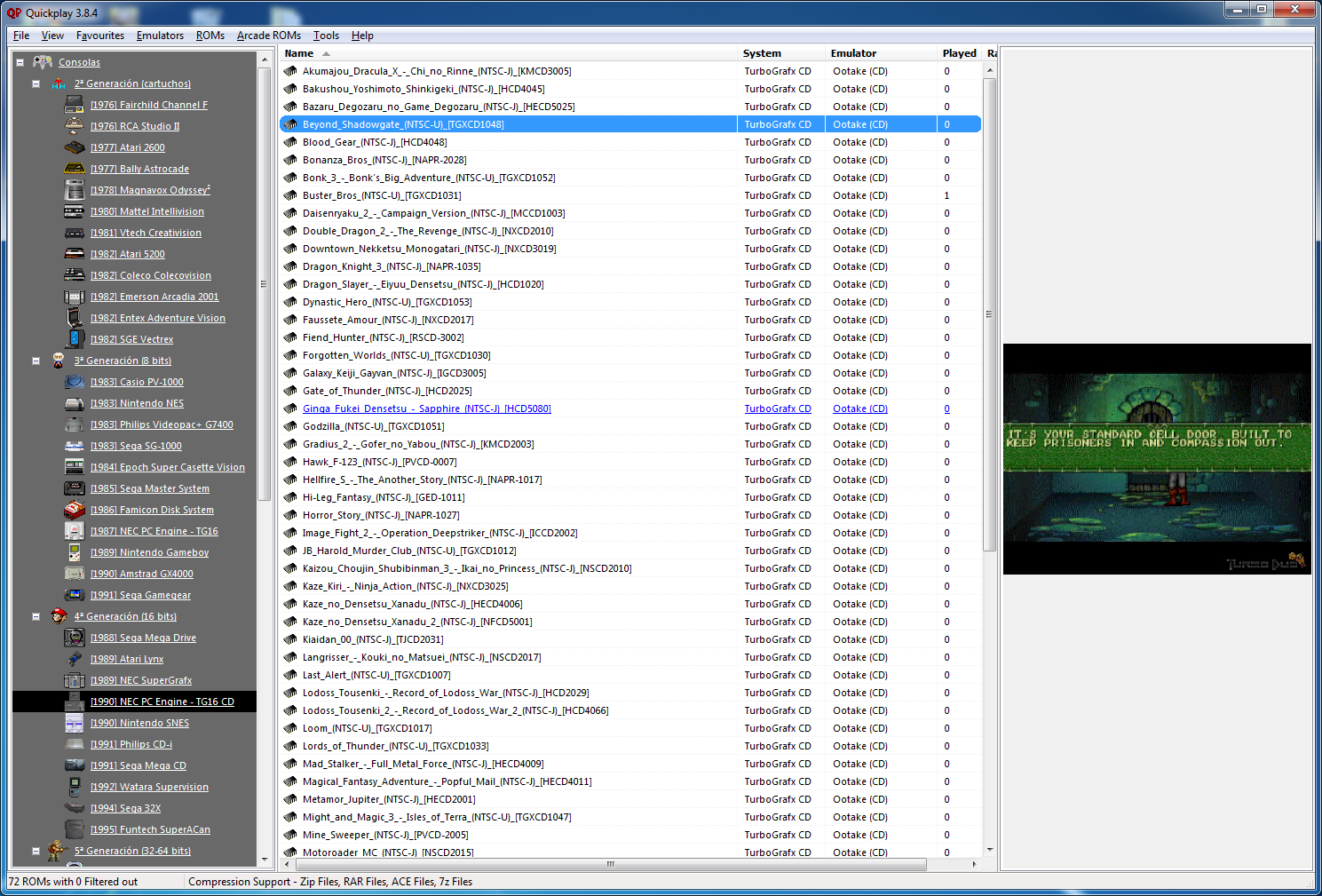
Quickplay est un grand frontend multi-système incluant des fonctions avancées pour Mame, Virtual Tree, Emu-Finder, un système IPS, Mirroring de répertoire, support Zip pour les émulateurs ne le supportant pas et beaucoup d’autres choses.
New Features
Synctool
– You can setup a single Remote and local folder – anything under will sync: clicking on a rom will cause it to cache locally if necessary
– Directories are mirrored as well as files cached, so folder structure form source is maintained (you know what roms are from what system)
– Symlink support so that you can extend your storage/keep CD/DVD files in a different location
– Synctool Options – Electron UI Element which manages and talks to the new qpnode settings file
– Romdata Flip – Users can change the Local path to the Remote one and vice versa in multiple Romdatas
– UI component to Romdata Flip shows you files changed, also prompts confirmation
– Remove syncing abilities of QuickPlay Multiloader, now vastly superceeded
– Update Johnlib with various types of exe running code that have varying effects (like printing to console)
– QuickPlay calls to node to see if Synctool is Enabled before doing anything
– Waits a while after running so you can see what happened, also writes to logfile in QuickPlay’s root
– Quit with ctrl+c implemented (you sometimes have to wait for the current chunk to finish)
– Copies timestamps as well as files, uses timestamps to determine equality
– Timestamp difference tolerance (configurable). I don’t know why sometimes timestamps are off with copies of files not done through synctool, but they are
– Timeout for finding roots (try not to hang loading a potential rom just because we can’t check if its the same file as on the server)
– Some investigation of a stream-based solution, left as an option but just too slow
Mametool Paths
– Disabled by default, Mametool can work out paths of all files from mame.xml and print them in Romdatas
– Implemented for both Arcade and Mess Softlists (much more useful for the latter)
– We can only sync one file, but print helpful info to the log about other files which need to exist locally in order for games to run (eg: BIOS)
– Mame Options enlarged and added to
– you can select what kind of merged roms you have (it affects what the filenames would be)
– Looks up your mame.ini (or mess.ini) for your MAME Rompaths, uses conventional names to distinguish (or you can have all roms in one ROMS folder)
– Defaults to old behaviour in case of issues (printing a ‘sentinel’ filepath in a romdata entry so QuickPlay ignores the filepath element)
Node/Electron
– First use of Nodejs Electron in QuickPlay to run synctool options (the hope is to extend this somewhat)
– build and binary process implemented, Delphi makes appropriate exe calls
– resolved some issues with old js packaging process, hopefully to be superceeded by the new process
– json options file implemented, creation process implemented (its a plan to avoid upgrading issues with overwriting settings)
Bugfixes
– Right-click explorer explores to file not just dir (thanks to user ‘quickplayer’)
– Quotes in mednafen in case of no 8:3 (also thanks to ‘quickplayer’)
– fixed bug with mame0.211 softlist printing (thanks to u-neeks for a fantastic bug report!)
Hoxs64 est un émulateur Commodore 64 tournant sous Windows avec DirectX 9 au minimum. Il est encore en développement, si bien que s’il manque quelques choses maintenant, elle sera là plus tard (dixit l’auteur) 😉
Créé par Exzap, il s’agit du second émulateur de Wii U à être disponible au public mais le premier à pousser jusqu’à l’émulation de jeux commerciaux. Il peut décrypter les images Wii U qui utilisent le format Wud mais également les fichiers RPS ou RPL. La résolution interne peu aller jusqu’à 1920×1080 selon les jeux. A noter que pour le moment, un seul contrôleur est accepté, il s’agit du DRC (GamePad) de la Nintendo Wii U. Cette version n’est compatible que pour les Windows x64 (à partir de Windows 7) avec une carte graphique gérant OpenGL 4.1 ou supérieur et il faudra posséder 4 à 8 Go de mémoire vive (Ram) pour le faire fonctionner. (Correspondance ID-Titre).
En résumé: – Bug fixes
– Small usability improvements
En détails: # New in 1.15.16c:
general: Fixed error message when booting any game
# New in 1.15.16b:
general: Fixed a bug where previously created controller profiles would not show up in input settings
# New in 1.15.16:
general: Tab and Ctrl+Tab for swapping TV/GamePad screen now only works if Cemu is in focus
general: Fixed an issue where Cemu would freeze on shut down (#175)
general: Improved robustness of Cemu auto-updater
general: Fixed launching games in fullscreen when UI fullscreen option is enabled
general: If a filter is set the graphic pack window will auto-unfold the top node and small subnodes
debugger: If a game ships with debug symbols they should show up in assembly view again
RPL: Retrieve name of update .rpx from cos.xml instead of using the name of the base rpx
Fixes Wii Sports Club update not launching
ErrEula: Fixed message boxes with long button text
Input: Improved performance when using Wiimotes
Note:
(#xx) refers to bug tracker issues resolved by this change. See http://bugs.cemu.info/projects/cemu/
A noter que des packs graphiques haute définition sont disponibles ici. Ils permettent, entre autre, d’augmenter la résolution native des jeux car contrairement à Dolphin et parce que la machine est techniquement différente il n’est pas possible à Cemu d’augmenter la définition autrement que par cette méthode.
A l’inverse, des packs SD (définitions standards et/ou basses) sont disponibles sur ce lien et permettent à certains PC manquant de performance de lancer des jeux en 60 FPS.
Un excellent manager de roms à l’instar de clrmame et Romcenter. Romulus est capable d’importer les dats de RomCenter et clrmame (ancien format et format xml), les fichiers offlinelist et Mess. Il gère les roms non compressées ou compressées en zip, rar ou 7z. Il supporte également le Torrentzip. Il peut également importer un dat à partir de l’exécutable de Mame, générer des rapports ou des statistiques…
Il dispose également d’un navigateur intégré, d’un localisateur de DATS, supporte les CHD de Mame…
Les changements:
– ADDED A lot of new code for Community module. Working hard to make this dream reality.
– CHANGED Romulus web host to https://romulusrommanager.000webhostapp.com/
– FIXED Popupmenu from Scanner-Profiles tabs.
– FIXED Rare rendering problem when updating status icons of Scanner-Profiles tabs.
– FIXED Notifications display in Windows 10.
– FIXED Center on screen forms by compiler bug.
– FIXED Visuals displaying forms.
Il s’agit du seul émulateur Basic Master disponible (très bon, au demeurant !), connu également sous le nom de Bml3mk5. Cliquez sur « En savoir plus » pour la description résumée de ce système.
Des versions avec debuggeur sont disponibles sur le site officiel.