Applewin est un excellent émulateur Apple IIe pour Windows et développé par Tom Charlesworth. Applewin est basé sur la version originale 1.10.4 d’Oliver Schmidt.
 
Changes:

[Bug #504] Full-screen: hide mouse pointer after 2 seconds of inactivity (and show again if mouse is moved)
[Bug #469] New -no-printscreen-key switch to prevent the PrintScreen key from being registered.
[Bug #488] New -fs-height= switch to select a better resolution for full-screen mode.
best: picks the highest resolution where the height is an integer multiple of (192*2)
nnnn: select a specific resolution with height=nnnn pixels
NB. This switch changes the display resolution (and restores it on exit).
[Bug #428] Input option to use PC Joystick 1 Thumbstick 2 for emulated Joystick 2
Swapping disks while a drive is on now warns and prompts if you still wish to do this instead of silently failing with no feedback.
[Bug #323] Skip hard disk boot by holding down the Open-Apple key during an Apple II restart
[Bug #224] Added Config checkbox for ‘Full-Screen: Show drive/keyboard status’
[PR #441] Update zlib to latest version 1.2.11
 
Fixes:

[Bug #516] Internal video-mode was having PAGE2 permanently cleared (instead of just masked) when 80STORE was set.
[Bug #514] Emulator restart (or reset) wasn’t clearing any pending Mousecard interrupt
[Bug #499] Flush current track (if dirty) before ‘Send to CiderPress’
[Bug #496] Support polling of Mockingboard’s & Phasor’s 6522 IFR.Timer1
[Bug #492] UI fixes for full-screen & 2x windowed-mode
[Bug #486] Peripheral card’s expansion ROM ($C800-CFFF, eg. SSC) wasn’t being correctly restored from a save-state
Resulting in regression: Mousecard crash to monitor (#495).
[Bug #464] Fix for full-screen: bottom line missing when vertical resolution is 768
[Bug #460] Debugger: F2 whilst debugger active will immediately stop the drive spinning (allowing disk swap)
[Bug #456] Fix strange speaker clicks when changing configuration – DirectSound wasn’t being uninitialised on a restart
[Bug #452] Fix for unmounted HD now gives « NO DEVICE CONNECTED » (before gave « I/O ERROR »)
[Bug #450] Persist debugger state across an F2 (reset machine state)
[Bug #445] Debugger: BPM cmd: Support trigger on stack access for BRK,JSR,PLn,PHn,RTI,RTS
[Bug #437] AppleWin.chm blocked from opening – delete the AppleWin.chm:Zone.Identifier ADS
[Bug #423] Full support for INTC8ROM soft switch (fixes transient a2audit.dsk & Bejeweled failures)
[Bug #418] Fix for slot-3 ROM not returning floating bus when Uthernet card is enabled
[Bug #417] Typos in Uthernet documentation
[Bug #415] Fix for not being able to select Pravets 82
[Bug #413] Save-state: bug when saving >9 RAMWorks III 64K banks
[Bug #409] Fix for AppleWorks 5.1 flickering when booting (latent bug from 2006!)
[Bug #405] Screen flicker in full-speed mode
[Bug #403] PrintScreen from Color TV or B&W TV video modes is missing top line
[Bug #392] Fixes for a2audit.dsk
Resulting in regressions in LC support for Gemstone Warriors (#395), Quark Catalyst V3 and BeagleWrite (#400).
[Bug #389] Disk’s write-protect detection mis-reporting when motor off
[Bug #387] Support for 40-track .nib files
[Bug #386] SSC:
Experimental support for 6551’s DTR, DCD and DSR bits via -modem switch
ie. -modem is shorthand for passing -dtr -dcd -dsr
Experimental support for 6551’s control bit: DTR via -dtr switch
Experimental support for 6551’s status bits: DCD and DSR via -dcd and -dsr switches
[Bug #383] « Enhanced disk speed » is very slow when debugger is active
[Bug #320] Mockingboard/Phasor: support ‘inactive’ function like real hardware
[Bug #269] When stepping, ESC no longer exits back to debugger (use F7, Pause keys or Debugger button instead).
[Bug #250] Debugger: When MODE_STEPPING, fix issue with disk LEDs staying on
[Bug #217] Debugger G(o) command should use normal speed

 
applewin


Télécharger AppleWin v1.32.1 (4.3 Mo)

Site Officiel

En savoir plus…

Un joli frontend pour Mame (ou autres), très configurable. Emu Loader est une interface graphique qui se greffe principalement sur les émulateurs Arcade comme MAME, SEGA Model 2, SuperModel ou Daphne. Emuloader permet de gérer votre collection de roms, de vérifier vos jeux et de lancer vos émulateurs.


el


Télécharger Emuloader v8.9.4 (32.8 Mo)

Site Officiel

En savoir plus…

Madrigal CD Collection regroupe spécifiquement la totalité des simulateurs de Madrigal. Ce set est en complément au « Handheld Remakes (Simulators) » afin de respecter le nom d’origine des simulateurs de Madrigal.
 

madrigalfull


The time has come to release the final version of all (59) games to the newest Standard 5 format. This update was announced over one month ago and follows about six months of hard programming work and one month of intense beta-testing and refinements. During this time, i have been working closely with very talented programmers and graphic artists who helped out a lot.
In addition to all the features of the « beta versions » published in October, the new releases feature new functionalities and bug-fixes. For example, it is now possible to switch full-screen and windowed modes from the on-screen menu or by pressing F12 in-game.
 
Today’s news is not just about the release of all Windows versions of my games. Thanks to the effort of great guys like Andre Leiradella, HCF Retrocoder and KMFDManic, all games are now fully playable on more than 15 platforms including Android, Apple, Raspberry, Linux, PSP, PS3, Xbox 360, WiiU and the newest NES and SNES Mini consoles!
 
The list of new files updated during the past few weeks is impressive:
 
Standalone simulators
– All 59 games for Windows – version 5.00 (many of which with source code)
– All 59 games for RetroArch/Libretro – portings by Andre Leiradella, based on Standard 4 sources Collections
– MADrigal CD Collection for Windows and ClrMamePro DATfile – version 59.S5
– MADrigalPSP for Sony PSP and PSVita – version 1.0 by HCF Retrocoder, based on Standard 4 sources
– MADrigal for NES and SNES Classic – version 2017-11-05 by KMFDManic, based on Standard 4 sources


MADrigal’s Simulators has gone social! The brand new Facebook page will provide updates on the world of handheld simulators on a regular basis, so get connected!
A new article and video review of this project was recently published on Emumovies. The article is now available for download on the usual Press Review page.

 
ClrMamePro DATfile ver. 20171204 [59.S5]

Télécharger MADrigal CD Collection v63 (153 Mo)

Site Officiel

En savoir plus…

Voici les derniers émulateurs (et aussi les plus fréquemment mis à jour) en cours de développements.


VDosplus: Emulateur de DOS.

Citra: Emulateur de 3DS.

Decaf: Emulateur de WiiU.

RPCS3: Emulateur de Playstation 3.

Redream: Emulateur de Sega Dreamcast.

CXBX: Emulateur de Microsoft X-Box.

Xenia: Emulateur de Microsoft X-Box 360.

Cen64: Emulateur de Nintendo 64 Préliminaire.


Télécharger vDosPlus (2018/03/01) (1.8 Mo)

Télécharger Citra (Final build) (2024/03/07) (140 Mo)

Télécharger Decaf-Emu Build 231109 (40.8 Mo)

Télécharger RPCS3 (WIP) v0.0.43 Alpha (2026/11/16) (35.5 Mo)

Télécharger Redream v1.5.0.1239 (3.1 Mo)

Télécharger Xenia v1.0.2844 (2026/11/16) (3.9 Mo)

Télécharger CXBX Reloaded v0.1.0 (1.3 Mo)

Télécharger Cen64 (WIP) (2022/10/02) (2.6 Mo)

Télécharger Cen64 (Debugger) r2015.01.18 + (DEV) r2017.04.23 (3.4 Mo)

Il ne s’agit pas d’un émulateur multi-systèmes mais d’une archive regroupant tous les émulateurs de Takeda.


Elle inclut:
 

ASCII
– yayaMSX1: Emulateur de MSX1 par Mr Tanam et Mr Umaiboux
– yayaMSX2: Emulateur de MSX2 par Mr Tanam et Mr Umaiboux
– yayaMSX2+: Emulateur de MSX2+ par Mr Umaiboux
 
Bandai
– eRX-78: Emulateur de RX-78 (aka GUNDAM)
 
CANON
– eX-07: Emulateur de X-07
 
CASIO
– eFP-200: Emulateur de FP-200
– eFP-1100: Emulateur de FP-1100
– ePV-1000: Emulateur de PV-1000
– EmuGaki: Emulateur de PV-2000 (aka RakuGaki)
 
COLECO
– yaCOLECOVISION: Emulateur de ColecoVision par Mr Tanam
 
EPOCH
– eSCV: Emulateur de Super Cassette Vision
 
EPSON
– eHC-20: Emulateur de HC-20/HX-20
– eHC-40: Emulateur de HC-40/PX-4
– eHC-80: Emulateur de HC-80/PX-8/Geneva
– eQC-10: Emulateur de QC-10/QX-10
 
FUJITSU
– eFM8: Emulateur de FM-8 par Mr Artane
– eFM7: Emulateur de FM-7 par Mr Artane
– eFM77: Emulateur de FM-77 par Mr Artane
– eFM77AV: Emulateur de FM77AV par Mr Artane
– eFM77AV40: Emulateur de FM77AV40 par Mr Artane
– eFM77AV40EX: Emulateur de FM77AV40EX par Mr Artane
– eFM16p: Emulateur de FM16p
– eFM16β: Emulateur de FM16β
– eFMR-30: Emulateur de FMR-30
– eFMR-50: Emulateur de FMR-50
– eFMR-60: Emulateur de FMR-60
– eFMR-70: Emulateur de FMR-70
– eFMR-80: Emulateur de FMR-80
 
Gijutsu Hyoron Sha
– eBabbage-2nd: Emulateur de Babbage-2nd
 
HITACHI
– eBASICMasterJr: Emulateur de BASIC Master Jr
 
Homebrew
– eZ80TVGAME: Emulateur de Z80 TV GAME SYSTEM par Mr Isizu
 
IBM Japan Ltd
– eJX: Emulateur de PC/JX
 
Japan Electronics College
– eMYCOMZ-80A: Emulateur de MYCOMZ-80A
 
MITSUBISHI Electric
– EmuLTI 8: Emulateur de MULTI 8
 
National/Panasonic
– yayaFS-A1: Emulateur de FS-A1 par Mr Umaiboux
– eJR-100: Emulateur de JR-100
– eJR-200: Emulateur de JR-200
– eJR-800: Emulateur de JR-800
 
NEC
– eN5200: Emulateur de N5200
– ePC-2001: Emulateur de PC-2001
– yaPC-6001: Emulateur de PC-6001 par Mr Tanam
– yaPC-6201: Emulateur de PC-6001mkII par Mr Tanam
– yaPC-6401: Emulateur de PC-6001mkIISR par Mr Tanam
– yaPC-6601: Emulateur de PC-6601 par Mr Tanam
– yaPC-6801: Emulateur de PC-6601 SR par Mr Tanam
– ePC-8001mkIISR: Emulateur de PC-8001mkIISR
– ePC-8201: Emulateur de PC-8201
– ePC-8801MA: Emulateur de PC-8801MA
– ePC-9801: Emulateur de PC-9801
– ePC-9801E: Emulateur de PC-9801E/F/M
– ePC-9801U: Emulateur de PC-9801U
– ePC-9801VF: Emulateur de PC-9801VF
– ePC-9801VM: Emulateur de PC-9801VM
– ePC-98DO: Emulateur de PC-9801DO
– ePC-98LT: Emulateur de PC-98LT
– eHetY98: Emulateur de PC-98HA (aka HetY98)
– QEMU/9821: Emulateur de PC-9801BX4/PC-9821
– ePC-100: Emulateur de PC-100
– eTK-80BS: Emulateur de TK-80BS (aka COMPO BS/80)
– eTK-85: Emulateur de TK-85
 
NEC-HE
– ePCEngine: Emulateur de PC Engine / SuperGrafx
 
Nintendo
– unofficial nester: Emulateur de NES/Family Computer
– eFamilyBASIC: Emulateur de Family BASIC
 
PIONEER
– ePX-7: Emulateur de PX-7 + LD Player
 
SANYO
– ePHC-20: Emulateur de PHC-20
– ePHC-25: Emulateur de PHC-25
 
SEGA
– eSC-3000: Emulateur de SC-3000
– yaGAME GEAR: Emulateur de SEGA GAME GEAR par Mr Tanam
– yaMASTER SYSTEM: Emulateur de SEGA MASTER SYSTEM par Mr Tanam
 
SEIKO
– eMAP-1010: Emulateur de MAP-1010 (aka MAP SENSEI)
 
SHARP
– EmuZ-80A: Emulateur de MZ-80A par Mr Suga
– EmuZ-80B: Emulateur de MZ-80B
– EmuZ-80K: Emulateur de MZ-80K/C
– EmuZ-700: Emulateur de MZ-700
– EmuZ-800: Emulateur de MZ-800
– EmuZ-1200: Emulateur de MZ-1200
– EmuZ-1500: Emulateur de MZ-1500
– EmuZ-2200: Emulateur de MZ-2200
– EmuZ-2500: Emulateur de MZ-2500 (aka Super MZ)
– EmuZ-2800: Emulateur de MZ-2800 (aka MZ-SHOIN)
– EmuZ-3500: Emulateur de MZ-3500
– EmuZ-5500: Emulateur de MZ-5500
– EmuZ-6500: Emulateur de MZ-6500
– EmuZ-6550: Emulateur de MZ-6550
– eSM-B-80TE: Emulateur de SM-B-80TE
– eX1: Emulateur de X1
– eX1twin: Emulateur de X1twin
– eX1turbo: Emulateur de X1turbo
– eX1turboZ: Emulateur de X1turboZ
 
Shinko Sangyo
– eYS-6464A: Emulateur de YS-6464A
 
SONY
– eSMC-70: Emulateur de SMC-70
– eSMC-777: Emulateur de SMC-777
 
SORD
– Emu5: Emulateur de m5
 
TOMY
– ePyuTa: Emulateur de PyuTa / PyuTa Jr.
 
TOSHIBA
– eEX-80: Emulateur de EX-80
– yayaHX-20+: Emulateur de HX-20 + FDD par Mr Umaiboux
– EmuPIA: Emulateur de PASOPIA
– EmuPIA 7: Emulateur de PASOPIA 7
– eJ-3100GT/SL: Emulateur de J-3100GT/SL
 
Yuasa Kyouiku System
– eYALKY: Emulateur de YALKY


Télécharger Takeda Common Binaries (2026/01/01) (14.0 Mo)

Site Officiel

En savoir plus…

La dernière version béta publique de l’excellent WinUAE, l’émulateur Commodore Amiga. La traduction est signée Tradu-France.


Beta 10:

Direct3D11 support should now work in any Windows 7SP1+ installation without extra manual updates (that D3D9 required) and also work with most older GPUs.

– DIVS/DIVU overflow condition undefined flags emulated. 68000 was already correct (N is also always set). 68020/030 has weird extra conditions. 68040/060 never sets undefined flags.
– Direct3D11 init failing due to missing DLLs caused a crash.
– D3D11 mode now uses pre-compiled shaders, D3DCompiler_47.dll is not needed anymore, which is not system built-in in Windows 7 and 8.0.
– D3D11 fullscreen now temporarily switches to desktop when opening GUI. Opening GUI on top of fullscreen is unreliable, causing random black screens, dropping to desktop with blank emulation window visible etc…
– D3D11 16-bit mode is now working, only main texture should be 16-bit, everything else needs to be 32-bit (GPU does needed conversions internally).
– D3D11 mode minimum supported hardware level is now 10.0 (was 11.0)
– Gigatron Arriba boot ROM support added.
– GUI OSD now ignores very quick floppy select/deselects (for example used to check diskchanges), floppy OSD only lights when drive is selected for more than 1 frames. Reduces number of useless OSD updates.
– Added « CIA 391078-01 » advanced chipset checkbox. This CIA revision has a bug, if IO port is in output mode, reading it will always read output mode data state. Other models, including original DIP 8520, 391078-02 and Akiko internal CIAs read IO pin external voltage level as documented. This can affect « bad » mouse left button/joystick fire button reading code if it uses output mode.
– Joystick fire button/mouse left button CIA IO ports in output mode always used 391078-01 behavior.
– 68020/030 instruction cache update, cache read hits were possible even if cache was disabled.
 
Beta9:
– Added workaround that disables RTG HW sprite if enabled in D3D11 mode. (HW sprite is not yet supported in D3D11)
– Fixed D3D11 position calculation bug that for example caused full window RTG to be partially off-screen.
– 16-bit color depth is now supported in D3D11 mode.
– D3D11 to D3D9 fall back didn’t work correctly, it tried D3D11 twice and then selected DirectDraw.
– READ CD-DA (MSF) really works now.
– KS 1.2 autoboot didn’t work without extra reset if UAE autoconfig board wasn’t first board in autoconfig chain.
– Fixed AdIDE emulation, AdIDE data line « scrambling » got broken in b1.
– Added untested ATAPI tape drive support.
– Selecting index.tape directly (instead of selecting directory where it is located) will also mount the tape in directory mode.
– Tape emulation ignored new index file if tape was first written, rewound and read in same session.
– Tape emulation accuracy improvements.
– Added Toshiba Gary to Advanced chipset, if ticked, 0xe80000 to 0xf7ffff has chip ram access speed.
– Added ROM is slow (Toshiba Gary without transistor fix), KS ROM space also has chip ram access speed.
– 68030 data cache emulation didn’t work correctly if write was cached and address was odd. (Bug found by Hatari developers)
– ECS Denise BPLCON2 ECS-only bits were masked unless AGA was selected, ECS-specific KILLEHB linetoscr was not implemented. Seven Seas/Andromeda now shows correctly corrupted palette if ECS Denise.
– IDE FORMAT TRACK fixed, it needs to transfer single block of data (and then toss it away). Fixes Gigatron Arriba installer.
– Emulated Gigatron Arriba IDE controller. ROM dump not available.
– 64-bit only bad stack linker setting correctded, caused random crashes and caused file dialogs to crash if certain shell extensions were installed. (Thanks mutetus!)


Télécharger WinUAE (Public Beta) [32 bits] v6.1.0 Beta 23 (5.3 Mo)

Télécharger WinUAE (Public Beta) [64 bits] v6.1.0 Beta 23 (8.5 Mo)

Télécharger WinUAE (Public Beta) [32 bits] v6.1.0 Beta 23 FR (5.4 Mo)

Télécharger WinUAE (Public Beta) [64 bits] v6.1.0 Beta 23 FR (8.5 Mo)

Site Officiel

En savoir plus…

Il s’agit du Frontend GameEX mais optimisé pour les jeux d’arcade.
 
Il est plus léger, possède des améliorations cosmétiques et prend en charge les nouveaux thèmes vidéo de chez EmuMovies.
 
Il prend en charge les systèmes de MAME et d’arcade et présente les différences de caractéristiques suivantes par rapport à la version standard de GameEx:
 
– Supporte les thèmes vidéo.
– Moins de code. Plus léger. Moins d’options.
– Design optimisé pour les écrans de télévision et d’arcade.
– Support des résolutions basse (640 x 480).
– Apparence plus proche d’un HyperSpin.


Télécharger GameEx Multiplatform Arcade Edition v19.97 (271 Mo)

Site Officiel

En savoir plus…

GameEx est une interface graphique pour vos émulateurs. Elle sert également de lecteur vidéo, DVD et CD.


Certaines fonctionnalités de GameEx :
– lit aussi les fichiers audio.
– supporte les affichages LCD/VFD, ArcadeVGA.
– peut adapter son affichage pour les écrans larges, elle peut aussi tourner l’affichage de 90° (vertical).
– peut être contrôlée à distance, ou par une manette ou par la souris uniquement.
– supporte les contrôleurs arcade : HotRod, X-Arcade, SlikStik et IPAC.
– est compatible avec les interfaces entre PC et cartes arcade : U360, I-PAC, J-PAC.
– intègre un Jukebox qui supporte les fichiers ogg, mp3, wma, m4a, et flac.
– Les musiques peuvent être lues et changées pendant que vous êtes en train de jouer.


Ce frontend est disponible en version gratuite & payante (17 $) incluant de nombreuses autres fonctions.


Télécharger GameEx v19.98 (460 Mo)

Site Officiel

En savoir plus…

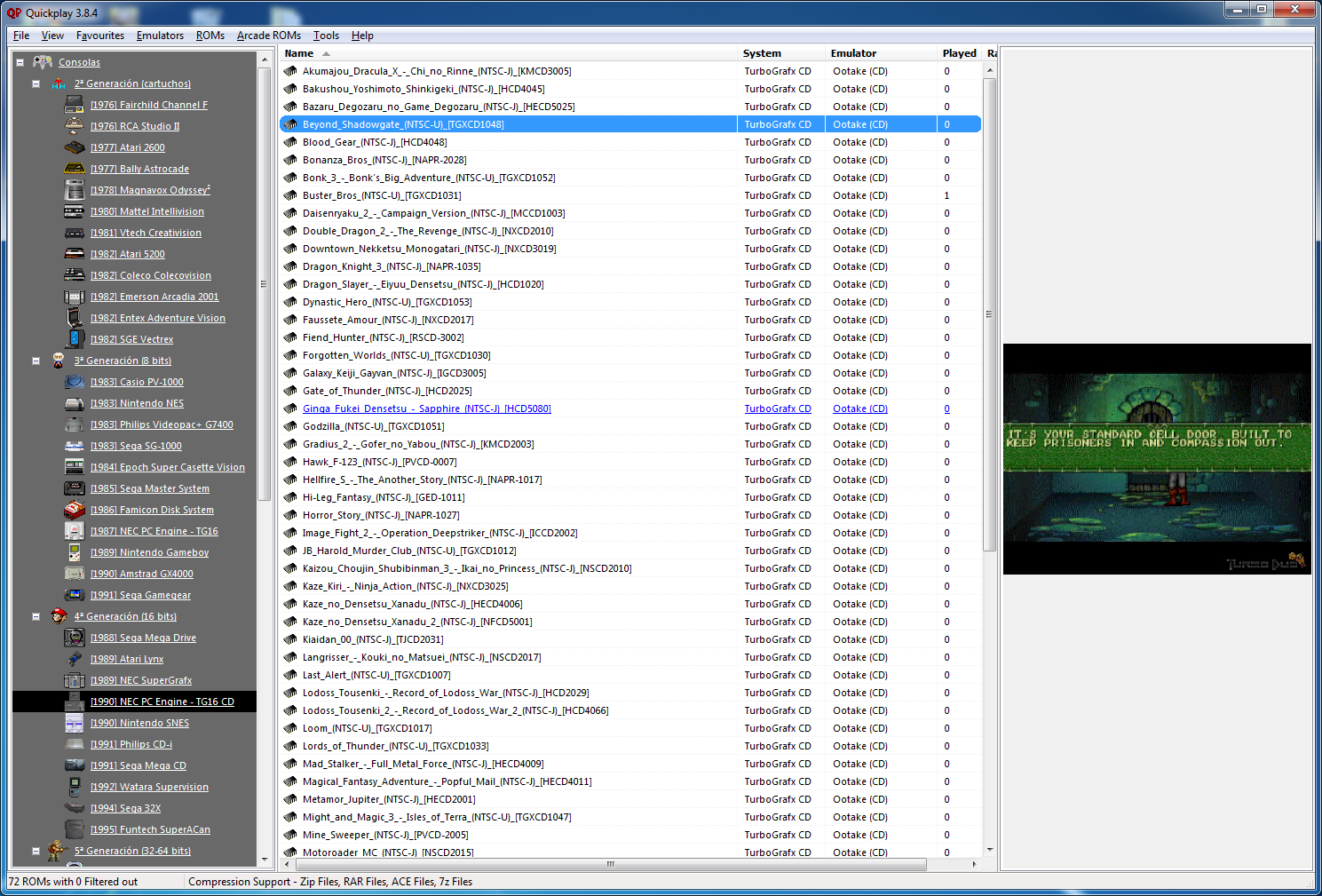
Quickplay est un grand frontend multi-système incluant des fonctions avancées pour Mame, Virtual Tree, Emu-Finder, un système IPS, Mirroring de répertoire, support Zip pour les émulateurs ne le supportant pas et beaucoup d’autres choses.


QuickPlay – MAME Edition entirely reworks all previous MAME/RetroArch MAME/MESS/UME functionality. Its one of the largest changes to QuickPlay that has been made. If you already have MAME or RetroArch’s MAME working fine outside of QuickPlay, it should now be easy to make the MAME lists of your dreams for Arcade, Home Computer and Console games. It also makes QuickPlay work really well with 2K and high-DPI monitors, fixes joypad support, and contains numerous fixes for other UI elements and annoying quirks that help to make QuickPlay a great MAME frontend. The release goes with a major revamp of the QuickPlay web content aimed at helping new users get playing quickly – see the refreshed and very-visual wiki documentation
 
Joypad Support
– Re-implement joypad support (so that it works!) with Windows messaging implementation for a much more responsive joypad
– allow media panel navigation and buttons 1+ 2 cycle through media panel tabs
– stop having to keep left held for sidebar access
– allow for analog or digital pads
– fix mutiple problems with joypad logic
– button 1 expands/contracts in dir or folders view
 
General
– add RetroArch Efind ini for RetroArch 167
– fix system names in Romdata Magician for system ini lists
– replace Romdata Magician Ini File Dats with larger-width versions
– fix ini files not displaying entry source urls
– get runrom working in find/search form (for non-IPS)
– update default systems list
– remove the systems list in updates folder
 
UI Changes
– lose some warnings about slowdowns on older machinces
– resize forms for modern screen sizes: emu find, folder options, media panel, media panel config editor, run dialog, search form, efind forms, and generally expand forms for longer emulator names
– resize emulators and edit its pngs size
– fixed folder tree slidebar bug
– fix bug with roms panel dir size
– slight reskin inc version number
– fix bug in efind form that restricted window size
– explain dat and efind. change cmds to live flag
– fix bug with folder creation dialogs
– fix bug found in Virtual TreeView: hit column number
– fix filter bar appearance on high DPI
– fix icons on roms sidebar hanging over bottom
– fix overhanging text in filter textbox
– tweak and reorder favourites and search forms
 
MAME Frontend
– Reworked Arcade Roms menu completely: new forms, actions and menu options setup for MAME backend (you’re now supposed to keep returning to the Arcade menu to update and print different Romdatas)
– Replaced Mess Icons Directory setting in Appearance Options with MAME Extras locator in MAME Options
– Set and remember various other MAME options
– completing MAME Options now causes Folder Options to include a properly-filtered set of MAME Console/PC System Icons for use, massively reducing the time the MAME icon list took to appear
– MameIcons in folder options: refactor to shave a few secs off as well
– warn and provide getout if user is about to wipe existing Romdatas
– 19 MAME printer checkboxes now saving as ini settings
– old MAME options removed from menu and old MAME script removed from tools
– pass MAME exe filename so that MAME Efinds can use it, save MAME Tool’s MAME filename choice in MAME options
 
MAME General
– add Mame dat files to add new tab/default tab and media panel opts forms
– display the various MAME dat files in Media Panel config
– made those MAME info lookups work, in particular home computer and console lookups in the MAME history file are functional as well as arcade lookups
– Updated the MAME Efinds
– MAME now has its own section in settings ini
 
MAME Tool
– add MameTool nodejs command line 64-bit binary (first attempt to move the backend away from Delphi)
– a scanning function reads and filters the MAME XML (effectively the MAME game libarary) into usable JSON, tags by version, and requests the location of your MAME Extras folder
– reads all MAME ‘ini’ files to better-filter MAME games and add metadata like number of players
– allow creation of subfolder collections: e.g.: split a MAME set’s Romdatas by Genre folders
– users can filter games by often-excluded properties e.g.: clones
– or, users can load a MAME File Manager file into QuickPlay and filter by that
– create customised MAME Romdata sets for MAME itself or for (full) RetroArch MAME
 
MAME Softlists and MAME MESS Emulators
– now user generatable, that project was incorporated into MAMEtool
– users generate their own Efind for either MAME or RetroArch MAME via a MAME scan
– a MAME scan will augment the users systems list with newly-found systems
– stop saving the old MESS Efinds in the QuickPlay file bundle
– reworked and fixed bug with Retroarch MAME embedded systems list, so that it now works
– update MAME Softlists and MAME MESS Emulators for MAME 187
– real icon directory now configured via MAME Options (prints out to Romdata.dat)
– prints its scan results together with MAMEtool’s scan results
– now keeps track of the version of MAME used to generate Efind/Softlists (visible in MAME Options)
– removed the old ‘tool’ that moved the canned softlists to users data dir


Télécharger QuickPlay v4.7.6 (112 Mo)

Site Officiel

En savoir plus…

Ce fichier permet de sauvegarder vos meilleurs scores sous MAME(Arcade), ils apparaissent ensuite dans les crédits de chaque jeux, comme dans la réalité. Cette version non officielle est souvent mise a jour, elle supporte les tout derniers jeux ajoutés dans MAME(Arcade).


Ce fichier était devenu inutile depuis Mame v0.107u2, il fallait donc l’utiliser qu’avec des builds non officiels. Mais depuis MAME v0.172, ce fichier a été intégré officiellement avec l’émulateur dans un répertoire plugins/hiscore (c’est dans ce répertoire qu’il faudra placer le fichier).


Ce fichier sert à être téléchargé que si sa version est plus récente que celui que propose MAME en interne, mais dans le cas contraire c’est que MAME propose déjà la dernière version (qui sera donc la même). A noter qu’il ne fonctionne qu’avec MAME v0.174 ou supérieur.


Télécharger Hiscore.dat (Non Officiel) (2023/12/05) (87 Ko)

Site Officiel

En savoir plus…

MXC ou Mame XML Cleaner est un outil très léger et gratuit développé pour traiter et nettoyer les fichiers DAT (XML) de MAME.


Passer au crible tous les jeux non fonctionnels, les clones, les indésirables et purger comme il se doit votre SET de ROMs. Filtrer par mots-clés, par liste de ROMs (compatible Catver) ou par choix multiples (années, manufacturer, drivers, périphériques…).
 
mame-xml-cleaner
 
Les changements:
– Afin de permettre à certains clones de fonctionner correctement, les jeux en état « préliminaire » ne sont plus filtrés automatiquement.
– Un Bug pouvait générer un fichier non valide pour Clrmamepro.
– Le XML est désormais allégé de toutes les informations non utiles à Clrmamepro et MXC.
Seul le strict nécessaire au tri et à la création des ROMs/CHDs/Samples est conservé.


Télécharger MXC v2.0 (426 Ko)

Site Officiel

En savoir plus…

Un émulateur de Nec PC8801MA pour Windows.


Télécharger PC8801MA (2017/12/02) (616,8 Ko)

Site Officiel

En savoir plus…


https://getourbonus.com/fr/accueil

https://www.romspedia.com/