Mesa3D peut être utilisé pour fournir un moteur de rendu Software aux applications OpenGL et est particulièrement utile pour exécuter d’anciennes applications et jeux qui utilisent une ancienne version d’OpenGL et qui ne fonctionnent pas correctement sur du matériel moderne.
Notez que ce dispositif de rendu est loin d’être parfait, et de nombreux jeux ne fonctionneront pas encore.
 
Des instructions sur l’utilisation de la DLL sont incluses.


NB: Parce que certaines applications et jeux vont refuser de charger opengl32.dll à partir de leur répertoire, vous pouvez utiliser MesaInjector.
 

Télécharger Mesa3D (x86) v20.1.8 (6.7 Mo)

Télécharger Mesa3D (x64) v20.1.8 (8.4 Mo)

Télécharger MesaInjector v20.1.8 (8.5 Mo)

Site Officiel

En savoir plus…

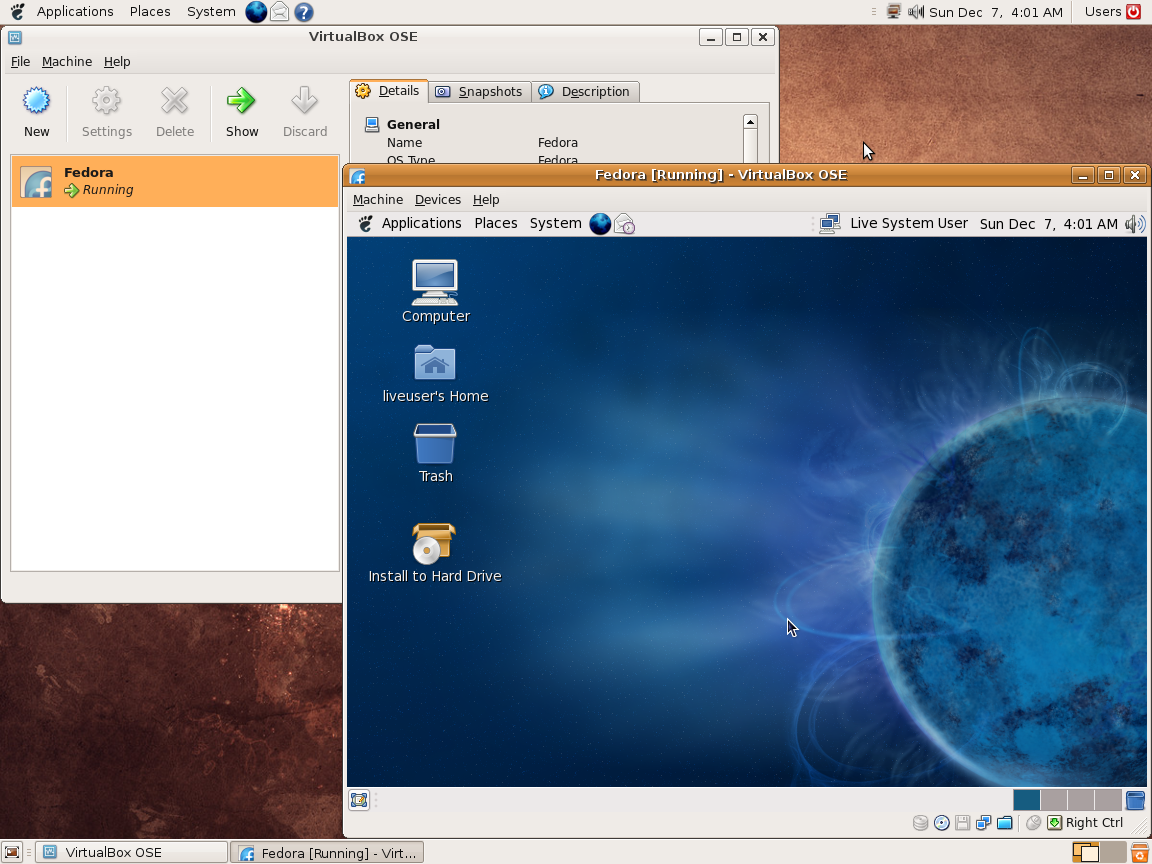
Ce programme permet d’émuler un PC sous plusieurs OS. Il tourne sous Windows, Linux ou Mac. Il permet de faire tourner des machines virtuelles sous différents OS (Windows de tout type, Linux, FreeBSD OS/2 etc.).


Vitualbox est également open-source et gratuit (pour les particuliers). Les solutions existantes de virtualisation étant soit très chères pour le particulier, soit incomplètes au niveau du support des systèmes, VirtualBox propose donc une alternative intéressante à Vmware et VirtualPC.
 
Les améliorations sont lisibles ici.


Télécharger VirtualBox v7.2.22 (170 Mo)

Télécharger VirtualBox - Oracle VM VirtualBox Extension Pack v7.2.22 (19.1 Mo)

Site Officiel

En savoir plus…

RockNES est un très bon émulateur pour Nintendo NES. A essayer !
 
rocknes

 
– Fixed compiler flags, no more DLLs (again).
– Fixed a few more references for setting up Allegro’s gfx driver (AUTODETECT).
– Other minor fixes and tweaks.
– Fixed frequency value in the DMC sound driver reset, raw playback is fine.
– Fixed a nasty bug in the PPU $2007 reads.
– Fixed mouse as NES input device, you can adjust the movement sensibility.
– Changed Allegro’s graphics pseudo-driver to AUTODETECT for compatibility.
– A few cosmetic changes in the GUI.


Télécharger RockNES (i686) v5.80 (581 Ko)

Site Officiel

En savoir plus…

GroovyMAME est un émulateur multi-systèmes basé sur MAME (Arcade + Consoles + Ordinateurs) et qui se focalise sur le rendu sur écran CRT (Moniteur de PC ou d’arcade avec fréquence particulière) car les auteurs sont convaincus que la technologie CRT est un must quand il s’agit de profiter de l’émulation dans toute sa splendeur. Cependant GroovyMAME peut être utilisé également sur écran LCD (principalement sur les modèles qui permettent un rafraîchissant à des taux personnalisés).


Beaucoup d’améliorations provenant de Groovy avaient été intégrées dans MAME il y a quelques temps rendant Groovy obsolète, mais depuis de nouvelles fonctions ont été développées en parallèles justifiant ces nouveaux builds.
 

A noter que des LiveCD sont également disponibles sur le site officiel.


Les changements:
– sync with mame v0.224
– (Windows) Added v-sync offset slider. Used for removing static tearing when using frame delay. Valid values: 0-512.

 
Note sur la version D3D9EX (les builds ne sont valables que pour windows 7 ou supérieur):
Cette version intègre un patch Direct3D9Ex (également connu sous le nom de Direct3D 9.0L ou 9.L, le L faisant référence à Longhorn, nom de la base de code de Windows Vista) qui permet de bénéficier de certaines fonctionnalités introduites par l’utilisation des drivers WDDM tout en maintenant la compatibilité avec les applications écrites pour Direct3D 9. L’interface Windows Aero s’appuie sur D3D 9Ex et utilise certaines des fonctionnalités non présentes dans Direct3D 9 comme la possibilité de partager des surfaces DirectX entre plusieurs processus.

 
Pas de binaires 32 bits pour le moment.
 
MAJ: J’ai compilé les binaires 32 bits et le 64 bits non Ex.


Télécharger GroovyMAME (x86) v0.227 SwitchRes v0.017t (56.4 Mo)

Télécharger GroovyMAME (x64) v0.227 SwitchRes v0.017t (58.1 Mo)

Télécharger GroovyMAME D3D9Ex (x86) v0.227 SwitchRes v0.017t (56.4 Mo)

Télécharger GroovyMAME D3D9Ex (x64) v0.289 SwitchRes 2.22f (98.5 Mo)

Site Officiel

En savoir plus…

AmiArcadia est le port amélioré de Tunix2001 ex ‘Win Arcadia 2001’ (par Gavin Turner) pour Amiga. Ecrit par James Jacobs et Gavin Turner, cette version est en fait le port Windows du port Amiga (un backport) !


Il émule les consoles basé sur la famille des Arcadia2001 : Bandai, Emerson, Grandstand, Hanimex, Intervision, Leisure-Vision, Leonardo, MPT-03, Ormatu, Palladium, Poppy, Robdajet, Rowtron, Tele-Fever, Tempest, Tryom, Tunix, etc.
 
Il supporte aussi l’Interton VC 4000 et l’Elektor TV Games Computer. Il nécessite Windows 9x/ME/NT/2000/XP et tourne aussi sous Vista/8/10.
 

Télécharger Win Arcadia (Ami Arcadia) v36.8 (9.9 Mo)

Site Officiel

Créé par Marat Fayzullin, voici un émulateur de Sinclair ZX Spectrum 16kB/48kB/128kB et +2/+2A/+3.


– Refactored scaling and special effects framework.
– Optimized scaling for large screens and windows.
– Fixed Speccy-Windows behavior with multiple displays.
– Added « Video | Interpolate Video | Linear Scaling » option to Speccy-Windows.
– Enabled « Video | Stretch Full Screen » option with effects enabled.
– Enabled « Video | Force 4:3 Screen » option with effects enabled.
– Added « File | Clear Settings and Quit » option to Speccy-Windows.
– Fixed small windows behavior in Speccy-Windows.
– Fixed window position behavior in Speccy-Windows.


Télécharger Speccy (Windows) v5.9 (420 Ko)

Site Officiel

En savoir plus…

Un très bon frontend pour MAME.
 
mameclassicmameclassic2
 
– Added : Control for Beam Dot Size.
– Changed : Beam Width Minimum and Beam Width Maximum values now match the slider values in the built-in GUI.
– Changed : The MESS Machine listview column headers are now visible.


Télécharger MAME Classic v26.02.0 (1.9 Mo)

Site Officiel

En savoir plus…

pantheon
 
Il s’agit d’un multi-émulateur qui gère les systèmes suivants avec une superbe interface très simple d’utilisation.
Ordinateurs : Acorn Atom, Acorn BBC Micro, Acorn Electron, Commodore PET, Atari 8-bit, MSX
Consoles : Atari VCS 2600, Atari VCS 5200, Atari VCS 7800, ColecoVision, Magnavox Odyssey 2, Sega Master System, Sega Megadrive, Mattel Intellivision
Consoles portables : Atari Lynx, Sega Game Gear, Nintendo GameBoy
 

Vous aurez besoin de .NET Framework installé sous Windows. Pantheon est spécifiquement dédié aux jeux.
 

Le gros avantage est que ceux-ci sont téléchargés automatiquement en un clic sans que l’on ait besoin de faire quoi que ce soit d’autre. Il est bien dommage que Panthéon ne dispose pas de filtres, cela rend les jeux très pixelisés en raison des basses résolutions natives.


Télécharger Pantheon v16.754 (138 Mo)

Site Officiel

En savoir plus…

Ecrit par StapleButter (auteur des émulateurs de SuperNES lolSNES/blargSNES pour DS et 3DS et ayant contribué pour DeSmuME), il s’agit d’un émulateur de Nintendo DS/DSi pour Windows et Linux dont l’objectif est de faire les choses bien et rapidement, semblable à blargSNES mais en mieux (dixit l’auteur).
 
Les changements:
 
– JIT recompiler
Brought to you by Generic (aka RSDuck), the new JIT recompiler enables melonDS to run much faster, and quite often reach fullspeed even when emulating DSi titles!
There are a few settings you can try out to get the most out of this JIT. While it has been heavily tested and worked on, it’s still imperfect.
 

– DSi emulation
This is the other flagship feature of this release: melonDS now emulates the DSi!
You will need a NAND and firmware dump from your DSi, as well as augmented BIOS dumps (such as those that NO$GBA requires). I intend to release a BIOS dumper to make this easier.
Do note that this is still experimental. For one, direct boot will not work under DSi mode. Not everything is running yet, either, but we’re getting there. melonDS does not yet emulate some hardware like the DSi cameras (but on the other hand, emulates DSi wifi).
melonDS has a small hack to bypass the region check. However, DSiware titles can’t be run standalone yet, they will need to be installed to the NAND.
 

– New Qt UI
This means we get to do more without needing to work around the limitations that libui had. For the end user, this also means a bigger binary, but on the other hand, on Windows, all the dependencies are linked statically, so melonDS does not come with external DLLs anymore.
The new interface adds features that were long requested: for example, you can open the emu settings dialog to point melonDS at your desired BIOS/firmware/etc files, without needing to move/rename them around.
 

– Cheats
This is another popular request, and here it is. melonDS lets you enter Action Replay codes to mess with your games in whatever ways you want.
 

– DLDI
melonDS now supports letting homebrew access files and directories on a SD card image. Note that for now, you will need to provide an image file, melonDS does not yet build such images on the fly like DeSmuME can do.
 

Similarly, you can also use a SD card image to emulate the console’s SD card in DSi mode.

 
– and the rest!
As usual, there are plenty of little improvements with this melonDS release, that are too many to list here, but you may discover them on your own! Or find them in the changelog (which we are still busy compiling – it’s a big release).


Mode DSi
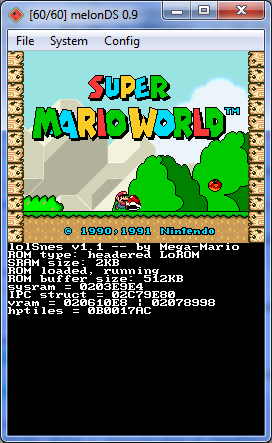
 

Exemple de DLDI

Site officiel proposant les sources.

Télécharger melonDS v1.1 (18.5 Mo)

Site Officiel

En savoir plus…

m64p (ou Mupen64Plus-GUI) est une interface graphique écrite en Qt5. Elle supporte tout ce que vous attendez d’une interface mupen64plus (sélection de plugins, édition de la configuration, gestion des sauvegardes, capture d’écran, pause, etc.).
 
Cette archive inclut Mupen64Plus + GlideN64 + une interface utilisateur.


– The N64 emulation scene has been quiet this summer. This release contains some small bug fixes for GLideN64 (video) as well as updates to dependencies like Qt.
– Misc Fixes

 
Code source. Builds ici.

Télécharger Simple64 (x86) (2020/06/02) (20.6 Mo)

Télécharger Simple64 (x64) v2024.12.1 (46.5 Mo)

Site Officiel

En savoir plus…

Il s’agit du premier émulateur GameCube pour Windows créé par org et hotquick.


– In short, this release is a new, completely rewritten DSP core.
– The release work was evenly spread over previous releases, but the bulk of the new DSP core was implemented in this version.
Luigi’s Mansion now comes to the forest scene:
– A new component has been added to the emulator – GX, which contains the general code for emulating the command processor (CP)
Old DolwinVideo code has been cleaned up from old stuff. It is still used as a reserve parachute until a more advanced backend appears.
– In parallel, improvements have been made in DSP emulation, but there is still a lot of work to be done in this area
– Fixed minor bugs that got out after splitting the emulator core and user interface.
– Some games show slight progress: Luigi’s Mansion now shows 1 screen further from the main menu, and Wario Ware even reaches the game, but with big slowdowns and graphical bugs. You can even hear how Wario is unhappy with this circumstance (there is sound in the game).


Télécharger Dolwin (64 bits) v0.151 (651 Ko)

Site Officiel

En savoir plus…

Foobar2000 est un lecteur de prime abord minimaliste. Son interface est des plus sobre avec la seule présentation d’une liste de lecture alors que la barre de progression et les boutons de contrôle peuvent n’être que des caractères textuels. Il supporte de nombreux formats sonores (notamment les formats audio d’anciennes machines) grâce à l’ajout de plugins.
 

Cette légèreté permet bien sûr à Foobar2000 d’être l’un des lecteurs MP3 les plus léger en termes de ressources mémoire / processeur, mais il ne faudrait pas croire que cela le contraint au minimum syndical. Le fonctionnement par plugins de ce lecteur lui permet d’être incroyablement modulaire et d’intégrer un nombre impressionnant de fonctions.


De nombreux formats audio en rapport avec l’émulation sont parfaitement supportés.


foobar

Les changements:


1.6.1:
– Added support for HLS: HTTP Live Streaming. To use, add internet M3U8 file through Add Location dialog.
– Enabled icy-metadata support for Ogg FLAC internet radio streams.
– Updated Properties / ReplayGain page layout if editing a single file.
– Improved Properties dialog performance, list of autocomplete entries is populated asynchronously.
– Enabled embedded album art loading from raw .AAC files with ID3 tags.
– Updated FFmpeg to 4.3.1.
– Added support for playing Matroska A_MS/ACM content.
– Fixes for rare AAC codec configurations that FFmpeg doesn’t fully support – an add-on decoder can override the built-in one for such special cases.
– Decoders are now made aware of output sample rate (from Windows Mixer settings) and can decode certain formats directly to the intended sample rate, skipping potential resampling steps.
 

1.6
– Changed system requirements: Windows 7 and a processor with SSE2 instruction set. Windows XP is no longer supported.
– Default output mode is now WASAPI shared.
– New fading capability that works with alternate output modes.
– Default archive reader now supports 7-zip format.
– Added support for WebP album covers (Default UI, Properties dialog). Settings need to be changed to look for folder.webp instead of folder.jpg.
– Removed mixer volume sync feature due to bugs.
– Cleaned up foo_rgscan alter-file-content & alter-opus-header methods.
– Removed obsolete edit-replaygain-info menu command since Properties dialog does the same now.
– Added an option to disregard mouse back/forward buttons (by default mapped to previous/next track).
– Double clicking a line in Properties album art tab now opens a fullsize image viewer.
– Fileops & Converter: Added alternate handling of invalid filename characters, toggled in Advanced Preferences.
– Freedb component updated: now queries all configured servers and displays results grouped by server.
– Updated File Operations & Converter file name pattern picker dialog, now auto selects current pattern on open if possible.
– CDDA reading no longer requires admin privileges on Windows Server.
– Updated autoplaylist editing dialogs, made resizable.
– Standard DSP Array is no longer an optional component, as it’s required for new WASAPI output to work correctly.
– Converter: Added a toggle for encoding thru temp folder to custom command-line encoder setup, required for some encoders that don’t support Unicode.
– Added alternate menu commands for opening Properties dialog with specific tab open, for mapping keyboard shortcuts only.
– Improved recovery from unplugged audio output device.
– Additional editable Properties ReplayGain tab summary fields.
– Fixed crash when trying to alter gain on a Matroska file with no recognized audio track.
– Fixed incorrect handling of folder/file.ext relative paths in playlists served over HTTP/HTTPS/FTP.
– New portable install puts all configuration data in ‘profile’ subfolder of install folder instead of saving in the installation folder directly. Doesn’t affect upgraded installs or non-portable.
– Fixed ‘remove tags’ not correctly stripping tags from raw AAC files.
– Fixed ZIP reader memory leak.
– Improved handling of last modification times in ZIP and RAR archives.
– Fixed a bug causing high CPU usage with autoplaylists that are force-sorted but with no pattern specified.
– Fixed installer incorrectly labelling some components as incompatible, if they have been installed by copying DLLs manually.
– Fixed incorrect handling of ID3 itunescompilation=0.
– Fixed a bug causing files with very long names inside ZIP archives to be unplayable.


Télécharger Foobar2000 v2.26.2 (14.1 Mo)

Site Officiel

En savoir plus…


https://getourbonus.com/fr/accueil

https://www.romspedia.com/