Nplayers : Exclusivement pour les frontends comme EmuLoader, MaLa etc.. ce fichier vous servira à classer les jeux par nombre de joueurs possibles : 1p, 2p, 1p+2p, 1p+2p alt, etc…


Nplayers32 : Exclusivement pour MameUI ou clone de celui-ci… ce fichier vous servira à classer les jeux par nombre de joueurs possibles : 1p, 2p, 1p+2p, 1p+2p alt, etc…


Télécharger Nplayers v0.278 (303 Ko)

Site Officiel

En savoir plus…

Madrigal CD Collection regroupe spécifiquement la totalité des simulateurs de Madrigal. Ce set est en complément au « Handheld Remakes (Simulators) » afin de respecter le nom d’origine des simulateurs de Madrigal.
 
madrigalfull


Merry Christmas everyone! Ho! Ho! Ho!
 
What better way to celebrate than playing your favourite classic videogames under the Christmas tree? And when they are completely free, the games play even better! 😀
 
As announced a few weeks ago, I am today releasing my very own re-interpretation of Nintendo’s most iconic pocket game: Donkey Kong Multi Screen.
 
This « Special Edition » application simulates the gameplay of the old classic Game & Watch with a few minor changes. Even though the gameplay is almost the same, the graphics and audio experience is quite much improved: everything has been re-designed from scratch!
 
The game features four stages, each with custom-made images and sounds effects. Tweaking the included « config.ini » files, you have the power to create and add your own images, remove any of the existing, change the order of the stages, make the game play your own sound effects, or… whatever you have in mind! 🙂
 
The included stages are listed below:
 
1. « Sunset City » features black LCD graphics on a black skyscraper on a cityscape background. The graphics is an adaptation of the beautiful DK Wallpaper designed by Old Game Box a few months ago.
2. « Panorama Screen » is inspired by the beloved colourful electronic games of the same series, released by Nintendo in 1983-1986. The graphics feature coloured sprites on a black background and show how the game would have looked if it was released as a Panorama Screen game.
3. « Coin Op World » utilises graphics from the classic arcade coin-op Donkey Kong (with adaptations from me). Sound effects also come from the original arcade game.
4. « Classic G&W » is the real pocket game displayed very realistically, to provide the real experience of having the game on your crowded desk. It utilises the photo of a real Game & watch as pictured by my long time friend Roberto Mayrhofer.
 
The below image shows two of the four settings and one intermission screen, shot at 1366×768. Note the game requires screen resolution of 1024×768 as a minimum, however the bigger the screen, the better! Best results are obtained on 1920×1200 desktops.


ClrMamePro DATfile ver. 20171224 [60.0]

Télécharger MADrigal CD Collection v63 (153 Mo)

Site Officiel

En savoir plus…

VMware vous permet de lancer plusieurs systèmes d’exploitation sur un même PC sans avoir besoin de partitionner votre disque et sans reboot. Vous pouvez facilement isoler et protéger chaque environnement, et bien entendu les applications et données qui tourne dessous. Il permet aux utilisateurs de configurer facilement chacun des systèmes d’exploitation, ce qui inclut un interface réseau complet, gestion de périphériques, partage de fichiers, copier/coller et annuler les changements fait durant un session. VMware permet aux « opérateurs » d’encapsuler et de manipuler chaque environnement, la possibilité de faire un retour arrière en redémarrant une application ou encore de déplacer un environnement a travers différentes machines configurées.


vmware

 
Les changements sont visibles ici. A télécharger ici.
 

Site Officiel

En savoir plus…

Il s’agit d’un fork de DOSBox des plus intéressant, destiné à Windows Linux et MacOS et créé par Jon Campbell. Il possède une compatibilité excellente et met l’accent sur la précision d’émulation notamment en ce qui concerne l’émulation de Windows 3.x à ME. En outre il ajoute des améliorations en provenance d’autres builds comme DOSBox ECE avec l’émulation de la 3DFX en interne.


dosbox-x
 

Les améliorations sont les suivantes:
 
#4
– MPU 401 IRQ is selectable
– Games testing
– Didn’t forget to include FREECG98.BMP this time
– Windows builds now include dosbox.reference.conf for your reference
 
#3
– Windows XP support cannot be maintained by myself, unfortunately. VS2015 and later have bugs in the runtime that prevent it, and I have better things to do
– Fix Linux-specific code appearing in Windows builds that erroneously converted all paths to use forward slashes on Windows. Oddly enough despite this mistake relative paths still worked on Windows 10

 
#2
– Integration device no longer announces itself through ISA Plug & Play (unless enabled in dosbox.conf)
– Internal code cleanup and reorganization. Several projects thrown in over time were disentangled from the main DOSBox-X source code to help keep the code organized.
– SDL2.x Windows builds fixed to reject emulated mouse clicks from the touchscreen, because it already handles touchscreen events itself. This fixes accidental « double clicking » when used with guest pointer integration and Windows 3.1.
– HGC/CGA (monochrome) paper-white option (basic2004)
– Game Blaster CMS frequency correction (basic2004)
– Fixed audio deadlock/hang problems with Linux, SDL 1.x, and PulseAudio
– BOOT command fixed to refuse to work in PC-98 mode. It will stay this way until enough BIOS calls are implemented to make booting a guest OS in PC-98 mode workable.
– SID frequency correction (basic2004)
– OpenGL double aspect ratio correction fixed
– OpenGL fixed to use hardware scaling properly, with interpolation
– Windows SDL 1.x: Output menu fixed to correctly indicate OpenGL vs OpenGL NB
 
#1
– Directories on the host that contain a file who’s name is non-representable in the guest no longer cause directory enumeration to fail entirely, all representable files will show up
– SDL 2 builds now use a different filename for the saved mapper file
– SDL 2 builds: mapper interface now responds to touchscreen as well as mouse
– « Overlay » output removed, there’s no point to having it
– Added WinPCAP headers, which also enables NE2000 emulation for Windows builds if WinPCAP is installed.


Télécharger DOSBox-X (Visual Studio) v2026.10.01 (28.9 Mo)

Site Officiel

En savoir plus…

Un plugin modifié par Jonnyleffe qui ajoute un ensemble considérable d’améliorations.
 

Interface changes:

– Cleaned up the resolution combobox

– You can now force 16/15 bits for the backbuffer (use this if you are on windows 8+ and you need more speed)

– Added proper aspect ratio handling
You need to set your monitor aspect ratio and the wanted aspect ratio (default is 16/9 and 4.2/3)
Note: this will work if the fullscreen resolution you choose fill the entire monitor
Example: monitor is 16/9, max res is 1280×720, you set 640×480 (and this fill the entire monitor) -> aspect ratio will work
Example: monitor is 16/9, max res is 1280×720, you set 640×480 (and this gets rendered in 4/3) -> aspect ratio will NOT work
It really depends on gfx card configuration/options for sub-resolutions, but you shuold be able to fix special cases if you play with numbers.
Window mode is always stretched now

– Added overscan top/bottom (pixels removed from the current internal psx resolution)

– Added 6xBRZ

– Removed 1:1 mode, it is silly to mantain imho 🙂

– Removed the transparent menu option -> replaced it with an option to ignore frame limit callbacks (epsxe turn off the plugin FL on startup and every time you press F4)
This can be useful if you want to use the plugin FL/FS, add F4 in the keys to send at startup and the job is done
(the internal audio plugin don’t like this btw, use another plugin if you want to do that)

– Changed some defaults in « Key configuration »

– The gpu infos function (INSERT key default) now show additional debug infos (the internal psx resolution can be useful for users)

– You can now send up to 7 keys to the emulator at startup (for example in epsxe F5 enable analog, F5-F6-F5 enable 2x analog, F4 remove fps limit)
epsxe sometimes ignore keys, try to play with the delay in this case

– Removed the debug option and replaced the F12 function with « cycle aspect ratio modes »

– Removed the scanlines options (they were bugged on my system(s)).

– Replaced fast/nice presets with a reset option

– Removed the copy to clipboard button (it was not mantained/complete anyway)


Internal changes/fixes:

– New registry key for options: « Software\Vision Thing\PSEmu Pro\GPU\PeteSoftMOD2 »
So you can keep other versions without messing up the configuration
(MOD2 was the internal name before release, the code is also full of MOD2!!! comments :p)

– Refactored the blitting code (blitters15.h, blitters16.h, blitters32.h, screenModes.h, *getBlit(), *getResize() needs to be aligned if you want to add new resize modes)

– Menu, gun cursor, messages from the emulators are now blitted in the backbuffer (the old way was slow when i started rising the backbuffer resolution for 3x+ modes)
A nice(?) side effect is that all those stuff gets resized in the blitting pipeline

– Fixed all nonworking resize modes (expecially 3x modes were repeatedly abused 🙂 )
Note: xBRZ works in 32 bit only (15/16 bit -> fallback to 1x)

– Removed the 512 width limit for resize modes (« iS » and other few 640xXXX games are now resized correctly)
(the limit can be changed via #define in the code – i was tempted to make the maximum width an option, so we can save video memory per game – but i feel it is not necessary)

– Removed an unneeded blit when using xBRZ (the last one) and reduced memory allocations in this mode
(i’m able to remove the 16->32 bit conversion too, but the code seems faster in this way… maybe something related to the cache?)

– FPS are shown in the window title now

– Fixed the DPI bugs in both window/fullscreen modes

– Fixed bad exit when you close from « x » or with alt+f4 (i send a virtual « esc » key for this – a bit hacky)

– Fixed alt-enter toggle (there should be no more slowdowns)
It seems that if you esc and after continue from epsxe, i’m no more able to obtain DDSCL_EXCLUSIVE | DDSCL_FULLSCREEN mode
This works correctly in epsxe 1.5.2, so i guess is something related to recent versions of epsxe

– Fixed bugs when you lose focus/alt-tab from fullscreen mode (i automatically switch in windows mode in this case)


Télécharger P.E.Op.S. Soft Driver Refresh (552,1 Ko)

Site Officiel

En savoir plus…

Un émulateur de puce sonore OPL3.
 
Le Yamaha YMF262, également connu sous le nom OPL3 (OPL est un acronyme pour FM Operator Type-L), est une puce de synthèse FM publiée par Yamaha Corporation en 1988. Il s’agit d’une version améliorée du Yamaha YM3812 (OPL2). Il a été utilisé dans un certain nombre de cartes son IBM PC, y compris Sound Blaster 16 et Pro AudioSpectrum (16 bits).


Télécharger Opl3emu (x86) (27/09/2020) (3.8 Mo)

Télécharger Opl3emu (x64) (27/09/2020) (2.0 Mo)

Télécharger Opl3emu (WIP) (24/08/2018) (1.3 Mo)

Site Officiel

En savoir plus…

Qemu est un émulateur basé sur la translation dynamique de code, qui lui permet d’obtenir de très bonnes performances. Il permet actuellement d’exécuter des programmes pour ix86, arm, sparc et powerpc sur diverses plateformes (PC, PPC, alpha, arm, sparc, amd64, mips, ia64, …) et de lancer des OS pour PC ou PPC. Inclus les images systèmes et les fichiers bat pour i386, mipsel, arm, sparc et PCC. QEMU émule en permanence le processeur et cela peut réduire la performance d’un facteur cinq à dix. Pour pouvoir obtenir des performances plus comparables à un système non virtualisé ou à VMware (réduction de performance d’un facteur 1 à 2 seulement), il faut utiliser un module d’accélération, ce qui nécessite un système Linux sur architecture x86 ou x86_64 avec un noyau 2.4.x ou 2.6.x.
 
Qemu

 
Les changements sont visibles ici.


Télécharger QEMU (x86) v7.2.0 (152 Mo)

Télécharger QEMU (x64) v11.1 (197 Mo)

Site Officiel

En savoir plus…

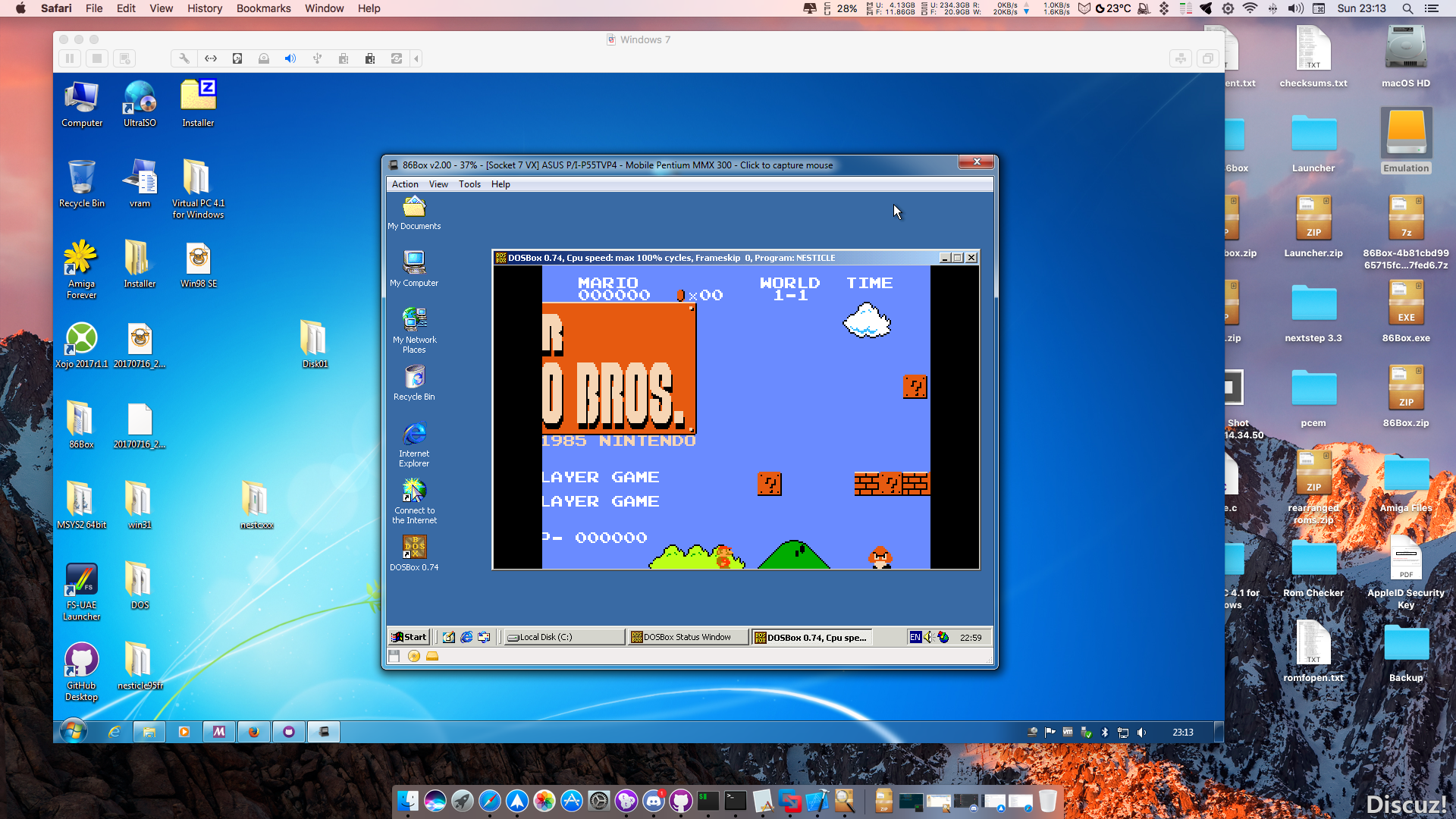
86Box (anciennement nommé PCem Unofficial, PCem Experimental ou PCem-X) est une branche non officielle de l’émulateur PCem, qui vise à émuler des machines compatibles IBM de la période 1981-2000. Cette branche ajoute plusieurs cartes mères émulées.


Télécharger 86Box (x86) v4.2.1 build 6130 (31.3 Mo)

Site Officiel

En savoir plus…

Reicast est à l’origine un portage pour Android de nullDC et qui est à présent disponible sous Windows, entre autre.


Il vous faudra les bibliothèques VC++ pour pouvoir le tester.


Télécharger Reicast (x86) (2020/05/31) (1.3 Mo)

Télécharger Reicast (x64) (2020/05/31) (1.5 Mo)

Site Officiel

En savoir plus…

L’idée est simple: « Et si vous pouviez prendre un jeu Xbox360 et l’exécuter sur votre PC? »
C’est l’objectif que se fixe ce projet qui n’est pas un émulateur à proprement parler mais un recompilateur d’exécutable qui permet de convertir un jeu x360 en jeu compatible Windows. Évidemment ce projet reste très préliminaire et seuls quelques jeux maison ou démos arrivent à fonctionner.


Les builds sont disponibles ici.
 

Télécharger Rexdex Xbox360 Recompiler R55 (11.3 Mo)

Site Officiel

En savoir plus…

Cette version fait directement suite aux précédentes créées par Ulrich Doewich et est à présent maintenue par Colin Pitrat.


– Latest build of Caprice 32, with the newest cool features and the most recent bugs.


Télécharger Caprice32 (x86) v4.6.0 (2026/10/30) (6.6 Mo)

Télécharger Caprice32 (x64) v4.6.0 (2026/10/30) (6.3 Mo)

Site Officiel

En savoir plus…

Créé par Hampa Hug, PCE est une collection d’émulateurs de micro-ordinateurs. Pour le moment, il contient quatre principaux émulateurs:


– PCE / atarist est un émulateur Atari ST. Il émule les différents modèles ST et Mega ST.
– PCE / ibmpc est un émulateur IBM PC 5150. Il émule le IBM PC 5150 et le IBM PC / XT 5160.
– PCE / macplus est un émulateur Macintosh classique. Il émule le Macintosh 128K, Macintosh 512k, Macintosh 512ke, Macintosh Plus, Macintosh SE et le Macintosh classique.
– PCE / rc759 est un émulateur Regnecentralen RC759 Piccoline.
– Il émule également d’autres systèmes à découvrir.


Cette archive propose des version en cours de développement.
 

Télécharger PCE (WIP) (2025/04/20) (2.6 Mo)

Site Officiel

En savoir plus…


https://getourbonus.com/fr/accueil

https://www.romspedia.com/