
Créé par hex-usr (et basé sur Higan), il s’agit d’un émulateur de NES/VS.System/PlayChoice-10/SuperNES/GameBoy/GameBoy Color/GameBoy Advance/WonderSwan/WonderSwan Color/SwanCrystal/GameGear/SMS/Megadrive/PC-Engine mais aussi des sous systèmes Super GameBoy, BS-X Satellaview et Sufami Turbo, mais ajoute un lots de fonctionnalités en suppléments comme davantage de mappers NES, le NES Four Score, le Zapper, le Power Pad, l’adaptateur 4 joueurs, le VS. System (uniquement les jeux UniSystem n’utilisant pas le Zapper), le PlayChoice-10 mais aussi d’autres éléments à découvrir.
 
L’auteur propose également un gestionnaire de paquet MSU1 nommé Mercurial-Magic ainsi qu’une application complémentaire nommée Launcher permettant de lancer des dossiers de cartouches avec des émulateurs non-higan.
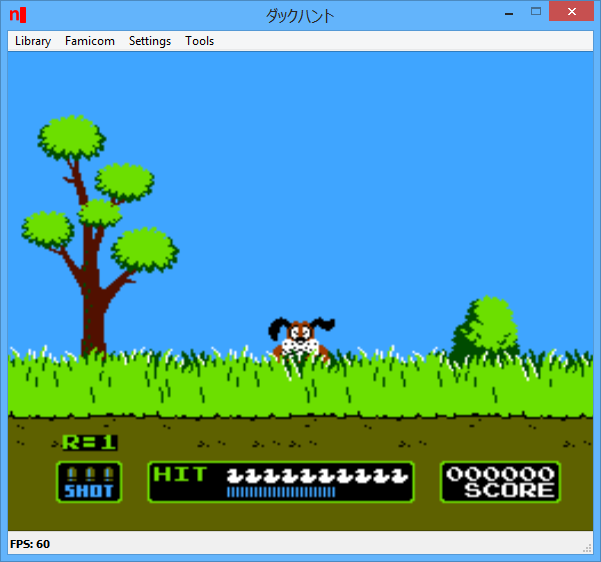
 

nside

 
Cette version, compilée par notre ami Lo, est basée sur Higan 104r12.
 
Les modifications sont les suivantes:
 
r458
-Remove « Export Memory » hotkey
-Removed the Export Memory function, which does not exist in higan.

-Talks have begun about porting higan v104 to libretro along with nSide’s balanced profile, so I (hex_usr) will minimize the changes in Emulator::Interface that make it different from higan. The next commit will remove the Development State field from Emulator::Interface, moving it to target-nSide-t/GNUmakefile.

r459
-Remove « Dev State » field, move to GNUmakefile

-Removed the Development State field from Emulator::Interface. From now on, to compile a build of nSide with the Atari 2600 and SG-1000, run « make prealpha=true » or « mingw32-make prealpha=true ».

r460
-Remove Debugging from SFC Balanced Profile

-Removed all debugging code from the Super Famicom balanced profile to ease the creation of a libretro port of it. It will no longer be possible to compile star-rod using the balanced profile.

r461
-Cheat data field width default value

-Added a default value to Cheat::Code’s dataWidth field, enabling emulators to omit an explicit « <1> » reference if they only need cheat data fields to be 1 byte long. Mega Drive and Game Boy Advance cheats will continue to work, though.

 
Lire le readme pour plus d’informations (assez importants).
 

Télécharger nSide (x86) v009.16 r528 (10.3 Mo)

Télécharger nSide (x64) v009.16 r528 (10.7 Mo)

Site Officiel

En savoir plus…

Il s’agit d’un ensemble d’émulateurs écrits en java.
 

Télécharger Z64K (A2600) (2017/10/24) (1.8 Mo)

Télécharger Z64K (C64) (2017/12/04) (1.8 Mo)

Télécharger Z64K (C128) (2017/12/04) (1.8 Mo)

Télécharger Z64K (VIC20) (2017/10/24) (1.8 Mo)

Site Officiel

En savoir plus…

Comme son nom l’indique, il s’agit d’un émulateur de HP-15C créé par Torsten Manz et dont l’interface est disponible en plusieurs langues, à ne pas confondre avec HP15C d’un autre auteur.


Télécharger HP-15C (x86) v4.1.0 Build 5914 (2.7 Mo)

Télécharger HP-15C (x64) v5.1.0 Build 6608 (4.1 Mo)

Site Officiel

En savoir plus…

Une version améliorée de Neko Project II et Neko Project 21 (PC98XX) mais dont les principales informations sont en japonais (l’interface est disponible en anglais). Plus d’informations.


(Ancien thread | Nouveau thread)
 

Télécharger Neko Project II / Project 21 fmgen v0.83k8 (2017/09/15) (11,3 Mo)

Site Officiel

En savoir plus…

Un émulateur de Nec PC8801MA pour Windows.


Télécharger PC8801MA (2017/09/15) (616,8 Ko)

Site Officiel

En savoir plus…

Ecrit par Tom Hart, CLK (ou Clock Signal) est un émulateur pour ceux qui recherche la meilleure précision possible tout en minimisant la latence.


Il émule les systèmes suivants:

– Acorn Electron
– Amstrad CPC
– Atari 2600
– Commodore Vic-20 (et Commodore 1540/1)
– Oric 1/Atmos
– Sinclair ZX80/81
 

Télécharger CLK (2026/07/20) (12.1 Mo)

Site Officiel

En savoir plus…

Il s’agit d’un émulateur de Sinclair Cambridge Z88.


** Bug
* [OZVM-107] – Wrong OS_ API display in debug view
* [OZVM-110] – When 512K/512K Flash/RAM card is removed, file size saved is 1024K rather than 512K
* [OZVM-116] – Keyboard layout is not correctly restored when snapshot is loaded
 
** New Feature
* [OZVM-59] – Add ability to control speed
* [OZVM-100] – Emulate Battery Low Interrupt
* [OZVM-103] – Optional display of the Rubber keyboard (save screen space)
* [OZVM-108] – Pressing of both Z88 SHIFT keys via menu (and a via an alternative function key)
 
** Task
* [OZVM-99] – Add OZ v4.5 ROM and install as default when running OZvm
* [OZVM-104] – Add OZ v4.6 ROM and install as default when running OZvm
* [OZVM-120] – Add OZ V4.7 ROM and install as default when running OZvm
 
** Improvement
* [OZVM-28] – Revisit the Blink implementation and fix missing & relevant interrupt implementations
* [OZVM-76] – Add new OZ V4.5 system calls to be recognized by disassembler
* [OZVM-94] – Request for ‘real-time’ speed. * [OZVM-96] – Default configuration persistance
* [OZVM-97] – Improve debug mode display * [OZVM-101] – Accidentally entered debugger – no obvious way to leave
* [OZVM-102] – Make a copy of romupdate.cfg every time a card is removed and files saved as 16K blocks.
* [OZVM-111] – Display Java & system information in About popup
* [OZVM-112] – Re-write keyboard scanning for multiple host keyboard layouts
* [OZVM-113] – Update disassembler for OZ v4.7 API
* [OZVM-114] – Map F6 to press both Shift keys
* [OZVM-115] – Preserve double screen size state in snapshot; center align Gui windows
* [OZVM-117] – Preserve new V1.2 settings in snapshot file
* [OZVM-118] – Add the feature to reset Z88 Keyboard Matrix via Keyboard menu
* [OZVM-119] – Update disassembler for OZ v5.0 API


Télécharger OZvm (32 bits) v1.2 (28.5 Mo)

Télécharger OZvm (64 bits) v1.2 (33.9 Mo)

Télécharger OZvm (Java) v1.2 (2.1 Mo)

Site Officiel

En savoir plus…

Il s’agit d’un frontend pour l’émulateur de Playstation 2 nommé PCSX2.

 
– Improve Wiki Searching for titles with special characters
– Add playtime indicator to game tiles
– Fix some files showing up as UNKNOWN (thanks to UrbanCMC)


Télécharger Spectabis v1.0.6 (9,1 Mo)

Site Officiel

En savoir plus…

Il s’agit d’un frontend pour MAME dont les principales caractéristiques sont les suivantes:


– Interface sobre dans les tons sombres.
– Titre du frontend personnalisable.
– Choix des jeux sous forme de liste.
– Affichage d’une image ou d’une mini vidéo du jeu.
– Configuration du frontend par fichier texte.
– Base de données concernant les jeux (année, distribution, genre etc.)
– Pilotage du frontend par les touches claviers (joystick + bouton sur borne d’arcade)


Télécharger DarkArcade v2.2 (44.1 Mo)

Site Officiel

En savoir plus…

Développé par Mike Wynne, il s’agit d’un émulateur Sinclair ZX81, Sinclair ZX80, Sinclair ZX Spectrum 16k/48k, Sinclair ZX Spectrum 128k, Amstrad/Sinclair Spectrum +2, Amstrad/Sinclair Spectrum +2a, Amstrad/Sinclair Spectrum +3, Timex TS1000, Timex TS1500, Timex TS2068, Timex TC2048, Lambda 8300, Ringo R470, MicroDigital TK85 et Jupiter ACE.


– TZX Manager window now displays punctuation characters in ZX81 file names.
– Vertical sync period is no longer visible for a Spectrum when in large border mode.
– Removed blank entry that appeared in the Character Generator selection list under
the Hardware configuration window.
– The ROM loaded for the TS1000 when selected in the Hardware window was incorrect.
– Improved emulation of the interaction between the Chroma interface and the dk’tronics
Graphics ROM.
* Enhancements:
– Addition of the Live Memory View for 8-bit machines, which allows monitoring the
processor’s memory accesses in real-time. It tracks bytes of memory which have been
touched, either by read, write or both.
– The debugger now allows the use of ‘PC’, ‘HL’, ‘BC’, ‘DE’, ‘IX’ and ‘IY’ in the
breakpoint address entry field.
– Integrated ZXpand V1.10 firmware changes.
– Renamed ZXpand ROM overlay file for the ZX81.
– Simplified the naming convention of character set bitmap files used by the debugger.
– Added character set bitmap files for the TS1500, Spectrum +2, Spectrum +3, TK85,
Jupiter Ace, Lambda 8300, Ringo R470, TC2048 and TS2068.
– Renamed the Spectrum +3 ROM to include the version number, with the default now
version 4.1.
– Included ROMs: Spectrum 128 Spanish, Spectrum +2 Spanish and French, Spectrum +3
Spanish, Spectrum +3 English versions 4.0 and 4.1.


Télécharger EightyOne v1.7 (3.3 Mo)

Site Officiel

En savoir plus…

Steam ROM Manager permet, comme son nom l’indique, de gérer vos roms dans Steam et bien plus encore.


Added

  • Local icon support.
  • Parser support to local images and local icons.
  • Temporary glob cache.
  • Settings button to reset fuzzy list.
  • Warning is now shown if no user account found.
  • Option to disable the usage of Steam account credentials.
  • App’s position and state will now persist. Except for maximized state, it’s currently a little buggy.
  • User can now disable current Steam images that are shown in preview.
  • SRM now detects changes in parser configuration. These changes will persist until user presses « Save » or decides to undo all changes. Changes will be lost if user exits app.
  • Deleted configurations are can now be restored until app is closed.
  • User can now specify a custom « Start In » directory.
  • Parser configurations and app settings will now be strictly validated. If they are corrupted beyond recovery, error will be shown to fix errors manually.
  • Parser configurations and app settings from now will have versions. This will allow to automatically upgrade, update or remove deprecated entries.
  • A lot of new variables are now available for users to further customize « stuff ».
  • App can now automatically clear log before testing parser.
  • Navigation panel can now be resized. Maximum allowed width is 25% of viewport width.


Changed

  • Changed fuzzy library from fuzzy to fuzzaldrin-plus.
  • Parser configuration will now have disable option instead of enable. Should be less confusing.
  • Recursive form is not adapted to work with angular’s reactive forms. Makes validation and change tracking easier.
  • Toggle button now uses css animations instead of svg.


Fixed

  • Empty executable is now allowed.
  • A logic « bug » for retrogaming.cloud. If filter is enabled, titles will be filtered out before making queries retrogaming.cloud. This will dramatically decrease number of timeouts. Big thanks to AlexDobeck for finding and providing a fix for this.
  • Fixed a bug where retrogaming.cloud could not be stopped.
  • Fixed various bugs related to parser form.


Télécharger Steam Rom Manager v2.2.0-8 (68,3 Mo)

Site Officiel

En savoir plus…

Il s’agit d’un émulateur de NEC PC-9801 qui supporte également le NEC PC-9821.


neko


Télécharger Neko Project 21 v0.86 Rev. 35 beta 3 (4,2 Mo)

Site Officiel

En savoir plus…


https://getourbonus.com/fr/accueil

https://www.romspedia.com/

