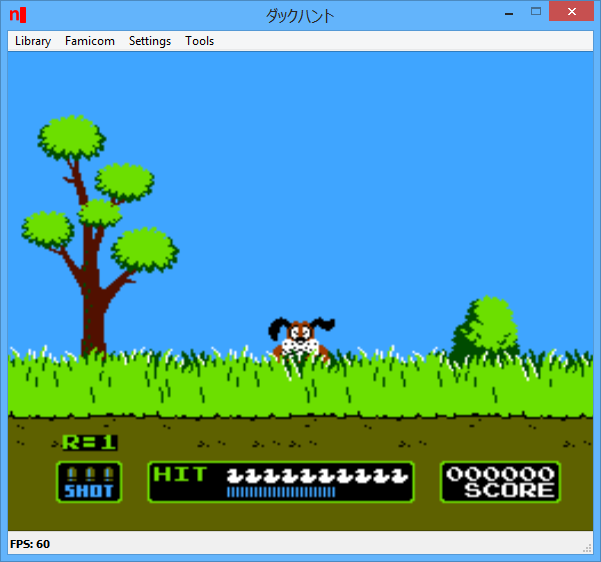
Créé par hex-usr (et basé sur Higan), il s’agit d’un émulateur de NES/VS.System/PlayChoice-10/SuperNES/GameBoy/GameBoy Color/GameBoy Advance/WonderSwan/WonderSwan Color/SwanCrystal/GameGear/SMS/Megadrive/PC-Engine mais aussi des sous systèmes Super GameBoy, BS-X Satellaview et Sufami Turbo, mais ajoute un lots de fonctionnalités en suppléments comme davantage de mappers NES, le NES Four Score, le Zapper, le Power Pad, l’adaptateur 4 joueurs, le VS. System (uniquement les jeux UniSystem n’utilisant pas le Zapper), le PlayChoice-10 mais aussi d’autres éléments à découvrir.
L’auteur propose également un gestionnaire de paquet MSU1 nommé Mercurial-Magic ainsi qu’une application complémentaire nommée Launcher permettant de lancer des dossiers de cartouches avec des émulateurs non-higan.
Cette version, compilée par notre ami Lo, est basée sur Higan 103r20.
Les modifications sont les suivantes:
– Mega Drive VDP read CRAM fix
Fixed a bug that was causing colors read from CRAM to be corrupted and
seemingly turn entirely red.
– Rearrange SFC balanced profile
Rearranged some code in the Super Famicom balanced profile. The
« render/ » directory has been eliminated and a new « cache/ » directory has
been created for the tiledata cache.
Lire le readme pour plus d’informations (assez importants).
Il s’agit d’une sorte de plugin dédié à Cemu permettant de mettre en œuvre le décodage du h264 qui n’est pas dans le noyau.
Les changements: – Adds code/data patching support at load-time ! Comes with sample zip containing a graphic pack that modifies BotW aspect ratio, but cheats can be done this way too
Créé par Exzap, il s’agit du second émulateur de Wii U à être disponible au public mais le premier à pousser jusqu’à l’émulation de jeux commerciaux. Il peut décrypter les images Wii U qui utilisent le format Wud mais également les fichiers RPS ou RPL. La résolution interne peu aller jusqu’à 1920×1080 selon les jeux. A noter que pour le moment, un seul contrôleur est accepté, il s’agit du DRC (GamePad) de la Nintendo Wii U. Cette version n’est compatible que pour les Windows x64 avec une carte graphique gérant OpenGL 4.0 ou supérieur.
(Correspondance ID-Titre).
En résumé: – Recompiler performance improvements
– Audio improvements
– Better support for softdec videos
– Minor compatibility improvements
– Misc smaller changes and new features
En détails: – CPU/JIT: Fixed crash that could occur during instruction analysis
– misc: Added some exports for Cemuhook
# New in 1.8.2:
– general: Any .rpl files placed in cafeLibs/ directory will be loaded instead of the internal HLE modules (experimental feature, no real use yet)
– general: Cemu window can now be resized
– CPU/JIT: Fixed a bug in recompiler SRWI instruction
– CPU/JIT: Fixed a bug that could cause the recompiled code to skip an instruction if the thread was switched between the beginning of a loop and an inlined function
– CPU/JIT: Added STBUX instruction to recompiler
– CPU/JIT: Several other optimizations for the recompiler:
Use AVX non-destructive 3-operand instructions to optimize some copy operations away
Delay/Avoid endian-swapping between LWZ/STW if the data is not used for any other operation
Generate shorter code for BCTRL, BL, BLR and other far branches (2 instructions, only 1 for far branches with no LR update)
Replace branches with conditional moves (CMOVcc) if possible
Avoid redundant FPR loads and stores
Better detection for situations where x64 flags can be used instead of testing CR bits
Avoid extra work of thread scheduling checks in tight non-infinite loops
– coreinit: New API OSTryAcquireSpinLockWithTimeout(), OSSwitchFiberEx(), MCP_Open(), MCP_Close()
– coreinit: More accurate emulation of foreground bucket memory and it’s subregions
– coreinit: FSOpenDir() no longer ignores the current working directory
– coreinit: Fixed integer overflow in OSTicksToCalendarTime()
– AX: Added AX voice debugger
– AX: Fixed biquad filter
– AX: New API AXSetVoiceSamplesAddr(), AXSetVoiceLoopOffset()
– GX2: Improved detection of changed data for typical screen-size textures in texture cache (fixes softdec videos)
– GX2: Fixed invalid GLSL code being generated for 3D texture access with offset
– GX2: Fixed bug in indices generation for PRIMITIVE_RECTS
– GX2: Fixed a bug where adding entries to a shader cache .bin archive would sometimes have no effect (causing Cemu to recompile the affected shaders everytime)
– GX2: Various smaller optimizations throughout the graphic backend (performance gain 1-3%)
– GX2: Added support for tileMode filter in graphic packs texture rules (Useful to exclude video frames or other CPU-accessed textures)
– GX2: Aspect ratio calculation now uses effective size of texture (after graphic pack rescaling) rather than original size
A noter que des packs graphiques haute définition sont disponibles ici. Ils permettent, entre autre, d’augmenter la résolution native des jeux car contrairement à Dolphin et parce que la machine est techniquement différente il n’est pas possible à Cemu d’augmenter la définition autrement que par cette méthode.
A l’inverse, des packs SD (définitions standards et/ou basses) sont disponibles sur ce lien et permettent à certains PC manquant de performance de lancer des jeux en 60 FPS.
m64p (ou Mupen64Plus-GUI) est une interface graphique écrite en Qt5. Elle supporte tout ce que vous attendez d’une interface mupen64plus (sélection de plugins, édition de la configuration, gestion des sauvegardes, capture d’écran, pause, etc.).
Cette archive inclut Mupen64Plus + GlideN64 + une interface utilisateur.
Il s’agit d’un excellent émulateur Game Boy Advance / Nintendo DS / DSi et Pocket Station.
NO$GBA comme No Cash GBA est un émulateur Nintendo DS / DSi / DS Lite et bien sûr GameBoy Advance, pour Windows XP, Vindows Vista/7/8/10 ou MS-DOS (pour la version DOS). Les options incluent tous les types de sauvegardes et la lecture de multiples cartouches. NoGBA supporte le multiplayer & est capable de charger plusieurs roms NDS pour « linker » les jeux. Le multiplayer pour GBA est également supporté.
Les changements sont: – nds/3d/help: note on MTX_PUSH/POP/STORE/RESTORE in Mode1 (thanks staplebutter)
– nds/3d/emu: matrix stack in mode1 behaves like mode2 (fixes light directions)
– dsi/mmc: supports MMC commands CMD1 and CMD6 (somewhat needed for libnds)
– dsi/sd: added warning on trying to use SD card in 4bit mode with pull-up on
– dsi/i2c: support softreset via bptwl (keeping main ram and bptwl regs intact)
– dsi/help: added notes on warmboot info at 2003000h (for autostarting a title)
– dsi/help: more details on 2FFD7BCh (scr,type,hcd,csr,clk_ctl,card_opt,device)
– bios clone: reproduces div-zero, fixed crash on div-overflow (thanks endrift)
– gba/io: emulates some more unused bits as non-writeable (thanks endrift)
– gba/help: note on BLDALPHA being R/W (unlike official specs, thanks endrift)
– debug/help: note on nds9 debug message ports 4FFFAxxh working on gba/nds7 too
– setup: renamed « Emu Identification » to « Debug I/O » and enabled it by default
– gui: fixed window positions/fullscr when taskbar at upper/left (thanks joseph)
Stella est un excellent émulateur Atari VCS 2600 multi-platformes, releasé sous licence GPL. A la base, le projet a été développé pour Linux par Bradford W. Mott, cependant de nombreuses personnes ont rejoint l’équipe de développement pour porter Stella sur différents systèmes d’exploitation tels qu’AcornOS, AmigaOS, DOS, FreeBSD, IRIX, Linux, GP2X, OS/2, MacOS, Unix, et Windows (ouf!).
Cette version inclut les binaires 32 et 64 bits.
Les changements sont:
   - Fixed issues in keypad, Genesis and various other controllers that use INPTx registers; the emulation is now much more accurate in this area.
   - Various 'Bumper Bash' and 'Decathlon' ROMs are marked as always having all 4 directions on a joystick enabled, since they can't be played properly otherwise.
   - Added 'Hunchy II' from Chris Walton (cd-w) to ROM properties database.
   - Codebase now uses C++14 features.
Il s’agit d’un frontend pour MAME dont les principales caractéristiques sont les suivantes:
– Interface sobre dans les tons sombres.
– Titre du frontend personnalisable.
– Choix des jeux sous forme de liste.
– Affichage d’une image ou d’une mini vidéo du jeu.
– Configuration du frontend par fichier texte.
– Base de données concernant les jeux (année, distribution, genre etc.)
– Pilotage du frontend par les touches claviers (joystick + bouton sur borne d’arcade)
Bizhawk utilise des fonctions d’enregistrement vidéo et est relié au projet TasVideo.
La version 2 n’est utilisable qu’avec Windows 7 ou supérieur et en version 64 bits uniquement. L’autre version est valable pour les systèmes 32 bits à partir de XP. La liste des pré-requis est disponible ici.
Cemu SMMDB (aka Super Mario Maker Save File Editor et dont le nom SMMDB est en référence à ce projet du même auteur) est un éditeur de sauvegarde pour Super Mario Maker tournant évidemment sous l’émulateur de WiiU nommé Cemu.
I am a mod of /r/CemuMarioMaker and also the developer of SMMDB, a sharing platform for your Super Mario Maker courses. This is necessary because Cemu doesn’t include any online functionalities and may never have them, so manipulating your own save to share courses is the only way.
Over the past few weeks I made a lot of reverse engineering of the SMM save folder structure, which resulted in an npm module and I also wanted to make a GUI for it, so here it is.
The tool simplifies downloading from SMMDB. Downloaded courses will automatically be extracted and placed inside your SMM save.
It will also try to fix thumbnails! Cemu is currently unable to produce thumbnails of your courses, so most people are uploading their courses with broken thumbnails. The tool will try to fix them depending on the uploaded thumbnail and the YouTube video ID, so you will never miss a course or try to guess which course you want to play.
Make sure that your Cemu is closed before loading your save inside the tool and also close the tool before starting SMM on Cemu.
There is also still a lot to do. You can currently only browse courses on SMMDB, no packages, no filters. If you find any bugs, you can report them in this thread or on Github.
To make sure your save file won’t break, you should make a backup before using the tool.
If you have any questions regarding SMM on Cemu, you should go to our subreddit and read the Wiki.