Il s’agit d’un ficher DAT regroupant plusieurs informations retraçant l’historique des avancées de l’émulation des jeux ainsi que des informations sur eux au sein de MAME (arcade/consoles/ordinateurs), il comporte également une section « tips and tricks ». En anglais.
Il s’agit d’un fork de DOSBox des plus intéressant, destiné à Windows Linux et MacOS et créé par Jon Campbell. Il possède une compatibilité excellente et met l’accent sur la précision d’émulation notamment en ce qui concerne l’émulation de Windows 3.x à ME. En outre il ajoute des améliorations en provenance d’autres builds comme DOSBox ECE avec l’émulation de la 3DFX en interne.
Les améliorations sont les suivantes:
  - Mac OS X builds now honor showmenu=false by leaving the
    stock SDL menu in place at startup.
  - Default minimum MCB free/base is now 0x100, to sidestep
    unknown unstable DOS application behavior when DOS
    applications are loaded at around segment 0x800.
    This also puts DOSBox-X at parity with the base memory
    behavior of DOSBox SVN.
  - Add dosbox.conf option to set Sound BIOS enable
    bit in non-volatile RAM (PC-98) that tells older
    PC-98 games the FM card is present (Yksoft)
  - BOOT updated to boot D88 except for 2D format which
    is generally used by PC-88 disk images.
  - Added D88 disk image support
  - CMake files added (Aybe)
  - PIC timing updated to use "double" float type for
    more precision, but as a typedef for future support
    as a compile time option.
  - Removed geometry checks from INT 1Bh FDC functions,
    to allow non-uniform disks to work.
  - MinGW builds now allowed to use Direct3D.
  - Direct3D output fixed to use the same texture
    coordinate, window fitting, and positioning
    logic as OpenGL.
  - Update zlib and libpng libraries in-tree.
  - Fixed VFD disk image support to correctly signal
    failure to detect geometry, to avoid divide by
    zero crash with FAT driver.
  - showmenu= now taken into consideration whether to
    show the menu bar at startup
  - Fixed get_item() E_Exit crash if menus asked to
    show from dosbox.conf
  - SDL drawn menus fixed to integrate with Direct3D
    output on Windows.
  - PC-98 mode can now boot floppy disk images where the
    boot sector is 128 or 256 bytes/sector despite
    track 1 and higher having 1024 bytes/sector.
  - General codebase cleanup, compiler warning cleanup.
  - Enable XInput support on Windows (Aybe)
  - Fixed SDL drawn menus to use std::vector properly,
    not to hold onto iterators while resizing the vector
    and popping things off the top.
  - PC-98 INT 1Bh "read id" floppy disk call fixed to
    cycle through sector numbers. Some bootable PC-98
    games use "MEGDOS" which polls this BIOS call before
    attempting to read the disk. If the sector numbers
    never cycle, "MEGDOS" will not attempt to read the
    disk.
  - Fixed bug that prevented some menu options (such as
    "aspect ratio") from working if still in the BIOS or
    booted into a guest OS.
  - PC-98 mode fixed to ignore "mainline compatible mapping".
    That mapping mode refers to DOSBox SVN which never
    supported PC-98 mode anyway.
  - Fix PC-98 INT 1Bh "test read" call, which then allows
    "cherry bomb" to run.
  - Remove geometry checks in PC-98 INT 1Bh BIOS call, so
    that FDD images with odd sector sizes can work.
  - ROM BIOS now automatically occupies E8000-FFFFF instead
    of F0000-FFFFF when in PC-98 mode.
  - Most 128 byte/sector FDD images appear to jump to
    E800:0002. I'm guessing that's ROM BASIC, so add a
    callback at that location to catch these boot disks
    and show a message instead of allowing the boot
    sector to jump to nothing and crash.
  - PC-98 BOOT fixed to check for and support booting from
    FDD images where track 0 contains 128 byte/sector
    boot sectors.
  - PC-98 INT 1Bh support fixed to support reading/writing
    sector sizes other than the one sector size reported
    by the image. It is now possible to read the other
    sector sizes from an FDD/VFD image.
  - Fixed somewhat serious bug that, when compiled against
    Microsoft C++, causes the AVI writer to use the 32-bit
    lseek() function instead of the 64-bit lseek64() function.
    Prior to this fix, AVI captures would begin to corrupt
    themselves after growing past 2GB in size.
  - Cleanup code, fix compiler warnings, typecast problems,
    C/C++ conformance problems as reported by GCC 4.8,
    GCC 7.3.0 (MinGW), Visual Studio 2017, and Clang/LLVM
    on Mac OS X.
  - FM Towns machine type stub, for anyone interested in
    forking DOSBox-X to implement FM Towns emulation.
  - Code cleanup, refactor, according to compiler warnings.
  - SDL drawn menus fixed to copy Direct3D backbuffer to
    the SDL surface when popup occurs. This allows the
    menus to overlap the Direct3D display correctly.
  - Fixed Direct3D output so that when composing the next
    frame in the backbuffer, it also copies the SDL drawn
    menu from the SDL surface in order to keep it on
    screen.
  - Direct3D output updated to follow SDL clip rectangle
    struct, in the same exact manner as the OpenGL output.
    This also permits the Direct3D output to correctly size
    itself and leave space at the top for the SDL drawn
    menus.
  - Fixed dynamic core entry point to push/pop EBP because
    debug builds need the compiler to track the stack frame.
  - Updated in-tree zlib and libpng libraries to the latest
    provided by both projects.
  - Fixed VFD (FDD) disk image support to signal to FAT driver
    properly an error if it could not determine a geometry.
  - Fixed code breakage with SDL2 that prevented compilation
    with Munt (MT32) emulation enabled. SDL2 builds now allow
    MT32 emulation.
  - Mac OS X builds now compile against the in-tree zlib and
    libpng libraries for consistency.
  - MinGW builds now compile against the MinGW provided zlib
    and the in-tree libpng library for consistency.
  - Enabled MinGW builds to use Direct3D and Direct3D shaders.
  - Added code to auto-detect the VirtualBox display driver
    in Windows build, because OpenGL output doesn't work
    in Windows XP under VirtualBox. The change will switch
    the default output to "surface" if VirtualBox is detected,
    else will retain the "opengl" default. This change applies
    only to MinGW builds and not HX DOS or main VS2017 builds.
  - Added PC-98 INT DCh emulation for function call that
    writes a char to the screen, allowing Eve Burst Error
    to clear the function row
  - Added command line option to allow skipping the 1-second
    wait in the BIOS startup screen.
  - SDL2 builds now support use of the SDL drawn menu with
    a touchscreen device.
  - Fixed up SDL2 support code to compile correctly on
    Mac OS X.
  - Fixed up SDL2 compilation to automatically use the
    SDL2 library on the system, or if that is not available,
    use the SDL2 library in-tree. There are no plans to make
    modifications to the in-tree SDL2 code.
  - Added code to read and discard OpenGL error code before
    creating font texture, to avoid false failure handling.
    This fixes font rendering on Windows MinGW builds when
    output=opengl.
  - OpenGL SDL drawn menus fixed to ensure the menu contents
    have been redrawn at least twice. One for each OpenGL
    buffer because DOSBox-X uses the double-buffered mode.
  - SDL drawn menus implemented for output=opengl. The menu
    bar in Linux builds is now available in OpenGL mode.
  - SDL drawn menus fixed to redraw only when state changes,
    and to clean up menu drawing code.
  - US keyboards can now enter the "Ro" key in PC-98 mode.
    Default binding is set up to map the Windows Menu key
    as Ro in PC-98 mode.
  - VGA option change code fixed to trigger scaler redraw
    correctly. Changing video modes or changing between
    8/9-pixel VGA text no longer leaves artifacts on the
    screen.
  - Added code to force redrawing additional frames when
    output=opengl, in order to correct a bug with Linux/X11
    and MesaGL where the first OpenGL buffer swap after
    SDL_SetVideoMode() is misplaced when the window size
    changes.
  - Renderer SSE line comparison fixed to use correct sizeof()
    of the integer type during compare.
  - Renderer fixed not to use SSE and non-SSE line comparision
    at the same time, if SSE was enabled at compile time.
  - Fixed in-tree SDL 1.x library to allow DOSBox-X to disable
    auto-refresh of the window in Linux/X11 after SDL_SetVideoMode
    to prevent visible flickering when resizing the window.
  - Conditional support for Direct3D (9) output enabled for
    MinGW builds, if the MinGW headers are available (yksoft1).
    Option is disabled by default.
  - Configuration GUI dialog box widened to accomodate buttons
    that were previously cut off on the right.
  - Replace E_Exit() with LOG_MSG() for key codes from the mapper
    that a keyboard scan code generator does not recognize. This
    fixes E_Exit() crashes if typing certain keys on a Japanese
    keyboard with no equivalent in IBM PC/AT mode.
  - Added code to double the size of the menu and menu items if
    the window is 1280x800 or larger, for users with high
    definition laptop displays and screens.
  - Enforce minimum window size of 640x400 if the menu bar is
    visible and DOSBox-X is drawing them, to make sure the menus
    are accessible on screen.
  - Removed auto-scalar-size code when output=surface that was
    causing problems when resizing the window.
  - Do not show "screenshot" menu item if screenshot support not
    available at compile time.
  - Remove "always on top" for anything but Windows at this time.
  - Disable "Show debugger" option on Linux and Mac OS X if no
    console attached to STDIN/STDOUT/STDERR.
  - Disable "Show console" option on Linux and Mac OS X since
    the console is not under our control.
  - Windows "Always on top" fixed to remember selection and
    enforce it between SDL_SetVideoMode and fullscreen entry/exit.
  - Windows builds fixed NOT to change window Z-order on the
    screen when updating the window on SDL_SetVideoMode.
  - HX DOS builds fixed to keep window maximized at all times
    to fill the otherwise unused space on the screen since
    HXGUI only supports one window.
  - Menu framework support for any other platform (including
    Linux) added. The menus are drawn by DOSBox-X itself
    using the 8x16 VGA font. This also gives SDL 2.x builds
    a working menu. These menus are used if no other platform
    specific menus are available. These menus are NOT AVAILABLE
    at this time if output=opengl.
  - Cycle count edit dialog box fixed to immediately place
    keyboard focus in the text field, and to process
    ENTER and ESCAPE keyboard input as OK and CANCEL
    button input. You can type a new cycles count without
    having to click on the text field first.
  - Menu framework and mapper fixed so that menus always
    reflect the mapper binding in the menu.
  - Windows SDL 1.x fixed async hack to properly destroy
    and shut down the parent window again.
  - Fixed output=opengl crash on Mac OS X.
  - Menu framework support for Mac OS X NSMenu objects added.
    This gives DOSBox-X the same useful menu on Mac OS X
    instead of the useless default menu SDL 1.x offers.
  - Menu framework support for Windows win32 menu resources
    added. The Windows menu is now generated at runtime,
    the static IDR_MENU resource is no longer used.
  - New platform independent menu framework added. Menus
    that were once Windows-only are now available on
    any other platform including Linux and Mac OS X.
  - In-tree SDL 1.x library fixed to #define a special
    variable that the code now requires to compile
    SDL 1.x builds. The option to use your host SDL 2.x
    library is left open.
  - C++11 is now mandatory to compile DOSBox-X
Ootake est un émulateur PC-Engine en provenance du Japon et basé sur PC2E, tournant sous Windows 2000, XP, Vista, 7, 8 et 10. Il nécessite Direct X v9.0c au minimum.
– When « R-TYPE Complete CD » is started, press [RUN] button for a long time(
until irem’s logo appears), and the mode to automatically skip the demo
scene will be set.
* If you normally press [RUN] button, it will start up normally. If you
want to completely cut off this function, please uncheck « Setting->
Improve-> Auto Skip Demo [start keep RUN] (R-TYPE Complete CD) » menu.
– From Ootake v2.88, the bug of processing « Backup RAM (Ten no Koe 2) file
was formatted to save only the required 2KB » was fixed.
* The timing of saving the « bram file » is the moment when either « Close
Ootake », « Open other games », »Save State » was done.
* Even with the above timing, if the contents to be saved are exactly the
same as the last time (eg in RPG does not have equipment or experience
value update at all), the bram file will not be updated. In that case,
if you want to be able to load the « bram file (2047 bytes) saved with
Ootake v2.88 & v2.89 » in Mednafen, please add 1 byte (value 0) at the
end with binary editor etc and save it as « 2048 bytes ». I’m sorry for
troubling you.
– Improved processing of inputting the game pad. Even with low power PC, I
think that several games (« Power Drift », « Space Harrier » etc.) have come
to work comfortably.
– Additionally, a detailed part has been improved and corrected.
Voici ColEMu, un émulateur Colecovision tournant sous Dos et Windows développé par le célèbre Marat Fayzullin. Sachez que l’émulateur est très complet et qu’il a été développé en C, ainsi un certain nombre de portage ont pu être effectués, en vrac : Unix/X, Amiga, Dreamcast (…).
– Made replay save states approximately every 170ms.
– Added ability to browse through paused replay.
– During replay, press [UP] to pause or resume.
– When replay paused, press [LEFT] and [RIGHT] to browse.
– Press any other button to continue playing.
– Now cancelling replay if any key or button is pressed.
– Made WaitJoystick() exit when window closed.
Un émulateur de NES écrit en C#. My Nes est un émulateur NES portable et écrit en C#. Il fonctionne sur Vista et supérieur. Il supporte plus de 1000 roms. Le moteur du rendu vidéo utilise les librairies .net Framework 4, ce qui permet un affichage des couleurs réelles avec la plus grande précision. Il est possible de modifier la palette de couleurs d’un jeu. De plus l’affichage peut être soit en 16 bits, soit en 32 bits. La librairie SlimDX de janvier 2012 est requise.
My Nes propose également un navigateur de vos dossiers roms. Cette interface peut filtrer les jeux en fonction des mappers et peut afficher uniquement les mappers supportés. Elle associe également une capture d’écran à chaque rom.
Les changements:
– Added: APU io-bus emulation.
– Added: APU now emulates the real nes clock rates, which clocks on the other cpu’s cycle.
– Improved: Sound quality by adding high-pass filters as original nes hardware, see http://wiki.nesdev.com/w/index.php/APU_Mixer.
– Fixed: SDL2 video renderer eat up memory when FPS is shown.
– Fixed: SDL2 video renderer crashes in some cases.
AmiArcadia est le port amélioré de Tunix2001 ex ‘Win Arcadia 2001’ (par Gavin Turner) pour Amiga. Ecrit par James Jacobs et Gavin Turner, cette version est en fait le port Windows du port Amiga (un backport) !
Il émule les consoles basé sur la famille des Arcadia2001 : Bandai, Emerson, Grandstand, Hanimex, Intervision, Leisure-Vision, Leonardo, MPT-03, Ormatu, Palladium, Poppy, Robdajet, Rowtron, Tele-Fever, Tempest, Tryom, Tunix, etc.
Il supporte aussi l’Interton VC 4000 et l’Elektor TV Games Computer. Il nécessite Windows 9x/ME/NT/2000/XP et tourne aussi sous Vista/8/10.
dgVoodoo est un glide wrapper mais aussi un wrapper DirectDraw/Direct3D (v3 à 8) vers Direct3D11. Pour simplifier grandement, ça émule une carte 3DFX qui va pouvoir gérer la bibliothèque propriétaire Glide (Glide 2.11, Glide 2.45, Glide 3.1 et Napalm) mais également les vieilles cartes graphiques compatibles DD/D3D v1 à v8. Quel est l’intérêt ? Jouer aux anciens jeux qui fonctionnent mal sur les nouvelles cartes graphiques (parce qu’ils ont été optimisés pour le Glide ou de vieilles versions de DirectX et non pour d’autres API telles que OpenGL ou DirectX v11) ou tout simplement utiliser un émulateur qui lui aussi utilise le Glide. Cette version est destiné à Windows Vista/7/8/10 avec DirectX 11 (ou supérieur) d’installé et vous devez posséder une carte graphique (compatible DirectX Level 10.1) supportant les Shaders Model v4 ou v5.
Vous aurez besoin de ces bibliothèques pour activer certaines fonctions graphiques.
Les changements:
– Forceable internal bit depth of D3D depth buffers
– Bugs in D3D light handling, fixed (Soldiers of Anarchy, Cold Zero demo)
– D3D alphablending fix (Mage Bros)
– Workaround for D3D8 vertex buffer overwrite (BattleField 1942)
– Some incomplete interface querying is fixed for aggregated D3D devices
– New options (enumerated resolution bit depths, limited default enumerated resolution) for DirectX along with minor fixes in the config validator
– Corrected tmuRev and fbiRev version number for some 3Dfx card types
– Minor changes in the debug layer (corrected mistypings, some value types are replaced by strings, etc.)
Créé par Exzap, il s’agit du second émulateur de Wii U à être disponible au public mais le premier à pousser jusqu’à l’émulation de jeux commerciaux. Il peut décrypter les images Wii U qui utilisent le format Wud mais également les fichiers RPS ou RPL. La résolution interne peu aller jusqu’à 1920×1080 selon les jeux. A noter que pour le moment, un seul contrôleur est accepté, il s’agit du DRC (GamePad) de la Nintendo Wii U. Cette version n’est compatible que pour les Windows x64 (à partir de Windows 7) avec une carte graphique gérant OpenGL 4.1 ou supérieur et il faudra posséder 4 à 8 Go de mémoire vive (Ram) pour le faire fonctionner. (Correspondance ID-Titre).
En résumé: – General controller and native wiimote improvements
– Added support for USB devices (via passthrough)
– Minor compatibility improvements
– Tons of bug fixes & miscellaneous improvements
En détails: # New in 1.12.1b:
– general: Fixed section labels for game profiles created via the game list context menu
– general: Added UI option to disable precompiled shader cache
– general: Added game profile option to disable precompiled shader cache (see example.ini for details)
# New in 1.12.1:
– general: Upgraded Cemu to VS2017 and also updated the following libraries:
wxWidgets (3.1.1)
libcurl (7.59.0)
openssl (1.1.0h)
zlib (1.2.11)
– general: Fixed settings.xml getting corrupted when multiple instances of Cemu were running
– general: Game list now loads the game icons asynchronously to improve Cemu startup time
– general: Load graphic pack shader files asynchronously to improve Cemu startup time
– general: Added fallback font in case no other shared data fonts are found (prevents some games from crashing)
– general: Generally improved AES128 implementation. AES-NI is used where possible (if supported by CPU) and the fallback software-AES implementation is now much faster
– general: If NEX or independent token API request returns with an error message, print it to log.txt
– general: Updated game profiles
– HID: Added preliminary USB/HID support
In order for a device to be detected, plug it into your PC before you start Cemu. No extra configuration necessary
Tested USB peripherals:
Skylanders Traptanium Portal confirmed to work, other similar ‘Portal’ devices still need testing
GCN controller adapter (in Wii U mode) not yet working
– input: Fixed some XInput issues for Steam Big Picture controllers (if you are having trouble configuring a controller, launch a game in Cemu first)
– input: Various improvements to native wiimote support
– nn_idbe: Implemented API DownloadIconFile() and DecryptIconFile()
– snd_core: Fixed loop counter for PCM16 voices
– snd_core: Fixed AXGetDeviceMode()
– snd_core: Fixed AXSetVoiceSrcRatio (now clamps ratio value correctly between 0.0 and 8.0)
– GX2: Implemented GX2SetPointSize and GPU7 support for point width
– GX2: Added API GX2SetComputeSampler, GX2SetComputeTexture, GX2SetComputeShader, GX2DispatchCompute
– GX2: Shaders using SSBOs no longer fail to compile
– GX2: Texture cache will now drop unused textures after 50 minutes even if the texture data is potentially not restorable
– RPL: Fixed a bug in RPL loader where import mapping would exit early if an invalid (nameless) import was found
– coreinit: Zero-sized file reads no longer return an error
– coreinit: Optimized thread context switching to be slightly faster
– nn_fp: Fixed a bug in AsyncLogin callback
– nn_boss: Fixed a crash that occurred when a game tried to access non-existent BOSS files
A noter que des packs graphiques haute définition sont disponibles ici. Ils permettent, entre autre, d’augmenter la résolution native des jeux car contrairement à Dolphin et parce que la machine est techniquement différente il n’est pas possible à Cemu d’augmenter la définition autrement que par cette méthode.
A l’inverse, des packs SD (définitions standards et/ou basses) sont disponibles sur ce lien et permettent à certains PC manquant de performance de lancer des jeux en 60 FPS.
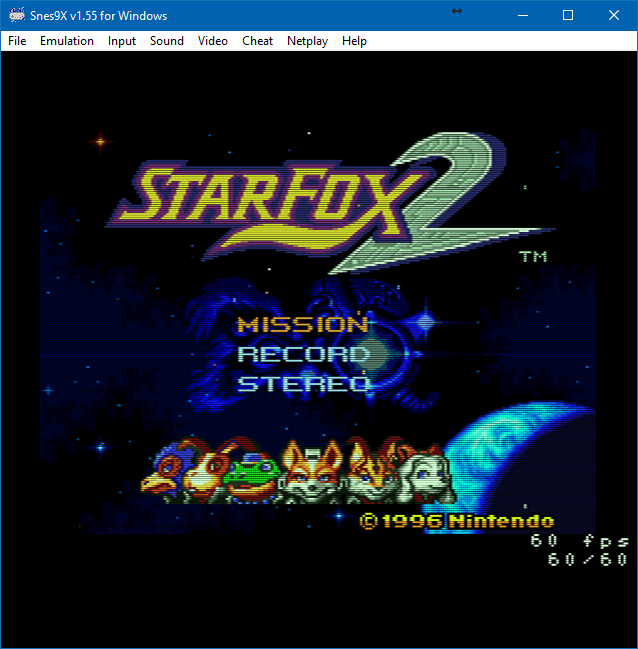
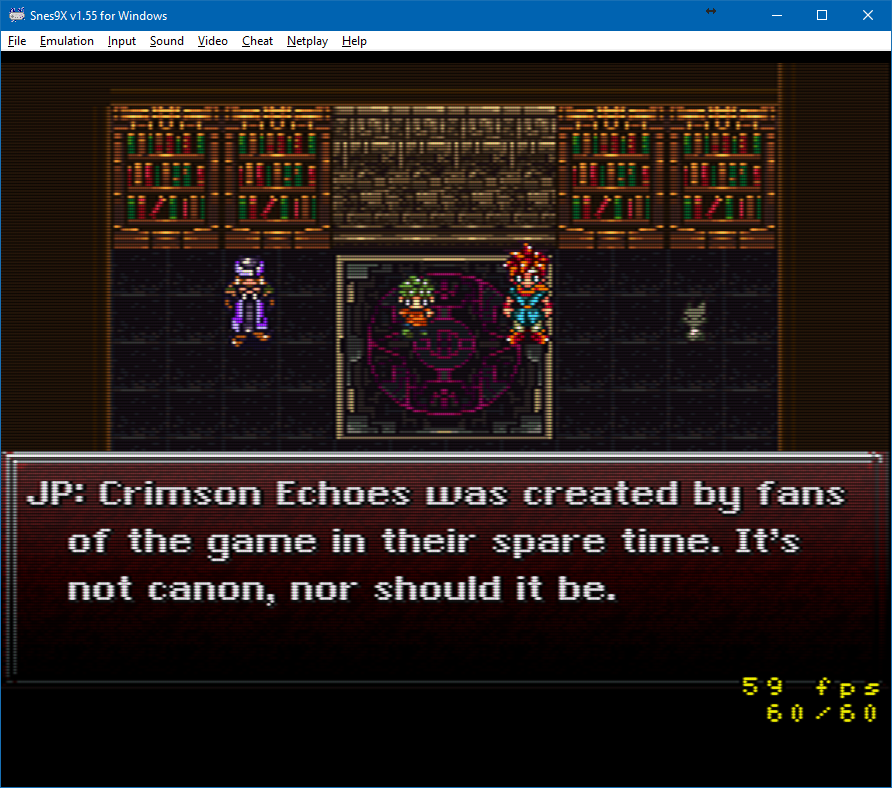
Il s’agit de la dernière version officielle dite « instable » de Snes9x ajoutant les dernières nouveautés, améliorations et/ou corrections en provenance des sources GIT. Versions 32 et 64 bits dans l’archive.
Une petite partie de Starfox 2 (SNES Mini Edition) ?
…ou peut-être un Secret of Mana Français iOS Edition ?
Laissez tomber, je vais me faire la suite non officielle de Chrono Trigger plutôt :p
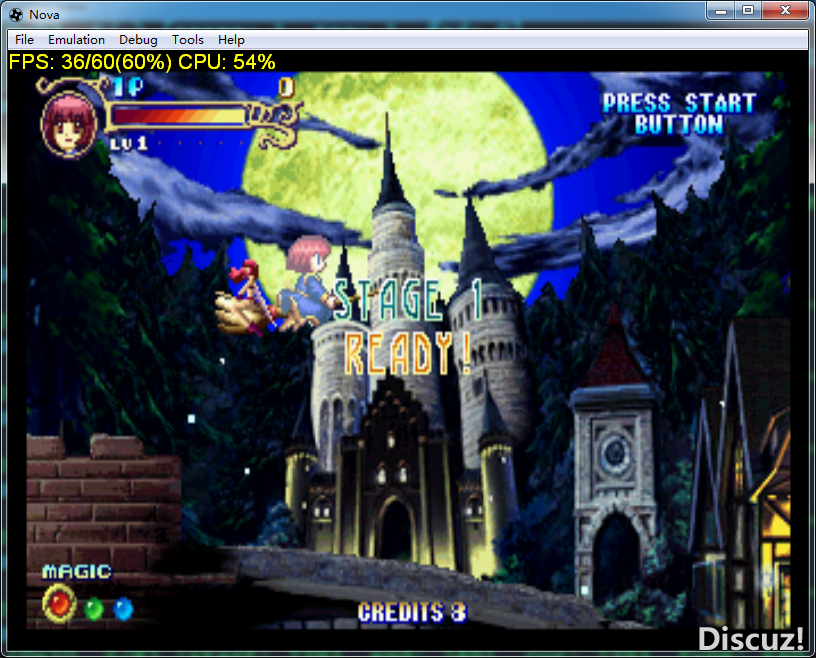
Créé par Steve Kwok en à peine une année (!), cet émulateur de Sega Saturn appelé Nova est capable d’exécuter plusieurs jeux commerciaux, mais il est encore à ses débuts. Nova est écrit en C ++ 11, et a comme objectif d’atteindre le même niveau que les autres émulateurs de console domestique.
Nova a donc été écrit à partir de zéro et en UNE SEULE ANNÉE, mais son écriture est inséparable de la recherche et contribution de nombreux auteurs d’émulateurs.
Nova ne prend actuellement pas en charge les jeux à partir du lecteur de CD-Rom, mais en revanche il lit les formats d’images de CD suivant: .cue, .mds, .ccd, .bin.
Les changements sont les suivants: – SH2 : suppression des timings pour les interruptions.
– SCU : Réécriture de la gestion des flags DPS.
– SCU : Réécriture des commandes DSP et du mappage des opcodes.
– SCU : Réécriture de la gestion du registre RA du DSP.
– SCU : Réécriture de la gestion du registre PPAF.
– SCU : Réécriture de la gestion du registre DSTA.
– SCU : Réécriture de la gestion de la priorié du DMAC.
– SCU : Réécriture de l’INTC.
– SCU : Ajout du timing pour envoyer l’interruption de l’INTC.
– SCU : Ajout du registre TN0 pour le DSP.
– SCU : Ajout d’une fonction de désassemblage pour le DSP.
– SCU : Ajout des restrictions pour ajouter des valeurs de DMA.
– SCU : Ajout de la vérification des conflits avec les commandes de retard du DSP.
– SCU : Ajout de la vérification de l’accès en lecture du registre PPAF pendant que le DSP s’exécute.
– SYSTEME : Support de l’ajout des données utilisateurs vers un événement.
La traduction est assurée par Tradu-France, à noter qu’une liste de compatibilité est disponible ici.