De nouveaux patchs sont disponibles sur le site de nos partenaire de chez la TRAF (et sur notre miroir), de quoi s’occuper de nombreuses heures 🙂

0 commentaire



De nouveaux patchs sont disponibles sur le site de nos partenaire de chez la TRAF (et sur notre miroir), de quoi s’occuper de nombreuses heures 🙂
Un émulateur multi-consoles qui émule en vrac : Game Boy (N&B/Color), Game Boy Advance, Nes, Lynx, PC Engine (TurboGrafx 16), SuperGrafx, NeoGeo Pocket, PC-FX, WonderSwan (N&B/Color), Saturn, accessoires ps1…

Mednafen ne disposant pas d’interface graphique (GUI), l’utilisation du frontend MedGUI, MedGUI Reborn, Mednaffe, MedAdvCFG, MedSat ou MedLaunch est conseillée.
Les changements sont visibles ici.
Télécharger Mednafen (x86) (WIP) v1.32.0 (5.1 Mo)
Il s’agit d’un émulateur multi-systèmes qui émule les machines suivantes :

– COMX-35
– Cosmac Elf 2000
– Cosmac VIP
– Cosmac VIP II
– Cosmicos
– Cosmac Elf
– Netronics Elf II
– Quest Super Elf
– Membership Card
– VELF
– RCA Studio II
– Visicom COM-100
– Victoy MPT-02
– Cidelsa
– Telmac TMC-600
– Telmac 1800
– Telmac 2000
– Pecom 32 and 64
– ETI 660
Les changements sont visibles ici.
Télécharger Emma 02 (x86) v2.0 (40.8 Mo)
Télécharger Emma 02 (x64) v2.0 (42.6 Mo)
Emu80 est un émulateur de plateformes « Radio-86RK », « Partner », « Apogee », « Mikrosha », « specialist », « Orion », « Micro-80 », « UT-88 » pour Windows.

Merci à Breaker pour la news.
+ Innovation
* Change / Improvement
– Fixed a bug
!! Known issue
Changes in version 4.0.314:
+ PK8000: added support for joystick
– Fixed the operation of the keys of the additional numeric keypad (Qt)
– PC8000: fixed loading of files in wx / SDL version
– PK8000: fixes for interrupts and ports 92 and 93
Changes in version 4.0.313:
+ PC 8000 support (Sura, Hobby, Vesta)
+ Option to display a real border on Orion, Specialist and Eureka
+ Emulation rate in case of non-conformity normal is now displayed in the status bar (Qt)
* Support for nested if (n) def in configuration files
* Error messages are now output to the console (Qt)
* Reworked and fixed keyboard layout, could build new bugs
* Added conditional compilation option with optimization for RPi (thanks to svofski)
– Fixed saving .opt files (wx)
– Fixed minor bugs in emulation of floppy disk controller and SD card controller
– Fixed memory leaks
– Added missing ROM file for HDM controller
Notes on PC8000 emulation (« Sura », « Hobby », « Vesta »):
– The emulator uses an average clock frequency of 1.8 MHz, weights are not implemented.
– Built-in bootloader supports binaries (including many with autorun) and tokenized BASIC files.
– The joystick is currently not supported.
– To see the curb, press Alt-V or the corresponding button on the toolbar
Télécharger Emu80 v4.0.571 (21.4 Mo)
La version Windows de ce superbe émulateur Commodore C64, C128, VIC20, CBM-II, Plus4 et de tous les modèles « PET ».
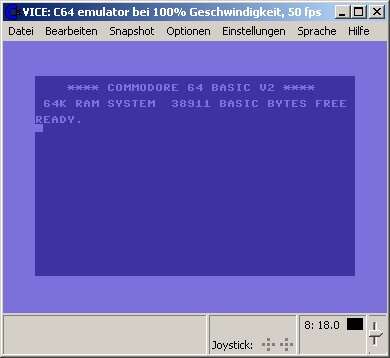
Les changements:
This release stabilizes and introduces the GTK3 UI as the primary user interface
for all major ports. For "lesser" platforms we still have the SDL1/SDL2 based
interface. All other user interfaces have been removed. RIP

We are still looking for dedicated maintainers for the Windows- and macOS ports,
if you want to help improving these and/or want to provide binaries, please get
in touch.

** General
----------

- Old, unmaintained, ports removed:
  * MacOS Cocoa: use SDL or Gtk3
  * WinVice: use SDL or Gtk3
  * BeOS/Haiku: use SDL
  * AmigaOS: use SDL
  * Unix Xaw: use SDL or Gtk3
  * Unix Gtk2: use SDL or Gtk3
  * OS/2: use SDL

- Fix building against external ffmpeg >= 4.0

- Fix errors in multi-SID code

- added single SNES pad emulation (compatible to Ninjas adapter/TrapThem64)

- Make VICE much faster by using -O3 vs -O2

- add a slot number before the literal name of a game-controller, which is less
  confusing when more than one controller of the same type is used

- fix parsing of the commandline with -config first

- added dutch to list of keyboard mappings


** Unix fixes
-------------

- the sleep function was not handling timer overflows properly, which happens
  every 4 seconds on a 32bit machine with nanosleep()


** macOS fixes
--------------

- Enabled the use of the CoreAudio driver in macOS SDL builds.
- Removed the legacy requirement for X11.app when launching VICE.app


** ReSID fixes
--------------

- tweak uCox value
- correctly emulate filter cutoff transistor both in triode and saturation mode
- Split ReSID resource into 6581/8580-specific resources (passthrough/gain/bias)
- various envelope generator fixes
- use different timing on 6581/8580 for noise register reset when testbit is set
- noise shift register is clocked once after reset


** VIC fixes
---------------

- corrected green color angle according to colodore website
- fix lumas according to 'colodore'


** VIC-II fixes
---------------

- corrected green color angle according to colodore website
- fix lumas according to 'colodore'
- added ChristopherJam palette


** TED fixes
---------------

- corrected color angles according to colodore website
- fix lumas according to 'colodore'


** VIA fixes
------------

- fixed initial state of the I/O ports


** CIA fixes
------------

- fixed initial state of the I/O ports


** Monitor
----------

- io d600 (x128 VDC register dump) expanded

- in memory dump limit the number of bytes per line to a power of two.

- instead of limiting disassembler output to a number of bytes, limit it to the
  height of the current terminal


** c1541
--------

- Fix `geosread` command
- Add tilde (~) expansion in `write` command (Unix only)
- Add P00Save support to `extract` command


** Drive changes
----------------

- Fix WD1770 formatting issues

- fix mapping of sfd-1001 ram

- Fix trap_rom offset for 2040/4040


** C64 changes
--------------

- support extra 64k eprom on the comal80 cartridge

- added symbolic keymaps for dutch keyboard layout


** C128 changes
---------------

- Autostart fixes

- Stability improvements

- VIC mirroring fixed

- VDC emulation improvements
  * Interlace mode is supported in text and graphics modes
    (renderers still need work to handle the interlace effect properly)
  * STATUS flag is partially emulated
  * Rendering unusual character widths and in the inter-character gap
  * Semi-graphics mode fixes
  * Alternate character set fixes
  * Cursor rendering
  * Smooth scrolling in 40 column (pixel double) mode
  * vertical positioning (include register 5)

- added norwegian c128 chargen


** Gtk3 UI
----------

- Remember last used settings "page" in the settings UI

- Remember last used directory for various file dialogs

- Popup menus for the drive widgets in the status bar:
  * Show directory of currently attached disk image
  * Add menu shortcut to the drive settings UI
  * Add Reset drive #X item

- Mixer/CRT widgets: various fixes

- Move cpu/fps display to the statusbar from the title bar

- Add popup menu to the cpu/fps display widget to control refresh rate, speed,
  warp and pause/advance frame

- Add popup menu to the joystick widget to allow swapping joysticks and
  userport joysticks, add shortcut menu item to joystick settings UI

- Add cartridge content preview to the cart-attach dialog
  (x64/x64sc/xscpu64/x128)

- Dynamically load CBM font

- Don't allow the mouse cursor to 'escape' during mouse grab

- Unhide mouse pointer in dialogs during mouse grab

- Add setting a cartridge as default

- Improve model settings UI behaviour

- Add "Fullscreen on boot" checkbutton and -fullscreen command line option

- x128: Bring either VDC or VICII display to front depending on 40/80 col key

- VTE pulled into the sourcetree, which allows using the same monitor window
  in all ports

- Terminal- or GUI based monitor can be selected at runtime in all ports

- introduced new VICE logo provided by Bjoern Odendahl (thanks!)

- fix assignment of user keymaps


** SDL UI
---------

- Add toggle button in x128 for the Go64Mode

- ignore 'dotfiles' in the fileselector on *nix

- added browsing inside disk and tape images.

- added pageup/pagedown/home/end key mappings, and support them in the menus,
  file-selector and text viewer

- Terminal- or UI based monitor can be selected at runtime in all ports

- added a hack to get rid of spurious keyup/keydown events after switching
  from/to fullscreen

- generate suitable fonts for the ui at startup, use some custom gfx for the ui.
  fixes the problem that the ui chars will screw up when the user selects a
  japanese chargen :)

- when changing color- or crt emulation settings, print a color matrix on screen
  and update the resources in realtime

- UI cosmetics:
  - fix slider length, use custom chars for slider
  - make screen all black before entering the UI
  - added basic default window icon
  - fix display of literal key names for SDL2

- major rework of SDL2 video renderer to work natively with all supported
  graphics acceleration technologies (OpenGL ES, DX11, Metal, etc). Fullscreen
  support and resized windows now preserve aspect ratio properly on any screen
  size.

- SDL2 now respects "GL" filter mode. As a bonus it does so even when the
  renderer is not OpenGL.


** VSID (Gtk3)
--------------

- Remember last-used-directory for the open file dialog
- Add drag'n'drop support
- Add HVSC support:
    * Support SLDB
    * Support STIL


** VSID (SDL)
--------------

- implemented drag'n'drop
Site Vice Nightly builds (mise à jour automatique quotidienne).
Télécharger VICE (Dos) v3.1 (29.3 Mo)
Télécharger WinVICE (32 bits) v3.8.0 (38.8 Mo)
Télécharger WinVICE (64 bits) v3.10.0 (45.1 Mo)
Télécharger SDLVICE (32 bits) v3.1 (16.9 Mo)
Télécharger SDLVICE (64 bits) v3.1 (10.4 Mo)
Télécharger SDL2VICE (32 bits) v3.8.0 (32.2 Mo)
Il s’agit d’une version modifiée de VICE qui aborde les problèmes de performance et de compatibilité avec certains CPU.

Il s’agit d’un émulateur de TI-84 Plus CE / TI-83 Premium CE pour Windows, MacOS et Linux (builds auto).

Additions
– You can now toggle highlighting/wrapping/formatting in the variable previewer
– Support for the « temporary equation » var format has been added to the var list/previewer (#287)
– RAM can now be imported/exported as well
– New button to directly take a screenshot into the clipboard (#291)
– You can now drag’n’drop from the LCD to somewhere else to export a screenshot (#290)
– Core: implemented SPI write memory.
GUI improvements
– The variable list’s previewer uses @jacobly0’s TI-like font
– The scroll position is kept as much as possible in the variable previewer
– Much better handling of touch-enabled laptop displays (#282)
– The keypad history window is now a dock, solving some minor issues (#301)
– On macOS, if you build with Qt 5.12+, Xcode 10 and a 10.14 SDK, dark mode is supported (watch out)
Other improvements
– Core: better random-read performance (unmapped areas…)
– TI-Bundle support has been fully reworked to be much simpler
– The autotester can now handle the new libs group format
– The autotester, when in debug mode, dumps memory upon failure
– Misc. GUI code cleanup
Bug fixes
– Added some missing tokens to the TI-Basic syntax highlighter
– Cleaned up threading code and fixed race condition causing random emulation perma-freezes
– Fixed docks possibly growing/moving a bit after reopening CEmu (#288)
Build-related improvements
– For Windows, the MSVC builds (AppVeyor) now use Qt 5.11, and MinGW builds (Jacobly) Qt 5.12
– For macOS, builds now use Qt 5.12
– Travis and AppVeyor CI build processes got simplified and are now faster
– Linux builds on OBS now also have binaries for Fedora 29 and Ubuntu 18.10
Télécharger CEmu TI (x86) v2.0 Dev (2025/03/04) (19.5 Mo)
HP Prime est une calculatrice graphique présentée par Hewlett-Packard en 2013 et actuellement fabriquée par HP Inc. Elle a été conçue avec des fonctionnalités similaires à celles des smartphones, telles qu’un écran tactile couleur et la possibilité d’étendre les fonctionnalités au moyen d’applications téléchargeables. Elle fait suite à la HP50g.
Explorez les mathématiques à l’ère du tactile avec la HP PRIME
Tendance et haute performance
Une utilisation intuitive à l’identique de votre smartphone pour déplacer, modifier et manipuler des graphiques de manière intuitive avec le doigt. Un écran tactile couleur haute définition et un mode examen intégré homologué.
Des menus en français mais aussi anglais, allemand, espagnol, chinois … pour les sections européennes et internationales ainsi que des applications essentielles et la possibilité de créer vos propres applications.
La HP prime inclue aussi le calcul formel (CAS issu du XCas) avec un design actuel – ultra fine, ergonomique et légère – en métal brossé qui allie tendance et haute performance.

Télécharger HP Prime Virtual Calculator (32 bits) v2.4.2 (65.6 Mo)
Comme son nom l’indique, il s’agit d’un émulateur de HP-15C créé par Torsten Manz et dont l’interface est disponible en plusieurs langues, à ne pas confondre avec HP15C d’un autre auteur.

Télécharger HP-15C (x86) v4.1.0 Build 5914 (2.7 Mo)
Nouvelle version de cet émulateur de calculatrice HP71B.

Télécharger Emu71 (-KML) v1.19 (175 Ko)
Voici les derniers émulateurs (et aussi les plus fréquemment mis à jour) en cours de développements.

VDosplus: Emulateur de DOS.
Citra: Emulateur de 3DS.
Decaf: Emulateur de WiiU.
RPCS3: Emulateur de Playstation 3.
Redream: Emulateur de Sega Dreamcast.
Reicast: Emulateur de Sega Dreamcast préliminaire.
CXBX: Emulateur de Microsoft X-Box.
Xenia: Emulateur de Microsoft X-Box 360.
Cen64: Emulateur de Nintendo 64 Préliminaire.
Yuzu: Emulateur de Nintendo Switch Préliminaire.
Ryujinx: Emulateur de Nintendo Switch Préliminaire.
Vita3K: Emulateur de Sony PS Vita Préliminaire.
Télécharger vDosPlus (2018/03/01) (1.8 Mo)
Télécharger Citra (Final build) (2024/03/07) (140 Mo)
Télécharger Decaf-Emu Build 231109 (40.8 Mo)
Télécharger RPCS3 (WIP) v0.0.43 Alpha (2026/11/22) (35.6 Mo)
Télécharger Redream v1.5.0.1239 (3.1 Mo)
Télécharger Reicast (x86) (2020/05/31) (1.3 Mo)
Télécharger Reicast (x64) (2020/05/31) (1.5 Mo)
Télécharger Xenia v1.0.2844 (2026/11/22) (3.9 Mo)
Télécharger CXBX Reloaded (WIP) v0.1.0 (2026/04/21) (4.4 Mo)
Télécharger Cen64 (WIP) (2022/10/02) (2.6 Mo)
Télécharger Cen64 (Debugger) r2015.01.18 + (DEV) r2017.04.23 (3.4 Mo)
Télécharger Yuzu (Final WIP build) (2024/03/xx) (112 Mo)
Il s’agit d’un émulateur de Playstation. (Builds automatiques).
– Add CD audio capture buffers (#42)
– Update README.md
– readme: linked compability list
– gui: support filesystem on Linux

Télécharger Avocado (x86) r784 (2.2 Mo)

