Stella est un excellent émulateur Atari VCS 2600 multi-platformes, releasé sous licence GPL. A la base, le projet a été développé pour Linux par Bradford W. Mott, cependant de nombreuses personnes ont rejoint l’équipe de développement pour porter Stella sur différents systèmes d’exploitation tels qu’AcornOS, AmigaOS, DOS, FreeBSD, IRIX, Linux, GP2X, OS/2, MacOS, Unix, et Windows (ouf!).
Cette version inclut les binaires 32 et 64 bits.


stella
 
Les changements sont:
 

    Note: because of major TIA sound changes, the state file format has changed, and old state files will not work with this release.
   - New cycle exact audio core based on work by Chris Brenner (crispy); greatly improved audio emulation accuracy (i.e. E.T., Ms. Pacman).
   - Full rewrite of the audio subsystem; resample TIA output to target sample rate directly in Stella.
   - Added option to force stereo sound for all ROMs, or to use the setting on a per-ROM basis.
   - Threading: decouple emulation from frame rendering.
   - Main loop rewritten; emulating speed and timing is now much more faithful (i.e. speed in Pick'n'Pile).
   - Added preliminary support for 'CTY' bankswitching scheme and recently released 'Chetiry' ROMs. Special thanks to SpiceWare for adding music support to this scheme.
   - UI modernization (new widget look, dialog titles added, dialogs refactored).
   - The bankswitch scheme can now be forced by naming the ROM with a specific extension (ie: .f8s for F8SC, .fe for FE, etc). The supported extensions are the same as the ones from HarmonyCart and UnoCart.
   - Audio settings replaced with new 'audio.xxx' settings.
   - FPS setting replaced with speed setting for adjusting emulation speed.
   - Extra functionality for Time Machine dialog (start/stop recording; minor fixes).
   - When logging messages to the System Logger, condense similar messages that arrive in batches into fewer messages (including timestamps).
   - Fixes for collision corner cases (during HBlank).
   - Fixed excessive CPU usage while in UI modes (ROM launcher, debugger, etc).
   - The 'launcherexts' option has been replaced by a true/false option named 'launcherroms', which specifies to show only ROMs or all files in the ROM launcher.
   - Changes in 'Game Properties' dialog
        'Default' button now affects only current tab like in all other dialogs.
        'Display' and 'Console' tab changes are now immediate.
        Fixed bug when selecting 'Auto-detect' format for 50Hz ROMs 
   - Fixed bug in autodetecting Genesis controllers.
   - Fixed bug with 'thumb.trapfatal' commandline argument; sometimes Stella would lock up when encountering a fatal error instead of entering the debugger and displaying a message.
   - Fixed bug in reading from settings file with entries that were empty; the parsing was failing. This affected the 'cpurandom' argument; when all options in it were turned off, they were all turned on again during the next program run.
   - Fixed bug with 'hold' events; they are now released a short time after starting a ROM.
   - When starting Stella for the first time, the first ROM selected will determine which path to use by default for subsequent runs.
   - Fixed emulator crash when starting SaveKey ROMs from commandline with SaveKey messages enabled.
   - Fixed missing TV format update in frame stats dialog when switching display type.
   - Fixed missing debug color update when switching display type.
    'Fill to scanline' now works for scanlines above current scanline too.
   - The debugger 'uhex' command is now honoured in CDF and BUS schemes.
   - When switching screenmodes, the sound is now paused and later resumed. This fixes popping and cracking sounds apparent on some systems, notably macOS when toggling windowed/fullscreen mode.
   - State file format has been optimized to be smaller, and faster loading and saving. This affects both the files saved to your computer as well as Time Machine functionality.
   - The ROM name saved in a PNG tEXt chunk now honours the 'snapname' setting.
   - Improved snapshots when phosphor is enabled.
   - Updated PAL palette.
   - Added 'Cartridge.StartBank' ROM property, to force a ROM to use a specific bank for its reset vector.
   - Added Developer setting, which breaks on reads from write ports. It now detects such conditions in many more cases. This new way of detecting RWP errors obsoletes the old '_rwport' debugger command, which has now been removed.
   - Added recently released 'Arkyology' prototype ROM to the database.
   - Fixed 'Street Racer' and 'Video Olympics' ROMs to use paddles in both ports.
   - For UNIX systems: in the ROM launcher, when using symlinks use the symlink pathname instead of the underlying filesystem pathname.
   - The UNIX builds now use the system-installed PNG and ZLIB libraries by default.
   - The Macintosh builds are now named 'macOS' throughout the codebase to reflect the new naming from Apple.
   - For better compatibility, the Windows 32-bit version does not require SSE2 anymore.
   - Updated included PNG library to latest stable version.


Télécharger Stella (64 bits) v7.0c (4.1 Mo)

Site Officiel

En savoir plus…

Hoxs64 est un émulateur Commodore 64 tournant sous Windows avec DirectX 9 au minimum. Il est encore en développement, si bien que s’il manque quelques choses maintenant, elle sera là plus tard (dixit l’auteur) 😉
 
hoxs1

hoxs2
 

1) Added VIA6522 shift register emulation to support raw captured VMAX4 loaders.
2) CIA Time Of Day emulation accuracy improvement.
3) Fixed G64 file header track size sanity check.
4) Prevent memory buffer overflow error when mounting G64 disk files that contain tracks that are longer than 7928 bytes. Allow arbitrary length G64 track data to be scaled to the emulated disk.


Télécharger Hoxs64 (x86) v1.1.2.9 (4.4 Mo)

Télécharger Hoxs64 (x64) v1.1.2.9 (5.1 Mo)

Télécharger Hoxs64 (9X/2K) v1.0.23 (503 Ko)

Télécharger Hoxs64 Français (9X/2K) v1.0.23 (542 Ko)

Télécharger Hoxs64 Français (x86) v1.1.2.9 (3.7 Mo)

Télécharger Hoxs64 Français (x64) v1.1.2.9 (3.7 Mo)

Site Officiel

En savoir plus…

MedGui Reborn est une interface (Frontend) pour Mednafen sur OS Windows. Cette archive inclut MetroMed.


– Added support for new parameters from Mednafen 1.22.0-UNSTABLE
– Added support to Apple II/II+ module
– Added a Apple II MAI file/package creator
– Added another control for MedGuiR update version
– Retrieve md5 and sha1 from a game to make a external save state compatible with Mednafen
– Improved stdout error detection
– Added any new link on rom searcher
– Fixed a bug with TGDB scraper on low cpu pc
– Added « console » column on TGDB Selector
– Clean tgdb selector grid after game selection
– Fixed again a lot of bug on TGDB scraper
– Fixed missing recursive scan at startup, when recursive option is selected
– Added a option to add/remove full path from cue file generated by CUE Maker


Télécharger MedGui Reborn v0.127 (24.5 Mo)

Site Officiel

En savoir plus…

De nouveaux patchs sont disponibles sur le site de nos partenaire de chez la TRAF (et sur notre miroir), de quoi s’occuper de nombreuses heures 🙂
 
traf


Site Officiel

Un émulateur multi-consoles qui émule en vrac : Game Boy (N&B/Color), Game Boy Advance, Nes, Lynx, PC Engine (TurboGrafx 16), SuperGrafx, NeoGeo Pocket, PC-FX, WonderSwan (N&B/Color), Saturn, accessoires ps1…


Mednafen ne disposant pas d’interface graphique (GUI), l’utilisation du frontend MedGUI, MedGUI Reborn, Mednaffe, MedAdvCFG, MedSat ou MedLaunch est conseillée.
 
Les changements sont visibles ici.


Télécharger Mednafen (x86) (WIP) v1.32.0 (5.1 Mo)

Télécharger Mednafen (x64) (WIP) v1.32.0 (6.8 Mo)

Site Officiel

En savoir plus…

Il s’agit d’un émulateur multi-systèmes qui émule les machines suivantes :


emma2

– COMX-35
– Cosmac Elf 2000
– Cosmac VIP
– Cosmac VIP II
– Cosmicos
– Cosmac Elf
– Netronics Elf II
– Quest Super Elf
– Membership Card
– VELF
– RCA Studio II
– Visicom COM-100
– Victoy MPT-02
– Cidelsa
– Telmac TMC-600
– Telmac 1800
– Telmac 2000
– Pecom 32 and 64
– ETI 660


Les changements sont visibles ici.


Télécharger Emma 02 (x86) v2.0 (40.8 Mo)

Télécharger Emma 02 (x64) v2.0 (42.6 Mo)

Télécharger Emma 02 (Win2K/XP) v1.23 (8.1 Mo)

Site Officiel

En savoir plus…

Emu80 est un émulateur de plateformes « Radio-86RK », « Partner », « Apogee », « Mikrosha », « specialist », « Orion », « Micro-80 », « UT-88 » pour Windows.


Merci à Breaker pour la news.
 
+ Innovation
* Change / Improvement
– Fixed a bug
!! Known issue
 
Changes in version 4.0.314:
+ PK8000: added support for joystick
– Fixed the operation of the keys of the additional numeric keypad (Qt)
– PC8000: fixed loading of files in wx / SDL version
– PK8000: fixes for interrupts and ports 92 and 93
 
Changes in version 4.0.313:
+ PC 8000 support (Sura, Hobby, Vesta)
+ Option to display a real border on Orion, Specialist and Eureka
+ Emulation rate in case of non-conformity normal is now displayed in the status bar (Qt)
* Support for nested if (n) def in configuration files
* Error messages are now output to the console (Qt)
* Reworked and fixed keyboard layout, could build new bugs
* Added conditional compilation option with optimization for RPi (thanks to svofski)
– Fixed saving .opt files (wx)
– Fixed minor bugs in emulation of floppy disk controller and SD card controller
– Fixed memory leaks
– Added missing ROM file for HDM controller
 

Notes on PC8000 emulation (« Sura », « Hobby », « Vesta »):

– The emulator uses an average clock frequency of 1.8 MHz, weights are not implemented.
– Built-in bootloader supports binaries (including many with autorun) and tokenized BASIC files.
– The joystick is currently not supported.
– To see the curb, press Alt-V or the corresponding button on the toolbar

 
Site de développement.
 

Télécharger Emu80 v4.0.571 (21.4 Mo)

Télécharger Emu80 QT v4.0.571 (28.3 Mo)

Site Officiel

En savoir plus…

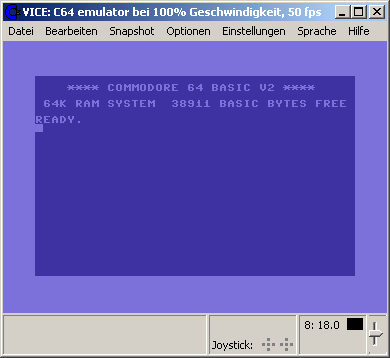
La version Windows de ce superbe émulateur Commodore C64, C128, VIC20, CBM-II, Plus4 et de tous les modèles « PET ».


Les changements:

 
This release stabilizes and introduces the GTK3 UI as the primary user interface 
for all major ports. For "lesser" platforms we still have the SDL1/SDL2 based 
interface. All other user interfaces have been removed. RIP

We are still looking for dedicated maintainers for the Windows- and macOS ports,
if you want to help improving these and/or want to provide binaries, please get
in touch.

** General
----------

- Old, unmaintained, ports removed:
  * MacOS Cocoa: use SDL or Gtk3
  * WinVice: use SDL or Gtk3
  * BeOS/Haiku: use SDL
  * AmigaOS: use SDL
  * Unix Xaw: use SDL or Gtk3
  * Unix Gtk2: use SDL or Gtk3
  * OS/2: use SDL

- Fix building against external ffmpeg >= 4.0

- Fix errors in multi-SID code

- added single SNES pad emulation (compatible to Ninjas adapter/TrapThem64)

- Make VICE much faster by using -O3 vs -O2

- add a slot number before the literal name of a game-controller, which is less 
  confusing when more than one controller of the same type is used

- fix parsing of the commandline with -config first

- added dutch to list of keyboard mappings

  
** Unix fixes
-------------

- the sleep function was not handling timer overflows properly, which happens
  every 4 seconds on a 32bit machine with nanosleep()

  
** macOS fixes
--------------

- Enabled the use of the CoreAudio driver in macOS SDL builds.
- Removed the legacy requirement for X11.app when launching VICE.app


** ReSID fixes
--------------

- tweak uCox value
- correctly emulate filter cutoff transistor both in triode and saturation mode
- Split ReSID resource into 6581/8580-specific resources (passthrough/gain/bias)
- various envelope generator fixes
- use different timing on 6581/8580 for noise register reset when testbit is set
- noise shift register is clocked once after reset


** VIC fixes
---------------

- corrected green color angle according to colodore website
- fix lumas according to 'colodore'


** VIC-II fixes
---------------

- corrected green color angle according to colodore website
- fix lumas according to 'colodore'
- added ChristopherJam palette


** TED fixes
---------------

- corrected color angles according to colodore website
- fix lumas according to 'colodore'


** VIA fixes
------------

- fixed initial state of the I/O ports


** CIA fixes
------------

- fixed initial state of the I/O ports


** Monitor
----------

- io d600 (x128 VDC register dump) expanded

- in memory dump limit the number of bytes per line to a power of two.

- instead of limiting disassembler output to a number of bytes, limit it to the 
  height of the current terminal

  
** c1541
--------

- Fix `geosread` command
- Add tilde (~) expansion in `write` command (Unix only)
- Add P00Save support to `extract` command


** Drive changes
----------------

- Fix WD1770 formatting issues

- fix mapping of sfd-1001 ram

- Fix trap_rom offset for 2040/4040


** C64 changes
--------------

- support extra 64k eprom on the comal80 cartridge

- added symbolic keymaps for dutch keyboard layout


** C128 changes
---------------

- Autostart fixes

- Stability improvements

- VIC mirroring fixed

- VDC emulation improvements
  * Interlace mode is supported in text and graphics modes
    (renderers still need work to handle the interlace effect properly)
  * STATUS flag is partially emulated
  * Rendering unusual character widths and in the inter-character gap
  * Semi-graphics mode fixes
  * Alternate character set fixes
  * Cursor rendering
  * Smooth scrolling in 40 column (pixel double) mode
  * vertical positioning (include register 5)

- added norwegian c128 chargen


** Gtk3 UI
----------

- Remember last used settings "page" in the settings UI

- Remember last used directory for various file dialogs

- Popup menus for the drive widgets in the status bar:
  * Show directory of currently attached disk image
  * Add menu shortcut to the drive settings UI
  * Add Reset drive #X item

- Mixer/CRT widgets: various fixes

- Move cpu/fps display to the statusbar from the title bar

- Add popup menu to the cpu/fps display widget to control refresh rate, speed,
  warp and pause/advance frame

- Add popup menu to the joystick widget to allow swapping joysticks and
  userport joysticks, add shortcut menu item to joystick settings UI

- Add cartridge content preview to the cart-attach dialog
  (x64/x64sc/xscpu64/x128)

- Dynamically load CBM font

- Don't allow the mouse cursor to 'escape' during mouse grab

- Unhide mouse pointer in dialogs during mouse grab

- Add setting a cartridge as default

- Improve model settings UI behaviour

- Add "Fullscreen on boot" checkbutton and -fullscreen command line option

- x128: Bring either VDC or VICII display to front depending on 40/80 col key

- VTE pulled into the sourcetree, which allows using the same monitor window
  in all ports

- Terminal- or GUI based monitor can be selected at runtime in all ports

- introduced new VICE logo provided by Bjoern Odendahl (thanks!)

- fix assignment of user keymaps


** SDL UI
---------

- Add toggle button in x128 for the Go64Mode

- ignore 'dotfiles' in the fileselector on *nix

- added browsing inside disk and tape images.

- added pageup/pagedown/home/end key mappings, and support them in the menus, 
  file-selector and text viewer

- Terminal- or UI based monitor can be selected at runtime in all ports

- added a hack to get rid of spurious keyup/keydown events after switching 
  from/to fullscreen
  
- generate suitable fonts for the ui at startup, use some custom gfx for the ui. 
  fixes the problem that the ui chars will screw up when the user selects a 
  japanese chargen :)
  
- when changing color- or crt emulation settings, print a color matrix on screen 
  and update the resources in realtime
  
- UI cosmetics:
  - fix slider length, use custom chars for slider
  - make screen all black before entering the UI
  - added basic default window icon
  - fix display of literal key names for SDL2

- major rework of SDL2 video renderer to work natively with all supported
  graphics acceleration technologies (OpenGL ES, DX11, Metal, etc). Fullscreen
  support and resized windows now preserve aspect ratio properly on any screen
  size.

- SDL2 now respects "GL" filter mode. As a bonus it does so even when the
  renderer is not OpenGL.


** VSID (Gtk3)
--------------

- Remember last-used-directory for the open file dialog
- Add drag'n'drop support
- Add HVSC support:
    * Support SLDB
    * Support STIL


** VSID (SDL)
--------------

- implemented drag'n'drop


Site Vice Nightly builds (mise à jour automatique quotidienne).


Télécharger VICE (Dos) v3.1 (29.3 Mo)

Télécharger WinVICE (32 bits) v3.8.0 (38.8 Mo)

Télécharger WinVICE (64 bits) v3.10.0 (45.1 Mo)

Télécharger SDLVICE (32 bits) v3.1 (16.9 Mo)

Télécharger SDLVICE (64 bits) v3.1 (10.4 Mo)

Télécharger SDL2VICE (32 bits) v3.8.0 (32.2 Mo)

Télécharger SDL2VICE (64 bits) v3.10.0 (39.2 Mo)

Site Officiel

En savoir plus…

Il s’agit d’une version modifiée de VICE qui aborde les problèmes de performance et de compatibilité avec certains CPU.


Télécharger VICE Cloanto20 v3.1 (2.0 Mo)

Site Officiel

En savoir plus…

Il s’agit d’un émulateur de TI-84 Plus CE / TI-83 Premium CE pour Windows, MacOS et Linux (builds auto).


Additions
– You can now toggle highlighting/wrapping/formatting in the variable previewer
– Support for the « temporary equation » var format has been added to the var list/previewer (#287)
– RAM can now be imported/exported as well
– New button to directly take a screenshot into the clipboard (#291)
– You can now drag’n’drop from the LCD to somewhere else to export a screenshot (#290)
– Core: implemented SPI write memory.
 
GUI improvements
– The variable list’s previewer uses @jacobly0’s TI-like font
– The scroll position is kept as much as possible in the variable previewer
– Much better handling of touch-enabled laptop displays (#282)
– The keypad history window is now a dock, solving some minor issues (#301)
– On macOS, if you build with Qt 5.12+, Xcode 10 and a 10.14 SDK, dark mode is supported (watch out)
 
Other improvements
– Core: better random-read performance (unmapped areas…)
– TI-Bundle support has been fully reworked to be much simpler
– The autotester can now handle the new libs group format
– The autotester, when in debug mode, dumps memory upon failure
– Misc. GUI code cleanup
 
Bug fixes
– Added some missing tokens to the TI-Basic syntax highlighter
– Cleaned up threading code and fixed race condition causing random emulation perma-freezes
– Fixed docks possibly growing/moving a bit after reopening CEmu (#288)
 
Build-related improvements
– For Windows, the MSVC builds (AppVeyor) now use Qt 5.11, and MinGW builds (Jacobly) Qt 5.12
– For macOS, builds now use Qt 5.12
– Travis and AppVeyor CI build processes got simplified and are now faster
– Linux builds on OBS now also have binaries for Fedora 29 and Ubuntu 18.10


Télécharger CEmu TI (x86) v2.0 Dev (2025/03/04) (19.5 Mo)

Télécharger CEmu TI (x64) v2.0 Dev (2025/03/04) (11.7 Mo)

Site Officiel

En savoir plus…

HP Prime est une calculatrice graphique présentée par Hewlett-Packard en 2013 et actuellement fabriquée par HP Inc. Elle a été conçue avec des fonctionnalités similaires à celles des smartphones, telles qu’un écran tactile couleur et la possibilité d’étendre les fonctionnalités au moyen d’applications téléchargeables. Elle fait suite à la HP50g.


Explorez les mathématiques à l’ère du tactile avec la HP PRIME
 
Tendance et haute performance
 
Une utilisation intuitive à l’identique de votre smartphone pour déplacer, modifier et manipuler des graphiques de manière intuitive avec le doigt. Un écran tactile couleur haute définition et un mode examen intégré homologué.
 
Des menus en français mais aussi anglais, allemand, espagnol, chinois … pour les sections européennes et internationales ainsi que des applications essentielles et la possibilité de créer vos propres applications.
 
La HP prime inclue aussi le calcul formel (CAS issu du XCas) avec un design actuel – ultra fine, ergonomique et légère – en métal brossé qui allie tendance et haute performance.


Télécharger HP Prime Virtual Calculator (32 bits) v2.4.2 (65.6 Mo)

Site Officiel

En savoir plus…

Comme son nom l’indique, il s’agit d’un émulateur de HP-15C créé par Torsten Manz et dont l’interface est disponible en plusieurs langues, à ne pas confondre avec HP15C d’un autre auteur.


Télécharger HP-15C (x86) v4.1.0 Build 5914 (2.7 Mo)

Télécharger HP-15C (x64) v5.1.0 Build 6608 (4.1 Mo)

Site Officiel

En savoir plus…


https://getourbonus.com/fr/accueil

https://www.romspedia.com/