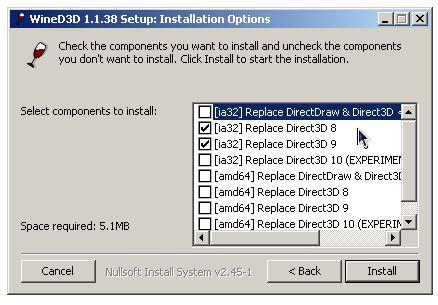
WineD3D For Windows est un wrapper DirectX 1-11 vers OpenGL basé sur WineD3D, qui est une implémentation presque complète de DirectX utilisée dans Wine.


Même si Windows prend en charge DirectX de manière native, l’utilisation de WineD3D peut améliorer la compatibilité avec les jeux plus anciens, en particulier sur Windows 8 et supérieurs qui ne prennent pas en charge les modes d’écran 16 bits. Une autre utilisation possible est d’imiter les versions non prises en charge de DirectX ou de transférer des applications DirectX vers OpenGL sans avoir à réécrire le code de rendu.
Notez que WineD3D est loin d’être parfait, et de nombreux jeux ne fonctionneront pas.
 
Des instructions sur l’utilisation des DLL sont également incluses.
 
Version 1.7.x fonctionne à partir de Windows 2000.
Version 2.x fonctionne à partir de Windows Vista.


Télécharger Wine D3D For Windows (Win 2K et +) v1.7.52 (1.7 Mo)

Télécharger Wine D3D For Windows (32 Bits | Win8 et +) v11.20 (1.9 Mo)

Télécharger Wine D3D For Windows (64 Bits | Win8 et +) v11.20 (1.9 Mo)

Site Officiel

En savoir plus…

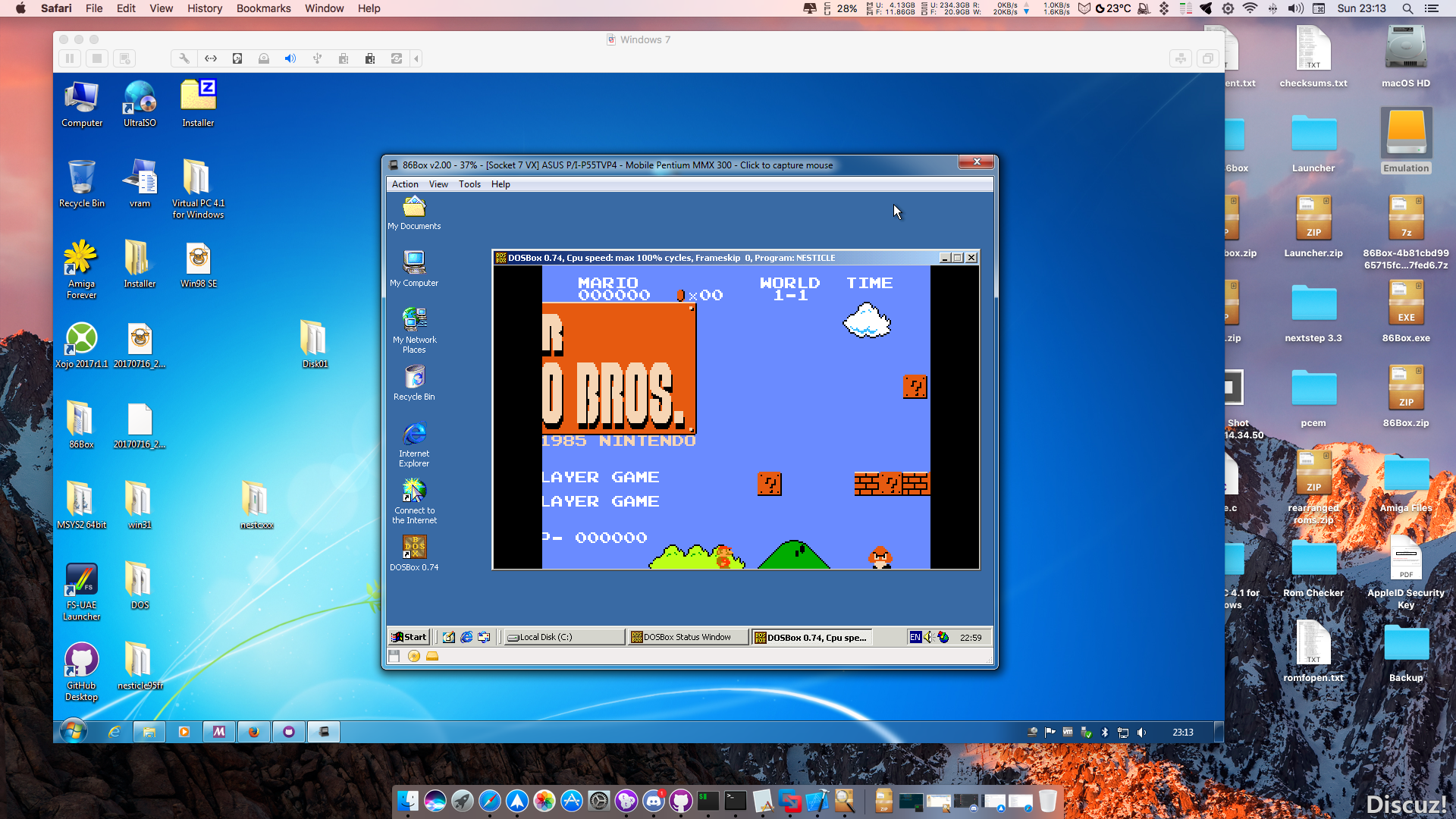
86Box (anciennement nommé PCem Unofficial, PCem Experimental ou PCem-X) est une branche non officielle de l’émulateur PCem, qui vise à émuler des machines compatibles IBM de la période 1981-2000. Cette branche ajoute plusieurs cartes mères émulées.


Télécharger 86Box (x86) v4.2.1 build 6130 (31.3 Mo)

Site Officiel

En savoir plus…

A l’instar de MAMEinfo pour MAME(Arcade), le fichier MESSinfo vous permet de suivre les changements entre les versions concernant les différents systèmes émulés par MAME (partie consoles et ordinateurs).


Télécharger MESSinfo.dat v0.289 (7.1 Mo)

Site Officiel

En savoir plus…

Un émulateur de puce sonore OPL3.
 
Le Yamaha YMF262, également connu sous le nom OPL3 (OPL est un acronyme pour FM Operator Type-L), est une puce de synthèse FM publiée par Yamaha Corporation en 1988. Il s’agit d’une version améliorée du Yamaha YM3812 (OPL2). Il a été utilisé dans un certain nombre de cartes son IBM PC, y compris Sound Blaster 16 et Pro AudioSpectrum (16 bits).


Télécharger Opl3emu (x86) (27/09/2020) (3.8 Mo)

Télécharger Opl3emu (x64) (27/09/2020) (2.0 Mo)

Télécharger Opl3emu (WIP) (24/08/2018) (1.3 Mo)

Site Officiel

En savoir plus…

Voici un éditeur de mémoire pour Zelda BOTW tournant évidemment sous l’émulateur de WiiU nommé Cemu.


– Compatibility update for Cemu 1.11.4 & Botw 1.5.0

 
Bon jeu !


Télécharger Cemu BOTW Editor v2.0.0.9d (157 Ko)

Site Officiel

En savoir plus…

Hoxs64 est un émulateur Commodore 64 tournant sous Windows avec DirectX 9 au minimum. Il est encore en développement, si bien que s’il manque quelques choses maintenant, elle sera là plus tard (dixit l’auteur) 😉
 
hoxs1

hoxs2
 

1) Fixed audio clock sync sound bug that can happen when running a monitor FPS that is less than the emulated FPS.


Télécharger Hoxs64 (x86) v1.1.2.9 (4.4 Mo)

Télécharger Hoxs64 (x64) v1.1.2.9 (5.1 Mo)

Télécharger Hoxs64 (9X/2K) v1.0.23 (503 Ko)

Télécharger Hoxs64 Français (9X/2K) v1.0.23 (542 Ko)

Télécharger Hoxs64 Français (x86) v1.1.2.9 (3.7 Mo)

Télécharger Hoxs64 Français (x64) v1.1.2.9 (3.7 Mo)

Site Officiel

En savoir plus…

Nplayers : Exclusivement pour les frontends comme EmuLoader, MaLa etc.. ce fichier vous servira à classer les jeux par nombre de joueurs possibles : 1p, 2p, 1p+2p, 1p+2p alt, etc…


Nplayers32 : Exclusivement pour MameUI ou clone de celui-ci… ce fichier vous servira à classer les jeux par nombre de joueurs possibles : 1p, 2p, 1p+2p, 1p+2p alt, etc…


Télécharger Nplayers v0.278 (303 Ko)

Site Officiel

En savoir plus…

Applewin est un excellent émulateur Apple IIe pour Windows et développé par Tom Charlesworth. Applewin est basé sur la version originale 1.10.4 d’Oliver Schmidt.
 
Changes (misc):

[Change #428] Added Config Input option to use PC Joystick 1 Thumbstick 2 for emulated Joystick 2
play Nick Westgate’s updated Robotron using gamepads with two analog thumbsticks, eg. Logitech F310, PS4 DualShock 4, Xbox controller
[Change #528] Improved logging to log when Apple2 type changes
[Change #469] New -no-printscreen-key switch to prevent the PrintScreen key from being registered.
Swapping disks while a drive is on now warns and prompts if you still wish to do this instead of silently failing with no feedback.
[PR #441] Update zlib to latest version 1.2.11
[PR #275] Attenuate speaker (and 8-bit DAC) output sample after 0.25s of inactivity
 
Full-screen:

[Change #504] Full-screen: hide mouse pointer after 2 seconds of inactivity (and show again if mouse is moved)
[Change #488] New -fs-height= switch.
best: picks the highest resolution where the height is an integer multiple of (192*2)
nnnn: select a specific resolution with height=nnnn pixels
Use to select a better resolution for full-screen mode.
NB. This changes the display resolution (and restores on exit).
[Change #224] Added Config checkbox for ‘Full-Screen: Show drive/keyboard status’
[Change #492] UI fixes for full-screen & 2x windowed-mode
[Bug #464] Fix for full-screen: bottom line missing when vertical resolution is 768
 
DiskII/Hard disk:

[Change #323] Skip hard disk boot by holding down the Open-Apple key during an Apple II restart
{Bug #525] Fix to prevent stepper motor changing track when drive if off
[Bug #125] Support formatting of DOS3.3/ProDOS for .dsk/.nib in authentic/enhanced disk modes
includes support for Pascal formatting (#196) and Ultima I formatting (#338)
[Bug #499] Flush current track (if dirty) before ‘Send to CiderPress’
[Bug #452] Fix for unmounted HD now gives « NO DEVICE CONNECTED » (before gave « I/O ERROR »)
[Bug #389] Disk’s write-protect detection mis-reporting when motor off
[Bug #387] Support for 40-track .nib files
 
Peripheral cards:

[Bug #514] Emulator restart (or reset) wasn’t clearing any pending Mousecard interrupt
[Bug #496] Support polling of Mockingboard’s & Phasor’s 6522 IFR.Timer1
[Bug #486] Peripheral card’s expansion ROM ($C800-CFFF, eg. SSC) wasn’t being correctly restored from a save-state
Resulting in regression: Mousecard crash to monitor (#495).
[Bug #423] Full support for INTC8ROM soft switch (fixes transient a2audit.dsk & Bejeweled failures)
[Bug #418] Fix for slot-3 ROM not returning floating bus when Uthernet card is enabled
[Bug #413] Save-state: bug when saving >9 RAMWorks III 64K banks
[Bug #386] SSC: Experimental support for 6551’s DTR, DCD and DSR bits via -modem switch
ie. -modem is shorthand for passing -dtr -dcd -dsr
Experimental support for 6551’s control bit: DTR via -dtr switch
Experimental support for 6551’s status bits: DCD and DSR via -dcd and -dsr switches
[Bug #320] Mockingboard/Phasor: support ‘inactive’ function like real hardware
[Bug #308] SSC ACIA Status register’s interrupt bit not set when IRQ enabled and using TCP Port 1977
 
Debugger:

[Change #483] Debugger: Shift+Left mouse button to toggle 6502 Status flag bits
[Change #462] Debugger: Changed Left mouse button (LMB) to Shift+LMB to toggle display items
[Change #406] Debugger: Support LC and MMU status & updated Help doc
[Change #269] When stepping, ESC no longer exits back to debugger (use F7, Pause keys or Debugger button instead).
[Change #217] Debugger G(o) command should use normal speed

 
applewin


Télécharger AppleWin v1.32.1 (4.3 Mo)

Site Officiel

En savoir plus…

Les fichiers de DOCyoyo_49 ont été mis à jour :


Emuloader default.el :
Default.el permet de diffuser la liste des jeux dont des records sont dans MAMESCORE avec le Front-end Emuloader. Placez default.el dans le répertoire « resources\favorites » de Emuloader.


Mamescore.ini :
Ce fichier permet de diffuser la liste des jeux dont des records sont dans MAMESCORE. Placez mamescore.ini dans le dossier « folders » de votre MAME (si ce dossier n’existe pas, créez-le!) Lancez ensuite MAME et vous découvrirez sur la gauche un nouvel icone « mamescore » contenant la liste des jeux.


Story.dat :
Conçu par DOCyoyo_49, ce fichier va permettre d’afficher dans MAME les records établis sur MAMESCORE. Utile pour avoir une idée des scores à battre et du niveau des joueurs.
Téléchargez story.dat et copiez-le dans le répertoire de votre MAME (le fichier doit se trouver dans le même dossier que l’executable de MAME).


Télécharger Emuloader default.el v0.205 (32 Ko)

Télécharger Mamescore.ini v0.205 (21 Ko)

Télécharger Story.dat v0.205 (801 Ko)

Site Officiel

La dernière version béta publique de l’excellent WinUAE, l’émulateur Commodore Amiga. La traduction est signée Tradu-France.


– Added Elsat Mega Ram HD controller emulation.
– A.L.F.3 HD controller emulation
– Rewritten expansion hardware interrupt handling to make it more compatible with PPC emulation.
– Implemented experimental RTG mode background thread for Amiga side VRAM to host texture color space conversion/copy. Option in RTG Board panel.
– Fixed crash at startup if DXGI 1.4 was highest available version (Windows 10 build 10240 only)
– KS 1.2 boot hack caused a crash in some manually configured UAE boot rom configurations without at least one directory filesystem/harddrive.
– OCS/ECS only BPLCON2 with « illegal » PF1 or PF2 value is now accurately emulated in dual playfield mode. (If BPLCON2 PFx>=5 and matching playfield is not transparent: playfield is drawn using COLOR0 with playfield priorities still working normally)
– D3D11: switching off on screen leds on the fly left static led texture on screen.
– Floppy sound type selection was not loaded correctly from config file (3.6)
– Floppy sound empty drive volume level was used if disk was inserted before emulation was started. (old)
– HDF filesystem loader now skips HUNK_DEBUG and HUNK_SYMBOL hunks instead of aborting filesystem initialization.
– Direct3D11 fullscreen, enter GUI, press save screenshot button: nothing happened.
– Direct3D11 window mouse drag resize now refreshes the display only after resizing ends.
– Do not allow UAE RTG init to succeed if it is enabled but not autoconfigured. (Few versions ago introduced new autoconfig handling broke previous « is this configured test? »)
– Some 68000 instructions didn’t use correct reversed memory access order in long -(An) addressing mode. (MOVE EA,-(an), MOVEM, ADDX, SUBX)
– Reading real 68EC040 MMU enable/page size TC register always returns zero, emulation now does the same. (Real 68EC060 not yet tested)
– 68040 SRP and URP registers are full 32-bit, 68060 masks out low 9 bits (which are ignored anyway when calculating descriptor table addresses)
– NCR5394 emulation improved (A.L.F.3 compatibility), support use of « Transfer information » command to manually read status and message bytes instead of « Initiator command complete sequence » that was designed for this purpose and all previously emulated 5394 based controllers have used.
– NCR5394 emulation didn’t handle situation where data was written to FIFO before true DMA write was started. FIFO contents should be written before DMA transfer starts. (Blizzard SCSI Kit IV in some situations, possibly others)
– Added « Identity » checkbox to Add harddrive panel. If ticked, real ATA identity data is used in emulated ATA device instead of generic UAE generated and drive appears exactly as it does in real hardware (identical name, geometry etc). If checkbox is disabled: used HD controller/adapter does not support reading ATA Identity or drive is not ATA or ATAPI.
– Read Identity now also shows CHS geometry, LBA and LBA48 (if supported), parsed from identity data (if available)
– kickstart_ext_rom and cart config entries support Arcadia and ALG ROM images.
– joyport2 -config entry incorrectly used port 3 slot.
 
Elsat Mega Ram HD:

– Basic PIO IDE controller.
– elsat.device « ElsatHD 1.0 (09 Oct 1992) »
 
A.L.F.3:

– SCSI, NCR5394 based.
– Fake DMA, MOVEMs used in transfer loop.
– No official ROM dump available, tested using loadable driver ROM hack.


Télécharger WinUAE (Public Beta) [32 bits] v6.1.0 Beta 23 (5.3 Mo)

Télécharger WinUAE (Public Beta) [64 bits] v6.1.0 Beta 23 (8.5 Mo)

Télécharger WinUAE (Public Beta) [32 bits] v6.1.0 Beta 23 FR (5.4 Mo)

Télécharger WinUAE (Public Beta) [64 bits] v6.1.0 Beta 23 FR (8.5 Mo)

Site Officiel

En savoir plus…

Créé par Avery Lee (l’auteur de VirtualDub), il s’agit d’un émulateur d’Atari 8 bits (800/800XL/130XE) disponible en 32 et 64 bits. Il dispose de beaucoup d’options ainsi que d’une bonne compatibilité. Il prend en charge les jeux protégés conformément à l’émulation. Il s’agit d’une version de développement au stade de béta.


Topic des versions Beta.

Télécharger Altirra (Beta) v4.50 Test 28 (7.7 Mo)

Site Officiel

En savoir plus…

Un émulateur ultra précis de Gameboy N&B/Color pour Windows et MacOs proposant également un débogueur.


New/Improved Features

– The libretro port can now be compiled for the Switch
– Made the menu key more obvious in the SDL port
– Can now emulate a Game Boy Advance in Game Boy Color mode
– Changing a model in the SDL port is now done via the menu
– Major improvements to the way the libretro port handles audio, significantly improving audio quality
– It is now possible to select a specific model to emulate in the libretro port
 
Accuracy Improvements/Fixes

– APU stereo volume levels are now scaled emulated correctly (Volume levels are 1-8, not 0-7)
– Triggering a pulse by writing to NRx4 now correctly changes the volume level of the previously played pulse. Fixes sound pops in Link’s Awekening.
– The CGB boot now finishes with correct register values
– Fixed APU DIV events sometimes causing audio pops in disabled channels. Fixes sound pops in Super Mario Land 2
– Fixed a bug where the effects of NR50 and NR51 were unintentionally delayed. Fixes sound pops in Pokémon Puzzle Challenge and Donkey Kong ‘94.
 
Bug Fixes

– Fixed video issues with the libretro port when using Vulkan
– Using a Joypad in the Cocoa port did not prevent the screen saver from starting


Télécharger SameBoy v1.0.5 (1.6 Mo)

Site Officiel

En savoir plus…


https://getourbonus.com/fr/accueil

https://www.romspedia.com/