Cet émulateur utilise le SDL (Simple DirectMedia Layer) pour la vidéo, le son et le support du joystick. Il existe aussi une version Linux.
 

Les changements:
 
Version 0.15.0 – 18-Mar-2017
2017-03-01 – Improved handling of overrun & underrun conditions in TMS5220 code
2017-02-21 – Added load-on-demand support for disk images to speed up handling of CF7+ and HFE images
2017-01-30 – Fix a bug in the PC99 serializer that would corrupt disk images when when loading them by truncating the last track
2017-01-25 – Allow user to force a particular format to be used to read a disk image in the disk utility
2017-01-25 – Improved robustness of several disk serializers (fixes crashes related to corrupted disk images)
2017-01-18 – Fix SDL’s handling of the CAPSLOCK key in ti99sim-sdl
2017-01-20 – Updated project files for Visual Studio 2015
2017-01-12 – Include files in subdirectories when creating a bare list of files using the disk utility
2017-01-11 – Correct the handling of diskette images with an AU size greater than 1
2017-01-05 – Fix talk status transition logic in the TMS5220 code that could cause some programs to get stuck waiting for the speech synthesizer
2016-11-11 – Added proper resampling filter and changed audio format to reduce noise when producing speech
2016-11-08 – Replaced reflection coefficients with the proper values for the TI-99/4A
2016-11-07 – Cleaned up the TMS5220 code and removed unused code
2016-10-19 – Added ability to create blank disk images using the disk utility
2016-10-03 – Improve handling of bad disk images in the disk utility
 
Version 0.14.0 – 25-Jun-2016
2016-05-16 – Added option to disable CF7+ support without having to rename/delete the .ctg file (makes getting back to the default TI disk controller easier)
2016-05-12 – Changed Makefile rules to place all generated files in the top-level bin folder rather than src/xyz/$(CFG) to make the easier to find/use when building from source
2016-05-10 – Changed the information logged when –verbose is specified to help diagnose common problems with the emulator
2016-05-09 – Added new flag to convert-ctg and mkcart to force GROM regions to 6K in size
2016-05-06 – Added new utility (catalog) to help find duplicate cartridges, disks, and files on disk
2016-04-20 – Update dumpspch & mkspch utilities (fix crash and simplify ‘spch’ format)
2016-04-17 – Changed location of system ROMs and DSRs from roms directory to console directory
2016-04-16 – Added new utility (mkcart) to help in creating new cartridge files from a set of bin files in a folder
2016-04-16 – Added new script (setup) to help setup a new installation with basic ROM
2016-04-15 – Change search logic to look in , <$HOME>/.ti99sim/, then / for files
2016-03-10 – Added support to load ‘converted’ files for support in utilities (e.g. you can now do things like: list MYPROG.PROG or dumpcpu BSCSUP.DF80)
2016-03-09 – Added support for UCSD p-System expansion card
2016-02-29 – Fix mouse cursor in fullscreen mode
 
Version 0.13.0 – 22-Feb-2016
2016-02-16 – Fixed display error when setting the background color to transparent
2016-02-15 – Fixed bitmap mode display with pattern and color table masking support
2016-02-11 – Added new options to convert 74LS379 style bank-switching files to ti99sim cartridges
2016-02-11 – Increased the number of supported ROM banks to 256
2015-05-04 – Rewrote code to read/write disk images
2015-07-09 – Added code to support proper CRC updates and checks on disk images
2015-07-21 – Added read-only support for HxC disk images
2015-08-22 – Added new -b/–bare flag to disk utility to allow basic scripting from the command line
2015-08-22 – Updated logic in disk routines to handle file CHAINS properly on disks with a AU larger than 1 sector
 
Version 0.12.1 – 21-Apr-2015
2015-04-21 – Changed version number format
2015-03-11 – Fix: Add check for valid Gram Kracker pointer before dereferencing it
2015-03-11 – Fix: Removed check for file existence in convert-ctg
 
Version 0.0.12 – 22-Jul-2014
2013-09-11 – Added ability to copy disks to/from CF7+ a disk image using disk
2013-08-23 – Added handling of 80 sector disk images in disk
2013-08-21 – Better handling of disk images with bad/corrupted file descriptors in disk
2013-08-21 – Reworked video rendering code to fix crashes when resizing the window in ti99sim-sdl
2013-06-29 – Added CF7+ disk I/O support (no serial/parallel port support) to ti99sim-sdl and ti99sim-console
2013-06-30 – Added Black & White display mode to ti99sim-sdl
2013-06-26 – Added ability to specify external files when converting listing type files (*.lst/*.dat) with convert
2013-06-18 – Increase number of ROM banks supported from 4 to 16 (Allows 379 support with ‘creative’ bank ordering see tiworkshop379.dat)
2013-05-18 – Fixed code to not force speech synthesizer emulation
2013-05-10 – Rewrote opcode lookup code and clean up memory access clock penalty logic
2013-04-04 – Fixed code to explicitly use signed characters where appropriate (Fixes bug on Raspberry Pi)
2013-03-03 – Added more information to verbose display of disk
2013-03-02 – Added support for MERGE format and large Extended BASIC programs to list
2013-02-24 – Fixed support for 15-bit and 25-bit graphics modes
2013-01-15 – Handle native files in filesystem code (allows list and dumpcpu to work with files exported with disk using –convert)
2012-07-12 – Handle uncompressed archive files


Télécharger TI-99/Sim (x86) v0.15 (244 Ko)

Télécharger TI-99/Sim (x64) v0.15 (547 Ko)

Site Officiel

En savoir plus…

VDosPlus est un émulateur DOS à usage général (non prévu spécifiquement pour les jeux contrairement à DosBox) fonctionnant sous Windows, basé sur vDos et DOSBox. Par rapport à vDos original, il existe de nombreuses fonctionnalités utiles et autres améliorations, telles que le support direct pour les noms de fichiers longs (LFN) de Windows et leurs noms de fichiers courts correspondants (SFN), ainsi qu’un support amélioré de clavier, souris et affichage (entre autres).


– The latest build of the vDosPlus 2017.08.01 branch (still XP compatible)


Télécharger vDosPlus (2018/03/01) (1.8 Mo)

Site Officiel

En savoir plus…

Un très bon émulateur de TI-99/4A tournant sous Windows. Il fut connu sous le nom d’AMI99, mais fut renommé car beaucoup de personnes pensaient qu’il s’agissait d’un émulateur Commodore Amiga.


classicti99classicti991

 
Les fonctionnalités :
-Les roms systèmes & plusieurs cartouches sont inclues sous licence Texas Instruments
-démarre et fait fonctionner correctement toutes les fonctions OS (excepté l’I/O et le TI BASIC,
-la plupart des modules fonctionnent très bien
-Le switch des cartouches XB/Atarisoft/Jon379/SuperSpace cartridge est supporté
-Emulation complète du son sur tous les channels, en incluant le support du son digitalisé
-Speech implémenté à la fois sur les roms et sur le speak externe.
-Le scan CRU du clavier est implémenté
-Support du joystick et du timer 9901
-Le disque supporte les fichiers V9T9, TIFILES/Xmodem, les fichies natifs Windows, les images disque V9T9 DSK & PC99 DSK (les images DSK sont en lecture seule)
-DirectX fenetré et plein écran, comme les modes fenétrés non-DirectX
-détection des collisions (par pattern)
-Nombreux filtres vidéos en option (HQ4X, 2xSAI, SuperEagle, NTSC, etc)
-débugger intégré en single step
-Emulation clavier PS/2 keyboard
-Sélection des menus par souris (double-cliquer sur l’écran)
-Support de la carte 1MB Super AMS
-Code source complet inclus
 

Télécharger Classic99 v3.98 (10,7 Mo)

Site Officiel

En savoir plus…

Il s’agit d’un projet de recherche créé par exjam, en vue d’une émulation de la Nintendo Wii U. Il vous faudra Linux ou Windows 10 en version 64 bits ainsi que OpenGL 4.5 et les bibliothèques de Visual Studio 2017 pour espérer le faire fonctionner. On est encore très loin des perfs de Cemu mais certains jeux commencent à être jouables.


wiiu


Télécharger Decaf-Emu (2017/09/12) (5.62 Mo)

Site Officiel

En savoir plus…

DS4Windows est un programme portable qui vous permet d’obtenir la meilleure expérience lors de l’utilisation d’un DualShock 4 sur votre PC. En émulant un contrôleur Xbox 360, beaucoup de jeux deviennent alors accessibles.


– Moved ControlService instance to a separate thread. Further reduction in input lag


Télécharger DS4Windows v1.4.94 (1,2 Mo)

Site Officiel

En savoir plus…

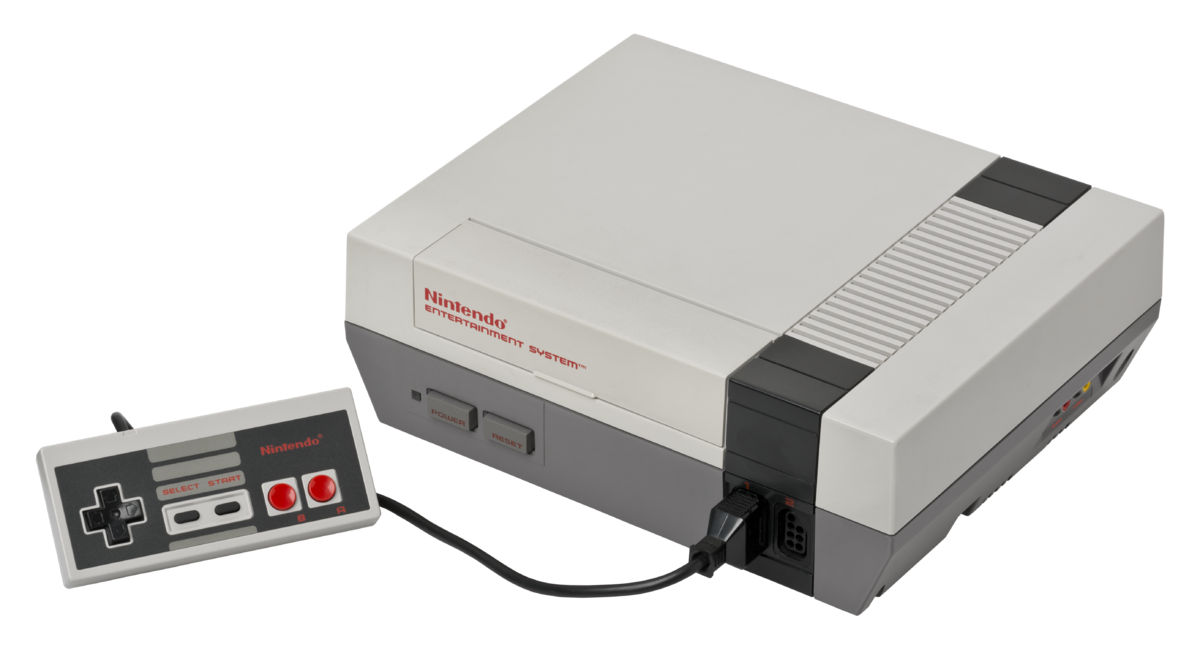
Il s’agit d’un émulateur de consoles Nintendo 8/16-bit (le premier émulateur NES ayant existé). Le site étant entièrement en japonais, il est difficile d’en connaitre les réelles améliorations.


Télécharger Pasofami v2.37 (3,5 Mo)

Site Officiel

En savoir plus…

Envasion est un programme de Cheats pour Windows qui s’adapte aussi aux émulateurs et plus spécifiquement les jeux PC et PCSX2.


Plus d’informations ici.
 

Télécharger Envasion v0.6.5 (2,2 Mo)

Site Officiel

En savoir plus…

RetroMap est un front pour émulateurs dont le but est de rendre le processus d’ouverture de vos jeux rétro préférés dans vos émulateurs préférés aussi simple, organisé et rapide que possible.


RetroMap is a lot better now! You no longer need to keep all your ROMs and emulators in a predetermined folder structure! Plus, I’ve made a few optimizations, massively increased the maximum number of ROMs per system, and just in general made RetroMap more flexible. Here is the full changelog:

– Added the ability to display a background, clock, and added a slide betweenmenu entries. All of these are customizable.
– Increased maximum number of roms per console from 255 to 65535.
– Implemented an in-program file explorer. Rom Folders, Emulator Executables,and Background Folders are selected using this method, or by manually editing the configuration text files in the My Documents folder.


Télécharger RetroMap v2 (4,6 Mo)

Site Officiel

En savoir plus…

WineD3D For Windows est un wrapper DirectX 1-11 vers OpenGL basé sur WineD3D, qui est une implémentation presque complète de DirectX utilisée dans Wine.
 
Même si Windows prend en charge DirectX de manière native, l’utilisation de WineD3D peut améliorer la compatibilité avec les jeux plus anciens, en particulier sur Windows 8 et supérieurs qui ne prennent pas en charge les modes d’écran 16 bits. Une autre utilisation possible est d’imiter les versions non prises en charge de DirectX ou de transférer des applications DirectX vers OpenGL sans avoir à réécrire le code de rendu.
Notez que WineD3D est loin d’être parfait, et de nombreux jeux ne fonctionneront pas.
 
Des instructions sur l’utilisation des DLL sont également incluses.
 
Version 1.7.x fonctionne à partir de Windows 2000.
Version 2.x fonctionne à partir de Windows Vista.
 

Télécharger Wine D3D For Windows (Win 2K et +) v1.7.52 (1.7 Mo)

Télécharger Wine D3D For Windows (32 Bits | Win8 et +) v11.20 (1.9 Mo)

Site Officiel

En savoir plus…

La dernière version béta publique de l’excellent WinUAE, l’émulateur Commodore Amiga. La traduction est signée Tradu-France.


– If DirectDraw mode surface allocation fails, retry it with smaller size.
– Smaller than 512 block size and writing to HDF block zero was always detected as failed.
– SCSI MODE SENSE format parameters/rigid drive geometry and uaehf.device TD_GETGEOMETRY didn’t return manual physical geometry if it was set.
– If config file has sound driver name that can’t be found, try to find default device of same type before defaulting to first in list.
– 68030 MMU + prefetch mode delayed bus error fix.
– Added Cubo CD32 config dip switches (Cubo Switch #1 to #8), event activation = switch state toggled. State is only logged, perhaps some kind of on-screen message will be added later.
– Added Cubo CD32 option in Quickstart panel. Currently only enables serial port fake touch screen used by some later games, responds « ok » to all touch screen commands.
– Expansion panel string datatype was unimplemented (forgotten..). NIC MAC option is now visible.
– Disassembler [xxxx] data values (b3) now support 68030+ data caches. If data is located in cache and data in memory is identical, it is prefixed with *, if data is cached and data in memory is different: [value in cache:value in memory]
– Ignore DMS unpacking errors if all data is already unpacked (for example if dms has extra data at the end etc)


Télécharger WinUAE (Public Beta) [32 bits] v6.1.0 Beta 23 (5.3 Mo)

Télécharger WinUAE (Public Beta) [64 bits] v6.1.0 Beta 23 (8.5 Mo)

Télécharger WinUAE (Public Beta) [32 bits] v6.1.0 Beta 23 FR (5.4 Mo)

Télécharger WinUAE (Public Beta) [64 bits] v6.1.0 Beta 23 FR (8.5 Mo)

Site Officiel

En savoir plus…

Un complément pour le cheat.7z (XML) de Pugsy (et qui ne sert que pour la partie arcade de MAME), à utiliser en plus du fichier original.
 
– Décompressez l’archive de manière à obtenir un fichier cheat_wayder.7z (qui lui n’est pas à décompresser).
– Placez-le dans le répertoire courant de Mame.
– Enfin, ajouter une référence dans le fichier de configuration de MAME :
 
Remplacez la ligne : ‘cheatpath cheat’ par ‘cheatpath cheat;cheat_wayder;cheat_wayder_omake’
 
Lire le changelog ici.
 

Télécharger Wayder Cheat v0.189 (200,5 Ko)

Site Officiel

En savoir plus…

Un émulateur de Nintendo NES développé par l’auteur de fixGB.


– added missing mmc5 exram support when playing back mmc5 nsf files


Télécharger fixNES v1.0.2 Alpha (502,9 Ko)

Site Officiel

En savoir plus…


https://getourbonus.com/fr/accueil

https://www.romspedia.com/