DSP est un émulateur Sinclair ZX Spectrum mais aussi Amstrad CPC, Arcade, NES, SMS, GameBoy, Coleco Vision, Chip8/Super Chip8… développé par Leniad Soft 2003. Il supporte les Spectrum 48K, Spectrum 128K et des jeux d’arcades comme Phoenix, BombJack ou encore Ghost’n’Goblins. Il s’agit d’un projet Open Source développé en Delphi+Lazarus+Free Pascal.
RPCS3 a pour objectif de devenir un émulateur de Playstation 3 complet même s’il reste un chemin important avant d’y parvenir. Pour le moment il fait principalement office de désassembleur et pousse la performance jusqu’à exécuter quelques jeux commerciaux plutôt correctement (devenant ainsi le premier émulateur de PS3 émulant un jeu du commerce), toutefois il nécessite un PC extrêmement performant. Il s’agit de la version optimisée pour les processeurs 64 bits.
Un émulateur de GameBoy Advance écrit en langage C par Jeffrey Pfau (endrift) et basé (sensiblement) sur GBA.js et qui a comme objectif d’être un émulateur de haute qualité. Disponible pour Windows (Vista et +), Linux et Mac OSX.
La dernière version béta publique de l’excellent WinUAE, l’émulateur Commodore Amiga.
– Debugger thought slow ram was IO region if ECS Agnus.
– CDTV-CR mode CD led didn’t flash when reading data, only when playing audio.
– Fixed linestate array buffer underrun if mode was interlaced. Most common side-effect was blanked screen in interlaced modes, especially in fields or fields+ mode, if build was full optimized.
Il ne s’agit pas d’un émulateur multi-systèmes mais d’une archive regroupant tous les émulateurs de Takeda.
Elle inclut:
– Emu5: Emulateur de SORD m5
– EmuLTI8: Emulateur de MITSUBISHI Elec. MULTI8
– EmuPIA: Emulateur de TOSHIBA PASOPIA
– EmuPIA7: Emulateur de TOSHIBA PASOPIA7 et LCD
– EmuZ-80A: Emulateur de MZ-80A par Mr Suga
– EmuZ-80B: Emulateur de SHARP MZ-80B
– EmuZ-80K: Emulateur de SHARP MZ-80K
– EmuZ-700: Emulateur de SHARP MZ-700
– EmuZ-800: Emulateur de SHARP MZ-800
– EmuZ-1200: Emulateur de SHARP MZ-1200
– EmuZ-1500: Emulateur de SHARP MZ-1500
– EmuZ-2200: Emulateur de SHARP MZ-2200
– EmuZ-2500: Emulateur de SHARP MZ-2500
– EmuZ-2800: Emulateur de SHARP MZ-2800
– EmuZ-3500: Emulateur de SHARP MZ-3500
– EmuZ-5500: Emulateur de SHARP MZ-5500
– EmuZ-6500: Emulateur de SHARP MZ-6500/6550
– eBabbage-2nd: Emulateur de Gijutsu-Hyoron-Sha Babbage-2nd
– eFamilyBASIC: Emulateur de Nintendo Family BASIC
– eFM-16pi: Emulateur de FUJITSU FM-16pi
– eFMR-30: Emulateur de FUJITSU FMR-30
– eFMR-50: Emulateur de FUJITSU FMR-50
– eFMR-60: Emulateur de FUJITSU FMR-60
– eFP-200: Emulateur de CASIO FP-200
– eFP-1100: Emulateur de CASIO FP-1100
– eHC-20: Emulateur de EPSON HC-20/HX-20
– eHC-40: Emulateur de EPSON HC-40/PX-4
– eHC-80: Emulateur de EPSON HC-80/PX-8/Geneva
– eHANDY98: Emulateur de NEC PC-98HA (HANDY98)
– eJ-3100GT: Emulateur de TOSHIBA J-3100GT
– eJ-3100SL: Emulateur de TOSHIBA J-3100SL
– eJX: Emulateur de IBM Japan Ltd PC/JX
– eMAP-1010: Emulateur de SEIKO MAP-1010
– eMYCOMZ-80A: Emulateur de Japan Electronics College MYCOMZ-80A
– eN5200: Emulateur de NEC N5200
– ePC-8001mkIISR: Emulateur de NEC PC-8001mkIISR
– ePC-8201: Emulateur de NEC PC-8201/PC-8201A
– ePC-8801MA: Emulateur de NEC PC-8801MA
– ePC-9801: Emulateur de NEC PC-9801
– ePC-9801E: Emulateur de NEC PC-9801E/F/M
– ePC-9801VM: Emulateur de NEC PC-9801VM
– ePC-98LT: Emulateur de NEC PC-98LT
– ePC-98DO: Emulateur de NEC PC-9801DO
– ePC-100: Emulateur de NEC PC-100
– ePC-3200: Emulateur de SHARP PC-3200
– ePC-ENGINE: Emulateur de NEC PC-ENGINE / SuperGrafx
– ePHC-20: Emulateur de SANYO PHC-20 emulator
– ePHC-25: Emulateur de SANYO PHC-25 emulator
– ePV-1000: Emulateur de CASIO PV-1000
– EmuGaki: Emulateur de CASIO PV-2000
– ePyuTa: Emulateur de TOMY PyuTa / PyuTa Jr
– ePX-7: Emulateur de Pioneer PX-7 (MSX1 + LaserDisc)
– eQC-10: Emulateur de EPSON QC-10/QX-10
– eRX-78: Emulateur de BANDAI RX-78
– eSC-3000: Emulateur de SEGA SC-3000
– eSCV: Emulateur de EPOCH Super Cassette Vision
– eTK-80BS: Emulateur de NEC TK-80BS (COMPO BS/80)
– eX-07: Emulateur de CANON X-07
– eX1: Emulateur de SHARP X1
– eX1twin: Emulateur de SHARP X1twin
– eX1turbo: Emulateur de SHARP X1turbo
– eX1turboZ: Emulateur de SHARP X1turboZ
– eYS-6464A: Emulateur de Shinko Sangyo YS-6464A
Les Packs d’images d’antopisa et plus encore dans leurs versions ultra complètes sont disponibles sur ce lien. Pour rappel, M.A.M.E. Artwork Special Edition contient les screenshots destinés à agrémenter les interfaces de MAME.
La dernière version béta publique de l’excellent WinUAE, l’émulateur Commodore Amiga.
– SASI/SASI (CHS) options were not visible in GUI when listing SASI controllers.
– No MIDI out devices detected, 64-bit only.
– AVIOutput with « capture before filtering »: width is now always divisible by 16 and height is divisible by two.
– Added config file only optional AVIOutput position and offset parameters: recording_width and recording_height, (resolution of video) and recording_x and recording_y, offset from top/left of Amiga display. If offsets are not set or negative, Amiga display is automatically centered. Only available in « capture before filtering » mode. GUI setting may be added later.
– Windowed mode bottom bar CPU state didn’t show PPC state if x86 and PPC CPU expansion was active at the same time.
– Phoenix Board SCSI emulation added.
Phoenix Board SCSI:
– Autoconfig, 5380 SCSI chip.
– Very simple design, PIO SCSI, software handshake. (No « fake DMA »).
– Boot ROM version J added, pbscsi.device 3.1. (« Phoenix Board SCSI J 29/7/92 »)
Créée par Tino, Ishiiruka-Dolphin Custom Version est une version dérivée du projet principal (Dolphin-Master) permettant le support des anciens périphériques et de réduire l’utilisation du processeur concernant la tâche graphique.
Un accent est mis sur l’expérience de jeu et la rapidité d’émulation. Pour le moment, le travail se focalise uniquement sur DirectX 9 (qui avait été officiellement abandonné avec Dolphin 4) et DirectX 11.
Les caractéristiques sont les suivantes:
Important Features – Async shader compilation (Avoiding shader compilation time)
– Galop’s DX11 Texture Encoder/Decoder (Improve Texture decoding specially EFB TO RAM)
– Pre compiled Vertex loader & Optimized vertex decoding using SSSE3 and SSE4
– Dolpby Pro Logic II support for xaudio and openal
– Larger internal resolutions (IRx6) to allow 4k gaming
– Custom Texture improvements to allow direct compressed texture loading including mipmaps
– DSP: Time Streching Option (Improve sound output to avoid sound skipping on slow machines)
– DX9 support for old machines
Modified Post Procesing interface to support:
– Multiple Stages allowing more complex effects.
– Depth and native gamma as inputs.
– DX11.
– Custom version of DolphinFX that work under dx11 and ogl
– SSAO and DOF.
– Texure Scaling Support
– Bump Mapping with advanced material properties
– Phong Specular reflection to improve ligthing qualit
– Tessellation and Displacement Mapping
Other Features – Multithreaded Shader Compilation
– Early depth test implementation to correct related issues and increase performance
– Fast-Depth option now control the use or not of the accurate early z emulation so enabling fast depth will give a speed boos in some systems
– Fast EFB Access. Implement global EFB Access Cache to reduce GPU stalls caused by CPU access to the efb (This option is Hack Tab in Gfx Options)
– Shader generation Path reorganization to improve performance
– Implemented 3d support for Side by side/TopBottom 3d rendering
– Many DX9 old bugs fixes (ZComploc, Tev emulation, etc)
– Others fixes and little improves.
Site des sources ici.
Un pack de shaders est également disponible ici.
Il s’agit de la dernière version de développement (basée sur les sources GIT) du plugin audio d’Azimer (Voir le forum). Celle-ci est plus expérimentale que la précédente version WIP.
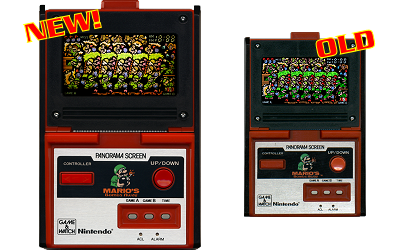
Madrigal CD Collection regroupe spécifiquement la totalité des simulateurs de Madrigal. Ce set est en complément au « Handheld Remakes (Simulators) » afin de respecter le nom d’origine des simulateurs de Madrigal.
Créé par Exzap, il s’agit du second émulateur de Wii U à être disponible au public mais le premier à pousser jusqu’à l’émulation de jeux commerciaux (attention toutefois, il reste au stade expérimentale). Il peut décrypter les images Wii U qui utilisent le format Wud mais également les fichiers RPS ou RPL. La résolution interne peu aller jusqu’à 1920×1080 selon les jeux. A noter que pour le moment, un seul contrôleur est accepté, il s’agit du DRC (GamePad) de la Nintendo Wii U. Cette version n’est compatible que pour les Windows x64 avec une carte graphique gérant OpenGL 3.3 ou supérieur.
Les caractéristiques:
– Can run encrypted Wii U images (WUD) and RPX/RPL files
– Internal resolution is 1920×1080 (if supported by game)
– Contains basically no optimizations. Expect slow framerates and long load times.
– Windows 7 or above (x64) (other platforms may be supported later)
– Requires OpenGL 3.3
* Tested on NVIDIA and AMD: Runs fine on most recent driver
* Tested on Intel: Garbled output but runs if OpenGL version is supported
Les changements:
– Fixed rendering issues on AMD graphic cards
– Minor changes and bug fixes
– Added controller options
– Added support for OSCoroutine API
– Improved shader emulation
– Improved texture/depth/color buffer management
– Improved CPU timing and thread synchronization
– Synchronous file operations no longer block CPU execution (reduces frame stutter)