Ces fichiers ini sont a mettre dans le répertoire « folders » de MAMEUI (ou clones). Il propose un tri des jeux par catégorie, année de sortie, version de Mame…
0 commentaire



Ces fichiers ini sont a mettre dans le répertoire « folders » de MAMEUI (ou clones). Il propose un tri des jeux par catégorie, année de sortie, version de Mame…
Il s’agit d’un fichier DAT tenu par MASH regroupant toutes les infos du site « mametesters.com ». Il donne des infos sur l’émulation des jeux sous MAME, c’est a dire le développement, les bugs, les améliorations…
Les derniers packs de screenshots pour Mame d’Antopisa sont disponibles.
Here’s the summary (10 packs, 18.2Mb):
Artwork Preview: 40 new & 1 upd (tot. 1,750 png) 1 pack, 7.67Kb
Bosses: 20 new & 3 upd (tot. 1,025 png) 1 pack, 509Kb
GameOver: 90 new & 8 upd (tot. 5,525 png) 1 pack, 1.56Mb
HowTo: 5 new & 2 upd (tot. 1,330 png) 1 pack, 235Kb
Logo: 20 new & 13 upd (tot. 1,255 png) 1 pack, 109Kb
Scores: 70 new & 15 upd (tot. 5,970 png) 1 pack, 1.42Kb
Select: 5 del, 40 new & 9 upd (tot. 3,570 png) [1 pack, 1.39Mb
Snap: 6 del, 132 new & 100 upd (tot. 30,677 png) 1 pack, 3.27Mb
Titles: 6 del, 132 new & 57 upd (tot. 30,677 png) 1 pack, 1.73Mb
Versus: 10 new & 2 upd (tot. 965 png) 1 pack, 351Kb
Other resources (22 packs, 643Mb):
Cabinets*: 8 del, 13 new & 66 upd (tot. 3,300 png) 1 pack, 41.4Mb
Control Panels: 5 new (tot. 2,205 png) 1 pack, 1.87Mb
Flyers**: 91 del, 31 new & 34 upd (tot. 4,140 png) 4 packs, 109Mb
Icons***: 1,431 new (tot. 23,367 png) 1 pack, 140Kb
Manuals: 45 new & 1 upd (tot. 1,770 png) 8 packs, 284Mb
Marquees: 15 new (tot. 2,780 png) 1 pack, 6.33Mb
PCB: 85 new & 16 upd (tot. 2,300 png) 6 packs, 199Mb
Il s’agit d’une mise à jour du pack d’icônes de Mamu_ par Antopisa. Celle-ci est non officielle mais est tolérée par Mamu_, en attendant une véritable mise à jour officielle.
Télécharger MAMU Icons Pack Update (non officielle) v0.155 (719,1 Ko)
La dernière version béta publique de l’excellent WinUAE, l’émulateur Commodore Amiga.
– Dragging vhd file to harddrives panel now adds it as a HDF, not a directory if it does not contain any known filesystem or RDB identifiers.
– PCMCIA IDE was always mounted without drive since drive attribute update long time ago.
– PCMCIA IDE and SRAM can be added (card inserted) after emulation has been started.
– Replaced « JIT direct compatible » option in memory panel with more useful Z3 mapping option: Auto = Use OS mapping if possible, fall back to UAE hack if JIT direct enabled and not enough adddress space. UAE = Always use UAE hack mapping (0x10000000). NOTE: not compatible with non-m68k operating systems. This mode was always forced until 282b1. Real = Always use OS mapping (0x40000000 with alignment support), disable JIT direct if not enough address space.
– Fixed missing graphics in Disposable Hero title screen in non-cycle exact modes.
– Load config with statefile set, load another config without statefile, GUI shows no statefile selected but when starting emulation statefile was still loaded.
– CDTV-CR CD read speed is now limited to 1x/2x.
– Added CD turbo data read speed mode, affects CDTV/CDTV-CR/CD32 emulation only. SCSI CD is always in turbo mode. Checkbox in CD/Harddrives panel.
– QEMU PPC module update, now all extra dependencies are statically linked. External dlls are not needed anymore (whole plugins\qemu can be deleted). Must be located at <winuae path>\plugins\qemu-uae.dll
Les derniers builds en développement sont à présent disponibles.
Citra : Emulateur de Nintendo 3DS.
3Dmoo : Emulateur de Nintendo 3DS.
Play! : Emulateur de Playstation 2.
RPCS3 : Emulateur de Playstation 3.
Jpcsp : Emulateur de Sony PSP.
CxBx : Emulateur de Microsoft X-Box.
Xenia : Emulateur de Microsoft X-Box 360.
Télécharger Citra (32 bits) (2015/04/01) (12.5 Mo)
Télécharger Citra (Final build) (2024/03/07) (140 Mo)
Télécharger 3dmoo (x86) (2017/08/21) (454 Ko)
Télécharger Play! (x86) GIT v0.77 (2026/10/25) (8.9 Mo)
Télécharger Play! (x64) GIT v0.77 (2026/10/25) (10.3 Mo)
Télécharger RPCS3 (32 bits) v0.0.0.4 (2014/06/02) (3.1 Mo)
Télécharger RPCS3 (WIP) v0.0.43 Alpha (2026/11/23) (35.6 Mo)
Télécharger JPcsp (x86) v0.7 rev 0318d15e (26.4 Mo)
Télécharger JPcsp (x64) v0.7 rev 00ac4d6 (29.1 Mo)
CoolSoft VirtualMIDISynth est un fantastique synthétiseur SoundFont logiciel, similaire à BASSMIDI Driver : il s’installe également en tant que nouveau périphérique de sortie MIDI sous Windows, et, par conséquent, peut également être utilisé depuis n’importe quelle application ou jeu vidéo. Une fois votre soundfont MIDI assignée, vous pouvez par exemple la choisir sous ScummVM en tant que synthétiseur MIDI, et une nouvelle expérience sonore des oldies PC s’offrira à vous !

Tout comme BASSMIDI Driver, VirtualMIDISynth utilise le moteur de rendu SoundFont BASS, de chez Un4Seen Developments, pour reproduire les sonorités. Par conséquent, vous percevrez peu de différence entre ces deux synthétiseurs logiciels lorsque vous jouerez des fichiers MIDI ; en revanche, chacun d’entre eux propose des options et des choix de conception spécifiques, qui pourront vous amener à choisir l’un plutôt que l’autre.
Changements :
v.1.12.0 – 2014-10-31
NEW: MIDI Mixer and configurator dialogs now « snap » to desktop borders when moved (press SHIFT while moving to disable snap).
FIX: Rewritten and optimized driver dialogs handling to avoid MIDI client hangs and memory leaks (1.11.0 regression).
FIX: Fixed hangs and crashes on x64 systems.
Excellent Tutorial en images (par Arachnosoft)
Télécharger MIDI Synth. Driver-CoolSoft VirtualMIDISynth v1.12.0 (908,1 Ko)
Ce pack permet de mettre à jour le K-Lite Codec Pack Mega lorsque celui-ci a un numéro antérieur de version.
Changements :
Update for:
K-Lite Codec Pack 10.8.0 and newer (Basic/Standard/Full/Mega)
Changelog:
Updated MPC-HC to version 1.7.7.90
Updated LAV Filters to version 0.63-2-g937180e
Updated Codec Tweak Tool to version 5.9.2
MPC-HC is now able to display embedded coverart
Télécharger K-Lite Codec Pack Update v10.8.0 vers v10.8.4 (13,9 Mo)
YAPE (Yet Another Plus/4 Emulator) est un excellent émulateur Commodore C16/plus4 fonctionnant de Windows XP à Windows 8. Version compatible 32 et 64bits.
Il s’agit d’un programme (gratuit) qui permet de mapper les touches d’un clavier/souris sur une manette à l’instar des autres programmes incontournables tel que Xpadder, Joytokey ou vJoy.

D’autres versions sont disponibles pour Windows (installer .exe/.msi), linux…
Il ne s’agit pas d’un émulateur multi-systèmes mais d’une archive regroupant tous les émulateurs de Takeda.
Elle inclut:
– Emu5: Emulateur de SORD m5
– EmuLTI8: Emulateur de MITSUBISHI Elec. MULTI8
– EmuPIA: Emulateur de TOSHIBA PASOPIA
– EmuPIA7: Emulateur de TOSHIBA PASOPIA7 et LCD
– EmuZ-80B: Emulateur de SHARP MZ-80B
– EmuZ-80K: Emulateur de SHARP MZ-80K
– EmuZ-700: Emulateur de SHARP MZ-700
– EmuZ-800: Emulateur de SHARP MZ-800
– EmuZ-1200: Emulateur de SHARP MZ-1200
– EmuZ-1500: Emulateur de SHARP MZ-1500
– EmuZ-2200: Emulateur de SHARP MZ-2200
– EmuZ-2500: Emulateur de SHARP MZ-2500
– EmuZ-2800: Emulateur de SHARP MZ-2800
– EmuZ-3500: Emulateur de SHARP MZ-3500
– EmuZ-5500: Emulateur de SHARP MZ-5500
– EmuZ-6500: Emulateur de SHARP MZ-6500/6550
– eBabbage-2nd: Emulateur de Gijutsu-Hyoron-Sha Babbage-2nd
– eFamilyBASIC: Emulateur de Nintendo Family BASIC
– eFM-16pi: Emulateur de FUJITSU FM-16pi
– eFMR-30: Emulateur de FUJITSU FMR-30
– eFMR-50: Emulateur de FUJITSU FMR-50
– eFMR-60: Emulateur de FUJITSU FMR-60
– eFP-200: Emulateur de CASIO FP-200
– eFP-1100: Emulateur de CASIO FP-1100
– eHC-20: Emulateur de EPSON HC-20/HX-20
– eHC-40: Emulateur de EPSON HC-40/PX-4
– eHC-80: Emulateur de EPSON HC-80/PX-8/Geneva
– eHANDY98: Emulateur de NEC PC-98HA (HANDY98)
– eJ-3100GT: Emulateur de TOSHIBA J-3100GT
– eJ-3100SL: Emulateur de TOSHIBA J-3100SL
– eJX: Emulateur de IBM Japan Ltd PC/JX
– eMAP-1010: Emulateur de SEIKO MAP-1010
– eMYCOMZ-80A: Emulateur de Japan Electronics College MYCOMZ-80A
– eN5200: Emulateur de NEC N5200
– ePC-8001mkIISR: Emulateur de NEC PC-8001mkIISR
– ePC-8201: Emulateur de NEC PC-8201/PC-8201A
– ePC-8801MA: Emulateur de NEC PC-8801MA
– ePC-9801: Emulateur de NEC PC-9801
– ePC-9801E: Emulateur de NEC PC-9801E/F/M
– ePC-9801VM: Emulateur de NEC PC-9801VM
– ePC-98LT: Emulateur de NEC PC-98LT
– ePC-98DO: Emulateur de NEC PC-9801DO
– ePC-100: Emulateur de NEC PC-100
– ePC-3200: Emulateur de SHARP PC-3200
– ePC-ENGINE: Emulateur de NEC PC-ENGINE / SuperGrafx
– ePHC-20: Emulateur de SANYO PHC-20 emulator
– ePHC-25: Emulateur de SANYO PHC-25 emulator
– ePV-1000: Emulateur de CASIO PV-1000
– EmuGaki: Emulateur de CASIO PV-2000
– ePyuTa: Emulateur de TOMY PyuTa / PyuTa Jr
– ePX-7: Emulateur de Pioneer PX-7 (MSX1 + LaserDisc)
– eQC-10: Emulateur de EPSON QC-10/QX-10
– eRX-78: Emulateur de BANDAI RX-78
– eSC-3000: Emulateur de SEGA SC-3000
– eSCV: Emulateur de EPOCH Super Cassette Vision
– eTK-80BS: Emulateur de NEC TK-80BS (COMPO BS/80)
– eX-07: Emulateur de CANON X-07
– eX1: Emulateur de SHARP X1
– eX1twin: Emulateur de SHARP X1twin
– eX1turbo: Emulateur de SHARP X1turbo
– eYS-6464A: Emulateur de Shinko Sangyo YS-6464A
A cela s’ajoutent les émulateurs suivants :
– yaGAMEGEAR: Emulateur de SEGA GAME GEAR (by Mr.tanam)
– yaMASTERSYSTEM: Emulateur de SEGA MASTER SYSTEM (by Mr.tanam)
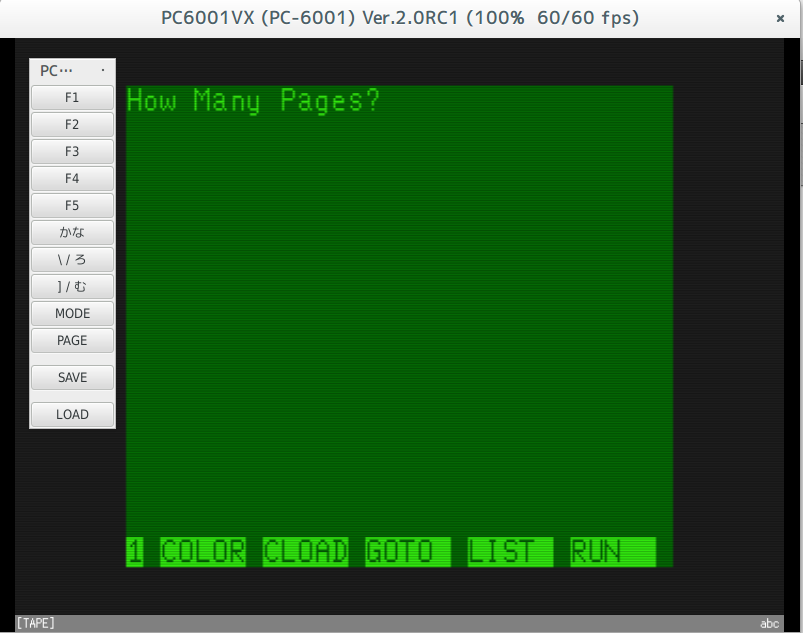
– yaPC-6001: Emulateur de NEC PC-6001 (by Mr.tanam)
– yaPC-6201: Emulateur de NEC PC-6001mkII (by Mr.tanam)
– yaPC-6601: Emulateur de NEC PC-6601 /SR (by Mr.tanam)