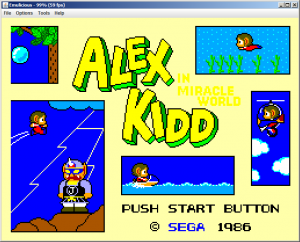
Il s’agit d’un émulateur de Sega GameGear / Master System, Nintendo GameBoy / GameBoy Color écrit en Java.


emulicious


Outre une émulation précise, Emulicious dispose de fonctions supplémentaires :
– Mise à jour automatique
– Turbo ajustable
– Moteur ajustable
– Patching d’IPS
– Sauvegardes d’état (Master System/Game Gear uniquement)


Outils : (Master System/Game Gear uniquement):
– Debugger
– Visualisateur de palette, cartes, scripts, sprites…
– Traceur mémoire


Télécharger Emulicious (2014/07/06) (362,4 Ko)

Site Officiel

En savoir plus…

Il s’agit d’une version non officielle de FBA basée sur la version 0.2.97.29 mais qui ajoute beaucoup de fonctionnalités « inutiles » (dixit l’auteur). Cette version ajoute par exemple l’enregistrement vidéo, le support des roms sous 7z, le support de XAudio2/OpenAL/OpenGL, l’autofire… en plus d’avoir une interface plus complète et détaillée. Enfin ce build ajoute des drivers supplémentaires permettant le support de nouveaux jeux. Beaucoup l’apprécient pour ses fonctions à mi-chemin entre FBA et MamePlus!


fba_shuffle_lang


Il est nécessaire que « Microsoft Visual C++ 2010 Redistributable Package » (compatible XP) soit préalablement installé. Si votre interface est en japonais, choisissez la 4eme option puis 3eme ligne, et choisissez en_US.dll (ou en_US_x64.dll pour la version x64). L’interface sera de nouveau en anglais.


Télécharger FBA Shuffle (x86) v2.4.0 (2014/07/05) (4,3 Mo)

Télécharger FBA Shuffle (x64/VS10) [kof2112] v2.4.0 (2016/01/08) (4.7 Mo)

Télécharger Cheat Codes (2022/11/22) (1.1 Mo)

Site Officiel

En savoir plus…

Cannonball est une recréation du jeu avec corrections des problèmes originaux. En fait le programme Cannonball utilise les roms de Outrun (les graphismes et les sons/musiques) mais tout le mécanisme du jeu est alors recréé et non émulé (un peu comme Doom64EX qui utilise les roms de Doom64 mais qui recréait tout de A à Z).


cannonball


Cela permet des améliorations comme:
– Un défilement de 60 images par seconde au lieu des 30img/s d’origine.
– Un graphisme affiné (résolution native x2)
– La capacité de rendre plus d’objets visibles à l’écran.
– Règle les problèmes d’ombres.
– Règle les problèmes de zoom au niveau des sprites.
– Le passage sur le checkpoint indique une valeur correcte en millisecondes contrairement à l’original
– Correction de problème au niveau de la direction du véhicule en rapport avec l’image
– Le problème de tuile mal placée au niveau de l’écran de sélection des musiques est fixé.
– Personnalisation des musiques. Cannonball peut lire des pistes de musique au format WAV.
– Ajout d’un menu pour configurer Cannonball sans avoir besoin de modifier manuellement le fichier config.xml.
– Support de la sauvegarde des scores.
– Support des manettes numériques et amélioration de la configuration des manettes.
– Support des écrans larges en 16:9.
– Portage du Cannonball sur Open Pandora.
– Divers correctifs.


Les modifications sont les suivantes :


This release features a number of new features, important fixes and other changes.


Features:
– Continuous Mode
– Play all 15 stages sequentially. This mode features its own high-score table.
– Ability to toggle the fixed audio rom in the settings menu. It should be named opr-10188.71f and be placed in the roms directory. The fixed rom can be generated using bspatch and the relevant patch file from the enhanced edition pack.
– Fixed split axis support. XBox 360 pads should now work.
– The FAQ has some basic configuration advice. Thanks to baritonomarchetto for donating the pad. Rumble will also be supported in the future, but it means I’ll have to upgrade the project to SDL 2. So it’s a little more work than might be expected.


Core Engine Fixes:
– Fixed a vehicle sprite bug that affected the angle of certain traffic sprites. Info here.
– Fixed two audio bugs that caused traffic noise to stutter under some circumstances, or not play correctly.
– Corrected the pitch of PCM samples, they were played too quickly before.


Other Minor Enhancements:
– Ability to use controllers on other ports. This is configured in config.xml.
– Support for arcade cabinets with a separate switch for high and low gear. This can be enabled in the gear options.
-The High Score table can display longer times to support Continuous Mode.
– Added two handy game modes to toggle between ‘original arcade’ and ‘enhanced’ presets.
– Quite a lot of code ended up changing to support Continuous Mode, so let me know if I broke anything in the process. Feel free to discuss the release on the forum.

– Update: Fixed the reported crash in continuous mode. This was a nasty bug that only materialized on a single level, when the code was compiled in release mode.


Attention ! The corrupt audio ROM can be patched using the bspatch tool.
The file to patch against the audio rom can be found in the following file. You will need the file entitled patch-opr-10188.71. Patch this against the original audio rom to produce the fixed file.

The fixed file should be placed in the roms subdirectory. It should be named opr-10188.71f. It can be toggled using the in-built configuration menu.


Il vous faudra récupérer les roms (disponibles sur le compte MEGA d’Emu-France) à décompresser dans un répertoire « roms » pour pouvoir lancer le jeu via Cannonball.


*MAJ*  La rom patchée est disponible dans notre pack !!! (merci qui ?)


Télécharger Cannonball v0.22a (296,4 Ko)

Site Officiel

En savoir plus…

emuControlCenter est un excellent gestionnaire multi-émulateurs de jeu, qui supporte plus de 190 plates-formes. ECC supporte les images et aperçus dans le «Resultview» ou en plein écran.


EmuControlCenter 1
En outre il gère la prise en charge de ZIP, RAR, 7z ainsi que les Import & Export des images directement à partir de No-Intro / EmuMovies ; il permet de jouer des fichiers vidéo MP4/FLV avec VLC media player et supporte Daemon Tools Lite (en utilisation avec un script). Il est également possible d’importer les dats de CMPRO et RomCenter. Enfin plusieurs thèmes sont sélectionnables pour l’aspect visuel.


Les améliorations, toujours très nombreuses, sont visibles sur ce lien.


Télécharger emuControlCenter v1.16 (77,8 Mo)

Site Officiel

En savoir plus…

Ce plug-in vidéo N64 permet aux émulateurs de proposer une image extrêmement proche de la Nintendo 64 originelle. C’est à dire anti-aliasing et blur (le « flou » si caractéristique de l’affichage de la Nintendo 64). Il faut désactiver le HLE dans le réglage du plugin RSP de Project64 ou les réglages par défaut du RSP (par Hatcat). Ce pack regroupe les différentes variantes du plugin Pixel Accurate.


pixel n64
Les changements:

– rewrote DirectDraw7 code into OpenGL code to fix undefined GPU behavior
and portability issues and add more flexibility and features
– added full-screen mode
– remove surviving CRT dependencies (no more MSVCR120.dll needed)
– option to auto-resize the window to game’s active video frame buffer size
when said FB resolution changes
– new config system with plenty of options, such as different screen sizes
– remembering settings to a new file named `RDP_CONF.BIN’
– option to choose between system, software blitting through the bus in
glDrawPixels or hardware-accelerated, bi-linear upscale via textured quad
– fix DirectDraw’s scaled blitting problems by rewriting to OpenGL


Télécharger Pixel-Accurate N64 Software Video Plugin (2014/07/04) (1,4 Mo)

Site Officiel

En savoir plus…

Une interface graphique pour Mame dédiée aux MameCabs.


Les changements:

– World Warrior, Champion Edition, and Hyperfighting background images are the same size now, and the grid behind the World Warrior image is no longer off center
– Punch sound effect plays even when George is in the bushes or above the first window
– Synchronized the building collapse sound effect with the animation better
– Buildings crack two chunks at a time and building collapses two stories at a time in portrait mode now
– Removed silence at the beginning and end of sounds to reduce file sizes
– Removed many unused assets from the binary to reduce the size a little bit
– Removed alternate building smash sound effect; it didn’t fit
– Fixed longstanding bug that prevented the building smash sound effect from playing
– Added alternate building smash sound effect; sound effect is chosen randomly


Télécharger Big Blue Frontend (2014/06/27) (24.5 Mo)

Site Officiel

En savoir plus…

DS-Rom Organizer est un outil pour Windows qui est conçu pour rendre simple la gestion et l’organisation de vos jeux Nintendo DS. Il vous permet de stocker facilement vos jeux à la demande, consulter toutes les informations, organiser comme vous le souhaitez, et même de transférer les données sur votre console en pressant simplement un bouton.


Télécharger DS Rom Organizer Ultimate Edition v6.6.0.0 (19,2 Mo)

Site Officiel

En savoir plus…

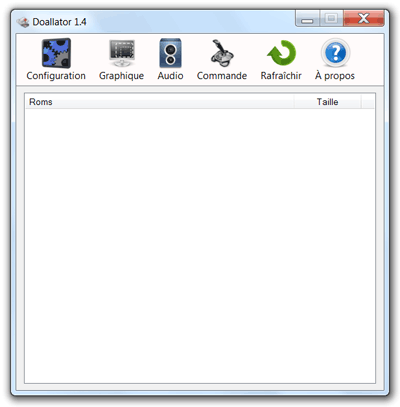
Lancé en juin 2014, Doallator est un petit projet d’émulateur multiplateformes. C’est à dire, qu’il devrait par la suite émuler plusieurs consoles différentes en se servant d’une seule et même interface. Ça devrait être le cas par la suite car il faut un commencement à tout et pour le moment, l’émulateur ne gère que la Chip 8. Avec un taux de compatibilité de plus de 89 % !

doallator
Les changements:


– Fenêtre redimensionnable
– Correction d’un bug lors du changement des couleurs
– Possibilité de capturer l’écran
– Commencement de l’émulateur Super Chip 8 qui permet déjà de lancer quelques jeux (buggé à mort)


Télécharger Doallator v1.6 (954.0 Ko)

Site Officiel

En savoir plus…

CoolSoft VirtualMIDISynth est un fantastique synthétiseur SoundFont logiciel, similaire à BASSMIDI Driver : il s’installe également en tant que nouveau périphérique de sortie MIDI sous Windows, et, par conséquent, peut également être utilisé depuis n’importe quelle application ou jeu vidéo. Une fois votre soundfont MIDI assignée, vous pouvez par exemple le choisir sous ScummVM en tant que synthétisuer MIDI, et une nouvelle expérience sonore des oldies PC s’offrira à vous !


Cool synth


Tout comme BASSMIDI Driver, VirtualMIDISynth utilise le moteur de rendu SoundFont BASS, de chez Un4Seen Developments, pour reproduire les sonorités. Par conséquent, vous percevrez peu de différence entre ces deux synthétiseurs logiciels lorsque vous jouerez des fichiers MIDI ; en revanche, chacun d’entre eux propose des options et des choix de conception spécifiques, qui pourront vous amener à choisir l’un plutôt que l’autre.


v.1.10.0 – 2014-07-04
NEW: Added support for MIDI running status.
FIX: Wrong parsing of MIDI System Real Time Messages.


Excellent Tutorial en images (par Arachnosoft)

Télécharger MIDI Synthesizer Driver – CoolSoft VirtualMIDISynth v1.10.0 (891.1 Ko)

Site Officiel

En savoir plus…

Il s’agit d’un émulateur d’Amstrad CPC (et compatibles) pour Windows.


– FDC rewritten from scratch. It support now bitstream format, such as Kryoflux RAW or Supercard Pro. Paradigm is also improved to support MFM format (dsk files are re-converted into MFM format). This will offer a true support for complex disk and protection format. For example, overlap protection (« Reussir ») is passed with scp or kryoflux disks.
– EDSK handling also rewritten from scratch. It add a new interpolation, to rebuild the original MFM track. Overlap and iterlaced sector are handled.
– IPF and CT-RAW files supported through the CAPSLib 5.1 (included )
– Current disk can be saved as SuperCard Pro file
– LED colors can be configured through config file
– Insert blank disk DATA / VENDOR added
– Scanlines are enabled if ‘=1′ in the Sugarbox.ini (more logical !)
– B drive support
– Current sector display added
– « About » updated (at last !)
– F3 = toggle 100% / MAX
– Fix a little bug in sound bar, that prevent putting it near 0
– Now working (this is not a complete list !) :

  •   »The demo » music loader
  •  Unique Megademo
  •   »Reussir »… disks (as EDSK with overlapped sector, or SCP, or Kryoflux…)


Télécharger SugarBox v0.19 (757,7 Ko)

Site Officiel

En savoir plus…

BASINC est une version dérivée de BASin modifiée par Arda Erdikmen. Elle reprend le code source de la version R14 et de petites parties de la version R15.


Les améliorations de cette version 1.69 (appelée également r16.9) sont:


– Changed – Version information changed to more standard « version.revision » form.
– Changed – Autostart bas files is now disabled by default (options>files)
– Fixed – Broken Ulaplus behaviour  (aowen)
– Fixed – Broken Sinclair stripes when using double size fonts  (paddy)
– Fixed – Missing Border icons on Screen Paintbox  (paddy)
– Fixed – Token Table Index  (paddy)
– Fixed – String parsing bug. Eg. « LOAD STR$ n CODE » was parsed as « LOAD STR$ ncode »  (paddy)
– Fixed – Ulaplus port read fails
– Added – « Export Tap… » option to File menu. (quickly saves basic as a tap file)
– Added – UlaPlus Palette Editor for editing colours in ULAplus registers. (see tools menu)
– Added – Indenting. Warning: EXPERIMENTAL – press F2 to enable/toggle. (see options menu)
– Added – New functionality test / usage bas programs (see Examples>BAS>Basinc folder)
– Added – Autostart, Save with autostart options are now retained between sessions.
– Added – Spanish language for main screen. (by Sergio Baldoví)


Known bugs
– Lower case ‘e’ is still not recognised as a variable by the code highligher  (paddy)
– Indenting has some visual bugs, it’s not recommended while coding. Might Confuse you.
– UNDO functionality may not work time to time


Télécharger BASINC R16.9 (3,8 Mo)

Site Officiel

En savoir plus…

La dernière version béta publique de l’excellent WinUAE, l’émulateur Commodore Amiga.


– Debugger TR command didn’t handle linked resident lists correctly (inverted mask..).
– TO debugger command also lists FileSysStartupMsg and DosEnvec of mounted devices.
– Slow down 68EC020 RTE instruction, fast clock rate multiplier modes could have executed MOVE to INTREQ + RTE combination too quickly (before Paula had cleared the interrupt) causing interrupt to re-trigger immediately after RTE.
– Added SCSI controller selection to GUI and config file. (« SCSI (Auto) » does same as old plain SCSI selection = use first enabled SCSI controller).
– More than 1 SCSI controller can be now active simultaneously. (For example A4000T + A4091)
– Added support for two A590/A2091 and two A4091 boards, both (or even all 4) can be active at the same time.
– Secondary A590/A2091 and A4091 share primary board’s boot ROM by default. a2091_2_rom_file and a4091_2_rom_file config file entry can be used to select other ROM version.
– 280b7 sprite update missed AGA bordersprite condition, causing clipped sprites in some situations (Silicon Graphics 2 / WFMH)
– Rewritten directory filesystem Examine Next logic, now returned fib_DiskKey always have file/directory entry specific unique value. Some programs check fib_DiskKey and (incorrectly) assume that it is unique value and may also assume file must be same if both file’s have same fib_DiskKey. Now also C:List KEY output looks « correct ». This needs testing because original (Tripos?) directory enumeration packet design is not that good..
– AGA border sprite bit set and if same scanline had at least 1 sprite that was outside of playfield and at least 1 bitplane was active and BPLCON4 palette XOR value was non-zero: wrong background color was visible in some situations. (Nexus 7 / Andromeda « shade cluster » part)
– Some BEAMCON0 programmed mode emulation updates. VBSTRT/VBSTOP register values only affect screen if VARVBEN bit is set.
– Use also value stored in VBSTRT (vertical blank start) register when setting up programmed mode vertical size, some weird modes can have (much) smaller VBSTRT than VSSTRT (vertical sync start). (Jtxrules by Illusion)
– HBSTRT/HBSTOP register values are only used if BPLCON3 EXTBLKEN bit is set. (Demos Contactro and Jtxrules by Illusion)
– BEAMCON0 HARDDIS bit also disables DDFSTRT hardware limit. (Weird stuff, VARBEAMEN disables it too, even superhires mode disables it..)
– Fixed « CPU trace blahblah » error after 68020+ state file was loaded and loaded program used bitfield instructions later.
– Split ROM images didn’t load (again..) correctly if relative path mode was active.
– Added support for missing Z2 RAM board sizes (64k/128k/256k/512k). Note that small boards (256k and less) can be mapped at IO autoconfig base (0xe90000+) which makes predicting final address difficult: JIT (if enabled) can’t use direct mode to access this RAM board.
– Added support for second Z2 fast RAM board. Size must be smaller or same as first board. (Makes JIT board address calculation simpler)
– Above two changes mean it is now possible to have total 6M of Z2 RAM in 24 bit addressing config with 2M gfx board config (4M + 2M and 2M gfx) or less useful 8M fast + extra 256k of fast config…
– Z2 gfx board JIT direct calculation didn’t correctly align the board base address if Z2 RAM size was less than Z2 gfx board size.
– Implemented no-hack Z3 memory mapping, lets OS handle Z3 autoconfig without patching base addressess from >=0x40000000 to >=0x10000000. This mode is not JIT Direct compatible. Option in Memory panel. Do not enable unless you know what are you doing and you really need 100% matching real hardware Z3 address mapping.
– Use no-hack Z3 allocation automatically if all configured boards fit in official Z3 space, fully JIT Direct compatible. Requires 64-bit Windows and available space will be about 300M to 500M. RAM panel text string shows free space. 32-bit Chip RAM does not count, it is not Z3 board and it is always located at 0x10000000.
– Added 384M and 768M 32-bit Chip RAM size options. (768M fits perfectly at 0x10000000-0x3fffffff)
– Added Z3 autoconfig advanced chipset option. If ticked (or A3000/A3000T/A4000/A4000T chipset extra selected), Z33 boards will now appear at Z3 autoconfig space (0xFF000000), previously Z2 space was always used. Z2 space is supported by AOS but most real, but not all, Z3 boards use Z3 space. Optional because not all KS ROMs (for example A1200) support Z3 autoconfig space but do support Z3 boards.
– Try to keep number of cylinders under 65536 when generating default geometry even if partition hardfile is very large (>100G) for better old AOS compatibility. (Helps my big partition PFS3 testing..)
– Hardware (Cirrus Logic) RTG board emulation incorrectly required UAE boot ROM.
– 68030 MMU update from Previous, fixes some supervisor/write protect edge cases.
– Added « history » menu to filesystem, hardfile and tape path selection text boxes.
– Added portable mode (.ini) on/off state to Paths panel. Read-only, enabling it on the fly would cause all kinds of side-effects. Unsupported warning removed.


Télécharger WinUAE (Public Beta) v2.8.2 Beta 1 (3.9 Mo)

Site Officiel

En savoir plus…


https://getourbonus.com/fr/accueil

https://www.romspedia.com/