AmiArcadia est le port amélioré de Tunix2001 ex ‘Win Arcadia 2001’ (par Gavin Turner) pour Amiga. Ecrit par James Jacobs et Gavin Turner, cette version est en fait le port Windows du port Amiga ! (un backport)

Il émule les consoles basé sur la famille des Arcadia2001 : Bandai, Emerson, Grandstand, Hanimex, Intervision, Leisure-Vision, Leonardo, MPT-03, Ormatu, Palladium, Poppy, Robdajet, Rowtron, Tele-Fever, Tempest, Tryom, Tunix, etc.

Il supporte aussi l’Interton VC 4000 et l’Elektor TV Games Computer. Il nécessite Windows 9x/ME/NT/2000/XP et tourne aussi sous Vista/7/8.


Télécharger Win Arcadia (Ami Arcadia) v22.21 (1.9 Mo)

Site Officiel

En savoir plus…

Il s’agit d’un émulateur spécialisé dans l’enregistrement vidéo et basé sur le noyau de bsnes. Destiné avant tout aux vidéos dans le but d’obtenir des enregistrements parfaits en vu de référencements sur des sites comme TAS.


Télécharger Lsnes (Beta) rr2 beta 13 (9.7 Mo)

Site Officiel

En savoir plus…

LaunchBox est un joli frontend pour Dosbox avec de multiples options. Il peut rechercher dans la database TheGamesDB.net pour les metadata & les box-arts. Il peut exporter les fichiers image, dispose d’une meilleure compatibilité avec dropbox, et dispose de la mise à jour automatique.


– New Feature: Games now support multiple genres, with support TheGamesDB.net searches, imports, arranging, and filtering
– New Feature: Gamepad/joystick input for basic navigation; tested primarily with an Xbox 360 controller, but should work with any game controller (please report if it does not)
– New Feature: New Source field on games to specify where a game came from (such as GOG.com, Steam, physical media, etc.); can also arrange and filter by it
– New Feature: New Favorite field on games so you can easily keep track of the games you’re playing (arrange by Favorite)


Télécharger LaunchBox v2.7 (13.3 Mo)

Site Officiel

En savoir plus…

Encore une superbe exclu sur Emu-France !


Depuis le temps qu’il nous fait patienter, voici enfin la toute première béta du frontend en Flash de MAMu_ nommé « FFE » qui est donc destiné à Mame et ses multiples clones. Il vous demande d’être indulgent, ce n’est après tout que la toute première bêta…


ffe_1 

FFE se contrôle au clavier, il faut d’abord éditer le fichier config.ini, puis lancer le Setup.bat qui se situe à la racine… Les snaps non compressés se mettent dans le dossier snap, les touches sont : flèches de direction, W (lancer le jeu), Space (vitesse de défilement), D (mode debug), N (infos numérotation), et S (Sort mode), « N »: affiche la page et la référence du jeu sélectionné, « D »: affiche la fenêtre debug regroupant toutes les variables du jeu sélectionné et enfin « W », lance le jeu


A noter que si l’un de vos snapshots s’affiche mal, vérifier la taille de votre image car celle ci doit avoir la même taille que celle spécifiée dans la fenêtre debug ‘vwidth’ et ‘vheight’…


N’hésitez pas à nous rejoindre sur notre groupe FaceBook pour plus d’infos en direct de MAMu_ 😉

Et n’hésitez pas non plus à « liker » notre page Emu-France dédiée, ça fait toujours plaisir 😉


Télécharger FFE Beta 1 (6.3 Mo)

Site Officiel

En savoir plus…

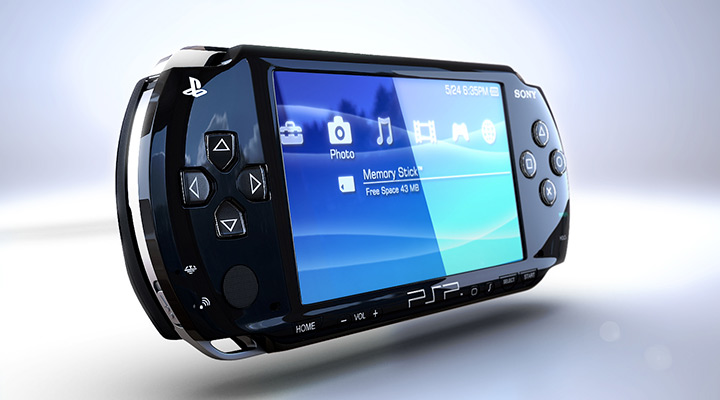
Un émulateur de PSP écrit en Java. Codé par mad et shadow (PCSX2) et rejoint par wrayal, fiveofhearts, hlide et dreampeppers99. Il émule quelques jeux commerciaux (tel que Puzzle Bobble Pocket ou Breath Of Fire III…) mais pas à pleine vitesse. Cet émulateur s’améliore progressivement.

psp


Liste de jeux compatibles
Site de développement du projet.
Builds SVN automatiques.


Télécharger JPcsp (x86) v0.7 rev 0318d15e (26.4 Mo)

Télécharger JPcsp (x64) v0.7 rev 00ac4d6 (29.1 Mo)

Site Officiel

En savoir plus…

Raine est un émulateur Arcade. Conçu à l’origine pour émuler « Rainbow Islands », il supporte maintenant un paquet de jeux basés sur du hardware « Taito », « Jaleco » et bien d’autres encore. Il émule également la NeoGeo CD depuis que le projet NeoRaine a été intégré dans Raine.
 

These were 2 small fixes and could have been done earlier (the gui did not scroll up enough when there were unselectable lines on top, and command 4 didn’t stop the music for kof97/garou).
Notice that on my 2nd try, the music actually stopped somewhere during the game, much before I reached the moment where I input my name. Since the music is here just the sounds from some crowd maybe it’s normal, I am not sure, I don’t know this game ! And I had deleted your savegame to replace it by something just before entering the name, but the music is already stopped here for me.
So anyway it should be fixed, but maybe the problem is now that it’s stopping too fast !


Télécharger Raine (Win) v0.63.4-10 (2.4 Mo)

Site Officiel

En savoir plus…

Créé par Avery Lee (l’auteur de VirtualDub), il s’agit d’un émulateur d’Atari 8 bits (800/800XL/130XE). Il a beaucoup d’options, et la compatibilité est décente. Il prend en charge les jeux protégés conformément à l’émulation.


Télécharger Altirra v2.50 test 12 (3.2 Mo)

Site Officiel

En savoir plus…

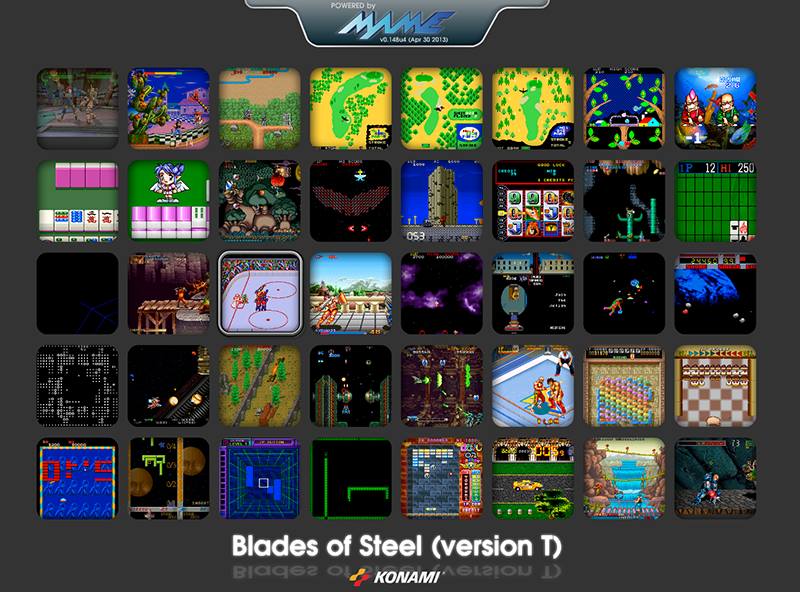
MAME Content Manager Plus est un programme simple qui permet de trier et selectionner les roms que vous voulez garder sur votre PC. Il permet de facilement renommer ou effacer les roms MAME en utilisant les catégories : Adult, Quiz, Mahjong, Puzzle, etc.


 – Added support for UME emulator (ume.ini detection)
 – Added support for MAME Plus! GUI, also known as M+GUI, to read extra images folders (« \.mamepgui\mamepgui.ini » detection)
 – New search criteria filter: Parent and Clones. Show only parent games, only clone games or both
 – Added a « clone of » column to the search results list and work list
 – Improvements to the user interface
 – Fixed a memory leak when « listfull.txt » file fails to be created


Télécharger MAME Content Manager Plus v1.0.6 (808.0 Ko)

Site Officiel

En savoir plus…

Il s’agit d’un émulateur multi-systèmes émulant les consoles NES, SuperNes, Sega Master System, SG-1000, Game Gear, PC-Engine (TurboGrafx-16) / CD-ROM, SuperGrafx, TI-83 Calculator, Sega Genesis, Gameboy/Color, Atari 2600…
Il utilise des fonctions d’enregistrement vidéo et est relié au projet TasVideo.


Télécharger BizHawk v1.5.3 (18.7 Mo)

Site Officiel

En savoir plus…

XRoar est un émulateur Dragon32/64 mais aussi Tandy CoCo.


  • Ctrl+Shift+I toggles Inverse Text.
  • New option -invert-text.
  • Added external character generator support.
  • Many new keymaps. -keymap help for a list.
  • New option -machine-keyboard selects layout for machine.
  • New machine Dragon 200-E.
  • Fix CoCo RAM select detection.
  • More accurate sound timing.


Télécharger XRoar (x86) v0.31 (725.5 Ko)

Télécharger XRoar (x64) v1.13.1 (2.5 Mo)

Site Officiel

En savoir plus…

Le premier émulateur de Sega Model 3 créé par Bart Trzynadlowski, Ville Linde et Stefano Teso dans sa version de développement.


Some updates to Supermodel made at beginning of the year but only now got around to checking in (better late than never…):
– hooked up the remaining controls in Supermodel (except for Magical Truck Adventure which does not work at all yet). The new controls are:
* InputAnalogJoyTrigger2 and InputAnalogJoyEvent2 for the additional second trigger and event buttons that were missing from Star Wars Trilogy,
* InputRearBrake and InputMusicSelect for the rear brake and music selection buttons that were missing from Harley Davidson,
* InputAnalogGunXXX, InputAnalogTriggerXXX, InputAnalogGunXXX2 and InputAnalogTriggerXXX2 for the analogue guns of Ocean Hunter and LA Machineguns (NOTE: these controls must be calibrated in the games’ service menus otherwise they will not work properly. Also, the alignment of the gun cursor does not line up very well with the mouse position at the moment, but at least the games are a bit more playable now, although still with numerous graphical glitches…)

 
* InputSkiXXX for the controls of Ski Champ, making the game playable now.
– hooked up existing InputViewChange control to Harley Davidson’s view change button
– improved the handling of InputGearShiftUp/Down inputs so that they work better with the driving games. With Dirt Devils, ECA, Harley and LeMans this means they map directly to the game’s own shift up/down controls, while with the 4-speed games such as Daytona 2, Scud Racer and Sega Rally 2, they simulate the user shifting up and down through the gears
– added defaults for the new controls to Supermodel.ini

 
– other small code tweaks:
* fix small bug with handling of pos/neg inputs mapping to a control with inverted range (0XFF to 0x00) – this was needed to get Ski Champ’s X-axis to work properly
* removed Wait method from InputSystem and added to CThread as CThread::Sleep instead
* added FrameTimings struct to hold all frame timings in a single place


No networking code yet as just haven’t had a chance to work on it since initial progress at the beginning of the year – am *hoping* might have some time to pick it up again over Christmas…


Télécharger SuperModel WIP (x86/x64) v0.3a r271 (1.1 Mo)

Site Officiel

En savoir plus…

Il s’agit d’un ensemble de shaders réunis dans un fichier à mettre dans le répertoire Dolphin-> \Sys\Shaders de votre émulateur. Dans ce fichier (éditable à la main avec Notepad++ ou des UltraEdit et cie) ont y trouve les effets graphiques suivants:


– HQ FXAA (Fast Approximate Anti Aliasing)
– NFAA (Normal Filter Anti Aliasing)
– High Pass Bloom
– Per-Channel Gamma Correction
– Scene Tone Mapping
– RGB Colour Correction
– S-Curve Contrast Enhancement
– Texture Sharpening
– Toon Shader
– Bicubic & Bilinear Filtering


Les changements sont les suivants:


-Added a simple Scanline effect, as requested. For those who like that effect in 2D/sprite oriented games, etc.
-Slightly improved FXAA's edge detection, for better coverage. Also a small increase in performance.
-Slightly improved Gaussian filtering, & NFAA's Bilinear filtering.
-Texture Sharpening: added the option to use Luminance, or color based edge detection.
-Improved Bloom's output blend slightly.
-Updated options commenting a bit, again. Also included small postfix on AA, to indicate if the technique is better for 2D, or 3D.
-Various small coding improvements overall.
-Added Gaussian-based fullscreen filtering, for testing.
-Added Pixel Vibrance adjustment.
-Small updates/improvements to existing effects.
-Various small coding improvements.
-Updated options section layout, and document commenting.


Télécharger DolphinFX v1.30 (10.5 Ko)

Site Officiel

En savoir plus…


https://getourbonus.com/fr/accueil

https://www.romspedia.com/