Créé par Dietmar Klein, SidTools est un lecteur de sons/musiques dédié au composant SID ou MOS 6581 (commodore C64 et 128) mais également un frontend pour les émulateurs gérants ce même composant tel que VICE ou encore Hoxs64 par exemple.


– Fixed bug where window position might be saved at unreachable position
– Fixed bug when importing Top 100 playlist from website
– Sidtool Options working as intended again. (Hat tip u/pezz)
– Search Database updated to HVSC #75


Télécharger SidTools v2.3.5 (16.5 Mo)

Site Officiel

En savoir plus…

dgVoodoo est un glide wrapper mais aussi un wrapper DirectDraw/Direct3D (v1 à 7, 8.1 et 9) vers Direct3D11/12. Pour simplifier grandement, ça émule une carte 3DFX qui va pouvoir gérer la bibliothèque propriétaire Glide (Glide 2.11, Glide 2.45, Glide 3.1 et Napalm) mais également les vieilles cartes graphiques compatibles DD/D3D v1 à v9. Quel est l’intérêt ? Jouer aux anciens jeux qui fonctionnent mal sur les nouvelles cartes graphiques (parce qu’ils ont été optimisés pour le Glide ou de vieilles versions de DirectX et non pour d’autres API telles que OpenGL ou DirectX v11 ou v12) ou tout simplement utiliser un émulateur qui lui aussi utilise le Glide. Cette version est destiné à Windows Vista/7/8/10 avec DirectX 11 (ou supérieur) d’installé et vous devez posséder une carte graphique (compatible DirectX Level 10.1) supportant les Shaders Model v4 ou v5.
 
glquake
 
Vous aurez besoin de ces bibliothèques pour activer certaines fonctions graphiques.
 
Les changements:
 
– Adaptive N-Patch tesselation (ATI TruForm) support for D3D8/9 (needs feature level 11.0 through the output API as a minimum)
– A new shader code generator for the D3D FF vertex pipeline in favor of better performance with specialized shaders
– Enabling mixed MSAA types of D3D9 render- and depthstencil targets (some scene demos)
 

Bugfixes
– Fixing a DDraw surface create parameter validation incompatibility (Rogue Spear Urban Operations)
– Fixing x64 D3D9 stateblock handling crash
– Fixing a particular D3D8 lighting effect compatibility (Blitzkrieg map editor)
– Fixing a bug in the ps.3.0 DXBC generator
– Fixing a minor bug in DDraw with fast videomemory access
– Fixing freezing video playback in Mega Man X series
 

New options
– Adding scaling mode ‘Stretched, keep aspect ratio (CRT like)’
– Adding DirectX\KeepFilterIfPointSampled
– Adding DirectXExt\NPatchTesselationLevel (only for experimenting purposes)
– Adding DirectXExt\EnableSpecializedShaders – this is intented to be a transitioning option, to be removed in a later version
– Minor peformance optimization for handling ps FF specialized shaders
– A lot of changes under the hood in general


Télécharger dgVoodoo v2.87.6 (35.2 Mo)

Télécharger 3Dfx splash / D3D Compiler for DgVoodoo2 v4.x (3.2 Mo)

Site Officiel

En savoir plus…

Un émulateur Sam Coupe tournant sous Windows et développé en Open Source. Le site de développement se trouve ici.


Les changements:
– fixed ATA IDENTIFY command returning too much data (#65)
– fixed command-line disk images not auto-booting (#69)
– fixed Win32 installer to add file associations (#66)
– fixed command-line disks not getting added to MRU list.
– changed Win32 installer to install x64 version if appropriate.
– corrected documentation, which suggested default base was decimal (#67)


Télécharger SimCoupe v1.2.17 (3.7 Mo)

Télécharger SimCoupe (français) v1.1.0 Alpha (629 Ko)

Télécharger SimCoupe (français) v1.2.17 (2.0 Mo)

Site Officiel

En savoir plus…

Il s’agit d’une mise à jour du pack d’icônes de Mamu_ par Antopisa. Antopisa a repris la gestion des icônes de MAMu_, se basant sur son dernier set connu, Antopisa renomme ou copie les icônes pour être le plus à jour possible en conformité avec les derniers sets de MAME. En attendant que MAMu_ se décide à reprendre son set, il remercie Antopisa d’ici la…
 

Télécharger MAMU Icons Pack Update (non officielle) v0.289 (14.9 Mo)

Site Officiel

En savoir plus…

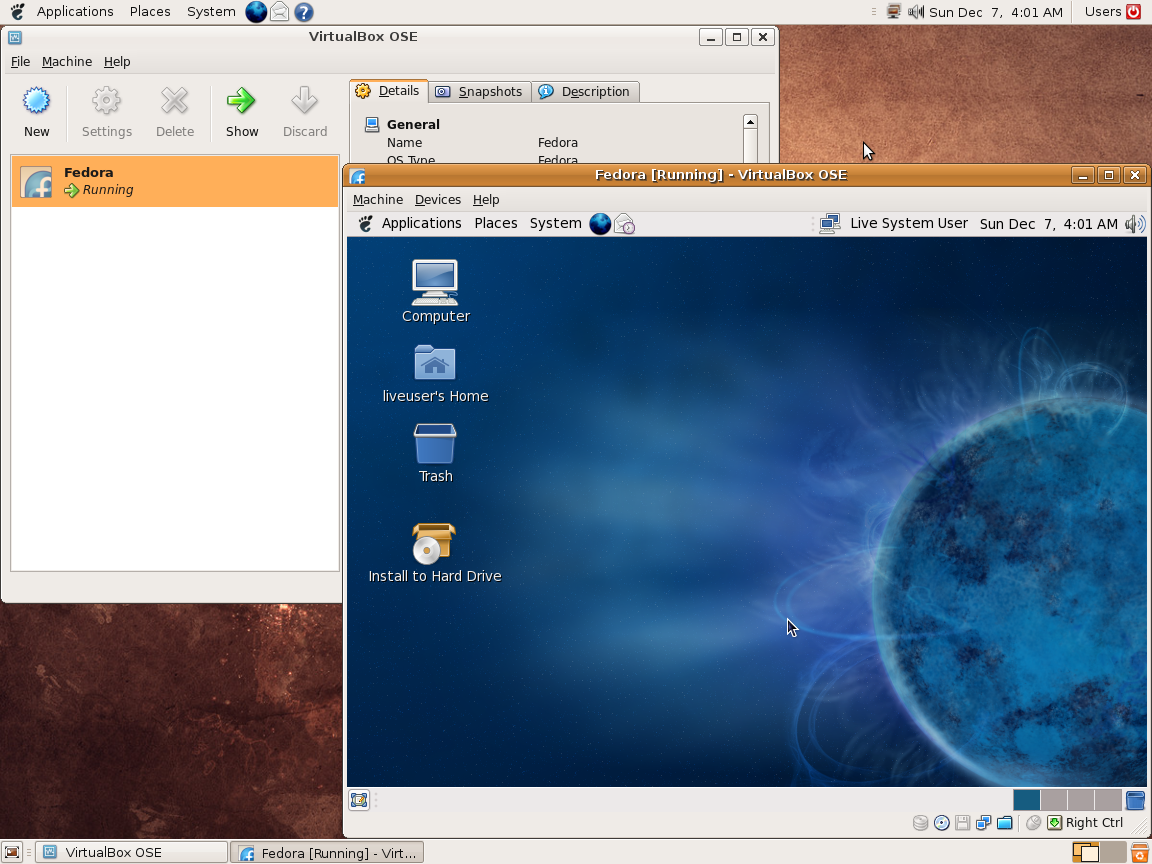
Ce programme permet d’émuler un PC sous plusieurs OS. Il tourne sous Windows, Linux ou Mac. Il permet de faire tourner des machines virtuelles sous différents OS (Windows de tout type, Linux, FreeBSD OS/2 etc.).


Vitualbox est également open-source et gratuit (pour les particuliers). Les solutions existantes de virtualisation étant soit très chères pour le particulier, soit incomplètes au niveau du support des systèmes, VirtualBox propose donc une alternative intéressante à Vmware et VirtualPC.
 
Les améliorations sont lisibles ici.


Télécharger VirtualBox v7.2.22 (170 Mo)

Télécharger VirtualBox - Oracle VM VirtualBox Extension Pack v7.2.22 (19.1 Mo)

Site Officiel

En savoir plus…

De nouveaux changements (normalement pas trop impactant) devraient avoir lieu dans MAME, principalement au niveau de l’interface interne et de la gestion des fichiers de nom de système localisés tels qu’utilisés par des frontends comme que Retrofire, MxUI et MAME Plus !


We’re well on our way through the current development cycle, and MAME 0.237 is going to have some significant changes, not just in terms of emulation, but in the user interface and debugger. Don’t worry, no functionality has been removed. In fact, we’ve added several features. It just might take a little while to adjust to the differences.

First of all, we’ve added support for localised system name files, as used by front-ends like Retrofire, MxUI and MAME Plus! Popular files include mame32j.lst (Japanese) and mame_cn.lst (Chinese). You’ll be able to put your preferred system name file in the DATs (or “history”) folder, and select it in MAME’s UI customisation settings menu. UI localisation support is more complete, and MAME 0.237 will include high-quality Chinese and Greek translations, thanks to YuiFAN and BraiNKilleRGR.

Mouse/trackball navigation has been improved (you can even click DIP switches to toggle them), and the system and software selection menus have been tweaked to include more information and make better use of space.

Lots of debugger commands have been enhanced to work better with newer memory system features. We’ve also updated and expanded the debugger documentation, both on our web site and for the built-in help command.

If you’re compiling MAME yourself, Python 2.7 will no longer be supported: compiling MAME now requires Python 3.2 or later (this won’t affect you if you just use MAME, Python isn’t required to run MAME). Most operating systems have included Python 3 for years, and our MSYS64/MinGW build tools for Windows already include Python 3.8 – as long as you have a python3 command, you should be good to go.

Read on for a more complete list of changes.


General UI changes

Settings in menus can be changed by clicking the left/right arrows.

DIP switches can be toggled by clicking the DIP switch display below the menu.

We’ve made the headings in the full-size info viewer clickable.


System and software selection menus

The info panel on the right now includes the name for systems, or the description, software list/item, and all info from the software list for software. We’ve Added support for finding software items by alternate title, and added developer, distributor, author and programmer filters for software.

There’s now an option to use to file manager to select media for systems that require media to be mounted.

We’ve moved the option to return to the previous menu or exit from the menu to the right of the toolbar (use the UI cancel input if you aren’t using a pointing device), and moved the plugin selection option off the system selection menu to the settings menu. We’ve removed the short name (or ROM set) for systems, the description for software, and the software list/item for software favourites from the info box below the menu (this info is all in the info panel on the right). This frees up three lines for systems/software items.

We’ve added a toolbar button to audit system ROMs/disk images (magnifying glass), and allowed selecting whether to audit media for all systems or only unavailable systems from the confirmation menu, eliminating the need for one input. It’s now possible to cancel an audit, and auditing can use multiple CPU cores.


Debugger

Memory access syntax in expressions has been extended to support arbitrary address spaces and tags relative to the current CPU.

Memory, watchpoint and cheat commands have been extended to work with arbitrary address address spaces. This is an incompatible change for a number of commands that previously accepted a CPU parameter. The device and/or address space are now supplied as a suffix on the address.

Breakpoints and watchpoints can now be set for CPUs other than the CPU currently visible in the debugger by adding a device suffix to the address. The commands for clearing, disabling and enabling breakpoints, watchpoints and registerpoints can now take multiple arguments to operate on more than one breakpoint/watchpoint/registerpoint at a time. The commands for listing breakpoints, watchpoints and registerpoints now accept an optional argument to list breakpoints/watchpoints/registerpoints for a single CPU.

The history command now shows visited instructions in order from least recently visited to most recently visited.

The Windows, Qt and macOS debuggers have a new option to show registerpoints in breakpoints/watchpoints windows.


Site Officiel

Un émulateur de NES écrit en C#. My Nes est un émulateur NES portable et écrit en C#. Il fonctionne sur Vista et supérieur. Il supporte plus de 1000 roms. Le moteur du rendu vidéo utilise les librairies .net Framework 4, ce qui permet un affichage des couleurs réelles avec la plus grande précision. Il est possible de modifier la palette de couleurs d’un jeu. De plus l’affichage peut être soit en 16 bits, soit en 32 bits. La librairie SlimDX de janvier 2012 est requise.


My Nes propose également un navigateur de vos dossiers roms. Cette interface peut filtrer les jeux en fonction des mappers et peut afficher uniquement les mappers supportés. Elle associe également une capture d’écran à chaque rom.


Les changements:

– Added: NTSC composite video color decoder.


Télécharger My Nes (Stable) v7.13.8155.38062 (39.8 Mo)

Site Officiel

En savoir plus…

Très performant, PPSSPP est un émulateur de Sony PSP (pour Windows, Android et autres via SDL) gratuit et libre écrit en C + + par Henrik Rydgard (très connu sous le pseudo de Ector, déjà auteur de l’émulateur de PSP Potemkin et surtout connu pour Dolphin, ayant également exercé sur nombre d’émulateurs Dreamcast).


Les changements sont les suivants:
 
– Fix background music speed. A couple translation fixes.
 

Cette archive inclut la version 32 et 64 bits.


Télécharger PPSSPP v1.20.4 (19.4 Mo)

Site Officiel

En savoir plus…

Les packs de screenshots pour MAME d’Antopisa sont disponibles.
 
Antopisa
 

—————————————
Snapshots update:
—————————————
ArtPreview: 50 new & 1 upd (tot. 3,400 png) UPDATE 1 pack, 8Mb
Bosses: 5 new (tot. 1,720 png) UPDATE 1 pack, 887Kb
Ends: 5 new (tot. 1,205 png) UPDATE 1 pack, 211Kb
GameOver: 75 new & 4 upd (tot. 8,625 png) UPDATE 1 pack, 1.77Mb
HowTo: 40 new (tot. 2,115 png) UPDATE 1 pack, 1.53Mb
Logo: 50 new & 1 upd (tot. 3,300 UPDATE 1 pack, 2.21Mb
Scores: 50 new & 3 upd (tot. 7,900 png) UPDATE 1 pack, 1.86Mb
Select: 3 del, 53 new & 5 upd (tot. 5,175 png) UPDATE 1 pack, 1.78Mb
Snap: 11 del, 384 new & 72 upd (tot. 43,848 png) UPDATE 1 pack, 15.4Mb
Snap Arcade: 4 del, 45 new & 41 upd (tot. 11,347 png) UPDATE
Snap Software: 14 del, 327 new & 130 upd (tot. 43,518 png) UPDATE
Titles: 11 del, 384 new & 50 upd (tot. 43,848 png) UPDATE 1 pack, 14.3Mb
Titles Arcade: 4 del, 45 new & 18 upd (tot. 11,347 png) UPDATE
Titles Software: 14 del, 495 new & 289 upd (tot. 41,223 png) UPDATE
Versus: 5 new & 2 upd (tot. 1,250 png) UPDATE 1 pack, 211Kb
Warning: 50 new (tot. 1,500 png) UPDATE 1 pack, 413Kb
 

—————————————
Other resources update:
—————————————
Cabinets: 1 del, 151 new & 2 upd (tot. 6,700 png) UPDATE 1 pack, 107Mb
Covers Software [1]: 595 new (tot. 10,945 png) UPDATE
Flyers: 1 del, 31 new & 14 upd (tot. 5,125 png) UPDATE & FULL REPACK 1 pack, 90.3Mb
Icons: 17 del, 537 new (tot. 38,000 ico) UPDATE 1 pack, 1.70Mb
Manuals (MAME): 1 del, 51 new & 2 upd (tot. 2,850 png) UPDATE 1 pack, 207Mb
Manuals (Software): 574 new (tot. 2,714 png) UPDATE
PCB [5]: 1 del, 56 new (tot. 3,200 png) UPDATE 1 pack, 132Mb
VideoSnaps [6]: 50 new & 2 upd (tot. 6,200 mp4) UPDATE 1 pack, 90.4Mb
VideoSnaps HS [6]: 200 new & 2 upd (tot. 6,200 mp4) UPDATE 1 pack, 560Mb


Site Officiel

Miroir Officiel 1

Miroir Officiel 2

En savoir plus…

Il s’agit d’une interface utilisateur simple à utiliser destinée à mupen64plus, gratuite et open source elle est écrite en C++.


Télécharger RMG v0.9.1 (88.5 Mo)

Site Officiel

En savoir plus…

Il s’agit d’un frontend multi-émulateurs qui va mettre en avant les « box art ».


– improved support for Apple M1 chip Macs!
– skeuomorphic plastic menu redesign
– improved Switch Pro controller support
– several UI bugs fixes
– support for .rvz Dolphin files
– upgraded to latest version of Electron (currently v15.2.0) to take advantage of new css size-adjust descriptor added this summer
 

Coming Soon in Version 2.0
– system and emulator support add-ons to Nostlan so that other developers and users can more easily add support for other systems and emulators modularly. Stayed tuned to the development channel on Discord for progress updates!
 

Install:
– Windows users should download the Setup .exe
– no beta release available for Linux at this time
– macOS users with Intel chip should download the mac zip
– macOS users with the Apple M1 chip should download the arm64 mac zip

 
———————
 

Windows 10 users must enable developer mode so Nostlan can make symlinks!
 

– better support for Apple M1 chip Macs
– skeuomorphic plastic menu redesign
– improved Switch Pro controller support
 

Install:
– Windows users should download the Setup .exe
– no beta release available for Linux at this time
– macOS users with Intel chip should download the mac zip
– macOS users with the Apple M1 chip should download the arm64 mac zip
 

Patches
– several UI bugs fixes
– support for .rvz Dolphin files
– 1.21.21 upgraded to latest version of Electron (currently v15.2.0) to take advantage of new css size-adjust descriptor added this summer


Télécharger Nostlan (Gratuit) v2.6 (115 Mo)

Site Officiel

En savoir plus…

Créé par Exzap (et aidé par Peter Gov), il s’agit du second émulateur de Wii U à être disponible au public mais le premier à émuler des jeux commerciaux. Il peut décrypter les images Wii U qui utilisent le format Wud mais également les fichiers RPS ou RPL. La résolution interne peu aller jusqu’à 1920×1080 selon les jeux (et au delà avec des packs graphiques). Actuellement, le DRC (GamePad), le contrôleur Pro et le contrôleur classique sont émulés. Les Wiimotes sont également émulées (y compris le support natif). Les entrées du clavier + contrôleurs USB en tant que périphériques d’entrée sont également pris en charge. La saisie tactile du GamePad peut être contrôlée par un clic gauche de la souris. La fonctionnalité Gyro est émulée avec des limitations et peut être contrôlée via le bouton droit de la souris. Cette version n’est compatible que pour les Windows x64 (à partir de Windows 7) avec une carte graphique gérant OpenGL 4.1 (ou supérieur) ou Vulkan et il faudra posséder 4 à 8 Go de mémoire vive (Ram) pour le faire fonctionner. (Correspondance ID-Titre [archive ici]).
 
Un tuto est disponible ici, ou ici et là.
 
cemu
 
Les changements:
 
En résumé:
– Download manager now supports DLC downloading
– Stability and compatibility improvements
– Misc fixes

 
En détails:
 

general: The download manager now has experimental support for downloading DLC
Online features require dumped system files. See the guide at:
https://cemu.cfw.guide/online-play

Vulkan: Fixed an issue where asynchronous GPU operations could get stuck indefinitely
Lego Batman 3 should no longer softlock on Vulkan (#495)

Vulkan: Reworked command buffer scheduling to decrease latency between CPU and GPU
This can improve performance on some systems

GX2: Correctly emulate timestamp submission in GX2DirectCallDisplayList()
Some games, like Bayonetta 1, rely on this behavior and should run much more stable now

UI: Fixed an issue where the game list would not track play time

 
Note:
(#xx) refers to resolved bug tracker issues. See http://bugs.cemu.info/projects/cemu/


A noter que des packs graphiques haute définition sont disponibles ici. Ils permettent, entre autre, d’augmenter la résolution native des jeux car contrairement à Dolphin et parce que la machine est techniquement différente il n’est pas possible à Cemu d’augmenter la définition autrement que par cette méthode.
A l’inverse, des packs SD (définitions standards et/ou basses) sont disponibles sur ce lien et permettent à certains PC manquant de performance de lancer des jeux en 60 FPS.

 
Une liste de compatibilité est disponible ici.

 
Site source.

Télécharger Cemu v2.6 (35.6 Mo)

Site Officiel

En savoir plus…


https://getourbonus.com/fr/accueil

https://www.romspedia.com/