Xebra est un très bon émulateur Playstation d’origine Japonaise mais dont l’interface est disponible en anglais. Codé par Dr.Hell (Dokada Jigokusai), ayant déjà sévit dans des plugins GPU compatible PSEmuPro. Il manque un peu plus de communication autour du programme et des changelogs pour se rendre compte des avancées parfois impressionnantes de cet émulateur qui n’est pas toujours estimé à sa juste valeur.


Contrairement à Xebra, l’exécutable Arbex n’utilise pas de bios scph mais réalise une émulation HLE de celui-ci. Pour résumer, Arbex ne nécessite pas de bios puisqu´il utilise un bios HLE en interne.
 

Télécharger Xebra/Arbex r22.11.06 (672 Ko)

Site Officiel

En savoir plus…

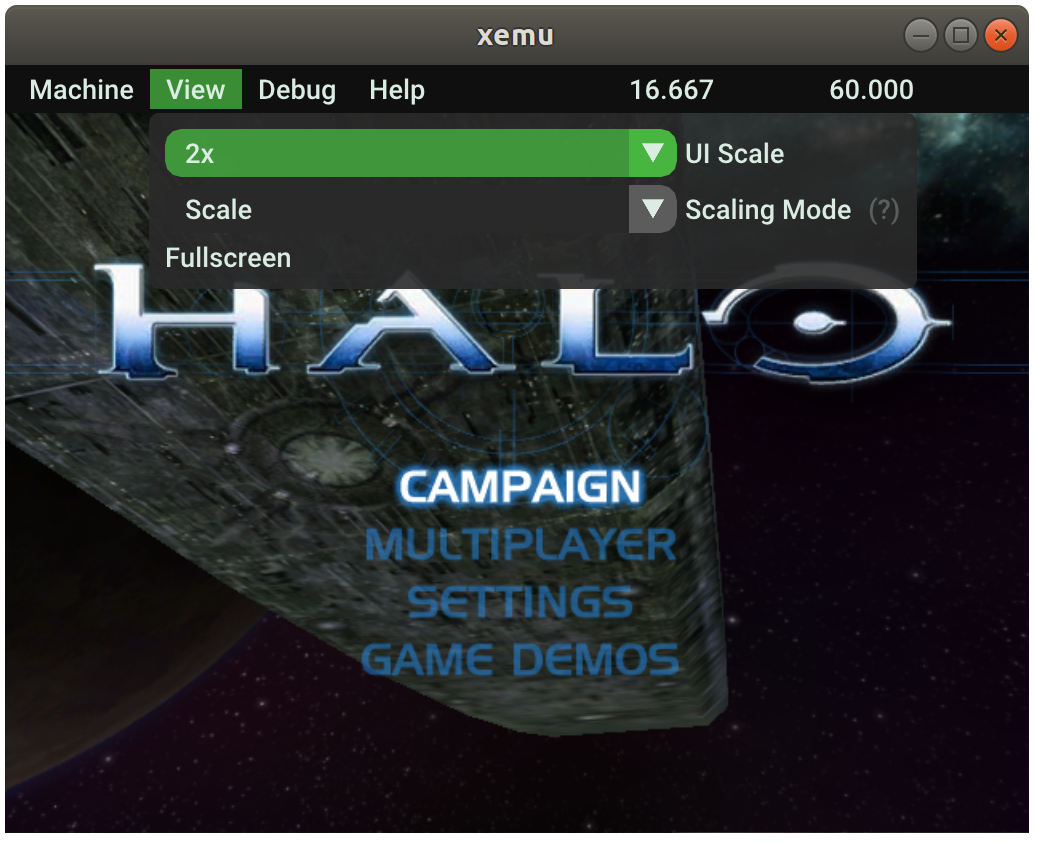
Xemu est une application multiplateforme et open source qui émule le matériel de la console de jeu Xbox d’origine, permettant aux utilisateurs de jouer à leurs jeux Xbox sur les systèmes Windows, macOS et Linux.


Ce projet est une branche active du projet XQEMU, qui est lui même basé sur le projet QEMU qui est populaire et très activement maintenu.


A noter que la version 32 bits n’est pas officielle (réalisée par Lo v2).
 

Télécharger Xemu (x86) (2020/06/12) (6.2 Mo)

Télécharger Xemu v0.8.139 (10.9 Mo)

Télécharger Xemu (Debug) v0.8.139 (11.3 Mo)

Site Officiel

En savoir plus…

pfeMame (écrit par Gareth Finch) est un frontend pour MAME, écrit en Python. Il est multiplateforme (testé sur Linux – Ubuntu et Windows). Il comprend également une interface graphique destinée aux MameCab qui permet le contrôle à l’aide de joystick / manette.
 
pfemame_main
 

Télécharger pfeMame (32 bits) v3.9.2 (119 Mo)

Télécharger pfeMame (64 bits) v1.008 (12.5 Mo)

Site Officiel

En savoir plus…

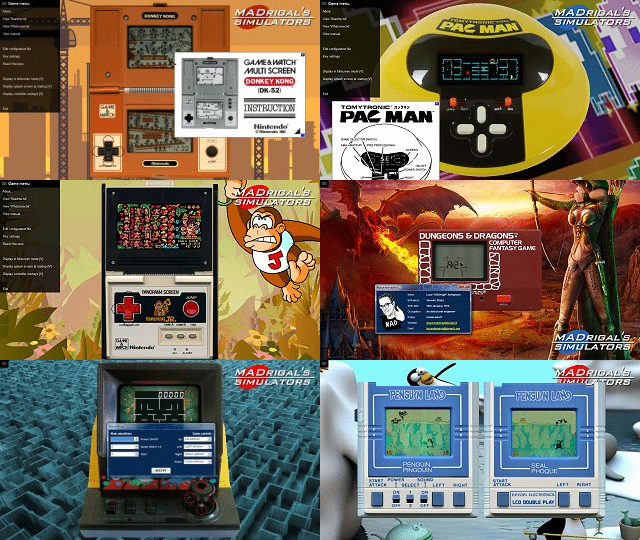
Madrigal CD Collection regroupe spécifiquement la totalité des simulateurs de Madrigal. Ce set est en complément au « Handheld Remakes (Simulators) » afin de respecter le nom d’origine des simulateurs de Madrigal.
 
madrigalfull


v61:
– Popeye (Nintendo, Game & Watch Wide Screen) S5/1.00 (Standard 5, final) + source code
– MADrigal CD Collection ver. 61.0
– ClrMamePro datfile ver 20210228 [61.0]
 

v60.2:
– Parachute (Nintendo, Game & Watch Wide Screen) S5/5.02 (Standard 5, more accuracy) + source code
– MADrigal CD Collection ver. 60.2
– ClrMamePro datfile ver 20210114 [60.2]


ClrMamePro DATfile

Télécharger MADrigal CD Collection v63 (153 Mo)

Site Officiel

En savoir plus…

Créé par Exzap (et aidé par Peter Gov), il s’agit du second émulateur de Wii U à être disponible au public mais le premier à émuler des jeux commerciaux. Il peut décrypter les images Wii U qui utilisent le format Wud mais également les fichiers RPS ou RPL. La résolution interne peu aller jusqu’à 1920×1080 selon les jeux (et au delà avec des packs graphiques). Actuellement, le DRC (GamePad), le contrôleur Pro et le contrôleur classique sont émulés. Les Wiimotes sont également émulées (y compris le support natif). Les entrées du clavier + contrôleurs USB en tant que périphériques d’entrée sont également pris en charge. La saisie tactile du GamePad peut être contrôlée par un clic gauche de la souris. La fonctionnalité Gyro est émulée avec des limitations et peut être contrôlée via le bouton droit de la souris. Cette version n’est compatible que pour les Windows x64 (à partir de Windows 7) avec une carte graphique gérant OpenGL 4.1 (ou supérieur) ou Vulkan et il faudra posséder 4 à 8 Go de mémoire vive (Ram) pour le faire fonctionner. (Correspondance ID-Titre [archive ici]).
 
Un tuto est disponible ici et là.
 
cemu
 
Les changements:
 
En résumé:
– Compatibility improvements
– Lots of crash and bug fixes

 
En détails:
 

# New in 1.22.6c:
general: Made command line parameter parsing more robust
Short name option for fullscreen (-f) should work again
 

# New in 1.22.6b:
GX2: Fixed a graphic regression that was introduced by the fetch shader rewrite
 

# New in 1.22.6:
coreinit: More potential fixes for a mystery crash related to file operations and callbacks
The crash can most often be observed when loading saves in BotW but also can happen randomly during gameplay

coreinit: Avoid a race condition in thread deallocators
Fixes random crashes in various games

coreinit: Added a safeguard to prevent a state corruption when a game uses MPTaskQ improperly
Fixes Tokyo Mirage Sessions freezing or crashing shortly after launch (#472)

coreinit: Fixed a race condition in spinlock implementation
Improves stability of Tokyo Mirage Sessions and likely some other games

coreinit: Fixed OSScreenClearBufferEx() clearing a much larger data area than it should
This change should fix flickering and random crashes due to memory corruption in some homebrew titles

coreinit: Fixed an issue where the priority of default core threads was too high, leading to CPU starvation of other threads
Fixes random softlocks in Yoshi’s Woolly World

GX2: Reworked GX2 event queue implementation to match behavior of actual console more closely
This resolves random softlocks in games that rely on GX2 events

GX2: Reworked fetch shader generation (GX2InitFetchShaderEx) to match behavior of actual console more closely
Improves compatibility with games that are picky about correct shader size. E.g. The Fall is now playable and no longer crashes on boot
Shader caches and graphic packs are not affected by this change

OpenGL/Vulkan: Fixed generation of invalid shader code when accessing integer texture samplers with certain parameters
Fixes an issue where the game screen was invisible in Virtual Console DS titles

debugging: wxWidgets errors are now written to log.txt instead of showing an error message box
debugging: Added –force-interpreter command line parameter to always force interpreter regardless of any game profile settings
 
Note:
(#xx) refers to resolved bug tracker issues. See http://bugs.cemu.info/projects/cemu/


A noter que des packs graphiques haute définition sont disponibles ici. Ils permettent, entre autre, d’augmenter la résolution native des jeux car contrairement à Dolphin et parce que la machine est techniquement différente il n’est pas possible à Cemu d’augmenter la définition autrement que par cette méthode.
A l’inverse, des packs SD (définitions standards et/ou basses) sont disponibles sur ce lien et permettent à certains PC manquant de performance de lancer des jeux en 60 FPS.

 
Une liste de compatibilité est disponible ici.

 
Site source.

Télécharger Cemu v2.6 (35.6 Mo)

Site Officiel

En savoir plus…

Raine est un émulateur Arcade/NeoGeoCD ainsi qu’une excellente alternative à MAME.


En résumé:
– The main problem this time is in the 64 bits build, all the kabuki games were broken (pang, super pang, block, pengo, and quite a few cps1 games).
– Also fixes chasehq and continental circus graphics. chasehq and night striker gain a region switch too.
– And a last fix (hopefully !) for the sound associations with kof99, a song which never stopped during the intro.


Télécharger Raine (Dos) v0.96.6 (5.3 Mo)

Télécharger Raine (32 bits) v0.98 (7.2 Mo)

Télécharger Raine (64 bits) v0.98 (7.1 Mo)

Site Officiel

En savoir plus…

Il s’agit d’un émulateur multi-systèmes qui émule les machines suivantes :
 
emma2
– CDP18S020 Evaluation Kit
– Cidelsa
– COMX-35
– COMIX-35
– Cosmac Elf
– Cosmac Elf 2000
– Cosmac VIP
– Cosmac VIP II, prise en charge des versions ‘ED’ et ‘RCA’
– Cosmicos
– ETI 660
– FRED 1
– FRED 1.5
– Infinite UC1800
– MCDS, Microboard Computer Development System
– Membership Card
– Microboard System, prise en charge des CPU CDP18S600 à CDP18S610
– Microtutor
– Microtutor II
– MS 2000, MicroDisk Development System
– Netronics Elf II
– Oscom Nano
– Pecom 32 and 64
– Quest Super Elf
– RCA Coin Arcade
– RCA Studio II
– RCA Studio III / Victory MPT-02
– RCA Studio IV
– Telmac TMC-600
– Telmac 1800
– Telmac 2000
– VELF
– VIP2K Membership Card
– Visicom COM-100


Les changements sont visibles ici.


Télécharger Emma 02 (x86) v2.0 (40.8 Mo)

Télécharger Emma 02 (x64) v2.0 (42.6 Mo)

Télécharger Emma 02 (Win2K/XP) v1.23 (8.1 Mo)

Site Officiel

En savoir plus…

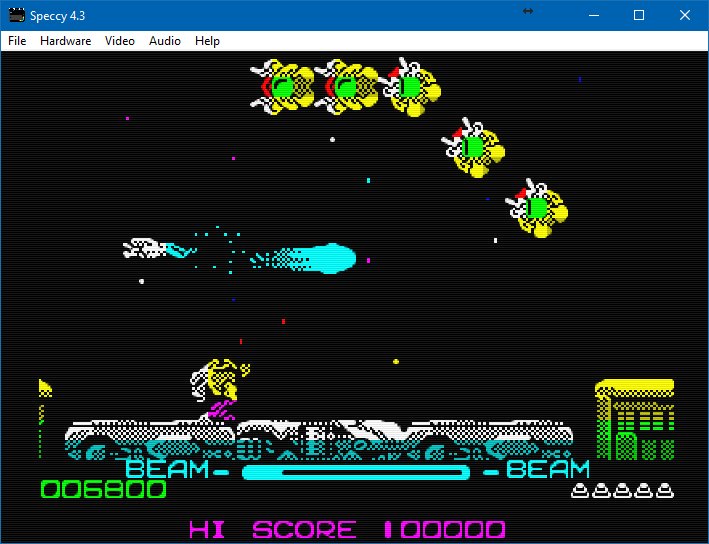
Créé par Marat Fayzullin, voici un émulateur de Sinclair ZX Spectrum 16kB/48kB/128kB et +2/+2A/+3.


– Punctuation keys now work in both ZX Spectrum and Sam Coupe modes.
– Function keys now work in Sam Coupe mode.
– In Sam Coupe mode, press [CTRL]+[Fx] for emulation functions.
– In Sam Coupe mode, use [BACKQUOTE] for [EDIT] key.
– In Sam Coupe mode, use [BACKSLASH] for [INV] key.
– Preserving custom color entries when changing palette setting.
– Preserving Sam Coupe colors when changing palette setting.
– Added ASCII text injection functionality.
– Mostly fixed clipboard operation.


Télécharger Speccy (Windows) v5.9 (420 Ko)

Site Officiel

En savoir plus…

m64p (ou Mupen64Plus-GUI) est une interface graphique écrite en Qt5. Elle supporte tout ce que vous attendez d’une interface mupen64plus (sélection de plugins, édition de la configuration, gestion des sauvegardes, capture d’écran, pause, etc.).
 
Cette archive inclut Mupen64Plus + GlideN64 + une interface utilisateur.


– GLideN64 software vertex clipping, mostly an improvement for mobile devices, shouldn’t make much of a difference on the desktop
– 64DD save improvements
– Improvement to the way mempaks are formatted (accuracy improvement)
– Some minor setting improvements to some games
– Misc Fixes

 
Code source. Builds ici.

Télécharger Simple64 (x86) (2020/06/02) (20.6 Mo)

Télécharger Simple64 (x64) v2024.12.1 (46.5 Mo)

Site Officiel

En savoir plus…

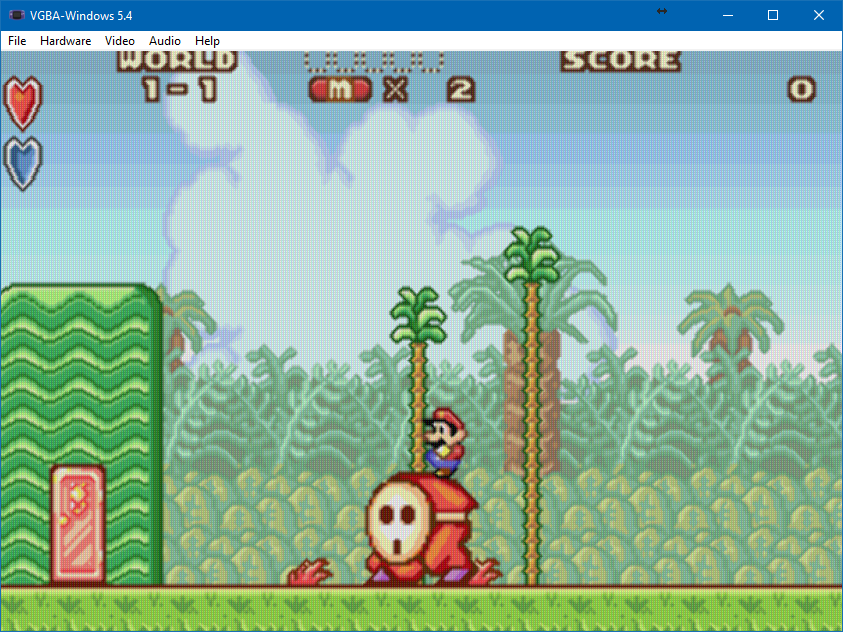
Virtual GameBoy Advance (VGBA) est comme son nom l’indique un émulateur de GameBoyAdvance, pour windows créé par Marat Fayzullin.


– Fixed melodic audio playback when DirectSound is off.
– Fixed sound in International Karate.
– Fixed sound in Phantasy Star.


Télécharger Virtual GameBoy Advance (Win) v6.4 (274 Ko)

Site Officiel

En savoir plus…

DS4Windows (site original) est un programme portable qui vous permet d’obtenir la meilleure expérience lors de l’utilisation d’un DualShock 4 sur votre PC, en émulant un contrôleur Xbox 360, beaucoup de jeux deviennent alors accessibles.
 
– Fixed Gyro Mouse Joystick trigger selection
– Corrected Gyro Mouse and Gyro Mouse Joystick toggle flags
– Put Gyro Calibration button in other Gyro mode panels
– Added Mute LED mode for DualSense device options
– Fixed default virtual Touchpad button bindings
– Corrected Special Action regression
– Including updated ScpVBus build
– Fixed sync between button mouse sens and active mouse sens in Profile Editor
– Changed DualSense blanking flags used for initial connection and detach
– Now use defined ControlActionData for mapped actions rather than unboxing object references. Speeds up the mapping routine a good amount.
– Hebrew translation added to project file. Translation was never added in
– Allow Gyro triggers for Gyro Controls mode
– Reset Gyro Controls output accel values to 0 for each poll
– Driver installer window now takes arch into account when downloading the latest ViGEm installer. It uses a different setup file for each arch
– Disable Xbox 360 installer button in Welcome Dialog if running on Win8 or greater
– Added toggle mode to Gyro Controls
– Added ScrollViewer for Gyro tab
– Increased Full Click trigger effect resistance a bit
– Use fake HW serial to index SonyWA connections. Should allow multiple Sony dongles to work
– Allow audio volume searching for Nacon Rev Pro v.2 controller.
– Added DS4 setting to attempt to change output report features for copycat controllers


Télécharger DS4Windows (original) (x86) v3.3.3 (2.6 Mo)

Télécharger DS4Windows (original) (x64) v3.3.3 (2.6 Mo)

Site Officiel

En savoir plus…

Créé par Near (ex byuu), Ares est un émulateur multi-systèmes dont le développement a commencé le 14 octobre 2004. C’est un descendant de higan et bsnes. Il se concentre sur la précision et la préservation.


Ares émule les 28 machines suivantes:
 
– Famicom + Famicom Disk System
– Super Famicom + Super Game Boy
– Nintendo 64
– Game Boy + Game Boy Color
– Game Boy Advance + Game Boy Player
– SG-1000 + SC-3000
– Master System + Game Gear
– Mega Drive + Mega CD
– Playstation
– PC Engine + PC Engine CD + SuperGrafx
– MSX + MSX2
– ColecoVision
– Neo Geo Pocket + Neo Geo Pocket Color
– WonderSwan + WonderSwan Color + SwanCrystal + Pocket Challenge V2
 

A noter qu’un pack de shaders est disponible ici.
Des packs MSU-1 sont disponibles ici.
 
Le site c’était arrêté avec la v115 qui devait être la finale ultime et finalement ca continue, les explications plus bas.

 
Voici les informations depuis la dernière version d’ares:
 

It is my privilege to release ares v117 today.
 

Most notably, this release adds Sony PlayStation emulation. Please understand however that this support is new, and compatibility will be low. That said, the base hardware is entirely emulated, including MDEC, SPU, CD-XA, memory card support, etc. It shouldn’t take much effort to raise the compatibility to a respectable level in the future. And thanks to dynamic recompilation and multi-threading, it should run at full-speed even on modest hardware. ares can run games in either ISO/CUE or BIN/CUE format, as split/WAV files or as a single merged BIN file.
 

As for the Nintendo 64, Themaister has ported Parallel-RDP to it, and it too is now capable of running commercial games at full-speed, with accuracy just shy of Cen64. However, the support is too new and untested to release at this time, and memory card support has not been added yet. Nintendo 64 support should ship with the next release instead.
 

Beyond this, there are six months of emulation improvements: many new Famicom mappers were added, several Master System and Game Boy Advance emulation bugs were fixed, etc. Also, a second virtual gamepad has been added for multi-player support.
 
[…]
Thus, going forward, higan will be compiled with the complex GUI in the accuracy profile; and ares will be compiled with the simplified GUI in the performance profile, and with the additional N64 and PS1 cores made available. Each will be substantially different enough to warrant being separate projects.
[…]


Note: if you post this news elsewhere or are commenting on it, please refer to me only as Near, I would greatly appreciate that. If you’re here wondering if ares development has resumed, the short answer is yes, but please read this post for more information.

 
Un miroir sur github est disponible ici.
 

Télécharger Ares (32 bits) v114 (3.3 Mo)

Télécharger Ares (64 bits) v148 (61.8 Mo)

Site Officiel

En savoir plus…



https://getourbonus.com/fr/accueil

https://www.romspedia.com/