SSE pour « Steven Seagal Edition » est un émulateur d’Atari ST basé sur le STeem original v3.2 de 2004. Il emprunte également des améliorations en provenance de Hatari.


R6:
– Fix display glitch when writing video counter (20 Years STE Megademo/ex reset screen)
– Fix STE sound sample fetching hack (E605)
– Debugger: Fix history list dump
 
R5:
– Fix wrong keys in non-English TOS
– Reassign standard keys when going from non-English to English keyboard


Télécharger Steem SSE (D3D) [32 bits] v4.2.1 R2 (6.1 Mo)

Télécharger Steem SSE (D3D) [64 Bits] v4.2.1 R2 (6.9 Mo)

Site Officiel

En savoir plus…


CPCEC est un émulateur d’Amstrad CPC (modèles 464, 664 et 6128). ZXSEC est un émulateur de Sinclair ZX Spectrum (modèles 48k, 128k, +2/Plus2 et +3/Plus3) pour Windows.
 

Télécharger CPCEC / ZXSEC / CSFEC / MSXEC (2026/01/31) (1.2 Mo)

Site Officiel

En savoir plus…

Stella est un excellent émulateur Atari VCS 2600 multi-platformes, releasé sous licence GPL. A la base, le projet a été développé pour Linux par Bradford W. Mott, cependant de nombreuses personnes ont rejoint l’équipe de développement pour porter Stella sur différents systèmes d’exploitation tels qu’AcornOS, AmigaOS, DOS, FreeBSD, IRIX, Linux, GP2X, OS/2, MacOS, Unix, et Windows (ouf!).
Cette version inclut les binaires 32 et 64 bits.
 

stella
 
Les changements sont:
 

   - Because of major event remapping changes, all remappings will be reset

      to defaults; if you had custom mappings, they will need to be

      re-entered again.


    - Because of major internal changes, all state files are now invalid.


    - Support for Windows XP has been discontinued as of this version.  WinXP

      is now completely out of support from Microsoft, so we are doing the

      same.


  * Major improvements to display mode handling in NTSC vs. PAL.  The window

    is now the same size for both modes, and scaling is applied to simulate

    the height of scanlines (in PAL mode, there are more scanlines and hence

    each is narrower).  This more properly emulates how the display would look

    on a real TV.


  * Removed the 'Display_Height' property, changing it to 'Display_VCenter'.

    This new feature, along with the display mode changes above, almost

    completely eliminate having to manually tweak each ROM so that it will

    not have part of the image cut off.


  * Removed the 'Display_YStart' property and all automatic detection of

    ystart.  It caused problems on some ROMs, and was not the way a real

    console would work anyway.  Related to this, ROMs now load much faster.


  * Major improvements to event remapping:

    - Allow mapping of modifier-key and button-direction combinations

    - Physical controllers can map the same action to different events on

      different virtual controllers

    - Many more events can be remapped

    - Events can be filtered by type in UI


  * Paths have been simplified:

    - The following file/directory locations are no longer configurable

      (statedir, nvramdir, cheatfile, palettefile, propsfile); they are

      now all under the base directory

    - Removed cfgdir; Distella config files are now placed with their

      associated ROMs

    - Added 'basedir' commandline argument, which allows to change the

      base directory where almost all config-related items are stored;

      related to this, discontinued the 'basedir.txt' functionality

    - Added 'baseinappdir' commandline argument, which sets the base

      directory to the application folder (Windows only for now); this

      replaces the functionality of 'basedir.txt'


  * Added automatic controller detection.


  * Controllers can be changed during emulation (no ROM reload required

    anymore).


  * Added support for Light Gun controller.


  * Added limited KidVid support (8, 9 and 0 start the games).


  * Removed superfluous controller option 'PADDLES_IDIR'.


  * Added configurable paddle dejittering.


  * Key-repeat mode improved; entering Time Machine by holding down a key

    combo continues to send events (previously, you had to release and then

    press the combo again).


  * Certain buttons in the UI can now be activated repeatedly by holding

    down the mouse button (Time Machine, debugger step/trace/frame advance,

    etc.)


  * Added option to configure mouse double click speed.


  * Added option to configure controller input repeat speed.


  * Added high quality scaling.


  * Made scanlines better aligned to scaling.


  * Added 'HiDPI' mode, which scales the UI by 2x when enabled.  This is

    meant for 4k and above monitors, but can actually be used at any

    lower resolution that is large enough to display the scaled UI.


  * Fixed TIA 'Center' option, Stella now remembers the last windowed position.


  * Added fractional (25% increments) TIA zooms.


  * Removed 'tia.fsfill' option, replacing it with 'tia.fs_stretch'.  This

    new option allows to preserve TIA image aspect ratio in fullscreen

    mode, or stretch to fill the entire screen.


  * Added configurable 'Overscan' option for fullscreen modes.


  * Fullscreen TIA modes no longer assume that desktop taskbars, etc

    are present, hence they are scaled to the proper fullscreen size.


  * Added option to display dialogs in screen corners.


  * Added hotkey for sound on/off.


  * Enhanced 'Command' menu to display current state and more commands.


  * Added option to save and load all TimeMachine states at once.


  * Added option to automatically load/save states when entering/exiting

    emulation.


  * Added option to change pitch of Pitfall II music.


  * ROM Info Viewer size is not limited to fixed zoom steps anymore.


  * ROM Info Viewer can now display multiple lines per property and the

    bank switching type.


  * In file listings, you can now select directories by holding 'Shift' on

    the first character entered.  Entering characters in lowercase still

    selects files, as before.


  * Fixed bug when starting ROMs via MacOS finder.


  * Added various developer options for oddball TIAs:

    - stuffed player, missiles and ball move

    - delayed playfield bits and color

    - delayed players and ball VDEL swap


  * Disabled some developer options for 'Player settings'.


  * Writes to RAM read ports are ignored now.


  * Added Developer setting, which breaks on writes to read ports.


  * Improved breakpoints to now consider the banks.


  * Improved debugger's TIA display and zoom windows.


  * Improved hotkeys, now many emulation keys work in debugger too.


  * Fixed display of negative values in debugger; sometimes they were

    shown as positive.


  * Reworked ROM properties database, making it load faster in certain cases.


  * Updated internal ROM properties database to ROM-Hunter version 16

    (thanks go to RomHunter for his tireless research in this area).

    Related to this, updated the snapshot collection.


  * Fixed 'Dancing Plate (Unknown) (PAL)' to use joystick.


  * Fixed cheatcode handling in 2K and 4K ROMs.


  * Fixed bug where ROMs smaller than 64 bytes were not recognized.


  * Fixed bug where frying one ROM was continued with the next ROM.


  * Fixed not working 7800 pause key.


  * Enhanced UA bankswitching to support certain Brazilian carts.


  * Fixed WD bankswitching.


  * Added FC bankswitching for Amiga's Power Play Arcade Video Game Album.


  * Added auto-detection of display format based on filename.


  * Auto-detection of bankswitch scheme by file extension now includes

    more human-readable formats (not restricted to DOS 3-char length).

    See the documentation for the new names.


  * Fixed bug in DPC+ scheme; 'fast fetch mode' was enabled at startup,

    when it should be disabled by default.


  * Some more work on DPC+ playfield 'jitter' effect for certain older DPC+

    driver versions; more ROMs are now detected properly.  Special thanks

    to SpiceWare for his research in this area.


  * Added proper Retron77 port.


  * Added proper libretro port, and fixed display for OpenGLES renderers.


  * PNG/ZIP image support is now conditionally compiled into Stella.

    All major ports (Linux/macOS/Windows) have it enabled by default.


  * SDL/GUI support is now conditionally compiled into Stella.  All major

    ports (Linux/macOS/Windows) have it enabled by default.  This is

    currently needed by the libretro port.


  * Updated included PNG library to latest stable version.


  * Updated UNIX configure script to work with the gcc version 10 and

    above.


Télécharger Stella (64 bits) v7.0c (4.1 Mo)

Site Officiel

En savoir plus…

RetroArch est un émulateur multi-systèmes modulaire qui est conçu pour être rapide, léger et portable. Dédié à Linux, Windows, Mac OS X et BSD. Il est anciennement connue sous le nom SSNES.
 

Ce n’est pas un Frontend à proprement parler, ni véritablement un multi-emulateur.
Il utilise en fait des bibliothèques (core) d’émulateurs déjà existants sous la forme de fichier « libretro XXX.dll ». Ce n’est pas non plus un simple front end, car il offre l’émulation complète de plusieurs plateformes console et même final burn alpha.

 
retroarch
 
Actuellement, il existe des implémentations libretro pour les systèmes tels que SNES, NES, GBA, GB / GBC, la Genesis, et même des jeux d’arcade Final Burn Alpha et bien d’autres encore. Voir ici pour obtenir les cores nécessaires.


Libretro n’est pas seulement utilisable pour les émulateurs. Un port préliminaire d’une ré-implémentation open source de Cave Story a été porté aussi à libretro.


RetroArch croit en la modularité. L’application elle-même est une application commandée par ligne de commande qui convient à HTPC et autres. Il existe également une interface graphique pour RetroArch, en soutenant toutes les options de configuration unique.


RetroArch est portable, multi-langages, multi-plateformes et multi-systèmes. Il est ainsi disponible sur un grand nombres d’environnements parmi:
 
– Windows/ Linux / Mac OSX (PPC / Intel)
– Androïd / iOS / tvOS
– PSP / PS Vita
– Playstation 2 / 3 / 4
– Xbox / Xbox 360 / Xbox One
– GameCube / Wii / Wii U / Switch
– 2DS / 3DS
– Raspberry Pi
– OpenPandora
– Steam Link
– Web Browsers
– etc.
 
Un petit guide réalisé par DjLc est disponible sur ce lien.

 
retroarch2
 
Les nouveautés sont visible ici (changelog).


NOTA BENE pour XP:
Si l’exécutable ne se lance pas, créez un fichier « RetroArch.exe.manifest » (éditable avec un bloc note quelconque) et inscrivez les lignes suivantes à l’intérieur:
 

Cliquez ici pour récupérer le code

 
puis sauvegardez et enfin placez ce fichier a coté de l’exécutable (et c’est du tout bon !).


Télécharger RetroArch (95/98) v1.9.0 (128 Mo)

Télécharger RetroArch (98 SE/ME/2000) v1.22.2 (127 Mo)

Télécharger RetroArch (XP/Vista 32 bits) v1.22.2 (129 Mo)

Télécharger RetroArch (XP/Vista 64 bits) v1.22.2 (129 Mo)

Télécharger RetroArch (32 Bits) v1.22.2 (191 Mo)

Télécharger RetroArch (64 Bits) v1.22.2 (193 Mo)

Site Officiel

En savoir plus…

Ootake est un émulateur PC-Engine en provenance du Japon et basé sur PC2E, tournant sous Windows 2000, XP, Vista, 7, 8 et 10. Il nécessite Direct X v9.0c au minimum.
 
ootake
 
– Solved the problem that when running Ootake v2.96 released yesterday on « Windows7 », an error stating « The program could not be started because there is no XINPUT1_4.dll » appeared and could not be executed. (The XInput library used in Visual Studio 2019 has been changed to the « xinput9_1_0.lib » that can be used on Windows7)
– In addition, it corresponds to work on WindowsXP/Vista.


Télécharger Ootake (2K/XP/Vista/7/8/10/11) v3.06 (1.4 Mo)

Site Officiel

En savoir plus…

Il s’agit d’une interface graphique pour l’émulateur OpenMSX (en 32 & 64 bits) proposant une multitude de fonctions.
 

openmsxl

 
Les changements sont visibles ici.
 

Télécharger OpenMSX Launcher v1.14 (5.1 Mo)

Site Officiel

En savoir plus…

Un très bon émulateur de TI-99/4A tournant sous Windows. Il fut connu sous le nom d’AMI99, mais fut renommé car beaucoup de personnes pensaient qu’il s’agissait d’un émulateur Commodore Amiga.
 

classicti99classicti991

 
Les fonctionnalités :
– Les roms systèmes & plusieurs cartouches sont inclues sous licence Texas Instruments
– Démarre et fait fonctionner correctement toutes les fonctions OS (excepté l’I/O et le TI BASIC,
– La plupart des modules fonctionnent très bien
– Le switch des cartouches XB/Atarisoft/Jon379/SuperSpace cartridge est supporté
– Emulation complète du son sur tous les channels, en incluant le support du son digitalisé
– Speech implémenté à la fois sur les roms et sur le speak externe.
– Le scan CRU du clavier est implémenté
– Support du joystick et du timer 9901
– Le disque supporte les fichiers V9T9, TIFILES/Xmodem, les fichies natifs Windows, les images disque V9T9 DSK & PC99 DSK (les images DSK sont en lecture seule)
– DirectX fenetré et plein écran, comme les modes fenétrés non-DirectX
– Détection des collisions (par pattern)
– Nombreux filtres vidéos en option (HQ4X, 2xSAI, SuperEagle, NTSC, etc)
– Débugger intégré en single step
– Emulation clavier PS/2 keyboard
– Sélection des menus par souris (double-cliquer sur l’écran)
– Support de la carte 1MB Super AMS
– Code source complet inclus
– Etc.
 
Après la v3.99.4, le système d’incrémentation des versions à changé, on en ignore la justification.
 

Télécharger Classic99 v399.086 (35.5 Mo)

Site Officiel

En savoir plus…

Créé par Exzap, il s’agit du second émulateur de Wii U à être disponible au public mais le premier à pousser jusqu’à l’émulation de jeux commerciaux. Il peut décrypter les images Wii U qui utilisent le format Wud mais également les fichiers RPS ou RPL. La résolution interne peu aller jusqu’à 1920×1080 selon les jeux. A noter que pour le moment, un seul contrôleur est accepté, il s’agit du DRC (GamePad) de la Nintendo Wii U. Cette version n’est compatible que pour les Windows x64 (à partir de Windows 7) avec une carte graphique gérant OpenGL 4.1 (ou supérieur) ou Vulkan et il faudra posséder 4 à 8 Go de mémoire vive (Ram) pour le faire fonctionner. (Correspondance ID-Titre).
 
Un tuto est disponible ici.
 
cemu
 
Les changements:
 

En résumé:
– Added emulated SD card
– Vulkan stability improvements
– Minor compatibility improvements

 
En détails:
general: Added support for SD card emulation
The virtual SD card is always inserted
It’s mapped to the ‘sdcard’ folder in the Cemu root directory

general: Fixed a deadlock that could happen when changing the mlc01 folder

RPL: Fixed a crash in the RPL loader that could happen for some game executables

coreinit: Minor stability improvements for multi-core recompiler mode

nn_act: Implemented GetSlotNoEx()
Fixes saving in Art Academy titles (#81)

Vulkan: Shaders with compile errors should no longer crash Cemu
Vulkan: Skip drawcall instead of crashing when out of vertex cache memory

 
Note:
(#xx) refers to bug tracker issues resolved by this change. See http://bugs.cemu.info/projects/cemu/


A noter que des packs graphiques haute définition sont disponibles ici. Ils permettent, entre autre, d’augmenter la résolution native des jeux car contrairement à Dolphin et parce que la machine est techniquement différente il n’est pas possible à Cemu d’augmenter la définition autrement que par cette méthode.
A l’inverse, des packs SD (définitions standards et/ou basses) sont disponibles sur ce lien et permettent à certains PC manquant de performance de lancer des jeux en 60 FPS.

 
Une liste de compatibilité est disponible ici.

 
Site source.

Télécharger Cemu v2.6 (35.6 Mo)

Site Officiel

En savoir plus…

Il s’agit d’une implémentation de D3D9/10/11 basée sur Vulkan qui permet d’exécuter des applications 3D sur Linux en utilisant Wine, toutefois il fonctionne également sous Windows mais ne lui est pas spécifiquement destiné donc des bugs peuvent apparaitre sur ce système (officiellement non pris en charge).


Télécharger DXVK v3.1.1 (35.0 Mo)

Site Officiel

En savoir plus…

Il s’agit d’un émulateur de NEC PC-9801 qui supporte également le NEC PC-9821.
 
neko


Télécharger Neko Project 21/Win v0.86 Rev. 105 (21.3 Mo)

Site Officiel

En savoir plus…

Comme certains d’entre vous le savent, j’ai cessé de vendre le BIOS UNIVERSE l’année dernière (NDRL: suite à quelques problèmes d’ordres personnels). À partir d’aujourd’hui, vous pouvez télécharger les dernières versions à partir de la section de téléchargement. Veuillez noter que cela ne donne à personne le droit ou la permission de commencer à le vendre sur eBay ou tout autre site Web.
 
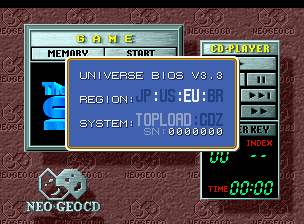
Sur le même principe que l’Universe Bios pour MVS/AES, ce bios de remplacement vous permettra de jouer avec vos jeux avec une foule de possibilités supplémentaires (cheats, mode AES/MVS, Vitesse accrue/Protection supprimée…).
Bien que réservé principalement aux possesseurs de la véritable console, ce bios pourra évidemment s’utiliser avec des émulateurs de NeoGeo comme FBA/MESS/RAINE/… (lorsque ceux-ci seront à jour).


cd0001 cd0002


Improvements

– Bios now selfchecks itsself at boot, a red screen is displayed if an error is found.
– Changing the system type will make the system reboot when exiting the settings window.
– Opening the ingame menu should now pause CD audio, it should play again once closed.
– Overhauled the backup memory manager to improve usability.
– Formatting the backup memory no longer clears unibios region settings.
– Updated to include 68k exception error handling.
– Made the white flash on opening and closing the audio player program box shorter.
– The finger pointer now disapeers when the Universe Bios settings dialogue is open.
– The Insert CD dialogue box now clears when the Universe Bios settings dialogue is opened.
 
Fixes

– Stopped entry into unibios features after pressing start to load game from radio screen.
– Hopefully stopped entry into the ingame menu at points where used tiles will be corrupted.
– Hopefully fixed rare case of ingame menu graphics not showing if entry just before a game
game requests files to be loaded from CD.
– Fixed reset on entry into the cheat database if the loaded game is Fatal Fury 3.
– Fixed severely corrupted ingame menu if the loaded game is Last Hope.
– Stopped the ingame memory viewer accessing ranges that cause a system reset.
– Stopped the ingame menu being accessible on the radio screen after quitting a game.
– Added large font to the ingame menu for World Heroes Perfect, Overtop and Zintrick.
– Added fix to correct the color brightness (bug/protection) when in Euro region.
 
MVS/AES DEV Bios related only

– Fixed rare issue that caused a blank screen on boot if no data loaded or no key code used.
– Stopped the ingame memory viewer accessing ranges that cause system resets.
 
PC-2-NEO related only

– Some CDZ systems should now be able to take advantage of the faster loading speeds.
– 2UP joystick passthrough handled better on PC-2-NEO screens.
– Fixed a minor issue with the progress bar on initial IPL file load in some games.
– Fixed Neo Turf Masters showing blank screen after first hole loading if CD audio used.
– Fixed bad tiles in PC-2-NEO when accessed from the CD ingame menu if the loaded game
is Samurai Shodown RPG.
– Fixed corrupted font in PC-2-NEO when accessed from the ingame menu if the loaded game
is either World Heroes Perfect, Overtop or Zintrick.
 
Cheats

– Improved the Crossed Swords 2 gold cheats.
– Added a NeoTurfMasters ‘Unlock Scotland’ cheat (press D on course select screen).
– Added a Viewpoint ‘Simultaneous Play’ cheat.
– Added more Iron Clad cheats.
– Added some Last Hope cheats.
– Added cheat for ‘Samurai Shodown RPG’ to unlock Omake mode.
– Added Infinite Magic cheats to Kabuki Klash.
– Added hidden character cheats to Zintrick.
– Added ‘Show SP commands OSD’ cheat for Samurai Shodown 4
– Added cheats for ‘Metal Slug 2 Turbo’
– Fixed Metal Slug 2 Autofire cheat.
– Fixed Ninja Combat ‘Max Power’ cheat typo.


Rappel: pour ceux ou celles qui se demanderaient comment faire pour souder le bios sur sa carte mère, une solution toute prête est disponible ici pour un prix tout à faire abordable !


cd0001x


Site Officiel

Comme certains d’entre vous le savent, j’ai cessé de vendre le BIOS UNIVERSE l’année dernière (NDRL: suite à quelques problèmes d’ordres personnels). À partir d’aujourd’hui, vous pouvez télécharger les dernières versions à partir de la section de téléchargement. Veuillez noter que cela ne donne à personne le droit ou la permission de commencer à le vendre sur eBay ou tout autre site Web.


Ce bios, bien qu’à priori destiné au véritable hardware d’arcade, fonctionne également très bien dans les émulateurs, et comporte des fonctionnalités qui vont plus loin que les « classiques » cheats, tels que le mode debug, activation du sang… et simple d’utilisation.
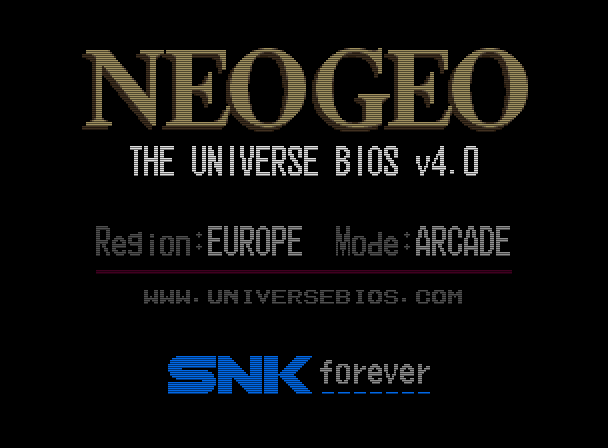


To mark the version 4.0 milestone of the Universe Bios I have given it a slight facelift.
Some menu layouts are changed and colors used on the splash screen and default colors for the
in game menu have changed. This is done to try and replicate the gold coloring on the AES and
Joystick shells. You still have the ability to customise colors of the ingame menu if you wish.

 
Additions

– PICKnMIX MVS/AES (requires the correct 161-in-1 multicart).
 
– This feature will use the many games on the multicart to turn the system into the ultimate
multislot. It may also work on MVS multislot systems but please insure all other cart slots
are empty. The only hacked version of a game used from the 161-in-1 is SNK vs CAPCOM Plus.
 
– See www.universebios.com/picknmix.html for more information and how to use.
 
– A special thanks to ‘ack’ for exstensive bug reporting and testing on multislot hardware,
also ‘miisalo’ and ‘RockstarRunner’ for MVS and AES testing.
 
– PICKnMIX IS A TOTALLY UNSOPPORTED FEATURE given the nature of the multicarts.

 
– NeoSD related (v1.06 or later firmware required).
 
– The following two additions require the ROM ‘sfix.sfix’ to be placed into the root directory
of the NeoSD’s SD card. These fixes are not possible without a NeoSD.
 
– On AES hardware, when in arcade mode, the ‘how to play’ screens of NAM-1975, Baseball
Stars Professional and Mahjong Kyo Retsuden will have correct graphics.
 
– On AES hardware, when in USA arcade mode, the classic ‘winners don’t use drugs’ screen
will have correct graphics in all games apart from Garou, Matrimelee, Metal Slug 3,
Metal slug 4, SNK vs Capcom and The King of Fighters 2000.
 
– Added a NeoSD color theme for the ingame menu (choose bank ’03’ in the menu color changer).

 
– Added new option to disable the daily, weekly and monthly hiscore reset to MVS backupRAM.
 
– This option is enabled by default (Universe Bios general settings) but can be switched off
if you want hiscores to clear as game maker intended. The following games are affected;
 

Aggrs of Dark Kombat Ninja Combat Trash Rally
Art od Fighting Ninja Commando Twinkle Star Sprites
Art of fighting 2 Over Top Wind Jammers
Art of Fighting 3 Quiz King of Fighters World Hereos
Blues Journey Spin Masters World Hereos 2
Crossed Swords 2 Sonic Wings 3 World Hereos 2 Jet
Ghost Pilots King of Fighters 2001 World Hereos Perfect
Magician Lord King of Fighters 2002 Zintrick

 
– Due to the change around of some options to make this possible I advise MVS users check
the options in the Universe Bios ‘general settings’ to confirm they are set as intended.

 
– In a games softDIP settings (testmode), pressing 1UP start will reset the DIPs to default.
– Added English translations for Japanese games that had Japanese only SoftDIP settings.
– The Universe bios can now detect a 18Mhz overclock (hopefully).
– Added ‘Fast Verify’ support to PC-2-NEO (USB only).

 
Changes

– Changed splash screen and main menu colors, NeoGeo logo is now Gold.
– Changed the default colors of the ingame menu. You can still choose old colors and edit colors
if required by using the ingame menu color changer.
– Made the In Game Menu and Main Menu more responsive to joystick and button input.
– There are now five colors you can adjust on the ingame menu color changer.
– Optimised Code that applies game cheats to memory.
– Made testmode entry graphically cleaner (less glitching).
– Made the cabinet softDIP ‘Game Select’ default to ‘Free’ instead of ‘Only when credited’.
– Now says ‘NGH’ instead of ‘ID’ in the game cart crc check.
– Improved the ‘no cheats in database’ message.
– The main memory viewer (testmode, exception error, hardware error) should now open on the
first slot with a game (multislot hardware).
– Improved the MVS cart version of kof2001 when in console mode. The games menu should no longer
glitch from time to time. Also removed the vertical borders on the options screen.

 
Fixes (some of these very minor)

– Fixed an issue introduced in Unibios v3.1 which caused any set softDIPs to reset after using
the soft reboot option on AES haedware.
– Fixed ingame menu colors saved to memory card from getting corrupted.
– Fixed AES version of Metal Slug 3 showing the red warning screen when run in Arcade mode.
– Fixed ‘AOF3’ from showing the console mode menu when in arcade mode on AES hardware.
– Fixed V-Liner crashing when the coin entered or select pressed.
– Fixed overclock info sometimes incorrectly showing after exiting softDIPs (after soft reset).
– Fixed possible graphic corruption in the testmode main menu if the calendar chip is faulty.
– Fixed red screen flash when bios draws ‘how to play’ in early games (issue in original bios).
– Fixed Top Players Golf from allowing debug DIP editing (game does not have any).
– Fixed minor graphical glitch entering the ingame menu color changer.
– Fixed missing values in patch and debug dips editing if game is an original MVS KOF2003.
– Fixed glitching on cart check entry if game King of Fighters 2003.
– Fixed glitching when exiting ingame menu if game King of Fighters 2003.
– Fixed Splash screen and menues if game is MVS version of kof2003 on AES hardware.
– Fixed Splash screen and menues if game is kof 10th anni extra plus on AES hardware.
– Fixed font in jukebox and cart check if game is MVS version of kof2003 MVS hardware.
– Fixed font in jukebox and cart check if game is kof 10th anni extra plus on MVS hardware.
– Fixed ‘King of Gladiator’ hack throwing a warning screen when running in arcade mode on AES.

– Stopped language softDIP showing when in Japan region for games SamSho 4, 5 and 5 Special.
– Stopped Street Hoop’s ‘team select’ softDIP showing when in Japan region.
– Stopped gfx curruption on splash screen (at power on) when the 161-in-1 multicart used.
– Hopefully fixed corruption exiting the ingame menu on a 18Mhz overclocked MVS/AES.
– Hopefully fixed corruption in the General settings Menu on a 18Mhz overclocked MVS/AES.
 

Hiscore saving (memory card)

– Added HS saving support for Football Frenzy.
– Added HS saving support for Goal! Goal! Goal!
– Added HS saving support for Stakes Winner.
– Added HS saving support for Stakes Winner 2.
– Added HS saving support for Real Bout Fatal Fury (Korean).
– Fixed Neo Bomberman hiscore saving (old HS save will need deleting).
– Fixed Quiz Diasousa Sen so hiscore displayed during game at top is now correct.
– Fixed Puzzle Bobble so it now shows correct hiscore table during first attract mode cycle.
– Fixed Puzzle Bobble 2 not saving the last part of the HS table.
 

Cheats

– Renamed all ‘AES Infin Credits’ cheats to ‘Infin AES Continue’.
– Korean games now show correct game in the cheat menu (if different than English names).
– Corrected Strikers 1945 Plus game name in the cheat menu.
– Added Real Bout Fatal Fury (Korean) cheats.
– Added Infinite AES Continue cheats to Blues Journey.
– Top Hunter 2 cheats improoved. They now work on all worlds. Also, keeping D pressed will
disable the gun and ammo cheats (while D pressed) for that player.
– Renamed all ‘Always Score 00’ cheats in football games to ‘Always No Score’.
– Knights Chance now reconigsed by the in game menu (no cheats though).
– Other minor cheat naming issues here and there.
– Added cheats for Older Power Spikes II (only ‘Infinite Iime’ cheat atm).
 

CRC database

– Added alternate Metal SLug 3 CRC (MVS, CRC reported for ROM region – 0x9763419E).
Not currently in MAME. P ROMs are on a NGPC style miniPCB with 4 flashchips.
Banking matches the parent, it is unknown if the SMA is used or not.

– Added older Power Spikes II CRC (MVS, CRC reported for RAM region – 0x8FACDE4C)
Not currently in MAME, Japanese region game name is ‘Super Volley 94’.

– Added alternate V-Liner CRC (MVS, CRC reported for ROM region – 0x49A94DB5).
Not currently in MAME. From 0x8000 has ‘DYNA V-L V0.7E’.
– Added alternate V-Liner CRC (MVS, CRC reported for ROM region – 0xE263DCE8).
Not currently in MAME. From 0x8000 has ‘DYNA V-L V0.53’.

– Added alternate V-Liner CRC (v0.7A 0x052F93ED).
– Added alternate Garou CRC (AES).
– Added alternate Pochi and Nyaa CRC.
– Added Last Resort prototype CRC.
– Added alternate Burning Fight prototype CRC.
– Added alternate King of the Monsters 2 CRC.
– Added Real Bout Fatal Fury (Korean) CRC.
– Added alternate Blues Journey CRC.
– Added alternate Samurai Shodown V CRC.
– Added alternate World Heroes 2 CRC.
– Added alternate Sengoku 3 CRC.
– Knights Chance is now reconigsed by the CRC checker (reported as custom).

 
NB: Précédemment un bios v4 était disponible et avait un crc32 (b25d5696) différent de celui fournit à présent. Il s’agissait d’un bios dont le numéro de série a été blacklisté (donc probablement appartenant à quelqu’un n’ayant pas respecté la charte et ayant donné son bios à d’autres personnes) car comme vous le savez (ou pas), il y a autant d’unibios qu’il y a d’utilisateur l’ayant acheté (le numéro de série est lié à celui du matériel possédé). Évidemment il n’y a aucune différence entre une version gratuite ou payante sauf que celle achetée est en principe toujours plus récente que la gratuite, exception faite ici donc.


Le bios précédent blacklisté
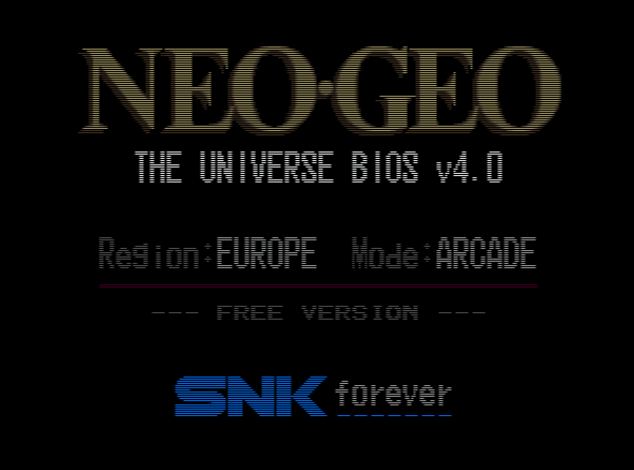
La version gratuite


Site Officiel



https://getourbonus.com/fr/accueil

https://www.romspedia.com/