Voici une nouvelle version du pack d’icônes à utiliser avec FBA (basé sur celui de Mamu_) que Gab75 a mis à jour.
Dans FBA aller dans le menu Misc / icons / enable (et sélectionner).
0 commentaire



Voici une nouvelle version du pack d’icônes à utiliser avec FBA (basé sur celui de Mamu_) que Gab75 a mis à jour.
Dans FBA aller dans le menu Misc / icons / enable (et sélectionner).
Créé par Avery Lee (l’auteur de VirtualDub), il s’agit d’un émulateur d’Atari 8 bits (800/800XL/130XE) disponible en 32 et 64 bits. Il dispose de beaucoup d’options ainsi que d’une bonne compatibilité. Il prend en charge les jeux protégés conformément à l’émulation. Il s’agit d’une version de développement au stade de béta.
– Debugger: Added .crc command.
– Disk: Added support for full disk drive emulation of 810, Happy 810, 810 Archiver, 1050, 1050 Duplicator, US Doubler, Speedy 1050, Happy 1050, Super Archiver, TOMS 1050, and Tiger 1050 drives.
Hatari est un émulateur Atari ST et STE tournant sous Linux, BSD, BeOS, Mac OS X et bien d’autres systèmes supportants la librairie SDL, il est basé sur les sources de WinSTon.
Cette nouvelle version ajoute le support des Atari TT et Falcon. Tout ceci est encore expérimental, il n’y a d’ailleurs pas d’émulation du DSP du Falcon. Plusieurs correctifs ont été ajoutés, le build pour Windows se compile mieux au passage.

Emulation:
– Machine:
– Support for MegaST & MegaSTE machines added
(this also replaces the Real Time Clock / RTC option, since this chip
is only available on the Mega machines)
– The general purpose registers of the TT SCU are now correctly emulated
(this fixes the problem with AHDI not finding any partitions during boot)
– HD:
– Fix: Disable GEMDOS opcodes after GEMDOS drive is disabled
– Fix: GEMDOS HD can now be initialized multiple times,
e.g. when running EmuTOS RAM image from a normal TOS
– Fix: WORD access to IDE data register at 0xf00002
– Fix: ‘*.*’ pattern with GEMDOS HD should match also files
without extension
– Video:
– Full rewrite of the GLUE state machine, including support for the
4 wakeup states in STF mode, as well as more accurate video timings
(hbl, timer b, top/bottom and left/right removal, mixing 50/60/71 Hz
lines)
– Correctly shows the last 8 pixels for STE 224 byte overscan
– Fix: reading video counter $FF8205/07/09 after modifying it
while display is ON
– Fix: location of the video counter’s restart when screen runs at 60 Hz
– TT: sync ST & TT color registers immediately on write, handle
palette bank setting correctly, fix duochrome colors
– Falcon: handle byte access special case for ST color registers
– Falcon: border color support also in HiColor
– better hbl/timer b interrupts when CPU runs at 16/32 MHz
– Sound:
– Special cases for STE DMA sound when start address = end address
– Increase STE DMA volume when compared to the YM2149 volume
– Greatly improve Falcon DMA sound
– CPU:
– use WinUAE CPU for STF/STE mode too, not just Falcon (old CPU core
is considered deprecated)
– improved IACK and simultaneous interrupts
– access IO regs on 2 cycle boundaries when possible
– More accurate 68060 mode (instructions from previous CPU versions
removed in 68060 aren’t accepted/emulated anymore)
– Misc bus error / IO mem register handling fixes for TT & Falcon
(e.g. add TT DIP switch register handler)
– Blitter:
– Better bus arbitration when blitter is started
– Don’t cause bus error when accessing regions causing CPU bus error
– Fixes to DSP addressing
– Floppy:
– Fix the value of the WPT bit when inserting/ejecting a write protected
floppy
Emulator:
– Generic fixes:
– Autosave to already existing file works first time after v1.4
(dialog for file overwrite got automatically canceled on exit)
– SDL GUI:
– MegaST/MegaSTe support
– Shortcuts can be configured in the keyboard dialog
– User can provide volume label when creating a floppy image
– Show dialog on HD image size issues
– Better SDL2 support:
– SDL2 is now enabled by default
– Resizable windows, including ST/STE screen scaling
– « –desktop » option is used also for ST/STe instead of « –desktop-st »
– Command line:
– Renamed –fpu-type option to –fpu
– Configuration:
– Hatari defaults to ST both with oldUAE & WinUAE CPU core
– Preferred private configuration directory is now ~/.config/hatari
on Linux/Unix (the legacy location ~/.hatari is still used if
the other one does not exist yet)
– Windows config location is now: AppData\Local\Hatari
– Support SDL key names in keymap files in addition to key codes
– Comment characters (#, 😉 can also be mapped in keymap file
– Added NatFeats SCSI (NF_SCSI) driver for Linux version of Hatari
– Debugger:
– Fix: close debugger log file only when explicitly requested,
not when continuing emulation from debugger
– Fix: direct DSP register, disasm and memdumps to debugger log
file, similarly to CPU
– Fix: direct CPU and DSP symbol traces to trace file, not stderr
– Fix: ‘:once’ option when there’s only one breakpoint (v1.9 regression)
– Fix: NatFeats NF_DEBUGGER command now actually drops to debugger
– ‘n’ (next) command run until (dbcc backwards branch) loop exits
(in addition to running until subroutine and exception calls return)
– Support Atari debugger XBios(11) / Dbmsg() API
– ‘variables’ / ‘v’ command to list Hatari debugger’s builtin symbols
– Also trace exception can be caught
– Removed features:
– Support for rendering to 8-bit host screens
– Support for (buggy) RsConf() interception with –bios-intercept
Other:
– Allow building without Zlib
– zip2st tool can convert directories to .st image files,
not just .zip files.
Fixed games:
– Chainz and Jewelz by Paradize (blitter, bus errors)
Fixed demos:
– spec512 image in the Intro of the Place To Be Again (video, restart counter)
– Menu screen in the Place To Be Again (video, writing/reading video
counter during active display)
– A Little Bit Insane by Lazer (no DMA sound during the demo)
– LoSTE and Closure by Sync (video, wakeup states and glue timings)
– Death of the left border by TNT (video, stabilizer)
– Gen4 Demo by Ziggy / Overlanders (video)
– Suretrip 49% by Checkpoint (cpu, exceptions stacking)
– Tymewarp by YM Rockerz (megaste mode, cpu control at $ff8e21)
– overscan plasma in Graphics Sound 2 in Relapse by Cybernetic (blitter)
– RGBeast by Agression (blitter)
– Drone by DHS, PhotoChrome Viewer by DML (video, last 8 pixels)
Notes:
TOS NF_SCSI driver is available from:
http://hddriver.seimet.de/en/downloads.html
Télécharger Hatari (x86) v2.6.1 (5.9 Mo)
Un Frontend pour MAME(Arcade + consoles + ordinateurs), il est aussi compatible avec AdvanceMAME, MESS, RAINE… A la fois petit et complet, il gère les MP3, les images animés, affiche en plein écran (on est presque déjà en train de jouer). Il permet même de créer un économiseur d’écran à partir des images des jeux 🙂
Télécharger AdvanceMENU (Win) (0 O)
AdvanceMESS est un version non-officielle de MAME(MESS) spécialement conçu pour l’affichage TV avec beaucoup d’options d’affichage, mais aucun changement niveaux émulation par rapport à la version officiel. Cette version est optimisé pour les processeurs Pentium.
Télécharger AdvanceMESS (Win) (0 O)
Créé par Andrea Mazzoleni. AdvanceMAME est une version non-officielle de MAME(Arcade) spécialement conçue pour l’affichage, en effet elle gère les écrans d’arcade, les sorties TV, ainsi que les écrans standard. Il s’agit de la version idéale pour avoir un affichage authentique (absence de flou), elle apporte également quelques plus coté émulation : Touches programmables, Anti-quit intelligent, Rip video et Son… Cette version est optimisé pour les processeurs Pentium.
Télécharger AdvanceMAME (Win) v5.0 (43.5 Mo)
bsnes-plus (ou bsnes+) est un fork de bsnes (basé sur bsnes-classic) destiné à introduire de nouvelles fonctionnalités et améliorations, la plupart visant au débogage. Il s’agit donc d’une version améliorée de bsnes 073 ou l’on retrouve donc l’ancienne interface ainsi que les anciens menus. Plus d’informations ici.

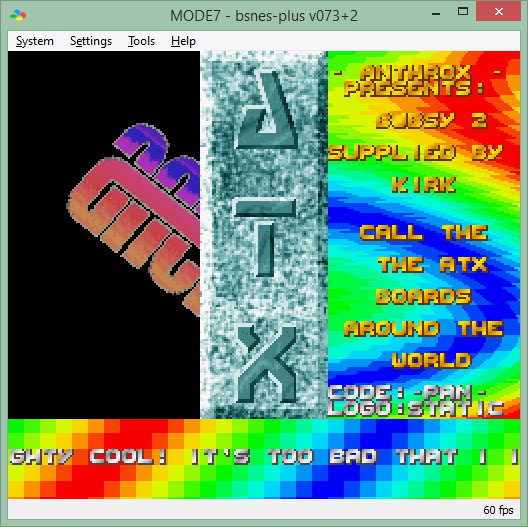
Changements:
MSU1: per byuu, this is the intended behavior and the removal was an unintended regression in higan v95. reverting will continue to keep it compatible with most higan versions and the sd2snes
Cette version est compatible avec le pack de shaders disponible ici.
Télécharger bsnes-plus (x86) v073+3a (5.6 Mo)
Il s’agit d’une branche de l’émulateur de Microsoft X-Box CXBX, apportant certains modifications et améliorations diverses.

Branche Darkrush3760
Branche LukeUsher
PSXACT est un émulateur de Playstation One écrit en c++ et qui cherche à être le plus précis possible (LLE).

Il s’agit d’une version modifiée de U64Emu de RCP permettant de corriger plusieurs problèmes sur les jeux Killer Instinct.

Les améliorations depuis U64Emu v3.11:
– No Random crashes
– Updated from DX7 to DX9
– Xinput support
– Back and down are no longer mapped to the same button
– No more 144P grade video quality
Il s’agit de la version française de cet émulateur, traduite par Tradu-France.
Créé par Avery Lee (l’auteur de VirtualDub), il s’agit d’un émulateur d’Atari 8 bits (800/800XL/130XE) disponible en 32 et 64 bits. Il dispose de beaucoup d’options ainsi que d’une bonne compatibilité. Il prend en charge les jeux protégés conformément à l’émulation. Il s’agit d’une version de développement au stade de béta.
Adds support for emulating 1050, Happy 1050, Speedy 1050, Super Archiver, and TOMS 1050.
Caveats:
– 1050 emulation will use more CPU time, since its controller runs at 1MHz instead of 500KHz.
– Formatting enhanced or double density will not work yet. Reading ED/DD will work on the drives that support it, though.
– Happy 1050 warp speed has some timing problems.
– Super Archiver does not support the write gate or Bit Writer.
– Drive sound is a little off since I can’t tell from the emulator side whether the firmware has finished the seek or not (the regular disk emulator uses a different sample for full track steps).
As a side note, TOMS 1050 serial timing is way off. I haven’t seen firmware send bytes more slowly than that particular one, and the stock 1050 firmware was already on the slow side.

