Il s’agit d’un émulateur multi-plateformes qui supporte les machines suivantes: ZX80, ZX81, ZX Spectrum, QL, Z88, Timex TS 2068, Sam Coupe, Pentagon 128, Chloe 140 SE, Chloe 280 SE, ZX-Uno, Prism, TBBlue/ZX, Spectrum Next, Jupiter Ace, Amstrad CPC 464.


Changements:
Added ZEsarUX Network Gaming protocol (ZENG), which allows you to play to any emulated game, using two ZEsarUX instances,
located each one on any part of the world or in a local network. Games doesn’t have to be modified, you can use any existing game
Added Spectrum and ZX81 online game browser. You can search & play almost any game for these machines!
Added real joystick support on Windows
Added Pentagon 16C colour mode emulation
Added 1024 KB RAM emulation for Spectrum & Pentagon
Added ZIP files support: no more need to use external unzip program
Added SCL files support: can be converted from file selector menu pressing space
Added SNA saving support
Added PZX tape file support
Added SCR to TAP file converter
Added total run time statistics
Added checking for updates
Added sending anonymous statistics use
Added setting –disablemenuandexit: it closes the emulator when the menu is going to be opened.
It’s the same behaviour as previous –disablemenu. Now –disablemenu only disables the menu but does not close the emulator
Added setting to disable looking for alternate character sets from sysvar 23606/7 on ocr functions
Added DataDrive HiLow emulation (beta)
Added Borland Gui Style
Added setting to reset configuration file to default values
Added setting to choose cpu type
 

Added ZRCP commands:
-cpu-code-coverage: working with code coverage
-cpu-history: working with cpu history
-extended-stack: having an internal stack for debugging stack value types
-get-ui-io-ports: to get keyboard state and joystick
-get-snapshot: get a ZSF snapshot from ZRCP
-print-footer: print message on footer
-put-snapshot: put a ZSF snapshot from ZRCP
-send-keys-event: simulates key press/release
-set-ui-io-ports: to change keyboard state and joystick
-write-port: write value to a port
 

Improved TBBlue emulation:
-New Wizard to automatically download and configure TBBlue official SD images
-optimized ula,lores render routines: 2% less cpu
-added scroll x,y on ula layer
-added 1-bit tile mode
-added tbblue register 63H: copper 16 bit write
-added tbblue register 69H: display control 1 register
-added tbblue registers 0x35-0x39, 0x75-0x79
-added copper opcodes NOOP, HALT
-increased tbblue.mmc MMC bundled image size to 64 MB
-updated to the latest tbblue SD distribution.
-enable real video by default
-added zsf snapshot support
-supports setting Core ID to ZX Dos
-supports changing Core version
 

Improved Debugging:
-added setting to dump .zsf snapshot when a cpu panic is fired
-debug CPU window: can now resize height and have more debug lines, legend keys expand as width increases, registers located at the most right position
-cpu transaction log: faster when opening transaction log file
-added key ‘n’ for « run » on debug cpu. Does the same as closing all menus and returning back to emulation
-debug CPU window: show interrupt routine pointer on im2 mode
 

Improved Hex editor:
-can now copy to a different memory zone
-shows the memory pointer when editing memory
 

Improved menu:
-added more cyrillic characters support
-can now use PgUp,PgDn to jump menu pages
-added setting to disable File Utilities menu
 

-Splitted source code repository: now extras folder has been moved to another repository. See:
https://github.com/chernandezba/zesarux-extras
 

Improved assembler: added defs command
Improved AY Sheet: now you can select which AY Chip to show
Improved Waveform: new scroll type
Improved file selector: when asking for a directory, only shows directories, not files
Improved curses driver: symbol @ simulates ESC on menu
Improved snapshot loading: now setting « –sna-no-change-machine » becomes « –snap-no-change-machine » and applies to .sna and .z80
Improved curses driver: now can use utf « blocky » characters and have 64×48 resolution
Improved accurate Z80 timing: IM mode 0 is 1 t-state shorter than IM mode 1
Improved real tape loading: acceleration is disabled by default, added setting to save configuration
Improved cpu speed change: now it’s a lot faster
 

Improved accesibility:
-disabled menu items (the ones in red) are now called as « unavailable » instead of « disabled »
-selected item menu is called now « Selected item » (was called « Active item » before)
-say when a selected menu item is not available
-pressing F4 key on a window menu, it will read that window again
-Mac OS speech filter doesn’t fail anymore when message has « – »
-when an error is generated on stdout driver, the message is sent to text-to-speech
 

Fixed Pentagon border: now ukflag demo is perfect
Fixed Spectrum 128k machines border: now ula128, scroll2017 demos are perfect
Fixed segfault error when using breakpoints like peek/opcode in config file
Fixed segfault error when trying to open a directory with no permissions
Fixed error when trying to open user files on MacOS Catalina
Fixed bug on zxuno changing video ram 5/7 when paging was disabled by bit DI7FFD
Fixed average cpu statistics when footer is not enabled
Fixed kempston mouse emulation on Next machine: wheel bits always return 0
Fixed bug extracting PAWS words when a word is a pronoun
Fixed undocumented opcode ED76: I had IM0 but it’s IM1
Fixed RETI behaviour
Fixed Real Joystick support: buttons to event table is not set to defaults automatically anymore
Fixed loading and saving +3 .z80 snapshots
Fixed placing menu windows when using zx desktop and machines TSConf, TBBlue, CPC and QL
Fixed bug loading .sna files when rom 1 paged in
Fixed bug on return flags from tape load trap. It only affected Rocman game and enabling « any flag loading » setting
Fixed setting a configured memory breakpoint like this « –set-mem-breakpoint 0000H 2 » which was fired on startup
Fixed f_seek call on esxdos handler
Fixed showing memory banks on debug cpu for Z88 machine
 

Fixed menu issues:
-fixed generic message splash: wait until key is released (if any pressed)
-fixed opening the menu on stdout driver on the first start of ZEsarUX
-fixed bug closing menu on Z88 machine and Real Video disabled
 

Fixed tbblue emulation:
-fixed clipping in 80×32 mode
-fixed error when paging rom in ram, on case pages 0,1,2,3
-fixed « bit 7 = Disable ULA output (soft reset = 0) » on register 0x68
-fixed turbosound and dac activation when tbblue fast boot mode
-added turbo mode x8 (28 MHz)
-fixed reading register 7
-fixed RTC emulation
-fixed autoload tape
 

Fixed Accessibility bugs:
-now menu settings (anything between square brackets []) are played at the end of the menu line
-now menu settings ([ ] and [X]) are played as « enabled »/ »disabled »
 

Some other minor bugfixes and improvements


Télécharger ZEsarUX v13 (44.4 Mo)

Télécharger ZEsarUX Extra v13 (232 Mo)

Site Officiel

En savoir plus…

m64p (ou Mupen64Plus-GUI) est une interface graphique écrite en Qt5. Elle supporte tout ce que vous attendez d’une interface mupen64plus (sélection de plugins, édition de la configuration, gestion des sauvegardes, capture d’écran, pause, etc.).
 
Cette archive inclut Mupen64Plus + GlideN64 + une interface utilisateur.


– Better HVQM implementation
– GUI stability improvements
– Initial 64DD support (can only launch 64DD games that also use a cartridge ROM currently)
– Interrupt scheduling fixes – should fix some random freezes in some games
– Pokemon snap improvements – The infamous « red dot » is visible now. If it’s not working for you, you may need to go into %APPDATA%/Roaming/Mupen64Plus and delete « GLideN64.custom.ini », then restart the emulator


Lien Patreon.
 

Code source.

Télécharger Simple64 (x86) (2020/06/02) (20.6 Mo)

Télécharger Simple64 (x64) v2024.12.1 (46.5 Mo)

Site Officiel

En savoir plus…

bsnes-plus (ou bsnes+) est un fork de bsnes (basé sur bsnes-classic) destiné à introduire de nouvelles fonctionnalités et améliorations, la plupart visant au débogage. Il s’agit donc d’une version améliorée de bsnes 073 ou l’on retrouve donc l’ancienne interface ainsi que les anciens menus. Plus d’informations ici.
 
Il s’agit d’une version WIP (en cours de développement) dite « instable » basée sur les dernières sources GIT du projet.


Changements:
– allow adding dsp breakpoints from memory editor
– some fixes

 
Cette version est compatible avec le pack de shaders disponible ici.
 

Télécharger bsnes-plus (x86) WIP v05.60 (2020/05/09) (7.6 Mo)

Télécharger bsnes-plus (x64) WIP v05.105 (2025/03/23) (12.5 Mo)

Site Officiel

En savoir plus…

Créé par Avery Lee (l’auteur de VirtualDub), il s’agit d’un émulateur d’Atari 8 bits (800/800XL/130XE) disponible en 32 et 64 bits. Il dispose de beaucoup d’options ainsi que d’une bonne compatibilité. Il prend en charge les jeux protégés conformément à l’émulation. Il s’agit d’une version de développement au stade de béta.


Topic des versions Beta.

Télécharger Altirra (Beta) v4.50 Test 28 (7.7 Mo)

Site Officiel

En savoir plus…

pantheon
 
Il s’agit d’un multi-émulateur qui gère les systèmes suivants avec une superbe interface très simple d’utilisation.
Ordinateurs : Acorn Atom, Acorn BBC Micro, Acorn Electron, Commodore PET, Atari 8-bit, MSX
Consoles : Atari VCS 2600, Atari VCS 5200, Atari VCS 7800, ColecoVision, Magnavox Odyssey 2, Sega Master System, Sega Megadrive, Mattel Intellivision
Consoles portables : Atari Lynx, Sega Game Gear, Nintendo GameBoy


Vous aurez besoin de .NET Framework installé sous Windows. Pantheon est spécifiquement dédié aux jeux.


Le gros avantage est que ceux-ci sont téléchargés automatiquement en un clic sans que l’on ait besoin de faire quoi que ce soit d’autre. Il est bien dommage que Panthéon ne dispose pas de filtres, cela rend les jeux très pixelisés en raison des basses résolutions natives.


Télécharger Pantheon v16.754 (138 Mo)

Site Officiel

En savoir plus…

Byuu est un émulateur multi-consoles (provenant de l’ancien pseudo de l’auteur qui s’appelle Near dorénavant) qui se concentre sur la précision et la facilité d’utilisation et vise à fournir la précision de higan avec la facilité d’utilisation de bsnes. L’objectif est de s’appuyer sur le succès de bsnes et d’offrir une interface facile à utiliser pour tous les cœurs d’émulation et pas seulement celui de la SNES.
 
Comme Higan, Byuu se concentre avant tout sur la précision. Contrairement à Higan, Byuu vise à être beaucoup plus convivial. Pensez à byuu comme mode « facile » et à higan comme mode « avancé », mais ils ont fondamentalement le même émulateur sous le capot. L’un n’est pas un sur-ensemble de l’autre; ce sont des projets « frères ».


byuu is a multi-system emulator that aims to combine the accuracy of higan with the simplicity and performance of bsnes. Essentially, what bsnes did for higan’s SNES emulation, I want byuu to do for all 25 of higan’s emulated systems.
 

byuu currently emulates the Nintendo, Super Nintendo, SG-1000, Master System + Game Gear, Sega Genesis, TurboGrafx-16 + SuperGrafx, MSX + MSX2, Game Boy + Color, Game Boy Advance, WonderSwan + Color, Pocket Challenge V2, and Neo Geo Pocket + Color.
 

I poured my soul into this, and even for a first release, there has been substantial development. As compared to higan v107, byuu v1 features a brand-new, easy-to-use user interface in the general style of bsnes, that loads traditional game ROM images directly, supports native file dialogs, more than doubles the performance of Super Nintendo and Sega Genesis emulation, quadruples the performance of TurboGrafx-16 emulation, and provides a 20% boost to Game Boy Advance emulation. A Ryzen 5 2600 CPU should be able to run any supported system at 150fps or more. As with my other emulators, features like adaptive sync and dynamic rate control come standard.
 

Future plans for byuu v2+ are ambitious: I hope to add support for rewind, run-ahead, a save state manager, a cheat code editor, frame advance, screenshot capture, and much more. Possibly even a hybrid desktop + couch-mode user interface! I also want to expose my Famicom Disk System, Sega CD, and future PC Engine CD emulation to byuu. Furthermore, I hope to expand byuu beyond my own collection of emulators: specifically, I would like to offer Nintendo DS, Nintendo N64, Sony PlayStation, and Sega Saturn emulation in future releases by relying on other leading emulation projects; although I may need help in achieving those goals.
 

And now a heartfelt plea: I’m putting everything I have into this project, and my future in the emulation scene depends upon this project’s success. Essentially, I’m getting older, and I have too many emulation cores to maintain as just one person. bsnes brought a revival to higan’s SNES emulation, and I am hoping that byuu can do the same for higan’s other cores.
 

I am looking for other developers to join on as equal contributors to this project. If this proves highly successful, I’ll stick around to guide the project forward. But if not, then I will be looking for a new lead to take over the project. In that case, I would continue to periodically submit patches, time permitting, but would hope for someone else to guide byuu, higan, and bsnes forward. If neither of these two things happen by the end of this year, then my current intention is to regrettably step down from the projects, although I haven’t decided on an exact date of when yet. Effectively, I’ve gone about as far as I could as a sole developer.
 

Essentially, I am hoping for this project to be what I’m remembered by after I’m gone one day, and so I want it to be as much of a success as possible. I also want these emulation cores to live on beyond me, and not just be tied to me as a person. Already bsnes and higan benefited massively thanks to 15+ years of contributions from well over a hundred volunteers. These emulators are so much more than just me. I hope to accelerate that trend, so that one day I can pass on the torch.
 

I hate to ask this, but anything you all can do to help promote this project would be greatly appreciated! Getting the word out about it, creating user guides and video tutorials, writing an article about it, posting about it on a forum, adding it to an existing emulation website, … anything would help. I am hoping that in naming the project eponymously, that I can short-step some of the time-consuming struggle of establishing a new emulator project, but word of mouth is still vital for people to know that this project exists.
 

Thank you all so much! I hope you’ll enjoy this new software as much as I’ve enjoyed making it.

 
Plus d’infos sont disponibles sur la page officielle.


Télécharger Byuu (64 bits) v4 (5.1 Mo)

Site Officiel

En savoir plus…

jGamebase est un port Java de Gamebase, une interface orientée rétro-gaming riche en fonctionnalités (boxarts, screenshots, liens vidéos…) pour lancer vos jeux.

 
Il supporte tout émulateur pour tout système and dispose de filtres de recherche.Il existe des bases de données pour Apple II, Atari ST, Coleco ColecoVision, Commodore Amiga, Commodore C64, Commodore VIC20, Nintendo NES, Nintendo SNES, et Sinclair ZXSpectrum. jGamebase vous permet de télécharger les bases de données en quelques clics.


jGamebase


Télécharger jGamebase v0.71.4 (DB v19.0.1) (75.8 Mo)

Site Officiel

En savoir plus…

Créé par Exzap, il s’agit du second émulateur de Wii U à être disponible au public mais le premier à pousser jusqu’à l’émulation de jeux commerciaux. Il peut décrypter les images Wii U qui utilisent le format Wud mais également les fichiers RPS ou RPL. La résolution interne peu aller jusqu’à 1920×1080 selon les jeux. A noter que pour le moment, un seul contrôleur est accepté, il s’agit du DRC (GamePad) de la Nintendo Wii U. Cette version n’est compatible que pour les Windows x64 (à partir de Windows 7) avec une carte graphique gérant OpenGL 4.1 (ou supérieur) ou Vulkan et il faudra posséder 4 à 8 Go de mémoire vive (Ram) pour le faire fonctionner. (Correspondance ID-Titre).
 
Un tuto est disponible ici.
 
cemu
 
Les changements:
 

En résumé:
– Stability improvements for multi-core recompiler modes
– Stability improvements for Vulkan
– Compatibility improvements
– UI clean up
– Miscellaneous bug fixes and smaller new features

 
En détails:
# New in 1.17.2b:
general: Improved robustness of settings.xml parser to avoid crashes when loading bad or outdated settings files
general: Display CPU menu if Cemuhook is installed (for Cemuhook affinity settings)

OpenGL: Fixed a regression which broke depth-stencil texture formats when graphic packs were enabled

gfxPacks: Added support for @h suffix in patch parser (Used by XCX 60FPS pack)
 
# New in 1.17.2:
general: Fixed an issue where the game list would display updates/dlc instead of the base game, if no base game was found
general: Removed redundant global options for cpu and vertex cache in the menu bar
general: Removed precompiled shaders option from game profiles since there isn’t really a reason to configure it per-game
general: Added a new debug option to the general settings to enable the creation of crash dumps

coreinit: Overhauled MP task queue API. The previous implementation required a game-specific workaround for Toyko Mirage Sessions which is now no longer necessary
coreinit: Fixed several race conditions which could lead to deadlocks in multi-core recompiler mode
coreinit: The default PowerPC thread for core 1 is now also the thread that begins execution in the game’s main() method. Some games rely on this behavior.
This change fixes crashes in Paper Mario Color Splash

Vulkan: Fixed a rare crash that could occur in any game due to a hash collision in the pipeline runtime cache
Vulkan: Fixed custom shaders not being applied for V5 graphic packs (#270)
Vulkan: Several minor tweaks to increase stability

nn_boss: Fixed a crash that could occur when the game requested to run an invalid task
 
Note:
(#xx) refers to bug tracker issues resolved by this change. See http://bugs.cemu.info/projects/cemu/


A noter que des packs graphiques haute définition sont disponibles ici. Ils permettent, entre autre, d’augmenter la résolution native des jeux car contrairement à Dolphin et parce que la machine est techniquement différente il n’est pas possible à Cemu d’augmenter la définition autrement que par cette méthode.
A l’inverse, des packs SD (définitions standards et/ou basses) sont disponibles sur ce lien et permettent à certains PC manquant de performance de lancer des jeux en 60 FPS.

 
Une liste de compatibilité est disponible ici.

 
Site source.

Télécharger Cemu v2.6 (35.6 Mo)

Site Officiel

En savoir plus…

Un émulateur de Pocket Station créé par Dr Hell (l’auteur de Xebra entre autres).


Télécharger PK201 (2020/04/28) (74 Ko)

Site Officiel

En savoir plus…

Il ne s’agit pas d’un émulateur multi-systèmes mais d’une archive regroupant tous les émulateurs de Takeda.


Elle inclut:
 

ASCII
– yayaMSX1: Emulateur de MSX1 par Mr Tanam et Mr Umaiboux
– yayaMSX2: Emulateur de MSX2 par Mr Tanam et Mr Umaiboux
– yayaMSX2+: Emulateur de MSX2+ par Mr Umaiboux
 
Bandai
– eRX-78: Emulateur de RX-78 (aka GUNDAM)
 
CANON
– eX-07: Emulateur de X-07
 
CASIO
– eFP-200: Emulateur de FP-200
– eFP-1100: Emulateur de FP-1100
– ePV-1000: Emulateur de PV-1000
– EmuGaki: Emulateur de PV-2000 (aka RakuGaki)
 
COLECO
– yaCOLECOVISION: Emulateur de ColecoVision par Mr Tanam
 
EPOCH
– eSCV: Emulateur de Super Cassette Vision
 
EPSON
– eHC-20: Emulateur de HC-20/HX-20
– eHC-40: Emulateur de HC-40/PX-4
– eHC-80: Emulateur de HC-80/PX-8/Geneva
– eQC-10: Emulateur de QC-10/QX-10
 
FUJITSU
– eFM8: Emulateur de FM-8 par Mr Artane
– eFM7: Emulateur de FM-7 par Mr Artane
– eFM77: Emulateur de FM-77 par Mr Artane
– eFM77AV: Emulateur de FM77AV par Mr Artane
– eFM77AV40: Emulateur de FM77AV40 par Mr Artane
– eFM77AV40EX: Emulateur de FM77AV40EX par Mr Artane
– eFM16p: Emulateur de FM16p
– eFM16β: Emulateur de FM16β
– eFMR-30: Emulateur de FMR-30
– eFMR-50: Emulateur de FMR-50
– eFMR-60: Emulateur de FMR-60
– eFMR-70: Emulateur de FMR-70
– eFMR-80: Emulateur de FMR-80
 
Gijutsu Hyoron Sha
– eBabbage-2nd: Emulateur de Babbage-2nd
 
HITACHI
– eBASICMasterJr: Emulateur de BASIC Master Jr
 
Homebrew
– eZ80TVGAME: Emulateur de Z80 TV GAME SYSTEM par Mr Isizu
 
IBM Japan Ltd
– eJX: Emulateur de PC/JX
 
Japan Electronics College
– eMYCOMZ-80A: Emulateur de MYCOMZ-80A
 
MITSUBISHI Electric
– EmuLTI 8: Emulateur de MULTI 8
 
National/Panasonic
– yayaFS-A1: Emulateur de FS-A1 par Mr Umaiboux
– eJR-100: Emulateur de JR-100
– eJR-200: Emulateur de JR-200
– eJR-800: Emulateur de JR-800
 
NEC
– eN5200: Emulateur de N5200
– ePC-2001: Emulateur de PC-2001
– yaPC-6001: Emulateur de PC-6001 par Mr Tanam
– yaPC-6201: Emulateur de PC-6001mkII par Mr Tanam
– yaPC-6401: Emulateur de PC-6001mkIISR par Mr Tanam
– yaPC-6601: Emulateur de PC-6601 par Mr Tanam
– yaPC-6801: Emulateur de PC-6601 SR par Mr Tanam
– ePC-8001mkIISR: Emulateur de PC-8001mkIISR
– ePC-8201: Emulateur de PC-8201
– ePC-8801MA: Emulateur de PC-8801MA
– ePC-9801: Emulateur de PC-9801
– ePC-9801E: Emulateur de PC-9801E/F/M
– ePC-9801U: Emulateur de PC-9801U
– ePC-9801VF: Emulateur de PC-9801VF
– ePC-9801VM: Emulateur de PC-9801VM
– ePC-98DO: Emulateur de PC-9801DO
– ePC-98LT: Emulateur de PC-98LT
– eHetY98: Emulateur de PC-98HA (aka HetY98)
– QEMU/9821: Emulateur de PC-9801BX4/PC-9821
– ePC-100: Emulateur de PC-100
– eTK-80BS: Emulateur de TK-80BS (aka COMPO BS/80)
– eTK-85: Emulateur de TK-85
 
NEC-HE
– ePCEngine: Emulateur de PC Engine / SuperGrafx
 
Nintendo
– unofficial nester: Emulateur de NES/Family Computer
– eFamilyBASIC: Emulateur de Family BASIC
 
PIONEER
– ePX-7: Emulateur de PX-7 + LD Player
 
SANYO
– ePHC-20: Emulateur de PHC-20
– ePHC-25: Emulateur de PHC-25
 
SEGA
– eSC-3000: Emulateur de SC-3000
– yaGAME GEAR: Emulateur de SEGA GAME GEAR par Mr Tanam
– yaMASTER SYSTEM: Emulateur de SEGA MASTER SYSTEM par Mr Tanam
 
SEIKO
– eMAP-1010: Emulateur de MAP-1010 (aka MAP SENSEI)
 
SHARP
– EmuZ-80A: Emulateur de MZ-80A par Mr Suga
– EmuZ-80B: Emulateur de MZ-80B
– EmuZ-80K: Emulateur de MZ-80K/C
– EmuZ-700: Emulateur de MZ-700
– EmuZ-800: Emulateur de MZ-800
– EmuZ-1200: Emulateur de MZ-1200
– EmuZ-1500: Emulateur de MZ-1500
– EmuZ-2200: Emulateur de MZ-2200
– EmuZ-2500: Emulateur de MZ-2500 (aka Super MZ)
– EmuZ-2800: Emulateur de MZ-2800 (aka MZ-SHOIN)
– EmuZ-3500: Emulateur de MZ-3500
– EmuZ-5500: Emulateur de MZ-5500
– EmuZ-6500: Emulateur de MZ-6500
– EmuZ-6550: Emulateur de MZ-6550
– eSM-B-80TE: Emulateur de SM-B-80TE
– eX1: Emulateur de X1
– eX1twin: Emulateur de X1twin
– eX1turbo: Emulateur de X1turbo
– eX1turboZ: Emulateur de X1turboZ
 
Shinko Sangyo
– eYS-6464A: Emulateur de YS-6464A
 
SONY
– eSMC-70: Emulateur de SMC-70
– eSMC-777: Emulateur de SMC-777
 
SORD
– Emu5: Emulateur de m5
 
TOMY
– ePyuTa: Emulateur de PyuTa / PyuTa Jr.
 
TOSHIBA
– eEX-80: Emulateur de EX-80
– yayaHX-20+: Emulateur de HX-20 + FDD par Mr Umaiboux
– EmuPIA: Emulateur de PASOPIA
– EmuPIA 7: Emulateur de PASOPIA 7
– eJ-3100GT/SL: Emulateur de J-3100GT/SL
 
Yuasa Kyouiku System
– eYALKY: Emulateur de YALKY
 
Des versions compatibles XP et Vista (gérant la fonction de conversion binaire avec Romaji Kana) sont disponibles sur ce lien (Miroir: ici ou là).


Télécharger Takeda Common Binaries (2026/01/01) (14.0 Mo)

Site Officiel

En savoir plus…

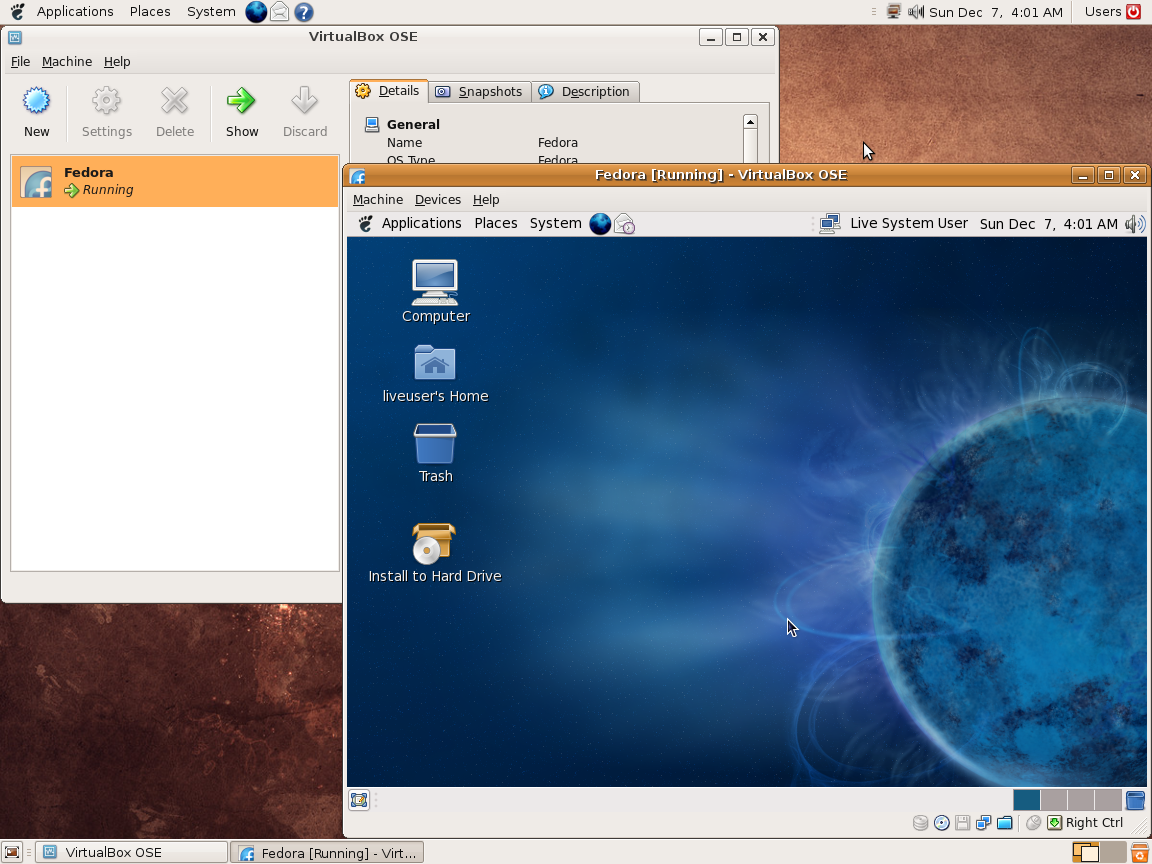
Ce programme permet d’émuler un PC sous plusieurs OS. Il tourne sous Windows, Linux ou Mac. Il permet de faire tourner des machines virtuelles sous différents OS (Windows de tout type, Linux, FreeBSD OS/2 etc.).


Vitualbox est également open-source et gratuit (pour les particuliers). Les solutions existantes de virtualisation étant soit très chères pour le particulier, soit incomplètes au niveau du support des systèmes, VirtualBox propose donc une alternative intéressante à Vmware et VirtualPC.


Les améliorations sont lisibles ici.


Télécharger VirtualBox v7.2.22 (170 Mo)

Télécharger VirtualBox - Oracle VM VirtualBox Extension Pack v7.2.22 (19.1 Mo)

Site Officiel

En savoir plus…

Mesa3D peut être utilisé pour fournir un moteur de rendu Software aux applications OpenGL et est particulièrement utile pour exécuter d’anciennes applications et jeux qui utilisent une ancienne version d’OpenGL et qui ne fonctionnent pas correctement sur du matériel moderne.
Notez que ce dispositif de rendu est loin d’être parfait, et de nombreux jeux ne fonctionneront pas encore.
 
Des instructions sur l’utilisation de la DLL sont incluses.


NB: Parce que certaines applications et jeux vont refuser de charger opengl32.dll à partir de leur répertoire, vous pouvez utiliser MesaInjector.
 

Télécharger Mesa3D (x86) v20.1.8 (6.7 Mo)

Télécharger Mesa3D (x64) v20.1.8 (8.4 Mo)

Télécharger MesaInjector v20.1.8 (8.5 Mo)

Site Officiel

En savoir plus…


https://getourbonus.com/fr/accueil

https://www.romspedia.com/