Il s’agit d’un fichier DAT tenu par MASH regroupant toutes les infos du site « mametesters.com ». Il donne des infos sur l’émulation des jeux sous MAME, c’est a dire le développement, les bugs, les améliorations… L’archive comprend également les derniers Mame32-Inifiles.


Les changements sont les suivants :

– Updated to MAME (r28875)
– Added r28875 Source/Listinfo changes (git.redump.net\mame)
– Newest Bugs (21st Mar)
– Added Unit3D Pinball Emulator infos
– Added/Fixed ‘Recommended Games’
– Fixed Mameinfo.dat infos
– Fixed Control.ini (MAME32-inifiles)
– Added Artwork- and Device.ini


Télécharger Mameinfo.dat v0.152(r28875) (2,8 Mo)

Site Officiel

En savoir plus…

fs-uae est un emulateur multi-plateformes (sur Linux , mac osX et windows) reprenant les travaux de WinUAE/E-UAE/PUAE en mettant l’accent sur l’émulation des jeux sur lecteur de disquette et CD-Rom. A noter que cette version propose un launcher dédié.


Une caractéristique unique est le jeu en ligne. Vous pouvez maintenant jouer à des jeux Amiga contre (ou avec) des amis sur Internet.
L’émulateur utilise le dernier code d’émulation Amiga WinUAE du projet et nécessite un ordinateur moyennement rapide avec accélération graphique (OpenGL) pour travailler. Une manette de jeu ou d’un joystick est recommandé, mais pas obligatoire (FS-UAE peut émuler une manette de jeu en utilisant les touches fléchées et Ctrl de droite / touches ALT).


fsuae


Le launcher est relié au site Back2roots, immense base de données sur l’Amiga et vous mène directement à la page de téléchargement du jeu. Il simplifie grandement les réglages relatifs à WinUAE. Formidable !


Nombreux changements :
UAE core code updated from WinUAE 2.7.1b9.
FS-UAE can use 256 kB chip RAM (and also 128 if you *really* want to).
Inhibit screen saver / power saving when running FS-UAE on OS X.
Allow short-hand –video-sync(=1/0) option
Use floating point control register, output compiler warning when not.
Added flush_log boolean option to flush log output after each log line.
New UAE Native Interface (via built-in uaenative.library).
Enforcer / AHI interface is added (but with a dummy AHI backend).
Support for old WinUAE-style native calls.
Code cleanup in UAE code to reduce the number of compiler warnings.
Removed some unused source files from the source archive.
Auto-generated source files are now auto-generated when compiling on all platforms, and not cached in the source archives any longer.
Fixes to allow FS-UAE to be compiled with the lastest MinGW version.
Updated translations: it [Speedvicio], es [albconde], da [tomse], nb.
Changes in FS-UAE Launcher 2.5.0dev:
Windows portable version didn’t store relative paths.
Properly locate A500 kickstart on first startup when it exists.
Don’t refresh the online database when running the file scanner.
Game database changes for better forward compatibility.
Adult filter for game database, enabled by default.
Use search term tag:adult to show adult games.
New option database_show_adult to show adult games by default.
Can search for quoted words to require exact word match.
Fixed some translated strings used incorrectly.
Updated translations: pl [grimi].
Fixed multiple file selection when using PyQt.
Added 256 kB chip RAM to the chip memory selector.
Updated translations: de [jbl007], es [albconde], it [Speedvicio], da [tomse], nb.
(Arcade) Fixed missing ext rom problem when starting CD32 games.
(Arcade) Fixed repeat problem when navigating with joystick hats.
(Arcade) Fixed a bug related to non-ASCII characters in joystick names.
Fixed a bug preventing hd_requirements = workbench from working.
Fixed a bug which is also a syntax error with Python < v2.7.
Fixed a potential startup problem when PATH has non-ASCII characters.

Notes:
Several of the changes are from the stable series, but new since the latest development version:
For some reason, openSUSE build service won’t built this (RPM) version, no useful information about the problem in the build logs, so no RPMs are available yet.

New development versions will be forthcoming more regularly I’ll also make a post on what to expect of changes (short-term).


Télécharger FS-UAE (Instable) [32 bits] v2.9.7 DEV 5 (69.5 Mo)

Site Officiel

En savoir plus…

Un excellent manager de roms à l’instar de clrmame et Romcenter. Romulus est capable d’importer les dats de RomCenter et clrmame (ancien format et format xml), les fichiers offlinelist et Mess et gère les roms non compressées ou compressées en zip, rar ou 7z. Il peut également importer un dat à partir de l’exécutable de Mame, générer des rapports ou des statistiques… Depuis la version 0.19, une exclusivité (!), il est pourvu d’un module communautaire dont l’objectif est le partage de fichiers à la manière d’un ftp client comme flashfxp.


Il dispose également d’un navigateur intégré, d’un localisateur de DATS, supporte les CHD de Mame…

Un manager à tout faire !


Romulus


22 – 03 – 2014

About 4 months waiting for new Romulus version. This time added a lot of improvements, fixes and more.
Special thanks to Maero and Xiao for testing, feature requests and patience.

I wish to remember to Romulus users possibility to Donate. Romulus has over 4 years of development and a small donation is always good news for me and a recognition of my hard work.

Here are the changes of 0.023 version.

– ADDED Special recoding optimization for lists. Now scrolling and displaying in real time is up to x10 more fast.
– ADDED Incremental search in lists. Automatic move focus to the text starting with key pressed. Mareo request.
– ADDED to Generator Treelist mode display with full expand and full collapse option at popup menu.
– ADDED Experimental RAM memory manager to decrease general RAM usage.
– ADDED Speed hack when displaying scanner window. When a profile has thousand and thousand of roms in other Romulus versions can take some seconds to open it.
– ADDED Stop and refresh options at integrated webbrowser popup menu. Maero request.
– ADDED Japanese language. Thanks to Xiao
– ADDED Autodetection of Japanese language at startup the first use of Romulus and set it as default.
– ADDED Support for Offlinelist DATs with Unicode information.
– CHANGED Offlinelist profiles updated automatic not show profile info and not ask to continue now.
– CHANGED Default font from Tahoma to Segoe UI. Seems more accurate to display all languages.If this font don’t exists in system will be added automatic.
– CHANGED Default directories for resources and extract files as X:\TMP\RES and X:\TMP\EXT0
– FIXED Displaying property unicode texts in Windows versions with different set region of English. Thanks to Xiao
– FIXED Option for drag n drop files into Romulus for Windows Vista and later users using Settings option.Thanks to Xiao
– FIXED Save UTF8 textfiles in Oriental OS Systems where codepage is different. This affects to reports (HTML and TXT), XML exportation and saving log. Thanks to Xiao
– FIXED Max text length limit of 256 chars for log.
– FIXED Memory problem found importing last MAME DATs.
– FIXED Unicode displaying information for Update DAT window.
– FIXED Unicode displaying information for Directory maker window.
– FIXED Importation error for Clrmame DATs with no description for Sets found on The Wizard of DATz. Bug reported by Maero.
– FIXED Importation error when an Offlinelist or Romcenter DAT is imported or updated and you try to import other DATs later.
– FIXED Importation from MAME Based EXE fails in some cases caused by a wrong initialization of a variable. Bug reported by Maero.
– FIXED Importation XML files where separator brackets are between to lines. Thanks to Xiao
– FIXED Importation Offlinelist DATs where Releasenumber field not exists. Thanks to Xiao
– FIXED Scanner window folder list focus when batch scan/rebuild in some special cases.
– FIXED taskbar indeterminate progressbar not ends when batch scan with popupmenu of profiles section.
– FIXED Special XML conversions like &amp; when exports. Bug reported by Maero.
– FIXED Problem overwriting files like when generate your own DAT.
– FIXED Comboboxes dropdown max visible list count is set to 10 at default and works with themes.
– FIXED Broken Offlinelist filters.
– FIXED Displaying Scanner option smile faces sometimes when other tabs are closed.
– FIXED Displaying backslash symbol like in pathes in asian Windows versions.
– FIXED Correct displaying of backup path from right menu folders button at scanner option.
– FIXED Importation CHDs and SAMPLEs without extension in DAT, extension not added if filename has points.
– FIXED random problem closing process window and application infinite loop.
– FIXED Settings section left list focus at show settings.
– FIXED Transparency bug at PNG files loaded by Offlinelist profiles.
– FIXED Flashing taskbar sometimes non stops.
– FIXED Recovery focus control when other forms open and close.
– FIXED Some components not correct converted to UNC to display correctly.
– FIXED Some memory leaks found that can cause application crash.
– UPDATED CHDMAN to 0.152 version.


Télécharger Romulus v0.023 (5,4 Mo)

Site Officiel

En savoir plus…

UME (Universal Machine Emulator) est le projet qui relie MAME et MESS (32 + 64 bits) dans un seul émulateur multi-usages. Couplé au frontend Qmc2 ici même, vous pouvez alors utiliser tous les fichiers Mame extras & Mess Extras.

Les changements sont visibles ici.


Télécharger UME v0.152ex4 (39,1 Mo)

Site Officiel

En savoir plus…

Un excellent émulateur de Casio Graph 85 SD. Manuel FR en PDF inclus dans l’archive, que demande le peuple ?


casio_graph85


Télécharger GRAPH85 emulator (12,0 Mo)

Site Officiel

En savoir plus…

Il s’agit d’une version non officielle de FBA basée sur la version 0.2.97.29 mais qui ajoute beaucoup de fonctionnalités « inutiles » (dixit l’auteur). Cette version ajoute beaucoup de possibilités comme par exemple l’enregistrement vidéo, le support des roms sous 7z, le support de XAudio2/OpenAL/OpenGL, l’autofire…en plus d’avoir une interface plus complète et détaillée, enfin ce build ajoute des drivers en supplément permettant le support de nouveaux jeux. Beaucoup l’apprécie pour ses fonctions à mi-chemin entre FBA et MamePlus!

Il est nécessaire que « Microsoft Visual C++ 2012 Redistributable Package » soit préalablement installé.


Télécharger FBA Shuffle (x86) v2.4.0 (2014/03/16) (4,4 Mo)

Télécharger FBA Shuffle (x64/VS10) [kof2112] v2.4.0 (2016/01/08) (4.7 Mo)

Site Officiel

En savoir plus…

fs-uae est un emulateur multi-plateformes (sur Linux , mac osX et windows) reprenant les travaux de WinUAE/E-UAE/PUAE en mettant l’accent sur l’émulation des jeux sur lecteur de disquette et CD-Rom. A noter que cette version propose un launcher dédié.
 

Les changements:

– (Launcher) Fixed a bug preventing hd_requirements = workbench from working.
– (Launcher) Fixed a bug which is also a syntax error with Python v2.7.
– (Launcher) Fixed a potential startup problem when PATH has non-ASCII characters.
– (Arcade) Fixed a bug related to non-ASCII characters in joystick names.


Télécharger FS-UAE v2.4.1 (29,9 Mo)

Site Officiel

En savoir plus…

PPSSPP est un émulateur de Sony PSP (pour Windows, Android et SDL) gratuit et libre écrit en C + + par Henrik Rydgard (très connu sous le pseudo de Ector, déjà auteur de l’émulateur de PSP Potemkin et surtout connu pour Dolphin, ayant également exercé sur nombre d’émulateurs Dreamcast). Il traduit les instructions du processeur PSP directement dans du code optimisé pour machine x86, x64 et ARM en utilisant un compilateur JIT efficace.
PPSSPP peut également fonctionner sur du matériel bas de gamme ainsi que sur certains smartphones et tablettes Android, aussi longtemps qu’il y aura un soutien pour OpenGL ES 2.0.
Un nombre de plus en plus important de jeux sont jouables (Puzzle Bobble Deluxe, Puyo Pop Fever, Pinball Fantasies, Star Soldier, Blokus, Lumines, Knights in the Nightmare, Ridge Racer 2, BlazBlue…voir la liste de compatibilité ici) et la liste devrait s’agrandir au fur et à mesure.


Les modifications sont les suivantes:
– OpenGL ES 3 detection bug on Xperia devices fixed, graphics work again.
– More accurate audio mixing and emulation
– Software rendering and display list performance improvements
– Workaround for timing issue hanging Crash Tag Team Racing
– Galician language
– Built-in ARM disassembler improvements (dev feature)
– Fix for immersive mode volume key issue on Android Kitkat
– And more minor tweaks and fixes as always.


Site de développement.
Site des builds automatiques WIP.

Télécharger PPSSPP v0.9.8 (12,6 Mo)

Site Officiel

En savoir plus…

Un émulateur de Sharp X68000/X68030.


Les changements (par google^^):

	 follow roughly (2013/11/23) o XM6 TypeG Version 3.11.
	  - Restore V3.5 emulation MercuryUnit - improvement number of VM.
	  - Restore the CZ-6BF1 emulation.
	  - "Display> Video> PCG", "Display> Video> BG page 0",
	    Fixed a display pattern of "View> Video> BG page 1".
	  - Fixed the SIZE field of SSW.
	  - Changes to write-through to write to the disk image.
	 implement (TT) Transparent conversion of 68030 MMU o.
	 memory access instruction fetch implement partial carried out by the long word always in o 68030.  Performance improvement is about 10%.
	 The implementation of the host mode o FPU.
	 I want to be changed at run time the o SRAM automatic update check.
	 Fixed FC of memory access by o MMU.
	 Change to milkjf font 8x16 font of o built-in fonts.
	 Fixed a problem that was aborted when you exit the application you are using a host of driver o serial port.
	 The modified so that it does not consume the host's time in power off mode no-wait operation the whole o VM.
	 Automatically adjust the height of the window events o "Display> Process> Scheduler" window so as not to protrude.
	 View the execution status of the MPU o to "Display> Processor> MPU register" window.
	 o FETOX, FETOXM1, FTWOTOX, speed up the processing of FTENTOX instruction.
	 Fixed some minor bugs o FPU instruction.
	   - FDIV instruction, FATANH (-0.0), FLOGNP1 (-0.0)
	 The implementation fr, rc, the ci command to o debugger.


Télécharger XM6i v0.43 (3,5 Mo)

Site Officiel

En savoir plus…

Un joli frontend pour mame (ou autres), très configurable et souvent mis à jour. Emu Loader est une interface graphique qui se greffe principalement sur les émulateurs arcade comme MAME, SEGA Model 2, SuperModel, Daphne. L’interface permet de gérer votre collection de roms, de vérifier vos jeux et de lancer vos émulateurs.


Télécharger EmuLoader v7.5.6 (6,0 Mo)

Site Officiel

En savoir plus…

Créé par Cutebutwrong, MAWS pour Mame Agregation WebSite était un site qui référençait l’intégralité des jeux supportés par Mame. Le moteur de recherche était LA fonction essentielle du site puisqu’il permettait très facilement de retrouver le nom d’un jeu grâce à différents critères  permettant de le cataloguer de façon très précise et ceci en s’appuyant sur les catlists (catégories de fichiers permettant le tri d’une liste de jeux par catégorie : nom du jeu, année, éditeur, résolution, nombre de joueurs, nom de roms, etc…). Il s’agissait d’une référence pour l’émulation -en particulier pour Mame- qui malheureusement a été stoppée en décembre 2011 suite à un hack. La motivation n’étant plus là, le site fut abandonné (le code source fut offert à ceux qui voulaient poursuivre l’aventure).


Bien des projets on tenté de s’en rapprocher comme le site italien Progrettoemma (recherche par catégorie limitée à 4 critères seulement) et surtout Mamedb (mais assez long à être à jour en conformité avec la dernière version de Mame).

Bien évidemment, nous avons toujours des sites plus généralistes comme Arcade-history mais ce dernier est beaucoup plus ambitieux et ne se contente pas que de Mame, ce qui n’était absolument pas l’objectif d’un site comme Maws qui voulait aider les gens à trouver le jeu qu’ils avaient connus pour pouvoir, éventuellement, y rejouer.


splash_maws2


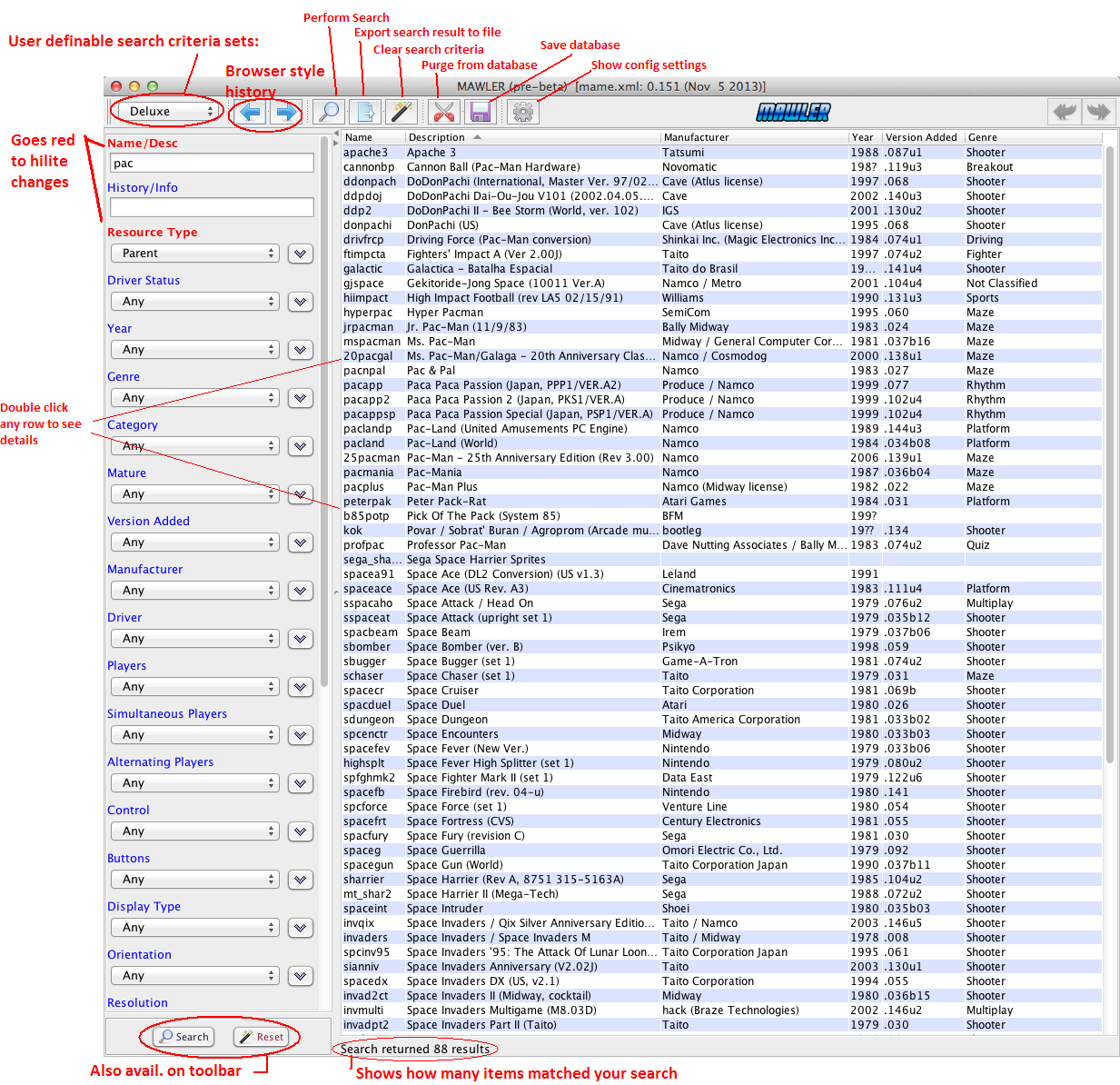
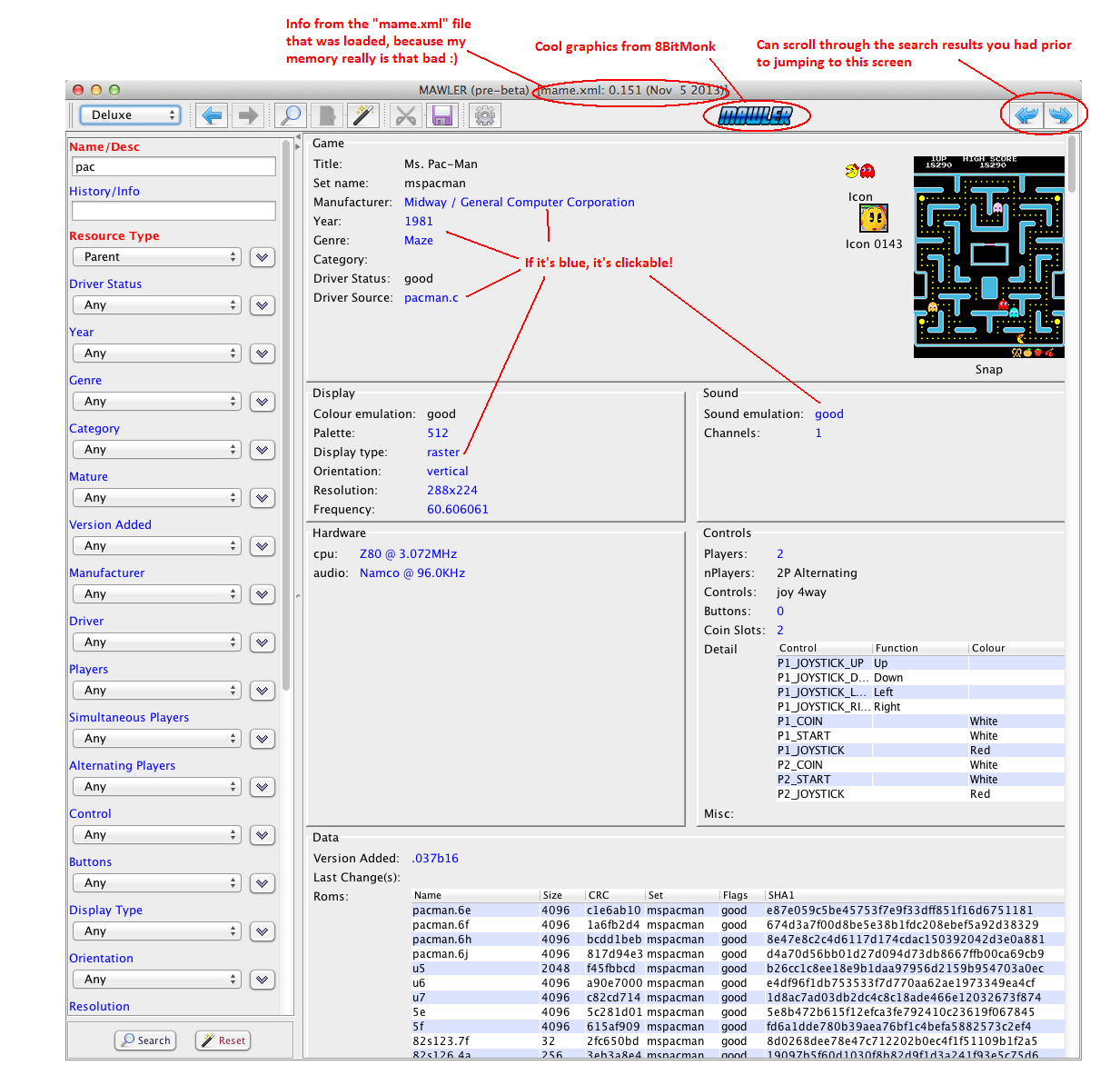
C’est ainsi qu’un membre du forum ArcadeControls nommé ids, a décider de reprendre le projet ! Il s’agirait plus exactement d’un Maws v2 qui pourrait être nommé Mawler (nom choisi par les membres de ce forum mais dont on ne sait finalement la réelle signification ^^). Cutebutwrong a plutôt l’air réjoui de cette nouvelle!


search_maws2


Il s’agit d’une application (offline) autonome, écrite en Java , et qui devrait fonctionner à peu près partout  (Voir le fichier readme dans le zip pour savoir comment configurer). Pour l’instant elle consomme beaucoup de ressources mais cela sera corrigé surement dans les révisions futures.


detail_maws2


Espérons que tout ceci permette de relancer Maws, le site. Cela serait une bonne chose pour Mame (voir Mess) ainsi que pour la communauté !


L’application est disponible ici: http://www.ids.ca/mame/maws2.zip.


Forum Officiel

pfeMame (écrit par Gareth Finch) est un frontend pour MAME, écrit en Python. Il est multiplateforme (testé sur Linux – Ubuntu et Windows XP). Il comprend également une interface graphique destinées aux MameCab qui permet le contrôle à l’aide joystick / manette.


Les changements de cette version sont les suivants:

– General Bugfixes
– Supports 7z rom files
– Better hiding of mouse in tile view
– Improved look of tile view
– Addition of ‘per game’ preferences as well as ‘default’ preferences


Télécharger pfeMame v0.993 (8,4 Mo)

Site Officiel

En savoir plus…


https://getourbonus.com/fr/accueil

https://www.romspedia.com/