Il s’agit d’un émulateur spécialisé dans l’enregistrement vidéo et basé sur le noyau de bsnes. Destiné avant tout aux vidéos dans le but d’obtenir des enregistrements parfaits en vu de référencements sur des sites comme TAS.


– Fix status panel (and movie editor) flicker
– Actually fix the statuspane/movie-editor flicker
– Show effects of Lua in input display
– Offer lsmv.backup as file filter too for load lsmv
– Allow slowing down subframe advance (it used to always be very fast)
– Display current save slot information
– Add snes9x fonts
– Fix hotkeys stopping working after X-ing settings dialog
– Movie editor: Fix bug if extending finished movie
– Cap current_frame_first_subframe to movie size when recounting movie
Movie editor: Interpret ctrl+click as right click


Télécharger Lsnes rr1 delta 18 ε3 (19.2 Mo)

Site Officiel

En savoir plus…

Il ne s’agit pas d’un émulateur multi-systèmes mais d’une archive regroupant tous les émulateurs de Takeda.


Elle inclut:


– Emu5: Emulateur de SORD m5
– EmuLTI8: Emulateur de MITSUBISHI Elec. MULTI8
– EmuPIA: Emulateur de TOSHIBA PASOPIA
– EmuPIA7: Emulateur de TOSHIBA PASOPIA7 et LCD
– EmuZ-80B: Emulateur de SHARP MZ-80B
– EmuZ-80K: Emulateur de SHARP MZ-80K
– EmuZ-700: Emulateur de SHARP MZ-700
– EmuZ-800: Emulateur de SHARP MZ-800
– EmuZ-1200: Emulateur de SHARP MZ-1200
– EmuZ-1500: Emulateur de SHARP MZ-1500
– EmuZ-2200: Emulateur de SHARP MZ-2200
– EmuZ-2500: Emulateur de SHARP MZ-2500
– EmuZ-2800: Emulateur de SHARP MZ-2800
– EmuZ-3500: Emulateur de SHARP MZ-3500
– EmuZ-5500: Emulateur de SHARP MZ-5500
– EmuZ-6500: Emulateur de SHARP MZ-6500/6550
– eBabbage-2nd: Emulateur de Gijutsu-Hyoron-Sha Babbage-2nd
– eFamilyBASIC: Emulateur de Nintendo Family BASIC
– eFM-16pi: Emulateur de FUJITSU FM-16pi
– eFMR-30: Emulateur de FUJITSU FMR-30
– eFMR-50: Emulateur de FUJITSU FMR-50
– eFMR-60: Emulateur de FUJITSU FMR-60
– eFP-200: Emulateur de CASIO FP-200
– eFP-1100: Emulateur de CASIO FP-1100
– eHC-20: Emulateur de EPSON HC-20/HX-20
– eHC-40: Emulateur de EPSON HC-40/PX-4
– eHC-80: Emulateur de EPSON HC-80/PX-8/Geneva
– eHANDY98: Emulateur de NEC PC-98HA (HANDY98)
– eJ-3100GT: Emulateur de TOSHIBA J-3100GT
– eJ-3100SL: Emulateur de TOSHIBA J-3100SL
– eJX: Emulateur de IBM Japan Ltd PC/JX
– eMAP-1010: Emulateur de SEIKO MAP-1010
– eMYCOMZ-80A: Emulateur de Japan Electronics College MYCOMZ-80A
– eN5200: Emulateur de NEC N5200
– yaPC-6001: Emulateur de NEC PC-6001 (by Mr.tanam)
– ePC-8001mkIISR: Emulateur de NEC PC-8001mkIISR
– ePC-8201: Emulateur de NEC PC-8201/PC-8201A
– ePC-8801MA: Emulateur de NEC PC-8801MA
– ePC-9801: Emulateur de NEC PC-9801
– ePC-9801E: Emulateur de NEC PC-9801E/F/M
– ePC-9801VM: Emulateur de NEC PC-9801VM
– ePC-98LT: Emulateur de NEC PC-98LT
– ePC-98DO: Emulateur de NEC PC-9801DO
– ePC-100: Emulateur de NEC PC-100
– ePC-3200: Emulateur de SHARP PC-3200
– ePC-ENGINE: Emulateur de NEC PC-ENGINE / SuperGrafx
– ePHC-20: Emulateur de SANYO PHC-20 emulator
– ePHC-25: Emulateur de SANYO PHC-25 emulator
– ePV-1000: Emulateur de CASIO PV-1000
– EmuGaki: Emulateur de CASIO PV-2000
– ePyuTa: Emulateur de TOMY PyuTa / PyuTa Jr.
– eQC-10: Emulateur de EPSON QC-10/QX-10
– eRX-78: Emulateur de BANDAI RX-78
– eSC-3000: Emulateur de SEGA SC-3000
– eSCV: Emulateur de EPOCH Super Cassette Vision
– eTK-80BS: Emulateur de NEC TK-80BS (COMPO BS/80)
– eX-07: Emulateur de CANON X-07
– eX1: Emulateur de SHARP X1
– eX1twin: Emulateur de SHARP X1twin
– eX1turbo: Emulateur de SHARP X1turbo
– eYS-6464A: Emulateur de Shinko Sangyo YS-6464A


Télécharger Takeda Common Binaries (08/01/14) (8.2 Mo)

Site Officiel

En savoir plus…

RPCS3 a pour objectif de devenir un émulateur de Playstation 3 complet même s’il reste un chemin énorme avant d’y parvenir. Pour le moment il fait principalement office de désassembleur, la première marche vers un début d’émulation. N’espérez donc pas jouer à un jeu commercial avant longtemps, toutefois il commence à exécuter quelques jeux amateurs.


Télécharger RPCS3 (x86) v0.0.0.4 (09/01/14) (2.8 Mo)

Télécharger RPCS3 (WIP) v0.0.43 Alpha (2026/11/26) (35.6 Mo)

Site Officiel

En savoir plus…

M+GUI (Mame Plus! Gui) est un frontend pour Mame Plus! mais également pour Mame (et Mess/SDLMame/SDLMess/UME) avec pas mal de fonctionnalités en « Plus! » (comme la possibilité de lire les fichiers sons via M1), un frontend très agréable que l’on peu donc utiliser avec Mame original sans avoir les tonnes de hacks/extras roms que propose Mame Plus!


m+gui


Les changements (via Google):

– added support for ume, to determine the basis for the ume *. Exe, but is limited to display and change the configuration file stored on the interface, if ume have any new arguments, it should not be supported.
– the project continues to go red, and now the left side of the « Driver » column originally superfluous « emu / * / *. C » classification removed, and the same red device. One thing to note is that, and the other documents such as the scarlet letter « mpu » and the like, are mechanical class definition in the menu « View » «  » Custom filter « where you can direct filtration, so do not modify the source code.
– the modified version, and modify the cache identifier, now do not manually delete the cache files should also be automatically refreshed.
– before yangyangkingno1 compiled version 1.5.6 of the code may be mistaken, and I changed 1.5.8 1.5.7 code-based direct merger, so instability, and now there is a complete svn version includes support for 7Z, and Please wait before being given the students a full version yangyangkingno1 recompile, and then there will be such a test is not a problem.


Cette version modifiée par ClarkH est compilé par yangyangkingno1.


Télécharger M+GUI v1.5.8 (3.7 Mo)

Site Officiel

En savoir plus…

Highly-Experimental Playstation Simulator x64 est un émulateur PSone et PS2 en développement (au stade préliminaire), codé par TheGangster dont certains éléments proviennent de Mame/Mess ou PCSX. Il vous faudra 7z pour décompresser l’archive .xz.


– Less RAM usage

– Fullscreen support (use « f » key)

– Saved configurations, CD fixes

– Improved speed

– Improved compatibility.


Télécharger Hpsx64 v014 (2.3 Mo)

Site Officiel

En savoir plus…

Il sagit d’un ficher DAT regroupant plusieurs informations « historique » et « pratique » pour les jeux émulés par MAME et MESS, il comporte aussi une section « tips and tricks ». Notez qu’il n’est disponible qu’en Anglais…


Télécharger History.dat v1.52a (3.3 Mo)

Site Officiel

En savoir plus…

Cannonball est une recréation du jeu avec corrections des problèmes originaux. En fait le programme Cannonball utilise les roms de Outrun (les graphismes et les sons/musiques) mais tout le mécanisme du jeu est alors recréé et non émulé (un peu comme Doom64EX qui utilise les roms de Doom64 mais qui recréait tout de A à Z).
 
cannonball


Il vous faudra récupérer les roms (disponibles sur le compte MEGA d’Emu-France) à décompresser dans un répertoire « roms » pour pouvoir lancer le jeu via Cannonball.
 

Télécharger Cannonball v0.21 (291.7 Ko)

Site Officiel

En savoir plus…

MAME Plus! Plus Kaillera permet le jeu Online avec ou contre d’autres joueurs. Cette version permet notamment de jouer à plusieurs sur des titres exclusivement supportés par Mame.


Site source n°1. Site source n°2. Site source n°3.

Télécharger MAME Plus! Plus Kaillera (x86) v0.152 r205 (19.1 Mo)

Site Officiel

En savoir plus…

Créé par BUT, Emuman, K&K, Sword et Xvi. Mame Plus! est sans problème la meilleure version de Mame pour Windows, avec ou sans frontend. Support multi-langage, tirs automatiques, option anti-sortie, interface interne améliorée, interface de gestion des roms améliorée, effets vidéos supplémentaires (2xSai, RGB, hq3x, 2xPM…), meilleure gestion des contrôles, support de la NeoGeo en mode console, il regroupe également plein de correctifs et de drivers additionnels…


Site source n°1. Site source n°2. Site source n°3.


Télécharger Mame/MameUI Plus! (x64) v0.152 r5108 (21.3 Mo)

Télécharger Mame/MameUI Plus! (x86) v0.168 r5272 (31.6 Mo)

Site Officiel

En savoir plus…

Un nouveau moteur d’affichage pour l’émulateur de NES FCEUX pourrait prochainement être disponible officiellement, en attendant il s’agit d’un fork du nom de FCE3D. Mais le moteur Voxel c’est quoi? et bien regarder la vidéo ça parle plus que des mots 🙂


Voici une note de l’auteur:
THIS IS NOT YET AVAILABLE FOR WINDOWS. However, if you are a developer who is familiar with setting up OpenGL on Windows and would like to help, please get in touch with me. Post a message to plotor on Google+.
 
This is the very first presentation of a project that’s been a long time in the making. I’ve added a voxel engine to the source code for the NES emulator FCEUX, allowing players to play their favorite classic NES games in 3-D! It doesn’t work well for every game, but for the right games, it looks great.
 
Please note that any stuttering in the video is a result of the video capturing software, and not the emulator itself. The more action that took place on the screen, the harder it was for the software to capture it. With a good graphics card, you should have no problem getting 60 FPS with this effect turned on.
 
I want to thank my beautiful and patient wife Ariel for her support, the FCEUX team and TAS Video Forum members for their ideas and assistance, and I want to give a shout-out to Justin Buonvino, known on DeviantART as NES–still-the-best who, unbeknownst to him, was my inspiration in resurrecting an idea I once was convinced I was unable to implement. After watching this video, you’ll understand why I appreciate his art so much.


Plus d’infos sur le site officiel du projet.


Site Officiel du projet FCE3D

Discution officielle sur le projet FCE3D

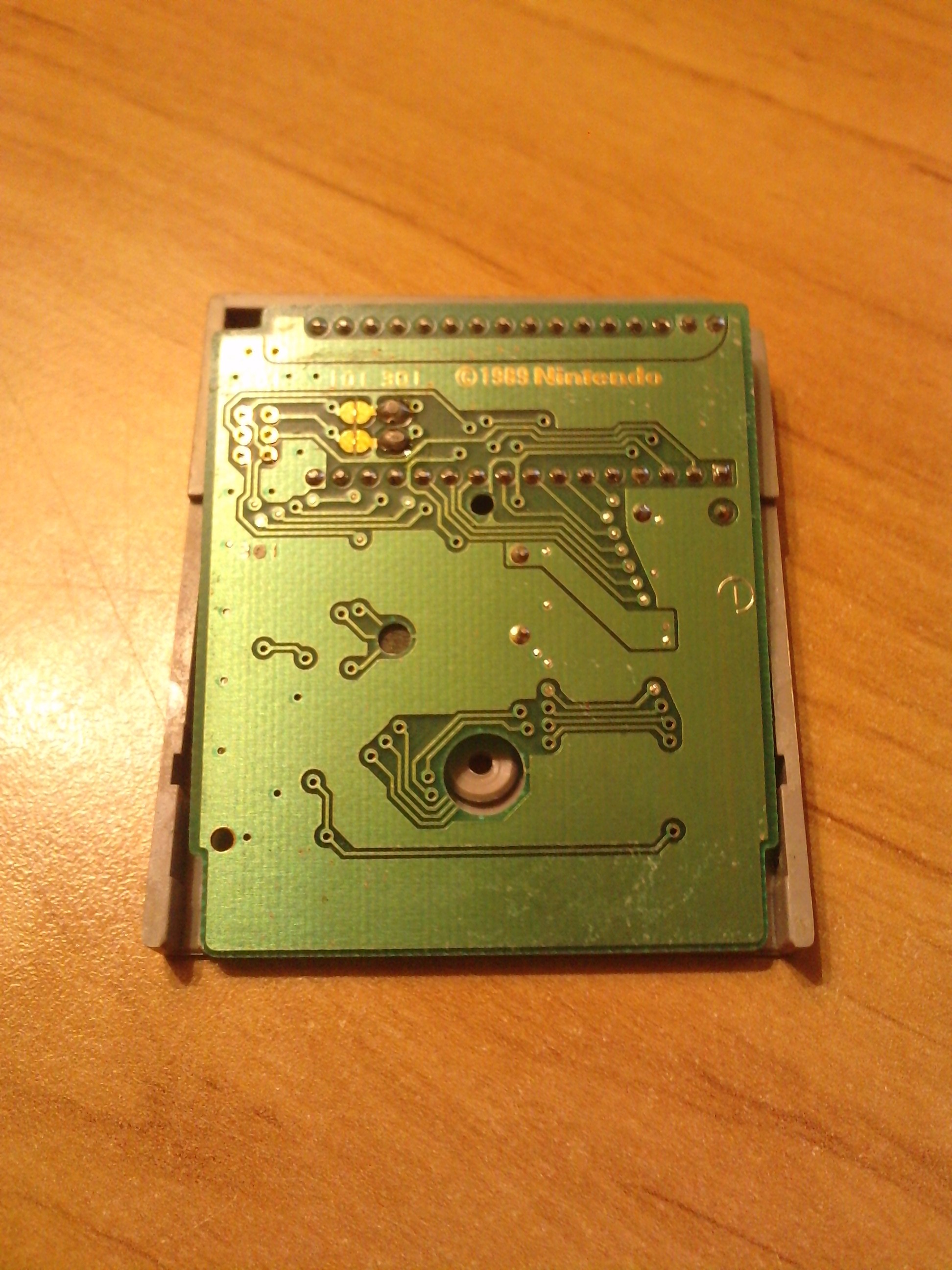
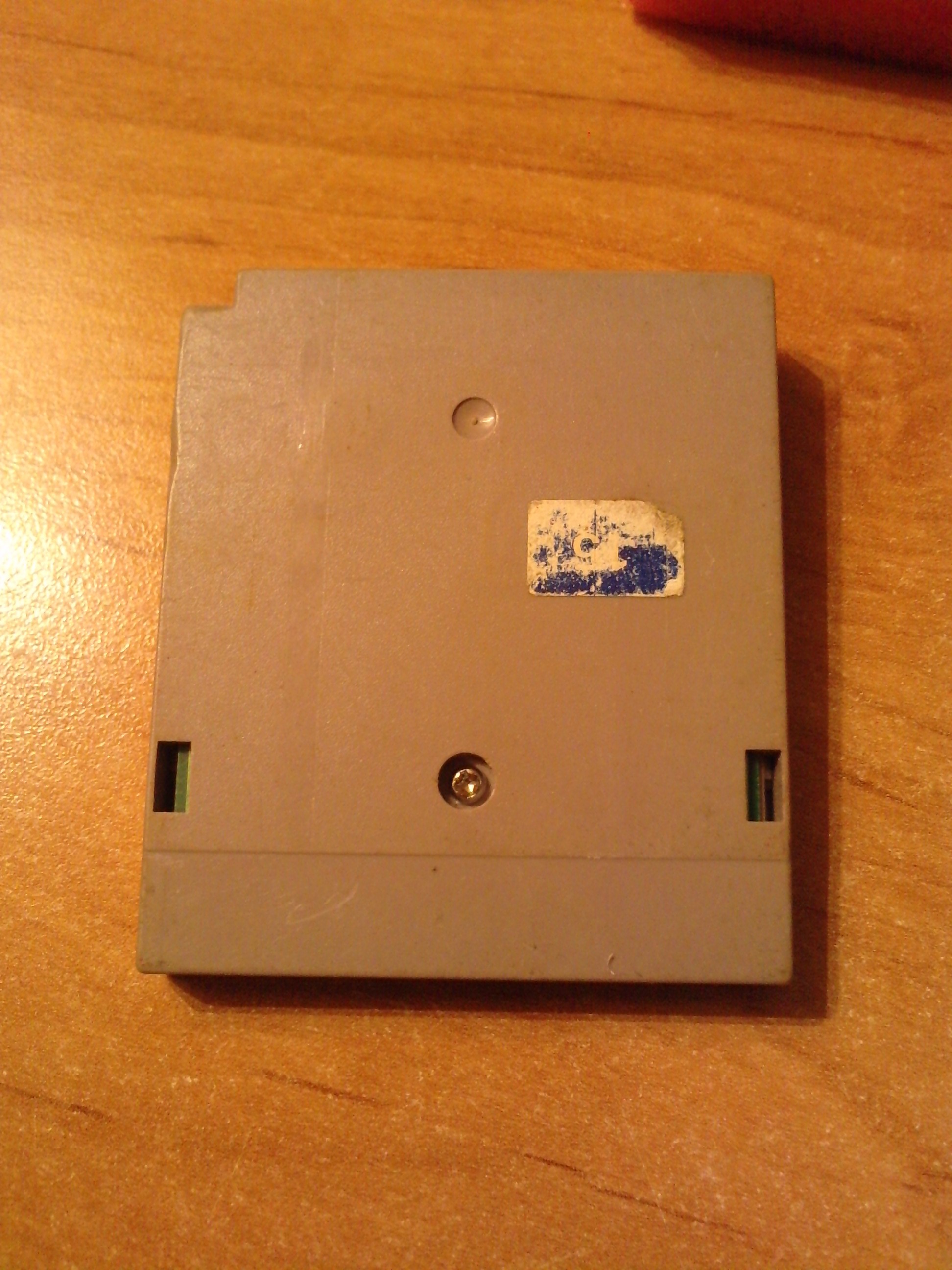
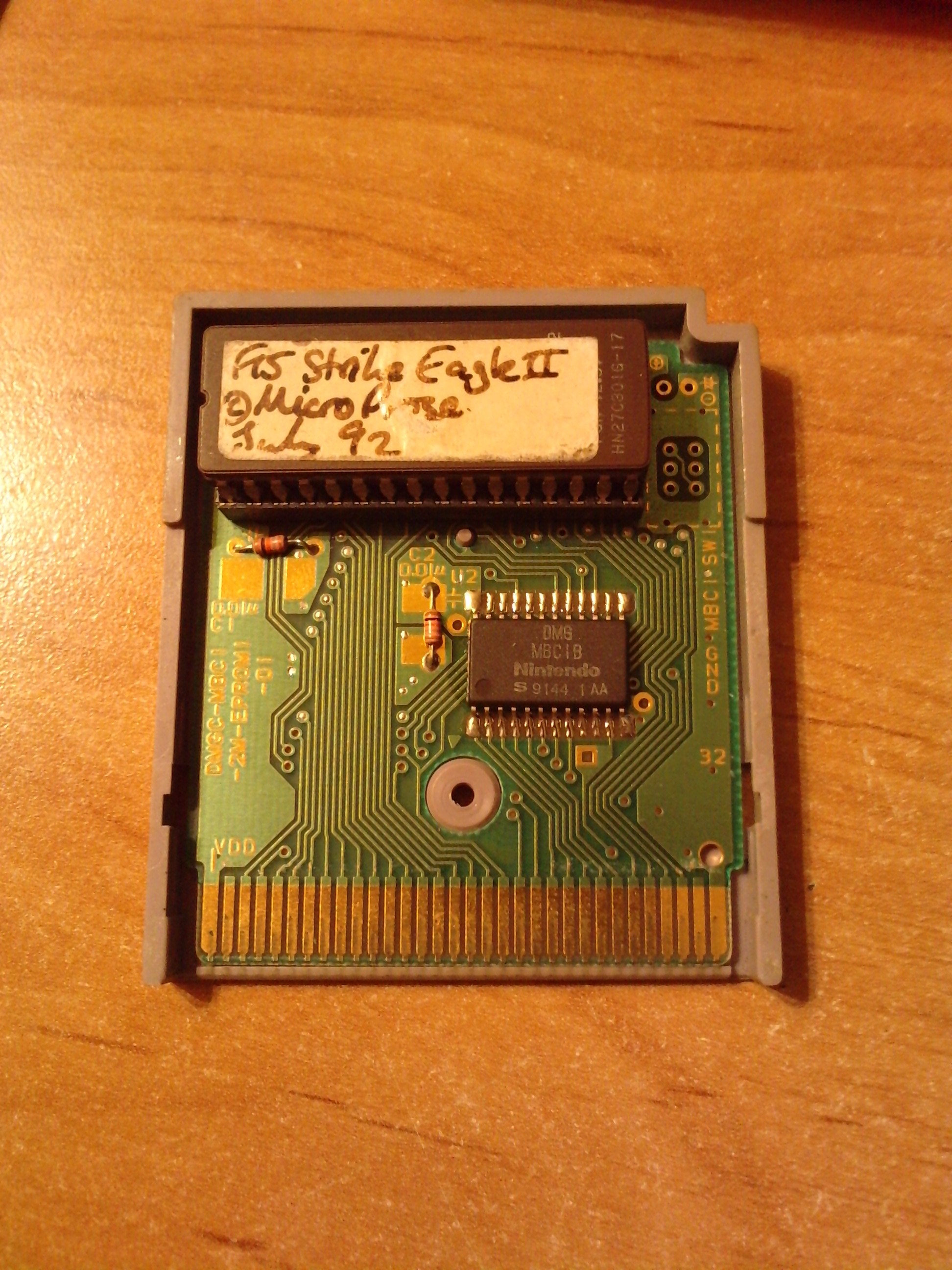
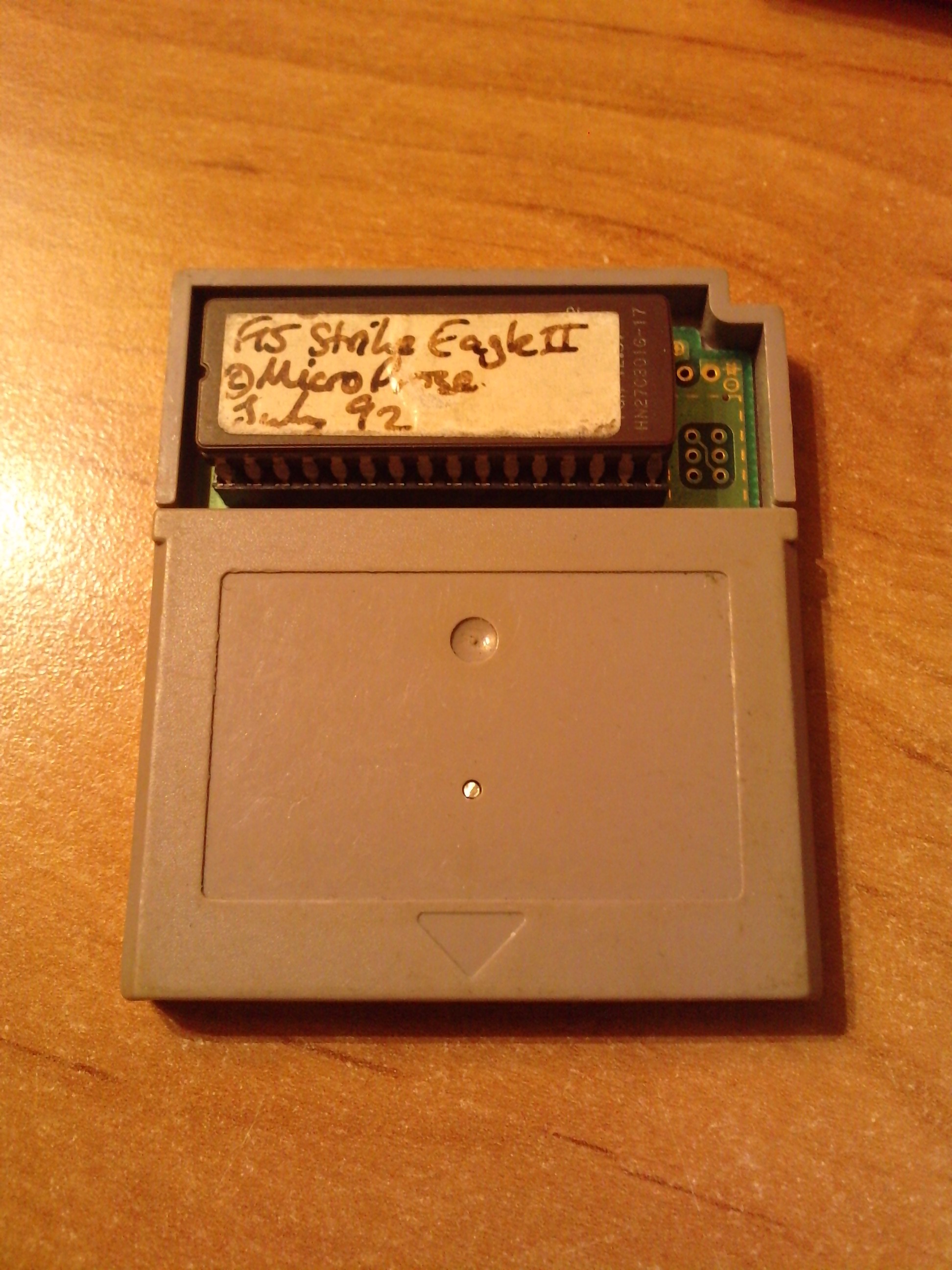
Redfield1 nous envoie le dump maison de la rom reliée à la PCB de développement qu’il a récupéré il y a quelques temps et dont le crc32 est le suivant: D80BDBBA


« A l’origine, il s’agit d’une cartouche que j’ai tout simplement récupéré via Ebay a quelqu’un qui se séparait de sa collection.
Une fois reçue, j’ai rapidement dumpé la mémoire, une 27C301 et j’ai testé ce dump sur une cartouche maison de test pour vérifier si tout fonctionnait: aucun soucis !


J’ai rapidement comparé à l’éditeur hexa la version fraichement dumpée ainsi que la version commerciale et nombreuses sont les différences même si au premier coup d’œil à l’émulation, je n’ai pas vu grand chose.
Je laisse donc le soin aux programmeurs d’y jeter un œil plus soigneux. »


Viewty Viewty
Viewty Viewty


Bref, avis à ceux qui veulent vérifier si c’est une véritable version ou un hack ou encore une version de développement, en tout cas ce dump diffère de celui déjà disponible.


Vous pouvez télécharger cette version sur le lien suivant:
F15 Strike Eagle  (3.12 Mo)


Un très bon émulateur de MSX qui vise la perfection.

 
MSX device support:
– accuracy improvements:
  – improved TMS99X8/TMS9929 color palette
  – improved V9990/GFX9000:
    – VRAM reads go via 1-byte buffer
    – VRAM read/write pointers only get updated when R#2 and R#5 get written
    – fixed initial content of VRAM of GFX9000
    – V9990 P1/P2 sprites that are disabled still count for the 16 sprite limit
    – fixed roll behaviour of layer B in P1 mode
  – turboR TC8566AF has other register memory mapping than other machines
  – use correct Kanji font ROM for Victor HC-95A and removed S1985
  – added cycle accurate VDP command engine timing (can be disabled with the
    new too_fast_vram_access setting)
  – fixes in YM2413 emulation (FMPAC)
– added mapper support:
  – MSXtra cartridge (a debugging tool released by PTC which has its own RAM)
  – MultiROM Collection, designed by Manuel Pazos in 2006
  – ASCII8 mapper with 2kB SRAM
  – ASCII16 mapper with 8kB SRAM
  – Super Swangi (a.k.a. Super Altered Beast)
– added support for MSX touch pad
– added mu-PACK extension, a MIDI module to upgrade a turboR ST to GT
– added support for large hard disk images and LaserDisc images (>4GB)
– added initial RAM patterns for Sony HB-F1XDJ and Sanyo PHC-23J
– added support for Neos MA-20 Version Up Adapter (MSX1 to MSX2 converter),
  insert both Neos_MA-20R and Neos_MA-20V extensions for this
– fixed Toshiba MSX-AUDIO with no sample RAM
– fixes in joystick, mouse and track ball emulation
– minor fixes in Y8950 (MSX-AUDIO) and YMF262 (MoonSound)
– added OPL3Cartridge2_mono and OPL3Cartridge2_stereo extensions
– added Yamaha SFG-01 extension and replaced the SFG-05 with the SFG-01 in the
  CX5M machine
– added an experimental Boosted_MSXturboR with IDE machine config
– added Casio PV-16, Casio P-7, Casio MX-10, Goldstar FC-80U and Sony HB-F1XV
  machines and an experimental Zemmix Super V (Daewoo CPC-61) machine config

New or improved emulator features:
– added subdirectory support for dir-as-disk
– added configurable host to MSX joystick mapping, e.g. useful to bind the
  crawl command (button A+B) in Metal Gear 2 to a single PC joystick button
– added support for bash completion (useful for using openMSX on the bash
  command line)
– performance improvements:
  – improved start-up performance (on Dingoo openMSX starts over 20% faster)
  – reduced CPU overhead when enabling reverse
  – further optimized CPU emulation
  – sped up CAS loading (use 3744 baud instead of 2760 baud)
  – reduce input latency (poll host events more often and remove delays)
  – speed up reverse in combination with harddisk by using incremental hashing
– reverse/TAS:
  – added reverse subcommand to truncate the current replay
  – show two decimals in the reverse bar time
  – added setting to prevent the reversebar from fading out and made that the
    behaviour in TAS mode
  – added bookmarks feature to reverse bar
  – added possibility to customize TAS key bindings in an external script
  – added setting to auto save replays at intervals
  – added command to reset the lag counter
  – added commands to go to frame boundaries and advance/reverse to frame
    boundaries
  – show values of TAS widgets also in the middle of a frame
– several improvements on the OSD menu:
  – several improvements on the file browser
  – better error handling
  – only show media menu options that are relevant for the current machine
    (e.g. do not show disk drives when the machine has none)
  – added support for LaserDisc
  – added a quit menu with confirmation
  – added limitsprites setting
  – added basic mouse/touch support, including:
    – right click to close current menu
    – support for scrollwheel of mouse to scroll in lists
  – only show video options if they actually make sense
  – added option to make current machine default (started when launching
    openMSX)
  – added resampler setting (for performance tuning)
  – added detailed sound chip control (balance, volume, per channel mute)
  – added possibility to browse to other drives on Windows
  – added possibility to insert a new tape in the cassette player and made it
    easy to browse to your newly created tapes
  – added short cuts to browse to your file pools (if they contain stuff)
  – added confirmation dialog before overwriting existing save states
  – added feedback when executing actions like inserting disk, saving state
– remove SSE and MMX assembly routines, only keep rewritten SSE2 routines
– added interleaving with black frame for monitors with LightBoost support
– added OSD widget that displays how busy the VDP is
– enable grab on fullscreen (workaround for Mac issue)
– added Cmd+I hotkey to press Insert key on Mac

Build system, packaging, documentation:
– created Android port (available via Google Play)
– migrated to git
– updated Windows build to Visual Studio 2012 update 3
– prepare for Visual Studio 2013 (next release will be built with it)
– now a compiler which supports C++11 is required to compile openMSX, like g++
  4.6, clang 3.0 or Microsoft Visual Studio 2012
– integrated Dingoo packaging in the build system
– better support for 64 bit systems (sizes, memory, etc.)
– added document about details on VDP command engine timing
– changed machine configurations from specific directories to just an XML file
– removed the GP2X port
– Mac support is now limited to Mac OS X 10.7 (so 64-bit only) and higher


Télécharger OpenMSX (x86) v0.10.0 (6.7 Mo)

Télécharger OpenMSX (x64) v22 (8.3 Mo)

Site Officiel

En savoir plus…



https://getourbonus.com/fr/accueil

https://www.romspedia.com/