Il s’agit d’un émulateur de Playstation. (Builds automatiques).
– Misc fixes etc.

Télécharger Avocado (x86) r784 (2.2 Mo)
0 commentaire



Il s’agit d’un émulateur de Playstation. (Builds automatiques).
– Misc fixes etc.
Télécharger Avocado (x86) r784 (2.2 Mo)
MedGui Reborn est une interface (Frontend) pour Mednafen sur OS Windows. Cette archive inclut MetroMed.

– On MedClient added a simple game list to start a netplay session on the fly
– Fixed scanlines trackbar value on sms
– Fixed selection of medguir menu style at first startup
– Changed and fixed popup boxart on the screen
– Autocheck internal browser under WINE
– Fixed advanced mednafen settings show form under WINE
– Fixed search game filter on combobox
– Cosmetic change on grid
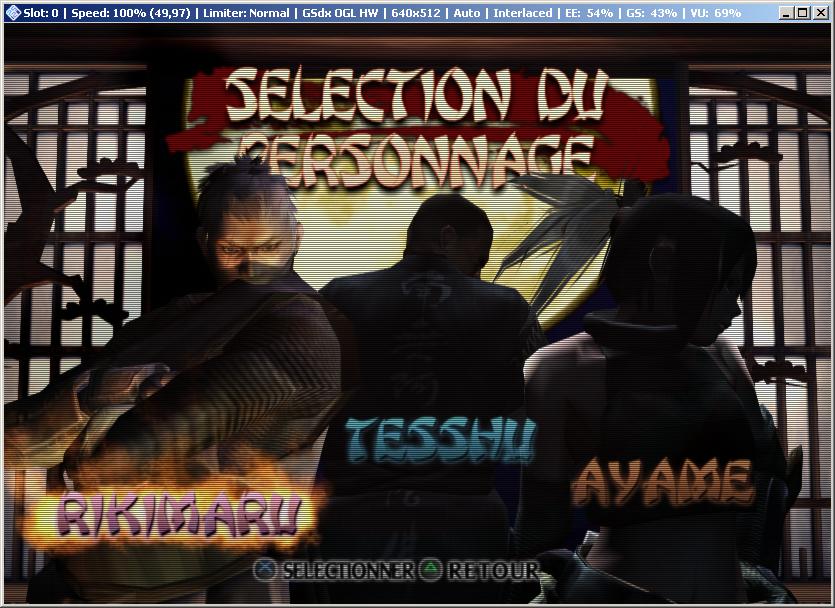
Voici, 4 ans après, une nouvelle version de cet émulateur de Playstation 2 dont voici les nouveautés:
Q3,Q4 2019 - Q1 2020 Changes
GSdx changelog:
GSdx-HW: Improve search/invalidate texture in render target by correctly matching vertex offsetted draws with buffer offsetted reads in the texture cache.
GSdx-HW: Implemented Software Sprite Renderer feature which allows to CPU emulate (SSE accelerated) certain sprite draws directly from the HW renderer.
GSdx-HW: Added a dedicated fix for Big Mutha Truckers which allows to render the shadows properly. This also allowed us to reduce the crc hack level so there are less effects skipped.
GSdx-HW: Sprite Hack has been completely removed as it is no longer needed and is replaced by far better alternatives.
GSdx-FX: The TFX shader on Direct3D10/11 has been rewritten to match OpenGL code and its' accuracy for certain effects.
GSdx-D3D: Blend no Barrier support has been ported from OpenGL to Direct3D 10/11.
GSdx-GUI: Hardware hacks GUI has been updated for better usability.

SPU2-X changelog:
Fixed the noise generator outputting 4.8 kHz tone instead of white noise.

CDVD changelog:
PCSX2 now ignores non-existent disc sector reads.

Core changelog:
PCSX2: Prevent the UI from hanging/locking up when a game boots.
PCSX2-tas: TAS Recording functionality has been disabled for 1.6 release as there are some issues to work out (such as hanging/locking up the emulator).
PCSX2: DI execution is delayed by one instruction.
PCSX2: Reverted back to older VRender/VBlank timings.
PCSX2: Partially fixed IPU pack command.
PCSX2: Fixed the emulator hanging when pressing F4 too fast when toggling the Frame Limiter in some occasions.
PCSX2: Fixed the emulator hanging when pressing F9 to toggle rendering between Hardware and Software in some occasions.
PCSX2: Fixed the emulator hanging when pressing F9 to toggle rendering between Hardware and Software mode too fast.
PCSX2: First Time Wizard now properly selects the correct GSdx plugin based on the highest instruction set supported by the CPU.
PCSX2: Improved pointer patch command handling.

PCSX2 GUI changelog:

PCSX2: DPI scaling has been improved.
PCSX2: Translations have been updated for the release of 1.6.

Miscellaneous changelog:
GameDB: True Crime: Streets of L.A. (patched).
GameDB: The database has been once again updated with the inclusion of many games with required gamefixes, as well as removal of gamefixes which are no longer needed.

Q2 2018-Q2 2019 Changes
GSdx changelog:
GSdx-HW: Fix half-bottom screen issues on texture/color shuffling.
GSdx-TC: Palette management rework.
Gsdx-HW: implement fixed TEX0 for all renderers.
GSdx: OSD improvements and port to Direct3D10/11.
GSdx: Accurate Date update and partial port to Direct3D10/11.
GSdx-GL: Bypass the texture cache when the framebuffer is sampled.
GSdx-GL: Experimental Sparse Texture support.
GSdx-D3D: Improved palette support has been ported from OpenGL to Direct3D10/11.
GSdx-D3D: GPU accelerate 8 bits texture conversion port from OpenGL to Direct3D10/11.
GSdx-D3D: Depth Emulation port to Direct3D10/11.
GSdx-D3D: Channel shuffle port to Direct3D10/11.
GSdx-D3D: HDR Colclip blend port to Direct3D10/11.
GSdx-D3D: Accurate Blend Fbmask port to Direct3D10/11.
GSdx-D3D: Partial SW blending port to Direct3D10/11.
GSdx-D3D: Alpha hack has been removed completely, replaced with Blending Accuracy option.
GSdx-HW: Removal of MSAA support in favor of better optimizations and accuracy.
GSdx-HW: Removal of Direct3D9 renderer in favor of better optimizations and accuracy.
GSdx-HW: Removal of many no longer needed hacks.
GSdx-HW: Add Skipdraw Offset option for Skipdraw hack.
GSdx-GUI: GUI update to improve usability.

Core changelog:
PCSX2-TAS: Input Recording/Playback Functionality (speedrunning tools).
Vector Units: Fix bug in "Branch in Delay Slot" Optimization.
Recompiler: Fix stall in branch delay slot.
PCSX2: Improved GameDB handling.
VIF: A VIF core update has been made to fix Downtown Run.
Gif Unit: Recheck VIF status after a reset is performed when waiting for PATH3 (Fixes Eragon).

PCSX2 GUI changelog:
PCSX2: "FMV Aspect Ratio Switch/Override" feature.
PCSX2: Save/Load slot improvements, allow to display slot dates.

SPU2-X changelog:
SPU2-X-GUI: The gui has been updated to improve usability.

Q1 2018 Changes
GSdx changelog:
GSdx-TC: Performance improvement by using custom container.
GSdx-TC: Load size calculation in target update.
GSdx: Texture Shuffle port to Direct3D.
GSdx: Channel Shuffle improvements on Direct3D
GSdx: Hack removal/adjustments.

Core changelog:
PCSX2-Counters: Fix Hblank calculation for DVD video modes.

PCSX2 GUI changelog:
PCSX2: Add configurable Cheats folder to Components Selectors.
PCSX2: Display the video mode on titlebar.

Miscellaneous changelog:
Plugins: XPad and USBqemu have been moved to the legacy plugins VS solution.
General: Code cleanup.
Gamedb: Game database has been updated with many new gamefixes included.

Q3-Q4 2017 Changes
GSdx changelog:
GSdx-d3d11: Extend "Preload Frame Data" support to Direct3D.
GSdx: Add Frame Buffer Conversion option.
GSdx: Automatic mipmapping option.

Core changelog:
PCSX2: PSX Memory card support.
PCSX2: Always ask when booting option.
PCSX2: Adaptive Sync support.
PCSX2: Restore "Defaults" option to GS Panel.
PCSX2: Clear ISO list option.

PCSX2 GUI changelog:
PCSX2: Many translations have been updated.

Q1-Q2 2017 Changes
GSdx changelog:
GSdx: Support for dumping GS Dumps in xz format.
GSdx-OpenGL: Reduce Geometry shader overhead.
GSdx-HW: Revamped buffer size calculation for custom resolutions.
GSdx: OSD (On Screen Display) feature.
GSdx: Texture cache speed optimization.
GSdx: Software renderer thread synchronization fix.
GSdx: Improved software renderer float handling.
GSdx: Removal of SSSE3 and AVX configurations.
GSdx: Workarounds for AMD buggy OpenGL driver.
GSdx (Windows): Fix for slow software rendering with Skylake CPUs.

Core changelog:
PCSX2: Fix command-line options.
PCSX2-Counters: Proper tracking of scalar limit.
VIF: Unpack speed optimizations.
Vector Units (VU0): Fix CFC2 transfers from TPC register.

LilyPad and OnePad changelog:
LilyPad and OnePad changelog:
LilyPad: neGcon controller support.
LilyPad: UI Changes/enhancements.
LilyPad: Core improvements, better controller handling.
Onepad: Update to use SDL2.

Miscellaneous changelog:
 CMake: Blacklist GCC 7.0/7.1 versions.

Q3-Q4 2016 Changes
GSdx changelog:
GSdx: Hardware mipmapping support.
GSdx-TC: Proper scaling of all textures.
GSdx: Handling illegal 8 bits pixel storage format.
GSdx-PCRTC: Feedback write support.
GSdx-glsl: Optimize number of active constant buffers in the shader.
GSdx: Avoid illegal instruction crash on older CPUs.
GSdx: Alpha test improvements.
GSdx: Proper custom resolution scaling.

Core changelog:
PCSX2: PSX mode compatibility.
PCSX2: PSX mode, proper video mode initialization.
PCSX2: Improved patch handling.
PCSX2: Accurate video mode detection.

LilyPad and Onepad changelog:
LilyPad: Add separate bindings for each pad type.
LilyPad: Add PlayStation Mouse support.
LilyPad: Updated user interface.
LilyPad: Add dance pad support and revamped Lilypad dialog.
OnePad: General improvements on accuracy.

CDVD changelog:
cdvdgigaherz: Linux port.

Miscellaneous changelog:
PCSX2: FreeBSD support.
Linux: Support Vsync on Linux free driver.
Windows: Remove DirectX redistributable dependency on Windows 8.1/10.

Q1-Q2 2016 Changes
GSdx changelog:
GSdx: Fast texture invalidation option.
GSdx: Improved detection of Framebuffer size.
GSdx: Enable reading of Depth Buffer.
GSdx: Improved PCRTC merge circuit emulation.
GSdx-GL: Fast accurate blending.
GSdx-GL: Depth buffer lookup optimization.
GSdx-FX: Post-Processing updates.
GSdx: Proper handling of 576P/720P/1080I video modes.

Core changelog:
PCSX2: Automatic aspect ratio switch during FMV playback.
VIF: Timing fix for MSCALF, MSCNT instructions.
Vector Units: Scarface I bit gamefix.

CDVD changelog:
CDVDgigaherz: Fixed dual layer DVD reading.
CDVD: Improved ISO layer break detection algorithm.

Lilypad and Onepad changelog:
LilyPad: Add Pop'n Music controller support.
Onepad: GUI redesign.

Miscellaneous changelog:
PCSX2: GUI Improvements.
PCSX2: PCSX2-Auto test suite.
Un rapport des améliorations avec illustrations, est visible ici.
Un tutorial est disponible ici et un pack de shaders là.
Et si vous voulez davantage d’effets graphiques, un site expliquant comment customiser l’émulateur avec Reshade et autre shaders, est disponible ici.
NB: Notez que même si la version 64 bits peut permettre un gain de vitesse dans certains jeux, elle n’est pas à considérer comme stable.
Site de développement du projet
Télécharger PCSX2 (32 bits | 7/8/8.1) v1.6.0 (6.2 Mo)
Créé par Avery Lee (l’auteur de VirtualDub), il s’agit d’un émulateur d’Atari 8 bits (800/800XL/130XE) disponible en 32 et 64 bits. Il dispose de beaucoup d’options ainsi que d’une bonne compatibilité. Il prend en charge les jeux protégés conformément à l’émulation. Il s’agit d’une version de développement au stade de béta.

Topic des versions Beta.
Raine est un émulateur Arcade/NeoGeoCD ainsi qu’une excellente alternative à MAME.

Changements:
– the cheats about the audio cpu didn’t work, it’s fixed.
– Another fix for some scripts which were incorrectly identified as « Set » scripts, like for mslug « Hit Anywhere » (it has an « off » part, and so these cheats didn’t work, executing only their « Off » part when you tried to activate them).
– and the gui bug which wasn’t showing an updated joystick control for some inputs
Télécharger Raine (32 bits) v0.98 (7.2 Mo)
Les derniers builds betas de Nintendulator, l’émulateur Nintendo NES.

Télécharger Nintendulator (64 bits) v0.985 Beta (2026/08/22) (548 Ko)
Télécharger Nintendulator (32 bits) v0.985 Beta (2026/08/22) (504 Ko)
Télécharger Nintendulator (Français) v0.985 Beta (2026/08/22) (724 Ko)
Créé par DH & Hykem (et rejoint par un ensemble de développeurs), RPCS3 est un émulateur de Playstation 3 multi-plateformes qui a pour objectif de devenir le plus complet possible. Il faisait principalement office de désassembleur mais pousse à présent la performance jusqu’à exécuter un certains nombres de jeux commerciaux devenant ainsi le premier émulateur de PS3 émulant des jeux du commerce, toutefois il nécessite un PC extrêmement performant.
En effet il vous faudra rien de moins qu’un CPU type core i7 @ 4Ghz (voir config minimale requise sur le site officiel), une carte graphique récente type nVidia GTX, de la mémoire haute performance type DDR4 ou encore un système d’exploitation récent pour espérer lancer des jeux dans un mode relativement fluide (mais attention cela dépend énormément des builds et des jeux).
Plusieurs rendus s’offre à vous: Aucun, OpenGL, DirectX12 (Windows 10 uniquement) et Vulkan (qui a pour but de remplacer à terme OpenGL et ses dérivés en exploitant plus efficacement les architectures informatiques modernes).
Au sujet du nom de l’émulateur, il s’agit d’une abréviation et d’une combinaison de Personal Computer (PC) et PlayStation 3 (PS3). PC + PS3 = PCS3.
Que signifie le R? DH et BlackDemon se souviennent qu’il représentait Real car en 2011, il n’y avait que de faux émulateurs de Ps3. Puis, à un moment donné, DH (originaire d’Ukraine) a commencé à dire que le R représentait le mot Russe. De plus, Nekotekina, qui a rejoint l’équipe fin 2013 et qui est rapidement devenu l’un des plus grands développeurs de cet émulateur, est originaire de Russie. Du coup RPCS3 signifie à présent Russian Personal Computer Station 3.

Cette version (qui n’est pas à considérer comme stable) qu’on nommera « point de repère » (landmarks) dans le sens ou elle est officiellement publiée sur le site officiel (ce qui change des builds régulier dit « WIP » ou « GIT »), n’est disponible que pour les processeurs 64 bits. Pas de changelog malheureusement.
Version changes serve as landmarks and are by no means stable builds
This changelog lists the main (but not all) changes made since 0.0.X


Site officiel des sources et versions compilées (builds).
Un très bon émulateur de TI-99/4A tournant sous Windows. Il fut connu sous le nom d’AMI99, mais fut renommé car beaucoup de personnes pensaient qu’il s’agissait d’un émulateur Commodore Amiga.


Les fonctionnalités :
– Les roms systèmes & plusieurs cartouches sont inclues sous licence Texas Instruments
– Démarre et fait fonctionner correctement toutes les fonctions OS (excepté l’I/O et le TI BASIC,
– La plupart des modules fonctionnent très bien
– Le switch des cartouches XB/Atarisoft/Jon379/SuperSpace cartridge est supporté
– Emulation complète du son sur tous les channels, en incluant le support du son digitalisé
– Speech implémenté à la fois sur les roms et sur le speak externe.
– Le scan CRU du clavier est implémenté
– Support du joystick et du timer 9901
– Le disque supporte les fichiers V9T9, TIFILES/Xmodem, les fichies natifs Windows, les images disque V9T9 DSK & PC99 DSK (les images DSK sont en lecture seule)
– DirectX fenetré et plein écran, comme les modes fenétrés non-DirectX
– Détection des collisions (par pattern)
– Nombreux filtres vidéos en option (HQ4X, 2xSAI, SuperEagle, NTSC, etc)
– Débugger intégré en single step
– Emulation clavier PS/2 keyboard
– Sélection des menus par souris (double-cliquer sur l’écran)
– Support de la carte 1MB Super AMS
– Code source complet inclus
– Etc.
Après la v3.99.4, le système d’incrémentation des versions à changé, on en ignore la justification.
Un émulateur de Pocket Station créé par Dr Hell (l’auteur de Xebra entre autres).

RetroArch est un émulateur multi-systèmes modulaire qui est conçu pour être rapide, léger et portable. Dédié à Linux, Windows, Mac OS X et BSD. Il est anciennement connue sous le nom SSNES.
Ce n’est pas un Frontend à proprement parler, ni véritablement un multi-emulateur.
Il utilise en fait des bibliothèques (core) d’émulateurs déjà existants sous la forme de fichier « libretro XXX.dll ». Ce n’est pas non plus un simple front end, car il offre l’émulation complète de plusieurs plateformes console et même final burn alpha.

Actuellement, il existe des implémentations libretro pour les systèmes tels que SNES, NES, GBA, GB / GBC, la Genesis, et même des jeux d’arcade Final Burn Alpha et bien d’autres encore. Voir ici pour obtenir les cores nécessaires.
Libretro n’est pas seulement utilisable pour les émulateurs. Un port préliminaire d’une ré-implémentation open source de Cave Story a été porté aussi à libretro.
RetroArch croit en la modularité. L’application elle-même est une application commandée par ligne de commande qui convient à HTPC et autres. Il existe également une interface graphique pour RetroArch, en soutenant toutes les options de configuration unique.
RetroArch est portable, multi-langages, multi-plateformes et multi-systèmes. Il est ainsi disponible sur un grand nombres d’environnements parmi:
– Windows/ Linux / Mac OSX (PPC / Intel)
– Androïd / iOS / tvOS
– PSP / PS Vita
– Playstation 2 / 3 / 4
– Xbox / Xbox 360 / Xbox One
– GameCube / Wii / Wii U / Switch
– 2DS / 3DS
– Raspberry Pi
– OpenPandora
– Steam Link
– Web Browsers
– etc.
Un petit guide réalisé par DjLc est disponible sur ce lien.

Les nouveautés sont visible ici (changelog).
NOTA BENE pour XP:
Si l’exécutable ne se lance pas, créez un fichier « RetroArch.exe.manifest » (éditable avec un bloc note quelconque) et inscrivez les lignes suivantes à l’intérieur:
 Cliquez ici pour récupérer le code
puis sauvegardez et enfin placez ce fichier a coté de l’exécutable (et c’est du tout bon !).
Télécharger RetroArch (95/98) v1.9.0 (128 Mo)
Télécharger RetroArch (98 SE/ME/2000) v1.22.2 (127 Mo)
Télécharger RetroArch (XP/Vista 32 bits) v1.22.2 (129 Mo)
Télécharger RetroArch (XP/Vista 64 bits) v1.22.2 (129 Mo)
Télécharger RetroArch (32 Bits) v1.22.2 (191 Mo)
Il s’agit du premier émulateur GameCube pour Windows créé par org et hotquick.

– MMU support
– Support cache emulation
– Dynamic recompiler (JITC)
– Improved emulation of graphics FIFO
– Many other minor improvements
– All these things were added experimentally and at the moment the cache and recompiler are temporarily disabled. If you are a developer, you can rebuild Dolwin with the cache and recompiler turned on.
– The cache is enabled with the command CacheDebugDisable 0.
– The recompiler is turned on in SRC\Core\Gekko.cpp, line 20 (but the interpreter must be disabled).
– Between 0.130 and 0.131, I will try to fix all incomprehensible bugs with cache and recompiler so that they are included in the next release.
Anciennement connu sous le nom de « FreeMSX » ce projet émule les MSX, MSX2, MSX2+, & Turbo-R. Son interface graphique est bien pensé et sa compatibilité légèrement inférieur a celle de fMSX.



