Le projet KytyPS5 est un émulateur PlayStation 5 pour Windows, développé par Nmzik, qui s’appuie sur une version profondément modifiée du Kyty original créé par InoriRus. Il vise à offrir une compatibilité PS5 nettement supérieure à celle du projet initial, en se concentrant sur le démarrage des jeux, la stabilité et la prise en charge progressive des titres commerciaux. L’émulateur est conçu pour fonctionner sans modules LLE externes, ce qui simplifie son utilisation et réduit les dépendances techniques. Le développeur indique que le projet est encore en phase expérimentale, mais déjà capable de lancer certains jeux 2D et plusieurs jeux 3D, avec un objectif clair: améliorer la compatibilité avant de se concentrer sur les performances ou la précision graphique.
KytyPS5 fonctionne exclusivement sous Windows et semble optimisé en priorité pour les cartes graphiques NVIDIA, même si d’autres GPU peuvent fonctionner avec des résultats variables. Le projet adopte une approche pragmatique: il cherche d’abord à faire démarrer les jeux, quitte à sacrifier la fidélité visuelle ou la vitesse d’exécution dans les premières versions. Le code est activement développé, avec des mises à jour fréquentes, ce qui en fait l’un des projets PS5 les plus dynamiques actuellement disponibles. Le développeur met en avant une volonté de transparence, en remerciant explicitement InoriRus pour le projet original, tout en assumant une réécriture et une refonte majeure du code.
En résumé, KytyPS5 est une continuation non officielle mais assumée du premier Kyty, transformée en un émulateur PS5 moderne, plus ambitieux et plus fonctionnel, qui cherche à devenir une référence dans l’émulation de la console de Sony.
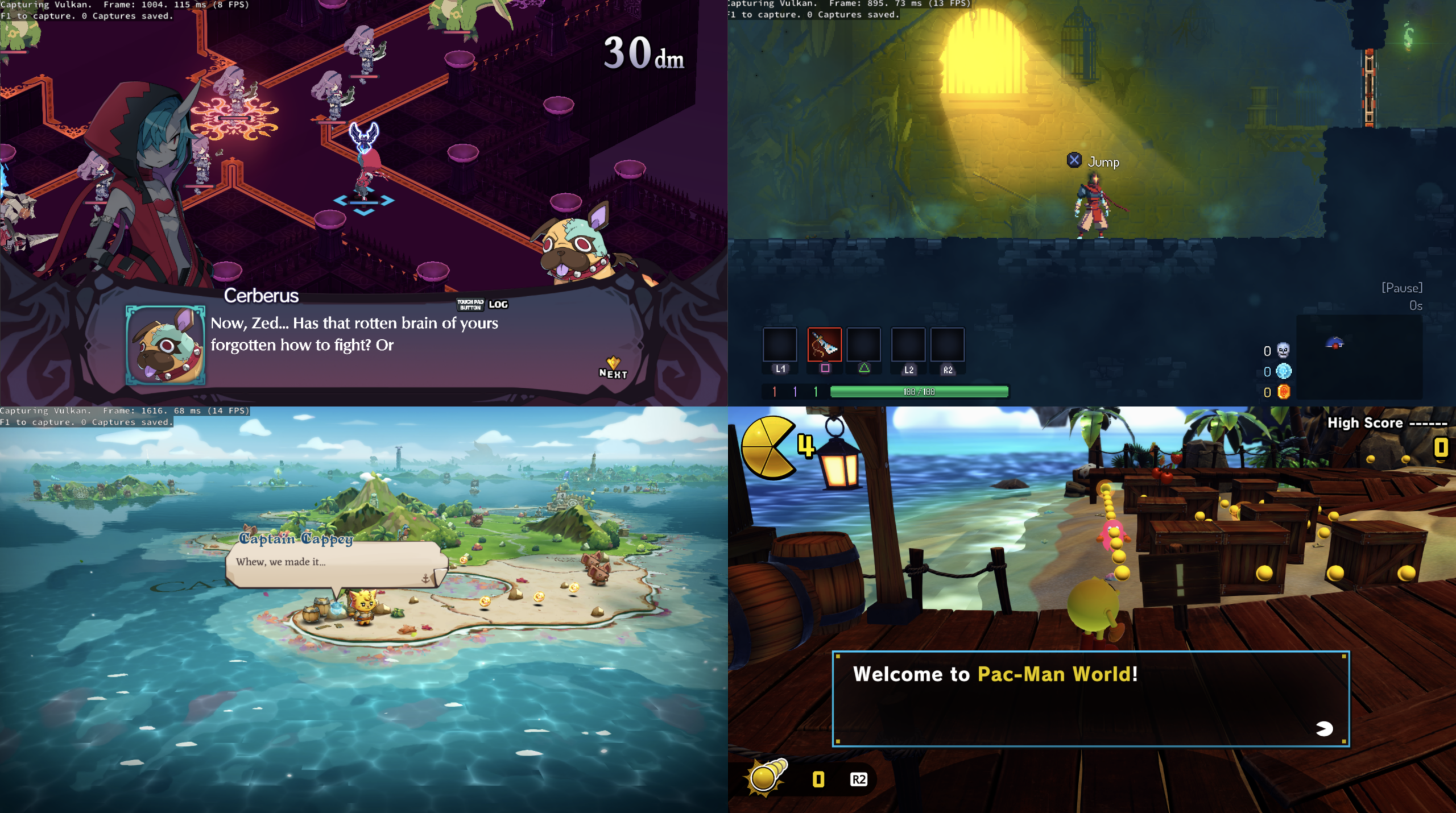
Les changements:
– fix(launcher): focus emulator window on launch
(Temporary build compiled from this fork pending official releases.)



0 commentaire
HBMAME (HomeBrew MAME) est une version non officielle de MAME(Arcade) permettant l’ajout de nombreux jeux maison et hacks divers. A noter que des packs de snaps et artworks sont disponibles sur le site officiel.

Les changements:
- Added the saving of overclocking adjustments [BlackDeath]
- Restored the PGM homebrew (pgmfrog, pgmdemo, pgemeni)
- HBMAMEUI: Fixed the splash screen
- HBMAMEUI: Improved plugins process
- HBMAMEUI: Fixed icon issues

New Games
---------------------------------
- [adkw]                ADK World
- [blueandr]            Blue and Red Fight the Robots v1.7
- [cabaln02]            Cabal (NeoGeo port) improvements
- [dino281]             Cadillacs and Dinosaurs (Readjusted v1.1)
- [dino282]             Cadillacs and Dinosaurs (Readjusted v1.2)
- [dino283]             Cadillacs and Dinosaurs (Readjusted v1.4)
- [gladmortcm]          Gladmort (Caravan Mode)
- [hyxevious]           Hyper Xevious (2026-07-30)
- [midnight]            Midnight Wanderers 2-level demo (Neo-Geo port)
- [nbamht01]            NBA Maximum Hangtime (Custom Rebuild, 2026-07-02)
- [samsho2s21]          Samurai Shodown II (Perfect v2.4, 2025-01-27)
- [samsho2s22]          Samurai Shodown II (Perfect v2.9, 2026-06-29)
- [sengoku2s01]         Sengoku 2 (Red Blood, v1.14)
- [sf2prime]            Street Fighter II': Prime (v0.79)
- [sfiii3ns15]          Street Fighter III 3rd Strike: Fight for the Future (4rd Strike 2011-07-17)
- [turfmast03]          Neo Turf Masters with Scotland course v1.10
- [xeviousn05]          Xevious (Neo-Geo port, gfx fix)
- [zintrick07]          ZinTricK (Music tracks) improvements
Télécharger HBMame (32 bits) v0.288.2 (18.2 Mo)
Télécharger HBMame (64 bits) v0.289.1 (49.5 Mo)
Télécharger HBMame GUI (32 bits) v0.288.2 (18.4 Mo)
Un émulateur d’Atari 5200 créé par Brian Berlin.
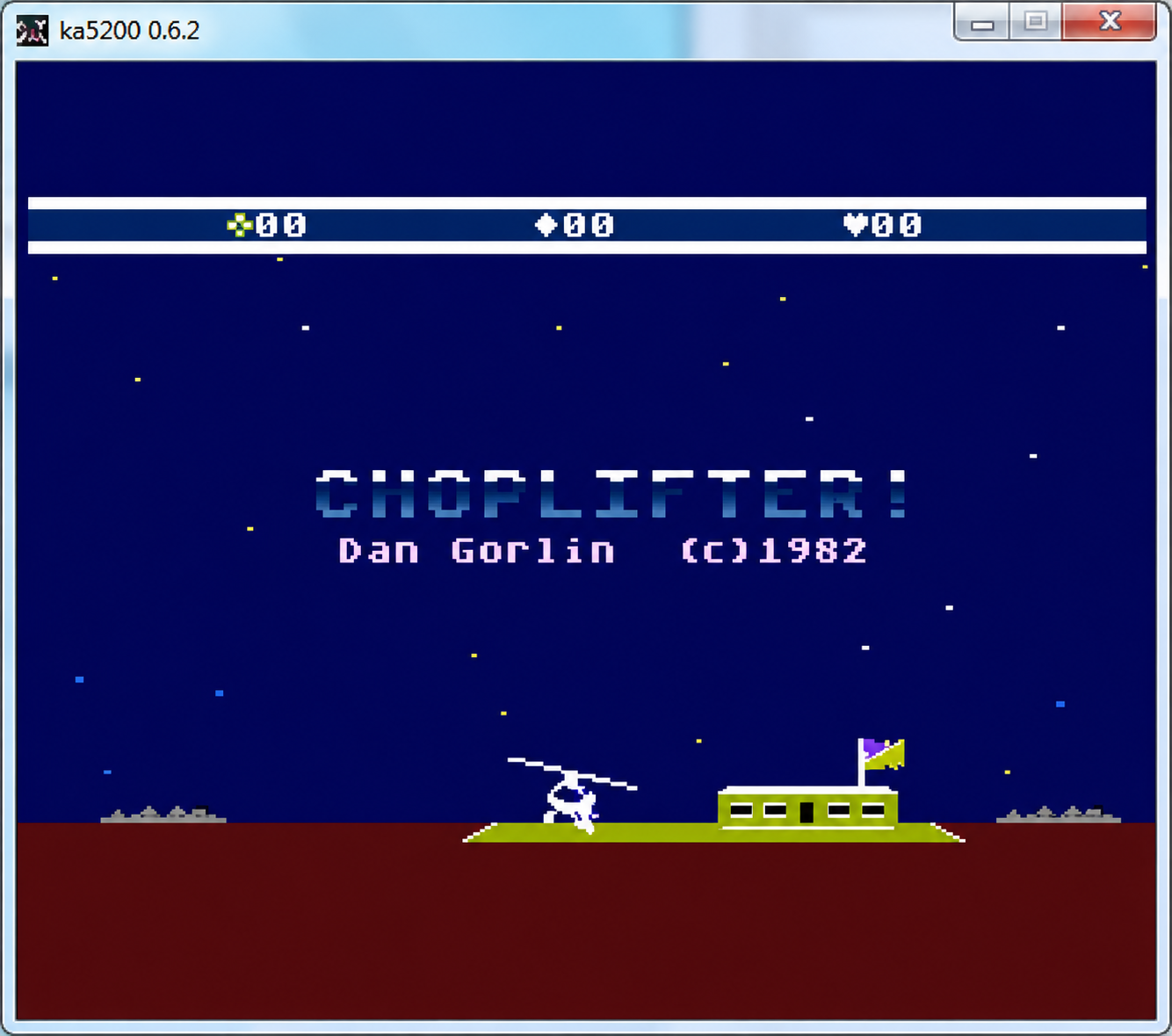
Voici les changements depuis la précédente version:
* ROM Support Updates
– 512k hybrid support (AtariBlast! / Bug Hunt)
– Correct 64k bankswitch detection
– Better default mapping detection
– Most all 5200 roms should ‘just work’ without setting mapping
* Core Updates
– Full CPU instruction support and fixes
– ANTIC/POKEY/GTIA timing updates and fixes
* Updated Input System
– Allows multiple input entries per emulated function
– Game Controllers enabled and configured by default
– Mouse Fixes and Updates
* Updated Configuration
– TOML text format instead of database
– Per ROM profiles (allows ROM specific settings)
* Updated UI
– Used Nuklear immediate mode UI
– Allows for keyboard, mouse, and / or controller input
* Initial Setup Update
– Option to download a large 5200 ROM set
– Option to setup Mouse as Trackball/Mouse as Paddle games
– Option to setup Two stick games (Robotron/Space Dungeon)
– Option to scan rom directories
* Update to SDL3
* Windows, Linux, MacOS, Android and Android TV support
* Many other fixes, user enhancements, etc
Devector est un émulateur de l’ordinateur personnel soviétique Vector06c. Il est conçu pour simplifier le processus de développement et accélérer le travail.

Les changements:
– [DebugDataWindow] add a script activation checkbox.
– [Script Edit window] add support for window resizing.
– [Script Edit window] add support for displaying line numbers
– Misc fixes
La dernière version béta publique de l’excellent WinUAE, l’émulateur Commodore Amiga. La traduction est signée Tradu-France.

Les changements ici.
Télécharger WinUAE (Public Beta) [ARM] v6.1.0 Beta 11 (4.4 Mo)
Télécharger WinUAE (Public Beta) [32 bits] v6.1.0 Beta 11 (5.0 Mo)
Télécharger WinUAE (Public Beta) [64 bits] v6.1.0 Beta 11 (7.6 Mo)
Télécharger WinUAE (Public Beta) [ARM] v6.1.0 Beta 6 FR (7.7 Mo)
Télécharger WinUAE (Public Beta) [32 bits] v6.1.0 Beta 8 FR (5.5 Mo)
Télécharger WinUAE (Public Beta) [64 bits] v6.1.0 Beta 8 FR (8.0 Mo)
AmiArcadia est le port amélioré de Tunix2001 ex ‘Win Arcadia 2001’ (par Gavin Turner) pour Amiga. Ecrit par James Jacobs et Gavin Turner, cette version est en fait le port Windows du port Amiga (un backport) !
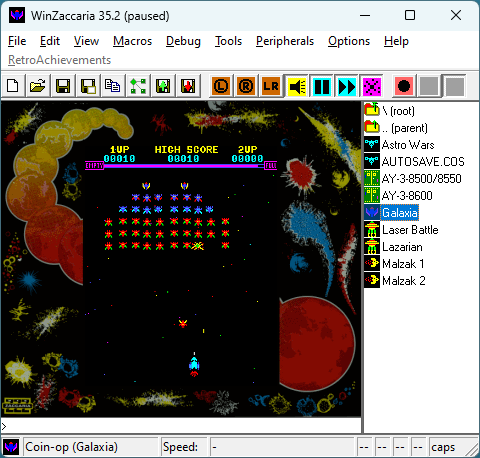
Systèmes émulés:
Consoles:
– Famille Emerson Arcadia 2001 : Bandai, Emerson, Grandstand, Hanimex, Intervision, Leisure-Vision, Leonardo, MPT-03, Ormatu, Palladium, Poppy, Robdajet, Rowtron, Tele-Fever, Tempest, Tryom, Tunix, etc.
– Interton VC 4000 et compatibles : Acetronic, Cabel, Fountain, Hanimex, Interton, Prinztronic, Radofin, Rowtron, Voltmace, Waddingtons…
– Elektor TV Games Computer (1979)
Machines PIPBUG/BINBUG:
– Electronics Australia 77up2/78up5, Signetics Adaptable Board Computer, Eurocard 2650…
– Signetics Instructor 50 (1978)
– Signetics TWIN (1976)
– Central Data 2650 (1977)
– PHUNSY microcomputer (c.1980)
– Ravensburger Selbstbaucomputer / 2650 Minimal Computer (1984)
– Hofacker MIKIT 2650 (1978)
Machines d’arcade:
– Coin-ops Zaccaria : Astro Wars, Galaxia, Laser Battle, Lazarian
– Coin-ops Kitronix : Malzak 1 & 2
Jeux électroniques:
– Consoles Pong AY-3-8500/8550/8600:
– Coleco Telstar Galaxy, Sheen TVG-201, et autres systèmes AY‑3‑85xx
Machine éducative électronique:
– VTech Type-Right (1985)
Il nécessite Windows 9x/ME/NT/2000/XP et fonctionne également sous Vista/8/10/11.
Il s’agit d’un fork de DOSBox des plus intéressant, destiné à Windows Linux et MacOS et créé par Jon Campbell. Il possède une compatibilité excellente et met l’accent sur la précision d’émulation notamment en ce qui concerne l’émulation de Windows 3.x à ME. En outre il ajoute des améliorations en provenance d’autres builds comme DOSBox ECE avec l’émulation de la 3DFX (et du glide) en interne.
DOSBox-X prend en charge les jeux d’instructions des processeurs tels que les Pentium Pro, II, III et MMX et gère aussi l’émulation du DOS/V et du NEC PC-98 ainsi que beaucoup d’autres choses à découvrir !
DOSBox-X peut être configuré pour exécuter une large gamme de jeux DOS, à partir des classiques jeux CGA/EGA/VGA/SVGA/IBM PC/XT/AT/AX/Tandy/PCjr et PC-98 jusqu’aux jeux de l’ère Quake.
Il a également l’avantage d’utiliser des améliorations en provenance d’autres builds mais également des sources officielles.
A noter que:
DOSBox‑X est proposé en deux variantes distinctes. La version standard (proposée ici même) inclut un DOS interne complet, enrichi de nombreuses extensions modernes (gestion avancée des systèmes de fichiers, noms longs, montages dynamiques, outils intégrés). Elle permet d’exécuter directement des jeux et programmes DOS sans installer d’OS séparé, et offre un environnement plus puissant et flexible qu’un MS‑DOS ou un FreeDOS classiques.
La version OS‑free retire entièrement ce DOS interne. Elle n’expose plus aucune API DOS, ne fournit aucune gestion de fichiers et ne propose plus les extensions logicielles propres à DOSBox‑X. Elle se limite à l’émulation du matériel PC (CPU x86, BIOS, contrôleurs, cartes vidéo et audio). Cette variante nécessite donc de booter un système d’exploitation externe comme FreeDOS, MS‑DOS ou un OS expérimental.
L’édition standard convient aux usages courants et à la compatibilité logicielle, tandis que l’édition OS‑free s’adresse aux utilisateurs recherchant une émulation matérielle pure, au développement d’OS ou aux tests nécessitant l’absence totale de surcouche DOS intégrée.

Les améliorations sont à consulter sur le site officiel.
Les builds Visual Studio sont les builds Windows par défaut à utiliser, ils incluent un débogueur. Les versions MinGW standard de DOSBox-X prennent en charge le backend Slirp via carte réseau NE2000 mais ne fonctionneront pas sous Windows XP. Si vous avez besoin de la prise en charge de Windows XP, vous pouvez utiliser les versions 32 bits de Visual Studio ou les versions « bas de gamme » (Low-End) MinGW 32 bits (mais pas les versions MinGW standard). Le package HX-DOS vous permet d’exécuter DOSBox-X dans un véritable système DOS (MS-DOS 5.0+ ou compatible) à l’aide de l’extension HX DOS disponible gratuitement.
Télécharger DOSBox-X (Hx DOS) v2026.08.02 (9.7 Mo)
Télécharger DOSBox-X (LowEnd) v2026.08.02 (19.5 Mo)
Télécharger DOSBox-X (MinGW) v2026.08.02 (24.0 Mo)
ADAM+ est un émulateur moderne conçu pour reproduire la console ColecoVision et l’ordinateur Coleco ADAM.
Il a été développé pour Windows avec la bibliothèque Qt6, ce qui lui donne une interface graphique stable et performante. Le projet est inspiré d’EmulTwo mais a été entièrement réécrit afin d’offrir une meilleure robustesse et une extensibilité accrue.

Il ne se limite pas à l’émulation: il intègre aussi des outils de débogage et de développement, permettant aux passionnés de rétro‑gaming et aux développeurs de tester, analyser et créer des programmes dans un environnement fidèle aux machines originales. ADAM+ se présente donc comme une suite complète, à la fois pour rejouer aux classiques des années 80 et pour explorer l’histoire technique de la ColecoVision et de l’ADAM.
Coffee GB est un émulateur Game Boy Color développé en Java 16 (pour le cœur) et Kotlin (pour l’interface graphique). Conçu comme un projet personnel et un exercice de programmation, il se distingue par une approche technique ambitieuse: l’émulation du CPU est cycle-exacte, chaque instruction étant décomposée en micro-opérations exécutées à la cadence réelle de la console.
Malgré son aspect expérimental, Coffee GB offre une compatibilité élevée, validée par les célèbres tests Blargg et Mooneye GB, garantissant un comportement fidèle à la console d’origine. Il prend en charge les cartouches avec les contrôleurs mémoire MBC1 à MBC5, ainsi que les sauvegardes sur batterie, permettant de conserver les données de jeu comme sur une vraie Game Boy.
L’émulateur lit également les ROMs compressées (.zip), propose une configuration des touches via un fichier .properties, et intègre une fonctionnalité de netplay avec rollback (encore expérimentale) pour jouer en ligne avec synchronisation des états.
Pour les développeurs ou curieux techniques, le projet inclut des tests automatisés via Maven, et le code source est disponible sous licence MIT, librement modifiable et réutilisable.

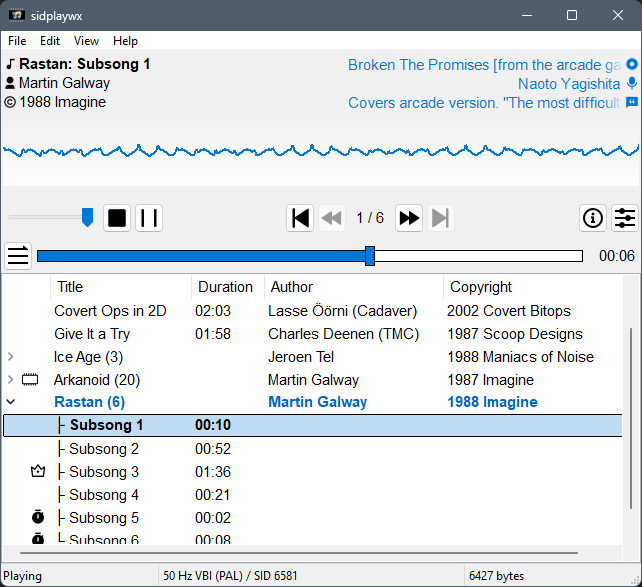
Sidplaywx est un lecteur graphique pour PC conçu pour lire les musiques SID du Commodore 64, avec une interface moderne et intuitive.
Il repose sur libsidplayfp pour une émulation sonore de haute qualité et sur wxWidgets pour une interface native multi‑plateforme, tandis que la sortie audio est gérée par PortAudio afin d’assurer une compatibilité étendue.
Le projet est pleinement utilisable, avec des fonctions pratiques comme le glisser‑déposer, la recherche, la compatibilité Unicode et la gestion des écrans haute résolution. Il fonctionne sur Windows et Linux avec des binaires pré‑compilés disponibles.
SharpEmu est un émulateur PlayStation 5 expérimental développé par par274, entièrement écrit en C# et conçu pour fonctionner sur Windows, Linux et macOS, même si le développement se concentre surtout sur Windows. Le projet est codé from scratch, sans reprendre d’autres émulateurs, et sert autant d’émulateur que de plateforme d’étude de l’architecture PS5.

L’émulateur est encore très jeune: aucun jeu commercial n’est jouable, mais il peut déjà charger des eboot.bin, exécuter des instructions CPU, lire les métadonnées des jeux, charger des modules système et initier certaines étapes du pipeline graphique. Plusieurs jeux testés atteignent des stades avancés comme sceVideoOut ou AGC, ce qui montre que le rendu commence à fonctionner, même si encore limité.
Le développement est actif, avec des builds Windows disponibles et des progrès réguliers. SharpEmu se concentre sur la mise en place d’une base technique solide avant de viser la compatibilité avancée ou la jouabilité.
En résumé, SharpEmu est un projet PS5 ambitieux, méthodique et en pleine construction, qui pose les fondations nécessaires pour une future émulation complète de la console.

Voici les changements:
– Game compat updates (#691) (996de70)
– [GUI] Update library page layout (#690) (77f2297)
– [GUI] Redesign options page (#699) (f08308d)
– fix vulkan error from astrobot (#689) (5f1bd5a)
– [GUI] Update window chrome controls (#700) (753ddf9)
– Merge media decoding into one FFmpeg bridge (#706) (5864328)
– Shader cfg ssa (#707) (444af50)
– VideoOut: track guest-flip FPS and label load/stall gaps (#708) (ec65419)
– Metal: skip waitUntilCompleted when the command buffer is already Completed (#709) (79aa764)
– Metal: opt-in long-edge drawable cap via SHARPEMU_METAL_CAP_DRAWABLE (#711) (b75e4e0)
– Pad: implement scePadGetTriggerEffectState under its own NID (#712) (b572738)
– Apply SDWA ABS/NEG as float sign-bit, not integer, modifiers (#713) (539baa6)
– Shader: implement V_BFE_I32 and correct VOP3 0x36A mapping (#714) (e5e02c0)
– gpu: size single-channel 16-bit and two-channel 8-bit formats (#715) (fc5b6ba)
– Vulkan: enable textureCompressionBC when the device supports it (#716) (0dd5433)
– Share one guest image across sRGB/UNORM aliases (#717) (e1695cf)
– fix(gpu): one vertex attribute per guest stream view (#718) (eb0653e)
– AGC: follow command-buffer branches across arena switches (#720) (3f9bd2b)
– AGC: deliver compute-queue completion events at the queue fence (#721) (531e35b)
– fix(gpu): reflect guest CPU writes into large and render-target-aliased images (#722) (82c2c7f)
– Kernel: correct equeue event delivery and waiter lifetime (#723) (816ec4a)
– CPU: gate periodic import logs and fast-path memcpy/memmove leaves (#724) (532251c)
– Ampr: cooked-id index preload and host FD LRU cache (#725) (93c9f14)
– Vulkan: abandon timed-out guest fences without blocking later frames (#726) (c4ae4a2)
– Combined: Pad, AGC, Metal, Vulkan, Ampr, overlay, and CPU hot-path fixes (#727) (97bd8c4)
– [GUI] Add inline per-game settings and unify options styling (#728) (a7ec3d5)
– AGC: retain label producers and report failed release writes (#719) (ecd6570)
– Required imports for Astro Bot (#710) (544f588)
– [GUI] Add grid settings to GUI and implement grid snapping (#729) (7c9740f)
– [GUI] few stability patches for GUI (#732) (c387b96)
– Astrobot – Vulkan fix (#733) (a8fa9c9)
– AGC: correct GS program registers, stop dropping rect-list draws, add a missing size export (#734) (ea9be74)
– Icons in about section (#735) (5ee7cd1)
– Astrobot – Vulkan fix : 0x8A (#736) (cf3bd0b)
– AGC: honour DCC fast clears instead of drawing the clear quad (#738) (4b5ea6a)
– [Memory/Kernel] Fix Windows allocation-granularity and mutex-resolution bugs (#748) (f36ce40)
– Ampr: fix path case on Linux (#750) (8df4039)
– Fix Vulkan presenter synchronization and frame handling issues (#747) (f3d9439)
– Renderdoc (#753) (8eb2c1e)
– [videoout] guard degenerate guest buffer ranges (#755) (26bda04)
– chore: bump version to 0.0.3-release.2 (#756) (da0de5c)
Il s’agit d’un fork de l’émulateur Switch Citron, repris exactement à l’endroit où son développement s’était arrêté.
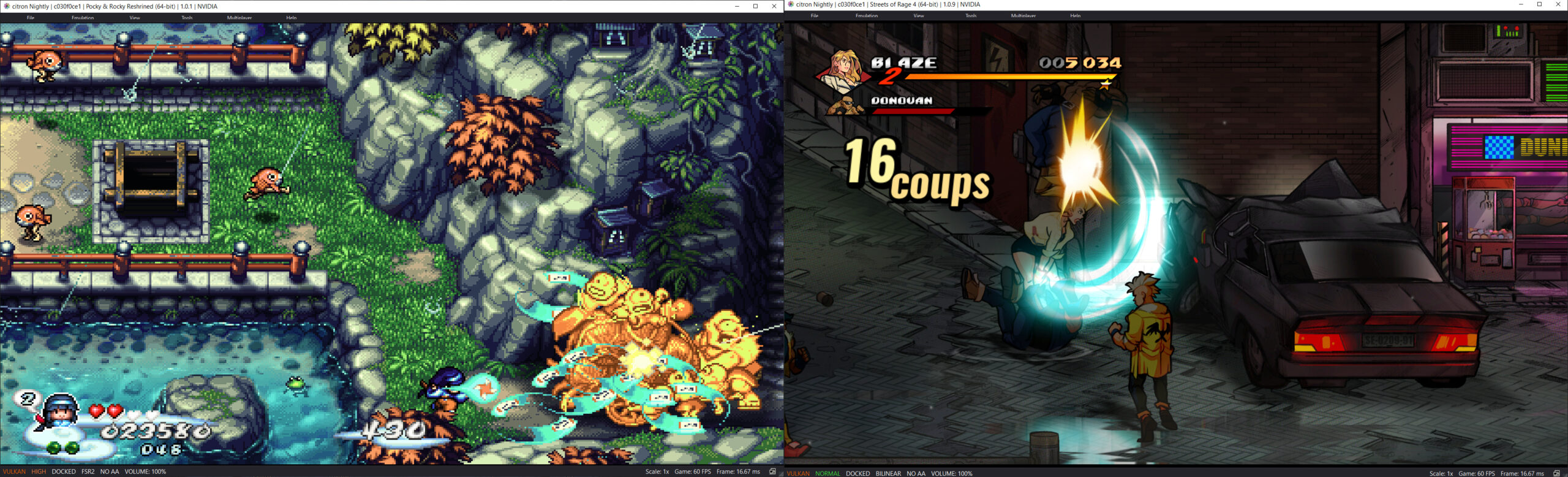
Les changements:
– video_core: share arm64 register guard assembly
– video_core: address ARM64 register guard review
– video_core: isolate ARM64 CallMethod frame corruption
– video_core: isolate ARM64 draw frame corruption
– video_core: contain ARM64 draw ABI corruption
– video_core: isolate ARM64 pipeline configure ABI corruption
– video_core: harden ARM64 macro call guard
– video_core: guard macro calls from ARM64 ABI corruption
– video_core: diagnose macro interpreter faults
– Merge pull request #229 from cheezwiz7899/prevent-stale-bindless-cache
– Merge remote-tracking branch ‘origin/main’ into prevent-stale-bindless-cache
– optimize: combine bindless cache lookup and slot acquisition
– Merge branch ‘main’ into prevent-stale-bindless-cache
– vulkan: remove half-baked last_bytes_hash from bindless cache
– vulkan: reduce bindless cache size from 64 to 16
– vulkan: fix bindless cache staleness on TIC generation change
– Merge pull request #273 from cheezwiz7899/bindless-nonuniform-decoration
– fix(shader_recompiler): avoid mutating original ids in BindlessArrayIndex
– spirv: decorate bindless descriptor indices as NonUniform
– Merge pull request #294 from Splaser/codex/pr285-vram-gc
– Address VRAM GC follow-up review
– video_core: address VRAM GC review feedback
– frontend: remove obsolete VRAM limit
– frontend: remove obsolete GC controls
– vulkan: decouple allocator recovery from cache GC
– video_core: restore passive cache GC
– Document Vulkan memory usage fallback semantics
– Fix Vulkan memory budget shadow warning
– Fix Vulkan memory budget tracking and cache reclamation
– Refine VRAM pressure tracking and cache garbage collection
– Track global Vulkan memory usage for VRAM pressure and reporting
– Avoid deadlock during recursive Vulkan memory recovery
– Synchronize Vulkan memory-pressure callback updates
– Merge pull request #293 from Splaser/codex/android-hle-keyboard-composing
– android: clarify inline IME input comment
– android: allow composing text in HLE keyboard
– Merge pull request #292 from Splaser/codex/fix-content-management-dumps
– fix: list packaged updates in addons
– docs: clarify Android dump parameters
– fix: distinguish packed content and repair Android dumps
– Merge pull request #291 from Splaser/codex/xci-ticket-import
– file_sys: import tickets from merged XCI partitions
– Merge pull request #286 from cheezwiz7899/build-fixes2
– spaces are evil
– Merge branch ‘main’ into build-fixes2
– fix AppImage packaging cleanup
– fix(windows) make the csgenerate stage respect the release type
– more dependency package adjustments
– move bolt building to the bolt stage where it belongs
– update packages for various distros in setup
– fix msys2 path handling bug with ffmpeg compile
– some profraw handling improvement for clang-cl pgo stages, and qt path tomfoolery
– Merge branch ‘citron-neo:main’ into build-fixes2
– build(windows):fix pgo profile handling for clang-cl, enable libusb for clangtron