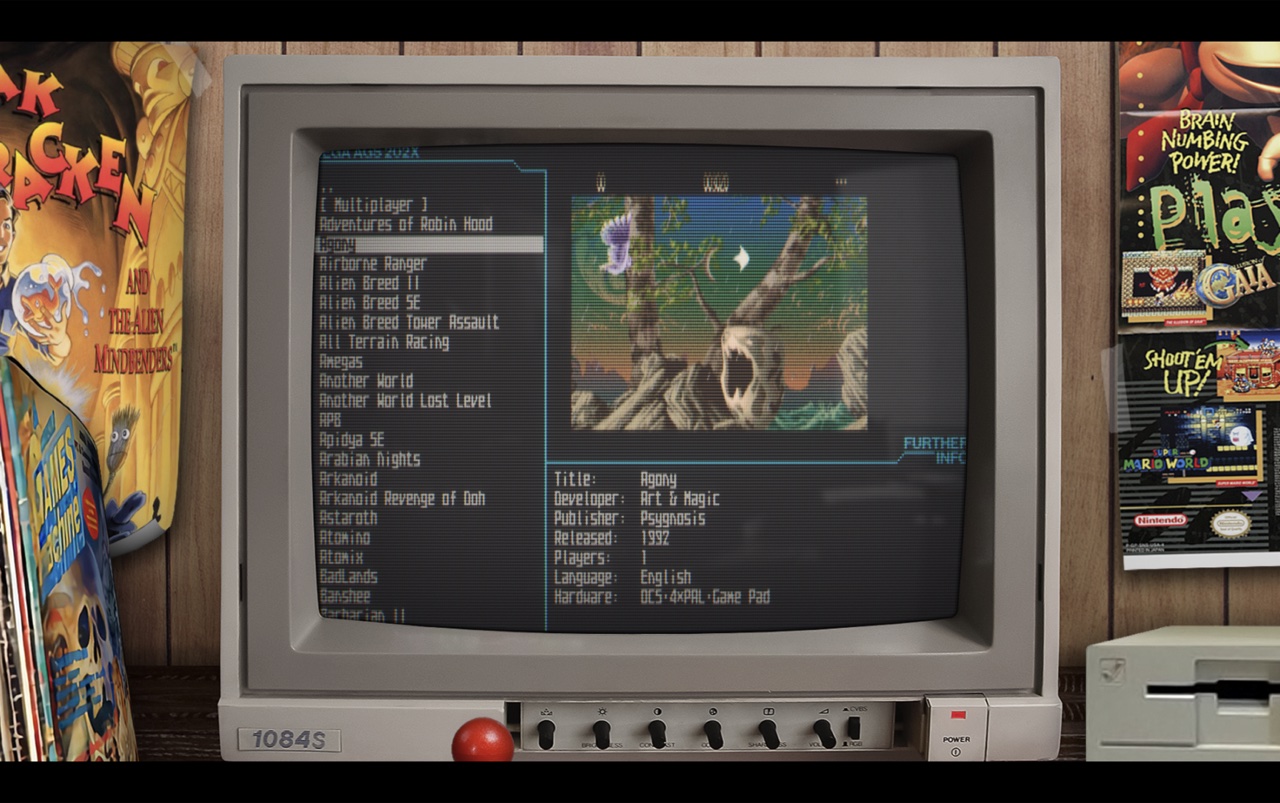
Amiberry est un émulateur Amiga optimisé, libre (GPLv3), basé sur le cœur WinUAE, conçu pour ARM et x86 (Raspberry Pi, PC, etc.), offrant JIT ARM64/x86-64, interface moderne (Dear ImGui), support WHDLoad, shaders/bezels, intégration RetroArch et une distribution multi‑plateforme (Linux, macOS, Windows, Android, FreeBSD, Haiku) avec paquets et scripts d’installation prêts à l’emploi.


Télécharger Amiberry v8.1.3 (21.3 Mo)

Site Officiel

En savoir plus…

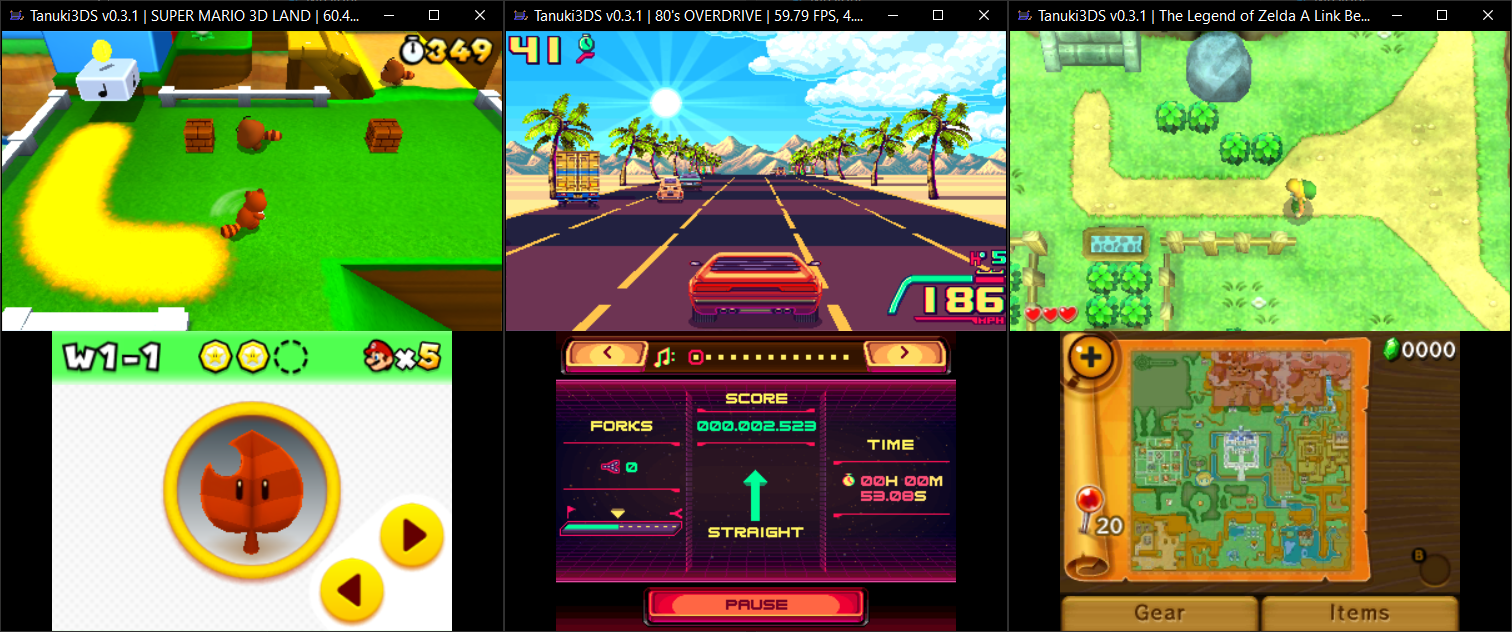
Tanuki3DS est un émulateur 3DS pour MacOS, Linux et Windows écrit en C qui vise à être simple, rapide et compatible. Actuellement, il peut lancer un nombre raisonnable de jeux avec des graphismes et un son de qualité et à pleine vitesse. Il prend également en charge quelques fonctionnalités intéressantes comme les manettes, l’avance rapide, l’agrandissement de la vidéo et la caméra libre.


Les changements sont:

– GPU emulation improvements:
correct lighting emulation
normal mapping, shadow mapping
fog
– Camera and Mic support
– Motion controls fixes
– New game list UI
– Other misc fixes/improvements


Télécharger Tanuki3DS v0.5.0 (4.7 Mo)

Site Officiel

En savoir plus…

Il s’agit d’un émulateur de Sega Megadrive et Mega-CD.


Version en ligne disponible ici.
 
Les changements:
– Vastly improved accuracy of interrupt and H/V counter timings.
– Vastly improved emulation of 68k/Z80 DMA stalls.
– The DAC channel now has its distinct Mega Drive ‘crunchiness’.
– Fixes crashing in The Spiral.
– Fixes dots covering the screen in OutRunners.
– Fixes the 512-colour demo in Titan Overdrive.
– Mostly eliminates the black bars seen during the fractal effect in Titan Overdrive II.
– Added emulation of the V-scroll latching.
– Fixes Devon’s high-colour Ronald McDonald tech-demo.
– Fixed frame-rate not being affected by changing the ‘TV standard’ option.
– Fixed save data being lost after a hard reset.
– Made UI scaling of menus consistent across DPIs.
Tile viewer.
Stamp viewer.
Plane viewers.
Stamp map viewer.
– Enlarged some menus.
Sprite list.
Tile viewer.


Télécharger Clownmdemu v1.6.10 (9.4 Mo)

Site Officiel

En savoir plus…

IV/Play (prononcé «Four Play») est une interface graphique pour MAME. Il a été conçu par un codeur rémunéré par John IV comme une alternative à MAMEUI (que Robbbert maintient). IV/Play mise sur une séparation réelle entre frontend et code MAME afin que les changements sur MAME n’affectent plus le frontend. Il vous faudra .NET 10.0 pour le lancer.
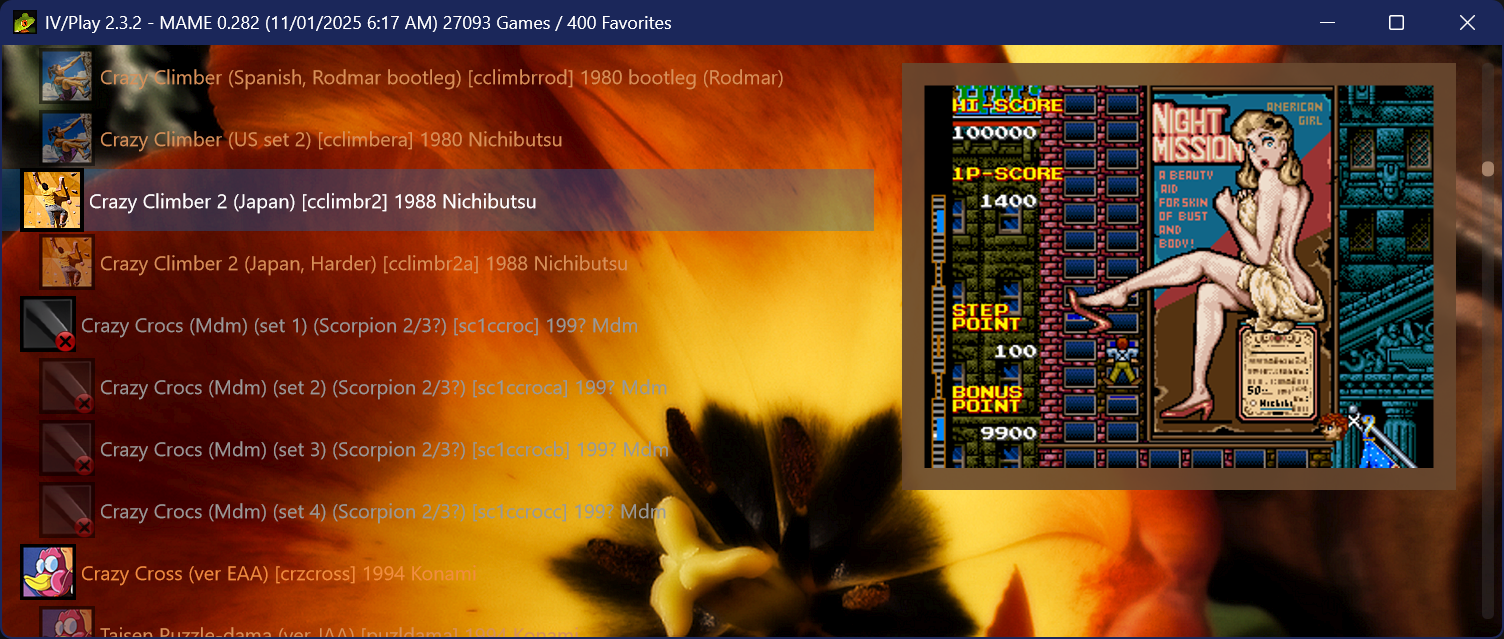


FLAT VIEW & GLOBAL SORT
Added a new flat view which displays all machines alphabetically and non indented; clones decoupled from their parents, favorites not pinned, parents at full opacity. Accessible via the TAB cycle or the F1 View dropdown. Flat View is also the only mode that supports global sort, which orders the list by default, description, machine name, manufacturer, or year. The selected sort field persists through restarts; direction resets to its natural default. Sort cycles via Alt S or the F1 Sort dropdown; especially useful when a filter result contains thousands of entries.
 
DEEPER DAT INTEGRATION FOR FILTER SEARCHES
History.xml, MAMEINFO.dat, and CatList.ini are now indexed/hydrated at first use and integrated into the Ctrl F filter system. history: (or hist:) searches the descriptive text from History.xml, while genre: (gg:) queries CatList.ini categories and subgenres. MAMEINFO.dat contributes first appearance version data, exposed through mameversion: and mv: along with natural language forms such as “version 53.” These sources also participate in the natural language layer, allowing combined queries like “imperfect shooters from 1995” or “platformers added in 0.99.” Two new operators workingstatus: and supportstatus: extend filtering to MAME’s internal status flags for both arcade and softlist items. See the down arrow on the Filter dialogue for a series of examples.
 
AVAILABLE ROMS GAMELIST
The ‘Available’ gamelist, accessible from the F1 Custom Gamelist dropdown or via the shortcut cycle key Alt‑INS/DEL, performs a simple .zip/.7z audit on the rompath entries defined in MAME.ini and matches those against machines in the XML, providing a list of only found items. Detection is non‑recursive and name‑only. Clones’ presence is assumed when using fully merged ROM sets. The gamelist intentionally does not show ROM‑less games like Pong; switch back to the full gamelist to see those entries. To activate this feature it is necessary to hit F12 to do a quick audit of archival ROMs in MAME’s -rompath.
 
PLATFORM-BASED SOFTLIST FILTER GROUPING
When a filter (Ctrl-F) returns software list results, IV/Play now collapses them into platform-level family nodes rather than producing one row per software item per hardware variant. A search for ‘zaxxon’ produces a single ‘Zaxxon (Atari 2600)’ entry, a single ‘Zaxxon (ColecoVision)’ entry, a single ‘Zaxxon (MSX1)’ entry, and so on; one row per platform, regardless of how many hardware machine variants or regional releases exist for that platform in MAME. Pressing Enter on a family node drills down into it, showing the parent release and any clones (regional variants, alternate revisions) for that platform. The parent entry shows its clone count, and each clone shows its parent name in brackets. Press Alt-Left Arrow, Backspace, or ESC to return to the platform-level filter results. Adding ‘noclones’ to the filter suppresses clone entries before grouping runs, so only parent releases appear and drill-down shows a single launchable entry.
 
NATIVE AOT TRANSITION / PERFORMANCE
IV/Play now ships as a native Ahead-of-Time (AOT) build, producing a smaller, fully self contained executable that no longer requires users to install the .NET 10 runtime (Note: the .exe size increases as a byproduct). Startup behavior is more consistent across machines, with faster warm launches and smoother recovery after full XML exports or database rebuilds. Overall responsiveness improves due to native code generation, and memory usage is slightly reduced.
 
MACHINE STATUS AWARE ICON BORDERS
This configuration feature surfaces the status of MAME machines that appear in Alt-Enter properties as not working (red), imperfect (orange), and working (green) by using the black border of the existing icons and changing them to that color (or any user chosen in the *.cfg). Further, since the imperfect games are the most in need of visual differentiation, they are now defaulted to a bkground derived themed color to complement the auto-theme feature. This auto color for the imperfect status border can be turned off in F1 to return to user chosen RGB settings. It also extends to softlist machine media items.
 
HIDDEN.INI
IV/Play now supports a hidden.ini file at the executable level for permanently suppressing entries from the game list before any filter or display logic runs. Each line takes one of three prefix forms: type: targets a machine category, machine: targets a specific short name, and driver: targets all machines sharing a source driver. Excluded entries are removed from the dataset entirely — they do not appear in filter results, favorites, or any custom gamelist. The file follows the same precedence rules as Favorites.ini and survives factory resets. It is generated automatically if not present and contains the syntax/usage information. Its creation can be suppressed by a toggle in the *.cfg if desired.
 
CUSTOM GAME LIST GENERATION FROM FILTER RESULTS
Using Alt-L from a filter result set will now automatically create an entry in the custom-list.ini file.
 
NUMBER OF CLONES / PARENT
Added the ability to show the number of clones a machine has on the gamelist, as well as the counterpart `[parent: x]` on clone entries. Clone counts use singular/plural forms (“1 clone” / “5 clones”) and appear left‑anchored immediately after the machine description. This can reveal interesting historical patterns where widely bootlegged games may have dozens of clones. Accessible in F1 as two independent toggles.
 
COMMAND LINE OVERRIDE AUTOCOMPLETE
Returning from IV/Play 1.8, MAME’s `-showusage` output is captured and used for the command line override text input.
 
ADDITIONAL FEATURES
• DPI detection and display has been hardened; IV/Play now flows better when dragged across multiple monitors with different DPIs and scaling settings.
• Added toggles for ‘Show Parents’ and ‘Show Machines’ to create even more display permutations. These can also be accessed via natural language queries in Ctrl‑F such as “Parents” or “Machines Only.”
• Added new randomized splash screens which appear on full MAME XML export and .db rebuilds at launch.
• Added Shift‑F8 to show all the new internal splash screens in an overlay panel.
• Added two new 3-way filter operators to Ctrl-F: workingstatus:working / :imperfect / :notworking (alias ws:) distinguishes fully-working from imperfect-emulation machines, going beyond the boolean working only phrase. supportstatus:yes / artial / :no (alias ss:) filters softlist items by their MAME support level. Combine with a system name for best results: snes supportstatus:yes. Natural language aliases such as imperfect machines, broken games, and partially supported are also supported.
• Added a ‘snapshot’ of the entire user configuration taken on launch and available in the F2 log. If changes are made through the session, they are flagged by a color change and delta icon (Δ) on the next F2 to make for easier debugging/diagnostic work.
• Added Genre, MAME version, and machine type to Alt-Enter properties since we consume all of that and hydrate it now. Requires History.xml, MAMEINFO.dat, and CatList.ini.
• Added a subtle configuration/F1 button at the bottom of the vertical scrollbar. This is the first time in the app’s history that the configuration dialogue is accessible without a keypress.
• Added current game list in use to the titlebar.
• Add Alt-O to select a new random bkground. Note shortcut keys are all assignable in the *.cfg and some major ones in the F1 dialogue.
• Rename favorites and custom gamelist in the distribution packages so they don’t overwrite users’ own files.
• Added the ability to return the app to center of screen and its default dimensions. Double click the titlebar or use Ctrl-Shift-0.
• Added an OS aware System / Dark / Off mode drop-down in F1.
• Added a browser-like Ctrl-F (Find) inside the overlays, including F2 & F3, and the DAT peeks.
• Modernized the font and color pickers in F1.
• Removed hardcoded Segoe UI usage through out the rest of the app, main UI font now set in the F1 config and will propagate. New default per Windows 11 is Segoe UI Variable Text.
• Created a TTF font based on MAME’s very old uismall.bdf for use in MAME’s internal UI. Double-click it, choose ‘Install’ to bring it into Windows 11, then use ‘-uifont MAMEUISmallMod’ in the MAME.ini to utilise it, in-game. It also looks nice as the UI font in IV/Play itself, set in F1. Added to the distribution package.
• Added a third font picker field in F1, this for the rest of the UI, including dialogues. This allows a separate gamelist font setting to be decoupled and individualized.
• No longer including favorites.ini and the custom gamelist.ini in the distribution package so there is no accidental overwriting on decompressing the archive.


Télécharger IV/Play v2.6.2 (14.6 Mo)

Site Officiel

En savoir plus…

Maintenu par Robbbert, il s’agit de la suite la plus directe de MAMEUIFX, ne contenant que la partie arcade de MAME et supprimant les « extra games » que proposait MAMEUIFX (ces derniers étant tous inclus dans HBMAME).
 
As before, the releases only have the binary. Any other needed files come with the standard MAME from mamedev.org.
 
– Arcade games only
– NO pinball
– NO poker games
– NO gambling games
– NO systems that require software, such as computers and consoles
– If all the games of a specific source file are not functional, then they are removed.

 
Changement:
– sync with mame v0.287
 

arcade
 

Télécharger ARCADE (32 bits) v0.286 (31.6 Mo)

Télécharger ARCADE (64 bits) v0.287 (38.3 Mo)

Site Officiel

En savoir plus…

Voici l’ensemble des screenshots et icônes de MAME réunis dans des packs à télécharger…


Télécharger MAMEUI Screenshots Pack v0.287 (272 Mo)

Télécharger MAMEUI Icons Pack v0.287 (43.2 Mo)

Site Officiel

En savoir plus…

Initialement nommé Mame32, il fut le premier port de MAME(Arcade) sous plateforme Windows. MAMEUI32/64 est un émulateur multi-arcade et multi consoles/ordinateurs incluant une interface (frontend).
 
Comme c’est Robbbert qui, de toute façon, fait le job pour MAMEUI depuis des années (et non John IV), il vient de proposer directement les deux builds sur sa page et pas uniquement la version 32, comme ça « ça c’est fait » ! ^^


Changements valables pour MAMEUI/MESSUI:
– Updated to Latest Mame
– Winui: added DRC option switch, needed because of some recent model2 regressions but the game works with the switch off
– Added or improved sounds in various mostly-silent 8-bit games: sspaceat, sspaceat2, sspaceat3, sspaceatc, sspacaho, invcarht, carhntds, alphaho, alphahob, ace, tinv2650, sia2650, dodgem, fgoal, fgoala, sshot, sshota, gunchamps, foolrace, blackhol, beaminv, pacominv, pacominva, ctainv, worldinv, ipminvad2, andromed, skychut, headoni, spacbeam, greenber, spfghmk2, spfghmk22, satsf3d.
– Fixed the long-standing sound bug in schaser and clones.

 
Rappel:
L’ancien MESSUI devient le nouveau MAMEUI (arcade+console+ordinateur), l’interface étant plus aboutie et performante. L’ancienne interface (très proche visuellement mais avec quelques menus en moins) de MAMEUI est donc définitivement abandonnée.
 
– MESSUI (full version) has been renamed to MAMEUI. The old MAMEUI interface has been retired.
 
A noter que MESSUI est à présent totalement fusionné dans MAMEUI (qui conserve ce nom), seule une petite astuce permet de transformer MAMEUI en MESSUI (voir ici).
 
En résumé:
MAME = Arcade + consoles + ordinateurs
MAME(arcade) = MAME en version Arcade uniquement.
MAME(MESS) = MAME en version consoles et ordinateurs uniquement.
MAMEUI = MAME + Interface dédiée.
MESSUI = MAME(MESS) + Interface dédiée. => voir indication ci-dessus.
ARCADE = MAME(arcade) + Interface dédiée (et basée sur l’ancien MAMEUIFX).


Télécharger MAMEUI32 v0.286 (59.8 Mo)

Télécharger MAMEUI64 v0.287 (104 Mo)

Site Officiel original de John IV (archive)

Site Officiel de Robbbert

En savoir plus…

Build de MAME(Arcade) qui empêche toute tricherie dans les vidéos .inp, utilisé par les sites qui référencent les records.


Build 32 bits compilé par St Hiryu.
 

Télécharger WolfMAME (32 bits) v0.286 (59.5 Mo)

Télécharger WolfMAME (64 bits) v0.287 (66.9 Mo)

Site Officiel

En savoir plus…

Il s’agit de MAMEUI avec des fonctions en « plus ». Il fait suite à l’ancienne version abandonnée depuis longtemps.


Les changements:
 
– update to mame 0.287
1:Changed export chinese game list encoding from UTF-8 to GB2312 for direct makelang compatibility
2:Optimized Japanese language pack for more natural native Japanese expressions
3: Fixed translation issues for Audit page tab titles and static text
4: Fixed translation failure caused by text being overwritten after ROM verification
5:Improved translation support for various property page titles
6:Fixed « Properties for driver » translation issue in context menu
7: Fixed PCB Info window title and game name translation issues
8: Fixed Clang build errors and enabled support for modern C++ syntax (C++17/20/23 and experimental C++26).
9: Added support for GCC 15.2.0, Clang 21.1.8 (MinGW-w64), and MSVC 14.5 toolchains.
10: Changed mame.lst export path from root directory to language pack directory, unified filename to mame.lst, and standardized encoding to UTF-8
11: Completed UI all 52 official language packs, achieving full global language coverage.
12: Changed game list translation file from .mo binary format to mame.lst text file
13: Fixed bug where game list wouldn’t translate after exiting games when 52 languages were added
14: Removed manufact field from exported mame.lst and kept only one line for machine name
15: Fixed toolbar icons not displaying when switching languages
16: UI Full support for UTF-8 encoding and official gettext language packs (.po .mo format)
17: Upgraded game search from fuzzy matching to precise positioning for improved accuracy.
18: Fixed crashes, English-only tree lists, untranslated tab titles, UI refresh issues during language switching, and search box prompt encoding errors.
19: Unified translation files into three core components: ui.mo (Interface), folders.mo (Folders), and mame.lst (Game List).
20: Added missing translation strings and improved overall multi-language support.
21: Fixed Bug where status bar hints in the Settings menu failed to load language packs
22: Added Status bar hints for the « Export Game List » menu item
23: Added UTF-8 new language packs (Chinese Simplified, Chinese Traditional, Japanese, Korean, French, Spanish, Turkish).
24: Fixed Tab translation buffer overflow causing program crashes.
25: Fixed the issue where language pack failed to load in the bottom-right corner of the user interface.
26: Added UTF-8 new language packs (German, Russian, Italian, Portuguese_Brazil, Portuguese,Spanish_Mexico,French_Canada,French_Belgium).
27: Fixed toolbar icon disappearing on language switch, now using unified English resources.
28: Updated sf2prime to version 2.73
29: Fixed media view display issues and added new language packs.
30: Fixed the issue where the search box prompt text failed to load the language pack correctly after losing focus.
31: update catver folders 0.286 and all language packs.
32: Optimized command list color scheme and symbol mappings
33: Updated NeoGeo Neo SD ROMs with newly converted data and synced CRC/SHA1 checksums (by xyzhz)
34: Fixed issue where property page opened with missing translation and tree menu
35: Fixed Working/Not Working classification error in tree view (delete ini/MAME_g.ini to rebuild)
36: Updated sf2prime to version 2.74
37: Add custom tree list sorting feature, fix issue where tree list .ini file was not generated
38: Optimize game list sorting rules (Space > Punctuation > Number > English > Multilingual), support recursive comparison
39: Fixed sorting rules not updating when toggling « Use Local Language Game List »
40: Fixed status bar game list not translating after audit
41: Fixed translation failure when folders directory is empty
42: Fixed ui.ini being saved to wrong directory when folders directory is empty
43: Updated sf2prime to version 2.75


Télécharger MAMEUI64 Plus! v0.287 (112 Mo)

Site Officiel

En savoir plus…

Il s’agit d’une version non officielle de FBA basée sur la version 0.2.97.43 mais qui ajoute beaucoup de fonctionnalités « inutiles » (dixit l’auteur). Cette version ajoute par exemple l’enregistrement vidéo, le support des roms sous 7z, le support de XAudio2/OpenAL/OpenGL, l’autofire… en plus d’avoir une interface plus complète et détaillée. Enfin ce build ajoute des drivers supplémentaires permettant le support de nouveaux jeux. Beaucoup l’apprécient pour ses fonctions à mi-chemin entre FBA et MamePlus!


Il est nécessaire que Microsoft Visual C++ 2010 Redistributable Package et/ou « Microsoft Visual C++ 2013 Redistributable Package » soit préalablement installé. Si votre interface est en japonais, choisissez la 4eme option puis 3eme ligne, et choisissez en_US.dll (ou en_US_x64.dll pour la version x64). L’interface sera de nouveau en anglais.


La version VS2012 est remplacée par la VS2013 (builds compatibles à partir de Vista et supérieur).
La version VS2010 est toujours présente car compatible XP (et supérieur).


Site source 1. Site source 2. Site source 3.

Télécharger FBA Shuffle (x86/VS10) [kof2112] v2.4.0 (2016/01/08) (4.3 Mo)

Télécharger FBA Shuffle (x64/VS10) [kof2112] v2.4.0 (2016/01/08) (4.7 Mo)

Télécharger FBA Shuffle (x86/VS13) [kof2112] v2.4.0 (2026/03/19) (6.8 Mo)

Télécharger FBA Shuffle (x64/VS13) [kof2112] v2.4.0 (2026/03/19) (7.9 Mo)

Site Officiel

En savoir plus…

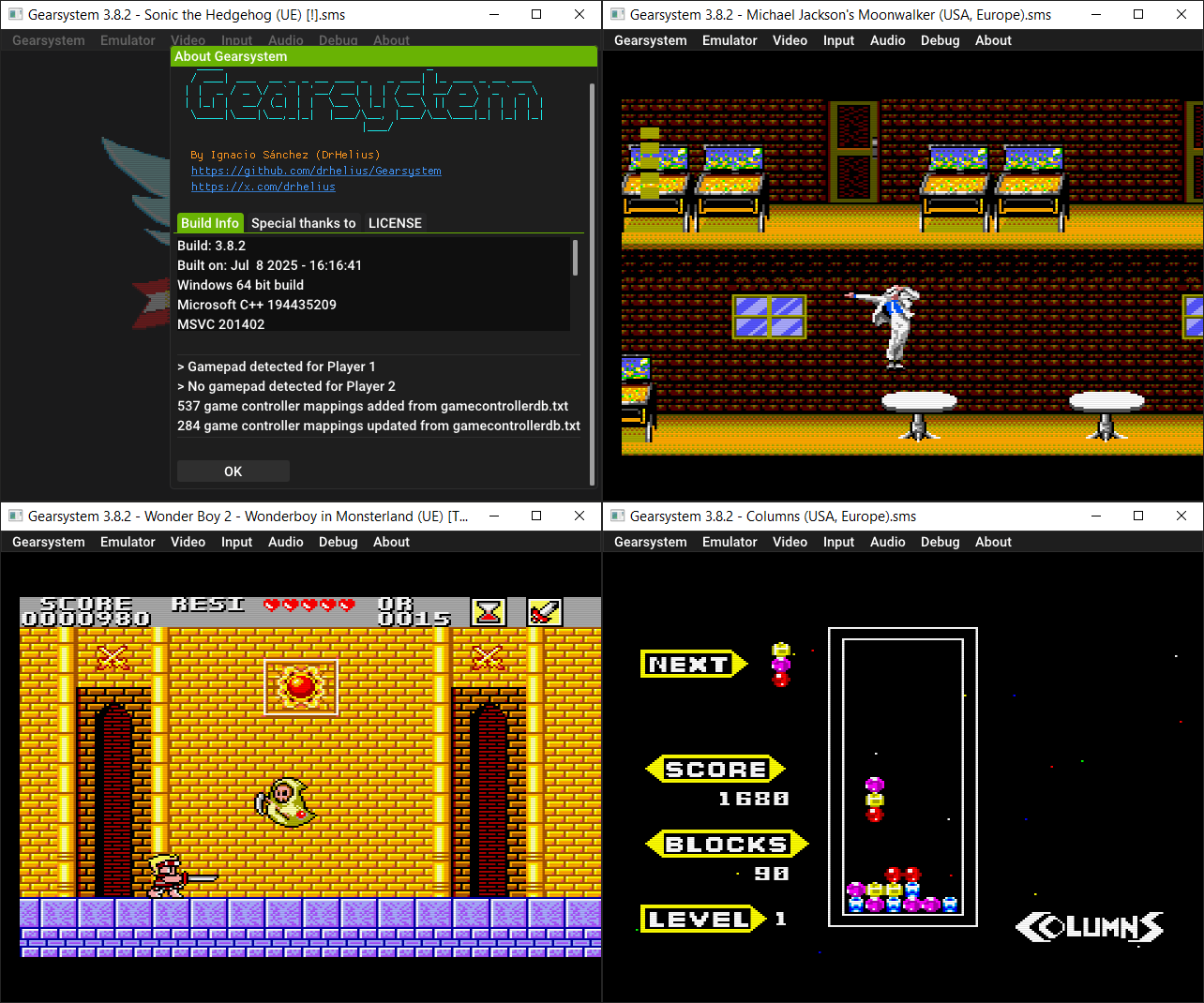
Il s’agit d’un émulateur de Sega 8 bits écrit en C++ par Ignacio Sanchez.
 
Il émule les machines suivantes:
– Sega Mark III
– Sega Master System
– Sega Game Gear
– Sega Game 1000 (SG-1000)
– Othello Multivision


Voici donc les changements:
 

🧠 Improved MCP server + skill with headless mode
🎮 Updated game controller database
🐛 Bug fixes and improvements

 
Le binaire 32 bits est compilé par Lo v2.


Télécharger GearSystem (32 bits) v3.1.0 (13.5 Mo)

Télécharger GearSystem (64 bits) v3.9.3 (2.5 Mo)

Site Officiel

En savoir plus…

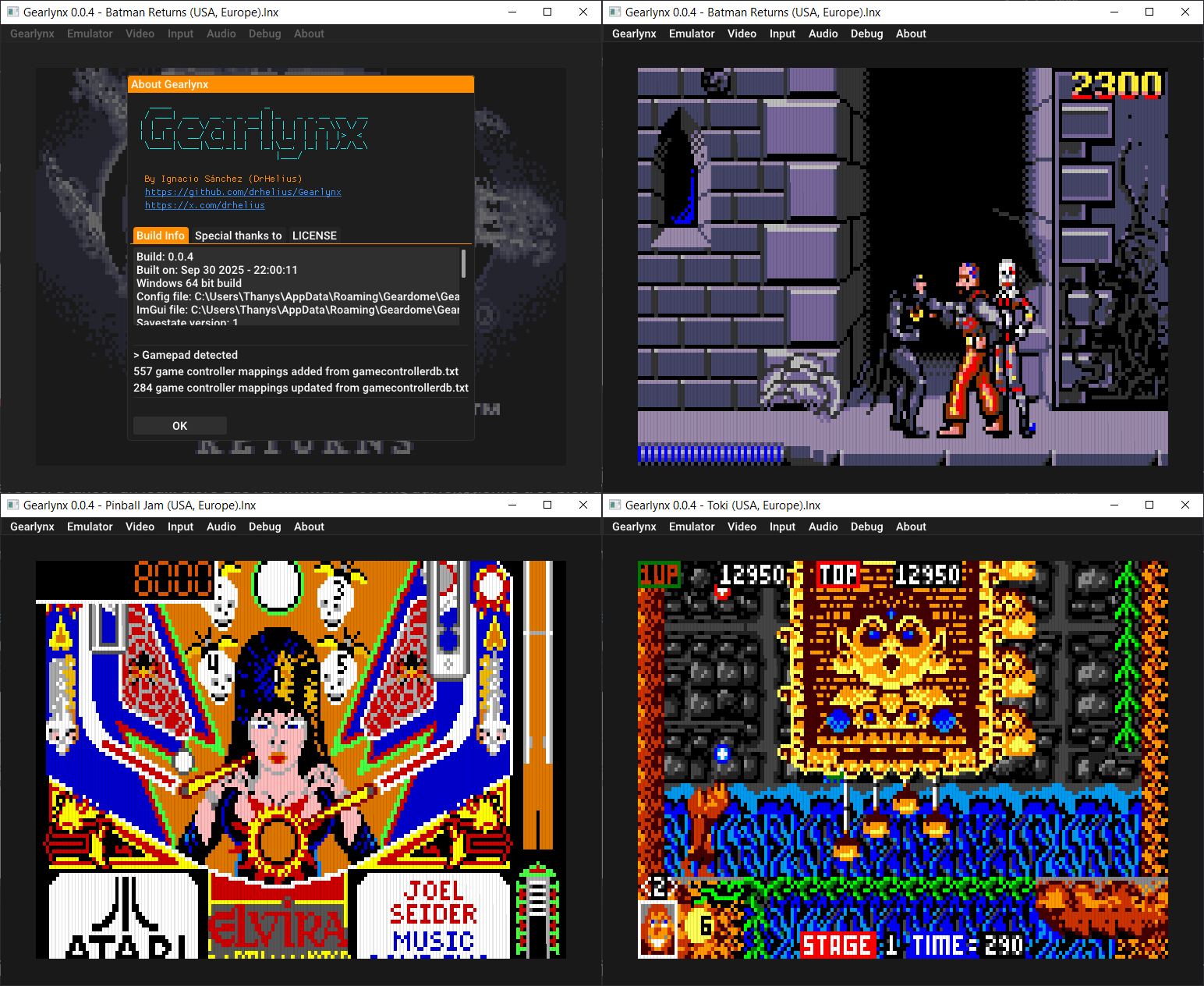
GearLynx est un émulateur d’Atari Lynx pour Windows.


Les changements sont:
🧠 Improved MCP server + skill with headless mode
🎮 Updated game controller database
🐛 Bug fixes and improvements


Télécharger GearLynx v1.2.5 (2.4 Mo)

Site Officiel

En savoir plus…


Casino-en-ligne-fiable.com

https://getourbonus.com/fr/accueil

https://www.romspedia.com/

https://www.casinoonlinefrancais.fr

Lucky 7 bonus

https://www.casinogratuitsansdepot.com

pablocasino.org

critiquejeu.info

playbonus

casinodoc.org

laplanquedujoueur.com

casinoonlinefrancais
Listing de toutes les actualités , Page numéro 7 - Emu-France

Il s’agit d’un émulateur de BBC Micro multiplateforme.


Les changements sont:
A UI library update means your saved window positions will get reset, and you’ll have to dock and/or position them again. Apologies.
 
Emulation stuff
– Add a config for Master Compact with MOS 5.11i and Arabic ROMs
– Add automatic saving of CMOS/EEPROM contents
– Add emulation of BBC B without ROM board
– Add MMFS support
– Add optional audio low pass filter
– Add SCSI hard disk emulation (compatible with standard Acorn ADFS)
– Fix 1770 FDC issues: fix Watford DDB2/DDB3 double density; fix Watford DDB2 generally
– Fix 65c02 timing issues (fixes Chuckie Egg 2023)
– Fix emulation of write-only I/O registers and empty ROM sockets
– Fix handling of 1 MHz memory regions for Master 128/Compact
– Fix occasional disk fault errors when using Opus Challenger
– Fix video ULA address range
– Improve Video NuLA accuracy
 
UI stuff
– Add background opacity setting for LEDs popup
– Add optional background economy mode: make b2 use a bit less CPU time when not in focus
– The GUI Font Size setting has been replaced by a general GUI Scale, now a scale value rather than a pixel size. As a one-off, you’ll need to set it up again. Sorry!
– (Linux) Fix rendering issues when running with SDL3’s sdl2-compat library rather than SDL2
– (macOS/Windows) Improve retina/high-DPI display support: should look at least a bit nicer
– Improve native file dialogs generally: do a better job with suggested paths, remembering previous folder, and adding file extensions
– (Linux, high-DPI) Use the GUI scale to adjust everything manually; auto-detection is unreliable so b2 doesn’t attempt it
 
Video stuff
– Add lossless video recording: produces a sequence of uncompressed TGAs and WAV files suitable for later compressing with another tool (e.g., ffmpeg)
– Fix video output aspect ratio
– (macOS/Linux) Improve video audio quality by preferring FLAC (lossless) when available
– (Windows) Improve video audio quality by emitting FLAC (lossless)
 
Debugger stuff
– Add an error for unrecognised HTTP API query parameters
– Add configurable debugger syntax
– Add initial support for symbols in debugger, thanks to Mark Fisher
– Add support for breakpoints in I/O regions
– Add view of memory-mapped I/O in memory and disassembly dialogs
– Fix debugger’s view of ROMs when using BBC B without ROM board
– Fix handling of £ (ASCII 96 in the BBC character set) in the debugger
– Fix possible crash when resizing stack debug window to be as small as possible
– Improve debugger setting persistence (ongoing effort)
 
– Symbols support is an ongoing work in progress


Télécharger b2 r2026.03.22 (11.5 Mo)

Site Officiel

En savoir plus…

Un émulateur de Sinclair ZX Spectrum multi-plateformes.


Télécharger Spectral v1.16 (3.1 Mo)

Site Officiel

En savoir plus…

GamePlay est une interface qui centralise DosBox, DosBox‑X, ScummVM et DSP Emulator pour lancer des jeux MS‑DOS, Arcade, consoles et micro‑ordinateurs 8‑bits sans aucune configuration. Les jeux fournis sont déjà optimisés pour offrir le meilleur rendu possible, et vous pouvez aussi ajouter vos propres titres en important simplement une archive ZIP ou un CD‑ROM. L’application détecte automatiquement la langue et fonctionne aussi bien sous Windows que sous Linux ou macOS via compilation.


Les changements sont les suivants:
 
General
– Added a new download system: you can now download a game if it is not present. You can also download extra information (images, manuals, etc.)
– Rewrote the configuration menu: you can now configure options per system
– Rewrote the add game menu: much clearer and easier to use
 
MSDOS engine
– Changed to 4:3 screen format
 
Amiga engine
– Added vertical/horizontal center options
 
MSDOS Games
– Eye of the Beholder (EN)
– Eye of the Beholder (ES)
– Eye of the Beholder II – Legend of the Dark Moon (EN)
– Eye of the Beholder II – Legend of the Dark Moon (ES)
– Eye of the Beholder III – Assault on Myth Drannor (EN)
– Eye of the Beholder III – Assault on Myth Drannor (ES)
 
Amiga Games
– A.M.C. – Astro Marine Corps
– Angel Nieto Pole 500
– Chichen Itza
– La Diosa de Cozumel
– Los Templos Sagrados
– Wonderboy in Monsterland
– Deliverance
– Eye of the Beholder
– Eye of the Beholder II – Legend of the Dark Moon
– Rise of the Robots
– Rambo III
– Red Heat
– RoboCop
– RoboCop 2
– RoboCop 3
– Sly Spy Secret Agent
– Bionic Commando
– Renegade III


Une version intégrale comprenant des images, manuels, émulateurs et bien plus encore est accessible ici.
 

Télécharger GamePlay v0.60 (161 Mo)

Site Officiel

En savoir plus…

De nouvelles versions en cours de développement du projet de Ignacio Sanchez Gines sont disponibles:
 
GearSystem est un émulateur de Sega 8 bits écrit en C++ par Ignacio Sanchez.
 
Il émule les machines suivantes:
– Sega Mark III
– Sega Master System
– Sega Game Gear
– Sega Game 1000 (SG-1000)
– Othello Multivision


Télécharger GearSystem GIT (2026/03/30) (2.5 Mo)

Site Officiel


Gearcoleco est un émulateur ColecoVision multiplateforme très précis écrit en C++ qui fonctionne sous Windows, macOS, Linux, BSD, Raspberry Pi et RetroArch.
 

Télécharger GearColeco GIT (2026/03/22) (1.6 Mo)

Site Officiel


GearBoy est un émulateur de Nintendo GameBoy écrit en C++ (lire les pré-requis pour que l’émulateur s’exécute).


Télécharger GearBoy GIT (2026/03/28) (2.6 Mo)

Site Officiel


GearGRAFX est un émulateur de PC Engine / TurboGrafx-16 multi plateformes.


Télécharger GearGRAFX GIT (2026/03/27) (2.6 Mo)

Site Officiel


GearLynx est un émulateur d’Atari Lynx pour Windows.


Télécharger GearLynx GIT (2026/03/27) (2.4 Mo)

Site Officiel

Le projet GitHub xenia-edge est un fork expérimental de l’émulateur Xbox 360 Xenia, basé sur la branche Canary. Il vise à centraliser les dernières avancées techniques issues de divers forks dans un seul package. Le projet est conçu pour la recherche et l’expérimentation autour de l’émulation Xbox 360, avec une compatibilité Windows et Linux. Il propose un script de build personnalisé (xb) pour simplifier la compilation, une liste de compatibilité des jeux maintenue par la communauté, et une intégration continue via Buildbot. Le code est majoritairement écrit en C++, avec des contributions en Assembly, Python, Lua, HLSL et C#. Le dépôt contient des ressources utiles comme un guide de démarrage rapide, une FAQ et des instructions de compilation.


Télécharger Xenia Edge (2026/03/22) (24.9 Mo)

Site Officiel

En savoir plus…

Créé par Ben Vanik alias Noxa (PSP Player), il s’agit d’un projet de recherche pour développer un émulateur Xbox 360. Notez qu’il vous faudra une machine très performante pour lancer des jeux commerciaux de façon fluide. Plus d’informations ici sans oublier le site de développement [master]. Un manager permettant de gérer l’émulateur Xenia est disponible ici.


– [A64] Add thread-safe atomics to A64Function
– [A64] Use shifted immediate for 0x1000 add in ComputeMemoryAddress
– [Testing] Add tests for AND_NOT, TRUNCATE, VECTOR_COMPARE_SGE/UGE
– [A64] Fix epilog label memory leak in ARM64 emitter
– [a64] Implement `FEAT_LSE` optimizations
– [a64] Implement `OPCODE_CACHE_CONTROL` store
– [a64] Implement raw clock with `CNTVCT_EL0`
– [A64] Fix ARM64 DWARF/SEH unwind info and add registration test
– [A64] Inline all vector C helpers using NEON/GPR and add some tests
– [A64] Fix SET_NJM to update cached fpcr_vmx
– [Xam/Info] – Implement GetSystemTimeAsFileTime & QueryPerformanceFrequency
– [CI] Trying to fix releases ordering
– [CI] Fixed incorrect release title (missing _)
– [Notes] Updated README.md with new release links
– [CI] Fixed tag name & removed duplicated notes on release
– [a64] Inline UNPACK_FLOAT16_2/4 using NEON fcvtl
– [A64] Inline LVL/LVR using NEON TBL instead of C helpers
– [A64] Use 16-byte NEON stores in MEMSET fallback loop
– [A64] Fix CNTLZ_I8/I16 returning 32 for zero input
– [CI] CI Redesign: Initial Orchestrator & Removal of unused drone CI
– [A64] Add v8-v15 to allocatable VEC pool
– [A64] Dedicate x19 as backend context pointer
– [a64] Optimize `EmitD3DCOLOR` constants
– [a64] Optimize `FlushDenormals_V128` constants
– [a64] Optimize `OPCODE_RECIP` constants
– [a64] Avoid `LoadV128Const` scratch-memory usage
– [a64] Use `LoadV128Const` for `OPCODE_SPLAT`(constant)
– [a64] Add opportunistic `LoadV128Const` splat optimizations
– [a64] Fix debug break trap codes
– [UI] Fixed input focus interfering with gamepad navigation
– [a64] Fix MSVC-ARM64 `MemoryBarrier` preprocessor conflict (#927)
– [a64] Optimize `mov+dup` idioms into `movi` (#928)
– [CPU/A64] Add PPC FP state handling
– [x64] Restore FP rounding mode after host callbacks
– [A64] Add MMIO-aware memory sequences
– [A64/Vector] Scope VMX FPCR in vector helpers
– [CPU/A64] Avoid static init order in A64 sequences
– [ARM64] Initial commit for arm64 backend
– [3PP/ARM64] Add xbyak_aarch64 submodule
– [XAM] Fixed potential use-after-free on profile login
– [Testing] Parallel execution for ppc tests on posix
– [x64] Fix AVX-512 VECTOR_DENORMFLUSH merge-masking & FpRangeSign values
– [Testing] Add denormal input/output tests for VMX128 float instructions
– Misc fixes


Télécharger Xenia v1.0.2844 (2026/03/30) (4.9 Mo)

Site Officiel

En savoir plus…

WineD3D For Windows est un wrapper DirectX 1-11 vers OpenGL basé sur WineD3D, qui est une implémentation presque complète de DirectX utilisée dans Wine.


Même si Windows prend en charge DirectX de manière native, l’utilisation de WineD3D peut améliorer la compatibilité avec les jeux plus anciens, en particulier sur Windows 8 et supérieurs qui ne prennent pas en charge les modes d’écran 16 bits. Une autre utilisation possible est d’imiter les versions non prises en charge de DirectX ou de transférer des applications DirectX vers OpenGL sans avoir à réécrire le code de rendu.
Notez que WineD3D est loin d’être parfait, et de nombreux jeux ne fonctionneront pas.
 
Des instructions sur l’utilisation des DLL sont également incluses.
 
Version 1.7.x fonctionne à partir de Windows 2000.
Version 7.x fonctionne à partir de Windows Vista.
Version supérieur à 8.x fonctionne à partir de Windows 8.


Télécharger Wine D3D For Windows (Win 2K et +) v1.7.52 (1.7 Mo)

Télécharger Wine D3D For Windows (Vista et +) v7.8 (2.0 Mo)

Télécharger Wine D3D For Windows (32 Bits | Win8 et +) v11.5 (2.4 Mo)

Télécharger Wine D3D For Windows (64 Bits | Win8 et +) v11.5 (2.4 Mo)

Site Officiel

En savoir plus…

GroovyMAME est un émulateur multi-systèmes basé sur MAME (Arcade + Consoles + Ordinateurs) et qui se focalise sur le rendu sur écran CRT (Moniteur de PC ou d’arcade avec fréquence particulière) car les auteurs sont convaincus que la technologie CRT est un must quand il s’agit de profiter de l’émulation dans toute sa splendeur. Cependant GroovyMAME peut être utilisé également sur écran LCD (principalement sur les modèles qui permettent un rafraîchissant à des taux personnalisés).


Beaucoup d’améliorations provenant de Groovy avaient été intégrées dans MAME il y a quelques temps rendant Groovy obsolète, mais depuis de nouvelles fonctions ont été développées en parallèles justifiant ces nouveaux builds.
 

A noter que des LiveCD sont également disponibles sur le site officiel.


Les changements:
 

– Sync with mame v0.286
– New audio & video synchronization system ’emusync’ [Calamity & intealls]
 
– New option -autoframedelay/-afd
– New option -fd_margin
– Mod.option -vsync_offset
– New option -vblank_thread/-vbt
– New option -tearbar/-tb
– New option -emusynclog
 
– New renderer -video d3d11
– New renderer -video kmsraw
 
– New ‘PART’ audio backend: -sound part
– Mod.option -audio_latency
– New option -part_api
– New option -part_device
 
– Add emusync serial port output support
– New option -emusyncserial
– Add emusync_adapter README.md
 
– New option -bfi_brightness
– Update to upstream Switchres v2.2.2
 
Add documentation:
– README.md
– emusync.md
– real-time.md
– configuration.md

 
Note sur la version D3D9EX (les builds ne sont valables que pour windows 7 ou supérieur):
Cette version intègre un patch Direct3D9Ex (également connu sous le nom de Direct3D 9.0L ou 9.L, le L faisant référence à Longhorn, nom de la base de code de Windows Vista) qui permet de bénéficier de certaines fonctionnalités introduites par l’utilisation des drivers WDDM tout en maintenant la compatibilité avec les applications écrites pour Direct3D 9. L’interface Windows Aero s’appuie sur D3D 9Ex et utilise certaines des fonctionnalités non présentes dans Direct3D 9 comme la possibilité de partager des surfaces DirectX entre plusieurs processus.

 
Pas de binaires 32 bits pour le moment.
 
MAJ: J’ai compilé les binaires 32 bits et le 64 bits non Ex.


Télécharger GroovyMAME (x86) v0.227 SwitchRes v0.017t (56.4 Mo)

Télécharger GroovyMAME (x64) v0.227 SwitchRes v0.017t (58.1 Mo)

Télécharger GroovyMAME D3D9Ex (x86) v0.227 SwitchRes v0.017t (56.4 Mo)

Télécharger GroovyMAME D3D9Ex (x64) v0.286 SwitchRes 2.22a (101 Mo)

Miroir officiel

Forum officiel

Site officiel

En savoir plus…

Il s’agit du meilleur émulateur de PlayStation One, devant ePSXe et pSX.


Caractéristiques:
– Recompilateur/JIT CPU (x86-64, armv7/AArch32, AArch64, RISC-V/RV64).
– Rendu matériel compatible avec les API D3D11, D3D12, OpenGL, Vulkan et Metal.
– Mise à l’échelle, filtrage des textures et couleurs vraies (24 bits) dans les moteurs de rendu matériels.
– PGXP pour la précision géométrique, la correction des textures et l’émulation du tampon de profondeur.
– Mélange précis via Rasterizer Order Views / Fragment Shader Interlock.
– Système de remplacement de textures dans les moteurs de rendu matériels.
– Rendu logiciel vectorisé et multi-threadé.
– Désentrelacement adaptatif au mouvement.
– Filtre de sous-échantillonnage adaptatif.
– Rotation d’écran pour les jeux de tir verticaux ou en mode « TATE ».
– Chaînes de shaders de post-traitement (GLSL, Reshade FX et préréglages Slang).
– Bordures décoratives affichées autour du contenu du jeu.
– « Démarrage rapide » pour ignorer l’intro du BIOS.
– Prise en charge des sauvegardes d’état, avec exécution anticipée et rembobinage.
– Compatible avec Windows, Linux et macOS.
– Lecture directe depuis CD, images bin/cue, fichiers bin/img bruts, MAME CHD, ECM à piste unique, MDS/MDF et formats PBP non chiffrés.
– Préchargement des images disque en RAM pour éviter les interruptions dues à la mise en veille du disque.
– Fusion des jeux multi-disques dans la liste/grille avec cartes mémoire partagées.
– Chargement/application automatique des patchs PPF.
– Démarrage direct des exécutables homebrew.
– Chargement direct des fichiers Portable Sound Format (psf).
– Audio étiré dans le temps lors de l’exécution hors de la vitesse 100 %.
– Prise en charge des manettes numériques et analogiques (le retour de force est transmis à l’hôte).
– Support des pistolets GunCon et Justifier (simulés à la souris).
– Support de la manette NeGcon.
– Préréglages de manette et configuration par jeu.
– Interface utilisateur Qt et mode « Big Picture ».
– Mises à jour automatiques avec canaux preview et stable.
– Analyse automatique du contenu — titres/hachages fournis par redump.org.
– Commutation automatique optionnelle des cartes mémoire par jeu.
– Prise en charge des cheats à partir de listes existantes.
– Éditeur de carte mémoire et importateur de sauvegardes.
– Overclocking CPU émulé.
– Débogage intégré et à distance.
– Support des manettes multitap (jusqu’à 8 appareils).
– Intégration RetroAchievements.
– Présence enrichie Discord.
– Capture vidéo via Media Foundation (Windows) et FFmpeg (toutes plateformes).
– Fonction de caméra libre.
– Émulation de cartouches via port parallèle.

 
Configuration requise:
– Windows 10/11 (7/8/8.1 here), Linux (AppImage/Flatpak), macOS.
– Un CPU plus rapide qu’une patate. Mais il doit être x86_64, AArch32/armv7, AArch64/ARMv8 ou RISC-V/RV64.
– Un GPU capable de OpenGL 3.1 / OpenGL ES 3.1 / Direct3D 11 niveau de fonctionnalité 10.0 / Vulkan 1.0. Donc, en gros, n’importe quoi fabriqué au cours des 10 dernières années.
– Une manette compatible SDL, XInput ou DInput (par exemple XB360/XBOne/XBSeries). Les utilisateurs de DualShock 3 sous Windows devront installer les pilotes officiels DualShock 3 inclus dans PlayStation Now.


Les améliorations sont:
 
Preview Build:
– Warn when changing renderer for the first time (Stenzek)
– dep/imgui: Update to 3a26b64 (Stenzek)
– Add outline renderer (Stenzek)
– Use outline text for OSD (Stenzek)
– Make menu border slightly less ugly (Stenzek)
– Use QScreen for refresh rate queries (Stenzek)
– Remove QueryRefreshRateForWindow() (Stenzek)
– Respond to QScreen refresh rate changes (Stenzek)


Stable Build (or rolling release):
– CPU/RISCV64: Fix gte_completion_tick store in EndAndLinkBlock (#3702)
– CPU/Recompiler: Don’t clobber downcount in GTE blocks
– System: Use achievements game icon for loading screen
– ImGuiManager: Remove redundant cast
– GPUTexture: Don’t assemble vector in GetSizeVec()
– FullscreenUI: Free up more bytes in locals
– FullscreenUI: Add debug destructor
– Achievements: Fix indicator scale not applying to text
– Achievements: Increase indicator horizontal padding
– Achievements: Add missing coordinate floor() in a couple of places
– FullscreenUI: Add background blur to notifications/menus
– Achievements: Add pinning of measured achievements
– FullscreenUI: Fix crash when changing range cheats
– FullscreenUI: Fix range cheats not being completely removed
– PostProcessing: Fix inconsistent unscaled input during reload
– PostProcessing: Set unscaled input based on first enabled shader
– SettingsInterface: Replace simpleini with built-in parser
– dep: Remove simpleini
– Common: Add missing functions for SSE2 vector implementation
– GPU/HW: Fix bogus ‘resolution set to 0x0’ message
– Installer: Fix incorrect executable name on ARM64
– CMake: Core link to vixl/biscuit should be private
– VideoPresenter: Reuse blur target for transitions
– InputManager: Support localizing device names
– SDLInputSource: Make button/axis labels controller type aware
– Achievements: Clear OSD state before rc_client_unload_game()
– FullscreenUI: Fix previous window not cleared on shutdown
– FullscreenUI: Fix concurrent achievement+leaderboard hotkeys
– Qt: Zero a few spacer size hints
– FullscreenUI: Reset focus when switching to same main window
– SDLInputSource: Use constants for motor indices
– XInputSource: Use constants for motor indices
– SettingsInterface: Make strings the only virtual type
– Settings: Use string_view for parsing types
– Settings: Use case-sensitive comparison when loading
– INISettingsInterface: Use case-sensitive sections/keys
– FullscreenUI: Avoid calling EnumerateDeviceEffects() on video thread
– Qt: Avoid InputManager calls for binding widgets
– FullscreenUI: Avoid calling EnumerateDevices() on video thread
– InputManager: Add thread assertions to public functions
– Qt: Remove HasAnyBindingsForKey() call on double click
– InputManager: Remove main mutex
– ShaderGen: Fix compile error with OpenGL ES
– GameDB: ICache for Resident Evil 1+2
– GPU/HW: Fix draw rect not updating in FF8 truncation workaround
– GPU: Fix gsvector_nosimd -Wnontrivial-memcall warnings (#3704)
– dep/imgui: Fix LoongArch64 compile
– dep/rapidyaml: Fix LoongArch compile
– dep: Add lagoon
– GPU: Fix blend32() template for non-SIMD path
– Common: Add LoongArch support
– CPU/LoongArch64: Add recompiler
– CPU/LoongArch64: Don’t clobber downcount in GTE blocks
– Achievements: Add toast when achievement is pinned/unpinned
– Qt: Add ‘Dark Ocean’ theme
– Scripts: Fix regtest runner
– FullscreenUI: Display PS/Xbox button icons based on current device
– FullscreenUI: Use BackgroundHighlight for button hover in choice dialog
– FullscreenUI: Show ‘Scroll Page’ in footer legend
– CI: Drop libc injection hack
– CI: Remove AppRun hook from cross AppImage
– CI: Update to latest AppImage utilities
– CI: Only build Qt frontend for cross jobs
– CMake: Always build Qt interface
– GPUDevice: Drop SDL window type
– OpenGLDevice: Remove prerotation hacks
– FullscreenUI: Fix achievements hotkey hang with VSync on
– CI: Verify hashes of dependencies
– VulkanDevice: Fix duplicate check for VK_KHR_get_surface_capabilities2
– GPUDevice: Fix false error logged with OpenGL
– Settings: Ensure INI gets saved in logical section order
– Settings: Remove empty sections before saving


Télécharger DuckStation v0.1 build 10XXX (65.0 Mo)

Site Officiel

En savoir plus…

Ceci est un fork de l’émulateur Playstation, PCSX. L’objectif est à peu près le suivant:
 
– Apportez une base de code conforme aux normes d’aujourd’hui.
– En finir avec le système de plug-in et permettre une base de code monolithique unique qui gère tous les aspects de l’émulation Playstation.
– Utiliser SDL / OpenGL3 + / ImGui pour la portabilité et la lisibilité.
– Améliorez l’expérience du déboggage.
– Améliorez l’expérience de rendu.
 

Il s’agit de binaires préliminaires (anciennement ici).


NB: Je précise que ce sont des builds basés sur le GIT à un instant T, l’auteur n’a rien proposé de stable ni de finalisé. Ces versions sont toujours à considérer comme des versions alpha préliminaires tant que l’auteur ne propose officiellement rien d’autres, cela permet en outre de faire connaitre le projet au plus grand nombre et si certain(e)s d’entre vous veulent y contribuer, tant mieux pour tous. Donc il se peut que ce genre de build fonctionne ou pas du tout, c’est en soit « normal » car c’est tout sauf finalisé. Cela s’applique à tous builds dit « GIT » que nous proposons.
 

Télécharger PCSX Redux (32 bits) (2023/03/27) (41.0 Mo)

Télécharger PCSX Redux (64 bits) (2026/03/25) (42.6 Mo)

Site Officiel

En savoir plus…

A l’instar de MAMEinfo pour MAME(Arcade), le fichier MESSinfo vous permet de suivre les changements entre les versions concernant les différents systèmes émulés par MAME (partie consoles et ordinateurs).


Télécharger MESSinfo.dat v0.286 (7.1 Mo)

Site Officiel

En savoir plus…

Il s’agit de la dernière version officielle dite « instable » de Snes9x ajoutant les dernières nouveautés, améliorations et/ou corrections en provenance des sources GIT. Versions 32 et 64 bits dans l’archive.
 

Une petite partie de Starfox 2 (SNES Mini Edition) ?


…ou peut-être un Secret of Mana Français iOS Edition ?


Laissez tomber, je vais me faire la suite non officielle de Chrono Trigger plutôt :p


Les changements depuis le dernier build:
 
– gtk: Fix build with -DUSE_SYSTEMZIP in libjma (#1033)
– gtk: Fix build with -DUSE_SYSTEMZIP in libjma
– cheats: Continue to update conditional cheats every time.
– Misc fixes


Télécharger Snes9x TestBuild v1.63.1559 (7.9 Mo)

Site Officiel

En savoir plus…


Casino-en-ligne-fiable.com

https://getourbonus.com/fr/accueil

https://www.romspedia.com/

https://www.casinoonlinefrancais.fr

Lucky 7 bonus

https://www.casinogratuitsansdepot.com

pablocasino.org

critiquejeu.info

playbonus

casinodoc.org

laplanquedujoueur.com

casinoonlinefrancais