Flycast Dojo est un fork de Flycast , un émulateur multi-plateforme Sega Dreamcast, Naomi/2 et Atomiswave dérivé de Reicast , avec un accent sur les fonctionnalités de netplay et la relecture.
 
Flycast Dojo peut être récupéré à partir de GitHub ou dans le cadre du service de matchmaking Fightcade . Quelle que soit la manière dont vous l’obtenez, vous aurez toujours la possibilité de l’utiliser de manière autonome pour les jeux P2P utilisant des codes de correspondance sur un serveur de matchmaking Internet, via une connexion IP directe ou un LAN virtuel comme ZeroTier ou Radmin.
 
Les changements sont visibles ici.
 

Télécharger Flycast Dojo v7.9 (13.2 Mo)

Site Officiel

En savoir plus…

Créé par CaptainYS, il s’agit d’un émulateur pour Windows, MacOs et Linux de Fujitsu FM-Towns et sa déclinaison console Marty. C’est un émulateur du légendaire ordinateur Fujitsu FM TOWNS. Le but est d’imiter le modèle II MX qui était le dernier ordinateur sur lequel l’auteur a (dixit) « prêté allégeance ». L’auteur essaie également de trouver et de documenter autant que possible les fonctionnalités non documentées du système FM TOWNS pendant l’écriture de l’émulateur.


Les changements:
 

– Debugger supports symbol table in MP-format EXP.
– Fixed interrupt handling from VM86 mode.
– Support FM/PCM mute (I/O 4D5h).
– Fixed memory-card access from 386SX. CDEJECT command, also exposed in GUI.
– Mouse integration for Golden Compass.
– TGDRV chdir returns error code 3 (directory not found) instead of 2 (file not found) when failed to change directory.


Pack de bios ici.


Télécharger Tsugaru (2026/05/22) (2.1 Mo)

Site Officiel

En savoir plus…

Il s’agit d’une nouvelle version de Fightcade qui utilise des émulateurs à jour + GGPO pour le netplay. Celui-ci est basé sur la version originale de GGPO mais avec quelques améliorations.
 
Les émulateurs pris en charges sont:
– Fightcade FBNeo (dernière version, GGPO)
– Fightcade FBA (ancienne version, GGPO)
– Fightcade SNES9X (GGPO)
– NullDC
– Flycast


Les changements depuis la version 2.1.20 sont:
 

Fightcade v2.1.26
 
FcadeFBNeo v0.2.97.44-47
- Games added: kof2000otc kof97inv kof99rp2f kof99sr sfa2uhc sfiiibh sfiii2bh sfiii3bh sfz2adl sfz3mix (v0.8)
- Games fixed: umk3p2 renamed to umk3p and forced 54fps
- New detectors: sfz3mix
- New savestates: cleopatr sfz3mix
- Updated savestates: aof2
- Fixed a bug that allowed a spectator to crash a live match (thanks bvoo for the bug report)
- Traning mode: fixes for ssf2xjr1, rotd
 
Flycast Dojo 0.4.42
- Spectating/Replay Streams: Auto resume after stream buffering
- Fix Fightcade Replay Stream Transmission Headers
- Fix Replay v3 Transmission, adds savestate commit SHA to replay header
- Netplay Savestate Retrieval: Fix auto-download when no local state is present
- Disable Texture Filtering Toggle (credit to RossenX for initial logic)
- New lobbies: flycast_dc_daytona flycast_dc_sf2049
 
Fightcade v2.1.24
 
Frontend
- Lobbies with training mode support now have a [TRAINING] button in the top right corner
- Fix training mode not launching in some supported games
 
FcadeFBNeo v0.2.97.44-46
- Toggle for enable/disable keypad volume shortcuts (in Options -> Keypad Volume)
- Added alt+1/9 lua shortcuts back
- Games fixed: sf2mix v1.2
- Games added: cybotsam umk3pb2(replaces umk3pb1)
- New detectors: kof2k2plus kof98eck20 kof98mix kof98pfe kof99eur umk3pb2 wakuwak7bh
- New savestates: kof2k2plus kof98eck20 kof98mix kof98pfe kof99eur umk3pb2
- Updated savestates: sf2mix
 
Flycast Dojo 0.4.41
- Change flycast_dc_sakura-wars-columns-2-english-v-1.1 lobby definition to flycast_dc_sakurawarscolumns2eng, update to 1.2
- Apple: Optimize & Fix Crashing Training Mode Input Overlay
- Windows: Fix Auto-Updater
- New lobbies: flycast_dc_ssf2x flycast_dc_sfiii3
 
Fightcade v2.1.22
 
Frontend
- Added new command: /training to launch peon2 fbneo-training-mode on supported games: 
aliencha aof aof2 aof3 asurabld asurabus avengrgs breakrev cyberbots dankuga daraku dbz2 dinorex doubledr fatfursp fatfury1 fatfury3 galaxyfg garou gowcaizr gundamex hsf2 jchan2 jojos jojov kabukikl karnovr kf2k5uni kizuna kof2000 kof2001 kof2002 kof2003 kof94 kof95 kof96 kof97 kof98 kof99 lastblad lb2 martmast matrim msh mshvsf mvc mwarr ninjamas other rabbit ragnagrd rbff1 rbff2 rbffspec redearth ringdest rotd samsho samsho2 samsho3 samsho4 samsho5 samsho5sp sf sf2 sf2ce sfa sfa2 sfa3 sfiii2 sgemf slammast ssf2xjr1 tkdensho vamp vhunt2 vhuntjr2 vsav vsav2 wakuwak7 whp xmcota xmvsf
- Open the training-mode menu with 4 coin presses or holding the coin button
- Swap inputs with 3 coin presses
- Record with 2 coin presses
- Replay with 1 coin press
 ⠀
FcadeFBNeo v0.2.97.44-45
- New experimental Wasapi audio driver for reduced audio latency (improves your react/timing when using audio cues):
No lower limit to nAudSegCount: Allows reduced number of frames in the sound buffer (= audio lag). Set to 4 frames by default on Wasapi, 6 on DSound/XAudio, change it in fcadefbneo.ini.
nAudExclusive: Allows exclusive mode, for extra-reduced audio latency without sharing audio with system.
When Wasapi is selected, spectator/replay mode is forced to DSound, 6 frames.
- Support for more Lua Hotkeys and Lua Hotkeys Mapping via F5/Input Config (by @NBee).
- Change emulator volume with Numpad -,+ and * (mute).
- Added FBNeo localisation: japanese (thanks yottsume), korean (thanks zansk43), portuguese (thanks i_arabe). Load from Misc > UI language > Select UI language.
- Save quarkid to overlay files (gamequark.txt).
- Games added: kof2k2plus kof98eck20 kof98mix kof98pfe kof98ratio kof99eur md_mkr md_sbash md_sonic2brc md_sor2fnr md_sor2usw md_sor3bk3p md_xenocrisis mslug3eb mslug3rb mslug3lw mslug4a mslug4ar mslug5sgf mslug5wd nes_gradius nes_gradiusii nes_rcproamii nes_smbtwopla sfa3xl teot
- Games fixed: nes_tmntii (fixed lobby name), sf2mix (updated to v1.2), ssf2tnl (updated to v0.6), umk3uc (force 60fps), redearth (dipswitch region fix)
- New detectors: nes_yoshiscookie md_drrobotnu kof98ratio md_puyopuyo2a md_puyopuyo
- New savestates: 2020bb armwar asterix breakrev ddcrew kf2k2ps2b kof98pfe kof99ae md_arcadeghu md_drrobotnu md_puyopuyo mmatrix mmaulers mslug3rb mslug3lw mslug4a mslug4ar mslug5sgf mslug5wd openice progear sengoku2 sengoku sfa3sp2 sonicwi3 spinmast wwfmanac 
- Updated savestates: bloodstm breakers breakrev cybots gigawing mslug2 mslug2ct mslug2dg mslug2fm mslug2r mslug2t mslug3 mslug3c mslug3eb mslug3g mslug4 mslug4c mslug4dg mslug4lw mslug5 mslug5c mslug5g mslug5mg mslug5x mslug mslugdg mslugx mslugxc2 mslugxeb mslugxlb mslugxsrf sfa sgemf shocktr2 shocktro ssf2tnl tattass timekill
 
Flycast Dojo 0.4.37
- Mac OS Support.
- Compact GGPO Stats Bar, move to bottom of screen.
- GGPO: old netplay frames properly deleted on state load, fixes memory leak.
- DirectX 11 renderer support.
- Add progress bar to session stream buffering.
- Pauses on end of stream instead of ending replay outright.
- New Pause Replay overlay (press TAB during replay), shows frame position.
- Frame stepping for replays and training mode (press ".")
- Training Mode fixes, playback random slot (F10) and input display.
- New lobbies: flycast_dc_bustamove4 flycast_dc_chuchurocket flycast_dc_kof99evo flycast_dc_puyopuyoon flycast_dc_sakura-wars-columns-2-english-v-1.1 flycast_dc_wetrix_plus
- Game dipswitch changes:
ggxxac: Enable Arcade Mode offline.
Cyber-Troopers Virtual-On: Oratorio Tangram unlocked VMU save.
fotns: Offline Arcade Mode, Free Play. One Match quit disabled.
 
Snes9x (v1.60-1)
- New games: snes_ultraclayfgt, snes_wrecking
 
frm 0.4.3:
- fix download progressbar


Télécharger Fightcade2 v2.1.45 (223 Mo)

Site Officiel

Compte Twitter

En savoir plus…

Voici les derniers émulateurs (et aussi les plus fréquemment mis à jour) en cours de développements.


VDosplus: Emulateur de DOS.

GearSystem: Emulateur de Sega 8 bits.

GearBoy: Emulateur de GameBoy.

NooDS: Emulateur de Nintendo DANS.

Citra: Emulateur de 3DS.

Vvctre: Emulateur de 3DS (basé sur Citra).

V3DSE: Emulateur de 3DS (basé sur Citra).

Decaf: Emulateur de WiiU.

RPCS3: Emulateur de Playstation 3.

Redream: Emulateur de Sega Dreamcast.

Reicast: Emulateur de Sega Dreamcast préliminaire.

Flycast: Emulateur de Sega Dreamcast préliminaire.

CXBX: Emulateur de Microsoft X-Box.

Xenia: Emulateur de Microsoft X-Box 360.

Cen64: Emulateur de Nintendo 64 Préliminaire.

Yuzu: Emulateur de Nintendo Switch Préliminaire.

Ryujinx: Emulateur de Nintendo Switch Préliminaire.

Vita3K: Emulateur de Sony PS Vita Préliminaire.

PCSX-Redux: Emulateur de Sony Playstation Préliminaire.

Avocado: Emulateur de Sony Playstation Préliminaire.

DuckStation: Emulateur de Sony Playstation Préliminaire.

Play!: Emulateur de Sony Playstation 2 Préliminaire.

DobieStation: Emulateur de Sony Playstation 2 Préliminaire.

GPCS4: Emulateur de Playstation 4 Préliminaire.

PS4 Delta: Emulateur de Playstation 4 Préliminaire.


Télécharger vDosPlus (2018/03/01) (1.8 Mo)

Télécharger GearSystem GIT (2026/10/22) (2.9 Mo)

Télécharger GearBoy GIT (2026/10/22) (2.8 Mo)

Télécharger NooDS (64 bits) (2026/08/10) (3.6 Mo)

Télécharger Citra (Final build) (2024/03/07) (140 Mo)

Télécharger Vvctre r56 (4.7 Mo)

Télécharger V3DSE v14 (4.6 Mo)

Télécharger Decaf-Emu Build 231109 (40.8 Mo)

Télécharger RPCS3 (WIP) v0.0.43 Alpha (2026/11/08) (35.5 Mo)

Télécharger Redream v1.5.0.1239 (3.1 Mo)

Télécharger Reicast (x86) (2020/05/31) (1.3 Mo)

Télécharger Reicast (x64) (2020/05/31) (1.5 Mo)

Télécharger Flycast v2.7 (9.4 Mo)

Télécharger Xenia v1.0.2844 (2026/11/08) (3.6 Mo)

Télécharger CXBX Reloaded (WIP) v0.1.0 (2026/04/21) (4.4 Mo)

Télécharger Cen64 (WIP) (2022/10/02) (2.6 Mo)

Télécharger Cen64 (Debugger) r2015.01.18 + (DEV) r2017.04.23 (3.4 Mo)

Télécharger Yuzu (Final WIP build) (2024/03/xx) (112 Mo)

Télécharger Ryujinx Build 1.1.1403 (190 Mo)

Télécharger Vita3K v0.2.1 (2026/11/08) (36.2 Mo)

Télécharger PCSX Redux (64 bits) (2026/11/08) (47.9 Mo)

Télécharger Avocado (x86) r784 (2.2 Mo)

Télécharger Avocado (x64) r784 (2.4 Mo)

Télécharger DuckStation v0.1 build 12XXX (71.5 Mo)

Télécharger Play! (x86) GIT v0.77 (2026/10/25) (8.9 Mo)

Télécharger Play! (x64) GIT v0.77 (2026/10/25) (10.3 Mo)

Télécharger DobieStation v0.0.1619 (15.9 Mo)

Télécharger GPCS4 v0.2.0 (src 0.2.1) R230627 (8.6 Mo)

Télécharger PS4 Delta (2020/04/05) (2.1 Mo)

Plugin de contrôle créé par AQZ permettant de jouer en réseau sur internet (il s’agit d’une alternative au plugin Kaillera).
Il est conseillé d’utiliser ce plugin avec les plugins de contrôle « Jabo DirectInput7 » ou « N-Rage’s Direct-Input8 ».


Quelques changements:
– Improve UI
– Misc fixes and clean up

 
Code source.

Télécharger AQZ Netplay Input Plugin r142 (326 Ko)

Site Officiel

En savoir plus…

NintendulatorNRS est un émulateur de Famicom / NES (et ses dérivés tels que les chipsets VRT) pour Windows. C’est une fourche de Nintendulator (par Quietust) maintenue par NewRisingSun et qui offre une compatibilité extrêmement large.


Télécharger Nintendulator NRS v0.985 (2026/11/05) (1.5 Mo)

Télécharger Nintendulator NRS (français) v0.985 (2025/11/05) (1.5 Mo)

Site Officiel

En savoir plus…

Il s’agit d’une interface utilisateur pour l’outil CHDman.


– Allows creation of multiple output filetypes during a single job. Filetypes will be added to the file and directory names in parenthesis.
Example of files from a PSX game with both TOC and CUE types selected for output:
PSXGAME (TOC).toc
PSXGAME (TOC).bin
PSXGAME (CUE).bin
PSXGAME (CUE).cue
– User will be prompted to rename any duplicate output files
– Changed the finished job sound to play media instead of just beeps
– Fixed main menu not hiding during job processes
– Updater wont automatically update even when selecting no
– Bugfixes, GUI changes n’ stuff


Télécharger namDHC v2.0 (1.7 Mo)

Site Officiel

En savoir plus…

Il s’agit d’une interface graphique pour l’émulateur de Nintendo 64 nommé Mupen64Plus, par l’auteur de Cen64 QT.
 
mupen


– Remove other usages of Qt::MatchWildcard
– Fixes

 
Forum officiel.
 

Télécharger Mupen64Plus QT (Frontend) v1.17 (2024/11/18) (15.9 Mo)

Site Officiel

En savoir plus…

Il s’agit de la dernière version WIP de Meka, excellent émulateur Sega 8 bits. (Builds automatique ici / forum ici).


Emulation (Mappers)
– Mappers: added support for Mapper 19 (MAPPER_SMS_Korean_2000_xor_1F) for: « 128 Hap », « Game Mo-eumjip 188 Hap ». [@bsittler, @ocornut]
– Mappers: added support for Mapper 20 (MAPPER_SMS_Korean_BFFC) for « Super Game 200 » etc. [@bsittler, @ocornut]
– Mappers: improved support for Mapper 18 (MAPPER_SMS_Korean_MSX_8KB_0300) for: « Super Game World 30 Hap », « Super Game World 75 Hap », « Super Multi Game – Super 75 in 1 », « Super Multi Game – Super 125 in 1 ». [@bsittler, @ocornut]
 
Database
– Added and modified entries in the checksum and compatibility lists.


Télécharger Meka WIP v0.80.368 (2026/10/14) (3.3 Mo)

Site Officiel

En savoir plus…

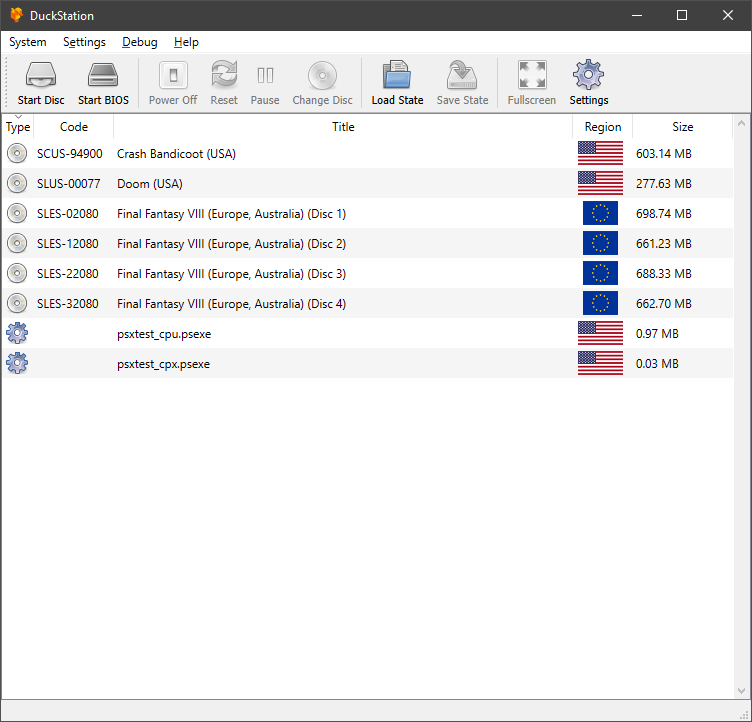
Il s’agit du meilleur émulateur de PlayStation One, devant ePSXe et pSX.


Caractéristiques:
– CPU Recompiler/JIT (x86-64, armv7/AArch32 and AArch64)
– Hardware (D3D11, OpenGL, Vulkan) and software rendering
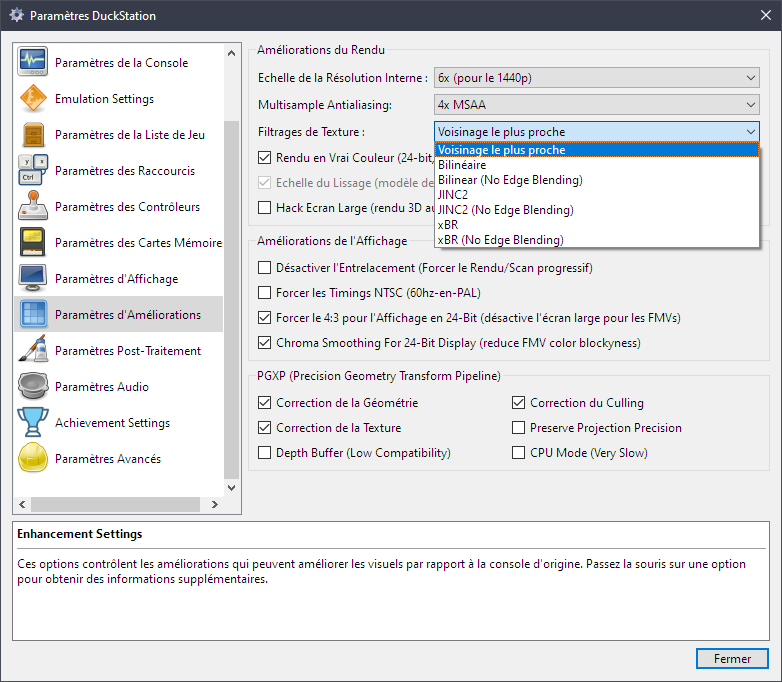
– Upscaling, texture filtering, and true colour (24-bit) in hardware renderers
– PGXP for geometry precision, texture correction, and depth buffer emulation
– Adaptive downsampling filter
– Post processing shader chains
– « Fast boot » for skipping BIOS splash/intro
– Save state support
– Windows, Linux, highly experimental macOS support
– Supports bin/cue images, raw bin/img files, and MAME CHD formats.
– Direct booting of homebrew executables
– Direct loading of Portable Sound Format (psf) files
– Digital and analog controllers for input (rumble is forwarded to host)
– Namco GunCon lightgun support (simulated with mouse)
– NeGcon support
– Qt and NoGUI frontends for desktop
– Automatic updates for Windows builds
– Automatic content scanning – game titles/regions are provided by redump.org
– Optional automatic switching of memory cards for each game
– Supports loading cheats from libretro or PCSXR format lists
– Memory card editor and save importer
– Emulated CPU overclocking
– Integrated and remote debugging
– Multitap controllers (up to 8 devices)
– RetroAchievements

 
Configuration requise:
– A CPU faster than a potato. But it needs to be x86_64, AArch32/armv7, or AArch64/ARMv8, otherwise you won’t get a recompiler and it’ll be slow.
– For the hardware renderers, a GPU capable of OpenGL 3.1/OpenGL ES 3.0/Direct3D 11 Feature Level 10.0 (or Vulkan 1.0) and above. So, basically anything made in the last 10 years or so.
– SDL, XInput or DInput compatible game controller (e.g. XB360/XBOne). DualShock 3 users on Windows will need to install the official DualShock 3 drivers included as part of PlayStation Now.


Les améliorations sont:
 
Preview Build:
– fix NeGcon typo in some game entries #2807 (Dolphin)
– e43f2dd: Fix a Y2038 bug in UnixTimeToFileTime (Silent) #2814
– Preloading to RAM for single-disc playlists. (Brian Blakely)
– Update to VS2022 toolchain (Connor McLaughlin)
– Purge unused definitions (Connor McLaughlin)
– Move to common (Connor McLaughlin)
– Purge WITH_IMGUI define (Connor McLaughlin)
– Move to core (Connor McLaughlin)
– Include cheevos state in save states (Connor McLaughlin)
– Update rcheevos to 0e9eb7c (Connor McLaughlin)
– Switch to windows-2022/VS2022 #2815 (Connor McLaughlin)
– 859a156: Various build fixes (Connor McLaughlin) #2815
– 3c2d5ae: dep/vixl: Fix compilation under MSVC2022 (Connor McLaughlin) #2815
– a55537e: D3D12/Builders: Fix incorrect depth write mask (Connor McLaughlin) #2815

 
Development Build:
– Preloading to RAM for single-disc playlists. #2804 (Brian Blakely)


Stable Build:
WIP


Télécharger DuckStation v0.1 build 12XXX (71.5 Mo)

Site Officiel

En savoir plus…

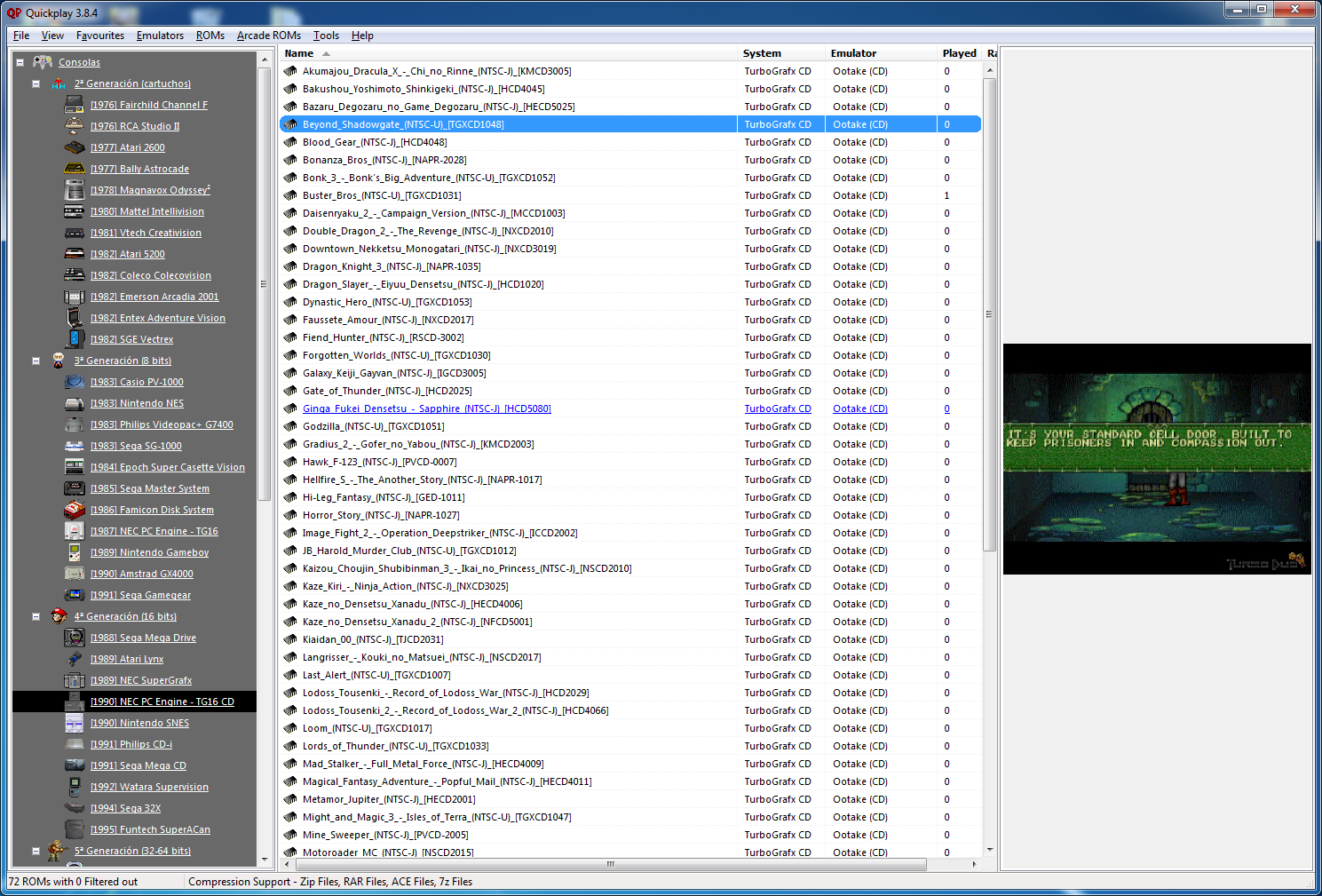
Quickplay est un grand frontend multi-système incluant des fonctions avancées pour Mame, Virtual Tree, Emu-Finder, un système IPS, Mirroring de répertoire, support Zip pour les émulateurs ne le supportant pas et beaucoup d’autres choses.


Features
– export: #49 – added name and comment to ini export
*see https://forums.quickplayfrontend.com/viewtopic.php?t=1449
*thanks to user hasseno for raising this
 
Mametool
– mame: Fix issues found running against Mame 0.241
*Fix issue with softlist printing –
*https://forums.quickplayfrontend.com/viewtopic.php?t=2652
*thanks to user u-neeks
*stop hardcoding Mame64 in generated Mame efind. Instead use the Mame emulator the user has selected
*fix illegal filename chars introduced in a single emulator in Mame 0.219, causing softlist printing to exit
*Exclude more new boring systems
*Re-class all ZX Spectrums as Sinclair (Mame started calling some Amstrad)
– mame: rethink Mame filepaths functionlity:
*Possibilities for Mame rompaths set by users is arbitrary, therefore convention can’t be guessed by machines, instead ask the user to tell us via dropdowns where each of the four romtypes we deal with are
*Thanks to Ulao and others for raising issues that led to this conclusion
*fix bug with Mame filepaths checkbox/flag, also disable correct sections if filepath printing has been disabled
*alter Mame Options form to accomodate filepaths
*alter all Mame ‘printer’ forms – should never have been able to change Mame emulator at the point of printing (since this potentially invalidates a number of decisions already made in Mame Options like rompaths)
*add call to to get rompath from Mame’s settings ini, add UI elements to display to user
*always turn mame rompaths absolute (in case use has relative rompaths)
*logic to invalidate rompath is your mame executable or its ini file change
*improve saving of filepath/rompath
*trim mame.ini’s rompath properly
*make no-path printing consistent between arcade and softlist printing
 
Bugfixes
– romlist: relabel ‘delete rom’…
*this does not delete any files from disk, it removes item from your romdata
*https://forums.quickplayfrontend.com/viewtopic.php?t=1452
*thanks to user quickplayer
– romlist: prompt before clearing romlist
*https://forums.quickplayfrontend.com/viewtopic.php?t=1452
*thanks to jaw970 for posting this one
– open dir: fix opening Rom in explorer issue when comma part of filename,
*properly escape filename…
*see https://forums.quickplayfrontend.com/viewtopic.php?t=1338
*thanks to user quickplayer for pointing this out
– qpnode: upgrade node.js version qpnode from node 10 to 14
*This should stop windows defender flagging QPnode.exe as a potential virus
*see https://forums.quickplayfrontend.com/viewtopic.php?t=1436#p2008
*Thanks to Sandman1973 on the forums for raising this
– synctool: increase default time tolerance for file comparison
*for whatever reason, often src and dest files have timestamps which differ only by ms, they are the same file
 
Technical Debt
– git: Add ‘lib’ directory to source code
*often we don’t add tons of external libs to our source, however several needs arose over time, and in this case, it makes sense
– qpnode: fix issue with pkg and native module
*see https://github.com/vercel/pkg/issues/1319
– qpnode: enable combinatory operations to be run in sequence
*e.g.:(scan then softlist printing in dev)
– qpnode: better usage info when invoked with no args
– qpnode: slightly improved logging
– qpnode: add linting config
– qpnode: improve readme/dev instructions
– mame: Refactor Mame options logic generally e.g.: gatekeepers for xml scan
– mame: add inputs to source code


Télécharger QuickPlay v4.7.6 (112 Mo)

Site Officiel

En savoir plus…

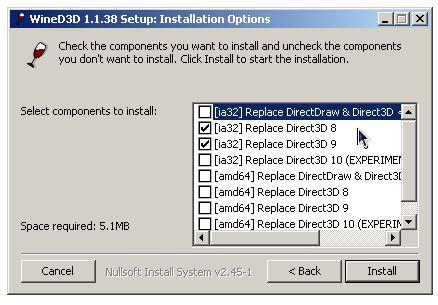
WineD3D For Windows est un wrapper DirectX 1-11 vers OpenGL basé sur WineD3D, qui est une implémentation presque complète de DirectX utilisée dans Wine.


Même si Windows prend en charge DirectX de manière native, l’utilisation de WineD3D peut améliorer la compatibilité avec les jeux plus anciens, en particulier sur Windows 8 et supérieurs qui ne prennent pas en charge les modes d’écran 16 bits. Une autre utilisation possible est d’imiter les versions non prises en charge de DirectX ou de transférer des applications DirectX vers OpenGL sans avoir à réécrire le code de rendu.
Notez que WineD3D est loin d’être parfait, et de nombreux jeux ne fonctionneront pas.
 
Des instructions sur l’utilisation des DLL sont également incluses.
 
Version 1.7.x fonctionne à partir de Windows 2000.
Version 6.x fonctionne à partir de Windows Vista.


Télécharger Wine D3D For Windows (Win 2K et +) v1.7.52 (1.7 Mo)

Télécharger Wine D3D For Windows (32 Bits | Win8 et +) v11.20 (1.9 Mo)

Télécharger Wine D3D For Windows (64 Bits | Win8 et +) v11.20 (1.9 Mo)

Site Officiel

En savoir plus…


https://getourbonus.com/fr/accueil

https://www.romspedia.com/