Voici ColEMu, un émulateur Colecovision tournant sous Dos et Windows développé par le célèbre Marat Fayzullin. Sachez que l’émulateur est très complet et qu’il a été développé en C, ainsi un certain nombre de portage ont pu être effectués, en vrac : Unix/X, Amiga, Dreamcast (…).


– Coleco Adam emulation is now operational, with keyboard, printer, disk, and tape drives. – Use -adam command line option or « Hardware | Adam » menu to enable. Requires EOS.ROM and WRITER.ROM files.
– Emulator will load .DSK files into disk drive A: and enable Adam mode.
– Emulator will load .DDP files into tape drive A: and enable Adam mode.
– Printer output can be sent to a file with -printer option.
– Adam disk drives can also be loaded with -disk* options.
– Adam tape drives can also be loaded with -tape* options.
– Windows version has got full support for Adam-specific media images and hardware.
– Added « File | Save Printer Output » menu to ColEm-Windows.
– Added « Hardware | Disk Drives » menu to ColEm-Windows.
– Added « Hardware | Tape Drives » menu to ColEm-Windows.


Télécharger ColEM v5.6 (185 Ko)

Site Officiel

En savoir plus…

Créé par Near (ex byuu), Ares est un émulateur multi-systèmes dont le développement a commencé le 14 octobre 2004. C’est un descendant de higan et bsnes. Il se concentre sur la précision et la préservation.


Ares émule les 27 machines suivantes:
 

– Famicom + Famicom Disk System
– Super Famicom + Super Game Boy
– Nintendo 64
– Game Boy + Game Boy Color
– Game Boy Advance + Game Boy Player
– SG-1000 + SC-3000
– Master System + Game Gear
– Mega Drive + Mega CD
– PC Engine + PC Engine CD + SuperGrafx
– MSX + MSX2
– ColecoVision
– Neo Geo Pocket + Neo Geo Pocket Color
– WonderSwan + WonderSwan Color + SwanCrystal + Pocket Challenge V2
 

A noter qu’un pack de shaders est disponible ici.
Des packs MSU-1 sont disponibles ici.

 
Voici les changements depuis la dernière version d’higan:
 

This is the first official release of ares. The changes for v111-v114 are below:
 

restructuring:
– the project and core library is now called ares
– the simplified user interface is now called lucia
– the advanced user interface is now called luna
– the game analyzer is now called mia
– Nintendo 64: added incomplete emulation (not compiled by default; no RDP renderer included)
– PC Engine CD: added complete emulation (including Super System Card and Arcade Card support)
– PC Engine: added suport for Populous save RAM
– Super Famicom: added missing SA1 board definition (for boards without BWRAM)
– SG-1000 + SC-3000: $c000-ffff maps to system RAM, not cartridge RAM
– Game Boy Advance: fixed a bug with keypad interrupt handling (keypad array was marked static)
– Famciom: merged Board and Chip classes together
– Famicom: emulated MMC5 audio and MMC5A timer IRQs
– nall/cdrom: added split-file CUE sheet support
– nall/cdrom: added WAV support
– nall/cdrom: added ISO support
– lucia: added a debugger interface (tracing, memory editing, graphics viewing, properties)
– lucia: added PNG screen capture support
– lucia: added tool to mute individual component audio streams
– lucia: support multiple input bindings per virtual input
– ruby/input: added FreeBSD UHID driver for gamepad hotplugging and Xbox 360 hat support
– The actual changelog is several pages long, but I have condensed it heavily here to the most significant changes.
– I’ve also collapsed all of the Nintendo 64 and PC Engine CD support, given that initial core development isn’t very interesting.

 
Build 32 bits par Lo v2.
 

Télécharger Ares (32 bits) v114 (3.3 Mo)

Télécharger Ares (64 bits) v148 (61.8 Mo)

Site Officiel

En savoir plus…

Il s’agit de la dernière version en cours de développement de cet émulateur de Mattel Intellivision, tournant sous Windows (mais sans interface graphique), Linux et OSX. Il utilise la librairie SDL.


Télécharger jzIntv WIP (2020/07/12) (7.7 Mo)

Site Officiel

En savoir plus…

jGamebase est un port Java de Gamebase, une interface orientée rétro-gaming riche en fonctionnalités (boxarts, screenshots, liens vidéos…) pour lancer vos jeux.
 
Il supporte tout émulateur pour tout système and dispose de filtres de recherche.Il existe des bases de données pour Apple II, Atari ST, Coleco ColecoVision, Commodore Amiga, Commodore C64, Commodore VIC20, Nintendo NES, Nintendo SNES, et Sinclair ZXSpectrum. jGamebase vous permet de télécharger les bases de données en quelques clics.


jGamebase


Télécharger jGamebase v0.71.4 (DB v19.0.1) (75.8 Mo)

Site Officiel

En savoir plus…

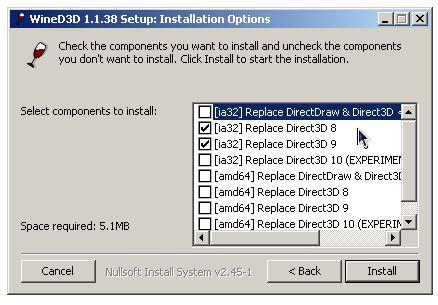
WineD3D For Windows est un wrapper DirectX 1-11 vers OpenGL basé sur WineD3D, qui est une implémentation presque complète de DirectX utilisée dans Wine.


Même si Windows prend en charge DirectX de manière native, l’utilisation de WineD3D peut améliorer la compatibilité avec les jeux plus anciens, en particulier sur Windows 8 et supérieurs qui ne prennent pas en charge les modes d’écran 16 bits. Une autre utilisation possible est d’imiter les versions non prises en charge de DirectX ou de transférer des applications DirectX vers OpenGL sans avoir à réécrire le code de rendu.
Notez que WineD3D est loin d’être parfait, et de nombreux jeux ne fonctionneront pas.
 
Des instructions sur l’utilisation des DLL sont également incluses.
 
Version 1.7.x fonctionne à partir de Windows 2000.
Version 2.x fonctionne à partir de Windows Vista.


Télécharger Wine D3D For Windows (Win 2K et +) v1.7.52 (1.7 Mo)

Télécharger Wine D3D For Windows (32 Bits | Win8 et +) v11.20 (1.9 Mo)

Télécharger Wine D3D For Windows (64 Bits | Win8 et +) v11.20 (1.9 Mo)

Site Officiel

En savoir plus…

Il s’agit d’un gestionnaire de Rom entièrement écrit en Java et publié sous licence GPL v3.


Les changements:
– Added full server mode
Made for an usage over the Internet (but it should be kept legal between users)
Jetty is used instead of NanoHTTPd
Multi-user with access rights, a per user WorkDir, a shared read-only space, and no access to the rest of the entire FileSystem
Totally secured (separate accounts with login/password, HTTPS with TLS 1.3, server certificate handling and auto reload, obfuscated paths, …)
HTTP2 support (only with TLS 1.2) which permit long polling request usage in place of WebSockets without loosing too much network performance
This mode is still experimental, work still need to be made on disk/thread quotas, and a firewall with IP filtering may be required to get full control on who is attempting to connect
– Implemented Long polling Request as alternative of WebSockets for simple server mode
– New « Single File » mode, made for single ROM per game sets than can be kept in base directory without creating a sub-directory for each game…
– Added support for import/export of settings from one profile to another
– More graphical icons for tabs and buttons
– Various fixes
– This will be the last version supporting Java 8, next one will require at least Java 11


Télécharger JRomManager v3.0.5 (78.7 Mo)

Site Officiel

En savoir plus…

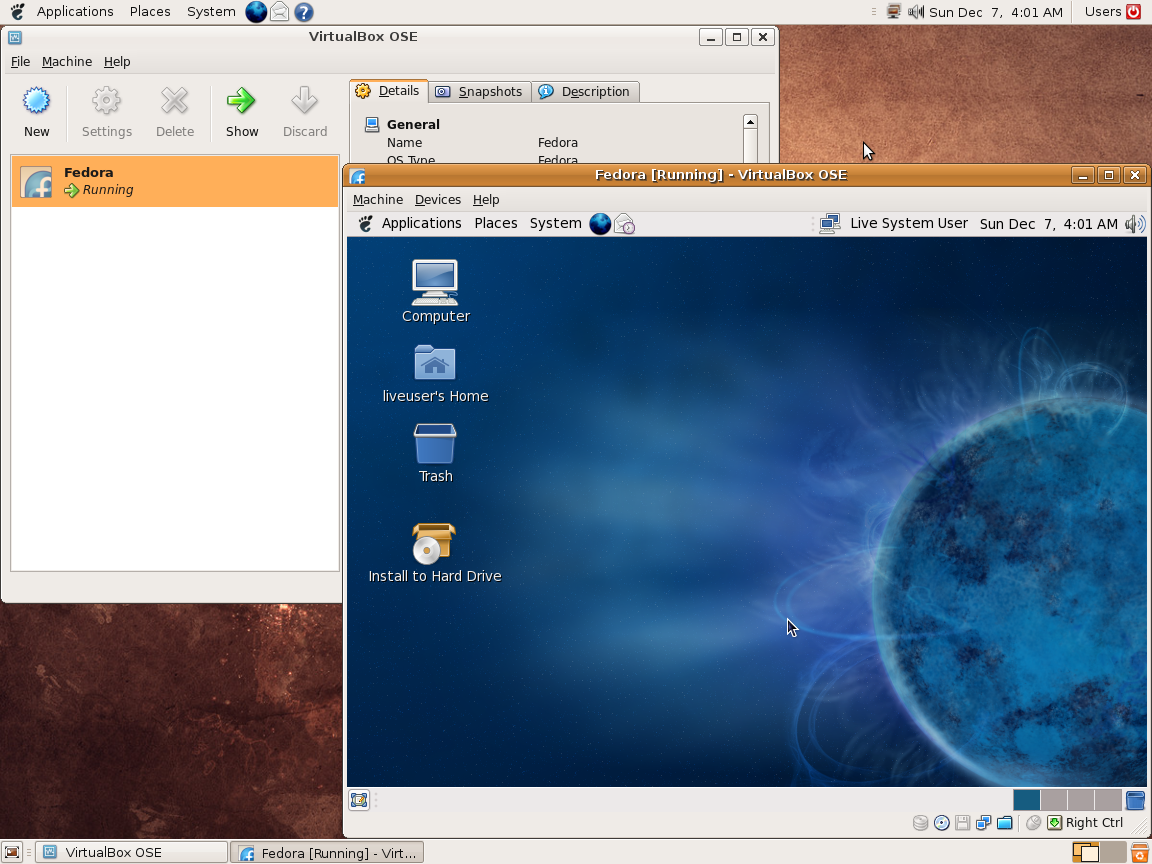
Ce programme permet d’émuler un PC sous plusieurs OS. Il tourne sous Windows, Linux ou Mac. Il permet de faire tourner des machines virtuelles sous différents OS (Windows de tout type, Linux, FreeBSD OS/2 etc.).


Vitualbox est également open-source et gratuit (pour les particuliers). Les solutions existantes de virtualisation étant soit très chères pour le particulier, soit incomplètes au niveau du support des systèmes, VirtualBox propose donc une alternative intéressante à Vmware et VirtualPC.

 
Les améliorations sont lisibles ici.


Télécharger VirtualBox v7.2.22 (170 Mo)

Télécharger VirtualBox - Oracle VM VirtualBox Extension Pack v7.2.22 (19.1 Mo)

Site Officiel

En savoir plus…

Stella est un excellent émulateur Atari VCS 2600 multi-platformes, releasé sous licence GPL. A la base, le projet a été développé pour Linux par Bradford W. Mott, cependant de nombreuses personnes ont rejoint l’équipe de développement pour porter Stella sur différents systèmes d’exploitation tels qu’AcornOS, AmigaOS, DOS, FreeBSD, IRIX, Linux, GP2X, OS/2, MacOS, Unix, et Windows (ouf!).
Cette version inclut les binaires 32 et 64 bits.
 
stella
 
Les changements sont:
 

- Added interactive palette to Video & Audio settings.
- Added 'Custom' palette, generated from user controlled phase shifts.
- Added that adjustable audio & video settings are displayed as gauge bars.
- Added four global hotkeys which allow selecting and changing numerous audio & video settings without having to remember the dedicated hotkeys.
- Added 'Turbo' mode, runs the game as fast as the computer allows.
- Added that paddle centering (per ROM) and sensitivity can be adjusted.
- Added that mouse sensitivity for Driving controller can be adjusted.
- Added paddle filtering in UI to avoid unwanted navigation events.
- Added selectable dialog fonts.
- Added separate positioning of launcher, emulator and debugger.
- Added optional display to game refresh rate adaption in fullscreen mode.
- Added option which lets default ROM path follow launcher navigation.
- Added debugger 'saveaccess' function, which saves memory access counts to a CSV file.
- Added displaying last write address in the debugger.
- Added debugger pseudo-register '_scanend', which gives the number of scanlines at the end of the last frame.
- Added detection of color and audio data in DiStella.
- Restored 'cfg' directory for Distella config files.
- Added TV Boy and 3EX bank switching types.
- Removed unused CV+ and DASH bank switching types.
- Added support for loading grayscale PNG images in the ROM launcher.


Télécharger Stella (64 bits) v7.0c (4.1 Mo)

Site Officiel

En savoir plus…

Cet émulateur est également le plus complet des outils de développements X68000 existant aujourd’hui. Il s’agit d’un fork de l’émulateur XM6 v2.05 de PI avec une pléthore de nouvelles fonctionnalités. Les changements sont pour la plupart liés à l’interface utilisateur et un accent a été mis sur le développement et les fonctions de débogage plutôt que sur l’exactitude de l’émulation, cependant il y a suffisamment d’améliorations pour qu’il soit recommandé d’utiliser cette version plutôt que XM6 v2.06 finale.


Les changements:
 
– Added a quick-save feature (Alt-S). It is guaranteed not to overwrite existing
state files. It increments a serial number at the end of the filename each time.
– It is recommended that you do a « Save As » before using this command, in order
to set the base filename. (You can even set the current serial number this way.)
– The Screen Dump command now saves its output files in a more logical location,
and the filename is now generated in a similar manner to the quick-save command.
– A few keyboard accelerators related to state loading were changed.
– Added an accelerator (Shift-F9) that toggles the enable state of a breakpoint.
– The breakpoint window now accepts keyboard input. See the manual for details.
– Added new commands to the breakpoint window menu.
– The software keyboard window no longer receives keyboard focus when first opened
since it is normally interfaced using the mouse. Remember: it can be closed at
any time using the Alt-K accelerator whether or not it has keyboard focus.
– Expanded the TRAP #0 dialog to accept 32-bit values. (The spinner control only
affects the lowest 16 bits, however.)
– Cheats can now be applied to TVRAM and SRAM.
– If an image for a mass storage device cannot be found, a few other locations
will now be checked. The configured path will not get updated automatically
if the image is found elsewhere, however.

 
Bug fixes:
– Fixed a severe regression in the sprite handler.
– Fixed a source of rare crashes in the CPU core.
– Accelerators and such were causing extraneous inputs in Controller Mode.


Télécharger XM6 Pro-68k Release 81 (261031) (4.5 Mo)

Site Officiel

En savoir plus…

Il s’agit d’un émulateur de Playstation. (Builds automatiques).
 
– system: added fastboot
– others fixes


Télécharger Avocado (x86) r784 (2.2 Mo)

Télécharger Avocado (x64) r784 (2.4 Mo)

Site Officiel

En savoir plus…

FEEL est un front-end pour émulateurs spécialement conçus pour l’utilisation avec une MAME Cab, hautement personnalisable, idéal pour l’intégration de différents systèmes (MAME / MESS, Daphne, Fusion, zsnes, WinVice et beaucoup d’autres).


L’interface utilisateur est conçue pour être commandée par des contrôleurs d’arcade (joystick, boutons, spinners, trackballs), de plus il est possible de cacher complètement Windows et de lancer FEEL au démarrage du système ce qui le rend parfait avec un PC dédié à l’arcade.


feel


Les changements sont visibles ici.


Télécharger FEEL v1.9.8.6 (26.4 Mo)

Site Officiel

En savoir plus…

Il s’agit d’un émulateur de Sega GameGear / Master System, Nintendo GameBoy / GameBoy Color / MSX écrit en Java. Le son reste perfectible et l’absence de filtres graphiques se fait sentir. (une version avce Java est également disponible sur le site officiel).
 

EmuliciousEmulicious2

 
Mais outre une émulation précise, Emulicious dispose de fonctions supplémentaires :
– Mise à jour automatique
– Turbo ajustable
– Moteur ajustable
– Patching d’IPS
– Sauvegardes d’état (Master System/Game Gear uniquement)
 
Outils (Master System/Game Gear uniquement) :
– Debugger
– Visualisateur de palette, cartes, scripts, sprites…
– Traceur mémoire
 

Télécharger Emulicious (2026/03/19) (2.8 Mo)

Site Officiel

En savoir plus…


https://getourbonus.com/fr/accueil

https://www.romspedia.com/