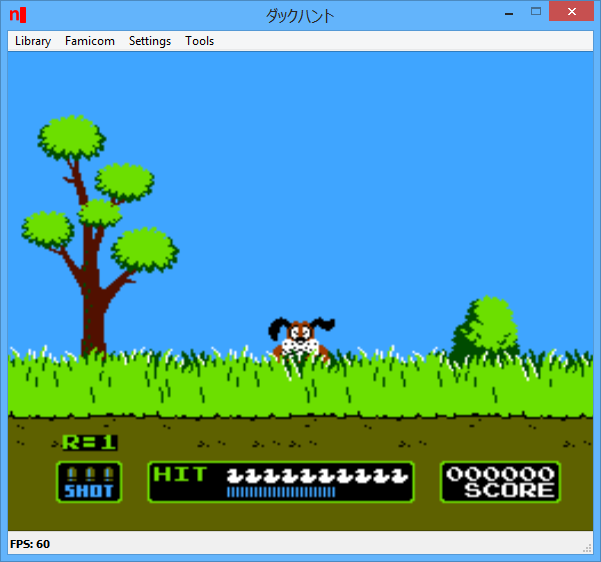
Créé par hex-usr (et basé sur Higan), il s’agit d’un émulateur de NES/VS.System/PlayChoice-10/SuperNES/GameBoy/GameBoy Color/GameBoy Advance/WonderSwan/WonderSwan Color/SwanCrystal/GameGear/SMS/Megadrive/PC-Engine mais aussi des sous systèmes Super GameBoy, BS-X Satellaview et Sufami Turbo, mais ajoute un lots de fonctionnalités en suppléments comme davantage de mappers NES, le NES Four Score, le Zapper, le Power Pad, l’adaptateur 4 joueurs, le VS. System (uniquement les jeux UniSystem n’utilisant pas le Zapper), le PlayChoice-10 mais aussi d’autres éléments à découvrir.
L’auteur propose également un gestionnaire de paquet MSU1 nommé Mercurial-Magic ainsi qu’une application complémentaire nommée Launcher permettant de lancer des dossiers de cartouches avec des émulateurs non-higan.
Cette version, compilée par notre ami Lo, est basée sur Higan 103r6.
Les modifications sont les suivantes: – Update to higan v103r06
– fromInteger fix
– Added Sintendo’s fromInteger bugfix. The original cannot properly convert INT_MIN (-128, -32768, -2147483648, -9223372036854775808) into a string representation.
Lire le readme pour plus d’informations (assez importants).
Bizhawk utilise des fonctions d’enregistrement vidéo et est relié au projet TasVideo.
La version 2 n’est utilisable qu’avec Windows 7 ou supérieur et en version 64 bits uniquement. L’autre version est valable pour les systèmes 32 bits à partir de XP. La liste des pré-requis est disponible ici.
Un complément pour le cheat.7z (XML) de Pugsy (et qui ne sert que pour la partie arcade de MAME), à utiliser en plus du fichier original.
– Décompressez l’archive de manière à obtenir un fichier cheat_wayder.7z (qui lui n’est pas à décompresser).
– Placez-le dans le répertoire courant de Mame.
– Enfin, ajouter une référence dans le fichier de configuration de MAME :
Remplacez la ligne : ‘cheatpath cheat’ par ‘cheatpath cheat;cheat_wayder;cheat_wayder_omake’
Ce fichier est créé par cnterr (voir ici et là) et basé sur celui de Fabricio en 2009, il vous permet de connaitre les mouvements à effectuer dans les jeux de bastons notamment. Il est basé sur le command.dat original de Procyon (créé à l’origine par Emuman et grandement amélioré par Whack). Actuellement maintenu (de nouveau) par Fabricio et Antopisa.
Shorthand vs. Longhand
Ce fichier fait office de fichier WIP entre deux releases d’un command.dat officiel et ne servira que pour la partie arcade de MAME.
Voici un éditeur de mémoire pour Zelda BOTW tournant évidemment sous l’émulateur de WiiU nommé Cemu. Nul doute que toutes ces améliorations finiront par être intégrées un jour dans l’émulateur mais en attendant…
– Updated offsets for BoTW 1.3.0 (tested on Cemu 1.8.1b and botw EU 1.3.0 + DLC 2.0)
Créé par Exzap, il s’agit du second émulateur de Wii U à être disponible au public mais le premier à pousser jusqu’à l’émulation de jeux commerciaux. Il peut décrypter les images Wii U qui utilisent le format Wud mais également les fichiers RPS ou RPL. La résolution interne peu aller jusqu’à 1920×1080 selon les jeux. A noter que pour le moment, un seul contrôleur est accepté, il s’agit du DRC (GamePad) de la Nintendo Wii U. Cette version n’est compatible que pour les Windows x64 avec une carte graphique gérant OpenGL 4.0 ou supérieur.
(Correspondance ID-Titre).
En résumé: – Improved compatibility
– Improved graphics
– Added support for socket API (nsysnet)
– Improved Software Keyboard
– Bugfixes
En détails: # New in 1.8.1b:
– general: Fixed a bug causing permanent full CPU load on one thread
# New in 1.8.1:
– CPU/JIT: Fixed a bug in ADDME. instruction
– CPU/Interpreter: Fixed a bug in PSQ_STX and PSQ_LDX instruction (GQR index parsed incorrectly from opcode)
– CPU/Interpreter: Fixed invalid endianness in instruction STHBRX
– coreinit: Added ‘errno’ export
– coreinit: Added API OSCalendarTimeToTicks(), OSCancelThread(), IM_GetHomeButtonParams(), OSCalendarTimeToTicks(), FSAppendFile(), FSRemove(), SAVEChangeDir()
– coreinit: Fixed GHS flock handling. Added __ghs_flock_file() and __ghs_funlock_file()
– coreinit: Added support for milliseconds and microseconds in OSTicksToCalendarTime()
– coreinit: Fixed bug where FSOpenFile() with mode ‘r+’ would not allow read access
– coreinit: Fixed a bug where shared-write file access prevented simultaneous read access from the same file
– GX2: Added API GX2GetScissorReg(), GX2GetTargetChannelMasksReg(), GX2SetDefaultState()
– GX2: Better handling for invalid/uncompilable shaders (avoid drawcalls that will lead to errors)
– GX2: Added support for vertex format 32_32_32_32_FLOAT for primitive RECTS
– GX2: MULADD shader instruction will now use correct rules in regards to 0*anything
– GX2: Fixed OpenGL error caused by games requesting more mip levels than possible for a texture
– GX2: Fixed source mip level parameter for GX2CopySurface()
– GX2: Avoid shadow samplers on AMD GPUs. This workaround can be forced on other GPUs via -amdshadows command line parameter
– SWKBD: Fixed handling of active state (previously it was tied to the keyboard being visible whereas it should be separate)
– SWKBD: Fixed input handling (should no longer clash with wxWidgets, leading to input sometimes being ignored)
– RPL: Fixed bug where imports/exports were mapped incorrectly if the internal module name included ‘.rpl’
– zlib: Overhauled Cafe OS zLib implementation
– nsysnet: Added nsysnet (socket) library
A noter que des packs graphiques haute définition sont disponibles ici. Ils permettent, entre autre, d’augmenter la résolution native des jeux car contrairement à Dolphin et parce que la machine est techniquement différente il n’est pas possible à Cemu d’augmenter la définition autrement que par cette méthode.
A l’inverse, des packs SD (définitions standards et/ou basses) sont disponibles sur ce lien et permettent à certains PC manquant de performance de lancer des jeux en 60 FPS.
FEEL est un front-end pour émulateurs spécialement conçus pour l’utilisation avec une MAME Cab, hautement personnalisable, idéal pour l’intégration de différents systèmes (MAME / MESS, Daphne, Fusion, zsnes, WinVice et beaucoup d’autres).
L’interface utilisateur est conçue pour être commandée par des contrôleurs d’arcade (joystick, boutons, spinners, trackballs), de plus il est possible de cacher complètement Windows et de lancer FEEL au démarrage du système ce qui le rend parfait avec un PC dédié à l’arcade.
Créé par Andrew Peterson, N3S (ou NesVoxelD3D) est un émulateur de NES permettant un rendu en 3D voxel des jeux. Il enveloppe le noyau Libretro de Nestopia UE et ré-émule le PPU pour dessiner des maillages 3D prédéfinis en lieu et place des sprites en 2D.
New Features:
Editor added.
You can currently switch between game and editor with ; (semicolon) and ‘ (single quote) keys, respectively.
Editor is not feature-complete, and N3S file format is subject to change in coming versions. I wouldn’t recommend seriously tackling converting a game to 3D yet as it may become incompatible.
Editor controls are currently hardcoded and listed below.
Input system added
Can now bind multiple analog or digital inputs to various functions within the app.
Currently supports XInput and keyboard/mouse.
Bindings temporarily hard-coded, but will support remapping with config file or menu in coming versions.
GUI implemented, along with shader for overlay and text rendering.
In-app console output implemented, rarely used in current version
Bug fixes:
Fixed audio issues when moving or resizing window.
New issues:
Mesh info window in editor overlaps new buttons (VRAM, CHR pages) in scene selector GUI.
Buttons in palette window not always responsive.
Left analog stick moves camera and give NES directional input at the same time.
ALT key focuses Windows menu, even within editor.
Outstanding issues:
Cannot play games with no CHR data / sprite data compressed in PRG.
Many games still have graphical glitches.
PAL games run, but at 60hz rather than 50hz.
Audio buffer still loops when accessing application menu bar.
Many menu items do not do anything yet.
Possibly unknown issues on different versions of Windows, has only been tested on Windows 10 x64.
SSE pour « Steven Seagal Edition » est un émulateur d’Atari ST basé sur le STeem original v3.2 de 2004. Il emprunte également des améliorations en provenance de Hatari.
Les améliorations sont les suivantes :
Features
– Can copy from the ‘readme’ texts to the clipboard.
– Can use Steem on a second monitor (D3D).
– Optional borderless window fullscreen mode for even more compatibility (D3D).
– ‘Laptop’ fullscreen mode renamed ‘Max Resolution’, now with correct aspect ratio + optional ST aspect ratio (DD).
– Sound: more sampling rates are managed, up to 384Khz. Higher rates depend on your hardware. They can reduce aliasing in some cases (Star Trek, Union Demo).
Emulation improvements
– Hardware Expansions: Support for MonSTer alt-RAM.
– Blitter:
*Further improvements of blit mode bus arbitration.
*Note that those improvements increase overhead while having no practical use (game, demo…), but that’s the price of more precise emulation.
*Thx Cyprian for good test programs.
– YM2149: If option’C2′ is checked, an alternative, lower level YM2149 emulation inspired by MAME is used. Thx Couriersud.
– Timings: NTSC clock for the Mega ST, PAL clock for the STF and the STE.
Refactoring
– Former options ‘Interpolated Scanlines’ and ‘PAL Aspect Ratio’ have been merged into a new option ‘ST Monitor’.
– MFP: Timer B tick better following the ‘DE’ signal.
*More precise timers when the CPU is accelerated (sound routines).
*Some timing changes.
– CPU: 64bit cycle timers (Win64). This makes older memory snapshots incompatible.
Bugfixes
– CPU timing destination = .W (-An).
– GUI crash on select MIDI in (Win64).
– DC offset: sound is now centred on zero, start/stop shouldn’t click.
Note: PSG emulation produces positive-only values, DMA sound samples are signed.
– 2.5MB memory setting was forgotten at second cold reset.
– More compatible, less trashy fullscreen GUI (DD & D3D).
– Some other Fullscreen bugs (trash, wrong size…).
pfeMame (écrit par Gareth Finch) est un frontend pour MAME, écrit en Python. Il est multiplateforme (testé sur Linux – Ubuntu et Windows). Il comprend également une interface graphique destinée aux MameCab qui permet le contrôle à l’aide de joystick / manette.
• In Linux (not Windows), using the ENTER key to run a game caused two event to be generated for reasons that I just could not find out. I have been able to work around this by using two different methods to capture the key press for Windows and Linux.
• Removed some empty linefeeds not needed when running verifyroms
• Have included the pfeMAME manual with the distributions now and have added a submenu under Help to view it
• General tidy up of some code – spacing, grammar, python-ish correctness etc
• Corrected some override code for the ultimatelistcontrol
• Used a better method for determining if a game has an icon or not – previous method was an ugly hack
• Have added a CLEAR ALL option to the file paths window. This is more useful for development than normal use
• Have added an AUTO FIND option to the file paths window. This is very handy as it just simplifies and speeds up the process of entering all of your folders. Under Linux only looks in \usr\games\mame – if it finds a match it adds it in, otherwise it is left empty so you know a match wasn’t found
• Changed the about dialog to use the wxpython inbuilt dialog
• Changed the singlechoice dialog to use the wxpython inbuilt dialog
• Removed my own coded singlechoicedialog and aboutbox include files from the distribution build as they are no longer used
• Changed the logfile file limit size to 512k before it creates a archive copy and then a fresh logfile.log. This was done to allow me to use the scrolledmessagedialog to display the logfile – this inbuilt control has a text size limit.
• Added a view option to display the logfile. Note, it will only display the currently active logfile (limited to 512k), not any archived log files (with a .1, .2, etc extension)
• Renamed the manual to pfeMAME_manual (added the underscore). Linux couldn’t find the file due to the space causing issues with subprocess.popen.
• Fixed a bug that prevented the pfeMAME manual from being opened under Linux – the method to open a PDF file under Linux and Windows is different as under Linux you need to essentially tell the system to use a default opener.
• Updated the manual – brought it up to date and corrected spelling and punctuation etc.
• Removed all references to mameinfo.dat as it was not actually required or used anywhere but you still had to select it in the folder paths. Also removed as a prerequisite in the manual.
• When selecting a star rating for a rom, the pop-up will now set its default value based upon what the current star rating for the rom is
• Fixed a bug that caused some games to throw an error to the console when trying to get the game info from the mameinfo.dat file. This was due to non ascii characters being in the file. Have added encoding to utf8 when reading the file to solve the problem (this was done using io.open as the standard open in python 2.7 doesn’t support built in encoding on open).
• Fixed a bug whereby a slightly malformed game snapshot (PNG) would cause a long delay and then a core assertion error at console when the image was being resized for display. I have trapped the error and a message is displayed for the user so that they can track down the offending image file. The long pause still happens as it takes a while for python to realise there is an issue while it gets stuck trying to resize the image.
• Have improved the code for displaying game information – could still be faster.
• Adjustments to column widths in game list table
• Have improved the ‘first time use’ message a bit to make it more useful.