De nouveaux patchs sont disponibles sur le site de nos partenaire de chez la TRAF (et sur notre miroir), de quoi s’occuper de nombreuses heures 🙂

0 commentaire



De nouveaux patchs sont disponibles sur le site de nos partenaire de chez la TRAF (et sur notre miroir), de quoi s’occuper de nombreuses heures 🙂
dgVoodoo est un glide wrapper mais aussi un wrapper DirectDraw/Direct3D (v1 à 7, 8.1 et 9) vers Direct3D11/12. Pour simplifier grandement, ça émule une carte 3DFX qui va pouvoir gérer la bibliothèque propriétaire Glide (Glide 2.11, Glide 2.45, Glide 3.1 et Napalm) mais également les vieilles cartes graphiques compatibles DD/D3D v1 à v9. Quel est l’intérêt ? Jouer aux anciens jeux qui fonctionnent mal sur les nouvelles cartes graphiques (parce qu’ils ont été optimisés pour le Glide ou de vieilles versions de DirectX et non pour d’autres API telles que OpenGL ou DirectX v11 ou v12) ou tout simplement utiliser un émulateur qui lui aussi utilise le Glide. Cette version est destiné à Windows Vista/7/8/10 avec DirectX 11 (ou supérieur) d’installé et vous devez posséder une carte graphique (compatible DirectX Level 10.1) supportant les Shaders Model v4 ou v5.

Vous aurez besoin de ces bibliothèques pour activer certaines fonctions graphiques.
Les changements:
– D3D12 backend (output API) for all modules
– Various bugs are fixed in the D3D11 backend and common swapchain handling (also, it is refactored)
– Various bugs are fixed both in Glide and DirectX frontend, including cooperating between Glide and DirectX
– Improved fast video memory access with some fixes (DirectX)
– 2D DirectX operations are now more compatible with forced MSAA
– Removing support for d3dcompiler_43 (affects only Glide)
Télécharger dgVoodoo v2.87.6 (35.2 Mo)
Télécharger 3Dfx splash / D3D Compiler for DgVoodoo2 v4.x (3.2 Mo)
Également disponible sous Linux, Xpeccy est un excellent et complet émulateur de:
– ZX Spectrum 48K
– Spectrum +2
– Spectrum +3
– Pentagon (128-512K)
– ZS Scorpion (256,1024) + ProfROM
– Pentagon 1024SL
– ATM Turbo 2
– ZXEvo BaseConf
– ZXEvo TSConf
– MSX1 (beta)
– MSX2 (alpha)
– Gameboy color
Forum alternatif

Télécharger Xpeccy v0.6 (2026/08/20) (9.8 Mo)
Créé par Avery Lee (l’auteur de VirtualDub), il s’agit d’un émulateur d’Atari 8 bits (800/800XL/130XE) disponible en 32 et 64 bits. Il dispose de beaucoup d’options ainsi que d’une bonne compatibilité. Il prend en charge les jeux protégés conformément à l’émulation. Il s’agit d’une version de développement au stade de béta.

Topic des versions Beta.
Le premier émulateur de Sega Model 3 créé par Bart Trzynadlowski, Ville Linde et Stefano Teso dans sa version de développement (voir ici) [source].
Les changements:
r830
hopefully fix building on linux
———————
r829
Added Screenshot feature (ALT+S).
———————
r828
Remove using namespace from headers.
———————
r827
fix compiling with visual studio
———————
r826
fix missing polys with quad renderer
———————
r825
Balance initial value set to « 0 » rather than « false ». « False » is interpreted as 0 when decoded as a float, so there will be no effect here, but this expresses the intended logic better.
———————
r824
Fixed a longstanding bug that caused stereo channels to be flipped incorrectly.
This was due to the initial audio buffer write position being aligned to the middle of a 4 byte (2 byte left, 2 byte right) audio sample.
In multi-threaded mode, some sort of race condition caused this alignment to be fixed until audio playback was temporarily paused (via pausing, loading a state, etc.)
Audio playback should now be fixed and work consistently in all cases.
Ajout:
– correction des musiques dans sega rally 2 (mix)
– correction musique 1er niveau 2joueurs (la cave rouge) dans vf3 (pas sûr de la modif, et donc cela peut éventuellement entrainer d’autre problèmes sonore sur d’autre jeux).
Les fichiers sont compilés par Lo v2, merci à lui.
Télécharger SuperModel v0.4 Build 261108 (3.7 Mo)
LaunchBox a été conçu comme une interface attrayante pour DOSBox, mais a depuis été élargi pour supporter à la fois les jeux PC modernes et les consoles émulées. DOSBox continuera d’être une priorité principale pour LaunchBox.
Il peut rechercher dans la database TheGamesDB.net (une base de données en ligne communautaire qui permet à quiconque de contribuer) pour les metadatas & box-arts. Il peut exporter les fichiers image, dispose d’une meilleure compatibilité avec dropbox.
LaunchBox comprend des processus d’importations automatiques pour Steam, D-Fend Reloaded, et les fichiers ROM pour des gains de vitesse.

RockNES est un très bon émulateur pour Nintendo NES. A essayer !

– Here we go again for another bugfix version. It fixes bitmap clearing on triple buffering mode, no more screen flashing.
– Version 5.63B fixes a bug setting up CRC32 values. It’s a minor update.
[mapper]
– Fixed a bug in the MMC3 PPU IRQs (fixes Mega Man VI and others).
[apu/nsf]
– Added an option for DMC reversed bits decoding order.
– Fixed NSF track change in triple buffering mode.
– NSF mode no more allow changes to screen aspect ratio, or scanlines.
[graphics]
– Fixed palette setting if an external palette was loaded.
– Fixed a problem with triple buffering (should run at normal speed).
– Rollback for color style calculations.
– Changing the video resolution (using GUI dialog) now sets the game screen to 240p.
– Vertical retrace is now enabled by default.
[general]
– Fixed program version number in the binary.
– Fixed a few obscure errors in the config file parsing.
– Added display of the percentage of frames per second.
– Code revision and rewrites for GUI dialogs.
– Removed a few debug leftovers, plus minor improvements and cosmetic changes.
– Documentation updated.
Il s’agit d’un émulateur de PlayStation One.
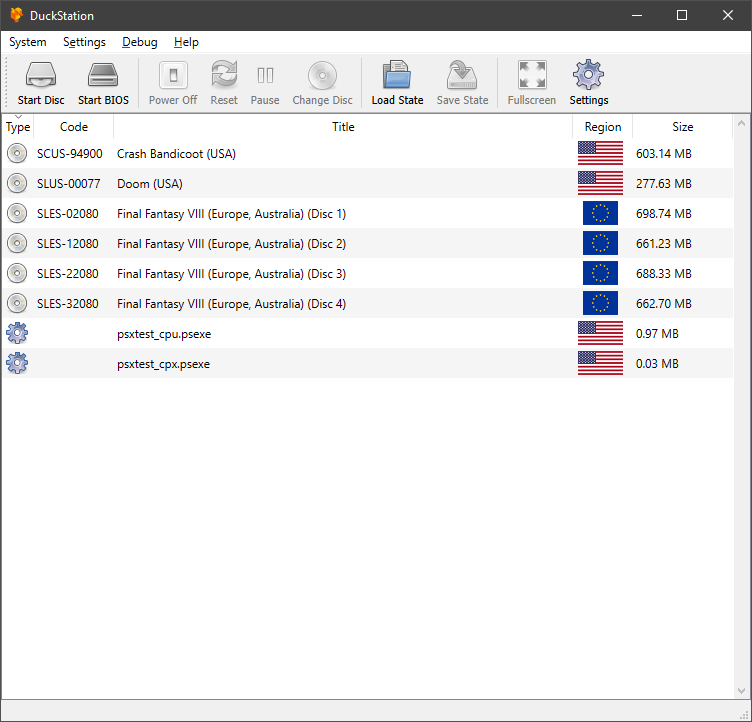
Caractéristiques:
– CPU Recompiler/JIT (x86-64 and AArch64)
– Hardware (D3D11 and OpenGL) and software rendering
– Upscaling and true colour (24-bit) in hardware renderers
– « Fast boot » for skipping BIOS splash/intro
– Save state support
– Windows and Linux support – macOS may work, but not actively maintained
– Supports bin/cue images, raw bin/img files, and MAME CMD formats.
– Direct booting of homebrew executables
– Digital and analog controllers for input (rumble is forwarded to host)
– Qt and SDL frontends for desktop
– Qt frontend has graphical configuration, and controller binding
– Automatic content scanning – game titles/regions are provided by redump.org
Configuration requise:
– A CPU faster than a potato.
– For the hardware renderers, a GPU capable of OpenGL 3.0/OpenGL ES 3.0/Direct3D 11 Feature Level 10.0 and above. So, basically anything made in the last 10 years or so.
– SDL-compatible game controller (e.g. XB360/XBOne)
Changements:
– [71636d2]: add input descriptors for remaps (hunterk) #849
– Save main window position/state to config (Connor McLaughlin)
– Fix incorrect serialization of some options (Connor McLaughlin)
– Put linear/integer upscaling on the same line in game properties (Connor McLaughlin)
– Add trait for disabling PGXP texture correction (Connor McLaughlin)
– Allow updating to previously skipped builds by forcing update (Connor McLaughlin)
– Update libchdr (Connor McLaughlin)
– Fix game properties opening on wrong tab (Connor McLaughlin)
– Use assume messages/confirmations from core are UTF-8 (Connor McLaughlin)
Il s’agit d’un émulateur de Playstation. (Builds automatiques).
– android: build release version #89
– gpu: fix GPUSTAT dmaRequest calculation
– github: updated issue template
– gpu: silence « non-zero argument » warning
– Misc fixes etc.

Télécharger Avocado (x86) r784 (2.2 Mo)
WineD3D For Windows est un wrapper DirectX 1-11 vers OpenGL basé sur WineD3D, qui est une implémentation presque complète de DirectX utilisée dans Wine.
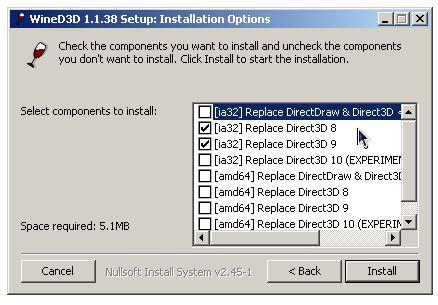
Même si Windows prend en charge DirectX de manière native, l’utilisation de WineD3D peut améliorer la compatibilité avec les jeux plus anciens, en particulier sur Windows 8 et supérieurs qui ne prennent pas en charge les modes d’écran 16 bits. Une autre utilisation possible est d’imiter les versions non prises en charge de DirectX ou de transférer des applications DirectX vers OpenGL sans avoir à réécrire le code de rendu.
Notez que WineD3D est loin d’être parfait, et de nombreux jeux ne fonctionneront pas.
Des instructions sur l’utilisation des DLL sont également incluses.
Version 1.7.x fonctionne à partir de Windows 2000.
Version 2.x fonctionne à partir de Windows Vista.

Télécharger Wine D3D For Windows (Win 2K et +) v1.7.52 (1.7 Mo)
Télécharger Wine D3D For Windows (32 Bits | Win8 et +) v11.20 (1.9 Mo)
Télécharger Wine D3D For Windows (64 Bits | Win8 et +) v11.20 (1.9 Mo)
Il s’agit d’un émulateur multi-systèmes émulant les consoles NES, SuperNes, Sega Master System, SG-1000, Sega Game Gear, PC-Engine (TurboGrafx-16) / CD-ROM, SuperGrafx, Sega Genesis, Gameboy/Color, Atari 2600, Atari 7800 mais aussi TI-83 Calculator ou le Commodore 64.
Bizhawk utilise des fonctions d’enregistrement vidéo et est relié au projet TasVideo.
La version 2 n’est utilisable qu’avec Windows 7 ou supérieur et en version 64 bits uniquement. L’autre version est valable pour les systèmes 32 bits à partir de XP. La liste des pré-requis est disponible ici.
Source alternative

Les changements sont visibles ici et là.
Télécharger BizHawk (x86) (XP/Vista) v1.13.2 (25.3 Mo)
DS4Windows est un programme portable qui vous permet d’obtenir la meilleure expérience lors de l’utilisation d’un DualShock 4 sur votre PC, en émulant un contrôleur Xbox 360, beaucoup de jeux deviennent alors accessibles.
– Allow Black icon image for tray icon
– Changes to allow a maximum of 8 input controllers. The old limit was 4.
– Leave custom lightbar color active after macro if ‘Keep key state’ is set. Contribution by mika-n
– Added One Euro Filter to UDP Server mapping
– Added simple Presets window for Profile Editor
– Changed some Gyro Controls checks in mapping routine. Old routine could have activated any set Gyro Controls buttons even while Gyro Mouse Joystick is used
– Added a Changelog viewer window to project
– Remove temp profile association on device removal
– Fixed profile save name check for Save method in Profile Editor
– Changed Quick Charge check to delay disconnecting BT controller until USB controller is detected. Allows USB wall chargers to be used to charge a DS4 and not interfere.
– Fixed profile save on profile migration

Télécharger DS4Windows (original) (x86) v3.3.3 (2.6 Mo)

