Il s’agit d’un plugin dédié à Cemu qui permet:
 
– De mettre en œuvre le décodage du h264 qui n’est pas dans le noyau, ce qui aura pour avantage d’alléger les ressources nécessaires (inutile pour les versions de Cemu à partir de la v1.15.4).
– Remplace la source d’entrée (GamePad) et prend en charge les orientations gyroscopiques et détection de mouvement (voir le guide).
– Ajoute des correctifs de code / données à vos jeux au moment du chargement, que vous pouvez activer et partager de la même manière qu’avec les packs graphiques!
 
Pensez-y comme un plugin pour pcsx2, implémentant quelque chose qui ne fait pas partie du cœur !


Les changements:
– Do not replace H264 Decoder functions for Cemu versions >= 1.15.4 (which has native H264 decoding support), option in Debug menu to override
 

Télécharger Cemu Hook v0.5.7.7 (1.2x) (6.4 Mo)

Site Officiel

En savoir plus…

DS4Windows est un programme portable qui vous permet d’obtenir la meilleure expérience lors de l’utilisation d’un DualShock 4 sur votre PC, en émulant un contrôleur Xbox 360, beaucoup de jeux deviennent alors accessibles.


– Disabled force feedback support for now
– Updated code to use newer stable ViGEm.NET client library
– Added runtime option for toggling touchpad movement. No longer edit profile setting and store old setting temporarily
– Now skip updater execution if new updater version could not be downloaded
– Added null check for Enable_Controls method
– Resolved crashing and stability issues with x86 build caused by ViGEm.NET client library


Télécharger DS4Windows (original) (x86) v3.3.3 (2.6 Mo)

Télécharger DS4Windows (original) (x64) v3.3.3 (2.6 Mo)

Site Officiel

En savoir plus…

Les dernières versions de GameEX/Arcade et PinballX sont disponibles ci-dessous.


Télécharger PinballX v7.32 (328 Mo)

Télécharger GameEx v19.98 (460 Mo)

Télécharger GameEx Multiplatform Arcade Edition v19.97 (271 Mo)

Site Officiel

En savoir plus…

Emu80 est un émulateur de plateformes « Radio-86RK », « Partner », « Apogee », « Mikrosha », « specialist », « Orion », « Micro-80 », « UT-88 » pour Windows.


Merci à Breaker pour la news.
 
+ Innovation
* Change / Improvement
– Fixed a bug
!! Known issue
 
+ support PC « Vector-06Ts »
+ brief reference on main platforms
+ displaying in the debugger information about the processor clock speeds, the state of the floppy disk controller,
beam positions (for now only for « Vector »)
+ hot key and button on the toolbar for loading the RAM disk
+ mouse support in debugger
+ screen update in real time in the debugger (for now only for « Vector »)
* clarifications in emulation of 8080 and Z80 processors
* Specified the execution time of some commands Z80
* improvements in emulation of the FDM 1793 controller
* keyboard layout changes on PC8000
* minor changes to the control from the keyboard in the debugger: « Run » works from any section, you can use Enter to add. numeric keypad
– fixed problems in AY-3-3910 emulation, the sound now has to match the original
– fixed crash when trying to read an incorrect .wav file
– Fixed a bug in the emulation of the keyboard on the « Specialist », in some cases, the emulator could not respond to keystrokes
– fixed error: it was impossible to change the keyboard type « Specialist-MX » in the settings (Qt)
– fixed emu80qt-dx.cmd file, designed to run emu80 in DirectX mode
– fixed emulator crash when trying to resize debugger window (Qt)
– fixed crash when exiting emulator with active breakpoints
– fixed problems with emulator compiled using MSVC
 
For the « Vector » currently supported: quasi-disk 256K with a modification of Barkar, floppy disk drive, AY; there is no HDD, RTC, ROM-disk, Covox.
 
The mouse control works in the debugger:
– single click to switch sections
– double click on the value to change it (including the address)
– scroll wheel for scrolling and scrolling through lists

 
Site de développement.
 

Télécharger Emu80 v4.0.571 (21.4 Mo)

Télécharger Emu80 QT v4.0.571 (28.3 Mo)

Site Officiel

En savoir plus…

Il s’agit de GameEX optimisé pour MAME(Arcade) (pour l’instant).
 

gameexevo


Télécharger GameEX Evolution v1.13 (277 Mo)

Site Officiel

Créé par Nuexzz, il s’agit d’un frontend pour Model2 Emulator permettant plusieurs customisations.


Les changements sont les suivants:
– add new font and color in the gui
– add volume control
– Add drop-down menu in case of adding some hacks 🙂
– add many games with widescreen support (correct)
– fix writing code that if it was not the key it wrote ERROR
– fix the first resolution option was left blank
 
games with widescreen (correct) so far:
daytona
dayton93
daytonas
daytonase
daytonat
daytonata
daytonagtx
daytonam
desert
doaa
pltkidsa
srallyc
srallycb
srallyp
vf2o
vf2a
vf2b
vf2
doa
fvipers
indy500d
indy500
indy500to
pltkids
sgt24h
vstrikro
vstriker
hotd
skisuprg


Télécharger Sega Model 2 UI (2019/04/02) (3.3 Mo)

Site Officiel

En savoir plus…

Il s’agit d’une suite d’émulateurs modifiés pour fonctionner avec le site RetroAchievements et permettant d’ajouter des « succès » (achievements) à la Steam, la possibilité d’enregistrer ses records et de les comparer en direct avec les autres !


Télécharger RAGens v0.58 (1.1 Mo)

Télécharger RANes v1.1 (6.1 Mo)

Télécharger RASnes9x v1.63 (7.7 Mo)

Télécharger RAVisualboyAdvance v1.2.0 (13.7 Mo)

Télécharger RAPCEngine v0.002 (1.7 Mo)

Télécharger RAP64 v1.0 (4.9 Mo)

Télécharger RAMeka v1.0 (1.9 Mo)

Télécharger RAQUASI88 v1.2.0 (1.0 Mo)

Site Officiel

En savoir plus…

Créé par Avery Lee (l’auteur de VirtualDub), il s’agit d’un émulateur d’Atari 8 bits (800/800XL/130XE) disponible en 32 et 64 bits. Il dispose de beaucoup d’options ainsi que d’une bonne compatibilité. Il prend en charge les jeux protégés conformément à l’émulation. Il s’agit d’une version de développement au stade de béta.


Topic des versions Beta.

Télécharger Altirra (Beta) v4.50 Test 28 (7.7 Mo)

Site Officiel

En savoir plus…

Créé par LuigiBlood (et anciennement dédié à bsnes-sx2), il s’agit d’un module gérant les fichiers du système SatellaWave.


Ce logiciel peut faire des fichiers binaires compatibles Satellaview.
Un ensemble d’éléments peut être gérés par l’utilisateur et il est possible de les sauvegarder.
Vous pouvez ensuite exporter ces fichiers binaires compatibles avec les émulateurs SNES qui les prennent en charge comme:
 
– bsnes-plus v073+3 et supérieur (dans le répertoire bsxdat)
– SNES9X v1.55 et supérieur (dans le répertoire SatData par défaut)


Les changements depuis la version 0.4:
 
– Load generic channels from XML files (Time, Bass Fishing Tournament) (bugfix)
– Mention that you can delete a tile in the Event Plaza Animation Editor with a right click.
– Basic Script Expansion File Import
– Fix Padding to prevent Tile Copy bug (bugfix)
– Update People List with Bakusho Mondai names
– Add option to reset all data on Event Plaza Editor [LittleToonCat]
– Fix ‘Edit Event Plaza Building’ toolstrip (bugfix) [LittleToonCat]
– Always update display when importing graphics to Event Plaza Editor (bugfix) [LittleToonCat]
– Update edited generic channel names (bugfix)
– Focus on Channel name when editing the channel info


Site de développement.

Télécharger SatellaWave v0.5.1 (189 Ko)

Site Officiel

En savoir plus…

Créé par Zeroone, il s’agit d’un émulateur de NES/Famicom/Dendy en phase de développement.


  • Fixed bug introduced in the last build that inhibited loading FDS and NSF files.
  • Fixed issue that prevented FDS games from being debugged.
  • Introduced ability to shoot offscreen.
  • Added 97 NES 2.0 mappers.
  • Updated the cart DB.
  • Updated the FAQ.


Télécharger Nintaco (2024/10/27) (3.1 Mo)

Site Officiel

En savoir plus…

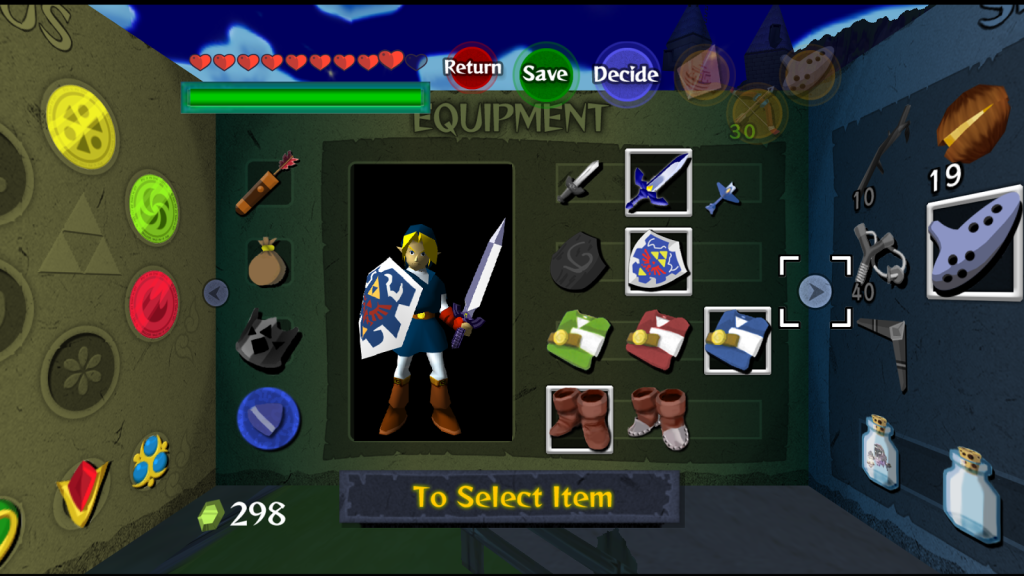
Gonetz, celui-là même qui développait le plugin Glide64 (dernière version en 2012, ici) considéré comme un excellent plugin par beaucoup (bien que limité par l’architecture qu’il sert) s’est évertué à créer un nouveau plugin avec davantage de possibilités que Glide64 mais en utilisant cette fois-ci l’OpenGL (d’où le nom) qui est beaucoup plus puissant et qui permet de faire bien d’autres choses sans véritables limitations. Ce plugin utilise comme base glN64 de Orkin et, comme ceux basés sur RiceVideo, supporte les packs de textures hautes résolutions (voir ici où là). A noter qu’une version pour Android et Linux (Binaire dispo) sont également disponibles.


Il s’agit très probablement du meilleur plugin vidéo pour émulateur de Nintendo64 !
 

GLideN64_THE_LEGEND_OF_ZELDA_WS2 GLideN64_THE_LEGEND_OF_ZELDA_WS1


Il y a plusieurs fichiers dans l’archive:


    • Pour Mupen64Plus: Placer le fichier dll dans le dossier de l’émulateur et configurer l’émulateur pour utiliser le plugin GLideN64. Lancer n’importe quelle rom(s). La première exécution créera un fichier de configuration que vous pourrez alors éditer avec un éditeur de texte ou via un frontend.


    • Pour les émulateurs utilisant les spécifications de Zilmar: 1964, Mupen64, Project64 et autres. Copier les fichiers ‘dll’ et ‘ini’ dans le répertoire ‘plugin’ de l’émulateur correspondant et lancer la configuration vidéo de l’émulateur pour utiliser GLideN64 comme plugin graphique. Configurer les options de configurations vidéos selon votre goût et lire les info-bulles pour obtenir d’avantages d’explications.


    • Pour Linux Ubuntu64 avec l’émulateur Mupen64Plus: Créer des binaires efficaces distribuables pour Linux n’est pas évident, il n’y a donc aucune garantie que cela marche. La distribution du plugin au public sera donc open-source, vous pourrez donc y jeter un œil, le modifier et le compiler au besoin. A télécharger sur le projet officiel directement par les sources ou utiliser celles déjà présentes dans l’archive.

 
Voici les quelques explications sur cette nouvelle version:
 
Today is time to set new Release tag to master branch.
Previous Release 3.0 was a revolutionary one because of massive changes in plugin’s architecture and new possibilities opened by these changes. This release is rather evolutionary. It continues tendencies started in the previous version. Of course, new features had been developed too. Lets see:
 
Solution for HLE problems:
The main theme of the new release is solution of HLE-related problems. It started with long long awaited HLE implementation of BOSS ZSort microcode made by Gilles Siberlin.
Then olivieryuyu and me completed our « Mission Impossible 2 » : HLE implementation of microcodes for « Indiana Jones » and « Battle for Naboo ».That was a huge and incredibly hard work.
Successful completion of that task ultimately closed « HLE not supported » issue.
All N64 games now can be run in HLE mode. olivieryuyu wrote an article about this microcode: « The masterpiece graphic microcode behind the Nintendo 64 version of Indiana Jones and the Infernal Machine and Star Wars Episode I: Battle for Naboo ». I highly recommend to read it.
 
Next step was to fix issues caused by incomplete or incorrect implementation of some HLE commands, which caused HLE-only glitches. We started with re-implementation of S2DEX microcode, which is designed to draw such 2D objects as sprites and backgrounds. olivieryuyu decoded that huge and tangled microcode and we made new HLE implementation of it, trying to reproduce original algorithms as close as possible. That work took us circa six month.
We also fixed several small HLE issues, where glitch was caused by an issue in some command. Such fixes also required microcode analysis. Thanks to olivieryuyu’s efforts we fixed:
 
– missing transition effect in Dark Rift menu
– Coin Block Blitz mini game in Mario Party
– Conker’s Bad Fur Day lighting fix
– Missing graphics in Sim City 64
 
Regressions fixes:
The second big topic of this new release is fixing of regressions.
Unfortunately, each big release is brings not only new features and fixes, but also new bugs. Complete testing is very hard and tedious process. Fortunately, users are founding and reporting us about issues. One of my goals for this release was to fix all known regressions.
I combed project’s bug tracker for such bugs. To my surprise, many reported issues were actually old and very old regressions.
I even found regressions, which were made before the very first public release.
I fixed all these issues and I hope that this release will not bring many new ones.
 
New features:
1. As you know, GLideN64 has special mode for precise emulation of N64 depth compare. This mode helps to fix many minor and some major issues with depth compare, but it has some limitations:
– Serious performance drop in some games
– Incompatibility with Multi-Sample Anti Aliasing (MSAA)
– Logan McNaughton aka loganmc10 found OpenGL extensions, which helped us to weaken the performance issue greatly. Now you can use N64 depth compare freely if your hardware supports required extensions. This mode is still incompatible with MSAA, but now we have a solution. I implemented Fast Approximate Anti Aliasing (FXAA), which you can enable along with N64 depth compare.
2. Ultimate solution for « remove these darn annoying black boarders » issue: Overscan feature. Now you may crop output image as much as you want.
3. User profiles. You may create profiles with different settings and switch between them. For example, you may create a profile with 2D fixes enabled to play 2D games, or create a profile with N64 depth compare + FXAA enabled.
 
New supported games:
I already mentioned implementation of new microcodes, which finally made it possible to run any game with HLE. However, there are still games, which can’t run properly because they do something weird what GLideN64 does not expect and can’t emulate yet. Example of such game is Super Bowling 64. The way that game programmed makes it hard to emulate on PC hardware. Finally I found a way how it can be done. That fix then helped me to solve split screen issue in NASCAR 2000. Another example of hard to emulate issue is multiplayer mode in GoldenEye 007 and Perfect Dark with 3 or 4 players. It was fixed too.
 
Other:
It is impossible to list all solved issues. We closed more than 175 issues during this release cycle. You may read my change-logs on Patreon for details.


Notons que le plugin n’est visiblement plus compatible XP depuis la PR3 (toutefois il peut potentiellement l’être encore étant donnée que les sources sont disponibles).
 

Télécharger GLideN64 PR 4.0 fix (4.3.29 DEV) (10.9 Mo)

Site Officiel

En savoir plus…

Codé en C++ et C#, il s’agit d’un émulateur de Super Nintendo multi-plateforme pour Windows et Linux.


Télécharger Mesen-S v0.4.0 (4.2 Mo)

Site Officiel

En savoir plus…


https://getourbonus.com/fr/accueil

https://www.romspedia.com/