pfeMame (écrit par Gareth Finch) est un frontend pour MAME, écrit en Python. Il est multiplateforme (testé sur Linux – Ubuntu et Windows). Il comprend également une interface graphique destinée aux MameCab qui permet le contrôle à l’aide de joystick / manette.


pfemame_main

 
• Fixed the formatting of the first time run message box. The text is now laid out properly.
• Corrected the status bar message when the first time run is detected.
• Changed the way the last game selected recall is done. It will now recall to any last game selected, even if it was found during a search. Previously it would not recall a selected game found using search.
• Have stopped the video player from trying to play a video when the type ahead search is used. When you start searching, the current rom name is lost and the video player code will generate an iteration error.
• Added a menu option under the Help menu to check for pfeMAME software updates.
• Added a blank (empty) selection as the first item in the game specific preferences slots options so that you can remove a slot configuration.
• Implemented a faster search method for last rom selected on startup – the previous version introduced in v2.3 was a quick hack but slow.
• Started replacing the discrete lines for 2-dimensional list searching to a def in functions. I don’t yet understand why, but calling a def with this search function is faster, especially if its in a nested loop (heaps faster it seems).
• Substantial speed improvement in refreshing games database if you have a lot of systems (can be up to twice as fast). My home development system wen to from 38 to 21 seconds total refresh time. A slower machine went from 23 to 13 seconds (It had a lot less roms & systems on it).
• Fixed a bug that was introduced some time ago that stopped missing games from being highlighted (If that option is selected).
• Added a new child window under the ‘Edit’ menu called Application Colors. This allows you to adjust some of the application object colors. This is an early work in progress as I have to balance the ability to customise the application against the applications ability to adjust to the operating systems theme. To make the background and text colors the same as the operating system theme, select ‘Default’.
• Capture the click on the URL at the end of the game information. The URL is loaded when left clicked in the systems default web browser.
• Changed the encoding when reading the history.dat file into memory. The problem is that this file doesn’t have just one encoding type and python requires you to be very specific. I have reverted to encoding to uft-8 and have told it to ignore any characters that don’t comply. This means anything that’s not utf-8 will just be omitted. This fixes some very odd characters from being displayed.
• More output formatting fixes in checkallgames. Display improved. Save option now strips out any HTML tag characters as well.
• Added a Stop button to the Check All Games window. As this process takes quite a long time, you can now stop it at any time and save what you have so far or just exit. Before, if you tried exiting before the process was complete, the application could lock up.
• Fixed some layout issues in the preferences window (extra blank line above the Video option due to incorrect number of cells defined for gridsizer).
• Fixed some minor text alignment issues in the rom information window
• Fixed issue in rungame where various message for the log file were never getting saved or sent to the messages window
• Removed a lot of unnecessary globals in tileview
• Cleaned up a bunch of tileview code
• Moved string concatenation formatting to f-strings
• Got rid of the splash screen – unnecessary and just downright annoying.
• Updated the rungame module to run in a separate thread. This means that a running MAME game no longer blocks the mainloop, i.e. you can continue using pfeMAME while the MAME game runs in the background. You can even open multiple MAME games. Each one will send back output to the messages window when completed (or if it’s trying to issue messages to the console).
• Fixed incorrect layout of tileview – mostly the scrolling games list in the RH panel. Sizes were being calculated before the layout was complete. Added wx.CallAfter to ensure the __init__ is completed before determining sizes.
• Fixed a long-standing bug that would cause the scrolling game list in TileView to get out of sync if you scrolled down to a line that was only partially populated by games. Have padded out the list to fix this and have padded out partial lines with blank images. You can’t actually scroll over the blank images though.
• Added a preference to enable / disable the ability to click in the favorites & ratings columns to set those values rather than using the right click menu. I think some people will like it, and others will hate it.
• Significant code refactoring in the rungame file. This has simplified the code and, in some places, will make it easier to extend the features in the future.
• Fixed some bogus code in the INI file parsing code in favorites.py
• Fixed a bug that would throw an error if you clicked on the games list during database refresh. Have disabled the control until a refresh is completed.
• Fixed a bug that caused incorrect linefeed characters to be inserted in messages received from Visual Pinball.
• Rewrote the code stripping and correctly formatting linefeeds from the subprocess.Popen – it wasn’t working 100% and was messy.
• Fixed an issue where a visual pinball table wouldn’t be shown if the file extension was not lower case.
• Updated the manual to use cx_Freeze for Linux deployments. This now works for both Windows and Linux.


Télécharger pfeMame (32 bits) v3.9.2 (119 Mo)

Télécharger pfeMame (64 bits) v1.008 (12.5 Mo)

Site Officiel

En savoir plus…

Un très bon émulateur de TI-99/4A tournant sous Windows. Il fut connu sous le nom d’AMI99, mais fut renommé car beaucoup de personnes pensaient qu’il s’agissait d’un émulateur Commodore Amiga.


classicti99classicti991

 
Les fonctionnalités :
-Les roms systèmes & plusieurs cartouches sont inclues sous licence Texas Instruments
-démarre et fait fonctionner correctement toutes les fonctions OS (excepté l’I/O et le TI BASIC,
-la plupart des modules fonctionnent très bien
-Le switch des cartouches XB/Atarisoft/Jon379/SuperSpace cartridge est supporté
-Emulation complète du son sur tous les channels, en incluant le support du son digitalisé
-Speech implémenté à la fois sur les roms et sur le speak externe.
-Le scan CRU du clavier est implémenté
-Support du joystick et du timer 9901
-Le disque supporte les fichiers V9T9, TIFILES/Xmodem, les fichies natifs Windows, les images disque V9T9 DSK & PC99 DSK (les images DSK sont en lecture seule)
-DirectX fenetré et plein écran, comme les modes fenétrés non-DirectX
-détection des collisions (par pattern)
-Nombreux filtres vidéos en option (HQ4X, 2xSAI, SuperEagle, NTSC, etc)
-débugger intégré en single step
-Emulation clavier PS/2 keyboard
-Sélection des menus par souris (double-cliquer sur l’écran)
-Support de la carte 1MB Super AMS
-Code source complet inclus
 

Télécharger Classic99 v399.086 (35.5 Mo)

Site Officiel

En savoir plus…

AmiArcadia est le port amélioré de Tunix2001 ex ‘Win Arcadia 2001’ (par Gavin Turner) pour Amiga. Ecrit par James Jacobs et Gavin Turner, cette version est en fait le port Windows du port Amiga (un backport) !


Il émule les consoles basé sur la famille des Arcadia2001 : Bandai, Emerson, Grandstand, Hanimex, Intervision, Leisure-Vision, Leonardo, MPT-03, Ormatu, Palladium, Poppy, Robdajet, Rowtron, Tele-Fever, Tempest, Tryom, Tunix, etc.
 
Il supporte aussi l’Interton VC 4000 et l’Elektor TV Games Computer. Il nécessite Windows 9x/ME/NT/2000/XP et tourne aussi sous Vista/8/10.
 

Télécharger Win Arcadia (Ami Arcadia) v36.8 (9.9 Mo)

Site Officiel

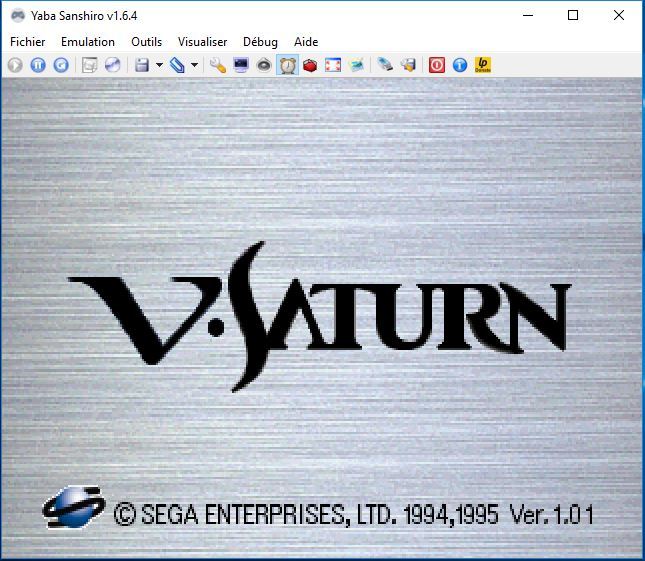
Anciennement appelé UoYabause, YabaSanshiro est une version basée sur Yabause (émulateur Saturn) maintenue par Devmiyax (développeur japonais).
Devmiyax avait proposé plusieurs patchs pour la branche officielle puis plus rien pendant de longs mois jusqu’à l’arrivée de YabaSanshiro sur la scène de l’émulation Saturn pour le système Android et sur laquelle cette version Windows est basée. L’émulateur fait presque jeu égal avec SSF (d’ailleurs certains passent mieux sur Yabause) rendant les deux émulateurs complémentaires.


Les améliorations:
 

– Ajout de plusieurs chaînes de traduction pour la version française.
– Ajout d’une option Mode de Synchronisation du Temps. Vous pouvez synchroniser soit avec le CPU soit en temps réel.
– Amélioration de l’option du Saut d’Image. Plus rapide qu’avant.
– Bug : correction d’un problème qui bloquait le jeu sur le logo Sega Away Team. On arrive maintenant à la première vidéo d’introduction puis le jeu bloque de nouveau.
– Croc : The Legend Of Gobbos : correction d’un problème qui bloquait le jeu au démarrage. Le jeu est maintenant jouable malgré un problème graphique sur l’écran « Press Start Screen ».
– Doom : il n’y a plus de scintillements dans le jeu. Mais il est toujours pas jouable de manière correcte.
– Emit Vol.1 : orrection d’un problème qui bloquait le jeu au démarrage. Le jeu est presque jouable, sur l’écran « Press Start Screen », mais très rapidement sinon, le jeu reboot.
– Gex : correction d’une régression qui bloquait le jeu sur un écran noir. Le jeu est de nouveau fonctionnel.
– Idol Janshi Suchie – Pai Secret Album : correction d’un écran noir après avoir pressé Start. Le jeu est maintenant jouable.
– Langrisser 3 : correction d’une régression avec la version 1.8.0 sur l’écran press start screen.
– Mr Bones : correction de gros problème graphique dans le jeu. Il est maintenant jouable.
– Virtua Fighter Kids : correction d’un problème qui bloquait le jeu au démarrage. Le jeu est maintenant jouable pour la première fois depuis Yabause.
– Virtual Hydlide : le jeu est maintenant jouable (il était bloqué sur l’écran Press start screen après avoir pressé la touche Start).
– Xmen Vs Street Fighter : le jeu est jouable.


Vous pouvez consulter la liste de compatibilité avec les jeux UoYabause sur le Wiki Uoyabause Tradu-France. L’avantage du Wiki, c’est que tout le monde peut participer à la liste.

 
Builds officiels de Devmiyax.

Télécharger YabaSanshiro v3.4.0 (20.1 Mo)

Site Officiel

En savoir plus…

Les dernières versions de GameEX/Arcade et PinballX sont disponibles ci-dessous.


Télécharger PinballX v7.32 (328 Mo)

Télécharger GameEx v19.98 (460 Mo)

Télécharger GameEx Multiplatform Arcade Edition v19.97 (271 Mo)

Site Officiel

En savoir plus…

C’est le meilleur émulateur Game Boy et Game Boy Color. Extrêmement précis et fidèle, il ne lance pas les PD qui ne marchent pas sur une vraie Game Boy par défaut (on peut néanmoins activer un hack).
Tous les jeux fonctionnent parfaitement à l’exception d’une poignée utilisant un chip spécial additionnel dans la cartouche.


bgb


– Greatly improved accuracy, including pinball deluxe/fantasies, japanese crystal, koro dice, and many test roms
– speedrun mode
– recovery save state
– mappable button to start/stop recording audio/video
– setting to not break on invalid opcode, instead hang as in reality
– Made available a 64 bits version
– MBC1 multicart (MBC1M) support
– Improvements to debugger, including undo rom edits, ctrl+tab changes active control.
– Fixed many bugs


Télécharger BGB (x86) v1.6.7 (549 Ko)

Télécharger BGB (x64) v1.6.7 (1.0 Mo)

Site Officiel

En savoir plus…

MEmu, quésaco ?
Dans la même lignée que le célèbre BlueStacks, MEmu est un émulateur qui vous permettra de retrouver les meilleurs jeux Android sous Windows. Doté d’une bonne compatibilité matérielle, il affiche des résultats et une stabilité notables par rapport à la concurrence et aux smartphones sous Android.


Comment jouer ?
Avec son large catalogue de jeux, MEmu permet de découvrir les joies de parties survitaminées de Clash Of Clans, Plants vs. Zombies 2 et de l’excellent Lara Croft : Relic Run sur l’écran du PC. Pour accéder à un jeu, il suffit de le rechercher dans le Play Store et de le télécharger.
 
Une barre latérale permet d’accéder à plusieurs fonctionnalités comme la réattribution des touches, la capture d’écran ou alors la rotation et la secousse de l’écran. L’utilisateur a aussi les moyens d’installer un jeu directement à partir d’un fichier APK stocké sur son ordinateur.
 
D’excellentes performances
Testé sous une bonne configuration matérielle, MEmu propose d’excellentes performances en jeu en termes de stabilité et de fluidité. Lors du test de Lara Croft : Relic Run, le jeu était très fluide lors des scènes d’action en plein écran. Un résultat aussi bien immersif que réussi, d’autant plus que le logiciel supporte l’ouverture de plusieurs instances en même temps.
 
Outre les jeux, il est aussi possible d’installer des applications Android. Notons toutefois que certains jeux ne sont pas compatibles avec l’émulateur.
 
En ce qui concerne la prise en main…
MEmu est très simple à configurer et à prendre en main. L’interface est soignée, élégante et disponible en français.


Télécharger MEmu v9.5.6 (733 Mo)

Site Officiel

En savoir plus…

Le premier émulateur de Sega Model 3 créé par Bart Trzynadlowski, Ville Linde et Stefano Teso dans sa version de développement (voir ici) [source].


Les changements:
svn 740
– Quad rendering engine. Set QuadRendering = 1 in the ini file to use, or -quad-rendering at the end of the command line to use.


Ajout:
– correction des musiques dans sega rally 2 (mix)
– correction musique 1er niveau 2joueurs (la cave rouge) dans vf3 (pas sûr de la modif, et donc cela peut éventuellement entrainer d’autre problèmes sonore sur d’autre jeux).(inclut officiellement)
 

Les fichiers sont compilés par spindizzi, merci à lui.


Télécharger SuperModel v0.4 Build 261114 (5.2 Mo)

Télécharger SuperModel WIP (XP) v0.3a r862 (6.3 Mo)

Site Officiel

En savoir plus…

Reicast est à l’origine un portage pour Android de nullDC et qui est à présent disponible sous Windows, entre autre.


Il vous faudra les bibliothèques VC++ pour pouvoir le tester.


Télécharger Reicast (x86) (2020/05/31) (1.3 Mo)

Télécharger Reicast (x64) (2020/05/31) (1.5 Mo)

Site Officiel

En savoir plus…

Voici une version de UoYabause reprise par François et renommée Kronos. C’est la version « ultime » qui réuni tous les ports.
 
Pour l’histoire, Yabause a été créé par Guillaume Duhamel et Théo Barkau. Suite à ça est venu se greffer Demiyax qui a créé son propre fork avec UoYabause. Devmiyax a permis à Yabause de passer des étapes importantes dans l’émulation de la Saturn avec de nombreuses corrections (graphiques, audio, fonctionnalités) mais au fil du temps l’auteur, qui renomma son fork en Yaba Sanshiro, misa plus sur la version android (et de nouvelles fonctionnalités) que sur celle de Windows.
 
Le fork de François tente de réconcilier toutes les branches en reprenant le meilleur de Yabause et de Yaba Sanshiro (anciennement uoYabause), mais en améliorant le port Windows/Linux. Le résultat aussi bien en termes de compatibilité que de fonctionnalité est sans appel: c’est la meilleure version (de Yabause) à utiliser si vous êtes sur Windows ou Linux.


Les changements:
 
Nouvelle version de ce très bon émulateur Sega Saturn crée par François Caron. En plus des corrections graphiques, les jeux ST-V fonctionnent maintenant sous Linux et Windows. J’ai crée le fichier Nouveautés.txt pour les nouveautés de la version, un Tableau de comparaison qui permet de voir les différences entre Yabause, Yaba Sanshiro et Kronos et le fichier Kronos Lisez moi avec des informations sur le fonctionnement de l’émulateur. Pour toutes demandes, bugs ou régressions voici le lien pour remplir un ticket : Kronos (rubrique Issues). J’ai aussi ouvert un forum si vous voulez poser des questions ou autres.
 
Voici les nouveautés :

– Fonctionnalités : Support des archives zip Redump (François).
– Fonctionnalités : Support de QT5.11.1 et Visual Studio 2017.
– Fonctionnalités : Les options ont été ajoutés dans la ligne de commande : scanline, ST-V (bios et iso) keyboard ST-V support (Linux pour l’instant) (François).
– Fonctionnalités : Nouveau filtre BR2Z pour ceux qui ont un petit GPU (carte graphique) (François).
– Emulation Saturn : Athlete Kings/Blam Machinehead : Correction d’un problème d’affichage (bande transparente en arrière plan) (François).
– Emulation Saturn : Doom : Correction des scintillements (François).
– Emulation Saturn : Earthworm Jim : Correction d’un problème d’affichage avec le jeu (François).
– Emulation Saturn : F1 Challenge : Correction d’un problème d’affichage avec le cockpit (François).
– Emulation Saturn : F1 Challenge : Correction d’un problème d’affichage avec le stand (François).
– Emulation Saturn : Metal Slug : Correction d’un problème de sprite avec le personnage (François).
– Emulation Saturn : Tsuukai!! Slot Shooting : Correction d’un problème d’ombre avec l’affichage du menu (François).
– ST-V : Ajout de tous les jeux ST-V, il est possible qu’il manque 2 ou 3 jeux (Benjamin Siskoo).
– ST-V : Correction d’un problème avec le bios ST-V (Linux et Windows). L’émulation ST-V fonctionne maintenant sur Linux et Windows (François).
– ST-V : Tri des jeux par ordre croissant (François).
– ST-V : Correction d’un problème avec la position de l’écran pour le jeu Shienryu (François).
– Traduction : Mise à jour de la langue Espagnol (Kris Tophe).
– Traduction : Mise à jour de la langue Française (Benjamin Siskoo).
– Traduction : Mise à jour de la langue Anglaise (Benjamin Siskoo).
– Traduction : ajout des chaînes de traduction : Configuration des Contrôles ST-V, Contrôles ST-V, Intepréteur SH2 Kronos.
– Traduction : Suppression des chaînes de traduction : Tesselation, Triangles utilisant la correction des perspectives, CPU Tesselation, GPU Tesselation.
– Divers : Ajout d’un nouveau fichier Kronos Lisez moi.html file, tableau de comparaison.html, Nouveautés.txt (Benjamin Siskoo).
– Divers : Correction d’un plantage lors de l’utilisation d’un vieux fichier ini avec une version récente de Kronos. (François).
– Divers : Suppression du support QT4. (François).
– Divers : Suppression de l’option de tesselation. Il semble que cette option ne sert à rien (François).


Foreign users : Here the changelog in english.I made an english forum to ask your questions or others stuff. Use the forum if you want to translate Kronos with your own language. You can see the changelog in english too.


Important : We need a windows developper to help with fixing the windows port (STV games). Contact us if you’re interested.


Site de développement et signalement de bugs. Pour toute question, un forum a également été mis en place.
 

Télécharger Kronos (32 bits) v2.8.0 (26.2 Mo)

Site Officiel

En savoir plus…

Il s’agit d’un émulateur de Nintendo 3DS écrit en C# et en LLE.


.


Télécharger LemonLime v1.0.39 (19.4 Mo)

Site Officiel

En savoir plus…

Créé par hex_usr (nSide/Lunar Snes), bsnes-mcfly est un port de l’interface graphique Qt de bsnes v073 à higan v106. Cette version est basée sur la dernière version d’Higan (mais ne se concentre que sur la partie Super NES) et ajoute énormément de fonctionnalités.
Dans les versions de développement (et jusqu’à la v106) il était connu sous le nom de « bsnes-classic » dans une tentative de remplacer la fourche d’Awjackson également nommée « bsnes-classic » qui paraissait être abandonnée. Cependant, AWJ a montré que bsnes-classic était encore en vie, par conséquent ce projet a dû être renommé.
 
L’objectif est en partie de faire arrêter l’utilisation de bsnes 073 et de fork comme bsnes-classic (et plus tard bsnes+) et de tout fusionner dans un seul émulateur combinant à la fois les améliorations des dernières versions d’Higan et en même temps les avantages des anciennes versions de bsnes (notamment l’interface).


This version of the Qt GUI has the following features:

  • Compatibility with higan/bsnes v106r63, including v107-style gamepaks (cartridge folders)
    • Low-level emulation of the HG51BS169 (Cx4) and ARM6 (ST018)
    • Newer MSU1 features such as audio resume
  • Concatenated firmware in game ROMs, as well as a « firmware/ » fallback directory.
    • No cartridge folders are created within the user’s home directory. It is all handled in memory.
  • Database lookup of SNES and Super Famicom cartridges. The database is embedded right into the application along with heuristics for games not in it, so icarus is not required.
  • Compressed archive support
    • Built-in: Zip, GZip
    • With archive-reader: 7z, BZip2
      • 7z support by Igor Pavlov’s LZMA SDK, available in the public domain
      • BZip2 support by Rob Landley under the zero-clause BSD license
  • Copier extensions: SMC, SWC, FIG, UFO, GD3, GD7, DX2, MGD, MGH, 048, 058, 068, 078, BIN, USA, EUR, JPN, AUS
    • All of these extensions are also available for use with BS Memory and Sufami Turbo slot cartridges.
  • Optional 512-byte copier header
  • WASAPI and ASIO audio drivers
  • Exclusive mode for Direct3D and WASAPI
  • Separate directories for save RAM, save states, and other mutable game files
  • Turbo buttons
  • asciiPad (more advanced turbo switches with Off, Turbo, and Auto settings)
  • !Simultaneous up+down and left+right (must be enabled in the settings file)
  • IPS, UPS, and BPS soft-patching
    • IPS and UPS patches are applied before removing the copier header, and BPS patches are applied after.
  • Movie recording and playback
  • Cheats
    • Raw/Pro Action Replay (AAAAAA=DD, AAAAAA=CC?DD, AAAAAA:DD, AAAAAADD, AAAAAA/DD)
      • Can omit the address/data separator, use an equals sign, or use a colon; higan supports the equals sign only.
    • Game Genie (GGGG-GGGG)
      • Will remember that you inputted the code in Game Genie format instead of converting it to Pro Action Replay on save and reload.
  • Cheat search (works only on WRAM at 7e-7f:0000-ffff)
  • !Enabling/disabling of individual PPU layers and DSP channels (the former only in the Compatibility and Performance profiles, the latter in every profile)
  • Software filters
    • 2xSaI, Super 2xSaI, Super Eagle
    • HQ2x, LQ2x, Scale2x
    • Pixellate2x
    • blargg’s snes_ntsc (with 15-bit precision instead of 13-bit precision)
    • Phosphor3x (was included in some bsnes v08x versions)
  • OpenGL shaders
    • Curvature and Edge Detection from higan v092
    • HQ2x, Pixellate, Scale2x
    • HDR-TV, Watercolor (these were marked “Archive” in bsnes v083 and not restored when bsnes v085 went back to XML from BML)
    • Sepia (converted from Direct3D)
  • Only 1 copy of nall for the overall project instead of a separate copy each for bsnes, snesfilter, and snesreader
  • Performance profile speed hacks (accuracy and compatibility profiles not affected)
    • High-level emulation of the DSP1, DSP2, DSP3, DSP4, ST010, and Cx4, but firmwares are still required
    • SMP and DSP are merged into a single APU class that references blargg’s SPC_DSP
    • Mixed opcode/cycle timing for the SMP; slightly faster while still supporting Tales of Phantasia
    • Only the Super Scope and Justifier use cothreading instead of every single peripheral
    • JOY1/JOY2/JOY3/JOY4 registers handled on a controller-by-controller basis

 
Features missing from bsnes v073:

  • Compressed archives: Z (compress), RAR, JMA
    • All of these have restrictive licenses. Need to think carefully on how to implement them…
  • Selecting one of multiple files in a single Zip archive
  • snes_ntsc configuration dialog
    • Because the palette size was increased from 32768 to 524288, changing a setting causes bsnes-mcfly to freeze while it recreates the palette. This dialog had to go.
  • Binding the Pause/Break key to an input
  • Direct3D shaders
    • As consolation, the Sepia shader was converted to OpenGL

 
If anyone has any reason whatsoever to switch back to bsnes v073 or bsnes-classic after trying my emulator, please let me know ==> bah un build 32bits compatible XP par exemple, ce que fait classic et Plus que ce soit utile ou pas 🙂
 

Télécharger bsnes-mcfly v106r14b (13.2 Mo)

Site Officiel

En savoir plus…


https://getourbonus.com/fr/accueil

https://www.romspedia.com/