Il s’agit d’un émulateur multi-plateformes qui supporte les machines suivantes: ZX80, ZX81, ZX Spectrum, QL, Z88, Timex TS 2068, Sam Coupe, Pentagon 128, Chloe 140 SE, Chloe 280 SE, ZX-Uno, Prism, TBBlue/ZX, Spectrum Next, Jupiter Ace, Amstrad CPC 464.


– Added ZX-Evolution BaseConf emulation
– Added BetaDisk and TR-DOS emulation
– Added Spectrum +3 emulation
– Added Spectrum keyboard ghosting error feature
– Added ZX Spectrum Recreated keyboard support
– Added improved Spectrum 16/48/+ colour palette
– Added a fast spectrum core (with some features disabled) just for slow devices, like Raspberry Pi 1/Zero. – Now ZEsarUX is playable on RPi1/Zero again!
– Added setting to write protect IDE, MMC, ZX-Uno Flash
– Added setting to show changelog when updating emulator version
– Added actions to file utilities menu: Copy, Move, Rename
– Added setting to disable persistent writes on IDE and MMC
– Added setting to add a watermark on the display
– Added setting to reduce display to a factor of 0.75. Used on RunZX event
– Added setting to save spectrum screen to pbm file (black&white)
– Added a setting to dump ram contents to file when exiting ZEsarUX, ideal to run automatic tests
– Added setting to exit emulator after a number of seconds (–exit-after)
– Added experimental simulation of the SAA1099 audio chip from the Sam Coupe
– Added second Easter Egg 😉
– Added third Easter Egg 😉
 
Improved debugging:

– new enhanced debug cpu menu: view TV electron position on screen, new default view, cursor, toggle breakpoints, run to cursor, change registers, and a lot more…
– added cpu-step-over function on debug menu (was already available from ZRCP)
– added function to write byte to file on ZEsarUX hardware debug ports
 
Improved ZRCP:

– run command is stopped by default when pressing a key (or sending data to the socket)
– when a breakpoint is fired on cpu-step-mode, the breakpoint condition is shown on ZRCP
 
Improved joystick support:

– added joystick test menu
– buttons to events and buttons to joystick configuration are saved on configuration file
 
Improved OSD keyboard:

– now you can press up to all 40 keys (on Spectrum/ZX80/ZX81) at the same time
– now it can be opened from any place (needs multitask on)
 
Improved QL emulation:

– experimental support of LOAD, LRUN command
– can now open qlay mdv microdrive image files
 
Improved file viewer from file utilities:

– specific file viewers for these kind of files: .tap, .zx, .zsf, .sp, .z80, .sna, .spg, .p, .o, .mmc/.ide (fat browser, plus3dos browser), .dsk, .trd, .tzx, .cdt, .flash (zxuno flash, z88 flash, superupgrade flash), .epr, .eprom
– default hexadecimal file viewer for unknown files
– conversion utility
 
Improved TSConf emulation:

– added TSConf DMA, line interrupt, sprites layers
– TSConf rendering: now tiles and sprites are drawn per scanline. Border drawing. Handling of scroll registers
– TSConf debugging: debug for DMA, Video registers, Video layers, Sprites, Tiles
– added TR-DOS emulation support
 
Improved menu interface:

– emulated machine display is no longer faded or switched to black & white when opening menu. There were different visual glitches due to this feature
– a new « tabbed » menus to improve usability and interaction with mouse, joystick and stdout driver: waveform, visualmem, ay player
– Character width can be reduced to 7,6 or 5 pixels width
– added a setting to limit menu event: enabling it you should press the menu key 3 times in a second to open the menu
– added a setting to hide directories from file selector menus, useful when you don’t want the user to be able to navigate the filesystem
– Smartload: now the cursor remembers last file loaded
– added two more GUI styles: Clean and CleanInverse
 
Improved sprite viewer:

– now can see sprites with speccy screen format
– you can view sprites up to 512×192
– you can see tsconf sprites
– you can see pseudo hires zx81 screens
 
Improved TBBlue emulation:

– Added clip window registers
– Added Copper
– Added almost all next extended opcodes
– Added a setting to start TBBlue directly to a 48 rom but with all the Next features enabled, useful for fast snapshot loading
 
– Improved AY Player: now shows waveform volume meter
– Improved VU meters with decay effect on AY Player, AY Registers and Waveform
– Improved text mode drivers (aalib, stdout, simpletext, curses): text settings are in different submenu, setting to set stdout/simpletext fps
– Improved messages windows. You can now have an internal clipboard, press key c to copy to it. Press P on file utils to paste contents to a file
– Improved frameskip: better performance, because realvideo buffer is not updated when frameskip
– Improved sound: Silence detector activated by default but can be disabled
– Improved top speed: loading sound is distorted when setting top speed
– Improved autoload: new setting to run at top speed the reset+load » » process
– Improved real tape loading: now it shows a percentage of tape loaded
– Improved default configuration: when the configuration file doesn’t exist, the new one has the autosave configuration setting enabled
– Improved configuration parsing: if unknown setting found on configuration file, ZEsarUX will open but warns about the error, and the autosave feature is not enabled
– Improved rendering on text mode drivers: now realvideo mode can render directly to black&white text. Try – TSConf with –vo stdout –realvideo –autoredrawstdout
– Improved Linux library dependencies: libssl is not enabled by default on compilation
 
Fixed ZX-Uno emulation:

128kb timings are the same as a Spectrum 128k. When port 1ffd enabled, port FF return FF
Kempston port returns 0 when no kempston selected. New BIOS can be used now

– Fixed TBBlue MMU when using segment 0000-3FFFH
– Fixed Raster interrupts on ZX-Uno and TBBlue. Horizontal raster position was wrong
– Fixed window footer when running Pentagon
– Fixed panic screen: now it is shown on all machines. New design. I hope you never see it 😉
– Fixed some crashes with speech enabled and opening some menus: AY Registers, AY Player, etc…
– Fixed annoying sound on Dandanator rom menu
– Fixed bug on Z80 cpu core, iff2 was not being reset to 0 when firing an interrupt, so reading it by using LD A,R and LD A,I affected many demos
 
Some other minor bugfixes and improvements


Télécharger ZEsarUX v13 (44.4 Mo)

Télécharger ZEsarUX Extra v13 (232 Mo)

Site Officiel

En savoir plus…

Applewin est un excellent émulateur Apple IIe pour Windows et développé par Tom Charlesworth. Applewin est basé sur la version originale 1.10.4 d’Oliver Schmidt.
 
– [Bug #555] Fix for showing 559th DHGR vertical column.
– But now an HGR HCOLOR=2 vertical line at column 0 is only 1 DHGR pixel wide.
– Fix TEXT80 to be aligned with DHGR.
– Fix FLASH in TEXT80 (the inverse aux-memory char would overwrite the main-memory char).
– [Change #554] Help: Added a new help page about AppleWin’s SSC emulation.
– [Change #522] SSC: ZLINK not starting unless DCD is set.
– DCD state is now a mirror of DSR unless -dcd switch is used.
– Removed -dsr,-dtr switches, so -modem is now an alias for -dcd.
– [Bug #308] SSC: For TCP mode, support DSR, DCD & CTS status bits.
– SSC: Now DTR must also be set to enable interrupts (in addition to the respective Tx/Rx interrupt bit).
– SSC: Change DIPSW1’s baud rate to 9600 (was 19200).

 
applewin


Télécharger AppleWin v1.32.1 (4.3 Mo)

Site Officiel

En savoir plus…

VMware vous permet de lancer plusieurs systèmes d’exploitation sur un même PC sans avoir besoin de partitionner votre disque et sans reboot. Vous pouvez facilement isoler et protéger chaque environnement, et bien entendu les applications et données qui tourne dessous. Il permet aux utilisateurs de configurer facilement chacun des systèmes d’exploitation, ce qui inclut un interface réseau complet, gestion de périphériques, partage de fichiers, copier/coller et annuler les changements fait durant un session. VMware permet aux « opérateurs » d’encapsuler et de manipuler chaque environnement, la possibilité de faire un retour arrière en redémarrant une application ou encore de déplacer un environnement a travers différentes machines configurées.


vmware

 
Les changements sont visibles ici. A télécharger ici.
 

Site Officiel

En savoir plus…

m64p (ou Mupen64Plus-GUI) est une interface graphique écrite en Qt5. Elle supporte tout ce que vous attendez d’une interface mupen64plus (sélection de plugins, édition de la configuration, gestion des sauvegardes, capture d’écran, pause, etc.).
 

Cette archive inclut Mupen64Plus + GlideN64 + une interface utilisateur.


Code source.

Télécharger Simple64 (x86) (2020/06/02) (20.6 Mo)

Télécharger Simple64 (x64) v2024.12.1 (46.5 Mo)

Site Officiel

En savoir plus…

Il s’agit d’un très bon émulateur de NES, ce fut le second à être releasé au public (en 1996 !) après Pasofami mais le premier à être le plus facilement utilisable. L’idée originale de iNES appartient à Alex Krasivsky, qui a trouvé les premières informations sur le matériel et NDA a écrit le code initial, il ne reste rien de ce code aujourd’hui.
 

iNES lance une immense quantité de jeux NES, supporte le Gamegenie, le Family BASIC Keyboard, le FDS et le système arcade VS-System. iNES propose plusieurs filtres graphiques et supporte le jeu en ligne.
 
Il a été porté sur Unix, MacOS, MSDos, Windows, Symbian, PocketPC, etc…
 
inesines2
 
– Made replay save states approximately every 170ms.
– Added ability to browse through paused replay.
– During replay, the [UP] button to pause.
– Press [LEFT] and [RIGHT] to browse through paused replay.
– Press [UP] to resume replay, any other key to continue.
– Made WaitJoystick() exit when window closed.


Télécharger iNES v6.1 (218 Ko)

Site Officiel

En savoir plus…

Très performant, PPSSPP est un émulateur de Sony PSP (pour Windows, Android et autres via SDL) gratuit et libre écrit en C + + par Henrik Rydgard (très connu sous le pseudo de Ector, déjà auteur de l’émulateur de PSP Potemkin et surtout connu pour Dolphin, ayant également exercé sur nombre d’émulateurs Dreamcast).
 
ppsspp
 
Les changements sont les suivants:
 
– OpenGL backend now properly multithreaded, giving a good speed boost.
– Various Vulkan performance improvements (like #10911) and memory allocation fixes.
– GPU command interpreter performance improvements (#10658)
– Various fixes for app switching and widgets (#10855) on Android
– Bugfixes and some performance improvements in the ARM64 JIT compiler and IR interpreter
– Shader cache enabled for Vulkan
– Multiple iOS fixes, including JIT (#10465) and file browser (#10921).
– Improved compatibility on Mac (#10113)
– Texture replacement ID bugfix (note: some textures from 1.5.4 may become incompatible)
– Adhoc multiplayer fixes (#8975)
– Vulkan support on Linux/SDL (#10413)
– Retroarch support


Télécharger PPSSPP v1.20.4 (19.4 Mo)

Site Officiel

En savoir plus…

Play! est une tentative de créer un émulateur PlayStation 2 sous Windows / MacOS / iOS / Android. Il est actuellement écrit en C / C + + et utilise un système de mise en cache / de recompilation d’instruction pour obtenir de meilleures performances tout en émulant le CPU.
 
L’émulateur peut faire fonctionner quelques jeux, mais très moyennement dans la plupart des cas. L’objectif de l’auteur est d’atteindre un niveau de qualité qui permettra à quiconque de jouer son jeu favori PlayStation 2 sur son PC.
 
play

 
– Prevent UNPACK from writing out of bounds.


Télécharger Play! (x86) GIT v0.77 (2026/10/25) (8.9 Mo)

Télécharger Play! (x64) GIT v0.77 (2026/10/25) (10.3 Mo)

Site Officiel

En savoir plus…

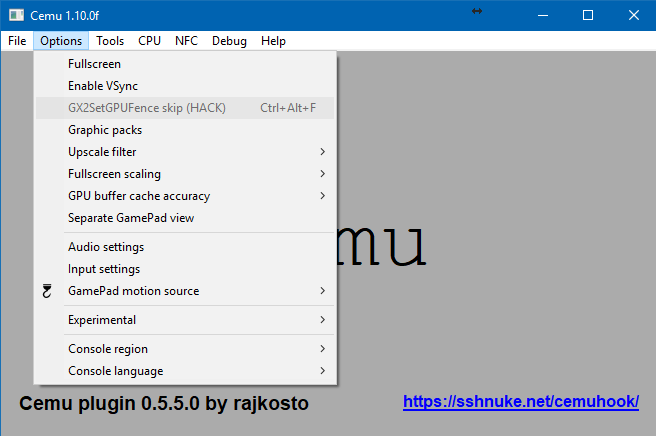
Il s’agit d’une sorte de plugin dédié à Cemu permettant de mettre en œuvre le décodage du h264 qui n’est pas dans le noyau, ce qui aura pour avantage d’alléger les ressources nécessaires. Cemu Hook gère également très bien les orientations gyroscopiques.


Les changements:
– Compatibility with 1.12.1 and up (no longer works with earlier versions)
 

Télécharger Cemu Hook v0.5.7.7 (1.2x) (6.4 Mo)

Site Officiel

En savoir plus…

Le premier émulateur de Sega Model 3 créé par Bart Trzynadlowski, Ville Linde et Stefano Teso dans sa version de développement (voir ici) [source].


Les changements:
svn 729
– Select correct bit
svn 728
– Parse out TranslucencyPatternSelect
svn 727
– Fixed Makefiles for non-MSYS builds. Unfortunately had to revert a lot of the automated configuration that Harry had inserted. Users will again need to hand-edit Makefile.Win32 for their configuration. Verbose warnings (-Wall) have been restored.


Ajout:
– correction des musiques dans sega rally 2 (mix)
– correction musique 1er niveau 2joueurs (la cave rouge) dans vf3 (pas sûr de la modif, et donc cela peut éventuellement entrainer d’autre problèmes sonore sur d’autre jeux).(inclut officiellement)
 

Les fichiers sont compilés par spindizzi, merci à lui.


Télécharger SuperModel v0.4 Build 261114 (5.2 Mo)

Télécharger SuperModel WIP (XP) v0.3a r862 (6.3 Mo)

Site Officiel

En savoir plus…

Un émulateur de PSP écrit en Java. Codé par Mad et Shadow (PCSX2) et rejoint par Wrayal, Fiveofhearts, Hlide et Dreampeppers99. Il émule les jeux commerciaux mais nécessite une puissante configuration.
 
jpcsp
 
Liste de jeux compatibles.
Site de développement du projet.
Builds SVN automatiques (alternative).
 

Télécharger JPcsp (x86) v0.7 rev 0318d15e (26.4 Mo)

Télécharger JPcsp (x64) v0.7 rev 00ac4d6 (29.1 Mo)

Site Officiel

En savoir plus…

DS4Windows est un programme portable qui vous permet d’obtenir la meilleure expérience lors de l’utilisation d’un DualShock 4 sur votre PC, en émulant un contrôleur Xbox 360, beaucoup de jeux deviennent alors accessibles.


– Loosened touchpad jitter compensation parameters
– Fixed failed to unplug message from appearing when switching profiles using SONYWA
– Take stick rotation into account for axis to button mapping routine
– Hori PS4 Mini controller support added by jdfeng
– Fixed timeout disconnect issue caused by changes in previous version
– Removed sending output report when charging status changes for SONYWA
– Changed headphone support to only grab audio volume when output report changes. Let native device handle volume changes otherwise


Télécharger DS4Windows (original) (x86) v3.3.3 (2.6 Mo)

Télécharger DS4Windows (original) (x64) v3.3.3 (2.6 Mo)

Site Officiel

En savoir plus…

Il s’agit d’une nouvelle version de Fightcade mais qui utilise le dernier FBA (0.2.97.4?) + GGPO pour le netplay. Celui-ci est basé sur la version originale de GGPO mais avec quelques améliorations.


– Updated to FBA 0.2.97.43 (see changelog: https://www.fbalpha.com/view/240).
– Included new FBA DWM Sync flag which might help in reducing stutter in Windows 10. Many thanks to RagingNoob for his thorough testing and help getting this longstanding issue some attention.
– Improved netcode usage and unified for all settings (vsync, dwmsync, dsound, xaudio, nosound).
– Insert coin reactions – quickly tap the insert coin button / key multiple times to send reactions to your opponent! Different reactions are sent with 2, 3 and 4 taps. (Optional, disabled by default in the Video > Blitter options submenu)
– Various bugfixes.


Télécharger Fightcade2 v2.1.45 (223 Mo)

Site Officiel

En savoir plus…


https://getourbonus.com/fr/accueil

https://www.romspedia.com/