Une news majeure pour le monde de l’émulation Arcade.


La nouvelle version de ce fantastique bios pour Neogeo/MVS est enfin disponible,
Ce bios, bien qu’à priori destiné au véritable hardware d’arcade, fonctionne également très bien dans les émulateurs, et comporte des fonctionnalités qui vont plus loin que les « classiques » cheats, tels que le mode debug, activation du sang… et simple d’utilisation.


To mark the version 4.0 milestone of the Universe Bios I have given it a slight facelift.
Some menu layouts are changed and colors used on the splash screen and default colors for the
in game menu have changed. This is done to try and replicate the gold coloring on the AES and
Joystick shells. You still have the ability to customise colors of the ingame menu if you wish.

 
Additions

– PICKnMIX MVS/AES (requires the correct 161-in-1 multicart).
 
– This feature will use the many games on the multicart to turn the system into the ultimate
multislot. It may also work on MVS multislot systems but please insure all other cart slots
are empty. The only hacked version of a game used from the 161-in-1 is SNK vs CAPCOM Plus.
 
– See www.universebios.com/picknmix.html for more information and how to use.
 
– A special thanks to ‘ack’ for exstensive bug reporting and testing on multislot hardware,
also ‘miisalo’ and ‘RockstarRunner’ for MVS and AES testing.
 
– PICKnMIX IS A TOTALLY UNSOPPORTED FEATURE given the nature of the multicarts.

 
– NeoSD related (v1.06 or later firmware required).
 
– The following two additions require the ROM ‘sfix.sfix’ to be placed into the root directory
of the NeoSD’s SD card. These fixes are not possible without a NeoSD.
 
– On AES hardware, when in arcade mode, the ‘how to play’ screens of NAM-1975, Baseball
Stars Professional and Mahjong Kyo Retsuden will have correct graphics.
 
– On AES hardware, when in USA arcade mode, the classic ‘winners don’t use drugs’ screen
will have correct graphics in all games apart from Garou, Matrimelee, Metal Slug 3,
Metal slug 4, SNK vs Capcom and The King of Fighters 2000.
 
– Added a NeoSD color theme for the ingame menu (choose bank ’03’ in the menu color changer).

 
– Added new option to disable the daily, weekly and monthly hiscore reset to MVS backupRAM.
 
– This option is enabled by default (Universe Bios general settings) but can be switched off
if you want hiscores to clear as game maker intended. The following games are affected;
 

Aggrs of Dark Kombat Ninja Combat Trash Rally
Art od Fighting Ninja Commando Twinkle Star Sprites
Art of fighting 2 Over Top Wind Jammers
Art of Fighting 3 Quiz King of Fighters World Hereos
Blues Journey Spin Masters World Hereos 2
Crossed Swords 2 Sonic Wings 3 World Hereos 2 Jet
Ghost Pilots King of Fighters 2001 World Hereos Perfect
Magician Lord King of Fighters 2002 Zintrick

 
– Due to the change around of some options to make this possible I advise MVS users check
the options in the Universe Bios ‘general settings’ to confirm they are set as intended.

 
– In a games softDIP settings (testmode), pressing 1UP start will reset the DIPs to default.
– Added English translations for Japanese games that had Japanese only SoftDIP settings.
– The Universe bios can now detect a 18Mhz overclock (hopefully).
– Added ‘Fast Verify’ support to PC-2-NEO (USB only).

 
Changes

– Changed splash screen and main menu colors, NeoGeo logo is now Gold.
– Changed the default colors of the ingame menu. You can still choose old colors and edit colors
if required by using the ingame menu color changer.
– Made the In Game Menu and Main Menu more responsive to joystick and button input.
– There are now five colors you can adjust on the ingame menu color changer.
– Optimised Code that applies game cheats to memory.
– Made testmode entry graphically cleaner (less glitching).
– Made the cabinet softDIP ‘Game Select’ default to ‘Free’ instead of ‘Only when credited’.
– Now says ‘NGH’ instead of ‘ID’ in the game cart crc check.
– Improved the ‘no cheats in database’ message.
– The main memory viewer (testmode, exception error, hardware error) should now open on the
first slot with a game (multislot hardware).
– Improved the MVS cart version of kof2001 when in console mode. The games menu should no longer
glitch from time to time. Also removed the vertical borders on the options screen.

 
Fixes (some of these very minor)

– Fixed an issue introduced in Unibios v3.1 which caused any set softDIPs to reset after using
the soft reboot option on AES haedware.
– Fixed ingame menu colors saved to memory card from getting corrupted.
– Fixed AES version of Metal Slug 3 showing the red warning screen when run in Arcade mode.
– Fixed ‘AOF3’ from showing the console mode menu when in arcade mode on AES hardware.
– Fixed V-Liner crashing when the coin entered or select pressed.
– Fixed overclock info sometimes incorrectly showing after exiting softDIPs (after soft reset).
– Fixed possible graphic corruption in the testmode main menu if the calendar chip is faulty.
– Fixed red screen flash when bios draws ‘how to play’ in early games (issue in original bios).
– Fixed Top Players Golf from allowing debug DIP editing (game does not have any).
– Fixed minor graphical glitch entering the ingame menu color changer.
– Fixed missing values in patch and debug dips editing if game is an original MVS KOF2003.
– Fixed glitching on cart check entry if game King of Fighters 2003.
– Fixed glitching when exiting ingame menu if game King of Fighters 2003.
– Fixed Splash screen and menues if game is MVS version of kof2003 on AES hardware.
– Fixed Splash screen and menues if game is kof 10th anni extra plus on AES hardware.
– Fixed font in jukebox and cart check if game is MVS version of kof2003 MVS hardware.
– Fixed font in jukebox and cart check if game is kof 10th anni extra plus on MVS hardware.
– Fixed ‘King of Gladiator’ hack throwing a warning screen when running in arcade mode on AES.

– Stopped language softDIP showing when in Japan region for games SamSho 4, 5 and 5 Special.
– Stopped Street Hoop’s ‘team select’ softDIP showing when in Japan region.
– Stopped gfx curruption on splash screen (at power on) when the 161-in-1 multicart used.
– Hopefully fixed corruption exiting the ingame menu on a 18Mhz overclocked MVS/AES.
– Hopefully fixed corruption in the General settings Menu on a 18Mhz overclocked MVS/AES.
 

Hiscore saving (memory card)

– Added HS saving support for Football Frenzy.
– Added HS saving support for Goal! Goal! Goal!
– Added HS saving support for Stakes Winner.
– Added HS saving support for Stakes Winner 2.
– Added HS saving support for Real Bout Fatal Fury (Korean).
– Fixed Neo Bomberman hiscore saving (old HS save will need deleting).
– Fixed Quiz Diasousa Sen so hiscore displayed during game at top is now correct.
– Fixed Puzzle Bobble so it now shows correct hiscore table during first attract mode cycle.
– Fixed Puzzle Bobble 2 not saving the last part of the HS table.
 

Cheats

– Renamed all ‘AES Infin Credits’ cheats to ‘Infin AES Continue’.
– Korean games now show correct game in the cheat menu (if different than English names).
– Corrected Strikers 1945 Plus game name in the cheat menu.
– Added Real Bout Fatal Fury (Korean) cheats.
– Added Infinite AES Continue cheats to Blues Journey.
– Top Hunter 2 cheats improoved. They now work on all worlds. Also, keeping D pressed will
disable the gun and ammo cheats (while D pressed) for that player.
– Renamed all ‘Always Score 00’ cheats in football games to ‘Always No Score’.
– Knights Chance now reconigsed by the in game menu (no cheats though).
– Other minor cheat naming issues here and there.
– Added cheats for Older Power Spikes II (only ‘Infinite Iime’ cheat atm).
 

CRC database

– Added alternate Metal SLug 3 CRC (MVS, CRC reported for ROM region – 0x9763419E).
Not currently in MAME. P ROMs are on a NGPC style miniPCB with 4 flashchips.
Banking matches the parent, it is unknown if the SMA is used or not.

– Added older Power Spikes II CRC (MVS, CRC reported for RAM region – 0x8FACDE4C)
Not currently in MAME, Japanese region game name is ‘Super Volley 94’.

– Added alternate V-Liner CRC (MVS, CRC reported for ROM region – 0x49A94DB5).
Not currently in MAME. From 0x8000 has ‘DYNA V-L V0.7E’.
– Added alternate V-Liner CRC (MVS, CRC reported for ROM region – 0xE263DCE8).
Not currently in MAME. From 0x8000 has ‘DYNA V-L V0.53’.

– Added alternate V-Liner CRC (v0.7A 0x052F93ED).
– Added alternate Garou CRC (AES).
– Added alternate Pochi and Nyaa CRC.
– Added Last Resort prototype CRC.
– Added alternate Burning Fight prototype CRC.
– Added alternate King of the Monsters 2 CRC.
– Added Real Bout Fatal Fury (Korean) CRC.
– Added alternate Blues Journey CRC.
– Added alternate Samurai Shodown V CRC.
– Added alternate World Heroes 2 CRC.
– Added alternate Sengoku 3 CRC.
– Knights Chance is now reconigsed by the CRC checker (reported as custom).


La 4.0 étant disponible moyennant finance, la 3.3 devient téléchargeable gratuitement.


Site Officiel

Créé par Steve Kwok en à peine une année (!), cet émulateur de Sega Saturn appelé Nova est capable d’exécuter plusieurs jeux commerciaux, mais il est encore à ses débuts. Nova est écrit en C ++ 11, et a comme objectif d’atteindre le même niveau que les autres émulateurs de console de salon.
 
Nova a donc été écrit à partir de zéro et en UNE SEULE ANNÉE, mais son écriture est inséparable de la recherche et contribution de nombreux auteurs d’émulateurs.
 
Nova ne prend actuellement pas en charge les jeux à partir du lecteur de CD-Rom, mais en revanche il lit les formats d’images de CD suivant: .cue, .mds, .ccd, .bin.


Les changements sont les suivants:
– SMPC : Correction de la commande SYSRES (Force le SH2 Maître à lancer le vecteur Power-On).
– VDP1 : Correction du changement/effacement manuel du tampon image (ST-V VDP1/VDP2 HARDWARE TEST).
– SYSTEME : Implémentation du mode TITAN (préliminaire).
– SYSTEME : Réécriture de la procédure de démarrage.
– SYSTEME : Réécriture du sous système de cartouche.
– SYSTEME : Réorganisation du sous système CD.
– GRAPHISME : Correction d’un scintillement de l’écran.
– GUI : Activation du menu objet « Démarrer ».
– DIVERS : Support du lecteur CD (préliminaire).
– DIVERS : Ajout du « Redémarrage Logiciel » (Tenez les touches lors du « Redémarrage », ce qui équivaut à START+A+B+C).
– DIVERS : Ajout d’options supplémentaires dans le fichier nova.ini.
– DIVERS : Correction d’un bug avec l’analyseur INI quand il y avait des crochets ( [ et ] ).
– DIVERS : Correction d’un bug avec le glisser et déposer les fichiers directement sur l’exécutable.
– DIVERS : Des noms de fichier ont été modifiés : « primary_01.bup » >>> « sat_primary_01.bup », « memcard_01.bup » >>> « sat_memcard_01.bup », « battery.sav » >>> « sat_battery.sav »

 
La traduction est assurée par Tradu-France, à noter qu’une liste de compatibilité est disponible ici.


Télécharger Nova v0.7 (1.9 Mo)

Télécharger Nova (Français) v0.6 (697 Ko)

Site Officiel

En savoir plus…

La dernière version béta publique de l’excellent WinUAE, l’émulateur Commodore Amiga. La traduction est signée Tradu-France.


– CL horizontal doubling used wrong width size, fixed buffer overflow (b7).
– CL horizontal doubling multiplier changed to 9/10. Old value missed 320*200 resolution.
– 64-bit host FPU FMOVECR constants that didn’t fit in double were clamped to max when they should have been set to infinity.
– All logarithmic and trigonometric functions now use assembly code from existing JIT functions in new 80-bit host FPU mode. This should be feature complete now.
– Multithreaded RTG now only does color conversion/copy in separate thread, present() is done in main thread because of possible thread safety problems.
– Added quite pointless power led switches off/dims misc panel option. Affects OSD power led and D3D led overlay power led brightness.


Télécharger WinUAE (Public Beta) [32 bits] v6.1.0 Beta 23 (5.3 Mo)

Télécharger WinUAE (Public Beta) [64 bits] v6.1.0 Beta 23 (8.5 Mo)

Télécharger WinUAE (Public Beta) [32 bits] v6.1.0 Beta 23 FR (5.4 Mo)

Télécharger WinUAE (Public Beta) [64 bits] v6.1.0 Beta 23 FR (8.5 Mo)

Site Officiel

En savoir plus…

RetroArch est un émulateur multi-systèmes modulaire qui est conçu pour être rapide, léger et portable. Dédié à Linux, Windows, Mac OS X et BSD. Il est anciennement connue sous le nom SSNES.


Ce n’est pas un Frontend à proprement parler, ni véritablement un multi-emulateur.
Il utilise en fait des bibliothèques (core) d’émulateurs déjà existants sous la forme de fichier « libretro XXX.dll ». Ce n’est pas non plus un simple front end, car il offre l’émulation complète de plusieurs plateformes console et même final burn alpha.

 
retroarch
 
Actuellement, il existe des implémentations libretro pour les systèmes tels que SNES, NES, GBA, GB / GBC, la Genesis, et même des jeux d’arcade Final Burn Alpha et bien d’autres encore. Voir ici pour obtenir les cores nécessaires.


Libretro n’est pas seulement utilisable pour les émulateurs. Un port préliminaire d’une ré-implémentation open source de Cave Story a été porté aussi à libretro.


RetroArch croit en la modularité. L’application elle-même est une application commandée par ligne de commande qui convient à HTPC et autres. Il existe également une interface graphique pour RetroArch, en soutenant toutes les options de configuration unique.


RetroArch établit la norme sur la portabilité multi-plateforme pour le moment:
Linux (x86 et x86_64)
Windows (32bit/64bit)
Mac OSX (PPC / Intel)
Playstation 3 (PS3 SDK/PSL1GHT (WIP))
PS Vita
Xbox 1 (XDK)
Xbox 360 (XeXDK / Libxenon)
Gamecube
Wii
3DS
Raspberry Pi
OpenPandora
Androïd
Etc
 
Un petit guide réalisé par DjLc est disponible sur ce lien.

 
retroarch2
 
Les nouveautés sont visible ici (changelog).


NOTA BENE pour XP:
Si l’exécutable ne se lance pas, créez un fichier « RetroArch.exe.manifest » (éditable avec un bloc note quelconque) et inscrivez les lignes suivantes à l’intérieur:
 

Cliquez ici pour récupérer le code

 
puis sauvegardez et enfin placez ce fichier a coté de l’exécutable (et c’est du tout bon !).


Télécharger RetroArch (95/98) v1.9.0 (128 Mo)

Télécharger RetroArch (98 SE/ME/2000) v1.22.2 (127 Mo)

Télécharger RetroArch (XP/Vista 32 bits) v1.22.2 (129 Mo)

Télécharger RetroArch (XP/Vista 64 bits) v1.22.2 (129 Mo)

Télécharger RetroArch (32 Bits) v1.22.2 (191 Mo)

Télécharger RetroArch (64 Bits) v1.22.2 (193 Mo)

Site Officiel

En savoir plus…

Il s’agit d’un gestionnaire de Rom entièrement écrit en Java et publié sous licence GPL v3.


Les changements:
– When Importing Software List, Roms will be also imported… As a consequence:
Roms are displayed with software lists in profile viewer
There is a jrm profile format (xml inside), that tell where to find the two mame xml files (roms + swlists)
Roms ans SWLists are scanned at the same time
There is now an optional software dir and an even more optional software disks dir
– Double click on game name in profile viewer will launch game if (Mame is linked with profile and item is green)
– Double click on software name in profile viewer will launch software with a valid machine (if Mame is linked with profile and item is green)
– Double click on cloneof or romof item in profile viewer will jump to that item definition
– Search field in profile viewer
– Complete profile manager with stats
– TorrentZip support is now integrated and optimized (with Jtrrntzip)
– Optional Separate Dest dir between Roms, CHDs, Software Roms, Software CHDs
– Option to ignore unknown containers
– Option to ignore unneeded containers
– Option to ignore unneeded entries
– Option to do implicit merging (like ClrMamePro)
– Drag & Drop on src/dest dirs controls
– Added garbage filter when importing xml from mame executable
– Extra code to handle bad or incomplete Dats
– Bug Fixes


Télécharger JRomManager v3.0.5 (78.7 Mo)

Site Officiel

En savoir plus…

Il s’agit d’un énorme dungeon crawler pour CPC programmé par Christophe PETIT et Kukulcan.


Le royaume de CHRISANDIA après de très nombreuses années de guerre continue a panser ses plaies.
La paix est de nouveau installée et tout semble faire croire que l’ennemi d’hier a complétement disparu.
Ce dernier ayant sombré comme par magie dans l’oubli de la mémoire collective.
Vous, un aventurier n’avez pas connu cette période sombre où le mal et d’étranges créatures mettaient a feu et a sang notre beau royaume.
Mais depuis peu, dans la taverne de GALAMOTH, autour d’une bonne petite choppe de bierre vous entendez de drôles d’histoires.
Des enfants et du bétail disparaissent et on ne les revoit jamais. Le pouvoir en place ne bouge pas, n’accordant aucun crédit a ces drôles d’histoires qui tombent encore une fois étrangement dans l’oubli.
Pendant de long mois vous avez mené votre enquête et la situation est réellement des plus inquiétante.
Avant pour mener a bien une expédition vous deviez réunir un groupe d’au moins 4 aventuriers ayant des compétences complémentaires : FORCE, ENDURANCE, AGILITE, ERUDITION, DEXTERITE, MAGIE… mais la perte d’un membre du groupe mettait souvent en péril la mission voir même la vie de tous les membres du groupe.
N’ayant pas trouvé de volontaire pour faire équipe avec vous et voulant mettre toutes les chances de votre côté, vous avez fait graver par les prêtes du dieu KUKULCAN des runes très puissantes sur votre corps.
Elles vous donnent la force du guerrier, l’endurance du nain, la dextérité du voleur, ainsi que la possibilité d’utiliser la magie, faisant de vous un aventurier solitaire mais complet.
Vous avez fini par trouver la source du mal et étrangement celle-ci est très très proche, au coeur même de la capitale CEDICUS, dans le château de SERGOTH, lieu du pouvoir en place, dans les ombres des oubliettes.
 
Qu’allez vous découvrir ?
Quel mal se tapi dans l’ombre ?
Aurez-vous le courage de relever ce défi et de sauver votre royaume ?


– Le jeu est prévu en 3 langues (Française, Anglaise, Espagnole).
– 3 niveaux de difficultés : Aventurier (assez facile), Guerrier (moyen) ou Champion (difficile).
– Vous pourrez choisir votre personnage parmi 5 races : humain, elfe, nain, demi-Orque ou Homme lézard. Pour chaque race, vous pouvez également choisir un homme ou une femme.
 
Le jeu sort Dimanche 6 mai 2018 ! Le jeu est disponible !
 

Site Officiel

Il s’agit de la dernière version officielle dite « instable » de Snes9x ajoutant les dernières nouveautés, améliorations et/ou corrections en provenance des sources GIT. Versions 32 et 64 bits dans l’archive.
 

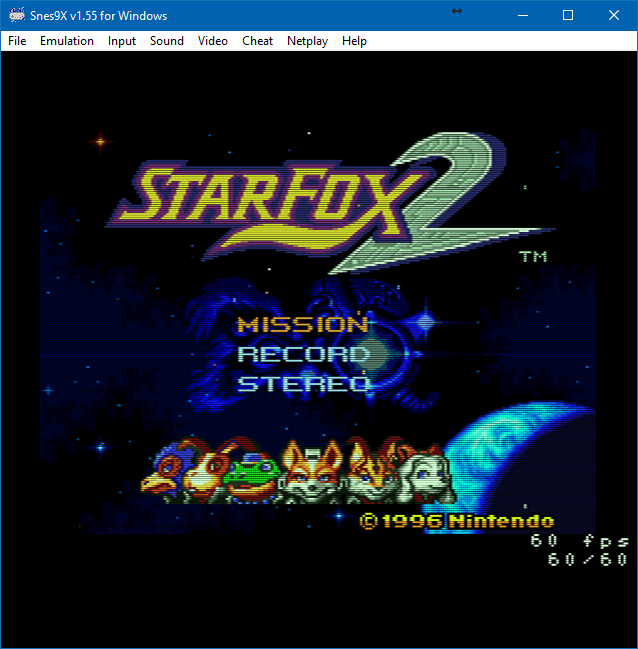
Une petite partie de Starfox 2 (SNES Mini Edition) ?


…ou peut-être un Secret of Mana Français iOS Edition ?


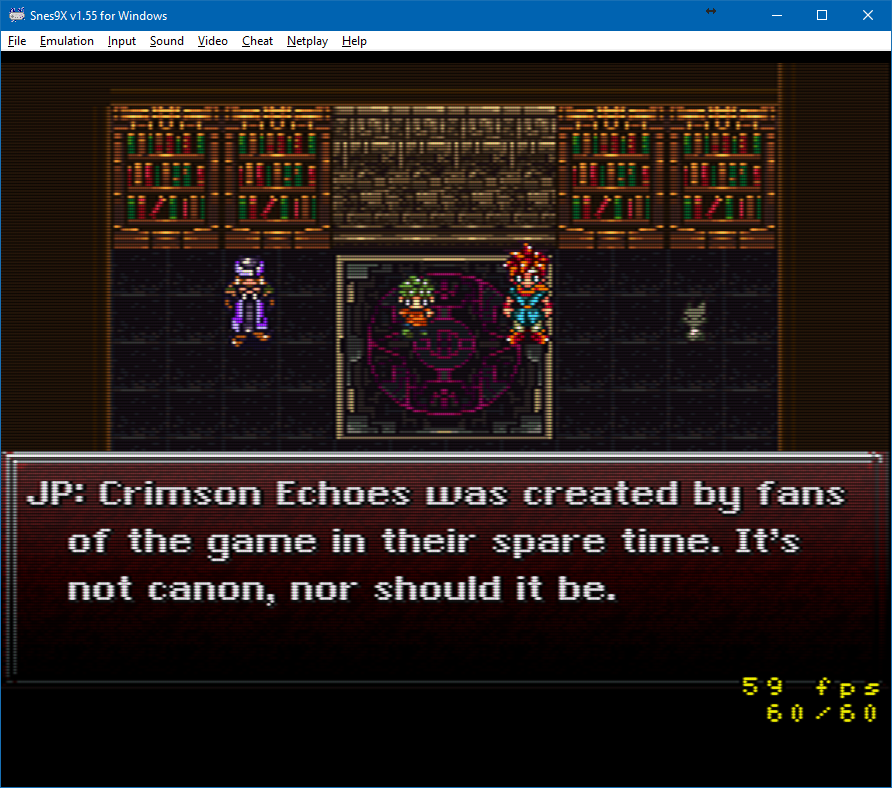
Laissez tomber, je vais me faire la suite non officielle de Chrono Trigger plutôt :p


Les changements depuis la précédente version:

– Fixes to cheat dialog
– New option to disable keyboard hotkeys for background input
– New hotkeys for loading/saving from file and mute
– Disabled hotplugging, new menu entry to manually detect new gamepads
– New cheat format, bml from higan (old cheats rest valid)
– NMI fix for super punch out
– New icon


Télécharger Snes9x TestBuild v1.63.1660 (8.1 Mo)

Site Officiel

En savoir plus…

Il s’agit d’un émulateur expérimental de Sony Playstation Vita pour Windows et MacOS, émulant quelques homebrew et autres démos.
 
Toutefois un premier jeu du commerce nommé « Gal Gun: Double Peace! » commence à faire apparaitre quelques graphismes, ce n’est que très préliminaire bien entendu.


Attention, le binaire fournit n’est pas encore celui permettant le boot de Gal Gun.
 
Site source (et builds automatiques).
 

Télécharger Vita3K v0.2.1 (2026/11/15) (36.5 Mo)

Site Officiel

En savoir plus…

Un émulateur de Nec PC8801MA pour Windows.


Télécharger PC8801MA (2019/03/12) (381 Ko)

Site Officiel

En savoir plus…

Voici les derniers émulateurs (et aussi les plus fréquemment mis à jour) en cours de développements.


VDosplus: Emulateur de DOS.

Citra: Emulateur de 3DS.

Decaf: Emulateur de WiiU.

RPCS3: Emulateur de Playstation 3.

Redream: Emulateur de Sega Dreamcast.

CXBX: Emulateur de Microsoft X-Box.

Xenia: Emulateur de Microsoft X-Box 360.

Cen64: Emulateur de Nintendo 64 Préliminaire.

Yuzu: Emulateur de Nintendo Switch Préliminaire.

Ryujinx: Emulateur de Nintendo Switch Préliminaire.

Vita3K: Emulateur de Sony PS Vita Préliminaire.


Télécharger vDosPlus (2018/03/01) (1.8 Mo)

Télécharger Citra (Final build) (2024/03/07) (140 Mo)

Télécharger Decaf-Emu Build 231109 (40.8 Mo)

Télécharger RPCS3 (WIP) v0.0.43 Alpha (2026/11/15) (35.5 Mo)

Télécharger Redream v1.5.0.1239 (3.1 Mo)

Télécharger Xenia v1.0.2844 (2026/11/15) (3.9 Mo)

Télécharger CXBX Reloaded v0.1.0 (1.3 Mo)

Télécharger Cen64 (WIP) (2022/10/02) (2.6 Mo)

Télécharger Cen64 (Debugger) r2015.01.18 + (DEV) r2017.04.23 (3.4 Mo)

Télécharger Yuzu (Final WIP build) (2024/03/xx) (112 Mo)

Télécharger Ryujinx Build 1.1.1403 (190 Mo)

Télécharger Vita3K v0.2.1 (2026/11/15) (36.5 Mo)

Il s’agit d’un fork de DOSBox des plus intéressant, destiné à Windows Linux et MacOS et créé par Jon Campbell. Il possède une compatibilité excellente et met l’accent sur la précision d’émulation notamment en ce qui concerne l’émulation de Windows 3.x à ME. En outre il ajoute des améliorations en provenance d’autres builds comme DOSBox ECE avec l’émulation de la 3DFX en interne.


Les améliorations sont les suivantes:

  • Resizing the window in SDL 1.x Windows builds
    fixed to work correctly in the latest build
    (1803) of Windows 10. Prior to this fix, resizing
    the window on that build would quickly hit a deadlock
    that prevented the user from moving or resizing the
    window again after that point.
  • PC-98 dosbox.conf option added to select between
    accurate key/shift mapping, vs an alternate mapping
    appropriate for US keyboards (Yksoft1)
  • SDL 1.x for Linux/X11 modified to differentiate
    Ro and Yen keys despite X11 xkbmap apparently
    mapping both to the backslash. The keymap is
    queried to detect the scancodes at startup
    in order to return the correct SDLK constant.
  • SDL 1.x and DOSBox-X mapper code updated to
    correctly map Ro, Yen, @ ^ ; : keys on a JP
    keyboard in Windows and Linux.
  • PC-98 keyboard BIOS handling updated to generate
    ASCII codes according to PC-98 layout, instead
    of by US keyboard layout.
  • Mapper updated to support @ (at sign) key,
    ^ (caret) key, and a few other keys that
    exist on JP keyboards.
  • « Hold » modifier for mapper bindings fixed.
    It is now possible to tap the key again to
    release the hold.
  • VHD differencing disk support added (Shane32)
  • INT 18h AH=0Ah updated to support 20-line
    text mode. Some games use the 20-line text
    mode to space the text out vertically.
    Such games will display correctly now.
  • INT 18h now maintains text layer state
    in BIOS data area byte 0x53C, just as
    the actual BIOS does.
  • Added PC-98 INT 18h function AH=0Ah and
    AH=0Bh to support BIOS calls that enable
    « Simple Graphics » mode. This fixes
    problems with other games having vertical
    lines over the graphics, even though
    these games do not appear to use the
    simple graphics at all. (yksoft1)
  • Added support for PC-98 « Simple Graphics »
    mode of text layer attribute bit 4. When
    enabled, the attribute bit 4 changes
    meaning from vertical line to a bit
    indicating that the 8-bit character is
    a low resolution 2×4 bitmap to be
    displayed in the text layer. This fixes
    score and status display in Carat.
  • PC-98 INT 18h now implements AH=31h to
    report CRTC, text and graphics state and
    24khz/31khz video mode selection. This
    fix allows some games including Touhou
    Project to pace it’s gameplay correctly
    in either video mode.
  • MinGW HX DOS builds default to host key
    F12 again
  • PC-98 mode now offers selection between
    24khz and 31khz video modes (yksoft1)
  • KEYB.COM fixed to load only the fonts the
    ROM BIOS has allocated. This fixes a guest
    system crash if using KEYB.COM with
    machine=ega
  • Moved host key to F11 for Windows. F12 is
    already taken by some internal debugging
    voodoo within Windows itself.
  • DOSBox-X codebase now strongly encourages
    compilation with C++11, will become
    required soon.
  • BOOT command fixed to make it possible to
    IMGMOUNT multiple floppies to drive 1, and
    boot from another disk in drive 0. This
    should enable the use of DOSBox-X with
    PC-98 games that expect to boot from drive
    A and the user to rotate through floppies
    in drive B.
  • IMGMOUNT fixed to support mounting with no
    filesystems and multiple disk images, and
    using the « swap floppy » command to rotate
    through them.
  • Added options to BOOT command that allows
    specifying multiple disk images and an option
    that says to swap disk images only through
    one drive.
  • VHD dynamic support added (shane32)
  • INT 10 AH=9 background color fixed in 256-color
    VGA modes.
  • Intro text updated to reflect new default
    key bindings.
  • Mapper shortcuts not in common use now exist
    without any default binding, and most existing
    default bindings are now associated with the
    « host » key.
  • Added 4th modifier « host » key to the mapper.
    This « host » key is F12 by default. The intent
    is to eventually move most mapper shortcuts
    to some combination of F12 and another key,
    rather than many shortcuts scattered over the
    keyboard. Existing dosbox mapper files should
    continue to work.
  • Renderer and 32bpp VGA display code fixed to
    reorder RGBA order for correct display on Intel
    Mac OS X systems. Mac OS X, on Intel systems,
    uses a strange BGRA 32bpp format that requires
    some adjustment on our part to display correctly.
  • Added more 24bpp INT 10h VESA BIOS modes.
  • Removed per-sector debug messages from VFD/FDD
    image support code.


Télécharger DOSBox-X (Hx DOS) v2026.10.01 (9.7 Mo)

Télécharger DOSBox-X (LowEnd) v2026.10.01 (19.6 Mo)

Télécharger DOSBox-X (MinGW) v2026.10.01 (24.1 Mo)

Télécharger DOSBox-X (Visual Studio) v2026.10.01 (28.9 Mo)

Site Officiel

En savoir plus…

Créé par Avery Lee (l’auteur de VirtualDub), il s’agit d’un émulateur d’Atari 8 bits (800/800XL/130XE) disponible en 32 et 64 bits. Il dispose de beaucoup d’options ainsi que d’une bonne compatibilité. Il prend en charge les jeux protégés conformément à l’émulation. Il s’agit d’une version de développement au stade de béta.


Topic des versions Beta.

Télécharger Altirra (Beta) v4.50 Test 28 (7.7 Mo)

Site Officiel

En savoir plus…


https://getourbonus.com/fr/accueil

https://www.romspedia.com/