Le premier émulateur de Sega Model 3 créé par Bart Trzynadlowski, Ville Linde et Stefano Teso dans sa version de développement (voir ici) [source].
Les changements: svn 726
– Parse siblings after children. It’s the only way to get Daytona water fall to look correct without h/w poly sorting.
svn 725
– Added a stretch mode (-stretch) and modified new renderer’s viewport code (hopefully correctly) to handle aspect ratio correction and widening the way the legacy one does.
svn 724
– Render the opaque part of texture transparency in the first pass. Fixes numerous transparency related issues in lemans24 and some in ocean hunter. I don’t really know if this is the ‘correct’ way of solving this because the real3d pro-1000 is a complete black box. There is still a lot we don’t understand about how it handles transparency.
Ajout:
– correction des musiques dans sega rally 2 (mix) – correction musique 1er niveau 2joueurs (la cave rouge) dans vf3 (pas sûr de la modif, et donc cela peut éventuellement entrainer d’autre problèmes sonore sur d’autre jeux).(inclut officiellement)
Les fichiers sont compilés par spindizzi, merci à lui.
Voici ColEMu, un émulateur Colecovision tournant sous Dos et Windows développé par le célèbre Marat Fayzullin. Sachez que l’émulateur est très complet et qu’il a été développé en C, ainsi un certain nombre de portage ont pu être effectués, en vrac : Unix/X, Amiga, Dreamcast (…).
– Added battery-backed SRAM emulation (Lord Of The Dungeon works).
– Added « Hardware | 2kB SRAM » menu option to ColEm-Windows.
– Removed -noeeprom command line option, as useless.
– Added -sram command line option.
– Fixed saved state compatibility between 32bit and 64bit systems.
‘Xbox 360 Controller Emulator’ est une bibliothèque de wrappers qui traduit les appels XInput en appels DirectInput, et permet le support des pads non-compatibles XInput dans les applications (surtout des jeux).
En d’autres termes: x360ce vous permet d’utiliser n’importe quel pad dans les jeux qui supportent à la base uniquement le pad XBOX360 !
Emuloader default.el :
Default.el permet de diffuser la liste des jeux dont des records sont dans MAMESCORE avec le Front-end Emuloader. Placez default.el dans le répertoire « resources\favorites » de Emuloader.
Mamescore.ini :
Ce fichier permet de diffuser la liste des jeux dont des records sont dans MAMESCORE. Placez mamescore.ini dans le dossier « folders » de votre MAME (si ce dossier n’existe pas, créez-le!) Lancez ensuite MAME et vous découvrirez sur la gauche un nouvel icone « mamescore » contenant la liste des jeux.
Story.dat :
Conçu par DOCyoyo_49, ce fichier va permettre d’afficher dans MAME les records établis sur MAMESCORE. Utile pour avoir une idée des scores à battre et du niveau des joueurs.
Téléchargez story.dat et copiez-le dans le répertoire de votre MAME (le fichier doit se trouver dans le même dossier que l’executable de MAME).
Un joli frontend pour Mame (ou autres), très configurable. Emu Loader est une interface graphique qui se greffe principalement sur les émulateurs Arcade comme MAME, SEGA Model 2, SuperModel ou Daphne. Emuloader permet de gérer votre collection de roms, de vérifier vos jeux et de lancer vos émulateurs.
Il s’agit d’un ficher DAT regroupant plusieurs informations retraçant l’historique des avancées de l’émulation des jeux ainsi que des informations sur eux au sein de MAME (arcade/consoles/ordinateurs), il comporte également une section « tips and tricks ». En anglais.
Ootake est un émulateur PC-Engine en provenance du Japon et basé sur PC2E, tournant sous Windows 2000, XP, Vista, 7, 8 et 10. Il nécessite Direct X v9.0c au minimum.
– The display delay is removed by 1 frame.
– « Plus 2 frames delay » of Windows Aero(Windows Vista and 7) and Windows
8(8.1)/10 is also removed. Depending on the PC environment, together with
the above, 3 frames delay is removed.
– « Remove Lag 3F », « Remove Lag 1F », « Remove Lag 0F » was added to « Screen »
menu. You can toggle whether or not « the display delay reduction
processing » described above.
When « Remove Lag 0F » is selected, the same display delay as v2.87 or
earlier version of Ootake will be obtained. Switching « 3F » or « 0F » on Aero
(Win7/Vista) or Win8/10, I think that delays(lag) can be experienced with
shooting games and sports games.
+ In addition, I am planning to describe this delay reduction technology on
the Ootake official website soon.
http://www.ouma.jp/ootake/
– XInput compatible game pad can be used. By using Microsoft’s driver,
it was able to use it so far. In this version upgrade, if the input
responds of XInput earlier, it will take precedence.
– Backup RAM (Ten no Koe 2) file has been formatted to save only the
required 2KB. I think that this is probably interoperable with the save
data of Mednafen(wonderful emulator!). You can also read the 8KB file(
« _bram.dat ») saved in the past version and the backup RAM file(
8KB) of another older PCE emulator.
– Fixed a bug (occurred in v2.87) in which buttons IV to VI sometimes did
not work depending on the environment in 6-button pad compatible games.
– The timing approached the operation of the real machine. In
« Terraforming », the problem that the screen collapsed (occurred from
v2.81) has been resolved.
– In VS 2008 in my development environment, the setting at the time of build
prioritized the operation speed.
– Additionally, a detailed part has been improved and corrected.
Il s’agit d’une nouvelle version de Fightcade mais qui utilise le dernier FBA (0.2.97.4?) + GGPO pour le netplay. Celui-ci est basé sur la version originale de GGPO mais avec quelques améliorations.
Créé par Exzap, il s’agit du second émulateur de Wii U à être disponible au public mais le premier à pousser jusqu’à l’émulation de jeux commerciaux. Il peut décrypter les images Wii U qui utilisent le format Wud mais également les fichiers RPS ou RPL. La résolution interne peu aller jusqu’à 1920×1080 selon les jeux. A noter que pour le moment, un seul contrôleur est accepté, il s’agit du DRC (GamePad) de la Nintendo Wii U. Cette version n’est compatible que pour les Windows x64 (à partir de Windows 7) avec une carte graphique gérant OpenGL 4.1 ou supérieur et il faudra posséder 4 à 8 Go de mémoire vive (Ram) pour le faire fonctionner. (Correspondance ID-Titre).
En résumé: – Added friend list support
– Added native wiimote support
– Improved game list
– Bug fixes & various smaller improvements
En détails: # New in 1.12.0d:
– general: Fixed crash when selecting wiimote as emulated controller
# New in 1.12.0c:
general:
– Fixed graphic pack custom shaders sometimes not loading
# New in 1.12.0b:
general:
– Fixed a bug where wiimote input provider was not displayed in input settings
# New in 1.12.0:
general:
– Improved game list
– Added game icons
– Added ability to quick jump to an entry by typing the first letters
– Added ability to navigate with arrow keys
– Added columns for time played and last time launched
– Added option to create gameprofile (if it doesn’t exist)
– Sorting of entries is no longer case-sensitive
– Display a notification while the game list is being refreshed
– Game list no longer refreshes automatically when Cemu is restarted
general:
– Friend list support
– Covers most friend features that are used by games
– Wii U friend list app also supported and can be used to manage friends
– general: Faster loading time of Cemu when many graphic packs are installed
– general: Fixed syntax of settings.xml
– input: Added native wiimote support (as separate input provider)
– CPU/JIT: Added support for branches with a destination outside of the current scope of the recompiled function
– zlib(rpl): Added API compressBound
– nlibcurl: Fixed various bugs in multi_perform API
– nsysnet: Added API gethostbyaddr, NSSLAddServerPKIExternal
A noter que des packs graphiques haute définition sont disponibles ici. Ils permettent, entre autre, d’augmenter la résolution native des jeux car contrairement à Dolphin et parce que la machine est techniquement différente il n’est pas possible à Cemu d’augmenter la définition autrement que par cette méthode.
A l’inverse, des packs SD (définitions standards et/ou basses) sont disponibles sur ce lien et permettent à certains PC manquant de performance de lancer des jeux en 60 FPS.
Il s’agit d’un multi-émulateur qui gère les systèmes suivants avec une superbe interface très simple d’utilisation. Ordinateurs : Acorn Atom, Acorn BBC Micro, Acorn Electron, Commodore PET, Atari 8-bit, MSX Consoles : Atari VCS 2600, Atari VCS 5200, Atari VCS 7800, ColecoVision, Magnavox Odyssey 2, Sega Master System, Sega Megadrive, Mattel Intellivision Consoles portables : Atari Lynx, Sega Game Gear, Nintendo GameBoy
Vous aurez besoin de .NET Framework installé sous Windows. Pantheon est spécifiquement dédié aux jeux.
Le gros avantage est que ceux-ci sont téléchargés automatiquement en un clic sans que l’on ait besoin de faire quoi que ce soit d’autre. Il est bien dommage que Panthéon ne dispose pas de filtres, cela rend les jeux très pixelisés en raison des basses résolutions natives.
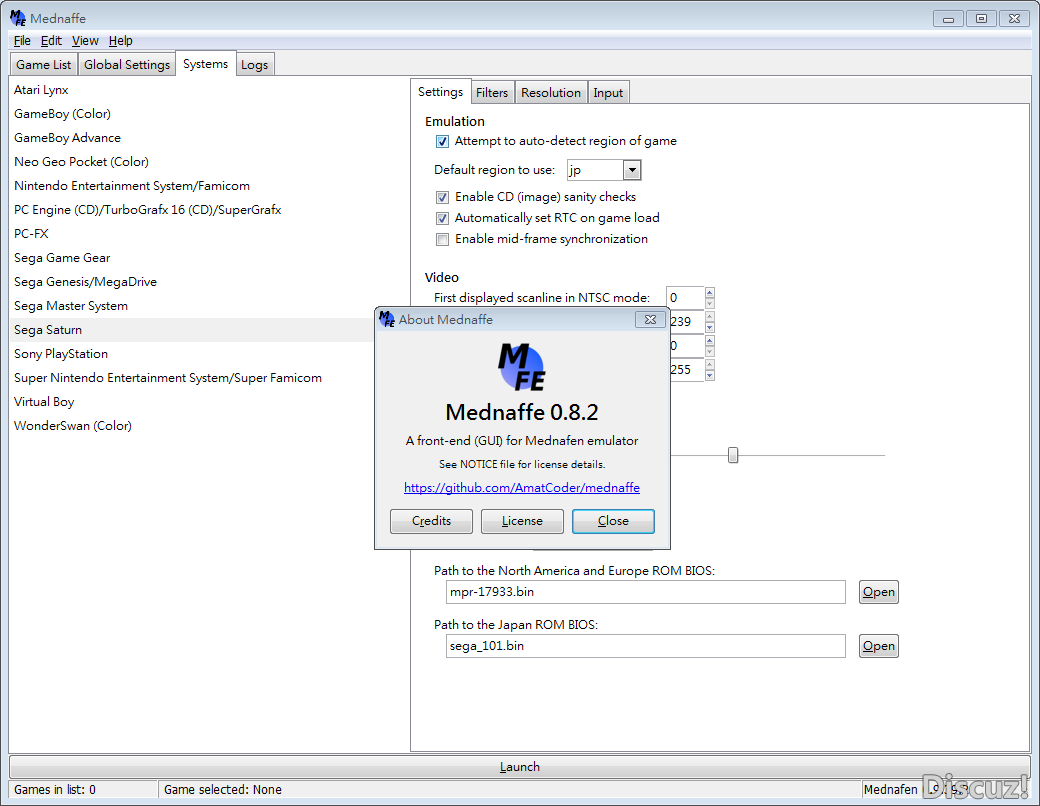
Il s’agit d’un frontend (interface) pour l’émulateur multi-systèmes Mednafen. Vous aurez besoin du module GTK+ pour le faire fonctionner.
– [Windows] Fixed left trigger not working using XInput controllers (Thanks to Pcegames for report and testing).
– [Windows] Fix to accept up/right D-Pad inputs in controller setup on some conditions (Thanks to SatoXa for report and testing).
– [Linux] Use the ‘MEDNAFEN_HOME’ environment variable when it is set (Patch by denisfa).
– Some minor fixes.
La dernière version béta publique de l’excellent WinUAE, l’émulateur Commodore Amiga. La traduction est signée Tradu-France.
– Added debugger ‘ex’ command: ‘e’ command with extended data: last value written and PC of CPU or Copper when value was written.
– UAEGFX RTG 15/16/24-bit graphics corruption fixed (b1).
– If multimonitor mode and aviout/screenshot: capture/record from window that has focus.
– Added horizontal doubling to Cirrus Logic emulation, enabled if screen height * 0.75 >= width. Keeps aspect ratio if CGX doublescan graphics mode is configured.
– Native screen OSD was drawn twice in some multimonitor configurations, also could have caused crashes or some other weird behavior.
Extended precision host FPU mode updates:
– Some FPU instructions used wrong precision.
– Supports divbyzero, underflow, overflow and inexact2 status bits and exceptions. Only in non-JIT FPU mode. (and no software really cares)
– FCMP uses softfloat comparison code if more compatible is enabled (FCMP can’t be directly mapped to host FPU), if not, it uses simple and quick test. (Difference: infinities, nans etc.. special cases only work in more compatible mode. No normal programs care, as usual)
– Uses softfloat routines for rarely used functions (most trigometric, fexpman, fscale etc). Previously: extended to double conversion -> c-library math function -> double to extended conversion. Which probably wasn’t noticeably faster.