Xebra est un émulateur Playstation d’origine Japonaise mais dont l’interface est disponible en anglais. Codé par Dr.Hell, ayant déjà sévit dans des plugins GPU compatible PSEmuPro.


Contrairement à Xebra, l’exécutable Arbex n’utilise pas de bios scph mais réalise une émulation HLE de celui-ci. Pour résumer, Arbex ne nécessite pas de bios puisqu´il utilise un bios HLE en interne.
 

Télécharger Xebra/Arbex r22.11.06 (672 Ko)

Site Officiel

En savoir plus…

Visual pinball est une suite logicielle sous windows. Visual Pinball est composé d’un émulateur, d’un simulateur et d’un éditeur. Celui-ci permet aux utilisateurs de créer ou modifier des tables de flippers. La particularité de Visual Pinball est l’import de sons externes et d’images, via le support de Visual PinMAME qui émule les roms originales (dont le support des différentes animations dans la fenêtre de score). Cette combinaison permet un rendu proche des véritables tables de flippers.


Les changements et les instructions d’installation sont visibles ici.


Télécharger Vpinball X v10.8.1 build 3788 (168 Mo)

Site Officiel

En savoir plus…

De la part de toute l’équipe, on vous souhaite un joyeux Noël plein de joie et de bonheur 🙂


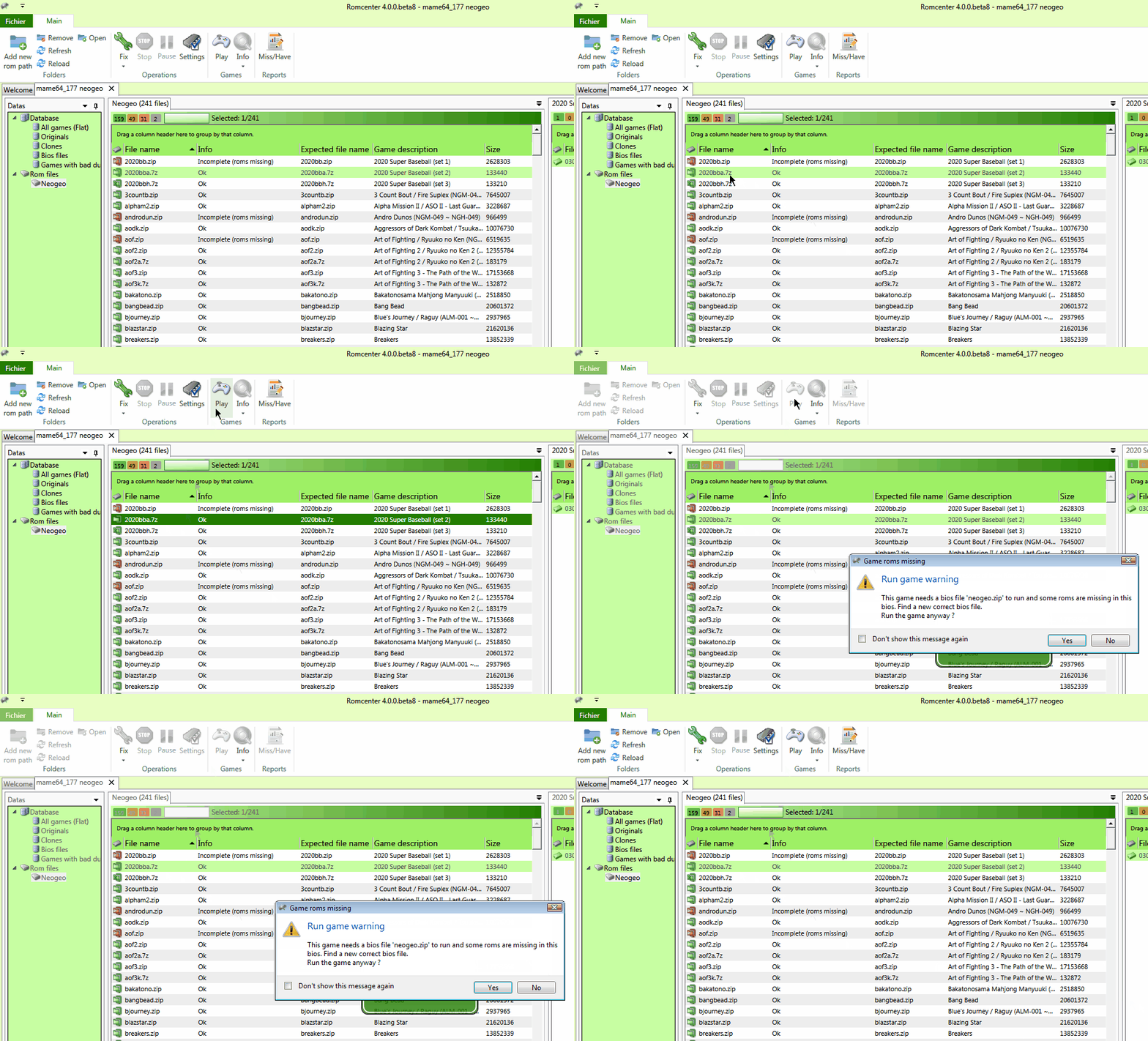
RomCenter est une très bonne alternative à ClrMAMEPro et plus accessible. RomCenter va vous permettre de gérer et d’organiser votre collection de jeux émulés sur votre PC. L’application met à votre disposition des outils de gestion très pratiques. Vous pourrez identifier les ROM défectueuses, portant un mauvais nom ou tout simplement manquantes et résoudre les problèmes en toute simplicité. Il s’agit de la version en cours de développement.
 
rc
 
Les changements depuis la RC 1.0 sont les suivants:
 
Here is a quick fix for the « operating system directive CreateFile failed » and « The underlying provider failed on Open » errors.
Big thank to bslenul for debugging that.


Télécharger RomCenter (beta) v4.0 RC1.2 (9,1 Mo)

Site Officiel

En savoir plus…

Sorte d’équivalent de MAME32 pour PinMAME. Cette version est un vrai portage de PinMAMEW sous Windows.


  • *** GENERAL ***
  • Extend and update some parts of the .txt documentation files
  • *** CORE/CPU ***
  • Add support for the Stern S.A.M. platform (e.g. Stern releases from 2006-2014), special thanks for improvements to the community, notably to Arngrim, CarnyPriest and especially DJRobX
  • Correct SP0256 speech for IDSA games (needs additional sp0256-al2.bin file to work (for Basketball and V-1, only the latter features speech though))
  • Fix reset / NMI handling for IDSA V-1
  • Fix Stern SB300 noise generator regression (and slightly improve sound over older implementation, but still not accurate)
  • Fix Rescue 911 (and maybe more: SFII, WCS, Shaq, mZOIS?) DMD brightness level mapping regression
  • Improve Punky Willy sound emulation
  • Fix sound for Taito Sure Shot (sounds awful, but like the real thing :)) and Mr. Black (Z-80 version still misses sound rom dumps though) (NMI line needs to be pulsed for these games)
  • Make speech work for Taito Vegas and Lady Luck – working around a strange PIA issue
  • Fix COP420 emulation, sound works now on Zira
  • Add emulation pause support for alternate sound
  • *** ROM SUPPORT *** Thanks to ipdb.org, Effect, Juan, Jubex77, JMan, Gore Daimon, Soren, barakandl, inkochnito
  • New:
  • MAC: MAC Jungle
  • Stern: S.A.M. System Flash Boot 1.02,1.06,2.10,2.3,3.1
  • World Poker Tour 1.03(English),1.05(English),1.06(English,French,German,Italian,Spanish),
    1.08(English,French,German,Italian,Spanish),1.09(English,French,German,Italian,Spanish),1.09-2(French),
  • 1.11(English,[English,French],[English,Italian],[English,Spanish],French,German,[German,French],Italian,Spanish)
  • 1.12(English,[English,French],[English,Italian],[English,Spanish],French,German,[German,French],Italian,Spanish),1.129(French)
  • 14.0(English,[English,French],[English,Italian],[English,Spanish],French,German,[German,French],Italian,Spanish)
  • Simpsons Kooky Carnival (Redemption) 0.90 New Jersey,1.03,1.05,2.0
  • Pirates of the Caribbean 1.08([English,Spanish]),1.09([English,French],[English,Italian],[English,Spanish],[German,French],
  • 1.10([English,French],[English,Italian],[German,French]),1.11([English,Spanish]),
  • 1.13([English,French],[English,Italian],[English,Spanish],[German,French]),
  • 1.15([English,French],[English,Italian],[English,Spanish],[German,French]),
  • 3.00([English,French],[English,Italian],[English,Spanish],[German,French]),
  • 4.00([English,French],[English,Italian],[English,Spanish],[German,French]),
  • 6.0 ([English,French],[English,Italian],[English,Spanish],[German,French])
  • Family Guy 2.00(English),3.00([English,Italian]),4.00(English,[English,German],7.00([English,French],[English,Spanish]),8.00([English,Spanish])
  • 10.00([English,French],[English,German],[English,Italian],[English,Spanish]),
  • 11.0 ([English,French],[English,German],[English,Italian],[English,Spanish]),
  • 12.0 ([English,French],[English,German],[English,Italian],[English,Spanish])
  • Spider-Man 1.30([English,French],[English,Italian],[English,Spanish],[German,French]),1.32,1.4(+[English,French],[English,Italian],[English,Spanish],[German,French]),
  • 1.42 BETA,1.6(+[English,French],[English,Italian],[English,Spanish],[German,French]),1.7(+[English,French],[English,Italian],[English,Spanish],[German,French]),
  • 1.9(+[English,French],[English,Italian],[English,Spanish],[German,French]),1.92(+[English,French],[English,Italian],[English,Spanish],[German,French]),
  • 2.0,2.1(+[English,French],[English,Italian],[English,Spanish],[German,French]),2.2,2.3,2.4,2.5,2.6,2.61,Vault Edition 1.00,Vault Edition 1.01
  • Wheel of Fortune 1.0,2.0(+French,German,Italian),3.0(+French,German,Italian,Spanish),4.0(+French,German,Italian),
    4.01(Spanish),5.0(+French,German,Italian,Spanish)
  • Shrek 1.3,1.41
  • Indiana Jones 1.13(+French,German,Italian,Spanish),1.14(+French,German,Italian,Spanish),
    1.16(+French,German,Italian,Spanish),2.1(+French)
  • Batman – The Dark Knight 1.5,1.6,2.0,2.1,2.2,2.4,2.9,2.94,3.00 Home Edition/Costco
  • CSI: Crime Scene Investigation 1.02,1.03,1.04,2.0,2.1,2.3,2.4
  • 24 1.3,1.4,1.44,1.5
  • NBA 5.0,6.0,7.0,8.01,8.02
  • Big Buck Hunter Pro 1.4,1.5,1.6,1.7
  • Iron Man 1.0,1.1,1.2,1.4,1.6,1.81,1.82,1.83(+Vault Edition)
  • Avatar 1.01LE,1.06,1.1,1.2LE,2.0 New CPU
  • Rolling Stones, The 1.0LE,1.03,1.05,1.1,1.1LE
  • TRON: Legacy 1.0LE,1.10,1.1LE,1.2,1.3LE,1.4,1.4LE,1.5,1.6,1.7,1.74,1.74LE,1.7402 New CPU
  • Transformers 0.88LE,1.0LE,1.2,1.2LE,1.3LE,1.4,1.4LE,1.5,1.5LE,1.6,1.7,1.8,1.8LE
  • AC/DC 1.21,1.25,1.3,1.4,1.5,1.5LE,1.52,1.52LE,1.6,1.6LE,1.61,1.61LE,1.63,1.63LE,1.65,1.65LE,1.68,1.68LE
  • X-Men 1.0,1.02,1.04,1.05,1.2LE,1.21LE,1.22LE,1.23LE,1.24LE,1.3,1.3LE,1.5,1.5LE,1.51,1.51LE
  • Avengers, The 1.1,1.2LE,1.4,1.4LE,1.7,1.7LE
  • Metallica 1.03,1.05,1.06,1.12,1.13,1.13LE,1.16,1.16LE,1.2,1.2LE,1.22,1.22LE,1.5,1.5LE,1.51,1.51LE,
    1.6,1.6LE,1.63(+LED),1.63LE,1.64,1.64LE,1.7,1.7LE
  • Star Trek 1.2,1.3,1.4,1.4LE,1.41LE,1.42LE,1.5,1.5LE,1.6,1.6LE,1.61,1.61LE
  • Mustang 1.2,1.3,1.3LE,1.4,1.4LE(+Boss),1.45,1.45LE(+Boss)
  • Walking Dead, The 1.05,1.11,1.11LE,1.19,1.19LE,1.24,1.24LE,1.25,1.25LE,1.28,1.28LE,1.41,1.41LE,1.53,1.53LE,
    1.56,1.56LE,1.60.0,1.60.0LE
  • Correct Dumps:
  • Bally: Creature from the Black Lagoon (L-3 and D-3 use SL-1 sound ROMs)
  • Judge Dredd (use L-3 Sound ROMs for corrected Deadworld sounds on machines without working/modified lock)
  • Joctronic: Punky Willy
  • LTD: Space Poker (corrected one more byte in the patched ROM)
  • Playmatic: Zira (sound ROM is actually 2K wide and contains the same code twice)
  • Taito: Sure Shot (fixed bad DAC data offset in ssh_s3.bin)
  • Clones:
  • 301/Bullseye (normal pinball scoring)
  • A.G. Football (R07u & R18u) (exact clone of A.G. Soccer-Ball)
  • A.G. Soccer-Ball (R07u)
  • Bubba the Redneck Werewolf (unofficial MOD of Hollywood Heat)
  • Creature from the Black Lagoon L-2 & D-2
  • Demolition Man LX-4C (competition MOD)
  • Demolition Man H-5C (competition MOD)
  • Demolition Man H-6C (competition MOD)
  • Dirty Harry LF-2
  • Eight Ball (Older version)
  • Getaway: High Speed II, The L-5C (competition MOD)
  • Junk Yard 1.2C (competition MOD)
  • Meteor (Bugfix)
  • Orbitor 1 (No Timed Game)
  • Rambo (unofficial MOD of Raven)
  • Star Trek: The Next Generation LX-7C (competition MOD)
  • Star Wars 20th Anniversary 1.07 Spanish
  • Striker Xtreme 1.01 Italian
  • Time Warp L-3
  • Trident (Newer version, previous trident set was renamed to tridenta)
  • *** VPM ***
  • – New method for the Controller object:
  • HRESULT SoundMode([out, retval] int *pVal); – Get sound processing mode, e.g. 0 = standard builtin PinMAME emulation, 1 = builtin alternate sound file support, 2 = external pinsound, 3 = external pinsound + psrec sound recording
  • HRESULT SoundMode([in] int newVal); – Set sound processing mode, e.g. 0 = standard builtin PinMAME emulation, 1 = builtin alternate sound file support, 2 = external pinsound, 3 = external pinsound + psrec sound recording


Télécharger Visual PinMAME v3.0 (22,4 Mo)

Site Officiel

En savoir plus…

Créé par Steve Kwok en à peine une année (!), cet émulateur de Sega Saturn appelé Nova est capable d’exécuter plusieurs jeux commerciaux, mais il est encore à ses débuts. Nova est écrit en C ++ 11, et a comme objectif d’atteindre le même niveau que les autres émulateurs de console domestique.
 
Nova a donc été écrit à partir de zéro et en UNE SEULE ANNÉE, mais son écriture est inséparable de la recherche et contribution de nombreux auteurs d’émulateurs.
 
Nova ne prend actuellement pas en charge les jeux à partir du lecteur de CD-Rom, mais en revanche il lit les formats d’images de CD suivant: .cue, .mds, .ccd, .bin.


Changement de la 0.1.7:
– VDP2: Added byte access of cycle pattern registers(Sengoku Blade).
– SCSP: Implemented a new algorithm for MIBUF and MOBUF of MIDI.
– SCSP: Implemented cancellation of MIDI input/output interrupts.
– MISC: Added command FLAGS for the CUE parser.

– SCSP: Refactored INTC.

– VDP2: Fixed VRESO bits of TVMD register when its value is 2 or 3.
– VDP2: Fixed a bug of sprite shadow(Suiko Enbu).
– CDB: Fixed the pickup reset of CdPlay command, Steam-Heart’s plays BGM properly now.
– MISC: Fixed the wrong file offset of the CUE parser(single BIN).

 
La traduction est assurée par Tradu-France, à noter qu’une liste de compatibilité est disponible ici.


Télécharger Nova v0.7 (1.9 Mo)

Télécharger Nova (Français) v0.6 (697 Ko)

Site Officiel

En savoir plus…

Nplayers : Exclusivement pour les frontends comme EmuLoader, MaLa etc.. ce fichier vous servira à classer les jeux par nombre de joueurs possibles : 1p, 2p, 1p+2p, 1p+2p alt, etc…


Nplayers32 : Exclusivement pour MameUI ou clone de celui-ci… ce fichier vous servira à classer les jeux par nombre de joueurs possibles : 1p, 2p, 1p+2p, 1p+2p alt, etc…


Télécharger Nplayers v0.278 (303 Ko)

Site Officiel

En savoir plus…

Madrigal CD Collection regroupe spécifiquement la totalité des simulateurs de Madrigal. Ce set est en complément au « Handheld Remakes (Simulators) » afin de respecter le nom d’origine des simulateurs de Madrigal.
 
madrigalfull


Merry Christmas everyone! Ho! Ho! Ho!
 
What better way to celebrate than playing your favourite classic videogames under the Christmas tree? And when they are completely free, the games play even better! 😀
 
As announced a few weeks ago, I am today releasing my very own re-interpretation of Nintendo’s most iconic pocket game: Donkey Kong Multi Screen.
 
This « Special Edition » application simulates the gameplay of the old classic Game & Watch with a few minor changes. Even though the gameplay is almost the same, the graphics and audio experience is quite much improved: everything has been re-designed from scratch!
 
The game features four stages, each with custom-made images and sounds effects. Tweaking the included « config.ini » files, you have the power to create and add your own images, remove any of the existing, change the order of the stages, make the game play your own sound effects, or… whatever you have in mind! 🙂
 
The included stages are listed below:
 
1. « Sunset City » features black LCD graphics on a black skyscraper on a cityscape background. The graphics is an adaptation of the beautiful DK Wallpaper designed by Old Game Box a few months ago.
2. « Panorama Screen » is inspired by the beloved colourful electronic games of the same series, released by Nintendo in 1983-1986. The graphics feature coloured sprites on a black background and show how the game would have looked if it was released as a Panorama Screen game.
3. « Coin Op World » utilises graphics from the classic arcade coin-op Donkey Kong (with adaptations from me). Sound effects also come from the original arcade game.
4. « Classic G&W » is the real pocket game displayed very realistically, to provide the real experience of having the game on your crowded desk. It utilises the photo of a real Game & watch as pictured by my long time friend Roberto Mayrhofer.
 
The below image shows two of the four settings and one intermission screen, shot at 1366×768. Note the game requires screen resolution of 1024×768 as a minimum, however the bigger the screen, the better! Best results are obtained on 1920×1200 desktops.


ClrMamePro DATfile ver. 20171224 [60.0]

Télécharger MADrigal CD Collection v63 (153 Mo)

Site Officiel

En savoir plus…

VMware vous permet de lancer plusieurs systèmes d’exploitation sur un même PC sans avoir besoin de partitionner votre disque et sans reboot. Vous pouvez facilement isoler et protéger chaque environnement, et bien entendu les applications et données qui tourne dessous. Il permet aux utilisateurs de configurer facilement chacun des systèmes d’exploitation, ce qui inclut un interface réseau complet, gestion de périphériques, partage de fichiers, copier/coller et annuler les changements fait durant un session. VMware permet aux « opérateurs » d’encapsuler et de manipuler chaque environnement, la possibilité de faire un retour arrière en redémarrant une application ou encore de déplacer un environnement a travers différentes machines configurées.


vmware

 
Les changements sont visibles ici. A télécharger ici.
 

Site Officiel

En savoir plus…

Il s’agit d’un fork de DOSBox des plus intéressant, destiné à Windows Linux et MacOS et créé par Jon Campbell. Il possède une compatibilité excellente et met l’accent sur la précision d’émulation notamment en ce qui concerne l’émulation de Windows 3.x à ME. En outre il ajoute des améliorations en provenance d’autres builds comme DOSBox ECE avec l’émulation de la 3DFX en interne.


dosbox-x
 

Les améliorations sont les suivantes:
 
#4
– MPU 401 IRQ is selectable
– Games testing
– Didn’t forget to include FREECG98.BMP this time
– Windows builds now include dosbox.reference.conf for your reference
 
#3
– Windows XP support cannot be maintained by myself, unfortunately. VS2015 and later have bugs in the runtime that prevent it, and I have better things to do
– Fix Linux-specific code appearing in Windows builds that erroneously converted all paths to use forward slashes on Windows. Oddly enough despite this mistake relative paths still worked on Windows 10

 
#2
– Integration device no longer announces itself through ISA Plug & Play (unless enabled in dosbox.conf)
– Internal code cleanup and reorganization. Several projects thrown in over time were disentangled from the main DOSBox-X source code to help keep the code organized.
– SDL2.x Windows builds fixed to reject emulated mouse clicks from the touchscreen, because it already handles touchscreen events itself. This fixes accidental « double clicking » when used with guest pointer integration and Windows 3.1.
– HGC/CGA (monochrome) paper-white option (basic2004)
– Game Blaster CMS frequency correction (basic2004)
– Fixed audio deadlock/hang problems with Linux, SDL 1.x, and PulseAudio
– BOOT command fixed to refuse to work in PC-98 mode. It will stay this way until enough BIOS calls are implemented to make booting a guest OS in PC-98 mode workable.
– SID frequency correction (basic2004)
– OpenGL double aspect ratio correction fixed
– OpenGL fixed to use hardware scaling properly, with interpolation
– Windows SDL 1.x: Output menu fixed to correctly indicate OpenGL vs OpenGL NB
 
#1
– Directories on the host that contain a file who’s name is non-representable in the guest no longer cause directory enumeration to fail entirely, all representable files will show up
– SDL 2 builds now use a different filename for the saved mapper file
– SDL 2 builds: mapper interface now responds to touchscreen as well as mouse
– « Overlay » output removed, there’s no point to having it
– Added WinPCAP headers, which also enables NE2000 emulation for Windows builds if WinPCAP is installed.


Télécharger DOSBox-X (Visual Studio) v2026.10.01 (28.9 Mo)

Site Officiel

En savoir plus…

Un plugin modifié par Jonnyleffe qui ajoute un ensemble considérable d’améliorations.
 

Interface changes:

– Cleaned up the resolution combobox

– You can now force 16/15 bits for the backbuffer (use this if you are on windows 8+ and you need more speed)

– Added proper aspect ratio handling
You need to set your monitor aspect ratio and the wanted aspect ratio (default is 16/9 and 4.2/3)
Note: this will work if the fullscreen resolution you choose fill the entire monitor
Example: monitor is 16/9, max res is 1280×720, you set 640×480 (and this fill the entire monitor) -> aspect ratio will work
Example: monitor is 16/9, max res is 1280×720, you set 640×480 (and this gets rendered in 4/3) -> aspect ratio will NOT work
It really depends on gfx card configuration/options for sub-resolutions, but you shuold be able to fix special cases if you play with numbers.
Window mode is always stretched now

– Added overscan top/bottom (pixels removed from the current internal psx resolution)

– Added 6xBRZ

– Removed 1:1 mode, it is silly to mantain imho 🙂

– Removed the transparent menu option -> replaced it with an option to ignore frame limit callbacks (epsxe turn off the plugin FL on startup and every time you press F4)
This can be useful if you want to use the plugin FL/FS, add F4 in the keys to send at startup and the job is done
(the internal audio plugin don’t like this btw, use another plugin if you want to do that)

– Changed some defaults in « Key configuration »

– The gpu infos function (INSERT key default) now show additional debug infos (the internal psx resolution can be useful for users)

– You can now send up to 7 keys to the emulator at startup (for example in epsxe F5 enable analog, F5-F6-F5 enable 2x analog, F4 remove fps limit)
epsxe sometimes ignore keys, try to play with the delay in this case

– Removed the debug option and replaced the F12 function with « cycle aspect ratio modes »

– Removed the scanlines options (they were bugged on my system(s)).

– Replaced fast/nice presets with a reset option

– Removed the copy to clipboard button (it was not mantained/complete anyway)


Internal changes/fixes:

– New registry key for options: « Software\Vision Thing\PSEmu Pro\GPU\PeteSoftMOD2 »
So you can keep other versions without messing up the configuration
(MOD2 was the internal name before release, the code is also full of MOD2!!! comments :p)

– Refactored the blitting code (blitters15.h, blitters16.h, blitters32.h, screenModes.h, *getBlit(), *getResize() needs to be aligned if you want to add new resize modes)

– Menu, gun cursor, messages from the emulators are now blitted in the backbuffer (the old way was slow when i started rising the backbuffer resolution for 3x+ modes)
A nice(?) side effect is that all those stuff gets resized in the blitting pipeline

– Fixed all nonworking resize modes (expecially 3x modes were repeatedly abused 🙂 )
Note: xBRZ works in 32 bit only (15/16 bit -> fallback to 1x)

– Removed the 512 width limit for resize modes (« iS » and other few 640xXXX games are now resized correctly)
(the limit can be changed via #define in the code – i was tempted to make the maximum width an option, so we can save video memory per game – but i feel it is not necessary)

– Removed an unneeded blit when using xBRZ (the last one) and reduced memory allocations in this mode
(i’m able to remove the 16->32 bit conversion too, but the code seems faster in this way… maybe something related to the cache?)

– FPS are shown in the window title now

– Fixed the DPI bugs in both window/fullscreen modes

– Fixed bad exit when you close from « x » or with alt+f4 (i send a virtual « esc » key for this – a bit hacky)

– Fixed alt-enter toggle (there should be no more slowdowns)
It seems that if you esc and after continue from epsxe, i’m no more able to obtain DDSCL_EXCLUSIVE | DDSCL_FULLSCREEN mode
This works correctly in epsxe 1.5.2, so i guess is something related to recent versions of epsxe

– Fixed bugs when you lose focus/alt-tab from fullscreen mode (i automatically switch in windows mode in this case)


Télécharger P.E.Op.S. Soft Driver Refresh (552,1 Ko)

Site Officiel

En savoir plus…

Un émulateur de puce sonore OPL3.
 
Le Yamaha YMF262, également connu sous le nom OPL3 (OPL est un acronyme pour FM Operator Type-L), est une puce de synthèse FM publiée par Yamaha Corporation en 1988. Il s’agit d’une version améliorée du Yamaha YM3812 (OPL2). Il a été utilisé dans un certain nombre de cartes son IBM PC, y compris Sound Blaster 16 et Pro AudioSpectrum (16 bits).


Télécharger Opl3emu (x86) (27/09/2020) (3.8 Mo)

Télécharger Opl3emu (x64) (27/09/2020) (2.0 Mo)

Télécharger Opl3emu (WIP) (24/08/2018) (1.3 Mo)

Site Officiel

En savoir plus…


https://getourbonus.com/fr/accueil

https://www.romspedia.com/