Il s’agit d’un émulateur d’Amstrad CPC (et compatibles) pour Windows.


– Gate array : MMR Corrected : If a 128k config is set, only 128k are available.
– Gate array : Corrected access to MMR and MMR through PAL
– Gate array : Mode 3 is handled
– Monitor : Change the function used for adjustement on HSync : Use a square root instead of a log, to make some demos more stable (« Camembert 4″ demo for example)
– Timings : Adjust some timings for out command. « From scratch » demo now display correct colours at the correct place
– FDC : Reset is (really) fixed. It no longer set the FDC in a state that prevent it to be used
– FDC : Add delay during track change
– General : Load the Xinput lib in the code, to avoir non runing app on some XP systems.
– General : Screenshot option added
– General : Speed limit is more configurable, from 50% to no-limit
– General : Some code optimisations
– General : Screen size can change (from « full PAL display » to « standard CPC screen »)
– General : Directories problems have been solved. It is now possible to drag’n’drop dsk file to a sugarbox shortcut (or to associate dsk with sugarbox)
– Sound : Volume slider added
– Sound : Mute option added
– Sound : Record is flushed, so the file is not only written at the end of the recording
– GUI : Current track number is displayed
– GUI : Add a « scanline » option
– GUI : Add nice icon for sound and disks
– GUI : Added Screenshot, settings and reset icons
– Startup : Associating « dsk » with sugarbox offer the possibilitty to load disk directly


Télécharger SugarBox v0.17 beta (499,8 Ko)

Site Officiel

En savoir plus…

RPCS3 a pour objectif de devenir un émulateur de Playstation 3 complet même s’il reste un chemin énorme avant d’y parvenir. Pour le moment il fait principalement office de désassembleur, la première marche vers un début d’émulation. N’espérez donc pas jouer à un jeu commercial avant longtemps, toutefois il commence à exécuter quelques jeux amateurs.


Télécharger RPCS3 (32 bits) v0.0.0.4 (2014/06/02) (3.1 Mo)

Télécharger RPCS3 (WIP) v0.0.43 Alpha (2026/11/25) (35.6 Mo)

Site Officiel

En savoir plus…

Il s’agit d’un émulateur Sinclair Zx Spectrum supportant les modèles 16/48/128k et +2/+3. Il émule le lecteur de cassette et est compatible avec les fichiers aux formats TZX, SNA, Z80 et TAP. Il gère le son, le Basic, etc. Pour bénéficier de toutes les fonctions, il faut s’enregistrer sur le site officiel.


Télécharger Zx Spectrum 4 .NET v1.0.5172 Build:15846 (1,3 Mo)

Site Officiel

En savoir plus…

Il s’agit d’un émulateur Sinclair Zx 81 basé sur VB81 v1.30 de Chris Cowley.

A l’origine, le but était d’ajouter quelques fonctionnalités (screenshots…) puis au fur et à mesure plusieurs périphériques ont été implémentés, et des fonctionnalités partielles du ZX81 ont été ajoutées.

 
Et oui, pour certains c’est le 29 ^^


Télécharger VB81 XuR (2014/02/29) (2,1 Mo)

Site Officiel

En savoir plus…

SSE pour « Steven Seagal Edition » est un émulateur d’Atari ST basé sur le STeem original v3.2 de 2004. Il emprunte également des améliorations en provenance de Hatari.


Télécharger Steem SSE v3.6.0 (1,5 Mo)

Site Officiel

En savoir plus…

Une news majeure pour le monde de l’émulation Arcade.


La nouvelle version de ce fantastique bios pour Neogeo/MVS est enfin disponible,
Ce bios, bien qu’à priori destiné au véritable hardware d’arcade, fonctionne également très bien dans les émulateurs, et comporte des fonctionnalités qui vont plus loin que les « simple » cheats, tels que le mode debug, activation du sang… et simple d’utilisation.


imageimage2


Les nouveautés et changements sont les suivants :


New Controller support
———————-

Added full four player support to the unibios if relevent hardware detected.
This allows Kizuna to be played in 4 player mode without requiring cheats.
HARDDIP 2 must be ‘ON’ when using MVS hardware, not required for AES.

The AES controller test (2up ABCD) is no longer accessable from MVS hardware
due to lack of exit option, use the hardware test (test mode) instead.

Added a four player controller test which will automatically show in the
standard ‘2up ABCD’ controller test if the four player hardware is detected.

Added a Mahjong controller test which will automatically show in the standard
controller test if a mahjong controller is detected. Press ABCDE on the
mahjong controller to enter test. This code works on either joy1 and joy2.

MVS test mode improovments
————————–

HardDIP 3 (use mahjong controller) now shows on HardDIP screen.
Improoved visibility of active DIPs in the HardDIP screen.
4UP controller I/O test added if adapter detected and HardDIP 2 on.
Mahjong controller I/O test added in test mode if HardDIP 3 on.
Improoved I/O test layout and visibility.

The memory card check in the test mode hardware test does not delete data from cards
up to 16kb in size. This was also in 3.1 also but forgot to list it in whats new.
Fixed crash during the memory card test if the game in system is either Puzzle
Bobble or Puzzle Bobble 2.

Fixed rare curruption issue when drawing the red cursor in main menu.

Hiscore saving changes and fixes
——————————–

High Score loading from memory card now works for all games in a multislot system.

High Score saving now supported in the following games;
Pop n Bounce, Spin Master, Quiz King of Fighters, Zupapa, Zintrick,
The Irritating Maze, Chibi Marukochan Deluxe Quiz, Soccer Brawl,
Legend of Success Joe, Temco World Soccer.

Fixed High Scores (shown during gameplay) in the following games;
Viewpoint, Fight Fever, Mutation Nation, Ninja Combat.
(You must also delete any v3.1 created H.S. saves for the following)
Art of Fighting, Art of Fighting 2, Ghost Pilots.

Fixed High Score saving in KOF2001 (delete v3.1 created HS save).
Fixed High Score saving in Neo Drift Out (delete v3.1 created HS save).


Changes

Changed the way DebugDIPs are handled.
On multislot hardware DebugDIPs are now cleared on gamechange (DEV mode setting is remembered).
DebugDIP changing stopped for games known not to use them (solves high score curruption).

Changed the way hardware errors are displayed on screen.

Added ability to access PC-2-NEO from the ingame menu (move over ‘soft reboot system’
and move right.

Changed the AES hardware test button code to B+C+D. Also added a message before the
test starts so there is no confusion wether the test is running or not.

Changed the way overclock patches work on the ‘Max 330 Mega’ spinning splash logo.
Added overclock patches to stop curruption on the ‘Giga Power’ spinning splash logo.
Only exception is Real Bout Fatal Fury 2 which cannot be patched at this time.

On a multislot system in console mode you will no longer jump to the next game after
game over. Some games do not follow the rule, Shock Troopers 2 and Magical Drop 3
will jump to the next game regardless due to the way they are programmed.

Stopped ‘Your card is still inserted’ message when in console mode on MVS hardware
if using a memory card.
Stopped ‘Your card is still inserted’ message when in arcade mode on MVS hardware
if using a memory card with High Score saving enabled.

Stopped splash screen and main menu curruption from potential new NG:DEV.TEAM games.

Tweeked Jukebox init, now less chance of an ‘Error starting sound’ message.

Compressed the memory footprint in the bios of the cart crc database.

Added The King of Fighters ’97 Oroshi Plus 2003 the the crc database.


Fixes

Fixed ‘1UP coin move’ operation which was broke in v3.0 / v3.1. Option allows coin
in chute one to credit as coin in shoot two if 2up start held and region is USA.

Fixed region/mode saving when using a 16bit memorycard on AES hardware.
Fixed ingame menu color saving when using a 16bit memorycard on AES hardware.
Fixed disable splash screen not working when using 16bit memorycard on AES hardware.

Fixed lockup on AES SoftDIP page if game is Korean version of AOF3.
Stopped ‘NEXT PAGE’ showing in the AES SoftDIP settings page for some games.
Games with no softDIP handled better on AES SoftDIP page (vliner/jockeygp).

Fixed crosshatch screen not showing after a hardware error if no cart inserted.

Fixed 2020 Super Baseball cheats to work in all versions and regions.
Fixed AOF3 cheats which would sometimes stop working.
Fixed ‘Infinite’ spelling in the cheat menu (typo in version 3.1).
Fixed KOF94 game title not showing in the cheat menu.


L’auteur nous informe également que l’on trouve des versions « Fake » de son unibios 3.1 sur Ebay et sur certains forums. Ces versions entrainent des ralentissements pendant le jeu et des resets intempestifs. En bref, RDV sur le site officiel pour acheter la version officielle.


La 3.2 étant disponible moyennant finance, la 3.1 devient téléchargeable gratuitement.

Par ailleurs la 3.1 est à présent ajoutée dans le source de MAME.


Site Officiel

MedGui Reborn est une interface (Frontend) pour Mednafen sur OS Windows.


– Added Youtube per game video search
– Changed Boxart downloader (Now will perform a webrequest to retrieve pic image dimension) to perform a brutal download of downloaded bad picture
– Many bug fix
– Added a « Color Palette Maker » with any presets for only GB rom (not GBC), the button are located in GB setting tab.
* Palette presets folder are located into MedGuiR/palettes
* To make your palette presets in txt format you must use RGB RGB RGB RGB value in hex format Example nomenclature for old FB rapresentation: 9bbc0f 8bac0f 306230 0f380f


Inclus la version dédiée à Mednafen 0.9.33.


Télécharger MedGui Reborn v0.047 (7,0 Mo)

Site Officiel

En savoir plus…

Un émulateur multi-consoles qui émule en vrac: Game Boy (N&B/Color), Game Boy Advance, Nes, Lynx, PC Engine (TurboGrafx 16), SuperGrafx, NeoGeo Pocket, PC-FX, WonderSwan (N&B/Color), accessoires ps1…
Il s’agit d’une version en cours de développement.


– The XBox 360 controller’s « guide » button is now mappable and usable under MS Windows.
– Rewrote the simple interpolation pixel shaders to fix problems with diagonal lines of graphics distortion.
– Rotation(via ALT+O) no longer breaks the image horribly when used with a multiple-horizontal-resolution source image(emulation modules that can produce such an image include pce, pce_fast, pcfx, psx, and snes).
– Added support for per-module settings overrides(specified via placing settings in files named such as « nes.cfg », « pce.cfg », « pce_fast.cfg », etc.).
– Reduced the maximum supported sound output rate from 1048576Hz to a much more reasonable 192000Hz(significantly eases proper sound processing algorithm design and testing).
– Various debugger bugfixes and refactorings to fix design flaws; save-states should now work in step mode with PC-FX and PC Engine emulation without causing crashes.
– GB: Added support for entering « GameShark » cheats in the cheat interface.
– NES: Added support for entering « Pro Action Rocky » cheats in the cheat interface.
– PCE: Removed support for the « enhanced » PSG revision, and the default PSG revision setting is now « match »(HuC6280A for SuperGrafx games and HES playback, HuC6280 for everything else).
– PCE, PC-FX: Revamped sound resampling and processing to be much higher-quality.
– PS1: Added limited support for entering « GameShark » cheats in the cheat interface(not every code type is supported, and some cheats may not work properly).
– PS1: Improved accuracy(and quality) of the CD-XA ADPCM resampling algorithm per tests on a PS1.
– PS1: Reworked sector buffering and XA ADPCM playback per tests on a PS1; fixes problems with voice cutoff in « Breath of Fire 4 » and probably some other games, and fixes the corrupted boss graphics problem in « Captain Commando ».
– SNES: Added support for Game Genie codes.


Télécharger Mednafen (WIP) v0.9.33 (5,6 Mo)

Site Officiel

En savoir plus…

dgVoodoo est un glide wrapper. Pour simplifier grandement, ça émule une carte 3DFX qui va pouvoir gérer la bibliothèque propriétaire Glide (Glide 2.11, Glide 2.43, Glide 3.0). Quel est l’intérêt ? Jouer aux anciens jeux qui fonctionnent mal sur les nouvelles cartes graphiques (parce qu’ils ont été optimisés pour le Glide et non pour d’autres API telles que OpenGL ou DirectX) ou tout simplement utiliser un émulateur qui lui aussi utilise le glide. Cette version est destiné à Windows Vista/7/8 avec DirectX 11 d’installé et vous devez posséder une carte graphique (compatible DirectX Level 10.1) supportant les Shaders Model v4 ou v5.


Les changements sont:


2.3:

This won’t be easy because I suspended developing for a few months, but:
– First I refactored the code in order to any new driver component or renderer could be added easily
– Fixed some issues with multiple video cards/monitors. Now it works OK in a multi-videocard system (not so frequent usecase but I like if something is done well)
– Added first version of DirectDraw component to the driver
– Minor Glide shader modifications
 
2.2:

– Napalm build added
– Glide3 fixings: erroneous clip coord space handling
– Small bug related to lfb write with active pipeline, fixed
– Setup got revamped a bit


Télécharger dgVoodoo v2.3 (375,2 Ko)

Site Officiel

En savoir plus…

UME (Universal Machine Emulator) est le projet qui relie MAME et MESS (32 + 64 bits) dans un seul émulateur multi-usages.


Changements :

I was hoping that 0.153 would be out now with the u releases gone and a plan to possibly release full updates a little more often but it appears it is still some time away. This is understandable because there have been some fairly major bits of code restructuring under the surface over the last month and quite a few known regressions that needed fixing, so probably plenty of undiscovered ones too. For that reason this might not be the MOST stable UME build ever (I’m not sure, it might be fine, most of the major problems have been fixed) although it works for the recent additions at least.


Télécharger UME v0.152ex3 (43,5 Mo)

Site Officiel

En savoir plus…

Hardcade est un FrontEnd Multi-émulateurs pour borne d’arcade avec PC Windows intégré ou pour n’importe quel PC sous Windows. Il supporte les plus grand systemes de jeux d’arcade ainsi que les meilleures consoles de jeux qui ont connu l’age d’or des jeux vidéo. Hardcade permet de cacher windows et d’avoir une seule et unique interface pour jouer à vos jeux d’arcade et jeux de consoles favoris. Il se pilote entièrement avec le joystick ou/et le clavier.
Bien qu’adapté pour être utilisé dans une borne d’arcade ou dans un PC dédié à l’émulation, il peut être utiliser sur un PC de bureau ou familial afin de le piloter avec le joypad ou le clavier. Le développement de Hardcade est étudié spécifiquement pour chaque émulateur qu’il supporte. Son utilisation est très simple et conviviale. Sa configuration demande très peu de connaissances et peu de temps.


Les nouveautés sont les suivantes :

– Fixed a bug Ootake auto mode fullscreen change.
– Fixed a bug Demul fullscreen mode. FullscreenEmul was not created when starting a game


Télécharger Hardcade v3.1.0b (13,6 Mo)

Site Officiel

En savoir plus…

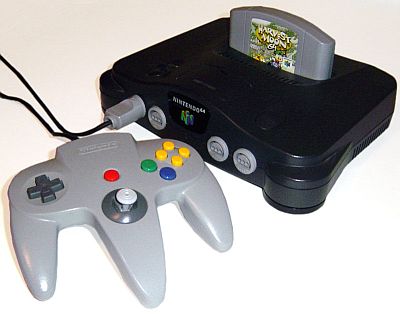
Une petite news pour signaler l’ouverture d’une section Nintendo 64 dédiée aux utilitaires principaux permettant de bidouiller les roms.


Nintendo_64


Ca se passe ICI

(Source : Merci à Emulation64.fr)


https://getourbonus.com/fr/accueil

https://www.romspedia.com/