AmiArcadia est le port amélioré de Tunix2001 ex ‘Win Arcadia 2001’ (par Gavin Turner) pour Amiga. Ecrit par James Jacobs et Gavin Turner, cette version est en fait le port Windows du port Amiga (un backport) !


Il émule les consoles basé sur la famille des Arcadia2001 : Bandai, Emerson, Grandstand, Hanimex, Intervision, Leisure-Vision, Leonardo, MPT-03, Ormatu, Palladium, Poppy, Robdajet, Rowtron, Tele-Fever, Tempest, Tryom, Tunix, etc.
 
Il supporte aussi l’Interton VC 4000 et l’Elektor TV Games Computer. Il nécessite Windows 9x/ME/NT/2000/XP et tourne aussi sous Vista/8/10.
 

Télécharger Win Arcadia (Ami Arcadia) v36.8 (9.9 Mo)

Site Officiel

bsnes-plus (ou bsnes+) est un fork de bsnes (basé sur bsnes-classic) destiné à introduire de nouvelles fonctionnalités et améliorations, la plupart visant au débogage. Il s’agit donc d’une version améliorée de bsnes 073 ou l’on retrouve donc l’ancienne interface ainsi que les anciens menus. Plus d’informations ici.
 
Il s’agit d’une version WIP (en cours de développement) dite « instable » basée sur les dernières sources GIT du projet.


Changements:
– backport Kishin Douji Zenki fix from bsnes v112.6
– some fixes

 
Cette version est compatible avec le pack de shaders disponible ici.
 
A noter que la version 32 bits n’est pas officielle (réalisée par Lo v2).
 

Télécharger bsnes-plus (x86) WIP v05.60 (2020/05/09) (7.6 Mo)

Télécharger bsnes-plus (x64) WIP v05.105 (2025/03/23) (12.5 Mo)

Site Officiel

En savoir plus…

Gearboy est un émulateur de Nintendo GameBoy / Gameboy Color écrit en C++ qui fonctionne sur iOS, Raspberry Pi, Mac, Windows & Linux.
 
L’accent a été mis sur la lisibilité du code source avec un haut degré de compatibilité.


Windows, Linux, macOS and Raspberry Pi 4:
– Full Debugger.
– Disassembler with breakpoints and debug symbols.
– VRAM inspector, including BG, OAM, tiles and palettes.
– Memory Editor.
– IO viewer.
– GBC color correction.
– Open rom using cli argument.
 

All platforms:
– Load game pad mappings from file.
– Several bug fixes.


Le builds 32 bits est compilé par Lo v2.
 

Télécharger GearBoy (64 bits) v3.8.20 (2.8 Mo)

Télécharger GearBoy (32 bits) v3.1.1 (13.5 Mo)

Site Officiel

En savoir plus…


Near (byuu) revient (déjà, ca doit être ça la passion^^) pour annoncer de nouveaux projets:
 
It was my intention to take a break from emulator development for a while, but unfortunately shortly after starting said break, a state of emergency was declared in Japan, leaving me with nothing else to do and stuck at home. During that time in April, I emulated the PC Engine CD to keep busy. And now the state of emergency has been extended until June. Once again being left with nothing else to do, I’ve decided to begin work on the Nintendo 64 and announce ares publicly.
 
ares is essentially going to be my personal project, and higan + bsnes will live on as open-source GitHub team projects. I have not worked out the details on when or how ares will be released, nor on how its changes may be integrated into higan. I wasn’t even intending to announce this at all prior to the lockdown extension.
 
Hopefully in June I’ll be able to scale back development again to just weekends for a while, and try to rest my hands and deal with my anxiety issues. But for now, it seems we’re back in business. So let’s get to it:
 
The PC Engine emulation is mature and already runs most games fully.


The Nintendo 64 emulation is in the very early stages, and so far only the CPU and RSP have been implemented (meaning no 3D graphics, which is the hardest part by far.)


I do not expect that the Nintendo 64 emulation will run at full speed once the RDP renderer is completed, and I am not even very confident that I will be able to emulate the RDP. I decided to work on the N64 as a personal challenge to try and grow my skills as a developer and learn how to write more efficient code for more demanding systems. My thought is that even in failure, I’m sure to learn a lot of new tricks that will be useful to me in my professional life. So please do not get your hopes up here.
 
I believe that’s all for now, but I’ll certainly have more to say in the future. Take care everyone, and thank you for your continued support!


Site Officiel

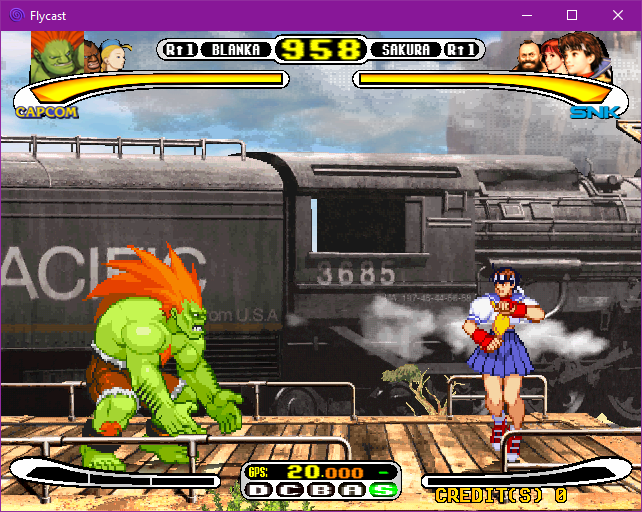
Flycast est un émulateur multiplateforme de Sega Dreamcast, Naomi et Atomiswave qui est basé sur Reicast. Informations ici.


Il prend en charge les jeux aux formats suivants:
– SEGA Dreamcast (CHD, CDI, GDI, CUE)
– SEGA Dreamcast utilisant WinCE
– SEGA NAOMI (.zip, .7z, .dat/.lst)
– SEGA NAOMI GD-ROM (.zip, .7z, .dat/.lst et .chd)
– Sammy Atomiswave (.zip, .7z)
 

Il ne prend pas encore en charge les jeux SEGA NAOMI 2, Hikaru et SEGA System SP.
 

Des packs de textures sont disponibles ici.


Builds automatiques (debug).
 

Télécharger Flycast v2.7 (9.4 Mo)

Site Officiel

En savoir plus…

Il s’agit d’un émulateur de Playstation. (Builds automatiques).
 
– Misc fixes etc.


Télécharger Avocado (x86) r784 (2.2 Mo)

Télécharger Avocado (x64) r784 (2.4 Mo)

Site Officiel

En savoir plus…

MedGui Reborn est une interface (Frontend) pour Mednafen sur OS Windows. Cette archive inclut MetroMed.


– On MedClient added a simple game list to start a netplay session on the fly
– Fixed scanlines trackbar value on sms
– Fixed selection of medguir menu style at first startup
– Changed and fixed popup boxart on the screen
– Autocheck internal browser under WINE
– Fixed advanced mednafen settings show form under WINE
– Fixed search game filter on combobox
– Cosmetic change on grid


Télécharger MedGui Reborn v0.127 (24.5 Mo)

Site Officiel

En savoir plus…

Voici, 4 ans après, une nouvelle version de cet émulateur de Playstation 2 dont voici les nouveautés:
 
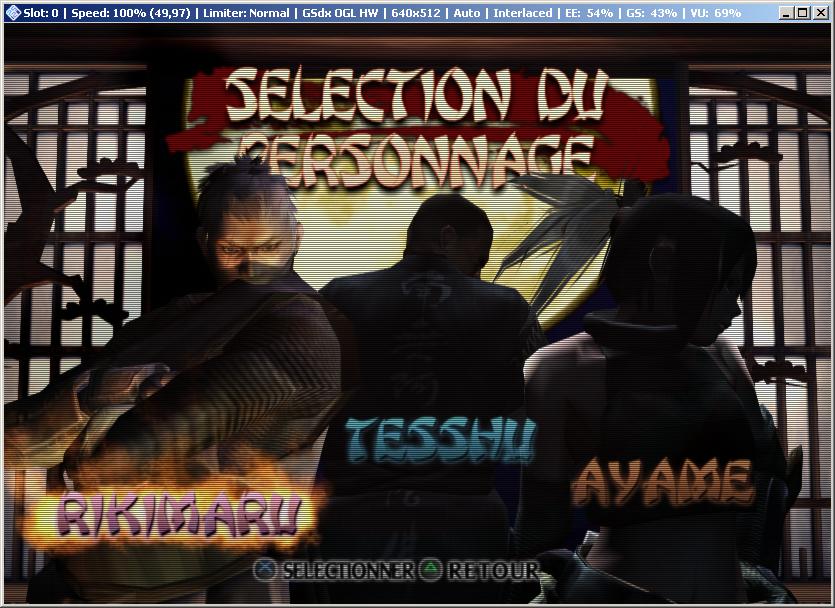
pcsx2
 

Q3,Q4 2019 - Q1 2020 Changes
GSdx changelog:
GSdx-HW: Improve search/invalidate texture in render target by correctly matching vertex offsetted draws with buffer offsetted reads in the texture cache.
GSdx-HW: Implemented Software Sprite Renderer feature which allows to CPU emulate (SSE accelerated) certain sprite draws directly from the HW renderer.
GSdx-HW: Added a dedicated fix for Big Mutha Truckers which allows to render the shadows properly. This also allowed us to reduce the crc hack level so there are less effects skipped.
GSdx-HW: Sprite Hack has been completely removed as it is no longer needed and is replaced by far better alternatives.
GSdx-FX: The TFX shader on Direct3D10/11 has been rewritten to match OpenGL code and its' accuracy for certain effects.
GSdx-D3D: Blend no Barrier support has been ported from OpenGL to Direct3D 10/11.
GSdx-GUI: Hardware hacks GUI has been updated for better usability.
 
SPU2-X changelog:
Fixed the noise generator outputting 4.8 kHz tone instead of white noise.
 
CDVD changelog:
PCSX2 now ignores non-existent disc sector reads.
 
Core changelog:
PCSX2: Prevent the UI from hanging/locking up when a game boots.
PCSX2-tas: TAS Recording functionality has been disabled for 1.6 release as there are some issues to work out (such as hanging/locking up the emulator).
PCSX2: DI execution is delayed by one instruction.
PCSX2: Reverted back to older VRender/VBlank timings.
PCSX2: Partially fixed IPU pack command.
PCSX2: Fixed the emulator hanging when pressing F4 too fast when toggling the Frame Limiter in some occasions.
PCSX2: Fixed the emulator hanging when pressing F9 to toggle rendering between Hardware and Software in some occasions.
PCSX2: Fixed the emulator hanging when pressing F9 to toggle rendering between Hardware and Software mode too fast.
PCSX2: First Time Wizard now properly selects the correct GSdx plugin based on the highest instruction set supported by the CPU.
PCSX2: Improved pointer patch command handling.
 
PCSX2 GUI changelog:
 
PCSX2: DPI scaling has been improved.
PCSX2: Translations have been updated for the release of 1.6.
 
Miscellaneous changelog:
GameDB: True Crime: Streets of L.A. (patched).
GameDB: The database has been once again updated with the inclusion of many games with required gamefixes, as well as removal of gamefixes which are no longer needed.
 
Q2 2018-Q2 2019 Changes
GSdx changelog:
GSdx-HW: Fix half-bottom screen issues on texture/color shuffling.
GSdx-TC: Palette management rework.
Gsdx-HW: implement fixed TEX0 for all renderers.
GSdx: OSD improvements and port to Direct3D10/11.
GSdx: Accurate Date update and partial port to Direct3D10/11.
GSdx-GL: Bypass the texture cache when the framebuffer is sampled.
GSdx-GL: Experimental Sparse Texture support.
GSdx-D3D: Improved palette support has been ported from OpenGL to Direct3D10/11.
GSdx-D3D: GPU accelerate 8 bits texture conversion port from OpenGL to Direct3D10/11.
GSdx-D3D: Depth Emulation port to Direct3D10/11.
GSdx-D3D: Channel shuffle port to Direct3D10/11.
GSdx-D3D: HDR Colclip blend port to Direct3D10/11.
GSdx-D3D: Accurate Blend Fbmask port to Direct3D10/11.
GSdx-D3D: Partial SW blending port to Direct3D10/11.
GSdx-D3D: Alpha hack has been removed completely, replaced with Blending Accuracy option.
GSdx-HW: Removal of MSAA support in favor of better optimizations and accuracy.
GSdx-HW: Removal of Direct3D9 renderer in favor of better optimizations and accuracy.
GSdx-HW: Removal of many no longer needed hacks.
GSdx-HW: Add Skipdraw Offset option for Skipdraw hack.
GSdx-GUI: GUI update to improve usability.
 
Core changelog:
PCSX2-TAS: Input Recording/Playback Functionality (speedrunning tools).
Vector Units: Fix bug in "Branch in Delay Slot" Optimization.
Recompiler: Fix stall in branch delay slot.
PCSX2: Improved GameDB handling.
VIF: A VIF core update has been made to fix Downtown Run.
Gif Unit: Recheck VIF status after a reset is performed when waiting for PATH3 (Fixes Eragon).
 
PCSX2 GUI changelog:
PCSX2: "FMV Aspect Ratio Switch/Override" feature.
PCSX2: Save/Load slot improvements, allow to display slot dates.
 
SPU2-X changelog:
SPU2-X-GUI: The gui has been updated to improve usability. 
 
Q1 2018 Changes
GSdx changelog:
GSdx-TC: Performance improvement by using custom container.
GSdx-TC: Load size calculation in target update.
GSdx: Texture Shuffle port to Direct3D.
GSdx: Channel Shuffle improvements on Direct3D
GSdx: Hack removal/adjustments.
 
Core changelog:
PCSX2-Counters: Fix Hblank calculation for DVD video modes.
 
PCSX2 GUI changelog:
PCSX2: Add configurable Cheats folder to Components Selectors.
PCSX2: Display the video mode on titlebar.
 
Miscellaneous changelog:
Plugins: XPad and USBqemu have been moved to the legacy plugins VS solution. 
General: Code cleanup.
Gamedb: Game database has been updated with many new gamefixes included.
 
Q3-Q4 2017 Changes
GSdx changelog:
GSdx-d3d11: Extend "Preload Frame Data" support to Direct3D.
GSdx: Add Frame Buffer Conversion option.
GSdx: Automatic mipmapping option.
 
Core changelog:
PCSX2: PSX Memory card support.
PCSX2: Always ask when booting option.
PCSX2: Adaptive Sync support.
PCSX2: Restore "Defaults" option to GS Panel.
PCSX2: Clear ISO list option.
 
PCSX2 GUI changelog:
PCSX2: Many translations have been updated.
 
Q1-Q2 2017 Changes
GSdx changelog:
GSdx: Support for dumping GS Dumps in xz format.
GSdx-OpenGL: Reduce Geometry shader overhead.
GSdx-HW: Revamped buffer size calculation for custom resolutions.
GSdx: OSD (On Screen Display) feature.
GSdx: Texture cache speed optimization.
GSdx: Software renderer thread synchronization fix.
GSdx: Improved software renderer float handling.
GSdx: Removal of SSSE3 and AVX configurations.
GSdx: Workarounds for AMD buggy OpenGL driver.
GSdx (Windows): Fix for slow software rendering with Skylake CPUs.
 
Core changelog:
PCSX2: Fix command-line options.
PCSX2-Counters: Proper tracking of scalar limit.
VIF: Unpack speed optimizations.
Vector Units (VU0): Fix CFC2 transfers from TPC register.
 
LilyPad and OnePad changelog:
LilyPad: neGcon controller support.
LilyPad: UI Changes/enhancements.
LilyPad: Core improvements, better controller handling.
Onepad: Update to use SDL2.
 
Miscellaneous changelog:
 CMake: Blacklist GCC 7.0/7.1 versions.
 
Q3-Q4 2016 Changes
GSdx changelog:
GSdx: Hardware mipmapping support.
GSdx-TC: Proper scaling of all textures.
GSdx: Handling illegal 8 bits pixel storage format.
GSdx-PCRTC: Feedback write support.
GSdx-glsl: Optimize number of active constant buffers in the shader.
GSdx: Avoid illegal instruction crash on older CPUs.
GSdx: Alpha test improvements.
GSdx: Proper custom resolution scaling.
 
Core changelog:
PCSX2: PSX mode compatibility.
PCSX2: PSX mode, proper video mode initialization.
PCSX2: Improved patch handling.
PCSX2: Accurate video mode detection.
 
LilyPad and Onepad changelog:
LilyPad: Add separate bindings for each pad type.
LilyPad: Add PlayStation Mouse support.
LilyPad: Updated user interface.
LilyPad: Add dance pad support and revamped Lilypad dialog.
OnePad: General improvements on accuracy.
 
CDVD changelog:
cdvdgigaherz: Linux port.
 
Miscellaneous changelog:
PCSX2: FreeBSD support.
Linux: Support Vsync on Linux free driver.
Windows: Remove DirectX redistributable dependency on Windows 8.1/10.
 
Q1-Q2 2016 Changes
GSdx changelog:
GSdx: Fast texture invalidation option.
GSdx: Improved detection of Framebuffer size.
GSdx: Enable reading of Depth Buffer.
GSdx: Improved PCRTC merge circuit emulation.
GSdx-GL: Fast accurate blending.
GSdx-GL: Depth buffer lookup optimization.
GSdx-FX: Post-Processing updates.
GSdx: Proper handling of 576P/720P/1080I video modes.
 
Core changelog:
PCSX2: Automatic aspect ratio switch during FMV playback.
VIF: Timing fix for MSCALF, MSCNT instructions.
Vector Units: Scarface I bit gamefix.
 
CDVD changelog:
CDVDgigaherz: Fixed dual layer DVD reading.
CDVD: Improved ISO layer break detection algorithm.
 
Lilypad and Onepad changelog:
LilyPad: Add Pop'n Music controller support.
Onepad: GUI redesign.
 
Miscellaneous changelog:
PCSX2: GUI Improvements.
PCSX2: PCSX2-Auto test suite.

 
Un rapport des améliorations avec illustrations, est visible ici.
 

Un tutorial est disponible ici et un pack de shaders là.
Et si vous voulez davantage d’effets graphiques, un site expliquant comment customiser l’émulateur avec Reshade et autre shaders, est disponible ici.
 
NB: Notez que même si la version 64 bits peut permettre un gain de vitesse dans certains jeux, elle n’est pas à considérer comme stable.

 
Site de développement du projet

Télécharger PCSX2 (32 bits | 7/8/8.1) v1.6.0 (6.2 Mo)

Télécharger PCSX2 (64 bits) v2.8.2 (24.5 Mo)

Site Officiel

En savoir plus…

Créé par Avery Lee (l’auteur de VirtualDub), il s’agit d’un émulateur d’Atari 8 bits (800/800XL/130XE) disponible en 32 et 64 bits. Il dispose de beaucoup d’options ainsi que d’une bonne compatibilité. Il prend en charge les jeux protégés conformément à l’émulation. Il s’agit d’une version de développement au stade de béta.


Topic des versions Beta.

Télécharger Altirra (Beta) v4.50 Test 28 (7.7 Mo)

Site Officiel

En savoir plus…

Raine est un émulateur Arcade/NeoGeoCD ainsi qu’une excellente alternative à MAME.


Changements:
 
– the cheats about the audio cpu didn’t work, it’s fixed.
– Another fix for some scripts which were incorrectly identified as « Set » scripts, like for mslug « Hit Anywhere » (it has an « off » part, and so these cheats didn’t work, executing only their « Off » part when you tried to activate them).
– and the gui bug which wasn’t showing an updated joystick control for some inputs


Télécharger Raine (32 bits) v0.98 (7.2 Mo)

Télécharger Raine (64 bits) v0.98 (7.1 Mo)

Site Officiel

En savoir plus…

Les derniers builds betas de Nintendulator, l’émulateur Nintendo NES.


Télécharger Nintendulator (64 bits) v0.985 Beta (2026/08/22) (548 Ko)

Télécharger Nintendulator (32 bits) v0.985 Beta (2026/08/22) (504 Ko)

Télécharger Nintendulator (Français) v0.985 Beta (2026/08/22) (724 Ko)

Site Officiel

En savoir plus…

Créé par DH & Hykem (et rejoint par un ensemble de développeurs), RPCS3 est un émulateur de Playstation 3 multi-plateformes qui a pour objectif de devenir le plus complet possible. Il faisait principalement office de désassembleur mais pousse à présent la performance jusqu’à exécuter un certains nombres de jeux commerciaux devenant ainsi le premier émulateur de PS3 émulant des jeux du commerce, toutefois il nécessite un PC extrêmement performant.
 
En effet il vous faudra rien de moins qu’un CPU type core i7 @ 4Ghz (voir config minimale requise sur le site officiel), une carte graphique récente type nVidia GTX, de la mémoire haute performance type DDR4 ou encore un système d’exploitation récent pour espérer lancer des jeux dans un mode relativement fluide (mais attention cela dépend énormément des builds et des jeux).
 
Plusieurs rendus s’offre à vous: Aucun, OpenGL, DirectX12 (Windows 10 uniquement) et Vulkan (qui a pour but de remplacer à terme OpenGL et ses dérivés en exploitant plus efficacement les architectures informatiques modernes).
 
Au sujet du nom de l’émulateur, il s’agit d’une abréviation et d’une combinaison de Personal Computer (PC) et PlayStation 3 (PS3). PC + PS3 = PCS3.
Que signifie le R? DH et BlackDemon se souviennent qu’il représentait Real car en 2011, il n’y avait que de faux émulateurs de Ps3. Puis, à un moment donné, DH (originaire d’Ukraine) a commencé à dire que le R représentait le mot Russe. De plus, Nekotekina, qui a rejoint l’équipe fin 2013 et qui est rapidement devenu l’un des plus grands développeurs de cet émulateur, est originaire de Russie. Du coup RPCS3 signifie à présent Russian Personal Computer Station 3.


Cette version (qui n’est pas à considérer comme stable) qu’on nommera « point de repère » (landmarks) dans le sens ou elle est officiellement publiée sur le site officiel (ce qui change des builds régulier dit « WIP » ou « GIT »), n’est disponible que pour les processeurs 64 bits. Pas de changelog malheureusement.

 
Version changes serve as landmarks and are by no means stable builds
This changelog lists the main (but not all) changes made since 0.0.X


Site officiel des sources et versions compilées (builds).
 

Télécharger RPCS3 v0.0.43 Alpha (36.7 Mo)

Site Officiel

En savoir plus…


https://getourbonus.com/fr/accueil

https://www.romspedia.com/