Voici les derniers builds de Creamymami concernant MAME(Arcade).


– Caname c’est MAME(Arcade) ne supportant que les jeux CPS et Neo Geo.
– NMamex2 est un build de l’émulateur MAME(Arcade) sous Windows qui ne supporte que les jeux NeoGeo.
– Mame32k c’est MAME(Arcade) intégrant le module Kaillera (jeu en réseau).
– Mame32 More! est une version basée sur Mame Plus! mais compilée avec Kaillera.


Télécharger Caname v0.62.289 (2026/11/07) (2.4 Mo)

Télécharger NMamex2 v0.289 (2026/11/07) (1.7 Mo)

Télécharger Mame32K v0.67.289 (2026/11/07) (9.5 Mo)

Télécharger MAME32 More! v0.84.289 (2026/11/07) (12.2 Mo)

Site Officiel

En savoir plus…

Il s’agit de FBA Shuffle faite par Creamymami, contrairement aux versions de KOF2112, cette version est plus proche de la version officielle de FBA.


fba_shuffle_lang


Télécharger FBA Shuffle (x86) [Creamymami] v2.4.0 (2026/11/07) (6.6 Mo)

Télécharger FBA Shuffle (x64) [Creamymami] v2.4.0 (2026/11/07) (7.1 Mo)

Site Officiel

En savoir plus…

FS-UAE est un émulateur multi-plateformes (sur Linux , Mac OsX et Windows) reprenant les travaux de WinUAE/E-UAE/PUAE en mettant l’accent sur l’émulation des jeux sur lecteur de disquette et CD-Rom. A noter que cette version propose un launcher dédié. Il s’agit de la version en cours de développement.


Les changements:
inconnu
 

Télécharger FS-UAE (Instable) [32 bits] v2.9.7 DEV 5 (69.5 Mo)

Télécharger FS-UAE (Instable) [64 bits] v2.9.12 DEV (9.2 Mo)

Site Officiel

En savoir plus…

Créé en Mai 2013, PinballX est un frontend gratuit pour jeux de flippers numériques et développé par l’auteur de GameEx. Il est compatible avec les bases de données et les médias disponibles pour HyperPin. Il bénéficie en particulier des processeurs à multiples coeurs.


Télécharger PinballX v7.32 (328 Mo)

Site Officiel

En savoir plus…

Il ne s’agit pas d’un émulateur multi-systèmes mais d’une archive regroupant tous les émulateurs de Takeda.


Elle inclut:
 

ASCII
– yayaMSX1: Emulateur de MSX1 par Mr Tanam et Mr Umaiboux
– yayaMSX2: Emulateur de MSX2 par Mr Tanam et Mr Umaiboux
– yayaMSX2+: Emulateur de MSX2+ par Mr Umaiboux
 
Bandai
– eRX-78: Emulateur de RX-78 (aka GUNDAM)
 
CANON
– eX-07: Emulateur de X-07
 
CASIO
– eFP-200: Emulateur de FP-200
– eFP-1100: Emulateur de FP-1100
– ePV-1000: Emulateur de PV-1000
– EmuGaki: Emulateur de PV-2000 (aka RakuGaki)
 
COLECO
– yaCOLECOVISION: Emulateur de ColecoVision par Mr Tanam
 
EPOCH
– eSCV: Emulateur de Super Cassette Vision
 
EPSON
– eHC-20: Emulateur de HC-20/HX-20
– eHC-40: Emulateur de HC-40/PX-4
– eHC-80: Emulateur de HC-80/PX-8/Geneva
– eQC-10: Emulateur de QC-10/QX-10
 
FUJITSU
– eFM8: Emulateur de FM-8 par Mr Artane
– eFM7: Emulateur de FM-7 par Mr Artane
– eFM77: Emulateur de FM-77 par Mr Artane
– eFM77AV: Emulateur de FM77AV par Mr Artane
– eFM77AV40: Emulateur de FM77AV40 par Mr Artane
– eFM77AV40EX: Emulateur de FM77AV40EX par Mr Artane
– eFM16p: Emulateur de FM16p
– eFM16β: Emulateur de FM16β
– eFMR-30: Emulateur de FMR-30
– eFMR-50: Emulateur de FMR-50
– eFMR-60: Emulateur de FMR-60
– eFMR-70: Emulateur de FMR-70
– eFMR-80: Emulateur de FMR-80
 
Gijutsu Hyoron Sha
– eBabbage-2nd: Emulateur de Babbage-2nd
 
HITACHI
– eBASICMasterJr: Emulateur de BASIC Master Jr
 
Homebrew
– eZ80TVGAME: Emulateur de Z80 TV GAME SYSTEM par Mr Isizu
 
IBM Japan Ltd
– eJX: Emulateur de PC/JX
 
Japan Electronics College
– eMYCOMZ-80A: Emulateur de MYCOMZ-80A
 
MITSUBISHI Electric
– EmuLTI 8: Emulateur de MULTI 8
 
National/Panasonic
– yayaFS-A1: Emulateur de FS-A1 par Mr Umaiboux
– eJR-100: Emulateur de JR-100
– eJR-200: Emulateur de JR-200
– eJR-800: Emulateur de JR-800
 
NEC
– eN5200: Emulateur de N5200
– ePC-2001: Emulateur de PC-2001
– yaPC-6001: Emulateur de PC-6001 par Mr Tanam
– yaPC-6201: Emulateur de PC-6001mkII par Mr Tanam
– yaPC-6401: Emulateur de PC-6001mkIISR par Mr Tanam
– yaPC-6601: Emulateur de PC-6601 par Mr Tanam
– yaPC-6801: Emulateur de PC-6601 SR par Mr Tanam
– ePC-8001mkIISR: Emulateur de PC-8001mkIISR
– ePC-8201: Emulateur de PC-8201
– ePC-8801MA: Emulateur de PC-8801MA
– ePC-9801: Emulateur de PC-9801
– ePC-9801E: Emulateur de PC-9801E/F/M
– ePC-9801U: Emulateur de PC-9801U
– ePC-9801VF: Emulateur de PC-9801VF
– ePC-9801VM: Emulateur de PC-9801VM
– ePC-98DO: Emulateur de PC-9801DO
– ePC-98LT: Emulateur de PC-98LT
– eHetY98: Emulateur de PC-98HA (aka HetY98)
– QEMU/9821: Emulateur de PC-9801BX4/PC-9821
– ePC-100: Emulateur de PC-100
– eTK-80BS: Emulateur de TK-80BS (aka COMPO BS/80)
– eTK-85: Emulateur de TK-85
 
NEC-HE
– ePCEngine: Emulateur de PC Engine / SuperGrafx
 
Nintendo
– unofficial nester: Emulateur de NES/Family Computer
– eFamilyBASIC: Emulateur de Family BASIC
 
PIONEER
– ePX-7: Emulateur de PX-7 + LD Player
 
SANYO
– ePHC-20: Emulateur de PHC-20
– ePHC-25: Emulateur de PHC-25
 
SEGA
– eSC-3000: Emulateur de SC-3000
– yaGAME GEAR: Emulateur de SEGA GAME GEAR par Mr Tanam
– yaMASTER SYSTEM: Emulateur de SEGA MASTER SYSTEM par Mr Tanam
 
SEIKO
– eMAP-1010: Emulateur de MAP-1010 (aka MAP SENSEI)
 
SHARP
– EmuZ-80A: Emulateur de MZ-80A par Mr Suga
– EmuZ-80B: Emulateur de MZ-80B
– EmuZ-80K: Emulateur de MZ-80K/C
– EmuZ-700: Emulateur de MZ-700
– EmuZ-800: Emulateur de MZ-800
– EmuZ-1200: Emulateur de MZ-1200
– EmuZ-1500: Emulateur de MZ-1500
– EmuZ-2200: Emulateur de MZ-2200
– EmuZ-2500: Emulateur de MZ-2500 (aka Super MZ)
– EmuZ-2800: Emulateur de MZ-2800 (aka MZ-SHOIN)
– EmuZ-3500: Emulateur de MZ-3500
– EmuZ-5500: Emulateur de MZ-5500
– EmuZ-6500: Emulateur de MZ-6500
– EmuZ-6550: Emulateur de MZ-6550
– eSM-B-80TE: Emulateur de SM-B-80TE
– eX1: Emulateur de X1
– eX1twin: Emulateur de X1twin
– eX1turbo: Emulateur de X1turbo
– eX1turboZ: Emulateur de X1turboZ
 
Shinko Sangyo
– eYS-6464A: Emulateur de YS-6464A
 
SONY
– eSMC-70: Emulateur de SMC-70
– eSMC-777: Emulateur de SMC-777
 
SORD
– Emu5: Emulateur de m5
 
TOMY
– ePyuTa: Emulateur de PyuTa / PyuTa Jr.
 
TOSHIBA
– eEX-80: Emulateur de EX-80
– yayaHX-20+: Emulateur de HX-20 + FDD par Mr Umaiboux
– EmuPIA: Emulateur de PASOPIA
– EmuPIA 7: Emulateur de PASOPIA 7
– eJ-3100GT/SL: Emulateur de J-3100GT/SL
 
Yuasa Kyouiku System
– eYALKY: Emulateur de YALKY


Télécharger Takeda Common Binaries (2026/01/01) (14.0 Mo)

Site Officiel

En savoir plus…

Il s’agit d’un émulateur de MS-DOS en ligne de commande destiné à Windows x86-64 (mais également aux versions 32 bits). Version dédiée à l’émulation des processeurs i286/i386/i486.


Télécharger MSDos Player for Win32-x64 (2026/10/22) (2.4 Mo)

Site Officiel

En savoir plus…

Anciennement appelé UoYabause, YabaSanshiro est une version basée sur Yabause (émulateur Saturn) maintenue par Devmiyax (développeur japonais).
Devmiyax avait proposé plusieurs patchs pour la branche officielle puis plus rien pendant de longs mois jusqu’à l’arrivée de YabaSanshiro sur la scène de l’émulation Saturn pour le système Android et sur laquelle cette version Windows est basée. L’émulateur fait presque jeu égal avec SSF (d’ailleurs certains passent mieux sur Yabause) rendant les deux émulateurs complémentaires.

 
uoyabause
 
Les améliorations:
 

– Contra Legacy of War : correction d’une régression avec l’ombre du personnage.
– Scorcher : correction d’un problème d’affichage avec les arbres dans le jeu.
– Slam & Jam 96 : correction d’une régression avec le tableau des scores.
– Correction d’un plantage avec Sonic R
– Sega Rally : correction d’un problème de couleur


Vous pouvez consulter la liste de compatibilité avec les jeux UoYabause sur le Wiki Uoyabause Tradu-France. L’avantage du Wiki, c’est que tout le monde peut participer à la liste.

 
Builds officiels de Devmiyax.

Télécharger YabaSanshiro v3.4.0 (20.1 Mo)

Site Officiel

En savoir plus…

Anciennement connu sous le nom de RCPEmu Spoon Edition et développé par Matthew Howkins et Peter Howkins, il s’agit d’un émulateur d’Acorn RiscPC et A7000 pour Windows, Linux et OSX basé sur le célèbre RCPemu de Tom Walker.


Les changements:
– Changed to the Qt5 library for the GUI. Previously we used the Allegro 4 library and additional win32 code.
– The GUI is shared by all platforms, reducing maintenance work.
– The Linux/BSD builds gain the full GUI that previously was Windows only.
– The full-screen mode should no longer crash.
– The full-screen mode uses software scaling. It will no longer resize your host OS desktop and it preserves the aspect ratio of the emulator video modes.
– The clock « drift » (where host and emulated clock move apart) should be gone. As such we no longer enable the SyncClock module by default. However if this is causing you an issue please report it.
– Changed the threading model of the program so that the GUI is in a separate thread from the emulation of the machine.
– The most obvious change from this is that opening menus and configure windows do not halt the emulation of the machine while you work with them.
 
Additional fixes in version 0.9.0
– Linux: Support being built as a position independent executable (PIE), this allows the 64-bit recompiler builds to work without modification on Linux distributions which compile all software as PIE by default (e.g. Ubuntu 16.10 and later)
– Windows: HostFS date stamps should be correct regardless of Daylight Savings Time flag.
– ARM Core: STM with store of R15 should vary with processor type (x86 recompiler).
– ARM Core: STRT/STRBT with store of R15 should store same value as STR/STRB.
– The mouse will work when changing between A7000 and RPC models without having to rerun RPCEmu.
– In ‘Follow host mouse’ mode, enabled support for OS_Word 21,3 ‘Move Mouse’, also supports BBC BASIC ‘MOUSE TO’.
– In ‘Follow host mouse’ mode, the mouse should work correctly if you change to fullscreen, change RISC OS mode and leave fullscreen again.
– Clang compiler is now recognised when writing to the log file.
– A special thanks to the members of the RPCEmu mailing list who helped with testing these wide-ranging changes.


Télécharger RPCEmu v0.9.5 (10.3 Mo)

Site Officiel

En savoir plus…

Une version améliorée de Neko Project II et Neko Project 21 (PC98XX) mais dont les principales informations sont en japonais (l’interface est disponible en anglais). Plus d’informations.


(Ancien thread | Nouveau thread)
 

Télécharger Neko Project II / Project 21 fmgen v0.83k8 (2026/08/02) (773 Ko)

Site Officiel

En savoir plus…

MedGui Reborn est une interface (Frontend) pour Mednafen sur OS Windows. Cette archive inclut MetroMed.


– Try to fix any bug when a user input a new server adress on NetPlay section
– Increase the attemp when MedGuiR control an already Mednafen session opened
– Update vgmplayer to v 3.41
– Disabled save setting for « Put data to server » in MedClient section
– Updated 7z.dll to the last critical bugfix


Télécharger MedGui Reborn v0.127 (24.5 Mo)

Site Officiel

En savoir plus…

Une news majeure pour le monde de l’émulation Arcade.


La nouvelle version de ce fantastique bios pour Neogeo/MVS est enfin disponible,
Ce bios, bien qu’à priori destiné au véritable hardware d’arcade, fonctionne également très bien dans les émulateurs, et comporte des fonctionnalités qui vont plus loin que les « classiques » cheats, tels que le mode debug, activation du sang… et simple d’utilisation.
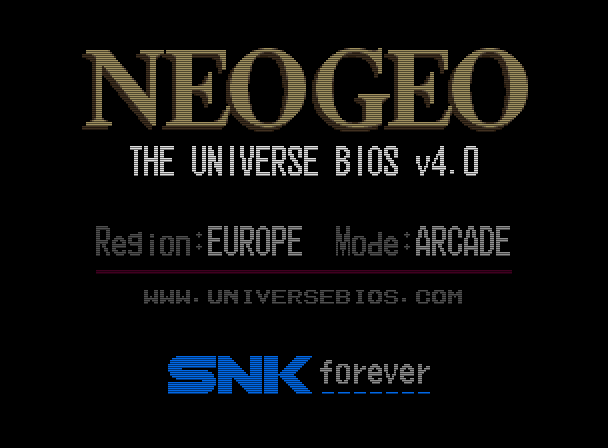


To mark the version 4.0 milestone of the Universe Bios I have given it a slight facelift.
Some menu layouts are changed and colors used on the splash screen and default colors for the
in game menu have changed. This is done to try and replicate the gold coloring on the AES and
Joystick shells. You still have the ability to customise colors of the ingame menu if you wish.

 
Additions

– PICKnMIX MVS/AES (requires the correct 161-in-1 multicart).
 
– This feature will use the many games on the multicart to turn the system into the ultimate
multislot. It may also work on MVS multislot systems but please insure all other cart slots
are empty. The only hacked version of a game used from the 161-in-1 is SNK vs CAPCOM Plus.
 
– See www.universebios.com/picknmix.html for more information and how to use.
 
– A special thanks to ‘ack’ for exstensive bug reporting and testing on multislot hardware,
also ‘miisalo’ and ‘RockstarRunner’ for MVS and AES testing.
 
– PICKnMIX IS A TOTALLY UNSOPPORTED FEATURE given the nature of the multicarts.

 
– NeoSD related (v1.06 or later firmware required).
 
– The following two additions require the ROM ‘sfix.sfix’ to be placed into the root directory
of the NeoSD’s SD card. These fixes are not possible without a NeoSD.
 
– On AES hardware, when in arcade mode, the ‘how to play’ screens of NAM-1975, Baseball
Stars Professional and Mahjong Kyo Retsuden will have correct graphics.
 
– On AES hardware, when in USA arcade mode, the classic ‘winners don’t use drugs’ screen
will have correct graphics in all games apart from Garou, Matrimelee, Metal Slug 3,
Metal slug 4, SNK vs Capcom and The King of Fighters 2000.
 
– Added a NeoSD color theme for the ingame menu (choose bank ’03’ in the menu color changer).

 
– Added new option to disable the daily, weekly and monthly hiscore reset to MVS backupRAM.
 
– This option is enabled by default (Universe Bios general settings) but can be switched off
if you want hiscores to clear as game maker intended. The following games are affected;
 

Aggrs of Dark Kombat Ninja Combat Trash Rally
Art od Fighting Ninja Commando Twinkle Star Sprites
Art of fighting 2 Over Top Wind Jammers
Art of Fighting 3 Quiz King of Fighters World Hereos
Blues Journey Spin Masters World Hereos 2
Crossed Swords 2 Sonic Wings 3 World Hereos 2 Jet
Ghost Pilots King of Fighters 2001 World Hereos Perfect
Magician Lord King of Fighters 2002 Zintrick

 
– Due to the change around of some options to make this possible I advise MVS users check
the options in the Universe Bios ‘general settings’ to confirm they are set as intended.

 
– In a games softDIP settings (testmode), pressing 1UP start will reset the DIPs to default.
– Added English translations for Japanese games that had Japanese only SoftDIP settings.
– The Universe bios can now detect a 18Mhz overclock (hopefully).
– Added ‘Fast Verify’ support to PC-2-NEO (USB only).

 
Changes

– Changed splash screen and main menu colors, NeoGeo logo is now Gold.
– Changed the default colors of the ingame menu. You can still choose old colors and edit colors
if required by using the ingame menu color changer.
– Made the In Game Menu and Main Menu more responsive to joystick and button input.
– There are now five colors you can adjust on the ingame menu color changer.
– Optimised Code that applies game cheats to memory.
– Made testmode entry graphically cleaner (less glitching).
– Made the cabinet softDIP ‘Game Select’ default to ‘Free’ instead of ‘Only when credited’.
– Now says ‘NGH’ instead of ‘ID’ in the game cart crc check.
– Improved the ‘no cheats in database’ message.
– The main memory viewer (testmode, exception error, hardware error) should now open on the
first slot with a game (multislot hardware).
– Improved the MVS cart version of kof2001 when in console mode. The games menu should no longer
glitch from time to time. Also removed the vertical borders on the options screen.

 
Fixes (some of these very minor)

– Fixed an issue introduced in Unibios v3.1 which caused any set softDIPs to reset after using
the soft reboot option on AES haedware.
– Fixed ingame menu colors saved to memory card from getting corrupted.
– Fixed AES version of Metal Slug 3 showing the red warning screen when run in Arcade mode.
– Fixed ‘AOF3’ from showing the console mode menu when in arcade mode on AES hardware.
– Fixed V-Liner crashing when the coin entered or select pressed.
– Fixed overclock info sometimes incorrectly showing after exiting softDIPs (after soft reset).
– Fixed possible graphic corruption in the testmode main menu if the calendar chip is faulty.
– Fixed red screen flash when bios draws ‘how to play’ in early games (issue in original bios).
– Fixed Top Players Golf from allowing debug DIP editing (game does not have any).
– Fixed minor graphical glitch entering the ingame menu color changer.
– Fixed missing values in patch and debug dips editing if game is an original MVS KOF2003.
– Fixed glitching on cart check entry if game King of Fighters 2003.
– Fixed glitching when exiting ingame menu if game King of Fighters 2003.
– Fixed Splash screen and menues if game is MVS version of kof2003 on AES hardware.
– Fixed Splash screen and menues if game is kof 10th anni extra plus on AES hardware.
– Fixed font in jukebox and cart check if game is MVS version of kof2003 MVS hardware.
– Fixed font in jukebox and cart check if game is kof 10th anni extra plus on MVS hardware.
– Fixed ‘King of Gladiator’ hack throwing a warning screen when running in arcade mode on AES.

– Stopped language softDIP showing when in Japan region for games SamSho 4, 5 and 5 Special.
– Stopped Street Hoop’s ‘team select’ softDIP showing when in Japan region.
– Stopped gfx curruption on splash screen (at power on) when the 161-in-1 multicart used.
– Hopefully fixed corruption exiting the ingame menu on a 18Mhz overclocked MVS/AES.
– Hopefully fixed corruption in the General settings Menu on a 18Mhz overclocked MVS/AES.
 

Hiscore saving (memory card)

– Added HS saving support for Football Frenzy.
– Added HS saving support for Goal! Goal! Goal!
– Added HS saving support for Stakes Winner.
– Added HS saving support for Stakes Winner 2.
– Added HS saving support for Real Bout Fatal Fury (Korean).
– Fixed Neo Bomberman hiscore saving (old HS save will need deleting).
– Fixed Quiz Diasousa Sen so hiscore displayed during game at top is now correct.
– Fixed Puzzle Bobble so it now shows correct hiscore table during first attract mode cycle.
– Fixed Puzzle Bobble 2 not saving the last part of the HS table.
 

Cheats

– Renamed all ‘AES Infin Credits’ cheats to ‘Infin AES Continue’.
– Korean games now show correct game in the cheat menu (if different than English names).
– Corrected Strikers 1945 Plus game name in the cheat menu.
– Added Real Bout Fatal Fury (Korean) cheats.
– Added Infinite AES Continue cheats to Blues Journey.
– Top Hunter 2 cheats improoved. They now work on all worlds. Also, keeping D pressed will
disable the gun and ammo cheats (while D pressed) for that player.
– Renamed all ‘Always Score 00’ cheats in football games to ‘Always No Score’.
– Knights Chance now reconigsed by the in game menu (no cheats though).
– Other minor cheat naming issues here and there.
– Added cheats for Older Power Spikes II (only ‘Infinite Iime’ cheat atm).
 

CRC database

– Added alternate Metal SLug 3 CRC (MVS, CRC reported for ROM region – 0x9763419E).
Not currently in MAME. P ROMs are on a NGPC style miniPCB with 4 flashchips.
Banking matches the parent, it is unknown if the SMA is used or not.

– Added older Power Spikes II CRC (MVS, CRC reported for RAM region – 0x8FACDE4C)
Not currently in MAME, Japanese region game name is ‘Super Volley 94’.

– Added alternate V-Liner CRC (MVS, CRC reported for ROM region – 0x49A94DB5).
Not currently in MAME. From 0x8000 has ‘DYNA V-L V0.7E’.
– Added alternate V-Liner CRC (MVS, CRC reported for ROM region – 0xE263DCE8).
Not currently in MAME. From 0x8000 has ‘DYNA V-L V0.53’.

– Added alternate V-Liner CRC (v0.7A 0x052F93ED).
– Added alternate Garou CRC (AES).
– Added alternate Pochi and Nyaa CRC.
– Added Last Resort prototype CRC.
– Added alternate Burning Fight prototype CRC.
– Added alternate King of the Monsters 2 CRC.
– Added Real Bout Fatal Fury (Korean) CRC.
– Added alternate Blues Journey CRC.
– Added alternate Samurai Shodown V CRC.
– Added alternate World Heroes 2 CRC.
– Added alternate Sengoku 3 CRC.
– Knights Chance is now reconigsed by the CRC checker (reported as custom).


La 4.0 étant disponible moyennant finance, la 3.3 devient téléchargeable gratuitement.


Site Officiel

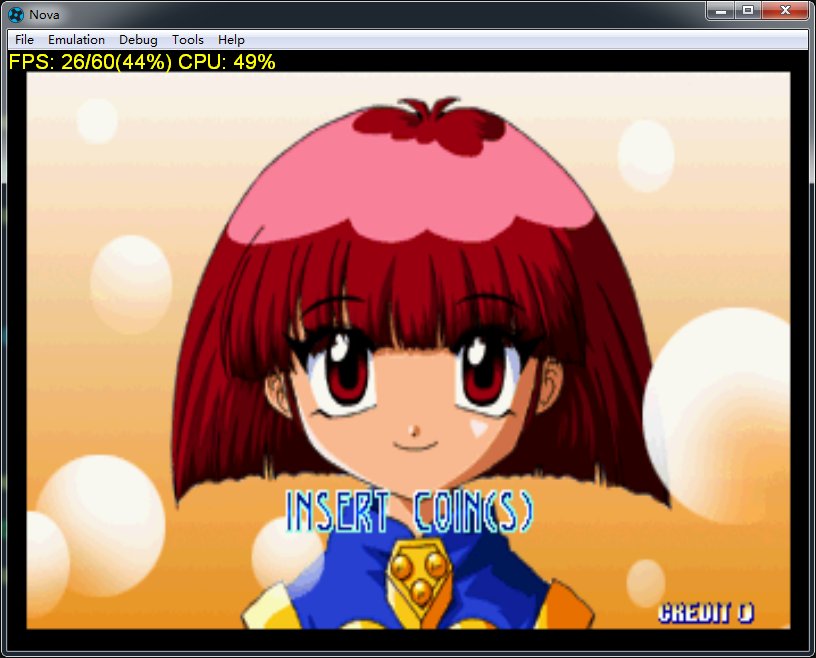
Créé par Steve Kwok en à peine une année (!), cet émulateur de Sega Saturn appelé Nova est capable d’exécuter plusieurs jeux commerciaux, mais il est encore à ses débuts. Nova est écrit en C ++ 11, et a comme objectif d’atteindre le même niveau que les autres émulateurs de console de salon.
 
Nova a donc été écrit à partir de zéro et en UNE SEULE ANNÉE, mais son écriture est inséparable de la recherche et contribution de nombreux auteurs d’émulateurs.
 
Nova ne prend actuellement pas en charge les jeux à partir du lecteur de CD-Rom, mais en revanche il lit les formats d’images de CD suivant: .cue, .mds, .ccd, .bin.


Les changements sont les suivants:
– SMPC : Correction de la commande SYSRES (Force le SH2 Maître à lancer le vecteur Power-On).
– VDP1 : Correction du changement/effacement manuel du tampon image (ST-V VDP1/VDP2 HARDWARE TEST).
– SYSTEME : Implémentation du mode TITAN (préliminaire).
– SYSTEME : Réécriture de la procédure de démarrage.
– SYSTEME : Réécriture du sous système de cartouche.
– SYSTEME : Réorganisation du sous système CD.
– GRAPHISME : Correction d’un scintillement de l’écran.
– GUI : Activation du menu objet « Démarrer ».
– DIVERS : Support du lecteur CD (préliminaire).
– DIVERS : Ajout du « Redémarrage Logiciel » (Tenez les touches lors du « Redémarrage », ce qui équivaut à START+A+B+C).
– DIVERS : Ajout d’options supplémentaires dans le fichier nova.ini.
– DIVERS : Correction d’un bug avec l’analyseur INI quand il y avait des crochets ( [ et ] ).
– DIVERS : Correction d’un bug avec le glisser et déposer les fichiers directement sur l’exécutable.
– DIVERS : Des noms de fichier ont été modifiés : « primary_01.bup » >>> « sat_primary_01.bup », « memcard_01.bup » >>> « sat_memcard_01.bup », « battery.sav » >>> « sat_battery.sav »

 
La traduction est assurée par Tradu-France, à noter qu’une liste de compatibilité est disponible ici.


Télécharger Nova v0.7 (1.9 Mo)

Télécharger Nova (Français) v0.6 (697 Ko)

Site Officiel

En savoir plus…


https://getourbonus.com/fr/accueil

https://www.romspedia.com/