Il s’agit d’un émulateur de Sega Dreamcast en cour de développement.


Les changements sont visibles ici.
 
Une version payante (proposant la HD) est disponible sur le site officiel.
 

Télécharger Redream v1.5.0.1239 (3.1 Mo)

Site Officiel

En savoir plus…

Il s’agit d’un émulateur de TI-84 Plus CE / TI-83 Premium CE pour Windows, MacOS et Linux (builds auto).


Additions

  • Handling of invalid ROM types (for example, if a non-CE ROM is loaded)
  • Setting to choose the update rate of the FPS and emulation speed indicators
  • New no-settings CLI argument (in order not to load or save them)
  • Ability to force-redistribute the panes by double-clicking on their borders
  • FP and OP stacks viewer/editor (new pane), assuming normal OS execution
  • Message types and colors support in the console pane
  • TI-Basic syntax highlighting added to the variable viewer
  • GetStringInput var (‘$’) support in the variables pane
  • Button to toggle the ASCII side of the memory view
  • Support for transferring bundle files (.b83/.b84)
  • Added more icons everywhere
  • Full screen modes (F11 key)


GUI improvements

  • Better layouting behaviour of some panes regarding resizing and extra space/margin
  • Use a more appropriate location for the FPS indicator (bottom right of the status bar)
  • Use a higher-resolution icon set
  • The bottom corners of the keypad are now rounded
  • Append the git SHA next to the CEmu version labels
  • Updated the about window with more credits and better layout
  • The memory and stack views now support infinite scroll
  • Dock grouping is now optional and togglable in the settings


Other improvements

  • Check write permissions on the settings folder and use portable configuration as fallback
  • Use a more appropriate path for settings storage
  • Try to migrate as many settings as possible between versions
  • The disassembler code has been replaced by a new one written from scratch by @jacobly0, zdis
  • The built-in memory view code has been rewritten and is now much shorter and to the point
  • The built-in console has been revamped, it supports more things and is faster now
  • Simplified and reworked debugging-related code in the core (stepping, watch/breakpoints…)
  • Improved variable content preview support (underlying library updated)
  • Improved timer-related code in the core
  • Improved OS keypad scanning hardware-like accuracy
  • Qt 5.10.1 + a newer MSVC version are now used to build the default Windows binaries


Bug fixes

  • Don’t show the no-update-available popup for the auto-check (was already backported into 1.0)
  • Fix portable mode behavior and paths (especially on macOS)
  • Fix invisible new « Memory view » window (Windows-only bug)
  • Fix various threading related issues
  • Fix incorrect screen recording speed
  • Fix floating windows’ behaviour and default look
  • Fix sorting issue with the state list
  • Fix CLI sending and use a delay compatible with old ROMs
  • Fix state restoring conflicting with translations
  • Fix incorrect interrupt trigger on a specific LCD condition
  • Fix LCD displaying garbage data under specific conditions when SPI was used
  • Fix LCD dock being cropped off by 1 pixel at the top in some conditions


Télécharger CEmu TI (x86) v2.0 Dev (2025/03/04) (19.5 Mo)

Télécharger CEmu TI (x64) v2.0 Dev (2025/03/04) (11.7 Mo)

Site Officiel

En savoir plus…

ConEmu est un émulateur de console Windows avec des onglets, qui représente plusieurs consoles en une seule fenêtre graphique personnalisable avec diverses fonctionnalités.
 
ConEmu-Maximus5 vise à être une fenêtre de terminal pratique, complète, rapide et fiable où vous pouvez héberger toute application de console développée pour WinAPI (cmd, powershell, far) ou Unix PTY (cygwin, msys, wsl bash).
 
En tant qu’amélioration de la fenêtre de la console Windows (émulateur de terminal local), ConEmu présente plusieurs consoles et applications graphiques simples (comme PuTTY par exemple) sous la forme d’une fenêtre d’interface graphique à onglets personnalisable avec diverses fonctionnalités.
 
De plus, grâce à une intégration profonde, ConEmu est le meilleur compagnon pour Far Manager.


Télécharger ConEmu (2023/07/24) (4.6 Mo)

Site Officiel

En savoir plus…

Il s’agit d’un « émulateur » de Windows95.


Télécharger Windows95 Emulator (32 bits) v5.0.1 (409 Mo)

Télécharger Windows95 Emulator (64 bits) v5.0.1 (428 Mo)

Site Officiel

En savoir plus…

Plugin de contrôle créé par AQZ permettant de jouer en réseau sur internet (il s’agit d’une alternative au plugin Kaillera).
Il est conseillé d’utiliser ce plugin avec les plugins de contrôle « Jabo DirectInput7 » ou « N-Rage’s Direct-Input8 ».

 
– Catch error_code errors in client command handler Omit « / » from pathless addresses
 
Code source.

Télécharger AQZ Netplay Input Plugin r142 (326 Ko)

Site Officiel

En savoir plus…

Une version améliorée de Neko Project II et Neko Project 21 (PC98XX) mais dont les principales informations sont en japonais (l’interface est disponible en anglais). Plus d’informations.


(Ancien thread | Nouveau thread)
 

Télécharger Neko Project II / Project 21 fmgen v0.83k8 (2025/11/28) (764 Ko)

Site Officiel

En savoir plus…

Il s’agit d’une version améliorée de l’émulateur M88 utilisant le moteur de son fmgen, l’interface est en anglais mais le reste des informations en japonais. (source)


Télécharger M88 fmgen v2.21a (2026/01/01) (199 Ko)

Site Officiel

En savoir plus…

86Box (anciennement nommé PCem Unofficial, PCem Experimental ou PCem-X) est une branche non officielle de l’émulateur PCem, qui vise à émuler des machines compatibles IBM de la période 1981-2000. Cette branche ajoute plusieurs cartes mères émulées.
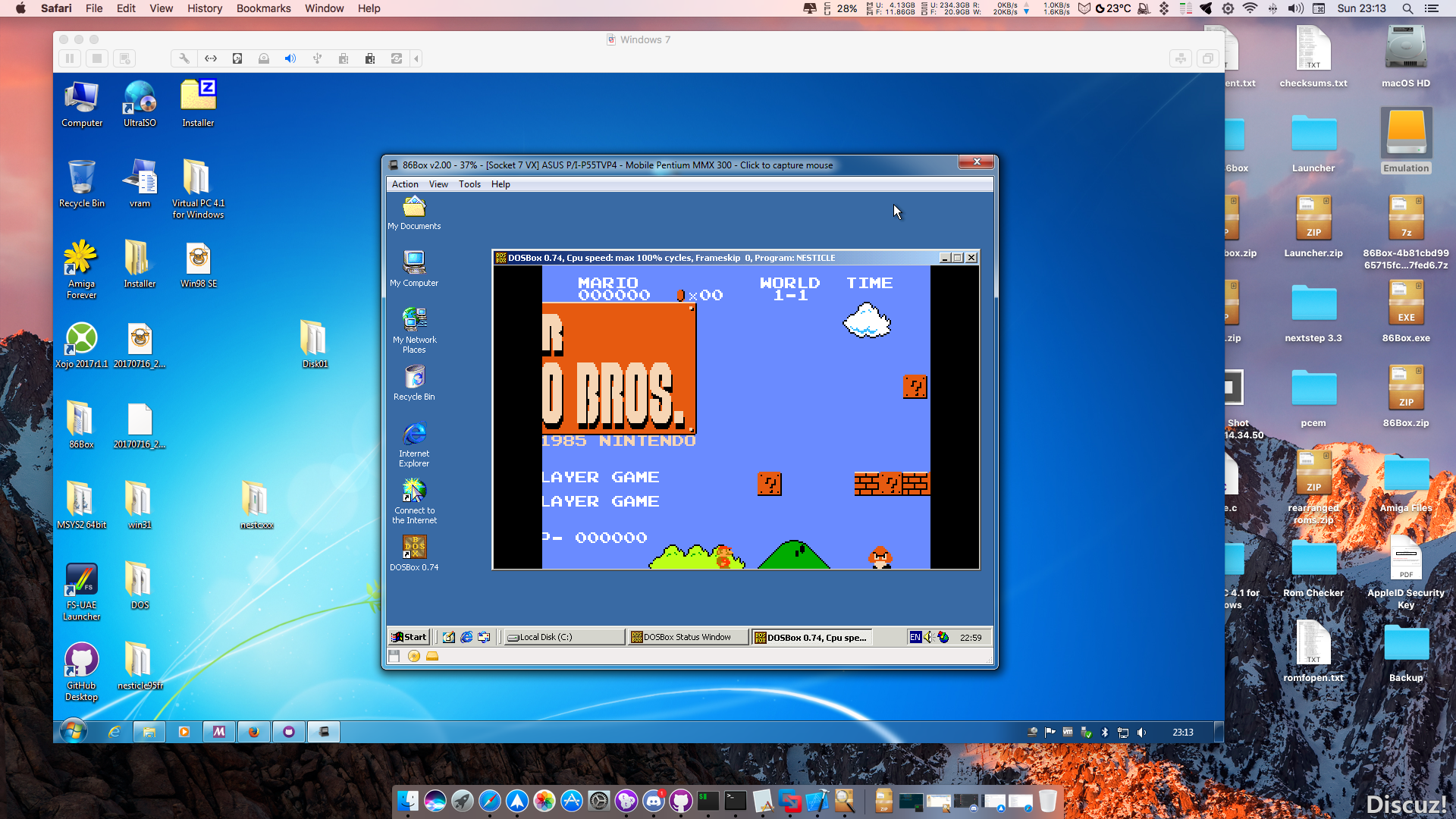


Télécharger 86Box (x86) v4.2.1 build 6130 (31.3 Mo)

Site Officiel

En savoir plus…

Il s’agit d’un émulateur de Nintendo 3DS écrit en C# et en LLE.


.


Télécharger LemonLime v1.0.39 (19.4 Mo)

Site Officiel

En savoir plus…

Créé par Zeroone, il s’agit d’un émulateur de NES/Famicom/Dendy en phase de développement.


– Added support for the Miracle Piano Teaching System.
– Updated the cart DB.
– Updated the FAQ.


Télécharger Nintaco (2024/10/27) (3.1 Mo)

Site Officiel

En savoir plus…

Un émulateur du système Symbian OS. (Builds automatiques)


Télécharger EKA2L1 v0.0.9 r261116 (70.5 Mo)

Site Officiel

En savoir plus…

Mesa3D peut être utilisé pour fournir un rendu OpenGL aux applications Software.
Il est particulièrement utile pour exécuter d’anciennes applications et des jeux qui utilisent une ancienne version d’OpenGL et qui ne fonctionnent pas correctement sur du matériel moderne.
Notez que ce dispositif de rendu est loin d’être parfait, et de nombreux jeux ne fonctionneront pas encore.
 
Des instructions sur l’utilisation de la DLL sont incluses.


NB: Parce que certaines applications et jeux vont refuser de charger opengl32.dll à partir de leur répertoire, vous pouvez utiliser MesaInjector.
 

Télécharger Mesa3D (x86) v20.1.8 (6.7 Mo)

Télécharger MesaInjector v20.1.8 (8.5 Mo)

Site Officiel

En savoir plus…


https://getourbonus.com/fr/accueil

https://www.romspedia.com/

