Il s’agit d’un émulateur Game Boy écrit en Python.


Les changements sont les suivants:
 
Features:
– GB Printer support
– Super Game Boy borders (not full SGB mode)
– MP4 screen recording
– MBC30 support
– MBC1 multicart support
– MBC5 rumble support
– Link Cable support using shared memory (Pokemon Link Cable example)
– New Sphinx docs
– Wiki moved to Sphinx
 
Emulation improvements:
– Fix performance bug
– All Mooneye tests (except CGB revision checks)
– All Samesuite tests (except CGB revision checks)
– All Blargg tests (except wont-fix oam-bug)
– Improvements include changes to: OAM, DMA, PPU/LCD, APU, interrupt, CPU-timing, etc.
 
Wrappers:
– Super Mario Deluxe
– Greatly improve Pokemon Red/Blue
– 2048 (homebrew)
– Pandora blocks (homebrew)
 
Development:
– CGB colors in debug view
– ROM tests to mark failures with xfail
– Debug view for game area with object annotations
– Run all pyboy/, tests/ and docs/ in compiled mode
– Major refactor of testing. Many tests converted from screenshots to text
– Using official reference images for testing
– A LOT of new test ROMs

 

Télécharger PyBoy v2.8.1 (8.9 Mo)

Site Officiel

En savoir plus…

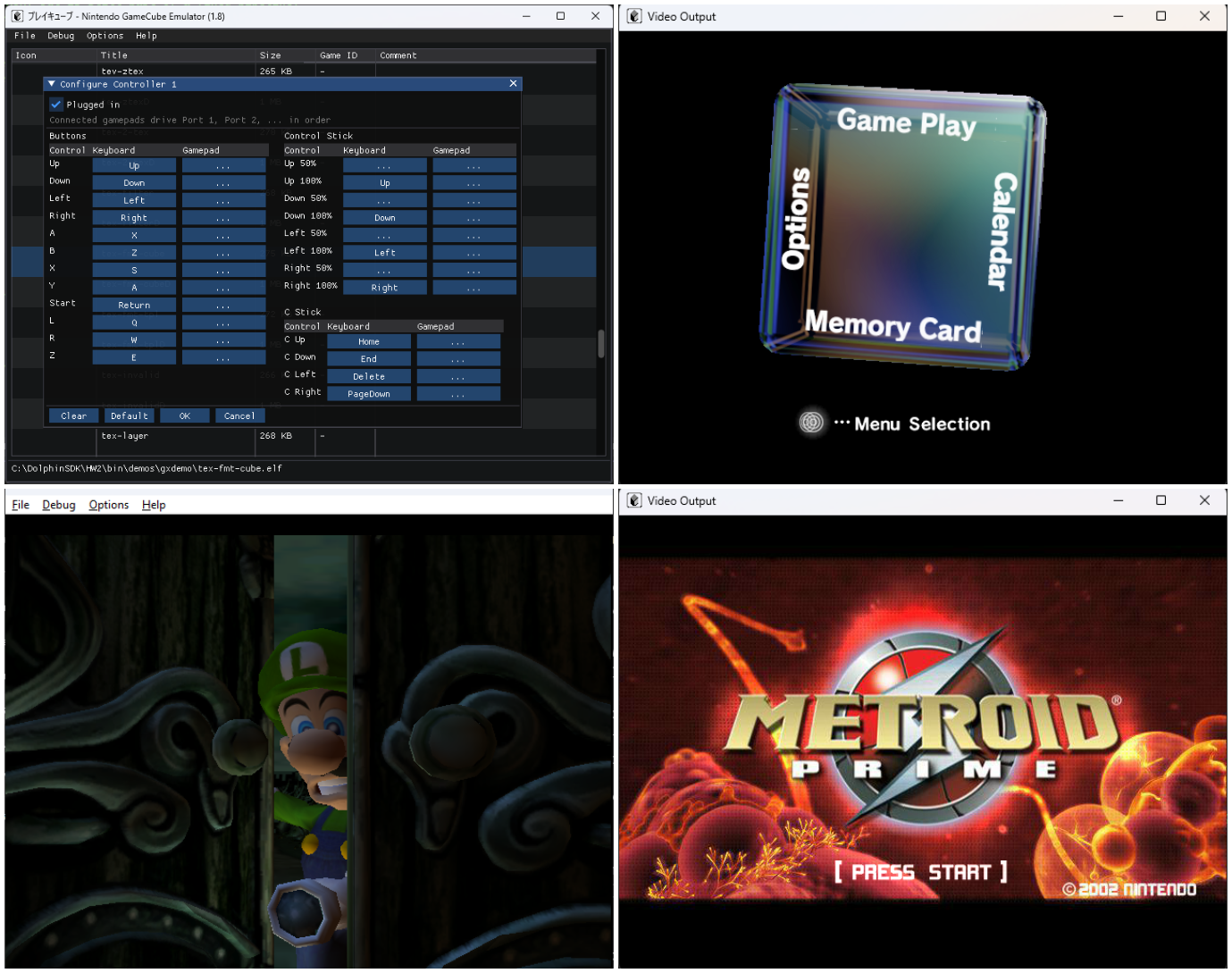
Pureikyubu est un émulateur open source de Nintendo GameCube, intégrant également l’émulation de la Game Boy et de la Game Boy Advance, actuellement en cours de développement et basé sur Dolwin.


Le but de l’émulateur est de rechercher les caractéristiques matérielles de la GameCube et de faire de la rétro-ingénierie sur les technologies utilisées pour développer des jeux pour cette plateforme.


Les améliorations sont les suivantes:
 
– Completely redesigned the peripheral system, with controllers, memory cards, the Game Boy Player, Game Boy Advance link cable, Broadband Adapter and Modem Adapter now handled as independent devices with their own settings.
– Added Broadband Adapter (DOL-015) emulation, including Ethernet frame transfer through UDP between emulator instances.
– Added Modem Adapter (DOL-012) emulation, including its registers, identification, command handling and AT interface.
– Added GameCube memory card support, including correct EXI communication, address wrapping, streaming reads, erase commands and the card unlock challenge. All six memory card capacities from 4 to 128 Mbit are supported.
– Added Game Boy Player emulation through the GameCube’s ARAM expansion interface, including its command channels, handshake and interrupt handling.
– Added Game Boy Advance link cable emulation using the DOL-011 JOY protocol.
– Added GameCube save states with 10 slots, keyboard shortcuts, menu commands and debug interface support.
– Added a unified device configuration system with a new Settings window covering general settings, GameCube hardware, controllers, memory cards, network, high-speed devices and interface options.
– Added a dedicated Stand-alone GBA settings window.
– Added 8 interface themes: Flipper, Nebula, Emerald, Crimson, Amber, Graphite, Sakura and Daylight.
– Added Japanese character support to the game selector.
– Improved font rendering at different display scales for sharper text.
– Added a resizable and maximizable video output window with automatic aspect-ratio preservation.
– Added backend and FPS information to the video output window title.
– Added emulation and host clock information to the status bar.
– Added the GFX Dump debugger, allowing graphics command streams, raw data and texture/TLUT data to be captured and inspected.
– The software graphics pipeline is no longer considered experimental and can now render the boot ROM splash screen and movie player output.
– Fixed the GX BP write mask, correcting rendering issues such as the black sky in The Legend of Zelda: The Wind Waker’s title screen.
– Fixed stale TLB translations after DSI/ISI page faults and corrected PTE Changed-bit handling, allowing Need for Speed: Carbon to boot.
– Improved deterministic instruction stepping and several PowerPC/Gekko, command processor and serial interface behaviours.
– Improved GBA emulation, including DMA repeat behaviour and DISPSTAT writes.
– Added support for configuring the GBA BIOS and Game Pak through the peripheral system.
– Fixed several Game Boy Player issues, including status handling and excessive ARAM DMA logging.
– Fixed JSON list configuration handling after the introduction of the peripheral device pool.
– Improved GFX frame counting and display-copy handling.
– Added extensive tests covering the new peripheral system, save states, graphics capture and other emulation components.
– The Linux portable test suite now passes all 380 tests.


Pas de build pour le moment.
 

Télécharger Pureikyubu (32 bits) v1.4 (1.2 Mo)

Télécharger Pureikyubu (64 bits) v1.9.1 (2026/10/04) (2.4 Mo)

Site Officiel

En savoir plus…

Ruffle est un émulateur Adobe Flash Player écrit dans le langage de programmation Rust. Ruffle cible à la fois le bureau et le Web à l’aide de WebAssembly. Il s’intégrera parfaitement dans votre navigateur en toute transparence et vous permettra ainsi de lire des vieux sites web comme par exemple celui de notre Mamu_ international 😀


Site de développement.
 

Site Officiel

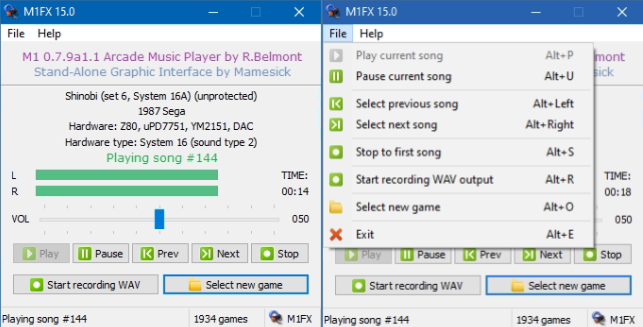
Créé par Mamesick et originellement destiné à son émulateur MAMEUIFX (à présent Arcade64), il s’agit de M1 avec un frontend intégré (et simplifié) dans un seul exécutable et permettant de régler le volume ou même d’enregistrer.


Les changements:

As announced, I decided after 10 years(!) to update this little tool that allows you to play OST from arcade games. You can use at a standalone app or launch it from ARCADE64 toolbar.
Obviously the number of games supported is about 1900 and a lot are missing, but if you want to enjoy some TOAPLAN, NEO-GEO, CAPCOM etc. etc. OSTs, this is your program.
I made some cosmetic changes for WIN10-WIN11 but it should be fine also for older Windows like Vista or Seven, assuming you are still using them.
 
– GUI has been a little bit improved, with again new icons also on buttons.
– UNICODE support has been added, it could be improved though it seems it works as expected.
– « Select new game » behaviour changed, now if you click on « Cancel » button the program starts to play again the game already in memory.
– New menu icons and some small fixes (copyright year, etc.)

 
Ancien sujet.


Télécharger M1FX v15 (0.7.9a1.1) (18.1 Mo)

Site Officiel

En savoir plus…

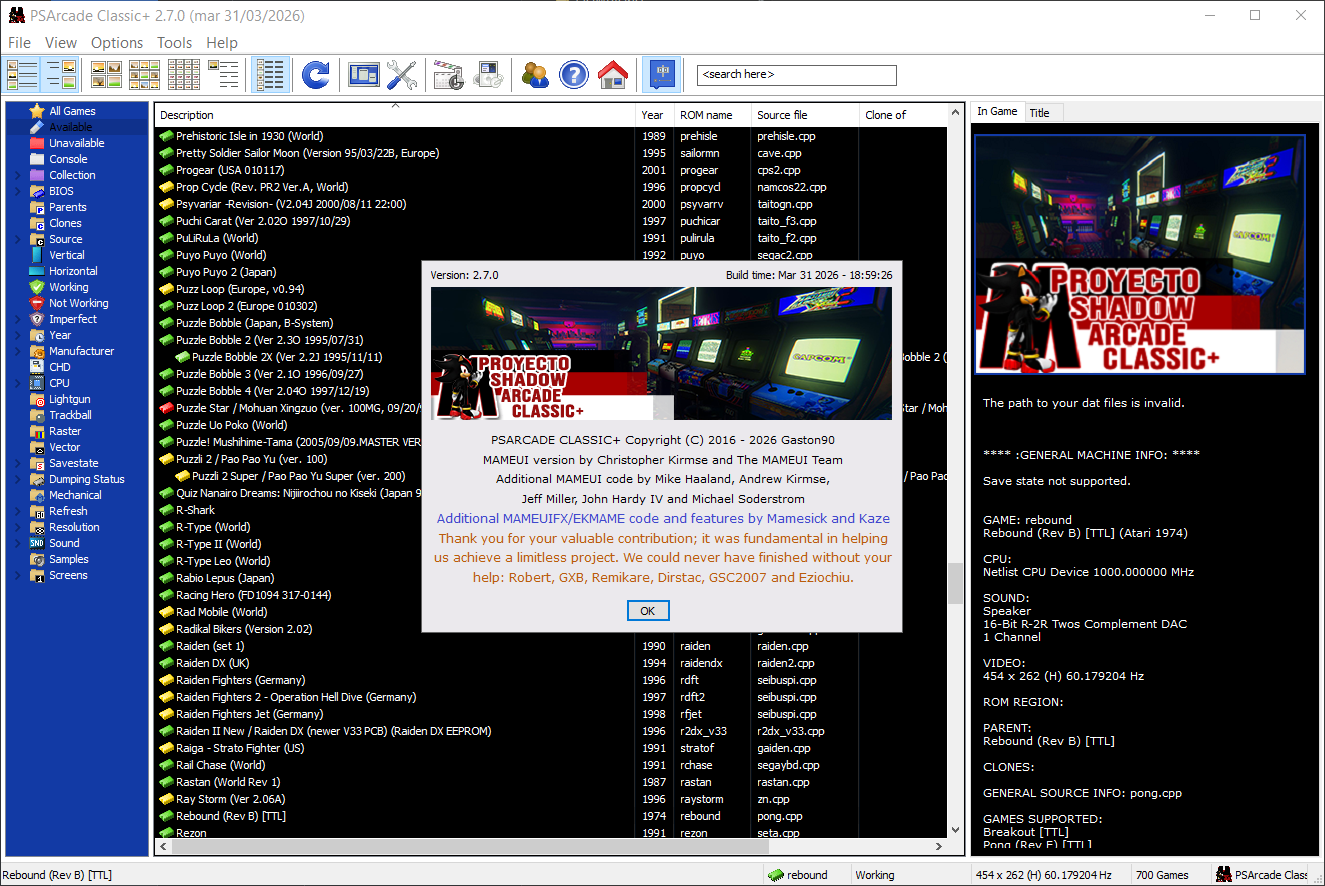
PSArcadeClassic est un projet d’émulation basé sur MAME qui fusionne les sources de ARCADE64 et HBMAME afin de proposer une version unifiée, plus stable et plus légère. Le projet utilise comme base HBMAME 0.245, puis met à jour et nettoie les ROMs jusqu’à une version plus récente, en supprimant des centaines de fichiers inutiles pour créer une édition « collectible » unique.


L’objectif est de rassembler tous les systèmes arcade, y compris les hacks existants, dans une seule version optimisée, compatible uniquement avec Windows 7, 8, 10 et 11. Le projet exclut volontairement les jeux mécaniques, pinball, trivia, bingo, mahjong, poker, jeux de hasard, jeux console, jeux non fonctionnels, jeux en écran noir ou nécessitant des CHD problématiques.
 
Le cœur M68000 a été modifié pour supporter tous les types de ROMs hack actuels, et plusieurs optimisations ont été intégrées : suppression des bordures NeoGeo, suppression des écrans d’avertissement, ajout d’autofire, amélioration des mouvements dans les jeux de combat, corrections PGM et intégration du code source de l’interface (GUI) d’EKMAME dans Arcade64.


Télécharger PSArcadeClassic+ v2.8 (29.4 Mo)

Site Officiel

En savoir plus…

Il s’agit d’un émulateur de NEC PC-9801 qui supporte également le NEC PC-9821.
 
NB: A noter qu’une version béta est disponible sur le site officiel.
 
neko
 

Télécharger Neko Project 21/Win v0.86 Rev. 105 (21.3 Mo)

Site Officiel

En savoir plus…

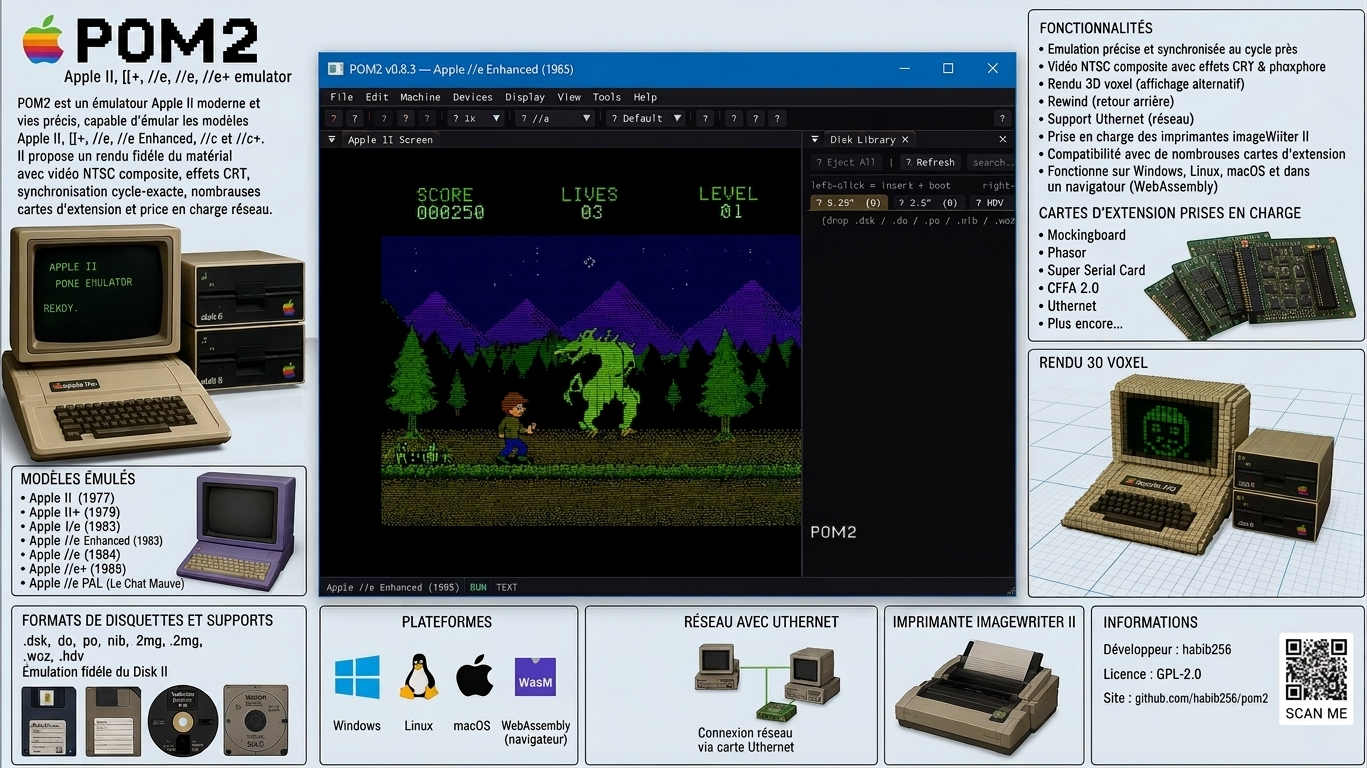
POM2 est un émulateur Apple II moderne et open source, capable d’émuler plusieurs machines de la famille Apple II, de l’Apple ][ original de 1977 jusqu’à l’Apple //c+ de 1988. Il vise une émulation très précise du matériel, avec un rendu vidéo synchronisé au niveau du cycle CPU.


Il prend notamment en charge l’Apple ][, ][+, //e, //e Enhanced, //c et //c+, ainsi que deux variantes PAL, dont le //c « Le Chat Mauve ».
 
Parmi ses particularités, POM2 propose un rendu NTSC composite, des effets CRT/phosphore, une vue 3D en voxels, le rewind, l’émulation de nombreuses cartes d’extension comme les Mockingboard, Phasor, Super Serial Card, CFFA 2.0 et Uthernet, ainsi que la prise en charge des imprimantes ImageWriter II.
 
L’émulateur gère de nombreux formats de disquettes et supports Apple II (.dsk, .do, .po, .nib, .2mg, .2img, .woz, .hdv) et intègre une émulation fidèle du Disk II. Il dispose également d’un support réseau via Uthernet et peut même fonctionner directement dans un navigateur grâce à WebAssembly.


Télécharger POM2 v0.9.5 (5.8 Mo)

Site Officiel

En savoir plus…

Il s’agit d’un puissant utilitaire de compression/décompression gratuit. Très utile, il permet de compresser en zip avec un taux de compression bien plus élevé que les autres compresseurs de format. De plus son célèbre format 7z permet de compresser jusqu’à 50% de + que le zip classique sur certaines archives et davantage que le format RAR (de Winrar). Installer la dernière version est indispensable, car de nombreux fichiers disponibles sur Emufrance sont recompressés avec les derniers algorithmes. Si une ancienne version est utilisée, il se peut que parfois les fichiers ne soient plus décompressibles.


Il est également capable de décompacter beaucoup de formats d’installeurs que plusieurs programmes utilisent (ce qui évite parfois une installation forcée). Très recommandé si vous voulez utiliser ZipMax, outil de l’auteur de ClrMAMEPro.
 
Les améliorations sont les suivantes:
 
– Some bugs and vulnerabilities were fixed.

 
NB: Si des anciennes archives avaient des problèmes pour être ouvertes/extraites (ce qui devrait être très rare et dans des cas spécifiques), lire cette page.


Télécharger 7-Zip (x86) v26.04 (1.3 Mo)

Télécharger 7-Zip (x64) v26.04 (1.6 Mo)

Site Officiel

En savoir plus…

AmiArcadia est le port amélioré de Tunix2001 ex ‘Win Arcadia 2001’ (par Gavin Turner) pour Amiga. Ecrit par James Jacobs et Gavin Turner, cette version est en fait le port Windows du port Amiga (un backport) !
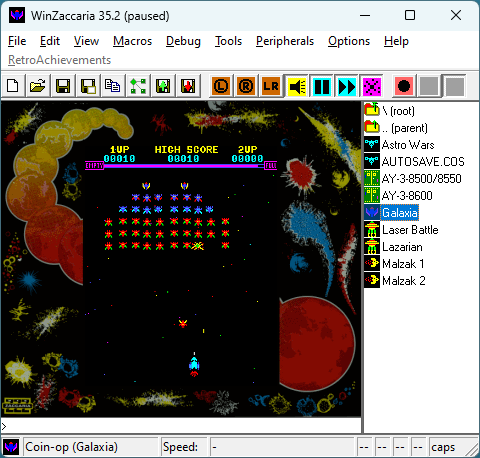


Systèmes émulés:
 
Consoles:
– Famille Emerson Arcadia 2001 : Bandai, Emerson, Grandstand, Hanimex, Intervision, Leisure-Vision, Leonardo, MPT-03, Ormatu, Palladium, Poppy, Robdajet, Rowtron, Tele-Fever, Tempest, Tryom, Tunix, etc.
– Interton VC 4000 et compatibles : Acetronic, Cabel, Fountain, Hanimex, Interton, Prinztronic, Radofin, Rowtron, Voltmace, Waddingtons…
– Elektor TV Games Computer (1979)
 
Machines PIPBUG/BINBUG:
– Electronics Australia 77up2/78up5, Signetics Adaptable Board Computer, Eurocard 2650…
– Signetics Instructor 50 (1978)
– Signetics TWIN (1976)
– Central Data 2650 (1977)
– PHUNSY microcomputer (c.1980)
– Ravensburger Selbstbaucomputer / 2650 Minimal Computer (1984)
– Hofacker MIKIT 2650 (1978)
 
Machines d’arcade:
– Coin-ops Zaccaria : Astro Wars, Galaxia, Laser Battle, Lazarian
– Coin-ops Kitronix : Malzak 1 & 2
 
Jeux électroniques:
– Consoles Pong AY-3-8500/8550/8600:
– Coleco Telstar Galaxy, Sheen TVG-201, et autres systèmes AY‑3‑85xx
 
Machine éducative électronique:
– VTech Type-Right (1985)
 

Il nécessite Windows 9x/ME/NT/2000/XP et fonctionne également sous Vista/8/10/11.


Télécharger Win Arcadia (Ami Arcadia) v36.71 (8.8 Mo)

Site Officiel

Mesen Community Edition est un émulateur multi‑systèmes open‑source pour Windows, Linux et macOS, développé par la communauté à partir du projet Mesen2. Il vise une haute précision, une excellente compatibilité, et propose une interface moderne accompagnée d’outils avancés pour les joueurs comme pour les développeurs.
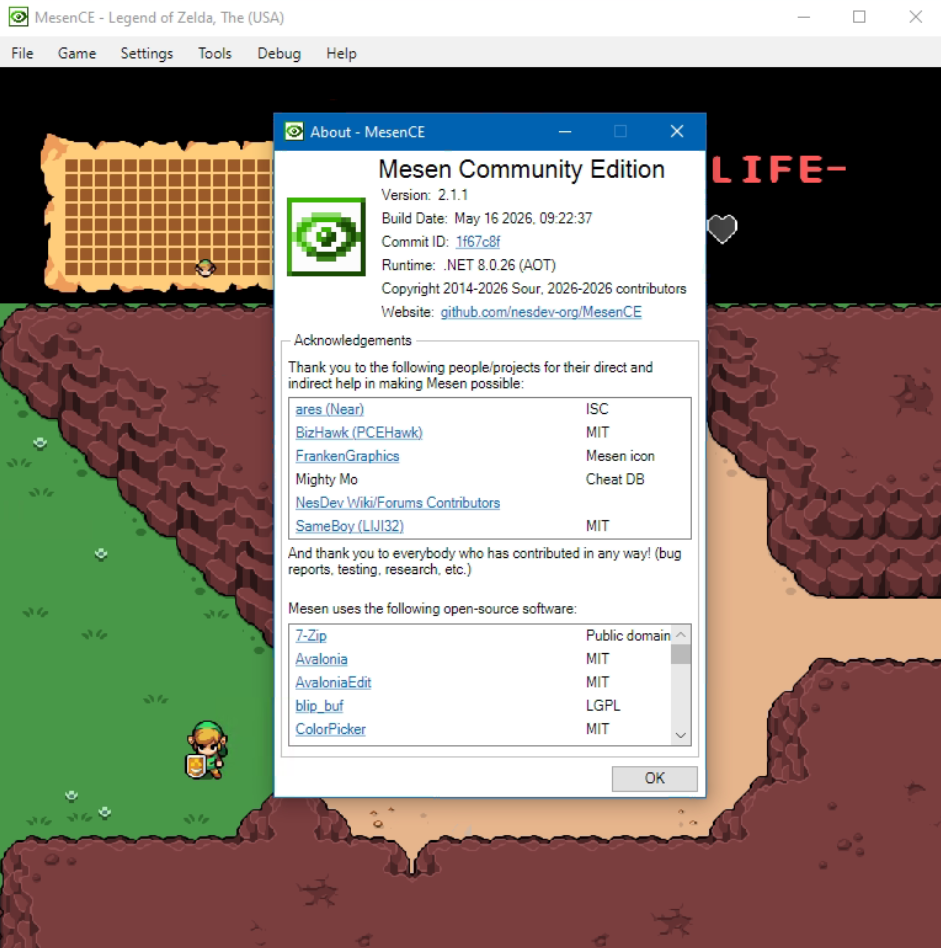


Né initialement comme un fork pour pallier la mise en pause du développement de Mesen2 par son créateur original (Sour), MesenCE est désormais devenu la continuation officielle et exclusive du projet. Face à la dynamique communautaire, Sour a choisi de rejoindre activement l’équipe de MesenCE afin d’y centraliser tout le développement futur. Cette transition sous un modèle entièrement géré par la communauté permet d’intégrer plus rapidement les correctifs, d’améliorer la compatibilité multiplateforme et d’ajouter de nouvelles fonctionnalités, tout en préservant l’esprit d’excellence du projet d’origine.
 
Les changements:
 
Mesen is becoming MesenCE, a Community Edition maintained by Sour and various community members. All development will occur in this new fork going forward so it can continue whenever Sour is away from the project.
 
– SNES: GSU – Fixed mappings for GSU2 boards (#284)


Télécharger MesenCE v2.2.1 r20261007 (83.5 Mo)

Site Officiel

En savoir plus…

DOSBox Pure est un fork moderne de DOSBox, conçu à l’origine pour RetroArch, mais désormais disponible en version autonome sous Windows, ce qui le rend accessible sans frontend.


Pensé pour simplifier l’expérience utilisateur, il permet de lancer des jeux DOS directement depuis des fichiers ZIP, ISO ou CUE, sans configuration manuelle.
Il prend en charge les savestates, le mappage automatique des manettes, les overlays graphiques et les shaders, tout en détectant intelligemment les fichiers d’installation ou d’exécution.
 

Bien qu’il offre moins de réglages avancés que DOSBox-X ou Staging, il brille par sa simplicité et son efficacité, notamment pour les joueurs occasionnels ou les setups console-like.
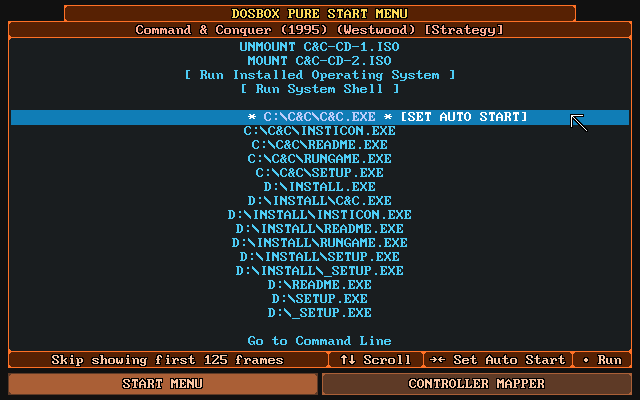


La vidéo qui résume l’avantage de Pure, à savoir son extrême facilité d’utilisation:


Les changements sont:
 
New Features
Implemented SC-55 emulation Nuked-SC55
– To use this, ROM files with .bin extension are required, similar to MT-32 emulation. And like MT-32, you need to put a set of hardware data files in the System directory.
MT-32 uses 2 files with a .ROM extension, SC-55 uses 4 or 5 files with a .BIN extension.
Once you have placed a set of files there, you can select it via the Settings > Audio > MIDI Output option.
– Heartfelt thanks go to nukeykt for all the hard work reverse engineering this monumental piece of computing audio hardware!
 
Support for Android Storage Access Framework
– Achieved by using Libretro VFS when opening paths that contain a VFS handler protocol on platforms that support libc fopen wrappers funopen and fopencookie (Android, Linux (GLIBC based), BSD based (including macOS and iOS)).
– This is most important on Android where certain app store installs refuse regular fopen and require files to be accessed via the special storage access framework which is handled by Libretro VFS (on supported frontends).
 
Added support for the CMPXCHG8B Pentium instruction
– This should make some games work in Windows 95/98. Most notably Diablo 2 without needing a specific version or a custom patch.
 
Unleashed Fixes
– Fix rare race condition crash during audio startup (f0453b4)
 
Minor Additions
– Support using IMGMOUNT for more hard drive images without requiring -size parameter
– Fix booting from a dynamic VHD mounted via commandline (IMGMOUNT and BOOT commands)
– Add dosbox.conf file options for cga and hercules settings
– Support unicode characters in filenames in a ZIP when booting into an installed operating system, i.e. Japanese file names
 
Improvements
– Small startup, restart and runtime performance improvements
 
Fixes
– Fix rare freeze when using Tandy sound while fast forwarding


Télécharger DOSBox Pure Unleashed v1.0 Preview 7 (3.9 Mo)

Site Officiel

En savoir plus…

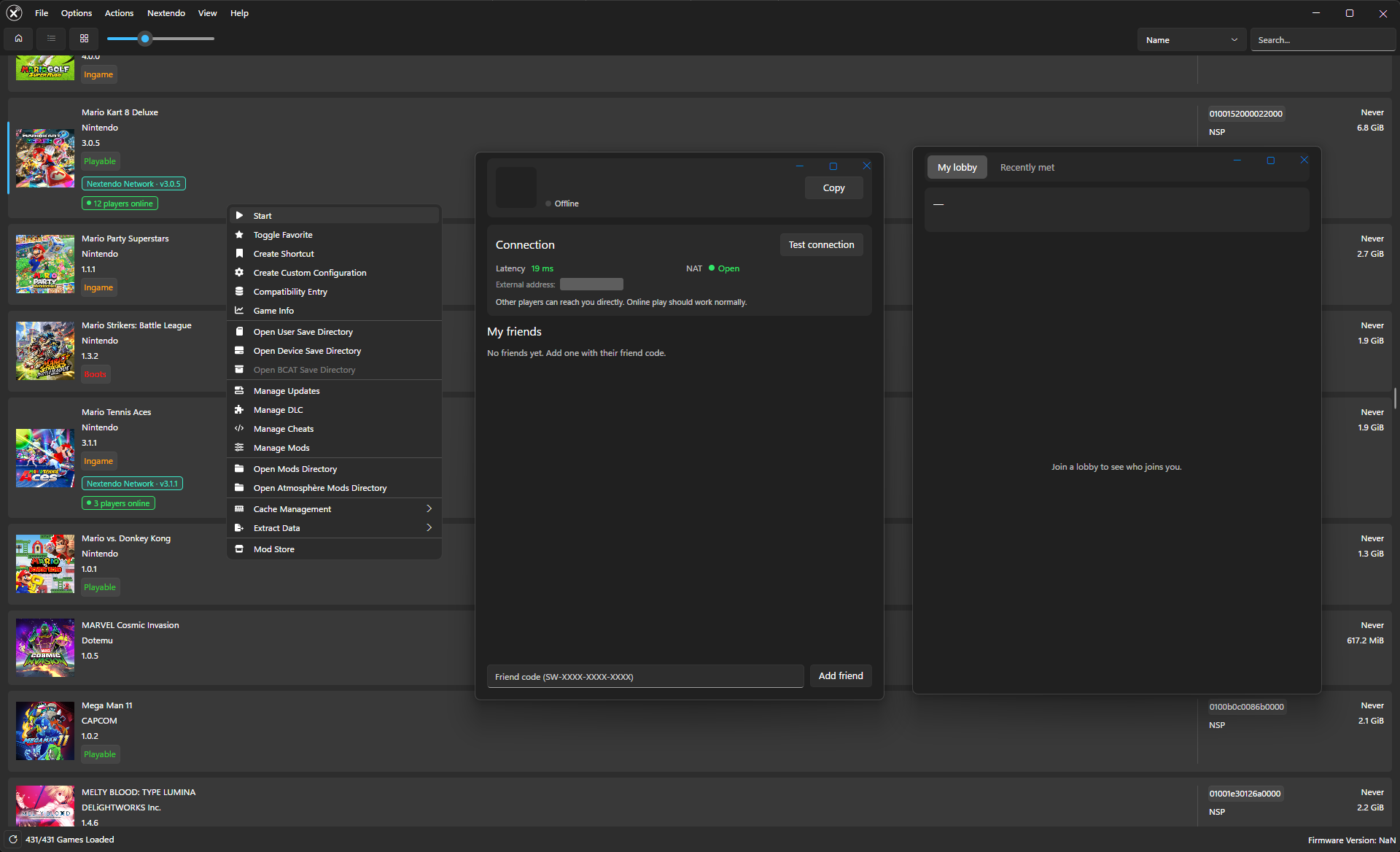
Ryujinx-Nextendo est un émulateur Nintendo Switch basé sur Ryujinx, auquel a été intégré nativement le support du Nextendo Network, un service en ligne privé et communautaire destiné à remplacer le service officiel de Nintendo.
 
Le projet reprend le cœur d’émulation de Ryujinx, notamment pour le processeur, le GPU, l’audio, les contrôles et le système de fichiers. Les modifications apportées par Nextendo concernent principalement la partie réseau et l’interface utilisateur.
 
L’objectif est notamment de permettre aux jeux compatibles de retrouver des fonctionnalités de jeu en ligne via le Nextendo Network, sans nécessiter de configuration manuelle particulière, de modification du fichier hosts ou de contournement SSL de la part de l’utilisateur.
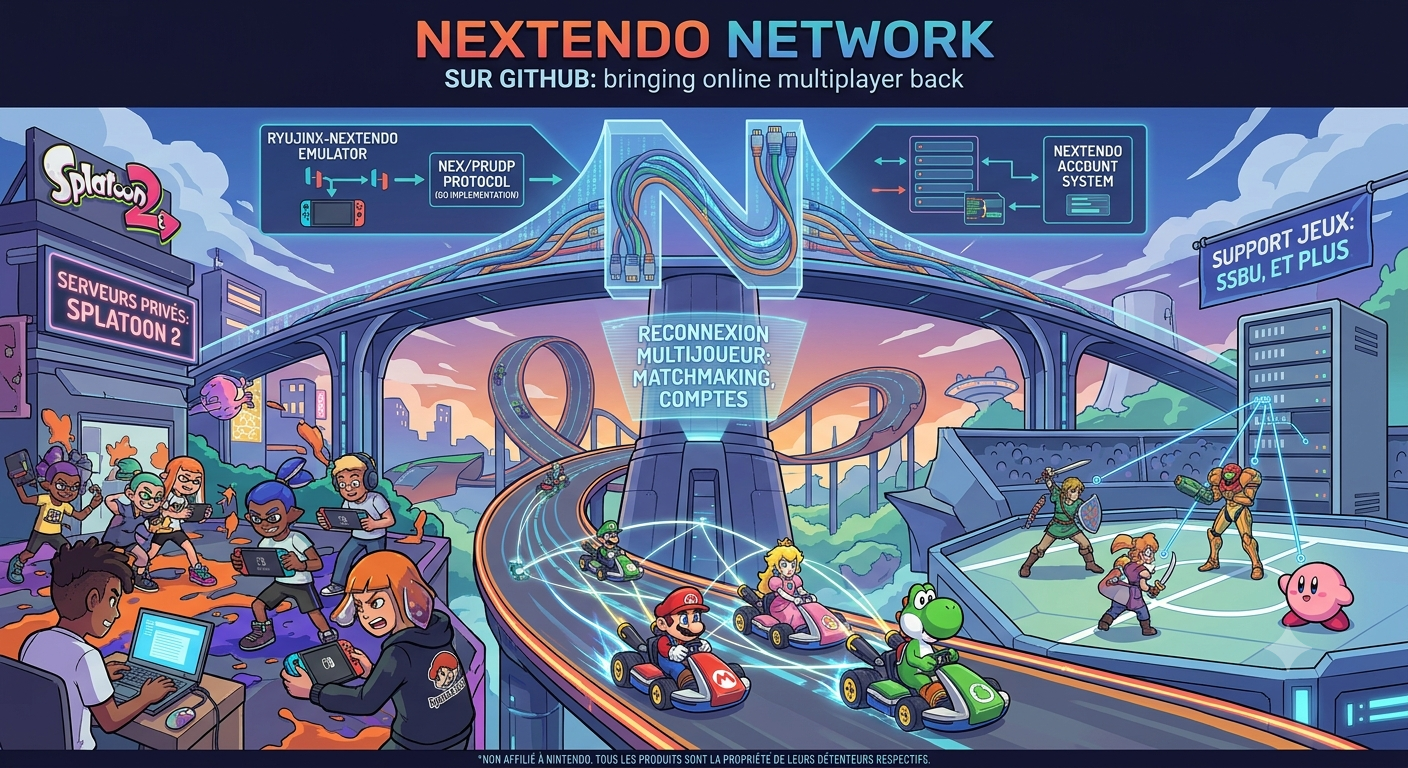


Les changements sont:
 
Games
– Super Mario 3D World + Bowser’s Fury: the game library now shows its Nextendo compatibility badge (version 1.2.2) and its live player count.
– Super Mario Bros. Wonder: friend rooms are found again. The friend list now uses the right account IDs and no longer stops after the first 10 friends.
– Mario Party Superstars: two players on separate Ryujinx installs no longer get the « multiple players are using the same save data » error when joining a friend room.
– ARMS: friends now see you as in an online match when you are actually in a session they can join.
 
About window
– The About window now credits Nextendo Network and the Nextendo team, with a link to nextendo.network. Translated in all languages.
– The repository now includes the full upstream Ryujinx history, so every original Ryujinx author is credited on GitHub.
– Thanks to alyeri for the Super Mario 3D World, Wonder and Mario Party Superstars fixes, and to CollectingW for ARMS.


 

Télécharger Ryujinx-Nextendo v1.8.13 (34.3 Mo)

Site Officiel

En savoir plus…


https://getourbonus.com/fr/accueil

https://www.romspedia.com/
Listing de toutes les actualités , Page numéro 102 - Emu-France

Nexen est un émulateur multi-système puissant et polyvalent pour Windows, Linux et macOS. Basé à l’origine sur le code de Mesen2, il s’en distingue par l’ajout de fonctionnalités avancées destinées au Tool-Assisted Speedrun (TAS), au débogage profond et à l’ingénierie inverse.


Les machines émulés sont les suivantes:
 

Consoles de Salon:
– Nintendo Entertainment System (NES) / Famicom / Dendy
– Super Nintendo (SNES) / Super Famicom (support complet des puces spéciales)
– Sega Master System
– Sega Genesis / Mega Drive
 

Consoles Portables:
– Game Boy (Originale)
– Game Boy Color
– Game Boy Advance
– Sega Game Gear
– WonderSwan & WonderSwan Color
– Atari Lynx
 

Consoles Micro-Informatiques & Autres:
– PC Engine / TurboGrafx-16 (incluant le format SuperGrafx)
– Atari 2600
– Fairchild Channel F


Télécharger Nexen v1.4.43 (87.3 Mo)

Site Officiel

En savoir plus…

GearLynx est un émulateur d’Atari Lynx pour Windows.


Les changements sont:
🧠 Improved MCP server
🖼️ New icon for Windows app
🐛 Many bug fixes and improvements


Télécharger GearLynx v1.2.34 (2.9 Mo)

Site Officiel

En savoir plus…

Il s’agit d’un émulateur de Sega 8 bits écrit en C++ par Ignacio Sanchez.
 
Il émule les machines suivantes:
– Sega Mark III
– Sega Master System
– Sega Game Gear
– Sega Game 1000 (SG-1000)
– Othello Multivision


Voici donc les changements:
 

🧠 Improved MCP server
🔈 Added master volume slider
🖼️ New option to remove sprite limit
🐛 Many bug fixes and improvements

 
Le binaire 32 bits est compilé par Lo v2.


Télécharger GearSystem (32 bits) v3.1.0 (13.5 Mo)

Télécharger GearSystem (64 bits) v3.9.21 (2.8 Mo)

Site Officiel

En savoir plus…

Créé par Ben Vanik alias Noxa (PSP Player), il s’agit d’un projet de recherche pour développer un émulateur Xbox 360. Notez qu’il vous faudra une machine très performante pour lancer des jeux commerciaux de façon fluide. Plus d’informations ici sans oublier le site de développement là [master]. Un manager permettant de gérer l’émulateur Xenia est disponible ici.


– [BASE] Use FlushAllSinks instead of inline loop
– [XAM] Enable storing IPTV name.
– [XAM] Implemented XamGetOnlineLanguageAndCountry
– [UI] Listed extended languages
– [XConfig] Implementation of XConfig
– [Xam/Content] – Implement XamContentCreateEnumeratorInternal
– [SMC] Removed std::bind usage in favor of lambda
– [XAM] Fixed issue with different param count in XamFormatDateString and XamFormatTimeString
– [APP] Flush log & save config on quick exit
– [XAM] Implemented XamGetLanguageLocaleFallbackString and XamGetLanguageTypeface
– [Kernel] – Change OddObj to X_DISPATCH_HEADER
– [Vulkan] Drop vertex buffer residency cache, hoist global lock like D3D12
– [Vulkan] Route guest oDepth through gl_FragDepth in FBO and into FSI depth test
– [XAM] Fixed XEX swap failing to remove prefix
– [Vulkan] Only declare the clip-distance or cull-distance array that is written
– [Vulkan] Port ac6_ground_fix vertex-fetch nudge to SPIR-V
– [Kernel] Implemented XeCryptHmacShaInit, XeCryptHmacShaUpdate and XeCryptHmacShaFinal
– [Kernel] Replace SHIM version of kernel strings with exports
– [XMA] Enhances the existing XmaContextNew implementation with one derived from the AC6_recomp RexGlue SDK.
– Misc fixes


Télécharger Xenia v1.0.2844 (2026/10/07) (3.5 Mo)

Site Officiel

En savoir plus…

Il s’agit d’un fork de l’émulateur Switch Citron, repris exactement à l’endroit où son développement s’était arrêté.


Les changements:
– hid: Resolve null dereference in UpdateMotion during startup
– fuck off ugly big line thing
– Egg
– audio_core: Fix ResultInsufficientBuffer on older revisions due to internal struct inflation


Télécharger Citron Neo (2026/10/04) (62.2 Mo)

Site Officiel

En savoir plus…

LaunchBox a été conçu comme une interface attrayante pour DOSBox, mais a depuis été élargi pour supporter à la fois les jeux PC modernes et les consoles émulées. DOSBox continuera d’être une priorité principale pour LaunchBox.
 
Il peut rechercher dans la database TheGamesDB.net (une base de données en ligne communautaire qui permet à quiconque de contribuer) pour les metadatas & box-arts. Il peut exporter les fichiers image, dispose d’une meilleure compatibilité avec dropbox.
 
LaunchBox comprend des processus d’importations automatiques pour Steam, D-Fend Reloaded, et les fichiers ROM pour des gains de vitesse.
 
LaunchBox-3.6
 

Télécharger LaunchBox v14 (509 Mo)

Site Officiel

En savoir plus…

Azahar est une fusion entre Lime3DS et le fork Citra de PabloMK7.


Soyez informé que la prise en charge des jeux cryptés n’est pas disponible…
 
Pour éviter toute confusion concernant les objectifs d’Azahar, la décision a été prise de limiter autant que possible le contournement du TPM (Trusted Platform Module). Le contournement ne sera effectué que lorsque l’interopérabilité du code de Nintendo est nécessaire avec Azahar ou d’autres codes de Nintendo. En conséquence, Azahar n’autorisera pas le lancement ou l’installation de jeux cryptés à moins qu’ils n’aient été obtenus par le biais des applications officielles de Nintendo, telles que l’eShop ou les paramètres système.
 

Note: Les fichiers .3ds non cryptés sont désormais pris en charge nativement.

 
Les changements:
 
All
– Enabled Attestation and Software Bill Of Materials for release assets to increase release security. | @PabloMK7 #2117
– From now on, Azahar releases are immutable. This means that once we publish a release, the assets linked to it cannot be changed in any way. This prevents token stealers from modifying release assets after they are published. You are able to know if a release is immutable if it shows a padlock icon with the word Immutable at the top left of the page.
– Starting from this release, Azahar release binaries are attested. This means that all of the official Azahar assets have now signed claims that specify where they were produced (CI jobs), the exact commit and timestamp, and other metadata.
Users should be able to verify the validity of azahar binaries using the GitHub Cli. For example: gh attestation verify –owner azahar-emu –predicate-type « https://spdx.dev/Document/v2.3 » . This command will only succeed if the file was not tampered with, which is useful when downloading assets from secondary sources, such as our Internet Archive page.
While plain sha256 hashes serve to verify integrity, attestations also allow to include the aforementioned metadata.
You can view the attestations for all of our binaries in the Attestations page.
– Also starting from this release, Azahar binaries have a Sofware Bill Of Materials, which consists in a JSON that (in theory) contains all dependencies Azahar relies upon, which should help tracking vulnerabilities. In practice, this technology is rather new, so not all dependencies are fully detected. You can read more about this in #2117.
A verify-release bash script is now provided in our source code that helps verifying the validity of Azahar releases. This allows users to better audit our releases as well as easily obtain the software bill of materials. Example usage is as follows: ./tools/verify-release.sh azahar-emu/azahar 2125.1.2. You can learn more about this tool in #2117.
 

Technical
– Added EXCLUDE_FROM_ALL to CMake targets where applicable, speeding up build times for certain non-standard build configurations. | @OpenSauce04 #2088
– All libretro core binaries are now stripped, greatly reducing filesize (primarily for the Android core) without affecting functionality in any way. | @OpenSauce04 #2111
– This is only relevant for the core binaries distributed by us; The cores used by the RetroArch core downloader were already doing this.


NB: L’outil Azahar Artic Setup est une application homebrew pour la Nintendo 3DS qui permet d’installer des fichiers système et des données uniques de la console sur l’émulateur Azahar en utilisant votre console. Il diffuse l’application « Paramètres Système » ainsi que le module système NIM pour effectuer une mise à jour système, et copie vos données uniques de la console pour activer les fonctionnalités en ligne.
 

Télécharger Azahar v2126.1.2 (41.9 Mo)

Site Officiel

En savoir plus…

Il s’agit d’un émulateur de Sinclair ZX Spectrum.


Les améliorations:
– minimal JDK version lifted up to 22
– replaced JInput with input4j for game controllers
– added save of last TAP, SNAPSHOT, FLOPPY folders between restart
– improved JVM flags, switched to ZGC garbage collector
– the embedded JDK has been updated to 26.0.1+10
– added Low Pass Filter for sound output


Télécharger ZX Poly v2.4.1 (45.6 Mo)

Site Officiel

En savoir plus…

Mupen64 RR Lua (ou Mupen64 Re-recording Lua) est un fork (le 3eme) de Mupen64 permettant l’enregistrement de vidéo.


Les changements sont:
 
⚡ Performance
– VFWEncoder – Offload encoding to another thread (#621)
– LuaRenderer – Skip expensive TransparentBlt during capture (#620)
– Tighten message loop (#606)
– Use 32bpp BGRA video buffers (#605)
– Lua – Skip lua calls when no callbacks are registered (#604)
 
✨ Features
– ConfigDialog – Ask for confirmation before cancel when there are unsaved settings (#668)
– TASVideo – More compatible universal combiner (#664)
– FFmpegEncoder – Use NUT packets (#655)
– VFWEncoder – Better A/V sync (#653)
– Dark mode (#569)
– Lua – Add emu.get_speed_mode and emu.set_speed_mode (#618)
– Lua – Add d2d.draw_image2 (#600)
– TASAudio – Use SDL3 for playback (#594)
– Lua – debugger API (#592)
– Website – Add stroop page (#596)
– Lua – More serious trust message (#595)
– CoreDbg – (breaking) Remove CoreDbg GUI (#589)
– LuaRenderer – Native resizing support (#583)
 
🐞 Bugfixes
– CaptureManager – Choppy frame pacing after lag sections (#654)
– TASVideo – Scrolling text dialogs being cut off in SM64 (#657)
– TASVideo – Incorrect texture conversion in some cases (#658)
– Mp4 extensions not being handled correctly in capture file dialogs (#656)
– Core – Unreliable frame advance graphics updating (#649)
– Various in-app images have opaque backgrounds (#647)
– Inconsistent OK and Cancel button positions (#646)
– Plugins not receiving extended functions when invoking config, test, or about (#641)
– LuaRenderer – Overlays flickering when main window moves (#642)
– VCR – Pausing one frame too late when pause at frame is specified (#640)
– TASAudio – Messed up stereo audio during capture (#625)
– TASVideo – Broken screenshot functionality (#623)
– Crash when trying to capture screenshot using a video plugin that doesn’t support it (#622)
– LuaRenderer – Visible pink alpha mask on platforms without LWA_COLORKEY support (#587)
– AppActions – File > Exit causes crash (#582)
– LuaRenderer – Run rendering heartbeat on a separate thread (#577)
– LuaRenderer – Overlays stealing focus from primary window (#572)
– Double spaces in plugin names (#568)
– Set CMAKE__COMPILER_TARGET based on VS environment (#563)

 
Site original. Fork 1. Fork 2. Fork 3.
 

Télécharger Mupen64 RR Lua v1.5.0-4 (+AVI Fixes builds) (26.8 Mo)

En savoir plus…

SuperSNES9X est un fork avancé de SNES9X, développé par shanytc, qui ajoute de nombreuses améliorations modernes tout en conservant la rapidité et la simplicité du SNES9X original. Il vise autant les joueurs (retroachievements, online) que les créateurs (sprite ripping, hacking, debugging).


Principales améliorations:
– Support multi-système : GameBoy, GameBoy Color et Super GameBoy intégrés
– RetroAchievements intégrés
– Kaillera (Client/Serveur) pour le jeu en ligne
– Run‑Ahead pour réduire la latence d’entrée
– Correction colorimétrique et filtres CRT‑like
– Viewers S-PPU avancés (Sprites/Tiles) pour rippers et map‑makers
– Cheat Search & Editor améliorés : clic droit, fonctions batch
– Assignation Multi-Bind: mixage clavier + manette sur une même entrée
– Support SDL (Simple DirectMedia Layer)
– Débogueur en cours de développement
 
A noter que les fichiers de configuration et sauvegardes sont 100% compatibles entre SNES9X et SuperSNES9X.
 
Les changements sont:
 
Cheat Editor Enhancements
– Win32: cheat editor changes now apply live instead of waiting for the dialog to close.
 
SGB
– Gate BIOS artifact-cleanup memsets on sgb_flag == 0x03 — the BIOS artifact-cleanup memsets (added in PR #63 for SGB Tetris/Tetris Plus stripe fixes) are now gated on sgb_flag == 0x03, so they only run for actual SGB carts and don’t regress plain SNES titles.
 
SGB audio
– GB APU output through a Hermite resampler with adaptive ratio so GB samples match host playback rate.
– BIOS-released audio mix path in CXAudio2: GB owns the voice, SPC is mixed under via MixSpcOverGB.
– GB APU gain + DC blocker tuned to eliminate DC-step impulses at the source.
– Closed-loop SPC chip-clock DRC (S9xSpcAdjustRate + spc::drc_scale applied inside S9xAPUGetClock). Slows the SPC chip toward wall-native rate based on resampler fill, so SPC tempo + pitch stay correct independent of emulator pace.
– S9xSpcResetDrc restores neutral state when leaving SGB mode.
 
Audio Waveform viewer
– New menu sub-item: Sound > Show Audio Waveform.
– Three-panel viewer (SPC / GB / MIX) with mint-green filled waveform on black, gray grid, right-side Y-axis (-30000…+30000, smpl header), hollow bordered panel labels, shared bottom X-axis (ms) on the MIX panel.
– Live readouts: GB output rate / emu fps, SPC effective Hz + resampler r_step, current UI refresh.
– Right-click refresh-rate menu — 2 / 5 / 10 / 20 / 30 / 60 Hz. Only affects the UI repaint timer; emulator thread is untouched.
– Double-buffered painting (memory DC + BitBlt) and WM_ERASEBKGND suppression — flicker-free at any refresh rate.
 
SGB VRAM / handoff
– Hide GB boot-ROM Nintendo logo until the game writes VRAM.
– Latch row/bank for $6000 to fix vertical-stripe artifacts (Pokémon Red, Animaniacs, etc.).
– Zero BG1 tilemap + OAM at handoff, then re-zero each frame for the first 30 frames post-handoff (kills Tetris Plus stripes).
– Zero BG1 + BG3 tilemaps during the BIOS fade-out window, plus pattern-detected BG3 char cleanup for the Tetris fade-in.
– Removed the post-handoff $7800 write gate so CHR_TRN / PCT_TRN packets reach the BIOS.
 
SGB multi-player
– Enabled MLT_REQ joypad rotation for SGB-flagged carts; auto-drop forced 2-player MLT after the detection window for single-player games miscategorised by the cart header.
 
UI
– Video > Show Frame Number toggle.


Télécharger SuperSnes9x v1.63.31 (11.3 Mo)

Site Officiel

En savoir plus…

Il s’agit d’un émulateur multi-console et multiplateforme prenant en charge un certain nombre de consoles de jeu 8 bits et 16 bits.


Emulation des consoles suivantes:
– Sega Genesis / Mega Drive
– Sega CD / Mega CD / 32X / Mega 32X
– Sega SG-1000
– Sega Master System / Mark III
– Game Gear
– Nintendo Entertainment System (NES) / Famicom
– Super Nintendo Entertainment System (SNES) / Super Famicom
– Game Boy / Game Boy Color / Advance
 

Voici quelques caractéristiques:
– Moteur de rendu basé sur le GPU avec mise à l’échelle des nombres entiers et interpolation linéaire optionnelle
– Rapport d’aspect des pixels configurable pour chaque console avec plusieurs options différentes : fidélité au matériel/téléviseur d’origine, pixels carrés et étirement pour remplir la fenêtre.
– Prise en charge de l’extension de l’unité sonore FM du Sega Master System
– Prise en charge de la puce SVP de la Sega Genesis, utilisée dans Virtua Racing
– Prise en charge des mappeurs NES les plus courants, ainsi que d’un certain nombre de mappeurs moins courants
– Prise en charge de la plupart des coprocesseurs SNES (par exemple Super FX, SA-1, DSP-1, CX4, S-DD1, SPC7110)
– Prise en charge des contrôleurs Genesis à 3 et 6 boutons
– Prise en charge des commandes au clavier et des commandes au gamepad DirectInput
– Sauvegarde des états, avance rapide et retour en arrière
– Quelques shaders simples de flou horizontal et d’anti-dither naïf pour mélanger des motifs de pixels dithered, qui étaient extrêmement courants sur ces consoles en raison des palettes de couleurs limitées et de l’absence de transparence prise en charge par le matériel.
– Option d’overclocking CPU 2x pour l’émulation Sega Master System et Game Gear
– Surcadençage GSU 2-4x en option pour les jeux SNES Super FX
– Peut exécuter les démos Titan Overdrive et Titan Overdrive 2 pour la Mega Drive.
 
Les changements sont les suivants:
 
Settings Changes
– On Windows, the settings file is now stored in a user profile directory by default (generally C:\Users\$NAME\AppData\Local\jgenesis\); other platforms already behaved this way (e.g. generally $HOME/.config/jgenesis/ on Linux).
– If you want to restore the old Windows behavior of storing the settings file in the emulator directory, there is a new option in Settings > Paths to switch the settings file location, or you can create a portable.txt file in the emulator directory (contents don’t matter, the file just has to exist); this works on all platforms.
– The –config command line arg still exists and overrides all of this behavior if it is used.
 
Improvements
– The rewind buffer is now compressed in memory; this significantly decreases the emulator’s RAM usage, particularly when emulating Sega CD or 32X.
– Exact savings will vary based on a lot of things, but with 32X for example I’m seeing that a 10-second rewind buffer now takes 40-80 MB of RAM instead of ~600 MB.
– Compression is performed asynchronously, so this should not impact emulator performance.
– Save states are now compressed and written to disk asynchronously, which makes it significantly less likely that saving state will cause the emulator to stutter.
 
Fixes
– Fixed turbo input mappings not working properly; this was a regression in v0.12.0.
– This was caused by the backend changes to support the Genesis debugging tools added in v0.12.0, which involved mostly rewriting the main emulator execution loop (among other things); the new version was missing the bit of code that makes turbo buttons alternate between pressed and not pressed.
– Fixed all settings reverting to defaults when a single setting fails to deserialize from the config file; now only the setting(s) that failed to deserialize will reset to default.
– (SNES) Cartridges that specify a nonsensically high amount of SRAM in the cartridge header now get 256 KB of SRAM instead of none (#635). This seems to usually happen with prototype cartridges that don’t have a proper cartridge header.


Télécharger Jgenesis v0.14.1 (19.4 Mo)

Site Officiel

En savoir plus…

Il s’agit d’un émulateur de PC Engine / TurboGrafx-16 / CD-ROM² / Super CD-ROM² et Arcade CD-ROM² / SuperGrafx multi plateformes.


🎯 Improved HuC6270 accuracy
🐛 Bug fixes and improvements


Télécharger GearGRAFX v1.8.2 (3.3 Mo)

Site Officiel

En savoir plus…


https://getourbonus.com/fr/accueil

https://www.romspedia.com/