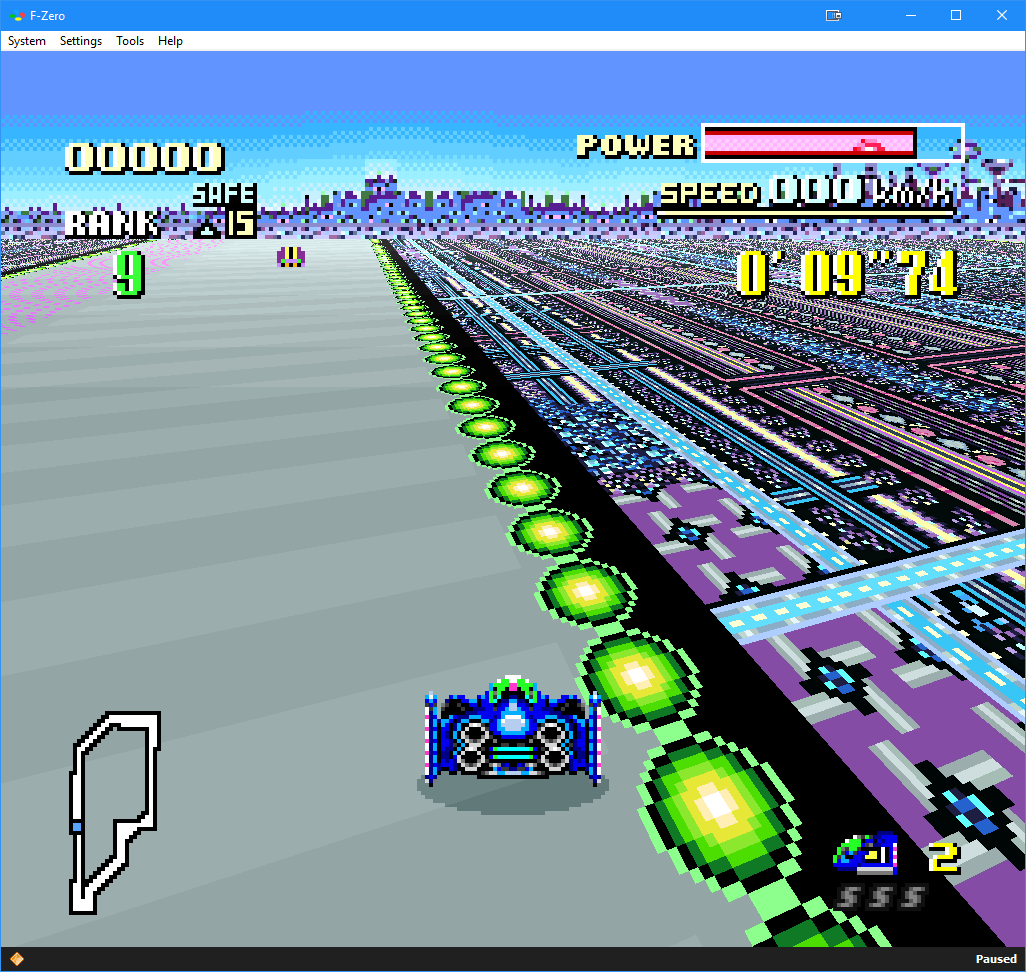
Il s’agit d’une nouvelle version de Fightcade qui utilise des émulateurs à jour + GGPO pour le netplay. Celui-ci est basé sur la version originale de GGPO mais avec quelques améliorations.
 
Les émulateurs pris en charges sont:
– Fightcade FBNeo (dernière version, GGPO)
– Fightcade FBA (ancienne version, GGPO)
– Fightcade SNES9X (GGPO)
– NullDC
– Flycast


Les changements depuis la version 2.0.95 sont:
 

16/02/2021 (t.ly/BPF4) Update (Fightcade v2.0.96): 

FcadeFBNeo v0.2.97.44-31
- fixed MK spectator mode (thanks to dink), dipswitches fixed for online
- new BH games from Viper Snake (a bunch of them)
- updated umk3uc to Ultimate Mortal Kombat 3 Cup Edition (2020-12-01)
- added new sf2mix dipswitches (thanks ayanamirei0)
- new detectors (sgemf) and clones (kof99ae, boss hacks)
- added support for filename to lua savestate load/save/create
- added support for emu.speedmode (only normal or turbo)
- added sfa3aism rom hack
- removed tilt in online games (dankuga!)
- fixed more P1/P2 bindings

+ New Savestates:
- esckidsj: Escape Kids
- sf2mix: SF2Mix 0.97 
- cybots: Cyberbots
- vampjbh: Vampire (Boss Hack)
- sfiii4n: 4rd Strike Arranged Edition 2013
- md_yuyumt: Yu Yu Hakusho (Megadrive)
- md_wwfag: WWF WrestleMania (Megadrive)

FcadeFlycast v0.3.2
- Merged with current Flycast upstream changes
- Fixed stuttering, now mutes sound on repeated frame
- Frame timeout introduced to prevent Force Quit situation on lost connection
- Static RNG seed
- Increases game compatibility, making games with previously random game states deterministic across both clients
- UDP Ping & Delay Detection on host screen
- Guest player now requests repeat frame any time frame timeout exceeds delay
- Guest always adopts host payload settings
- MD5 Checksum Calculation/Validation in ROM menu
- Performance Improvements (fixes slowdown on older machines)

+ Dipswitch Updates:
- King of Fighters XI - Free Play + Characters Unlocked
- King of Fighters Neowave - Free Play
- Metal Slug 6 - Uncensored Blood + Free Play
- Neo Geo Battle Coliseum - Free Play + Characters Unlocked
- Power Stone - Free Play
- Dead Or Alive 2 Millennium - Free Play
- The Rumble Fish 2 - Characters Unlocked + Volume Settings. Now in Stereo at a lower volume. Default settings were optimized to clip and blast ears.


Télécharger Fightcade2 v2.1.45 (223 Mo)

Site Officiel

Compte Twitter

En savoir plus…

Ootake est un émulateur PC-Engine en provenance du Japon et basé sur PC2E, tournant sous Windows 2000, XP, Vista, 7, 8 et 10. Il nécessite Direct X v9.0c au minimum.
 
ootake
 
– « For Video Caputure Mode » has been added to the « Screen-> Mode » menu. You
can switch the Ootake’s window to 480p or 720p size for easy viewing with
a single touch. If you capture with this sharp screen size when using
video capture software, you can upload with high image quality when
uploading to YouTube etc.
In this mode, the « Screen-> Remove Lag 1F » menu setting is automatically
disabled(0F), reducing the load when using the video capture software. If
you want to prioritize input-lag measures, you can manually re-enable (the
operation of the video capture software will be considerably slower) it.
It can also be used in full screen mode. 1080p can also be selected in
full screen.
– Fixed a bug that Ootake does not recognize when connecting an XInput
compatible game controller due to the PC environment (when a connecting
driver for the PS4 controller was installed, a pad that can be used by
switching between XInput and DirectInput, etc.).
– If you change the connection of a game controller such as USB while Ootake
is running, Ootake will recognize the change immediately.
– In window mode, when switching the overscan area display of the screen
with the [F11] key or [F12] key, the sound that continued to sound during
screen switching was temporarily muted so that it can be switched
comfortably.
– The width of the window size has been changed from a multiple of 299 to a
multiple of 298. When capturing and encoding video, you can encode while
maintaining the image quality. By the way, depending on the PC environment
and capture software, Ootake’s operation may be heavy and processing may
drop. In that case, if you select the « Screen-> Mode-> for Video Capture
Mode » menu, the processing will be lighter and you will be able to capture
smoothly.
– The operation speed and timing have been brought closer to the operation
of the actual machine. In the stage 2 of « Parodius Da! », the problem that
the clown’s position flickers one line at the bottom of the screen (
occurred from recent versions) has been resolved. In « The Tower of
Druaga », the problem that some parts of BGM started to sound late has been
solved on the hint screen of Ishtar of « After clearing the stage ».
– Improved so that the processing does not become heavy even in « games with
many readings of the state of the game pad » such as « Space Harrier ».
– The « Screen-> Remove Lag Max 3F » menu has little effect on Windows 10, and
even before Win8, this menu(3F) is no longer necessary by setting the
driver (rendering frame buffer is 1), so 3F menu was abolished (because
processing becomes heavy if it is set to 3F).
– At Ootake v2.99, in « Tokimeki Memorial », when the sprite missing display
setting (CPU-> Perform SpriteLimit) is turned on or the overscan area is
displayed ([F12] key), dust that is sometimes displayed on the left and
right edges of the screen (probably used as a data area) was not accurate.
This time, it became the same as the actual machine.
– « Customize bram & mb128 Folder » has been added to the « File » menu. if you
check « Same location as the save folder », the locations of « bram folder (
for saving backup save files) » and « mb128 folder (for saving MB128 save
files) » is set inside the « save » folder. Place the « save » folder on a
network drive and use it when you want to share save data with multiple
PCs.
– Other minor parts have been corrected and improved.
* Ootake’s C++ optimization option of the development software Visual Studio
2019 has been changed to « less optimized build » so that it will not be
falsely detected by antivirus software.
This C++ optimization option is ON by default in VS2019. Other than
corporate-signed software, many recently made C++ online software is
probably falsely detected.
In fact, we have confirmed that about 40% of antivirus software falsely
detects viruses even in apps that display only « Hello World » in VS2019
C++.
I would like to turn on the optimization option fully in order to reduce
the load on the PC, but this time I am limiting the optimization to the
point where it is not treated as a virus.
However, especially on older PCs, there is a concern that performance will
be degraded and 60 frames will not be displayed smoothly. In that case, in
the next version, I will also revert to optimization full ON. (In this
case, some software will treat it as a virus again, so it will be released
after the author has a false positive verification by an antivirus
software company, so the release will be delayed than usual.)


Télécharger Ootake (2K/XP/Vista/7/8/10/11) v3.06 (1.4 Mo)

Site Officiel

En savoir plus…

La dernière version béta publique de l’excellent WinUAE, l’émulateur Commodore Amiga. La traduction est signée Tradu-France.


Télécharger WinUAE (Public Beta) [32 bits] v6.1.0 Beta 21 (5.3 Mo)

Télécharger WinUAE (Public Beta) [64 bits] v6.1.0 Beta 21 (8.5 Mo)

Télécharger WinUAE (Public Beta) [32 bits] v6.1.0 Beta 21 FR (5.4 Mo)

Télécharger WinUAE (Public Beta) [64 bits] v6.1.0 Beta 21 FR (8.5 Mo)

Site Officiel

En savoir plus…

Pegasus est une interface graphique pour permet de parcourir votre bibliothèque de jeux et de lancer toutes sortes d’émulateurs via un même endroit. Il se concentre sur la personnalisation, la prise en charge multiplateformes et les hautes performances.


Télécharger Pegasus Frontend Alpha 16 r113 (14.9 Mo)

Site Officiel

En savoir plus…

bsnes-plus (ou bsnes+) est un fork de bsnes (basé sur bsnes-classic) destiné à introduire de nouvelles fonctionnalités et améliorations, la plupart visant au débogage. Il s’agit donc d’une version améliorée de bsnes 073 ou l’on retrouve donc l’ancienne interface ainsi que les anciens menus. Plus d’informations ici.
 
Il s’agit d’une version WIP (en cours de développement) dite « instable » basée sur les dernières sources GIT du projet.


Changements:
– Merge pull request #276 from hellow554/master
– replace deprecated qt api with recommended functions
– some fixes

 
Cette version est compatible avec le pack de shaders disponible ici.
 
A noter que la version 32 bits n’est pas officielle (réalisée par Lo v2).
 

Télécharger bsnes-plus (x86) WIP v05.60 (2020/05/09) (7.6 Mo)

Télécharger bsnes-plus (x64) WIP v05.105 (2025/03/23) (12.5 Mo)

Site Officiel

En savoir plus…

Le premier émulateur de Sega Model 3 créé par Bart Trzynadlowski, Ville Linde et Stefano Teso dans sa version de développement (voir ici) [source].


Les changements:
r851
– Just a few compile warnings
———————
r850
– Fix project file
———————
r849
– Build bot script.
———————
r848
– Skichamp Driveboard error fix.
———————
r847
Huge refactor of the Driveboard:
-Separate each possible boards (wheel, joystick, skipad, billboard).
-Defined a Driveboard type in Games.xml for each games.
-Due to the refactoring, Driveboard Savestates have changed (a common base data + a specific board data are saved).
-Backwards compatibility with previous save states is maintained.
-Driveboard rom section is no longer required anymore. This disables Driveboard emulation in case the rom is not found.
-Added Billboard emulation (vf3, vs2, fvipers2, von2). 7 segments and lamps Outputs are redirected to Supermodel outputs.
-Changes project to C++ 17 standard.

 
Les fichiers sont compilés par Kof2112, merci à lui.


Télécharger SuperModel v0.4 Build 261114 (5.2 Mo)

Télécharger SuperModel WIP (XP) v0.3a r862 (6.3 Mo)

Site Officiel

En savoir plus…

DSP est un émulateur Sinclair ZX Spectrum mais aussi Amstrad CPC, Arcade, NES, SMS, GameBoy, Coleco Vision, Chip8/Super Chip8… développé par Leniad Soft 2003. Il supporte les Spectrum 48K, Spectrum 128K et des jeux d’arcades comme Phoenix, BombJack ou encore Ghost’n’Goblins. Il s’agit d’un projet Open Source développé en Delphi+Lazarus+Free Pascal.
 
DSP
 
DSP Emulator 0.18b3 WIP:
 
-Renewed preview images (Thanks to Francisco José Martí Terrón)
 
-General
+CPU
-MCS51: Added halt line
+ROMS export: Fixed many ROMs sets (Thanks to Francisco José Martí Terrón)
 
-Commodore 64
+Added PRG and T64 file support (added by chuso gar)
 
-Sega System 16B HW
+Fixed dipswitches
+Fixed video cache
+Fixed sprite colors
+Added memory overlap
+Added 315-5248 and 315-5250
+Added more operations to 315-5195
-Dynamite Dux: Added driver with sound
-Golden Axe: Driver working, due problems with i8751/M68000 using predecoded version
-ESwat – Cyber Police: Added driver with sound, due the lack of FD1094 emulation using predecoded version

 
—-
 
-General
+CPU
-MCS51: Added opcodes $45,$e2,$e3,$f2 and $f3
+uPD7759: Added slave chip type
 

-Sega System 16B HW
+Added MCU, sound, sprites and controls
+Fixed chars and tiles
-Altered Beast: Driver with sound
-Golden Axe: Initial driver
 

more here…


Télécharger DSP (x86) v0.23 (6.0 Mo)

Télécharger DSP (x64) v0.20 (16/07/2022) (3.5 Mo)

Site Officiel

En savoir plus…

Il s’agit d’une version béta de bsnes ajoutant un mode haute résolution au mode 7 et qui gère à présent l’affichage en mode écrans larges, le résultat est absolument magnifique !! Espérons que Near pourra l’intégrer dans le projet officiel prochainement !
 

Avant


Après!


WideScreen en action !

Avant

Après!

 
New in this version:
 
general:
– Fixed memory leak affecting every rendered frame (#70)
– Widescreen sizes are now rounded to increments of 8 to avoid misalignments (#60)
– Background color gradient smoothing now has a threshold to avoid blurring intended edges
– Some release build system tweaks (partially from #57 by Margen67)
– tweaked widescreen marker positions
 

standalone:
– Fixed loading of settings (#45, #53)
– Default latency of WaveOut (the default audio on Windows) has been reduced to 128 (#58)
– Linux and Mac releases are now .tar.bz2 compressed to preserve the execute permissions (#37, #41)
– Mac releases now target macOS 10.14 (Mojave) (#40)
– Included settings file is no longer empty, but contains default input and hotkey settings
– The Windows and Linux packages now include the Super Metroid widescreen patch by ocesse as – – well as some sample setting overrides (partially by @wojpawlik)
 

libretro:
– The core is back on the auto updater (by libretro team and community) (#56)
– The core is now also available for some systems as part of releases
– The « HD Windowing (experimental) » setting is now applied properly (#55)
– Support for GB/GBC roms in archives, Satellaview and MSU-1 SGB (by KickMeElmo in #69 (#46))
 

setting overrides:
– The 4 « widescreen background » settings now allow specifying a line from which on up/downwards the background is widescreen as well as specifying cropping modes
– « WideScreen Marker » setting can now be set via ‘m’
– « Mode 7 Perspective Correction » setting can now be set via ‘P’
– « Overclock CPU » setting can now be set via ‘O’
– Overrides are now properly removed when switching games and not accidentially saves in settings
– The ‘%’-character can now be used in override files to switch to and from comments
 

All provided as-is!
 

« bsnes-hd beta » core for RetroArch available in the internal updater on Windows, Linux, Mac, Android and Switch


A télécharger ici: beta 1, beta 2, beta 3, beta 4, beta 5, beta 6, beta 7, beta 8, beta 9, beta 8, beta 10, beta 10.2, beta 10.3, beta 10.4.


Forum Officiel

Site Officiel

Un très bon émulateur de TI-99/4A tournant sous Windows. Il fut connu sous le nom d’AMI99, mais fut renommé car beaucoup de personnes pensaient qu’il s’agissait d’un émulateur Commodore Amiga.
 

classicti99classicti991

 
Les fonctionnalités :
– Les roms systèmes & plusieurs cartouches sont inclues sous licence Texas Instruments
– Démarre et fait fonctionner correctement toutes les fonctions OS (excepté l’I/O et le TI BASIC,
– La plupart des modules fonctionnent très bien
– Le switch des cartouches XB/Atarisoft/Jon379/SuperSpace cartridge est supporté
– Emulation complète du son sur tous les channels, en incluant le support du son digitalisé
– Speech implémenté à la fois sur les roms et sur le speak externe.
– Le scan CRU du clavier est implémenté
– Support du joystick et du timer 9901
– Le disque supporte les fichiers V9T9, TIFILES/Xmodem, les fichies natifs Windows, les images disque V9T9 DSK & PC99 DSK (les images DSK sont en lecture seule)
– DirectX fenetré et plein écran, comme les modes fenétrés non-DirectX
– Détection des collisions (par pattern)
– Nombreux filtres vidéos en option (HQ4X, 2xSAI, SuperEagle, NTSC, etc)
– Débugger intégré en single step
– Emulation clavier PS/2 keyboard
– Sélection des menus par souris (double-cliquer sur l’écran)
– Support de la carte 1MB Super AMS
– Code source complet inclus
– Etc.
 
Après la v3.99.4, le système d’incrémentation des versions à changé, on en ignore la justification.
 

Télécharger Classic99 v399.086 (35.5 Mo)

Site Officiel

En savoir plus…

Développé par Mike Wynne, il s’agit d’un émulateur Sinclair ZX81, Sinclair ZX80, Sinclair ZX Spectrum 16k/48k, Sinclair ZX Spectrum 128k, Amstrad/Sinclair Spectrum +2, Amstrad/Sinclair Spectrum +2a, Amstrad/Sinclair Spectrum +3, Timex TS1000, Timex TS1500, Timex TS2068, Timex TC2048, Lambda 8300, Ringo R470, MicroDigital TK85 et Jupiter ACE.


Bug fixes:
– The status bar of the BASIC Listing window was not showing the correct program address range
for the ZX80 and Spectrum.
– The status bar of the BASIC Listing window was not being cleared when switching to a
different computer model.
– The memory shadowing of QS Character mode when Chroma 81 was selected was incorrect.
– Removal of the close ‘X’ from the hardware dialog title bar, which was leaving the dialog
in an incorrect state.
– Removal of the close ‘X’ from the Sound Settings dialog title bar, which was leaving the
dialog in an incorrect state.
– Removal of the close ‘X’ from the BASIC Listing Settings dialog title bar, which was leaving
the dialog in an incorrect state.
– Cancelling the Load BASIC Listing Options dialog no longer results in a reset.
– A line highlighted in the BASIC Listing window was not being de-highlighted when clicking
empty space beyond the end of the program.
– The continuation marker in a BASIC Listing file is now supported for comment lines.
– The Discard Redundant Spaces option of the BASIC Listing loader was not removing all surplus
spaces.
 

Enhancements:
– Updated program icon to have white keys (provided by equin0x80).
– Selecting a machine specific BASIC Listing file causes an automatic switch to the appropriate
computer model.
– The BASIC Listing window now provides a 2x scaling option.
– Support for loading BASIC Listing files with a .txt extension.
– Support for loading BASIC Listing files with a .bas extension.
– Support for loading BASIC Listing files that use ZxToken format extensions.
 

Télécharger EightyOne v1.41 (4.9 Mo)

Site Officiel

En savoir plus…

Il s’agit d’un très bon émulateur de NES, ce fut le second à être releasé au public (en 1996 !) après Pasofami mais le premier à être le plus facilement utilisable. L’idée originale de iNES appartient à Alex Krasivsky, qui a trouvé les premières informations sur le matériel et NDA a écrit le code initial, il ne reste rien de ce code aujourd’hui.
 
iNES lance une immense quantité de jeux NES, supporte le Gamegenie, le Family BASIC Keyboard, le FDS et le système arcade VS-System. iNES propose plusieurs filtres graphiques et supporte le jeu en ligne.
 
Il a été porté sur Unix, MacOS, MSDos, Windows, Symbian, PocketPC, etc…
 
inesines2
 
– Nintendo Entertainment System (NES), Famicom, Famicom Disk System and Dendy are all registered trademarks of Nintendo.
– GameGenie is a registered trademark of Galoob.
– The author is in no way affiliated with Nintendo.
– The author is in no way affiliated with any pirate group out there.
– The author cannot and will not provide you with any NES or Famicom games.
– The author cannot be held responsible for anything this program will do to your computer, brains, free time, housemates, pets, or family members.


Télécharger iNES v6.1 (218 Ko)

Site Officiel

En savoir plus…

Débuté en 1996 sur diverses plateformes car hautement portable, MasterGear est gratuit depuis le 11/03/2015 dans ses versions Windows.


MasterGear (MG) est un émulateur des systèmes Sega 8 bits. Il supporte la Sega MasterSystem (Mark3 au Japon) et GameGear, ainsi que leurs prédécesseurs : SG1000, SC3000, SF7000, et Mark2. MasterGear dispose aussi d’un débogueur.
 

-Mark3, MasterSystem, GameGear, SG1000, SC3000, and SF7000 are all registered trademarks of SEGA.
– GameGenie is a registered trademark of Galoob.
– The author is in no way affiliated with SEGA.
– The author is in no way affiliated with any pirate group out there.
– The author cannot and will not provide you with any MasterSystem, GameGear, or other games.
– The author cannot be held responsible for anything this program will do to your computer, brains, free time, housemates, pets, or family members.


Télécharger MasterGear (Windows) v4.9 (161 Ko)

Site Officiel

En savoir plus…


https://getourbonus.com/fr/accueil

https://www.romspedia.com/