Il s’agit d’un émulateur multi-systèmes émulant les consoles NES, SuperNes, Sega Master System, SG-1000, Sega Game Gear, PC-Engine (TurboGrafx-16) / CD-ROM, SuperGrafx, Sega Genesis, Gameboy/Color, Atari 2600, Atari 7800 mais aussi TI-83 Calculator ou le Commodore 64.
 
Bizhawk utilise des fonctions d’enregistrement vidéo et est relié au projet TasVideo.

 
La version 2 n’est utilisable qu’avec Windows 7 ou supérieur et en version 64 bits uniquement. L’autre version est valable pour les systèmes 32 bits à partir de XP. La liste des pré-requis est disponible ici.
 
Source alternative

 
biz
 
Les changements sont visibles ici et là.


Télécharger BizHawk (x86) (XP/Vista) v1.13.2 (25.3 Mo)

Télécharger BizHawk (x64) v2.11.1 (93.4 Mo)

Site Officiel

En savoir plus…

Felix (contraction de « Felis lynx ») est un émulateur d’Atari Lynx qui a pour ambition de devenir un émulateur de Lynx nouvelle génération et précis.


Il s’agit d’une version en cours de développement.
 
Les changements:
– Fixed many games hanging after title screen
– Got rid of D3DCompiler library dependency (might fix some DXError problems)
– Fixed math bug related to unsafe register access (demo0006.o now works)
– Fixed bug in counters
– Slightly improved CPU timing
– Fixed multiple errors related to hardware collisions (fixes Flappy Bird and other)


Télécharger Felix v0.6.4 (854 Ko)

Site Officiel

En savoir plus…

Un émulateur multi-consoles qui émule en vrac :
 
– Apple II/II+
– Atari Lynx
– Neo Geo Pocket (Color)
– WonderSwan
– GameBoy (Color)
– GameBoy Advance
– Nintendo Entertainment System
– Super Nintendo Entertainment System/Super Famicom
– Virtual Boy
– PC Engine/TurboGrafx 16 (CD)
– SuperGrafx
– PC-FX
– Sega Game Gear
– Sega Genesis/Megadrive
– Sega Master System
– Sega Saturn
– Sony PlayStation


Mednafen ne disposant pas d’interface graphique (GUI), l’utilisation du frontend MedGUI, MedGUI Reborn, Mednaffe, MedAdvCFG, MedSat ou MedLaunch est conseillée.
 
Les changements sont visibles ici.


Télécharger Mednafen (x86) (WIP) v1.32.0 (5.1 Mo)

Télécharger Mednafen (x64) (WIP) v1.32.0 (6.8 Mo)

Site Officiel

En savoir plus…

Play! est une tentative de créer un émulateur PlayStation 2 sous Windows / MacOS / iOS / Android. Il est actuellement écrit en C / C + + et utilise un système de mise en cache / de recompilation d’instruction pour obtenir de meilleures performances tout en émulant le CPU.
 
L’émulateur peut faire fonctionner quelques jeux, mais très moyennement dans la plupart des cas. L’objectif de l’auteur est d’atteindre un niveau de qualité qui permettra à quiconque de jouer son jeu favori PlayStation 2 sur son PC.
 
play
 
– Compatibility fixes: Okage: The Shadow King and Way of the Samurai now go in-game. Kya Dark Lineage now goes in menus.
– Fixed colors in Virtua Fighter 2 and Sega Rally Championship 95 in Vulkan GS handler.
– Linux: Fixed issues with controller support.
– Win32: Don’t use SIMD optimized texture update routines if SSSE3 is not available (and prevent crashing).
– Desktop: Fixed Vulkan GS handler being available even though fragment shader interlock extension was not available.
– Android: Built using Android 11 (SDK 30) target. This means the ‘Play Data Files’ folder has been moved to the app’s internal data folder. A migration system is available to move your files from the old folder to the new location. Please note that from now on, uninstalling the app will remove all of its data (memory card and save states).
– Android: « Add Folder » feature for Android 11 devices. You can select a folder that contains your PS2 games to be added to the emulator. Full device scanning is still available for Android 10 and below.
– iOS: Improved feedback of game scanning process to prevent users from facing a black screen when they launch the emulator.
– Misc fixes


Télécharger Play! (x86) GIT v0.77 (2026/10/25) (8.9 Mo)

Télécharger Play! (x64) GIT v0.77 (2026/10/25) (10.3 Mo)

Site Officiel

En savoir plus…

Un émulateur de PSP écrit en Java. Codé par Mad et Shadow (PCSX2) et rejoint par Wrayal, Fiveofhearts, Hlide et Dreampeppers99. Il émule les jeux commerciaux mais nécessite une puissante configuration.
 
jpcsp
 
Liste de jeux compatibles (ou ici).
Site de développement du projet.
Builds SVN automatiques (alternative / Mirror).
 

Télécharger JPcsp (x86) v0.7 rev 0318d15e (26.4 Mo)

Télécharger JPcsp (x64) v0.7 rev 00ac4d6 (29.1 Mo)

Site Officiel

En savoir plus…

Il s’agit d’une version de Caprice modifiée par Frédéric Coste.


– Improve FDC Read ID function using accurate timings;
– Introduce preliminary support of Amstrad 6128 PLUS model;
– Show monitor boundaries;
– Fix minor bugs.


Télécharger Caprice Forever (32 bits) v26.10 (4.7 Mo)

Télécharger Caprice Forever (64 bits) v26.10 (5.1 Mo)

Site Officiel

En savoir plus…

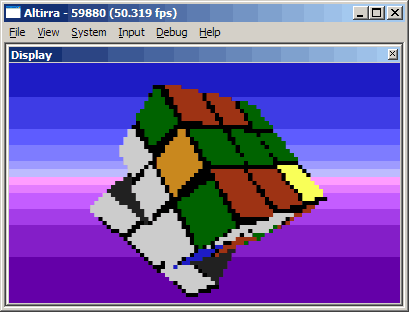
Créé par Avery Lee (l’auteur de VirtualDub), il s’agit d’un émulateur d’Atari 8 bits (800/800XL/130XE) disponible en 32 et 64 bits. Il dispose de beaucoup d’options ainsi que d’une bonne compatibilité. Il prend en charge les jeux protégés conformément à l’émulation.


– Bug fix release for the 3.x line containing critical bug fixes
– Latest version for Windows XP/Vista


Télécharger Altirra (XP/Vista) v3.91 Final (5.7 Mo)

Site Officiel

En savoir plus…

Cet émulateur est également le plus complet des outils de développements X68000 existant aujourd’hui. Il s’agit d’un fork de l’émulateur XM6 v2.05 de PI avec une pléthore de nouvelles fonctionnalités. Les changements sont pour la plupart liés à l’interface utilisateur et un accent a été mis sur le développement et les fonctions de débogage plutôt que sur l’exactitude de l’émulation, cependant il y a suffisamment d’améliorations pour qu’il soit recommandé d’utiliser cette version plutôt que XM6 v2.06 finale.


Les changements:
 
Bug fixes:
– The Volume page of the configuration dialog was sometimes corrupting memory.
– Clicking the non-client parts of the frame window with the middle mouse button
was not enabling Mouse Mode (except in rare situations not worth mentioning).
– The new Mouse Mode restoration feature had numerous problems, some obscure.


Télécharger XM6 Pro-68k Release 81 (261031) (4.5 Mo)

Site Officiel

En savoir plus…

fs-uae est un émulateur multi-plateformes (sur Linux , mac osX et windows) reprenant les travaux de WinUAE/E-UAE/PUAE en mettant l’accent sur l’émulation des jeux sur lecteur de disquette et CD-Rom. A noter que cette version propose un launcher dédié.
 

Une caractéristique unique est le jeu en ligne. Vous pouvez maintenant jouer à des jeux Amiga contre (ou avec) des amis sur Internet.
L’émulateur utilise le dernier code d’émulation Amiga WinUAE du projet et nécessite un ordinateur moyennement rapide avec accélération graphique (OpenGL) pour travailler. Une manette de jeu ou d’un joystick est recommandé, mais pas obligatoire (FS-UAE peut émuler une manette de jeu en utilisant les touches fléchées et Ctrl de droite / touches ALT).
 

fsuae
Le launcher est relié au site OAGD, immense base de données sur l’Amiga et permet parfois de vous mener directement à la page de téléchargement du jeu. Il simplifie grandement les réglages relatifs à WinUAE. Formidable !

 
Les nouveautés:
 
FS-UAE v3.1.47 / Launcher v3.1.42:
– Fix device helper for xinput devices with recent SDL2 versions.
– Support for multiple mice disabled by default on macOS due to security warning. Use option multiple_mice = 1 to enable.
– Disable expect_version option (no longer synchronized with launcher).
– Added support for more physical keys (when using rawinput).
– Compilation fixes for Apple M1 hardware.
– Netplay desync fixes related to file system (directory hard drives).
– Better virtual memory reservation algorithm.
– Option to automatically pause on menu screen [mrsilver76].
– Use RTLD_DEEPBIND with dlopen on Linux when loading plugins.
– Changes to how plugins are looked up.
– Ide patch.
– SCP floppy image doesn’t wrap to revolution #0 cleanly [keirf].
– Fixed crash in nname_to_aname [PowderedToastMan].
– Lot of fixes


Some additional notes:
– FS-UAE Arcade is included as part of the Launcher. You can run Arcade by passing the –arcade parameter to fs-uae-launcher by (for example) creating a shortcut with this additional parameter. Tested fine on Windows and Linux, but there seems to be an issue with Arcade on macOS. To be continued.
– FS-UAE Arcade on macOS misbehaves (or perhaps it is macOS that misbehaves). When launching FS-UAE, you only get a black screen. Everything works fine if you run Arcade in windowed mode (add –window parameter).
– On Linux, using the browse for file / folder button in FS-UAE Launcher may crash the Launcher. This is probably distro-dependent, and related to the inclusion of the GTK libraries with the Launcher. Will investigate further.
– XInput controllers (Xbox controllers, etc) may need to be configured again in Launcher Settings in order to be recognized and work properly, due to changes in the underlying SDL2 library.


Télécharger FS-UAE (Stable) [32 bits] v2.8.3 (58.8 Mo)

Télécharger FS-UAE (Stable) [64 bits] v3.2.35 / v3.2.35 (75.3 Mo)

Site Officiel

En savoir plus…

De nouveaux dumps sont disponibles sur le site de SMSPower et sur notre miroir.


Miroir Officiel

Site Officiel

Créé par Near (ex byuu) et continué par Luke Usher (PolyBlast / CxBx-Reloaded) et d’autres, Ares est un émulateur multi-systèmes dont le développement a commencé le 14 octobre 2004. C’est un descendant de higan et bsnes. Il se concentre sur la précision et la préservation.


Ares émule les 30 machines suivantes:
 
– Famicom + Famicom Disk System
– Super Famicom + Super Game Boy
– Nintendo 64
– Game Boy + Game Boy Color
– Game Boy Advance + Game Boy Player
– SG-1000 + SC-3000
– Master System + Game Gear
– Mega Drive + Mega 32X + Mega CD
– Playstation
– PC Engine + PC Engine CD + SuperGrafx
– MSX + MSX2
– ColecoVision
– Neo Geo Pocket + Neo Geo Pocket Color
– Neo Geo AES
– WonderSwan + WonderSwan Color + SwanCrystal + Pocket Challenge V2
 

A noter qu’un pack de shaders est disponible ici.
Des packs MSU-1 sont disponibles ici.

 
Voici les informations depuis la dernière version d’ares:
 

– ares v125 brings significant improvments to Famicom, Mega Drive and Mega CD/32X emulation and minor improvements to Master System and GearGear emulation.
– An issue that caused most recompiler based cores to crash on macOS has been solved.
– The desktop ui also gained support for a ‘screenshot’ hot-key, a crash issue was fixed in the Nintendo 64 emulation core.
– The website has also been updated to house a compatibility list, but a large number of titles have not yet been tested.
– Feel free to submit PRs to add missing entries (edit instructions can be found on the compatibility pages)
 

Changelog:
 
– fc: implement GTROM mapper [LukeUsher]
– hiro: track window focus via messages, not polling [invertego]
– mia: prefer known rom extensions in zip archives [invertego]
– ms/sfc: fix some light-gun related crashes [invertego]
– ci: use MSYS2 on Windows, add support for clang.
– Fixes performance issues on Windows [invertego]
– desktop-ui: add screenshot hotkey [kawa-oneechan]
– desktop-ui: fix file/folder browser dialog alignment [invertego]
– desktop-ui: fix linking on older macOS toolchains [rasky]
– fc: add chip type to manifest [encoded-byte]
– fc: always check for ram presence [encoded-byte]
– fc: check for ram and simplify banking [encoded-byte]
– fc: fix jaleco jf14 banking [encoded-byte]
– fc: pinout support for konami vrc7 [encoded-byte]
– fc: support expanded bnrom & uxrom [LukeUsher]
– fc: support for irem g101 mapper [encoded-byte]
– fc: support for irem h3001 mapper [encoded-byte]
– fc: support for item if12 mapper [encoded-byte]
– fc: support for item lrog017 mapper [encoded-byte]
– fc: support for taito x1-005 mapper [encoded-byte]
– fc: support for taito x1-017 mapper [encoded-byte]
– fc: support jaleco fc05 mapper [encoded-byte]
– fc: support jaleco jf13 mapper [encoded-byte]
– fc: support jaleco jf17/19 mappers [encoded-byte]
– fc: support konami vrc2 varient [encoded-byte]
– fc: support taito tc0190 mapper [encoded-byte]
– fc: support taito tc0690 mapper [encoded-byte]
– gg: add ‘Micky Mouse no Castle Illusion (Japan)’ to game database [LukeUsher]
– libco: fix vector register handling on aarch64 [Sintendo]
– libco: optimise co_swap_function on aarch64 [Sintendo]
– m68000: avoid changing interrupt mask on exceptions [TascoDLX]
– m68000: fix disassembly of pc-relative addresses [TascoDLX]
– m68000: restore TAS instruction for cpus other than MD main [TascoDLX]
– mcd: allow continuous CD playbacl [TascoDLX]
– mcd: auto-detect disc region based on boot code, fixes some false detections [TascoDLX]
– mcd: report error on unhandled cdd command [TascoDLX]
– mcd: reset timer on write [TascoDLX]
– mcd: support 3-button pad as default [TascoDLX]
– md: fix interrupt ack special case [TascoDLX]
– md: fix irq issues, timing, delays, ack [TascoDLX]
– md: fix z80 bus access & timing issues [TascoDLX]
– md: improved cpu open bus line accuracy [TascoDLX]
– md: improved timing/signaling for Z80 busreq [TascoDLX]
– md: prevent SRAM from masking out high rom [TascoDLX]
– md: sram support for Super Hydlide (J) [TascoDLX]
– mia: add konami vvrc2/4/6 to database [encoded-byte]
– mia: use database for fc [encoded-byte]
– ms: fix « set VDPBuffer » tests in VDPTEST.sms [LukeUsher]
– n64: increase screen canvas to 576 lines, fixes a crash in certain display modes [invertego]
– nall: Tweak & fix generation of CD subchannel data [TascoDLX]
– nall: Various fixes to CD session handling [TascoDLX]
– nall: improved CD cuesheet loading to handle PREGAP and POSTGAP [TascoDLX]
– recompiler: on macOS allow data segment to be executable [invertego]
– sh2: fix several instructions, default to recompiler [invertego]
– snes: Fix D-Port BOS test in SPC7110 Check Program [jbo-85]


Télécharger Ares (32 bits) v114 (3.3 Mo)

Télécharger Ares (64 bits) v148 (61.8 Mo)

Site Officiel (pour archive)

Site Officiel de substitution

Site de développement

En savoir plus…

Il s’agit d’une amélioration de Virtual Jaguar intégrant un ensemble de modifications ainsi qu’un débogueur. (source 1, source 2)


Les changements depuis la R4a:
 
– Specific breakpoints for M68000 exceptions and in case of a rom writes at an unknown location.
– Added a HW registers browser window for the Blitter.
– Fixes for the Linux platform.
– Stability & improvements for the debugger mode.
– Added two M68000 cycles counters in the status window.
– M68000 & C tracing, step in and step over, at source code level.
– Show the SR value as a readable form in the M68000 CPU browser.


Télécharger Virtual Jaguar Rx (GCC/Qt) v2.1.3 R5b (11.3 Mo)

Site Officiel

En savoir plus…


https://getourbonus.com/fr/accueil

https://www.romspedia.com/