La dernière version béta publique de l’excellent WinUAE, l’émulateur Commodore Amiga.


– Added extra validation checks for STORAGE_DEVICE_DESCRIPTOR, buggy drivers may return invalid (negative) offset values.
– 64-bit JIT harmless « Warning! 12 is locked » log spamming disabled.
– Updated copper/blitter cycle conflict emulation. It only triggers when CPU writes to COPJMP, Copper is waiting and Copper DMA is enabled (and blitter uses same cycle). If Copper DMA was off, bug won’t trigger, even if DMA gets
enabled few cycles later. Copper bug emulation is again always enabled if 68000 and cycle-exact config.
– Cancel main thread sleep state immediately (Sleep due to CPU idle or similar) if PPC thread caused mainboard interrupt. This should reduce PPC to M68K interrupt emulation latency.
– Hardware RTG emulation rendered same frame twice in some situations. Caused very slow performance in triple buffered mode.
– Debugger keyboard presses were buffered and output to Amiga-side when debugger was exited.
– Starting disk DMA does not flush Paula internal 16 bit buffer. Poll DSKBYTR for DSKSYNC, immediately start disk DMA with WORDSYNC enabled: following sync word must not be missed. (Original Virus really slow loading in cycle-exact mode)
– Chip ram was marked as 16-bit Fast RAM for the CPU (no DMA contention emulation) if any memwatch point was active.
– Amithlon partition type (0x78/0x30) support was broken, partitions were detected but it was not possible to mount them.
– Added SX32 Pro board and ROM image. (Not all RAM sizes are correctly mapped)
– Only unmap Z3 Fast RAM at reset if Z3 mapping mode is « Real » for better compatibility with old configs that assume Z3 RAM does not temporarily disappear at boot.
– JIT on/off on the fly change without other CPU settings changed at the same time with uae-configuration didn’t work.
– Hardware emulation autoconfig board UAE interface first working feature: uae-configuration now works under OS4 Requires also updated uae-configuration, interface can also work under other non-m68k AmigaOS operating systems, only requirement is simple native uae-configuration port. Interface design is not final yet.
– If CSPPC or BPPC is booted with empty or zero size flash rom image, fake resident idtag is automatically added that fools official flash rom updater to detect working board, « updating » the empty flash with full image (updater contains full flash rom image in encrypted format)
– Debugger memwatch points can now match only CPU instruction (CPUI) or only CPU data accesses (CPUD, CPUDR, CPUDW)
– « Heat map » debugger added, shows optional visual heatmap of CPU and DMA accesses. Can list highest addresses used by CPU instruction fetches or all addresses that single device accessed (Some DMA channel, CPU)
– Some AGA modes were incorrectly detected as bitplane DMA overrunning causing screen corruption.
– AROS ROM updated.
 
Input system and mapping updates:
 
– Added SPC_SWAPJOYPORTS input event, swaps gameports joystick ports.
– Added END+J default mapping = SPC_SWAPJOYPORTS.
– Device autoswitch didn’t ignore button release without matching press.
– Device autoswitch switches to new Game Ports custom event if it has fire button mapped to mouse or gamepad.
– « WinUAE null keyboard » renamed to « WinUAE keyboard », this is now the default global virtual keyboard. GamePorts panel only uses this keyboard, multiple keyboards are only supported in Input panel mode and only if manually enabled. Reduces complexity and confusion when moving configurations between systems with different number of keyboards.
– Game Ports custom mapping rewritten. Now Game Ports list has 6 custom slots which can me inserted to any joystick port. New custom mapping data is also saved to separate config entries, one per slot.
– Old Game Ports custom config is automatically converted to new custom mapping system.
– Removed X-Arcade built-in layouts. Re-create them with new custom mapping system if needed.
– Cleared custom input event string equals setting event to «  ».
– Fixed since the beginning bug that caused incorrectly matched input device(s) and input config when config was loaded with different connected input devices and order of devices was also different.
– Rewritten game ports validation (Detect and fix if same device in multiple ports etc..).
– Old config files should still work like previously except: game Ports custom mapping and first keyboard input config goes to WinUAE keyboard slot.
– Last few Game Ports panel inserted devices (layout or real input device) are remembered. For example if config is loaded with joypad A inserted in port 2 but pad is not plugged in, then user manually changes it to joypad B. Now if pad A is later reinserted and pad B is removed, A is automatically put in port 2. It also works with keyboard layouts or new custom layouts, if keyboard layout was previously selected, then it was later replaced with gamepad, if gamepad is unplugged on the fly, previous keyboard layout is automatically selected.
 
EDIT: Last minute bug found, Game Ports panel keyboard layouts A/B/C do not load correctly from config file.

 
Source: Forum des versions Betas.

Télécharger WinUAE (Public Beta) [32 bits] v3.3.0 Beta 1 (3,2 Mo)

Télécharger WinUAE (Public Beta) [64 bits] v6.1.0 Beta 23 (8.5 Mo)

Télécharger WinUAE (Public Beta) [32 bits] v6.1.0 Beta 23 FR (5.4 Mo)

Télécharger WinUAE (Public Beta) [64 bits] v6.1.0 Beta 23 FR (8.5 Mo)

Site Officiel

En savoir plus…

Andy OS est une solution logicielle qui permet d’émuler Android sur un PC ou un MAC . Cet émulateur se caractérise par la possibilité de synchroniser son compte google et de retrouver sur son PC toutes ses applications et services. Vous retrouverez ainsi sur votre ordi les mêmes fonctionnalités de votre téléphone (hangout, whatsApp en version mobile, etc …).


Andy OS permet aussi de transformer son téléphone en joystick. Votre téléphone se couple à votre pc pour devenir une manette de jeux. Andy OS est le plus complet OTB avec Market et accès au disque local.


– Fournit synchronisation transparente entre les ordinateurs de bureau et les appareils mobiles,
– Connecte Win / Mac avec les applications Android de lancement,
– Permet le téléchargement d’applications depuis n’importe quel navigateur de bureau directement sur Andy OS,
– Assure la plupart des mises à jour OS Android à tout moment,
– Apporte vos applications de communication et de divertissements  mobiles préférées sur le bureau.


Andy


Télécharger AndY OS v46.2 (415,8 Mo)

Site Officiel

En savoir plus…

Multiple Fruit Machine Emu est LA réference absolue dans l’émulation et la simulation des machines à sous. Une interface claire et détaillée qui permet d’accéder à toutes les fonctiionnalités de ces machines (crédits, % de gain, bonus…). Les bruitages d’ambiance & les musiques virevolent dans tous les sens. L’ambiance des Casinos sur votre ordinateur ! (on passe d’une v10 à une v2.1, c’est comme ça !)


Télécharger MFME v2.1 (2,7 Mo)

Site Officiel

En savoir plus…

CoolSoft VirtualMIDISynth est un fantastique synthétiseur SoundFont logiciel, similaire à BASSMIDI Driver : il s’installe également en tant que nouveau périphérique de sortie MIDI sous Windows, et, par conséquent, peut également être utilisé depuis n’importe quelle application ou jeu vidéo.  Une fois votre soundfont MIDI assignée, vous pouvez par exemple la choisir sous ScummVM en tant que synthétiseur MIDI, et une nouvelle expérience sonore des oldies PC s’offrira à vous !


coolsoft


Tout comme BASSMIDI Driver, VirtualMIDISynth utilise le moteur de rendu SoundFont BASS, de chez Un4Seen Developments, pour reproduire les sonorités. Par conséquent, vous percevrez peu de différence entre ces deux synthétiseurs logiciels lorsque vous jouerez des fichiers MIDI ; en revanche, chacun d’entre eux propose des options et des choix de conception spécifiques, qui pourront vous amener à choisir l’un plutôt que l’autre.
 
Excellent Tutorial en images (par Arachnosoft)
 
– FIX: Updated BASS.dll to 2.4.11.17 and BASSMIDI.dll to 2.4.9.21.
– FIX: Fixed setup build procedure to include the correct BASS* versions.


Télécharger MIDI Synth. Driver-CoolSoft VirtualMIDISynth v1.15.2 (944,0 Ko)

Site Officiel

En savoir plus…

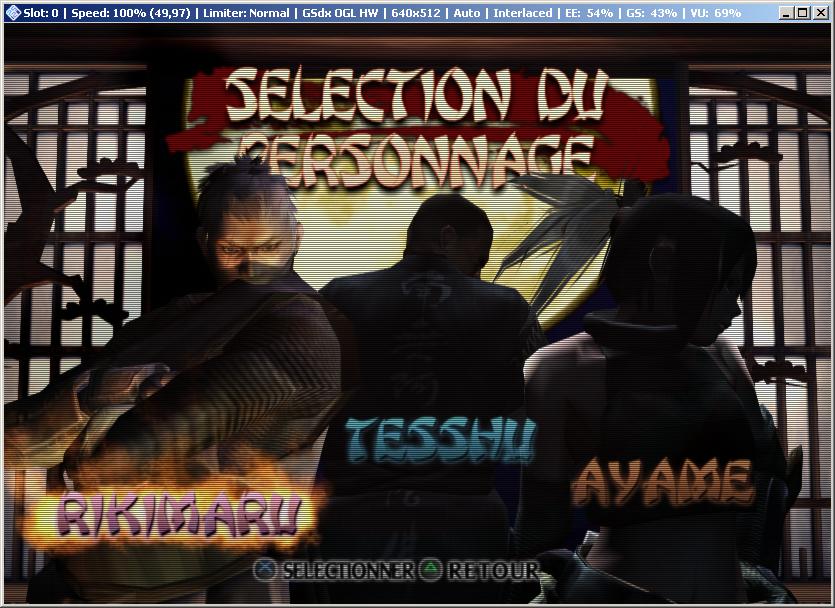
Nouvelle version de cet émulateur de Playstation 2 dont voici les nouveautés:
 
pcsx2
 
Core
[New Feature] Debugger by Kingcom
[New Feature] Folder memory cards by AdmiralCurtiss
[New Feature] EE Overclock by ssakash and Blyss Sarania
[Bug-Fix] Recompiler Improvements and Core Refactors by Refraction , ssakash and Gregory
[New Feature] Support for loading Gzip and CSO compressed ISO’s by Avih and Unknown W.Brackets
 
GSDX
[Bug-Fix] Programmable blending to reproduce GS blending unit output by Gregory
[Bug-Fix] Improved CRTC output size handling by ssakash and .r5
[Bug-Fix] Software renderer improvements by Gabest and Gregory
[Bug-Fix] Accurate destination alpha testing by Gregory
[Bug-Fix] Improved read of depth / color by Gregory
 
SPU2-X
[New Feature] Per channel volume adjustment by gigaherz
[Bug-Fix] Time Stretcher: Improvements to tempo adjustments by Avih
 
GUI
[Enhancement] Configurable template on GSFrame titlebar by Avih
[Enhancement] Revamped Core and GSDX plugin dialogs by Turtleli , Gregory and ssakash

 
Sous XP, utilisez le plugin SPU2-X disponible dans le répertoire plugin de cette ancienne version de PCSX2.
 

Site de développement du projet

Télécharger PCSX2 v1.4.0 (4,2 Mo)

Site Officiel

En savoir plus…

Il s’agit d’une version non officielle de FBA basée sur la version 0.2.97.29 mais qui ajoute beaucoup de fonctionnalités « inutiles » (dixit l’auteur). Cette version ajoute par exemple l’enregistrement vidéo, le support des roms sous 7z, le support de XAudio2/OpenAL/OpenGL, l’autofire… en plus d’avoir une interface plus complète et détaillée. Enfin ce build ajoute des drivers supplémentaires permettant le support de nouveaux jeux. Beaucoup l’apprécient pour ses fonctions à mi-chemin entre FBA et MamePlus!


fba_shuffle_lang


Il est nécessaire que Microsoft Visual C++ 2010 Redistributable Package et/ou « Microsoft Visual C++ 2013 Redistributable Package » soit préalablement installé. Si votre interface est en japonais, choisissez la 4eme option puis 3eme ligne, et choisissez en_US.dll (ou en_US_x64.dll pour la version x64). L’interface sera de nouveau en anglais.


La version VS2012 est remplacée par la VS2013 (builds compatibles à partir de Vista et supérieur).
La version VS2010 est toujours présente car compatible XP (et supérieur).


Site source 1. Site source 2. Site source 3.

Télécharger FBA Shuffle (x86/VS10) [kof2112] v2.4.0 (2016/01/08) (4,4 Mo)

Télécharger FBA Shuffle (x64/VS10) [kof2112] v2.4.0 (2016/01/08) (4.7 Mo)

Télécharger FBA Shuffle (x86/VS13) [kof2112] v2.4.0 (2026/04/01) (6.9 Mo)

Télécharger FBA Shuffle (x64/VS13) [kof2112] v2.4.0 (2026/07/05) (7.1 Mo)

Site Officiel

En savoir plus…

Il s’agit d’un fichier DAT tenu par MASH regroupant toutes les infos du site « mametesters.com ». Il donne des infos sur l’émulation des jeux sous MAME(Arcade), c’est a dire le développement, les bugs, les améliorations…


Télécharger Mameinfo.dat v0.169 r43208 (3,0 Mo)

Site Officiel

En savoir plus…

Ces fichiers ini concernant la partie arcade de MAME sont à mettre dans le répertoire « folders » de MAMEUI (ou clones). Il propose un tri des jeux par catégorie, année de sortie, version de MAME…


Télécharger MAMEUI Inifiles v0.169 r43208 (196,8 Ko)

Site Officiel

En savoir plus…

A l’instar de MAMEinfo pour MAME(Arcade), le fichier MESSinfo vous permet de suivre les changements entre les versions concernant les différents systèmes émulés par ce multi-émulateurs.


Télécharger MESSinfo v0.169 (8,5 Mo)

Site Officiel

En savoir plus…

Créé par Avery Lee (l’auteur de VirtualDub), il s’agit d’un émulateur d’Atari 8 bits (800/800XL/130XE) disponible en 32 et 64 bits. Il dispose de beaucoup d’options ainsi que d’une bonne compatibilité. Il prend en charge les jeux protégés conformément à l’émulation.


  • The built-in EXE loader now issues warnings to the debug console if it sees init segments exiting with the kernel ROM disabled or the I-flag set, since these will fail with vanilla DOS.
  • Fixed bug where mouse capture could drop if you moved the mouse fast enough. (The mouse was invisibly escaping the window.)
  • The 5200 placeholder cart is now re-mounted if you cancel the cartridge mapper dialog or if the cart load fails. Previously it would remove the cart and then the OS would boot up without a cart and crash (not possible on real console).
  • Rewrote motion calcs in input code. Relative bindings no longer run at different speeds between NTSC and PAL, and acceleration is now tunable independently from speed for digital-to-analog bindings, i.e. button to relative paddle. It’s now also possible to slow down relative bindings more than before. This changes the meaning of the speed values, so existing input maps may have to be adjusted — in particular, speed 0 is now actually 0. Note that acceleration only matters for D2A, not for analog-to-analog bindings like an analog stick -> paddle.
  • Redid the default input map presets. The mega mode switching transformer Xbox 360 input map that was confusing everyone is now gone and has been replaced with individual mappings. Also, relative-mode 5200 controller maps have been added. They’ve been tuned so that Missile Command is playable. Since this is a change to presets, you won’t see it unless you Reset all bindings or re-add the new ones through the Preset button.
  • Fixed UI bug where the names for the D-pad inputs on XInput controllers were off by one.
  • ST/Amiga mouse emulation rewritten, now dynamically changes pulse spacing as mouse speed varies. This makes the emulated mouse more reliable at higher speeds and removes the weird diamond movement artifacts caused by queuing.


Topic des versions Beta.

Télécharger Altirra v2.80 Test 8 (3,7 Mo)

Site Officiel

En savoir plus…

Il s’agit d’un ficher DAT regroupant plusieurs informations retraçant l’historique des avancées de l’émulation des jeux ainsi que des informations sur eux au sein de MAME (arcade/consoles/ordinateurs), il comporte également une section « tips and tricks ». En anglais.


Télécharger History.dat v1.69 (4,1 Mo)

Site Officiel

En savoir plus…

Un excellent émulateur Amstrad CPC.

 
Emulation
– Correct Z80 Flags emulation for IN and OUT and all derivatives.
– Added support for CRTC Type 1 register 6 border blanking when set to zero.
 
Debugger
– Changed breakpoint conditions to use 32 bit values rather than 16 bit values.
– Added a number of functions to breakpoint conditions to support 32 bit to 16/8 bit conversion.
– Added true and false variables.
 
Assembler
– Added ability to load symbols from the WinAPE command line using the /SYM:filename parameter.
– Option to automatically hide the output window on successful assemble.
 
Other
– Added documentation of command line parameters in help files.
– Added documentation of new breakpoint condition variables and functions.
– Updates ParaDOS 1.2 and ParaDOS 1.2+ ROM images to bug-fixed version which will work in slots below 7.
 
Known Issues
– The ASIC does not allow a number of registers to be read. This does not affect any current Plus software, and needs to be analysed fully before being emulated.
 
Demos Tested – Not Fully Working
– Power System Megademo (PWMD-A.DSK, PWMD-B.DSK, PWMD-C.DSK) – Last part before end reports CRTC Type 1 when Type 0 is used. – Screen jumps in Chany Part (Part 3)
– S&KOH Intro (Not on DSK) – HSYNC problem
– Soul Almighty (SOUL-ALM.DSK) – Digisampled jumper seems to jump too much (VSYNC?)


Télécharger WinAPE v2.0 beta 2 (4,2 Mo)

Site Officiel

En savoir plus…


https://getourbonus.com/fr/accueil

https://www.romspedia.com/