0 commentaire



Hatari est un émulateur Atari ST et STE tournant sous Linux, BSD, BeOS, Mac OS X et bien d’autres systèmes supportants la librairie SDL, il est basé sur les sources de WinSTon.
Cette nouvelle version ajoute le support des Atari TT et Falcon. Tout ceci est encore expérimentale, il n’y a d’ailleurs pas d’émulation du DSP du Falcon. Plusieurs correctifs ont été ajoutés, le build pour Windows se compile mieux au passage.
Les changements:
Emulation:
– ST video changes :
– Handle 0 byte line by switching freq in STE mode
– Use high res when ff8260 is set to 3
– Randomly return 0 or 1 when reading unused bits 3,7 and 11 of
color registers (except when running from ROM)
– Better detection of bottom border removal on a 60 Hz screen
– support for color change during only 4 cycles
– better bitmap/color alignment for STE med res overscan at 60 Hz
– Set default value of nSpec512Threshold to « 1 » instead of « 16 »
– Update the position of the next VBL when 50Hz and 60Hz lines are mixed
– When video address is set into IO region, keep the video pointer on 24 bits
– Videl changes :
– correct masking of the true color palette registers
– CPU changes :
– Fix a case when MFP’s interrupt happens during the IACK sequence
for HBL/VBL
– Many prefetch changes required by some game’s protection
– Sound changes :
– Fix STE sound mixing using LMC when mixer=0 (DMA sound only)
– Fix some crossbar’s sound errors for Falcon
– Fix Microwire’s decoding of mask/data (based on official LMC1992’s doc)
– FDC changes :
– Add configurable RPM speed for each floppy drive, the possibility
to turn each drive ON/OFF and the choice between single or double
sided drive
– Correct timings, behaviour and status register for all commands
when a drive is OFF or empty.
– Rewrite the index pulse part and all the delays expressed as disk’s
revolution
– Add support for the « Force Int on Index Pulse » command
– Rewrite the DMA functions for better accuracy
– Add support for IPF/CTR files by using the capsimage library
– Add open source support for Pasti STX files, including random/fuzzy bits
and variable length bits. Also allow to save writes to a .stx file
into an additional .wd1772 file (store ‘write sector’ and ‘write track’ data)
– Don’t force drives A and B at $4c2, keep the values detected by TOS
– Many other timing / status register improvements
– GEMDOS HD emulation:
– Fix: clip filenames given through GEMDOS calls to 8+3 length
using first ‘.’
– Fix: autostarting programs with GEMDOS-illegal host characters
in their names
– ACSI hard disk changes:
– Fixed/improved READ CAPACITY and INQUIRY commands
– Unsupported commands are now handled correctly
– Now using fseeko() instead of fseek() for supporting large images
– Other changes:
– Don’t enable MegaST’s real time clock by default, it can cause some
crashes in STF/STE mode
– Improve ACIA’s wait state with E clock
– Add support for IKBD commands 0x11 and 0x13 (resume/pause output)
and 0x17 (joystick monitoring)
Emulator:
– SDL GUI:
– Update clock speed in the status bar when changing bus speed
in Falcon mode
– In the floppy dialog, use a checkbox to enable/disable drives A and B
and another checkbox to choose single/double sided drive
– In the screen dialog, add checkbox for –desktop-st option
– Add a 2nd line in the status bar, with infos on FDC, joysticks, monitor
– Fix OSX performance issue caused by statusbar and overlay LED
doing their own SDL_UpdateRects() calls
– New command line options:
– Options –drive-a and –drive-b to enable/disable drives A and B
– Options –drive-a-heads and –drive-b-heads to select single or
double sided drives A and B
– –slowdown option to increase (multiply) VBL wait times
– New Native Features commands:
– NF_EXIT exits emulator with given exit code
– NF_DEBUGGER invokes Hatari debugger from native program
– NF_FASTFORWARD sets fast forward on/off
– Tracing improvements:
– Add option for tracing NatFeats calls
– Fix: Xbios(255) modified the given argument string
– Allow BIOS, XBIOS, GEMDOS, VDI and AES tracing to be enabled without
enabling also X/BIOS interception, GEMDOS HD emulation or extended
VDI mode
– Show PC value for traced Bios/XBios/GemDOS calls
– Debugger:
– Fix: release mouse in all cases where debugger can be invoked
– Fix: DSP disassembler didn’t in all cases show illegal opcodes correctly
– Fix: « symbols » command crash when it was used during TOS bootup
– Fix: TOS and cartridge addresses weren’t (with all TOS versions)
in address order which asserted in profile data post-processor
– Fix: « next » command didn’t work correctly in « hex » number base
– Fix: depending on compiler/linker/assembler, DATA/BSS debug symbol
offsets can in programs be either relative to their own, or to TEXT
section start. If former fails, try latter when loading symbols.
– New « ym » info subcommand to show YM register values
– « quit » command by-passes exit confirmation dialog and takes
an optional Hatari exit code value
– removed limits on breakpoints and their conditions
– when entering debugger, current program’s DRI/GST format debug
symbols are automatically read from it, if such are available
– new –debug-except option to specify which exceptions invoke
the debugger, and WinUAE CPU core support for -D toggle option
– « next »/ »dspnext » commands work like in other debuggers, they
skip subroutine/exception calls, for all other instructions
they works like « step » command (earlier they always moved to
next instruction in memory)
– « next » and « dspnext » commands support optional « instruction type »
argument, which can be used (for example) to continue emulation
until subroutine returns
– « history » command takes optional parameter specifying how many
instructions of history will be tracked
– CPU & DSP profile commands have now subcommand for profiling loops
– « CpuInstr » and « DspInstr » variables for count of instructions
executed since emulation was last continued from debugger
– In addition to « ! » condition, also « < » and « > » conditions can store
the checked value (when both sides of conditions are identical).
With above change, this can be e.g. used to detect and profile
what are worst frames in games and why
– New « rename » command to rename files. Useful for scripted
worst frame and spinloop profiling
– Address space in ‘dm’ command can be given like in DSP disassembly,
« dm x:$100 », in addition to earlier « dm x $100 » syntax
– Fix out of bounds memory access that could result in bad disassembly
output when using the external disassembler (only « dc.w » were printed)
Tools:
– Increased max partition size in atari-hd-image script to 512MB.
– New hatari_spinloop.py script for post-processing loop profile data.
It can tell how many times loops were executed, how many times they
spinned at minimum and maximum, at which VBL those happened, and what
was the standard deviation of that.
– gst2ascii supports now both section relative and TEXT section relative
DATA/BSS symbol offsets
– hconsole.Main() takes now Hatari command line options as argument
– AHCC/GCC/VBCC examples on using (all) Native Features APIs
– Improved mingw cross-compilation support
Fixed demos :
– 4-pixel plasma screen by TOS Crew (video, color change during only 4 cycles)
– HighResMode by Paradox (video, color changes in overscan med res at 60 Hz)
– It’s A Girl 2 by Paradox (video, bottom border removal on a 60 Hz screen)
– Pacemaker by Paradox (microwire, YM sound was muted)
– Panic by Paulo Simoes (video, was broken since Hatari 1.7)
– Shforstv.exe by Paulo Simoes (video, did not work in STE mode)
– Sommarhack 2011 Invitro by DHS (CPU/MFP, top border not removed)
– Stax Compilation #65 (conflict with Mega ST’s RTC)
– The Union Demo (cpu, memory access, ikbd, protection)
– The World Is My Oyster – Convention Report Part by Aura (video, res=3)
– Tymewarp (cpu, bus error)
– UMD 8730 by PHF (video, unused bits in STF color registers)
– IKBD no jitter by Nyh (acia/video, use a VBL of 160240 cycles)
Fixed games :
– Batman The Movie (cpu, exception stack)
– Chart Attack Compilation (cpu, prefetch)
– Darkman (cpu, prefetch)
– Dragon Flight (cpu, illegal instruction)
– International 3D Tennis (cpu, prefetch)
– Leavin’ Teramis loader text (video address at $ffe100)
– Lethal Xcess Beta (cpu, bus error, code running at $ff8800)
– Lethal Xcess (mfp, top border not removed sometimes)
– Maze (by Martin Dennett & John Parker)
– Parasol Stars (cpu, prefetch)
– Reeking Rubber (by Nature), Falcon game
– Titan (cpu, prefetch)
– To Be On Top (cpu, memory access, ikbd, protection)
– Warp (ikbd, interrupt used for decoding sectors)
– Xenon 2 (cpu, prefetch)
Télécharger Hatari (x86) v1.8.0 (2.7 Mo)
Un plugin GPU pour émulateur de Playstation 1 qui s’oriente vers la simplicité et la précision.
– Fixed rendering to 15bit/16bit screens. Allow pause/resume.
La dernière version béta publique de l’excellent WinUAE, l’émulateur Commodore Amiga.
– NCR93C94/FAS216 SCSI emulation write didn’t work correct and wrote corrupted data, fixed. Added also check that aborts transfer if SCSI chip and DMA controller data directions don’t match (should never happen but…)
– Flash chip emulation didn’t emulate all « chip is still erasing » status bits, broke CSMK3/CSPPC/BPCC flasher. Worked only accidentally in older version.
– SCSI Kit rom checksum data was in wrong position, broke Blizzard 2060 odd/even rom loading.
– CyberStorm MK2 flash update was not written back to rom file.
– « JIT Direct compatible Z3 memory mapping » option with RTG enabled worked only in some configurations.
D-Fend Reloaded est une interface graphique améliorée pour DOSBox, le célèbre émulateur de DOS. Il vous permet d’installer et de lancer de nombreux jeux sous DOS, directement depuis une fenêtre, sans même avoir à utiliser la ligne de commandes.
D-Fend Reloaded fonctionne avec Windows XP, Windows Vista, Windows 7 & 8.
– Updated French, Italian and Russian language files.
– Improved sorting speed in the package manager.
– Records can be manually deleted from the package manager via the context menu.
– [Fix] Sorting the package manager games list by download size did not work.
Tutorial D-Fend Reloaded (PC Astuces)
Nous re-pubions cette news proposée il y a quelques jours car les sections relatives aux systèmes simulées viennent tout juste d’être créées après plusieurs heures de travail et de recherche. Il vous suffit de cliquer sur les noms des systèmes pour tout connaitre grâce aux liens proposés. C’est donc l’occasion de cultiver vos connaissances sur l’histoire de l’informatique 😉
***
Débuté en 1993 (!), d’abord sous le stade de projet, à l’initiative de Larry Stewart de DEC, SIMH représente ‘le système de simulation de l’histoire de l’ordinateur’. Il se compose de simulateurs pour environ 20 ordinateurs différents, tous écrits autour d’un pack commun utilisateur et un ensemble de bibliothèques de support. SIMH peut être utilisé pour simuler tout système informatique pour lesquels suffisamment d’informations sont disponibles, mais pour l’instant, l’accent a été mis sur la simulation des systèmes informatiques d’intérêt historique.
Le projet couvre l’histoire de l’informatique de la fin des années 50 à la fin des années 80.
SIMH couvre les systèmes suivants :
–Data General Nova, Eclipse
-Digital Equipment Corporation PDP-1, PDP-4, PDP-7, PDP-8, PDP-9, PDP-10, PDP-11, PDP-15, VAX
–GRI Corporation GRI-909, GRI-99
–IBM 1401, 1620, 1130, 7090/7094, System 3
–Interdata (Perkin-Elmer) 16b & 32b systems
–Hewlett-Packard 2114, 2115, 2116, 2100, 21MX, 1000
–Honeywell H316/H516
–MITS Altair 8800, avec le 8080 et le Z80
–Royal-Mcbee LGP-30, LGP-21
–Scientific Data Systems SDS 940
–SWTP 6800
A noter que pour les éxecutables windows, le VAX et PDP-11 sont compilés sans le support Ethernet.
Le Kit Beta (inclus dans l’archive) supporte les simulateurs pour :
-SiCortex SC-1 processor
-XDS Sigma 32b processors
-Digital Equipment Corporation EV-5 processor
-SAGE 68K
Il existe également une collection d’outils -inclus dans l’archive- utile pour manipuler des formats de fichiers de simulation et de code multi-assemblage pour les systèmes PDP-1, PDP-7, PDP-8, et PDP-11.
LiteIPS est un patcheur IPS très léger et en ligne de commande, disponible pour Windows, Linux et MacOS.
Lancé en juin 2014, Doallator est un projet d’émulateur multiplateformes. Il devrait par la suite émuler plusieurs consoles différentes en se servant d’une interface commune. Pour l’instant, l’émulateur ne gère que le Chip 8 & Super Chip 8. Avec un taux de compatibilité de plus de 89 % !
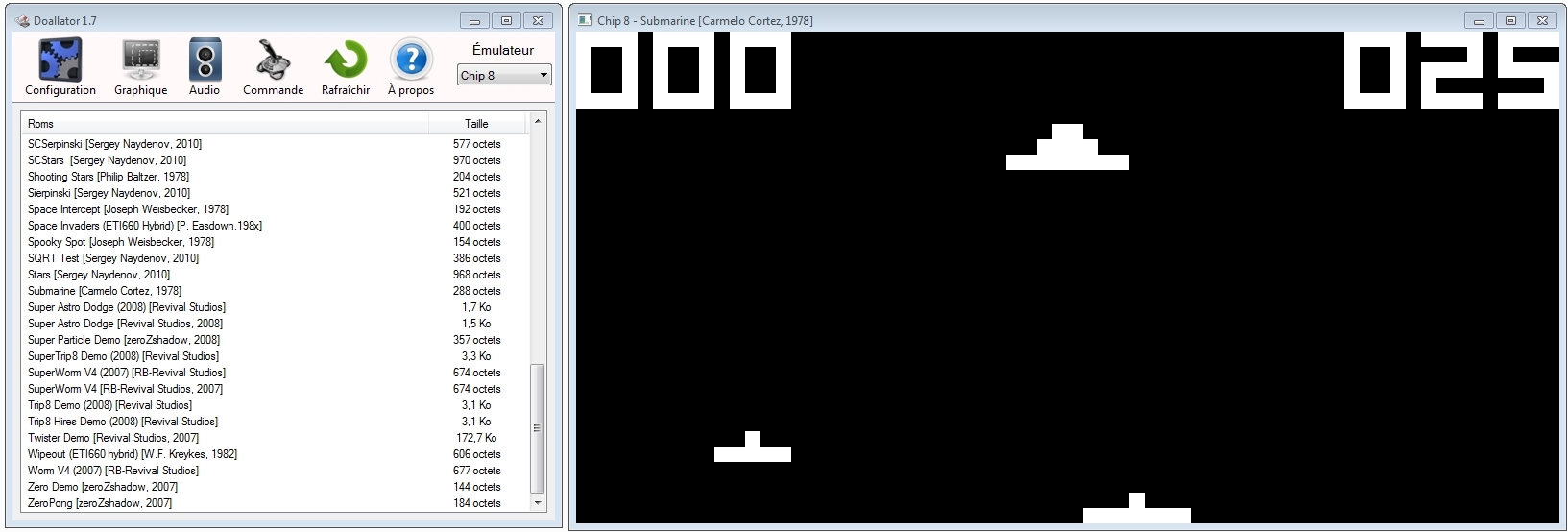
- Implémentation de la fonction de capture d’écran (Super Chip 8)
- Amélioration de l’exécutable de la Super Chip 8
- Fuite mémoire lors d’un redémarrage d’une rom corrigée (Super Chip 8)
- Problème de latence corrigé (Super Chip 8)
- Débogage de l’opcode numéro 38 (Super Chip 8)
- Débogage de l’opcode numéro 22 (Chip 8 et Super Chip 8)
Il s’agit d’un très bon émulateur Amstrad CPC (et compatibles) pour Windows conçu par Thomas Guillemin. Au programme, une meilleure gestion de la lib IPF pour contourner les plantages de celle-ci, une gestion du format HFE, quelques corrections de bugs, et une (toute petite) meilleure émulation du CRTC 0…
- [FDC] : Fixed a wrong behaviour on a read sector command : When an overflow occurs, do not stop the command until the end of the sector. (This correct some version of « Famous Five » game)
- [FDC] : Disk rotation is simulated, with a slight variation depending on the time and the current track. Also, more realistic acceleration of the disk is done (« Basun » now run without any trick)
- [FDC – HFE] : Add support for HFE files
- [FDC – Dsk] : Add various fix to make it more reliable
- [FDC – CT RAW] : When reconnecting last revolution to first, support track that does not contains IAM : Length computation is done using first IDAM
- [FDC – CT RAW] : Handle correctly CAPSImg.dll error, so no more memory corruption occurs on incorrect dumps
- [FDC – CAPSImg.dll] : Use a workaround to avoid crash of the lib that can occurs when image with weak sectors are read.
- [CRTC0] : Fixed an incorrect behaviour on VSync duration from R3 (Correct Druid 2 )
- [PSG] : Fixed a bug that can corrupt memory when a register grater than 15 is written
Sur le même principe que WolfMame, WolfMess est destiné à ceux qui désirent valider leurs records dans les jeux consoles/ordinateurs qu’émule MESS. Ce build empêche donc toute tricherie dans les jeux.
Il s’agit d’une version non officielle de FBA basée sur la version 0.2.97.29 mais qui ajoute beaucoup de fonctionnalités « inutiles » (dixit l’auteur). Cette version ajoute par exemple l’enregistrement vidéo, le support des roms sous 7z, le support de XAudio2/OpenAL/OpenGL, l’autofire… en plus d’avoir une interface plus complète et détaillée. Enfin ce build ajoute des drivers supplémentaires permettant le support de nouveaux jeux. Beaucoup l’apprécient pour ses fonctions à mi-chemin entre FBA et MamePlus!

Il est nécessaire que Microsoft Visual C++ 2010 Redistributable Package et/ou « Microsoft Visual C++ 2012 Redistributable Package » soit préalablement installé. Si votre interface est en japonais, choisissez la 4eme option puis 3eme ligne, et choisissez en_US_x64.dll (ou en_US_x64.dll pour la version x64). L’interface sera de nouveau en anglais.
Cette version est plus éloignée de celle de Creamymami et donc de FBA original, à vous de choisir.
VS10 = compatible XP
VS12 = non compatible XP (optimisé pour Vista/7/8/8.1)
Site source 1. Site source 2. Site source 3.
Télécharger FBA Shuffle (x64/VS10) [kof2112] v2.4.0 (2016/01/08) (4.7 Mo)
Télécharger FBA Shuffle (x64/VS13) [kof2112] v2.4.0 (2026/07/05) (7.1 Mo)
Télécharger FBA Shuffle (x86/VS10) [kof2112] v2.4.0 (2016/01/08) (4.3 Mo)
Télécharger FBA Shuffle (x86/VS13) [kof2112] v2.4.0 (2026/04/01) (6.9 Mo)
Il s’agit d’un excellent émulateur Game Boy Advance / Nintendo DS et Pocket Station. Pour les développeurs en herbe, vous pouvez vous procurer la version payante incluant un fabuleux debugger.
NO$GBA comme No Cash GBA est un émulateur Nintendo DS / DS Lite & bien sûr GameBoy Advance, pour Windows XP, Vindows Vista ou MS-DOS (pour la version DOS). Les options incluent tous les types de sauvegardes et la lecture de multiples cartouches. NoGBA supporte le multiplayer & est capable de charger plusieurs roms NDS pour « linker » les jeux. Le multiplayer pour GBA est également supporté.
L’émulateur devient totalement gratuit y compris la fameuse version debug !
Les changements:
- webpage: moved from http://nocash.emubase.de/ to http://problemkaputt.de/
- freeware: both no$gba gaming version and debug version are now fully freeware,
  donations http://problemkaputt.de/donate.htm are welcome and valuable support
  (I am working fulltime on no$xxx emulation projects without any other income)
- snapshots: supports savestates in NDS mode (formerly supported for GBA only)
- nds/snd: replaced nds_snd_getnext_proc by "proc_id" (snapshot compatibility)
- gaming version: allows to access recent files menu without cartridge loaded
- mem: forces gba-slot region to be 00h-filled on deselected cpu (arm7 or arm9)
- help: nds mem control: notes on gba-slot deselection, and gba-slot open bus
- help: major cosmetic changes to arm/thumb cpu chapters (parts from no$sns)
- cpu: exported arm disassembler and arm cpu engine to external include files
- snapshot: re-included bg2/bg3_refx/y registers (for gba and BOTH nds-engines)
- snapshot: does freshen_waitcnt_raw before emu-run (needed after snaploading)
- snapshot: snap-saver skips empty chunks (eg. unused NDS chunks in GBA mode)
- cpu: supports ldmd/stmd direction (increasing, NOT decreasing) (classic nes)
- cartloader/gui: reinit game-window size when switching between gba/nds mode
- mem: with_new_memory_system (completely new memory system: now using separate
  small macros per memory region, instead of old giant all-in-one macro, this
  does resolve a terrible mess, does speed-up source code assembling, and does
  speed-up NDS tcm/wram emulation, and allows to add DSi memory areas in future)
- snapshot: added new snapshot/battery sna/sav compression option (as in no$psx)
- setup/sound: volume slider (optionally hardware/mixer or software/multiply)
- a22i: fixed ".fill" directive (destroyed ecx when fetching 2nd/3rd parameter)
- help: added "GBA Cart Protections" chapter (namely about "classic nes" stuff)
- nds: allows nds7bios intrwait bios-bug with any incoming lz77-random values
- nds: allows jmp to 05ECh without warning (can be used for dumping NDS7 bios)
- gba: forces rom-mirror (instead "increasing numbers") for "classic nes" series
- gba: forces eeprom (no flash/sram) for "classic nes" series (game code "Fxxx")
- mem: moved misaligned_mem_reads to subfunction level (instead macro level)
- xboo: recognizes DSi's 128K flash id (allows to dump/patch wifi calibration)
- help: added note on ldmd/stmd transfer order (uses increasing addr for rlist!)
- help: corrected wifi calibration chapter (version is at 040h, not at 044h)
- web: changed no$gba forum link: http://ngemu.com/forums/no-gba-discussion.102/
Télécharger No$GBA (Win) v2.7c (186,3 Ko)
Télécharger No$GBA (Gaming version / Dos) v3.06 (202 Ko)

